Build an AI Web Scraping System with OpenAI Structured Outputs
TL;DR
Combine OpenAI's structured outputs with web proxying to build a scraping system that answers natural language queries using real-time web data. Includes Puppeteer browser automation for interactive pages.
Ask "What are the top five stories on Hacker News right now?" and the system figures out which URL to hit, scrapes the page, and returns a formatted answer with real data. Ask "What is the latest article from Ben Thompson?" and it knows to check Stratechery without you specifying the domain. The LLM handles the reasoning. Structured outputs handle the reliability. A web proxy handles the scraping.
This tutorial walks through building a web scraping system that combines three things: OpenAI's structured output feature for guaranteed JSON responses, Zod schemas for type-safe URL extraction, and Puppeteer for scraping interactive pages. The result is a natural language interface for pulling data from any website.
The Architecture#
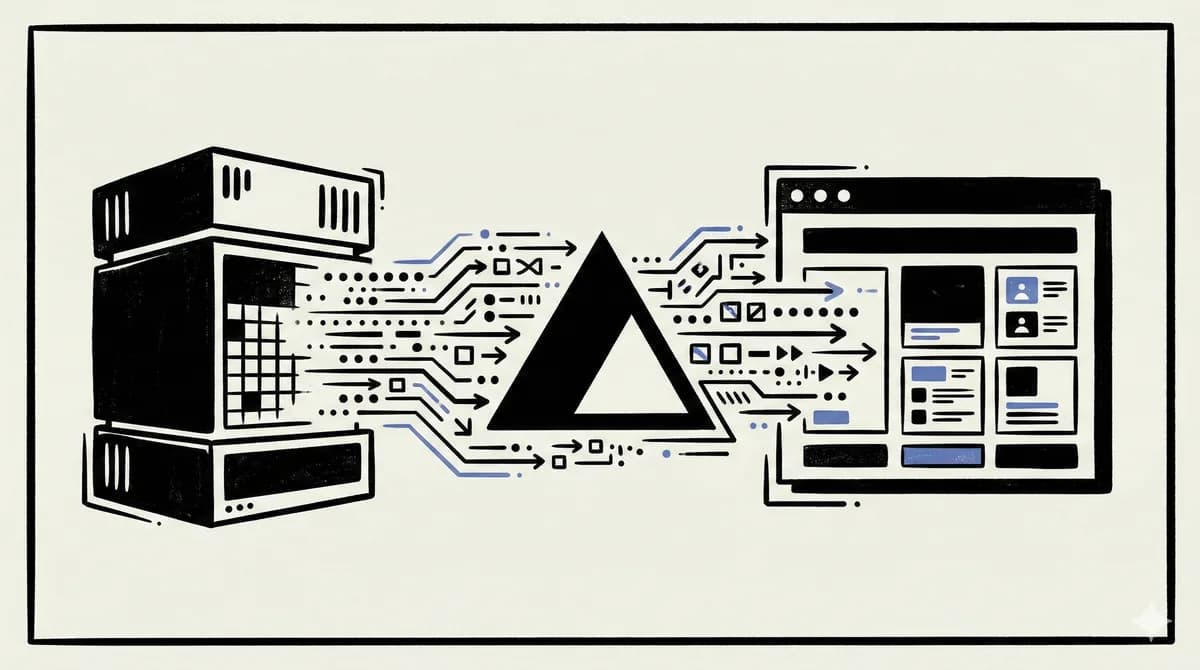
The system has two main pieces:
- A standalone Node.js scraping server - handles web requests through a proxy service, runs Puppeteer for interactive pages, converts HTML to markdown
- A Next.js application - takes user queries, uses structured outputs to extract target URLs, sends URLs to the scraping server, feeds results into an LLM for the final answer
This separation exists because the scraping server uses WebSocket protocols for Puppeteer and needs to run on a standard Node.js runtime, while the Next.js app can run on the edge.
Structured Outputs with Zod#
The first problem to solve: given a natural language query like "find me men's Nike shoes on Amazon," which URL should we scrape? Instead of building a URL mapping table, we let the LLM figure it out and guarantee the response format with structured outputs.
OpenAI's structured output feature guarantees that the model returns valid JSON matching your schema. Combined with Zod, you get compile-time type safety and runtime validation in a single declaration:
import OpenAI from "openai";
import { z } from "zod";
import { zodResponseFormat } from "openai/helpers/zod";

const UrlSchema = z.object({
  url: z.string().describe("The most likely valid URL for this query"),
});

type ExtractedUrl = z.infer<typeof UrlSchema>;

async function extractUrl(query: string): Promise<string | null> {
  const openai = new OpenAI();

  const response = await openai.beta.chat.completions.parse({
    model: "gpt-4o-2024-08-06",
    messages: [
      {
        role: "system",
        content: "Extract the most likely valid URL from a natural language query.",
      },
      {
        role: "user",
        content: query,
      },
    ],
    response_format: zodResponseFormat(UrlSchema, "url_extraction"),
  });

  const parsed = response.choices[0].message.parsed;
  return parsed?.url || null;
}
A few important details:
- The model string matters - at time of writing, structured outputs require
gpt-4o-2024-08-06. The genericgpt-4oalias may not support it yet. - The Zod schema is your contract - the model will always return an object matching this shape. No parsing errors, no malformed JSON.
- URL hallucination is possible - the model guarantees the format, not the accuracy. A query about an obscure blog might produce a plausible but wrong URL. The scraping step will catch this when the page does not exist.
The .describe() annotations on Zod fields are not just documentation. The model reads them when deciding what values to generate. Descriptive annotations produce better results.
The Scraping Server#
The scraping server is a standalone Express or plain Node.js HTTP server. It accepts a URL and a query, fetches the page content, and returns clean markdown.
HTML to Markdown Conversion#
Raw HTML is noisy. Scripts, styles, iframes, and navigation elements waste tokens when sent to an LLM. Turndown converts HTML to clean markdown and lets you strip the irrelevant elements:
import TurndownService from "turndown";

const turndown = new TurndownService({
  headingStyle: "atx",
  codeBlockStyle: "fenced",
});

// Remove elements that add noise, not information
turndown.remove(["script", "style", "noscript", "iframe"]);

function htmlToMarkdown(html: string): string {
  const markdown = turndown.turndown(html);

  // Warn if content is very large
  if (markdown.length > 500000) {
    console.warn("Large content payload - consider truncating before LLM inference");
  }

  return markdown;
}
The 500,000-character warning is a practical guardrail. Most LLMs have context windows between 8K and 128K tokens, and a single character of markdown roughly maps to one token. Sending a 500K-character page into a 32K context window will either truncate silently or error.
Web Unlocker Endpoint#
For standard web pages, a proxy service handles the request. This avoids common scraping issues like IP blocking, CAPTCHAs, and JavaScript-rendered content:
import request from "request-promise";

const PROXY_URL = process.env.BRIGHT_DATA_PROXY_URL;

async function scrapeWithProxy(url: string): Promise<string> {
  const options = {
    url,
    proxy: PROXY_URL,
    rejectUnauthorized: false,
  };

  const html = await request(options);
  return htmlToMarkdown(html);
}
Using a proxy service like Bright Data provides several advantages over raw fetch calls:
- IP rotation - if one IP gets blocked, the service automatically rotates to another
- Browser emulation - requests look like real browser traffic, not automated scripts
- JavaScript rendering - pages that require JS to load content get fully rendered
- Retry logic - failed requests retry automatically with different configurations
- Pay per success - you only pay for requests that return usable content
Puppeteer for Interactive Pages#
Some pages require interaction - typing in a search bar, clicking buttons, waiting for results to load. Puppeteer handles this by controlling a real browser programmatically.
Here is an example that searches for a product on Amazon:
import puppeteer from "puppeteer-core";

const BROWSER_WS_ENDPOINT = process.env.BROWSER_WS_ENDPOINT;

async function scrapeWithPuppeteer(url: string, query: string): Promise<string> {
  const browser = await puppeteer.connect({
    browserWSEndpoint: BROWSER_WS_ENDPOINT,
  });

  const page = await browser.newPage();

  await page.goto("https://www.amazon.com", {
    waitUntil: "domcontentloaded",
  });

  // Wait for the search bar to appear
  await page.waitForSelector("#twotabsearchtextbox");

  // Type the search query with human-like delays
  await page.type("#twotabsearchtextbox", query, { delay: 50 });

  // Click the search button
  await page.click("#nav-search-submit-button");

  // Wait for results to load
  await page.waitForNavigation({ waitUntil: "domcontentloaded" });

  // Extract product data from the results page
  const results = await page.evaluate(() => {
    const items = document.querySelectorAll('[data-component-type="s-search-result"]');
    return Array.from(items)
      .slice(0, 10)
      .map((item) => ({
        name: item.querySelector("h2 span")?.textContent?.trim() || "",
        price: item.querySelector(".a-price .a-offscreen")?.textContent?.trim() || "",
        rating: item.querySelector(".a-icon-alt")?.textContent?.trim() || "",
        reviews: item.querySelector(".a-size-base.s-underline-text")?.textContent?.trim() || "",
        link: item.querySelector("h2 a")?.getAttribute("href") || "",
      }));
  });

  await browser.close();

  return JSON.stringify(results, null, 2);
}
A few Puppeteer patterns worth noting:
waitForSelectorbefore interacting with elements. Pages load asynchronously, and clicking a button that has not rendered yet will throw an error.page.typewithdelaysimulates human typing speed. This reduces the chance of being flagged as a bot.page.evaluateruns JavaScript inside the browser context. You can use standard DOM APIs to extract exactly the data you need.puppeteer-coreis the lightweight version that connects to an existing browser instance instead of bundling Chromium. This is what you want for remote browser services.
Route Logic#
The server exposes a single POST endpoint that decides which scraping method to use:
app.post("/api/scrape", async (req, res) => {
  const { url, query } = req.body;

  try {
    let content: string;

    if (url.includes("amazon.com")) {
      // Interactive scraping with Puppeteer
      content = await scrapeWithPuppeteer(url, query);
    } else {
      // Standard proxy scraping
      content = await scrapeWithProxy(url);
    }

    res.json({ content });
  } catch (error) {
    console.error("Scraping error:", error);
    res.status(500).json({ error: "Failed to scrape the requested URL" });
  }
});
The URL-based routing is simple but effective. You can extend it with more patterns - use Puppeteer for any site that requires login, JavaScript rendering, or multi-step navigation.
The Application Layer#
With URL extraction and scraping handled, the application layer ties everything together. Given a user query:
- Extract the target URL using structured outputs
- Send the URL to the scraping server
- Feed the scraped content into an LLM with the original query
- Stream the response back to the user
async function answerQuery(query: string) {
  // Step 1: Extract URL
  const url = await extractUrl(query);

  if (!url) {
    return "Could not determine a valid URL for your query.";
  }

  // Step 2: Scrape the page
  const scrapeResponse = await fetch("http://localhost:3001/api/scrape", {
    method: "POST",
    headers: { "Content-Type": "application/json" },
    body: JSON.stringify({ url, query }),
  });

  const { content } = await scrapeResponse.json();

  // Step 3: Generate answer with LLM
  const openai = new OpenAI();

  const completion = await openai.chat.completions.create({
    model: "gpt-4o",
    messages: [
      {
        role: "system",
        content:
          "You are a helpful assistant. Answer the user's question using the provided context. Format your response in clean markdown.",
      },
      {
        role: "user",
        content: `<context>${content}</context>\n\nQuestion: ${query}`,
      },
    ],
    stream: true,
  });

  return completion;
}
The XML-style <context> tags are a prompting pattern that helps the model distinguish between the scraped content and the user's question. Without them, the model might confuse parts of the scraped text with instructions.
Why This Beats Basic Scraping#
A traditional scraper fetches a hardcoded URL and parses specific HTML selectors. When the site changes its layout, the scraper breaks.
This approach is different:
- No hardcoded URLs - the LLM determines which site to visit based on the query
- No brittle selectors - for most pages, we convert the entire page to markdown and let the LLM extract what matters
- Handles interactive pages - Puppeteer can navigate multi-step workflows that simple HTTP requests cannot
- Natural language interface - users describe what they want in plain English
The tradeoff is cost. Every query involves at least two LLM calls (URL extraction + answer generation) plus a scraping request. For high-volume use cases, cache aggressively and consider whether a simpler approach would work.
Extending the System#
The structured output pattern is not limited to URL extraction. You can define Zod schemas for any structured data you need from the LLM:
const ProductSchema = z.object({
  products: z.array(
    z.object({
      name: z.string(),
      price: z.string(),
      rating: z.number(),
      pros: z.array(z.string()),
      cons: z.array(z.string()),
    })
  ),
});
Feed scraped content into a parse call with this schema and you get guaranteed structured product data. Combine multiple schemas in a pipeline - extract URLs, scrape pages, parse structured data, generate summaries - and you have a flexible data extraction system that handles whatever you throw at it.
Related apps#
- Migrate - OpenAI Assistants API is sunsetting August 26 2026. Paste your code, get Responses API equivalent. Built for the migration deadline.
- Skills Pro - Premium tier for the Skills marketplace. Unlock pro skills, private collections, and team sharing.
Related#
- Subscribe to DevDigest on YouTube for hands-on walkthroughs
Continue Reading#
Get the next deep dive like this in your inbox
One email a week on OpenAI and the rest of the AI dev stack. Free.
Read next
How to Build AI Agents in TypeScript
A practical guide to building AI agents with TypeScript using the Vercel AI SDK. Tool use, multi-step reasoning, and real patterns you can ship today.
10 min readVercel AI SDK: Build Streaming AI Apps in TypeScript
The AI SDK is the fastest way to add streaming AI responses to your Next.js app. Here is how to use it with Claude, GPT, and open source models.
5 min readWhat is RAG? Retrieval Augmented Generation Explained
How RAG works, why it matters, and how to implement it in TypeScript. The technique that lets AI models use your data without fine-tuning.
8 min readNew here? Start with
Technical content at the intersection of AI and development. Building with AI agents, Claude Code, and modern dev tools - then showing you exactly how it works.