Codex SDK vs CLI vs GitHub Action: Which Surface Should You Build On?

TL;DR
Codex is no longer just a terminal agent. Here is when to use the Codex SDK, Codex CLI, or openai/codex-action, and how to avoid building the same agent loop three times.
Direct answer
Codex SDK vs CLI vs GitHub Action: Which Surface Should You Build On?
Codex is no longer just a terminal agent. Here is when to use the Codex SDK, Codex CLI, or openai/codex-action, and how to avoid building the same agent loop three times.
Best for
Developers comparing real tool tradeoffs before choosing a stack.
Covers
Verdict, tradeoffs, pricing signals, workflow fit, and related alternatives.
Codex used to be easy to place in your head: install the CLI, run it in a repo, review the diff. That mental model is now too small.
OpenAI has split Codex across several surfaces: app, web, IDE extension, CLI, GitHub integration, Slack, automations, and an SDK. The practical question for builders is not "should I use Codex?" It is where should Codex live in my workflow?
This is the decision tree I would use:
| Surface | Best job | Main risk |
|---|---|---|
| Codex CLI | Local, scoped engineering tasks | Human prompts stay informal |
| Codex GitHub Action | CI-adjacent review, comments, generated artifacts | Over-permissioned runners |
| Codex SDK | Productized agent features inside your own app | You now own the full UX and control plane |
If you are new to the product, start with the OpenAI Codex guide. If you already understand Codex and want the current product direction, read the April Codex changelog breakdown. This post is narrower: it is about choosing the right integration surface before you wire Codex into a team workflow.
The Short Answer#
Use the Codex CLI when the human is still in the loop and the job starts from a terminal.
Use the Codex GitHub Action when the job is triggered by repository events and the output belongs in GitHub: PR comments, review summaries, generated migration notes, failing-test explanations, release checks, or structured artifacts.
Use the Codex SDK when Codex is not the product surface but the engine behind your own product: an internal code-mod assistant, a migration dashboard, an app-builder workflow, a customer-facing repo assistant, or a specialized review system with its own UI.
The mistake is trying to make one surface do all three jobs. That is how teams end up with a brittle shell script that should have been an app, or a full SDK integration that should have been a 20-line GitHub Action.
Codex CLI: Best for Human-Steered Work#
The CLI is still the most direct Codex surface. OpenAI's docs position it as the terminal pairing experience, and the command shape is exactly what you want for local repo work:
Terminal
codex exec "Add input validation to the billing webhook and update the tests."
The CLI is the right default when:
- the developer is already in the repo;
- local services matter;
- the task needs quick back-and-forth;
- you want to inspect files before approving changes;
- the output should become a normal local diff.
This is where Codex competes directly with Claude Code, Cursor agents, and other terminal-native coding tools. Codex's advantage is the OpenAI model stack, sandboxing defaults, and the growing app/CLI ecosystem around approvals, goals, browser verification, and worktrees.
The CLI's weakness is that it inherits human prompt quality. If every task starts as "fix the thing," Codex will produce fuzzy work. The better pattern is to keep a tiny prompt template near your repo:
Text
Goal:
<one concrete outcome>

Constraints:
- files/modules in scope
- files/modules out of scope
- command to verify
- expected user-visible behavior

Return:
- summary
- changed files
- tests run
- risks
That template is simple, but it converts Codex from "smart terminal" into a repeatable engineering loop. It also sets you up for the other surfaces later.
Codex GitHub Action: Best for Repo Events#
The openai/codex-action repo gives teams a way to run Codex inside GitHub Actions while controlling privileges. The README is explicit about the architecture: the action installs the Codex CLI and configures a secure proxy to the Responses API. It also gives you knobs for sandbox mode, model, effort, output schema, output files, working directory, and safety strategy.
This is the right surface when the trigger is already a GitHub event:
- PR opened;
- label added;
- issue assigned;
- nightly scheduled workflow;
- release branch cut;
- dependency update opened;
- failing CI run needs explanation.
The most useful first workflow is not "let Codex rewrite code automatically." Start with review output:
- Check out the PR.
- Fetch base and head refs.
- Run Codex with a prompt constrained to the PR diff.
- Post the final message as a PR comment.
- Keep permissions read-only until the workflow earns trust.
This is a better first step because review comments are easy to ignore, easy to compare, and easy to audit. Once the signal is good, you can graduate to generated artifacts or narrow autofix branches.
From the archive
Free Claude Code Is Really a Model Gateway Bet
May 5, 2026 • 7 min read
GPT Image 2 Prompt Libraries Are Becoming Production Infrastructure
May 5, 2026 • 7 min read
Karpathy's Loopy Era Is the Best Way to Understand Codex
May 5, 2026 • 9 min read
OpenAI's Codex Mac Certificate Deadline Is a Runbook Test
May 5, 2026 • 7 min read
The Safety Knob That Matters#
The GitHub Action docs include an unusually important input: safety-strategy.
The default is drop-sudo, which removes sudo access before Codex runs on Linux and macOS runners. There are also unprivileged-user, read-only, and unsafe modes. That is not a small implementation detail. It is the difference between "agent can inspect this checkout" and "agent is running with broad runner privileges."
For most teams, the starting point should be:
YAML
permissions:
  contents: read

with:
  sandbox: read-only
  safety-strategy: drop-sudo
Then loosen only what the workflow proves it needs.
This is the same security lesson from the Codex cloud security playbook: the agent's usefulness comes from access, and the risk comes from access. Good workflows make that access explicit.
Codex SDK: Best for Productizing the Loop#
The SDK matters when Codex becomes part of your product rather than a tool your developers run.
Examples:
- a migration assistant that opens scoped modernization tasks;
- a customer repo analyzer that produces implementation plans;
- an internal platform that assigns small tasks to agents;
- a code-review product with its own dashboard;
- a teaching app that lets users run Codex against sandbox repos;
- a maintenance workflow that turns errors into proposed fixes.
If the UI, state model, permissions, billing, or reporting belong to your app, the SDK is the right surface. You get to design the control plane. You also have to design the control plane.
That tradeoff is the whole point. With the CLI, OpenAI owns most of the product surface. With the GitHub Action, GitHub owns the event surface. With the SDK, you own the user experience, state transitions, permissions, observability, and failure handling.
Do not pick the SDK because it sounds more serious. Pick it when your workflow has product requirements that the CLI and GitHub Action cannot express.
A Practical Decision Matrix#
Here is the simplest way to decide.
| Question | Pick |
|---|---|
| Does a human start the task from a terminal? | CLI |
| Does a GitHub event start the task? | GitHub Action |
| Does your app need to own the UX? | SDK |
| Is the output a local diff? | CLI |
| Is the output a PR comment or CI artifact? | GitHub Action |
| Is the output a product workflow with users and state? | SDK |
| Do you need a quick proof of concept? | CLI |
| Do you need repeatable repo automation? | GitHub Action |
| Do you need a differentiated product? | SDK |
Most teams should move in this order:
- CLI for manual proof.
- GitHub Action for repeatable repo events.
- SDK only after the workflow has proven value.
That order keeps you from overbuilding.
The Architecture Pattern#
The winning pattern is to keep the task contract portable across all three surfaces.
Do not write one prompt for CLI, a different prompt for GitHub Actions, and a third prompt inside your SDK app. Write one task spec format:
YAML
goal: "Refactor the billing webhook validation"
scope:
  include:
    - app/api/billing/**
    - lib/billing/**
  exclude:
    - migrations/**
verification:
  commands:
    - pnpm test billing
    - pnpm typecheck
output:
  format:
    - summary
    - changed_files
    - tests_run
    - risks
Then adapt the transport:
- CLI reads the task spec from a local file.
- GitHub Action reads it from
.github/codex/review.ymlor a prompt file. - SDK stores it as structured state in your app.
This is how Codex content compounds. You are not building random prompts. You are designing a reusable task contract that can move from human use to automation to product.
For the larger version of that idea, read Codex automations for recurring engineering work and Codex /goal vs Claude Managed Outcomes.
What I Would Build First#
If I were adding Codex to a team today, I would not start with the SDK.
I would ship three small things:
- A repo-level
AGENTS.mdwith exact project rules. - A
codex-tasks/folder with reusable task specs. - A GitHub Action that runs Codex in read-only mode on PRs and posts concise review comments.
Then I would watch three numbers:
- how often Codex catches real issues before humans do;
- how often humans ignore the comment;
- how often the workflow needs write access.
If the comments are useful, move from read-only review to generated patch branches. If the task specs become durable and reusable, consider the SDK. If developers keep manually running the same task locally, wrap it in the CLI first.
The SDK should be the reward for a proven workflow, not the starting point.
The Bigger Take#
Codex is turning into a multi-surface agent platform. That is good, but it creates a new design problem: teams have to decide which surface owns which job.
The CLI is for developer-steered work. The GitHub Action is for repo-triggered automation. The SDK is for productized agent workflows.
Use the smallest surface that preserves the control you need. Then keep the task contract portable so the workflow can grow without a rewrite.
That is how you go hard on Codex without turning your engineering process into a pile of disconnected agent experiments.
Official Sources#
Always verify current features, APIs, and security recommendations against the official documentation:
| Surface | Documentation | GitHub | Changelog |
|---|---|---|---|
| Codex CLI | developers.openai.com/codex/cli | openai/codex | Codex changelog |
| Codex SDK | developers.openai.com/codex/sdk | openai/codex | Codex changelog |
| Codex GitHub Action | GitHub Action README | openai/codex-action | Action releases |
OpenAI's Codex surfaces evolve rapidly. The official documentation is the source of truth for current API shapes, security defaults, and best practices.
FAQ#
Should I start with the Codex SDK?#
Usually no. Start with the CLI or GitHub Action unless your app needs to own the user experience, state model, permissions, or reporting. The SDK is best after the workflow has proven value.
Is openai/codex-action just the CLI in GitHub Actions?#
Broadly, yes. The action handles installing the Codex CLI and configuring a secure proxy to the Responses API, then exposes workflow inputs for prompt, model, effort, sandbox, output schema, output file, and safety strategy.
What is the safest first GitHub Action workflow?#
Run Codex in read-only mode on pull requests and post a concise review comment. Keep repository permissions narrow and use the default drop-sudo safety strategy on Linux or macOS runners.
When does the Codex SDK make sense?#
Use the SDK when Codex powers your own product or internal platform: migration dashboards, custom review systems, app-builder workflows, sandbox teaching tools, or maintenance agents with their own UI and state.
Continue Reading#
Read next
OpenAI Codex: Terminal and Cloud AI Coding Agent
Codex works from the terminal, cloud tasks, IDEs, GitHub, Slack, and Linear. Here is how to use it and how it compares to Claude Code.
5 min readCodex Changelog April 2026: Goals, Browser Use, GPT-5.5, and Safer Agents
OpenAI's April 2026 Codex changelog shows a clear product shift: Codex is becoming a full agent workspace with goals, browser verification, automatic approval reviews, plugins, and tighter permission profiles.
9 min readOpenAI Codex Cloud Security Playbook 2026: Internet Access, Prompt Injection, and Safe Defaults
A practical security playbook for running Codex cloud tasks safely in 2026 using OpenAI docs: internet access controls, domain allowlists, HTTP method limits, and review workflows.
10 min readShare
Developers Digest
Technical content at the intersection of AI and development. Building with AI agents, Claude Code, and modern dev tools - then showing you exactly how it works.
300+ videos30K+ GitHub stars850+ articles
Related Tools
AI CodingAgent

OpenAI Codex
OpenAI's coding agent for terminal, cloud, IDE, GitHub, Slack, and Linear workflows. Reads repos, edits files, runs comm...
View ToolAI Coding
Codex CLI
OpenAI's open-source terminal coding agent built in Rust. Runs locally, reads your repo, edits files, and executes comma...
View ToolAI FrameworksEssential

Vercel AI SDK
The TypeScript toolkit for building AI apps. Unified API across OpenAI, Anthropic, Google. Streaming, tool calling, stru...
View ToolAI Models

ChatGPT
OpenAI's flagship. GPT-4o for general use, o3 for reasoning, Codex for coding. 300M+ weekly users. Tasks, agents, web br...
View ToolApps from Developers Digest
Related Guides
Guide
Chronicle Research Preview Setup Guide
Set up Codex Chronicle on macOS, manage permissions, and understand privacy, security, and troubleshooting.
Getting StartedGuide
MCP Servers Explained
What MCP servers are, how they work, and how to build your own in 5 minutes.
AI AgentsGuide
Building Your First MCP Server
Step-by-step guide to building an MCP server in TypeScript - from project setup to tool definitions, resource handling, testing, and deployment.
AI AgentsRelated Videos

OpenAI Codex in 7 Minutes
OpenAI Codex Desktop App: Plan/Goal Modes, Plugins, Multi-Agent Workflows & UI Annotation Demo The video showcases OpenAI’s Codex desktop app, which the creator calls OpenAI’s best product and a prem...
Video·

Nimbalyst: The Open-Source Visual Workspace for Building with Codex and Claude Code
Nimbalyst Demo: A Visual Workspace for Codex + Claude Code with Kanban, Plans, and AI Commits Try it: https://nimbalyst.com/ Star Repo Here: https://github.com/Nimbalyst/nimbalyst This video demos N...
Video·
OpenAI Codex in ChatGPT in 5 Minutes
In this video, we delve into OpenAI's latest release, Codex, a cloud-based software engineering agent designed for various coding tasks. Unlike tools like Cursor or Windsurf, Codex integrates...
Video·
Related Posts
5 min read
OpenAI
OpenAI Codex: Terminal and Cloud AI Coding Agent
Codex works from the terminal, cloud tasks, IDEs, GitHub, Slack, and Linear. Here is how to use it and how it compares t...
9 min read
Codex
Codex Changelog April 2026: Goals, Browser Use, GPT-5.5, and Safer Agents
OpenAI's April 2026 Codex changelog shows a clear product shift: Codex is becoming a full agent workspace with goals, br...
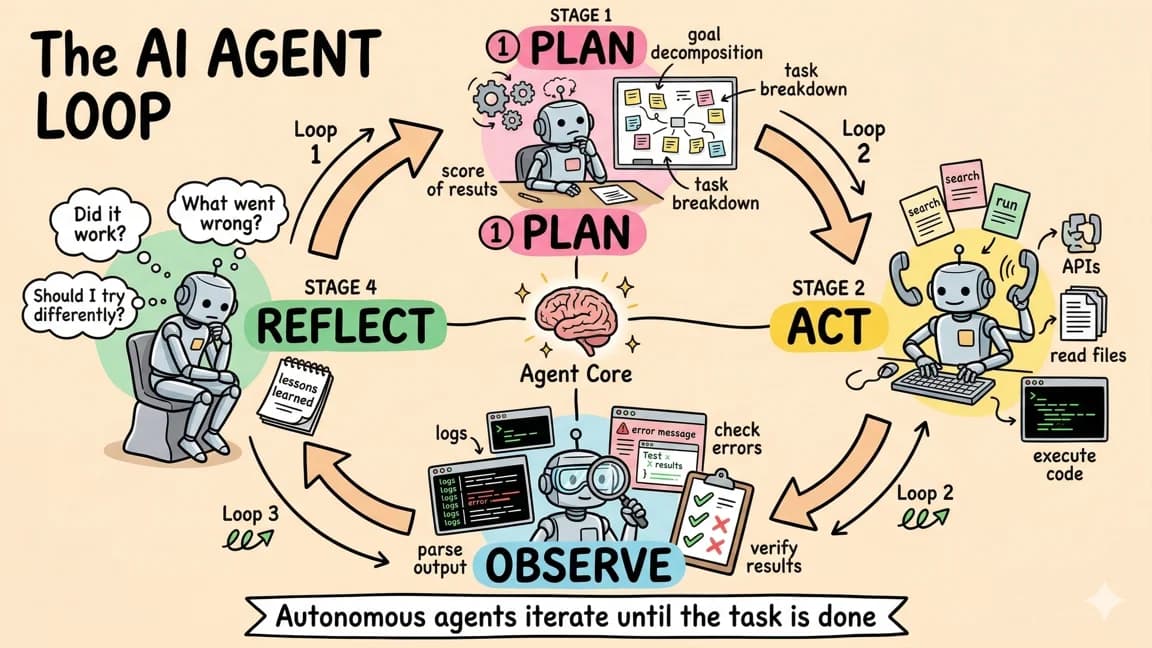
10 min read
OpenAI Codex
OpenAI Codex Cloud Security Playbook 2026: Internet Access, Prompt Injection, and Safe Defaults
A practical security playbook for running Codex cloud tasks safely in 2026 using OpenAI docs: internet access controls,...
9 min read
Codex
Codex Automations: Where Scheduled AI Agents Actually Help
Codex automations are useful when recurring engineering work has clear inputs, reviewable outputs, and safe boundaries....

18 min read
AI Agents
Codex /goal and Claude Managed Outcomes: The New Control Loops
A deep comparison of Codex's new /goal loop and Claude managed agents outcomes, with practical workflow examples, contro...

7 min read
OpenAI
OpenAI's Codex Mac Certificate Deadline Is a Runbook Test
OpenAI's May 8 macOS certificate rotation for ChatGPT, Codex, Codex CLI, and Atlas is not just a one-off update. It is a...
Build with the member tools

Get Smarter About AI Dev
New tutorials, open-source projects, and deep dives on coding agents - delivered weekly.
One email per weekReal code, not theoryFree forever