Ship a Remote MCP Server: Give Your Coding Agent Cloud Tools in an Afternoon

TL;DR
MCP just became stateless, which means your own MCP server is now just an HTTP endpoint that deploys like any web service. Build one with an agent, deploy it on Railway, and point opencode or Claude Code at the public URL. The full build, start to finish.
The 2026-07-28 MCP specification removed sessions entirely. No initialize handshake, no Mcp-Session-Id header, no GET stream endpoint. Every request is now one self-contained HTTP POST to a single endpoint. That change sounds like a wire-format detail, but it quietly rewrites how you ship tools to your agents: a remote MCP server is now just an ordinary web handler, and ordinary web handlers deploy like any other service. Session affinity is gone, so any replica can answer any request, and anything that can host a Node process can host your MCP server.
This guide builds the canonical version end to end: a small MCP server called ops-brief with two genuinely useful tools, deployed to a public HTTPS URL and connected to both OpenCode and Claude Code. The scaffolding is done by the agent itself - OpenCode in headless mode is the harness, DeepSeek V4 Flash is the model doing the writing - and Railway is the host, because for a service that needs a public URL, logs, and redeploys on push, that is exactly its lane. We run a version of this shape for parts of this site; the mechanics below are the portable core. Seven steps, under an hour, every step ending in something you can run.
Official Sources#
| Resource | Description |
|---|---|
| MCP Streamable HTTP transport spec | The stateless wire contract this server implements |
| MCP server quickstart | Official SDK setup for building servers |
| OpenCode MCP servers docs | Local and remote MCP config for opencode |
| Claude Code MCP docs | claude mcp add and the .mcp.json format |
| Railway Quick Start | Deploying from GitHub and the CLI |
| Railway Public Networking | Railway-provided domains and automatic SSL |
| Railway GitHub Autodeploys | Deploy on every push to the connected branch |
| Railway Pricing | Free trial grant and Hobby plan |
| GitHub Releases REST API | GET /repos/{owner}/{repo}/releases/latest |
Step 1: Set up the pieces#
Prerequisites: Node.js 20 or newer, a GitHub account, and a free Railway account (new accounts get a one-time $5 trial grant valid for 30 days, which covers this build several times over).
Install OpenCode with the official one-liner from the docs, authenticate a provider, and prove headless mode works:
Terminal
curl -fsSL https://opencode.ai/install | bash
opencode auth login
opencode run --model opencode/deepseek-v4-flash "print the current directory tree, two levels deep"
If that prints a tree and exits cleanly, the agent side is ready. Two notes before you start: connect your GitHub account to Railway when you sign up, because a verified GitHub account is what unlocks the full trial with unrestricted network access. And keep the trial in mind - Railway's free trial and plans page is where the numbers live, so you can check them yourself rather than trusting a blog. What you have now: a working agent CLI and a Railway account with credit on it.
Step 2: Have the agent scaffold the server#
Create an empty directory and let the agent write the whole project. This is a narrow, well-specified task - exactly what budget models are good at:
Terminal
opencode run --model opencode/deepseek-v4-flash --variant high \
  "Create a TypeScript MCP server project in ./ops-brief. It exposes two tools: check_endpoint(url) which HTTP-GETs a URL and reports status and latency, and latest_releases(repos) which calls the GitHub REST API GET /repos/{owner}/{repo}/releases/latest for each repo and reports the tag, name, and publish date. Use the official @modelcontextprotocol/sdk, serve the Streamable HTTP transport on POST /mcp via Express, read PORT from the environment with a 3001 default, add a GET /healthz route returning ok, and add a build script that runs tsc. Minimal and typed."
The core of what the agent produces, once you strip the boilerplate, looks like this:
TypeScript
import express from "express";
import { z } from "zod";
import { McpServer } from "@modelcontextprotocol/sdk/server/mcp.js";
import { StreamableHTTPServerTransport } from "@modelcontextprotocol/sdk/server/streamableHttp.js";

const server = new McpServer({ name: "ops-brief", version: "1.0.0" });

server.registerTool(
  "check_endpoint",
  {
    description: "Check whether a URL responds and how long it takes",
    inputSchema: z.object({ url: z.string().url().describe("The URL to check") }),
  },
  async ({ url }) => {
    const start = Date.now();
    const res = await fetch(url, { redirect: "follow", signal: AbortSignal.timeout(10_000) });
    return { content: [{ type: "text", text: `${res.status} in ${Date.now() - start} ms (${res.url})` }] };
  }
);

server.registerTool(
  "latest_releases",
  {
    description: "Get the latest GitHub release for one or more repos, e.g. 'sst/opencode'",
    inputSchema: z.object({ repos: z.array(z.string()).describe("owner/repo pairs") }),
  },
  async ({ repos }) => {
    const lines = [];
    for (const repo of repos) {
      const res = await fetch(`https://api.github.com/repos/${repo}/releases/latest`, {
        headers: { Accept: "application/vnd.github+json", "User-Agent": "ops-brief-mcp" },
      });
      if (!res.ok) { lines.push(`${repo}: no release found (${res.status})`); continue; }
      const rel = await res.json();
      lines.push(`${repo}: ${rel.tag_name} (${rel.name}) published ${rel.published_at}`);
    }
    return { content: [{ type: "text", text: lines.join("\n") }] };
  }
);

const app = express();
app.use(express.json());
app.get("/healthz", (_req, res) => res.send("ok"));

app.post("/mcp", async (req, res) => {
  const transport = new StreamableHTTPServerTransport();
  res.on("close", () => transport.close());
  await server.connect(transport);
  await transport.handleRequest(req, res);
});

app.listen(Number(process.env.PORT) || 3001, () => {
  console.log("ops-brief MCP server listening on /mcp");
});
Two things to check in whatever the agent writes before you accept it. First, the tool handlers must be bounded: a timeout on the fetch and no unbounded loops, because a remote tool call has no terminal nearby to Ctrl-C it. Second, tool descriptions must tell the model when to use the tool - check_endpoint is for verifying a deploy or a docs link, latest_releases is for release awareness - because the description is the entire routing contract. Then build and run:
Terminal
cd ops-brief && npm install && npm run build
node dist/index.js
What you have now: a compiled MCP server with two working tools, running locally on port 3001.
From the archive
Give Your Site a Voice: Build a Conversational Support Agent with ElevenLabs Agents
Aug 9, 2026 • 10 min read
Claude Code Cross-Session Messaging: Your Agents Can Now Talk to Each Other
Aug 9, 2026 • 7 min read
When Your AI-Generated App Turns Out to Be Someone Else's, Bug for Bug
Aug 9, 2026 • 7 min read
Make Your Coding Agent Talk: Audio Briefs from Agent Runs with ElevenLabs
Aug 8, 2026 • 9 min read
Step 3: Prove the protocol locally with curl#
Remote MCP is a protocol contract, and contracts deserve a raw test before you trust an SDK client. The 2026-07-28 spec requires the MCP-Protocol-Version and Mcp-Method headers on every POST, with Mcp-Name added for tools/call; servers must reject requests where a header does not match the body with a HeaderMismatch error (code -32020).
List the tools:
Terminal
curl -s -X POST http://localhost:3001/mcp \
  -H "Content-Type: application/json" \
  -H "MCP-Protocol-Version: 2026-07-28" \
  -H "Mcp-Method: tools/list" \
  -d '{"jsonrpc":"2.0","id":1,"method":"tools/list","params":{}}'
Call one:
Terminal
curl -s -X POST http://localhost:3001/mcp \
  -H "Content-Type: application/json" \
  -H "MCP-Protocol-Version: 2026-07-28" \
  -H "Mcp-Method: tools/call" \
  -H "Mcp-Name: check_endpoint" \
  -d '{"jsonrpc":"2.0","id":2,"method":"tools/call","params":{"name":"check_endpoint","arguments":{"url":"https://example.com"}}}'
And confirm the mismatch rejection is real - send Mcp-Name: wrong with the same body and you should get a JSON-RPC error with code -32020. If your SDK-generated server does not reject that, it is not spec-compliant, and spec non-compliance is exactly what bites you later behind a load balancer. What you have now: proof the server speaks the stateless contract correctly, verified by hand.
Step 4: Deploy it on Railway#
This is where the stateless spec pays its rent. Because there is no session state, deployment is the boring, reliable kind: push the code, Railway builds it, traffic hits the container. No sticky sessions, no state migration, no server configuration beyond "run it".
Push the repo to GitHub (create an empty repo, then git add -A && git commit -m "ops-brief MCP server" && git push), then in the Railway dashboard: New Project → Deploy from GitHub repo → select the repo → Deploy Now. Railway detects the Node service, installs dependencies, runs the build script, and starts it with PORT set in the environment - which is why the server reads process.env.PORT instead of hardcoding 3001. Any push to the connected branch triggers a new deployment automatically, so fixing a tool bug later is git push and done.
Now expose it: Settings → Networking → Public Networking → Generate Domain. Railway provisions a *.railway.app domain with automatic SSL - and an HTTPS URL matters here, because agent clients treat plain HTTP remote MCP servers as a non-starter. Verify:
Terminal
curl https://<your-service>.up.railway.app/healthz
That returns ok when the deploy is live. The whole thing costs you a rounding error of the trial's $5 grant; a server this small sits comfortably inside the included usage on the $5/month Hobby plan after the trial ends, per the pricing docs. What you have now: your MCP server on a public HTTPS URL, redeploying itself on every push.
Step 5: Point opencode at the public URL#
The payoff step. OpenCode reads remote MCP servers from opencode.json - the config file in your project root - under the mcp key with type: "remote":
JSON
{
  "$schema": "https://opencode.ai/config.json",
  "mcp": {
    "ops-brief": {
      "type": "remote",
      "url": "https://<your-service>.up.railway.app/mcp"
    }
  }
}
Confirm the connection with opencode mcp list - your server should show up with its tools - then use it in a session:
Text
use ops-brief to check whether https://example.com responds, and tell me the latest release of sst/opencode
Watch what happens: the model fetches the tool list from your server, decides both tools fit, calls them over HTTP, and answers from the results. You just gave an agent capabilities it did not have a minute ago - network probing and release awareness - by editing one JSON file. Any machine with that config now has the same tools, which is the whole point of remote servers over the stdio-only kind. What you have now: a coding agent using your deployed MCP server as a cloud tool.
Step 6: Share it with other harnesses and teammates#
The same URL works from any MCP client. Claude Code, for example, takes it as a one-liner:
Terminal
claude mcp add --transport http ops-brief https://<your-service>.up.railway.app/mcp
The --transport http flag is what marks it as a remote server - without it Claude Code would try to spawn a local process and fail. For team use, add it with --scope project, which writes the entry to a .mcp.json file in the repo so everyone on the team gets the same tools with the same URL. The client-side config shapes differ slightly per harness - opencode uses type: "remote", Claude Code uses type: "http" - but the wire protocol is identical, which is the bet MCP makes and the reason this whole build never touches client code.
Worth knowing while you are in this world: Railway dogfoods the pattern. Its own MCP server exposes project management - create projects, set variables, generate domains - to agents over a hosted endpoint, with OAuth for authentication. It is the same shape you just shipped, done by the platform, and a good reference for what a well-polished remote server looks like. What you have now: one URL that any agent harness on your team can adopt.
Step 7: Harden it before you tell anyone the URL#
A public MCP endpoint is an open door by default: anyone can POST tools/list and call your tools. Before the server does real work, three cheap moves:
- Require a bearer token. Add
MCP_TOKENto the service's Variables in Railway, and have the server reject requests withoutAuthorization: Bearer $MCP_TOKENbefore touching the transport. Clients then send the header:headers: { "Authorization": "Bearer {env:MCP_TOKEN}" }in opencode.json, or--header "Authorization: Bearer $MCP_TOKEN"onclaude mcp add. This is the highest-value hardening there is - one env var, one middleware line. - Validate the Origin header. The spec requires servers to reject requests with an invalid
Originwith a 403 to prevent DNS rebinding attacks; make sure your SDK wiring does not skip it. - Keep the tool surface small. Every MCP tool lands in the model's context window, so a server with forty tools costs tokens on every request even when only two get used. Two focused tools beat forty speculative ones - the OpenCode docs are explicit about this.
For a server that will serve a team publicly, the next step up is OAuth with per-user scopes - the pattern our zero-touch OAuth guide covers - but for a personal or small-team server, a bearer token is the honest default. What you have now: a deployed, authenticated MCP server that any agent on your team can call, that costs cents a month to run, and that you own end to end.
The whole loop, one afternoon: agent writes the server, curl proves the contract, Railway gives it a URL, and two config files give every agent on your team the tools. The stateless spec did the heavy lifting - everything after it is just deploying a web service, which is a solved problem.
FAQ#
Why deploy an MCP server remotely instead of running it locally?#
A remote server runs once and serves every machine and every harness - your laptop, CI, a teammate's editor, a scheduled agent - without each one installing a runtime or managing a process. It can also live next to the data it needs (a database, an internal API) instead of depending on the agent's machine. The tradeoff: it is a network surface, so it needs the auth from Step 7.
What does a hosted MCP server cost?#
A single small Node service on Railway costs a rounding error of the one-time $5 trial grant; after the trial, the $5 per month Hobby plan includes $5 of resource usage, and a server this small sits well inside it. The model side only costs tokens when an agent actually calls a tool. See the Railway pricing docs for the exact numbers.
Does the server still need the initialize handshake and session IDs?#
No. The 2026-07-28 spec removed protocol-level sessions: every request is one self-contained POST carrying its own metadata, and the SDKs implement the version negotiation and legacy fallback for you. That removal is exactly what makes this build as simple as it is.
Can the same server work in opencode and Claude Code?#
Yes - that is the point of the protocol. The wire format is identical; only the client config shape differs. opencode uses {"type": "remote", "url": "..."} in opencode.json, Claude Code uses claude mcp add --transport http <name> <url> or a .mcp.json entry with "type": "http".
Is a public MCP server safe?#
With the Step 7 hardening in place, reasonably: a required bearer token, Origin validation, and a deliberately small tool list. The rule of thumb is to never put a destructive or unauthenticated tool on a public endpoint, and to treat the token like any other secret - it lives in Railway's Variables, not in the repo.
Some links to tools above are referral links - see our affiliate disclosure.
Sources#
| Source | URL |
|---|---|
| MCP Streamable HTTP transport spec (2026-07-28) | https://modelcontextprotocol.io/specification/2026-07-28/basic/transports/streamable-http |
| MCP server quickstart | https://modelcontextprotocol.io/quickstart/server |
| OpenCode MCP servers docs | https://opencode.ai/docs/mcp-servers/ |
| Claude Code MCP docs | https://code.claude.com/docs/en/mcp |
| Railway Quick Start | https://docs.railway.com/quick-start |
| Railway Public Networking | https://docs.railway.com/networking/public-networking |
| Railway GitHub Autodeploys | https://docs.railway.com/deployments/github-autodeploys |
| Railway Pricing Plans | https://docs.railway.com/pricing/plans |
| Railway Free Trial | https://docs.railway.com/pricing/free-trial |
| GitHub Releases REST API | https://docs.github.com/en/rest/releases/releases |
Last updated: August 10, 2026
Continue Reading#
- Stateless MCP Is Here: What the 2026-07-28 Spec Changes - the spec change this whole build rides on, and a fleet-of-servers pattern on one process
- How to Build MCP Servers in TypeScript - the local-first counterpart: building and testing servers with stdio
- Put an AI Agent Behind a Webhook on Railway - the other side of shipping agent infrastructure on Railway
- Put an AI Agent on a Cron Job - scheduled agents, the sibling pattern to remote tools
- Zero-Touch OAuth for Enterprise MCP - where authentication goes when a bearer token stops being enough
Read next
Stateless MCP Is Here: What the 2026-07-28 Spec Changes and How to Host a Fleet of Servers on One Bun Process
MCP just dropped sessions entirely. Every request is now one self-contained POST. Here is what changed in the 2026-07-28 spec and a Bun + Hono pattern for hosting many MCP servers on a single process.
7 min readPut an AI Agent Behind a Webhook: Turn GitHub Issues into Pull Requests
The most common trigger for an AI coding agent is not a clock, it is an event. A GitHub webhook, a Railway service, and OpenCode headless add up to a repo where a labeled issue gets a real pull request without anyone at the keyboard. The full build, start to finish.
10 min readHow to Build MCP Servers in TypeScript
A step-by-step guide to building Model Context Protocol servers in TypeScript. Project setup, tool registration, resources, testing with Claude Code, and production patterns.
14 min readShare
Developers Digest
Technical content at the intersection of AI and development. Building with AI agents, Claude Code, and modern dev tools - then showing you exactly how it works.
300+ videos30K+ GitHub stars850+ articles
Related Tools
AI Frameworks
C
Composio
Gives AI agents access to 250+ external tools (GitHub, Slack, Gmail, databases) with managed OAuth. Handles the auth and...
View ToolProductivityNew
A
AgentCanvas
A hosted infinite canvas your headless AI agents drive over MCP. Any MCP-speaking agent - Claude Code, Codex, Cursor, or...
View ToolAI Coding

Replit Agent
Full-stack AI dev environment in the browser. Describe an app, get a deployed project with database, auth, and hosting....
View ToolAI Frameworks

Mastra
TypeScript-first AI agent framework. Agents, tools, memory, workflows, RAG, evals, tracing, MCP, and production deployme...
View ToolApps from Developers Digest
Developer Tools
DD Traces
See exactly what your agent did, locally. No cloud, no signup.
View AppDeveloper ToolsPlus $20/mo
Agent Eval Bench Plus
Score every coding agent on your own tasks. Catch regressions in CI.
View AppDeveloper ToolsIn Progress
agentfs
Give your agents a filesystem that branches like git. Crash-safe by default.
View AppRelated Guides
Guide
Building Your First MCP Server
Step-by-step guide to building an MCP server in TypeScript - from project setup to tool definitions, resource handling, testing, and deployment.
AI AgentsGuide
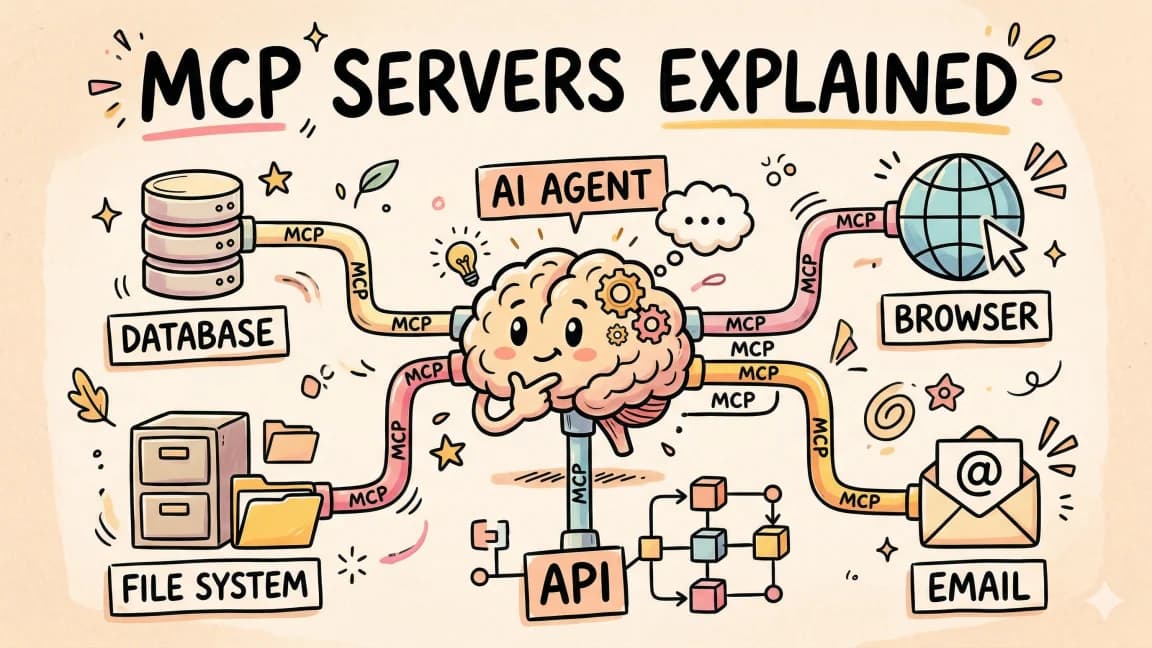
MCP Servers Explained
What MCP servers are, how they work, and how to build your own in 5 minutes.
AI AgentsGuide
Writing Your First Claude Code Skill
A practical walk-through of how to design, write, and ship a Claude Code skill - from choosing when to trigger, through allowed-tools, to the steps the agent will actually follow.
Getting StartedRelated Videos
Introducing GPT-5 Codex: Optimized Agentic Coding for Developers
In this episode, we explore the newly released GPT-5 Codex by OpenAI, a specialized version of GPT-5 designed for agentic coding tasks. Codex offers advanced features, including enhanced code...
Video·
TRAE: Custom AI Agents That Actually Understand Your Codebase
Check out Trae here! https://tinyurl.com/2f8rw4vm In this video, we dive into @Trae_ai a newly launched AI IDE packed with innovative features. I provide a comprehensive demonstration...
Video·

Introducing Augment Remote Agent: Parallel Autonomous AI Agents
Boost Your Productivity with Augment Code's Remote Agent Feature Sign up: https://www.augment.new/ In this video, learn how to utilize Augment Code's new remote agent feature within your...
Video·
Related Posts
7 min read
MCP
Stateless MCP Is Here: What the 2026-07-28 Spec Changes and How to Host a Fleet of Servers on One Bun Process
MCP just dropped sessions entirely. Every request is now one self-contained POST. Here is what changed in the 2026-07-28...

10 min read
railway
Put an AI Agent Behind a Webhook: Turn GitHub Issues into Pull Requests
The most common trigger for an AI coding agent is not a clock, it is an event. A GitHub webhook, a Railway service, and...
14 min read
MCP
How to Build MCP Servers in TypeScript
A step-by-step guide to building Model Context Protocol servers in TypeScript. Project setup, tool registration, resourc...

11 min read
opencode
Put an AI Agent on a Cron Job: Automating Dev Chores with OpenCode
An agent CLI plus a cron schedule turns recurring dev chores into background work: dependency bumps, doc freshness check...

7 min read
deepseek
DeepSeek V4 Flash 0731: The Official Release, Benchmarks, and How to Run It in OpenCode
DeepSeek shipped the official V4 Flash release on July 31, 2026. The re-post-trained 0731 build beats V4-Pro-Preview on...
10 min read
opencode
Deploy From Your Coding Agent: Wire Railway's MCP Server Into OpenCode
Your coding agent can write the code. With Railway's official MCP server it can ship it too: create the project, deploy...
Build with the member tools

Get Smarter About AI Dev
New tutorials, open-source projects, and deep dives on coding agents - delivered weekly.
One email per weekReal code, not theoryFree forever