Human-in-the-Loop Patterns for AI Agents: Approvals in 5 SDKs
TL;DR
How LangGraph, Mastra, the AI SDK, OpenAI Agents SDK and Claude Agent SDK pause agent tool calls for approval, with verified code for all five.
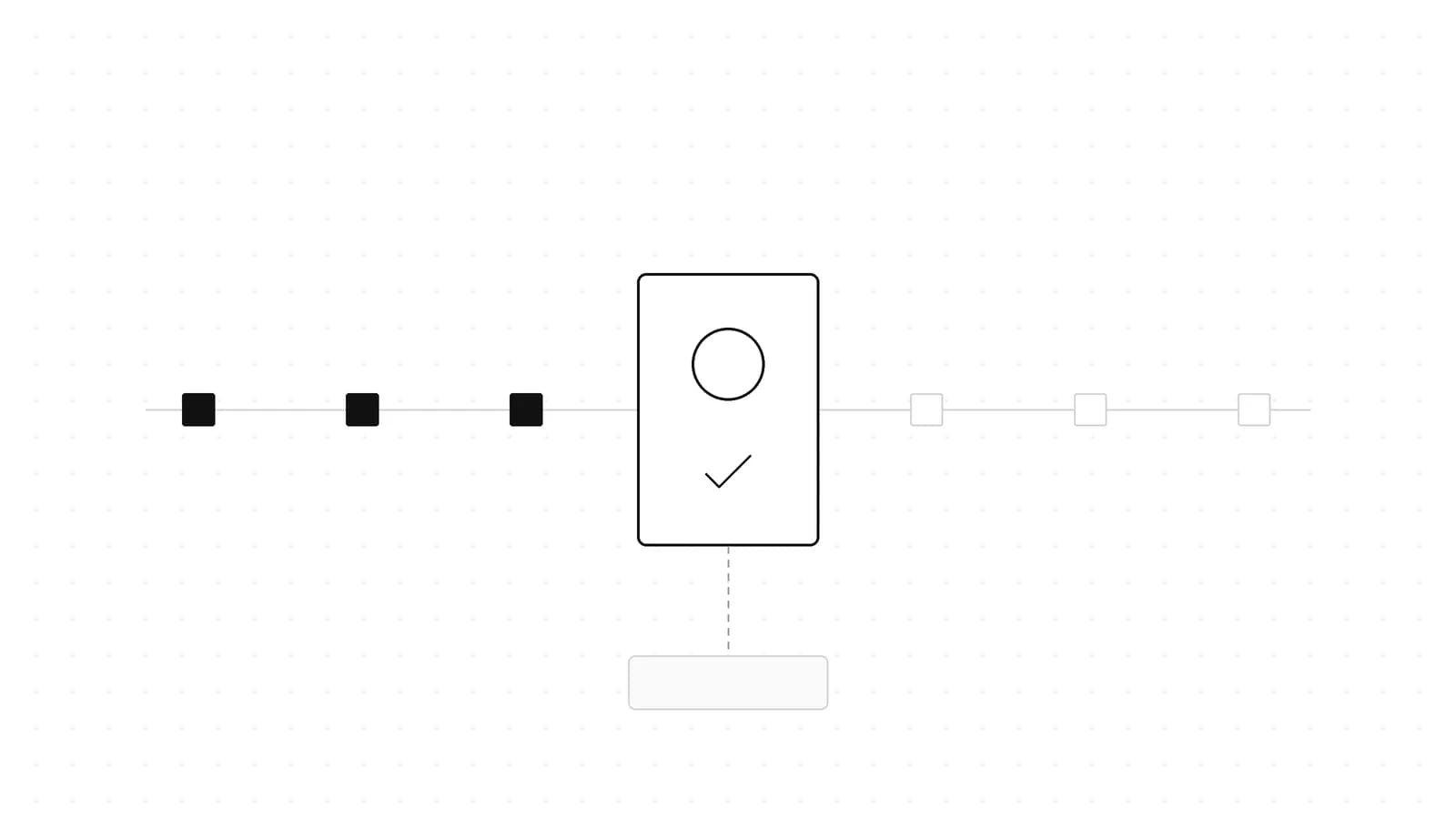
Human-in-the-loop for AI agents means a proposed tool call stops until a person approves it, edits it, or rejects it with a reason the model can act on. All five SDKs covered here do this well. Where they differ is where the pause lives: LangGraph and Mastra persist the run and resume it, the AI SDK and the OpenAI Agents SDK end the turn and hand you state to send back, and the Claude Agent SDK asks inline through a callback that sits at the end of a layered permission system.
Last updated: October 17, 2026
The short answer#
Our read, by situation:
- A Python graph you control: LangGraph
interrupt()with aresponse_schema(langgraph 1.2.12 or later) for typed, validated reviewer answers. - A Python agent built with
create_agent: LangChain'sHumanInTheLoopMiddlewarewithinterrupt_mode="per_call"(langchain 1.4.6 or later). LangChain itself recommends per-call mode for new agents. - A TypeScript product with storage: Mastra
requireApproval/requireToolApproval, pluslistSuspendedRunsto find pending approvals after a restart. - A Next.js chat app on the AI SDK: AI SDK 7's
toolApprovaloption (the tool-levelneedsApprovalis deprecated), plusexperimental_toolApprovalSecretif approvals round-trip through the browser. - Multi-agent handoffs on OpenAI:
needsApprovalplusRunState, using sticky decisions to cut repeat prompts. - Coding or file-system agents: the Claude Agent SDK. Put hard policy in deny rules and
PreToolUsehooks, and keepcanUseToolfor the human.
This post is about the decision surface: what a reviewer can do and how each SDK expresses it. For what happens to a pending approval when the process crashes or waits two days, see Durable AI Agent Frameworks Compared. We do not repeat that here.
The six decisions every approval UI needs#
Before comparing APIs, it helps to name what a reviewer can actually do. Every SDK below supports some subset of these:
- Approve - run the call as proposed.
- Edit - change the arguments, then run.
- Reject with feedback - skip the call and tell the model why, so it can pick a different path.
- Respond - the human is the tool. The answer comes back as the tool result (an "ask the user" tool).
- Remember - turn this decision into a standing rule or a sticky decision so the same prompt does not come back.
- Defer - park the call, exit, and resume later from saved state.
The flow is the same everywhere. What changes is which boxes are built in and which you build yourself.
%% title: Anatomy of a tool approval
flowchart TD
  A[Model proposes tool call] --> B{Policy check}
  B -->|safe| C[Run tool]
  B -->|forbidden| D[Deny with reason]
  B -->|needs a human| E[Pause and persist state]
  E --> F{Reviewer decision}
  F -->|approve| C
  F -->|edit args| G[Run with edited input]
  F -->|reject| D
  F -->|respond| H[Human answer as tool result]
  D --> I[Model reads reason and adapts]
  C --> I
  G --> I
  H --> I
Side by side#
Documented capabilities only, as of the versions we checked.
| LangGraph / LangChain | Mastra | AI SDK 7 | OpenAI Agents SDK | Claude Agent SDK | |
|---|---|---|---|---|---|
| How a call gets gated | interrupt() anywhere; middleware interrupt_on plus a when predicate | requireApproval on the tool, requireToolApproval (boolean or function) on the request | toolApproval statuses or a function | needsApproval: boolean or async function | Hooks, deny/ask/allow rules, permission mode, then canUseTool |
| How the pause works | Checkpoint saved, waits indefinitely, resume with Command | Snapshot in storage, approveToolCall / declineToolCall | Turn ends with tool-approval-request parts; second model call | Turn ends with interruptions plus RunState | Callback awaited inline, or hook defer in -p mode |
| Edit arguments | edit decision | suspend() with resume data (the tool reads the reviewer's values); a beforeToolCall hook can block or replace the result, not edit args | Not via the approval; use a client-side tool | Not a built-in decision | updatedInput |
| Rejection text to model | reject with message | declineToolCall reason | Denial reason in the execution-denied result | reject(item, { message }) | deny with message |
| Remember a decision | Not built in | Not built in | Encode it in policy as 'approved' / 'denied' | alwaysApprove / alwaysReject | updatedPermissions (for example .claude/settings.local.json) |
| Nested agents | Subgraphs | Subagent approvals surface at the supervisor | Not applicable | Handoffs and asTool() surface on the outer run | AskUserQuestion not available in subagents |
| Restart-safe resume | Checkpointer plus thread_id | Storage plus listSuspendedRuns | You store the message array | RunState.toString() / fromString() | Session resume; defer plus claude -p --resume |
LangGraph: interrupt() anywhere, resume with Command#
LangGraph's interrupt() pauses graph execution at any point inside a node, saves state through the checkpointer, and, in the docs' words, waits indefinitely until you resume with Command(resume=...). The resume value becomes the return value of interrupt(). Two things are required: a checkpointer and a thread_id in the config. With invoke(), the pending payload appears under result["__interrupt__"].
Since langgraph 1.2.12, interrupt() accepts a response_schema (a Pydantic model, TypedDict or dataclass). It validates the resume value and is exposed as JSON Schema on Interrupt.response_schema, so a frontend can render a form from it. Invalid input raises pydantic.ValidationError, and you can retry on the same thread.
This example was run end to end on langgraph 1.2.16 with InMemorySaver:
from typing import Literal, TypedDict

from pydantic import BaseModel
from langgraph.checkpoint.memory import InMemorySaver
from langgraph.graph import END, START, StateGraph
from langgraph.types import Command, interrupt


class Decision(BaseModel):
    approved: bool
    note: str | None = None


class State(TypedDict):
    amount_cents: int
    status: str


def approval(state: State) -> Command[Literal["refund", "cancel"]]:
    # Keep side effects out of this node: it re-runs from the top on resume.
    decision = interrupt(
        {"question": "Approve refund?", "amount_cents": state["amount_cents"]},
        response_schema=Decision,
    )
    return Command(goto="refund" if decision.approved else "cancel")


def refund(state: State):
    return {"status": "refunded"}


def cancel(state: State):
    return {"status": "cancelled"}


builder = StateGraph(State)
builder.add_node("approval", approval)
builder.add_node("refund", refund)
builder.add_node("cancel", cancel)
builder.add_edge(START, "approval")
builder.add_edge("refund", END)
builder.add_edge("cancel", END)
graph = builder.compile(checkpointer=InMemorySaver())  # use Postgres in production

config = {"configurable": {"thread_id": "refund-1042"}}
first = graph.invoke({"amount_cents": 52000, "status": "pending"}, config)
pending = first["__interrupt__"][0]
print(pending.value, pending.response_schema["required"])

final = graph.invoke(Command(resume={"approved": True, "note": "ok"}), config)
print(final["status"])
Real output:
{'question': 'Approve refund?', 'amount_cents': 52000} ['approved']
refunded
%% title: LangGraph interrupt and resume
sequenceDiagram
  participant App
  participant Graph
  participant Store as Checkpointer
  participant Human
  App->>Graph: invoke(input, thread_id)
  Graph->>Graph: run approval node
  Graph->>Store: save state at interrupt()
  Graph-->>App: __interrupt__ payload + schema
  App->>Human: render typed form
  Human-->>App: approved true
  App->>Graph: invoke(Command(resume), thread_id)
  Store-->>Graph: load checkpoint
  Graph->>Graph: re-run node from top
  Graph-->>App: final state
The gotchas, all from the LangGraph docs:
- The node restarts on resume. Code before
interrupt()runs again, so any side effect there must be idempotent. Better: put the side effect after the interrupt or in the next node, as the refund node does above. - Do not wrap
interrupt()in a baretry/except. It works by raising, and a catch-all swallows the pause. - Multiple interrupts in one node are matched strictly by index. Do not make their order conditional.
- No
while Truere-prompt loops. Route back with a conditional edge instead. - Parallel interrupts resume in one call by mapping each interrupt ID to its value:
Command(resume={i.id: ... for i in stream.interrupts}). - Static
interrupt_before/interrupt_afterbreakpoints are "not recommended for human-in-the-loop workflows". Use them for debugging.
LangChain create_agent: HumanInTheLoopMiddleware#
If you build with LangChain's create_agent rather than a hand-written graph, HumanInTheLoopMiddleware gives you the full decision set without writing nodes. It supports four decisions:
approveedit- change the argumentsreject- skip the call and send feedbackrespond- the human's message comes back as a successful tool result, forask_user-style tools
LangChain warns against using respond to deny a side-effecting tool. Because the model sees a success, it may assume the action happened.
interrupt_on maps tool names to True, False, or a config with allowed_decisions, description and when. The when predicate (langchain 1.3.3 or later) receives the tool call request and returns True to interrupt or False to auto-approve. It runs again on resume. If it returns False then, the reviewer's answer is skipped and the tool runs even if they rejected it, so keep it a pure function of the call's arguments. In batched mode, a predicate that flips for only some of the reviewed calls makes the resume raise a ValueError.
interrupt_mode="per_call" (langchain 1.4.6 or later) raises one interrupt per gated call. Each interrupt's value is a tool_approval payload (tool_call_id, name, args, description), and the Interrupt itself carries a response_schema listing the allowed decisions. You answer each one by interrupt ID. The default batched mode raises one interrupt per model turn and expects an ordered list. LangChain says to use per-call mode for new agents and plans to make it the default in the next major release.
from langchain.agents import create_agent
from langchain.agents.middleware import HumanInTheLoopMiddleware, ToolCallRequest
from langchain.tools import tool
from langgraph.checkpoint.memory import InMemorySaver
from langgraph.types import Command


@tool
def execute_sql(query: str) -> str:
    """Run a SQL query."""
    return "ok"


@tool
def read_table(table: str) -> str:
    """Read rows from a table."""
    return f"3 rows from {table}"


def is_write_query(request: ToolCallRequest) -> bool:
    """Pause only SQL that is not a read-only SELECT."""
    return not request.tool_call["args"].get("query", "").lstrip().upper().startswith("SELECT")


agent = create_agent(
    model="anthropic:claude-sonnet-5",
    tools=[execute_sql, read_table],
    middleware=[
        HumanInTheLoopMiddleware(
            interrupt_on={
                "execute_sql": {"allowed_decisions": ["approve", "edit", "reject"], "when": is_write_query},
                "read_table": False,
            },
            interrupt_mode="per_call",
        ),
    ],
    checkpointer=InMemorySaver(),
)


def review(thread_id: str, prompt: str):
    config = {"configurable": {"thread_id": thread_id}}
    result = agent.invoke({"messages": [{"role": "user", "content": prompt}]}, config=config, version="v2")
    decisions = {}
    for i in result.interrupts:
        query = i.value["args"]["query"]
        if "DELETE" in query.upper():
            decisions[i.id] = {"type": "reject", "message": "No deletes without a backup. Archive first."}
        else:
            decisions[i.id] = {"type": "approve"}
    return agent.invoke(Command(resume=decisions), config=config, version="v2")
We exercised this middleware configuration on langchain 1.4.6 with a fake chat model that proposed three calls at once. read_table ran, SELECT 1 was auto-approved by the when predicate, only the DELETE raised an interrupt, and after the reject the model received an error-status tool message reading "User rejected the tool call for execute_sql with reason: No deletes without a backup. Archive first." The anthropic: model string needs langchain-anthropic installed for real use.
Two details worth knowing. After an edit, LangChain prepends an edit_notice telling the model a human reviewer replaced the call and not to re-issue the original; set edit_notice=None to remove it. A reject without a message sends a default telling the model not to retry the same call. In per-call mode, invalid answers raise a ValidationError and nothing is saved, so you can correct and resend.
Mastra: requireApproval, requireToolApproval and suspend()#
Mastra pauses a tool call before execute when either the tool has requireApproval: true or the request passes requireToolApproval: true. For booleans the two are OR'd; a tool-level requireApproval function overrides the combined result for that tool. The stream emits a tool-call-approval chunk with toolCallId, toolName and args, and you continue with agent.approveToolCall() or agent.declineToolCall().
declineToolCall takes an optional reason. It is returned to the model in place of the tool result and stored on the tool call's approval metadata. Without it, the model gets "Tool call was not approved by the user".
Type-checked against @mastra/core@1.78.0:
import { Agent } from '@mastra/core/agent';
import { createTool } from '@mastra/core/tools';
import { z } from 'zod';

const issueRefund = createTool({
  id: 'issue-refund',
  description: 'Refund an order',
  inputSchema: z.object({ orderId: z.string(), amountCents: z.number() }),
  outputSchema: z.object({ refunded: z.boolean() }),
  requireApproval: true,
  execute: async () => ({ refunded: true }),
});

const agent = new Agent({
  id: 'support-agent',
  name: 'Support Agent',
  instructions: 'You resolve billing tickets.',
  model: 'openai/gpt-5-mini',
  tools: { issueRefund },
});

const stream = await agent.stream('Refund order ord-1042 in full');

for await (const chunk of stream.fullStream) {
  if (chunk.type === 'tool-call-approval') {
    const { toolCallId, toolName, args } = chunk.payload;
    const ok = await askReviewer(toolName, args);
    const next = ok
      ? await agent.approveToolCall({ runId: stream.runId, toolCallId })
      : await agent.declineToolCall({
          runId: stream.runId,
          toolCallId,
          reason: 'Refunds over $500 need a manager. Offer store credit instead.',
        });
    for await (const text of next.textStream) process.stdout.write(text);
  }
}

declare function askReviewer(toolName: string, args: unknown): Promise<boolean>;
requireToolApproval can also be a function (async allowed) of toolName, args, requestContext and workspace. That is how you gate on arguments instead of tool names. If the function throws, Mastra requires approval, which is the safe default. One limitation: the function form works only on regular stream() / generate(). Durable and stored agents accept only a boolean and fall back to requiring approval for every call.
For a question the tool needs answered mid-execution, a tool can call suspend() inside execute, with a suspendSchema for what it asks and a resumeSchema for what it expects back:
import { createTool } from '@mastra/core/tools';
import { z } from 'zod';

export const deployTool = createTool({
  id: 'deploy',
  description: 'Deploy a service to an environment',
  inputSchema: z.object({ service: z.string(), env: z.enum(['staging', 'production']) }),
  suspendSchema: z.object({ question: z.string() }),
  resumeSchema: z.object({ confirmed: z.boolean() }),
  execute: async ({ service, env }, context) => {
    const { resumeData, suspend } = context?.agent ?? {};
    if (env === 'production' && !resumeData?.confirmed) {
      // suspend() does not throw, so return right away.
      return suspend?.({ question: `Deploy ${service} to production?` });
    }
    return { deployed: `${service}@${env}` };
  },
});
The stream emits tool-call-suspended, and you resume with agent.resumeStream({ confirmed: true }, { runId }). Unlike LangGraph's interrupt(), suspend() does not throw, so the return matters.
More Mastra details from its docs:
autoResumeSuspendedToolsresumessuspend()-based tools from the user's next chat message. It needs memory, the same thread and aresumeSchema. It never auto-approvesrequireApprovaltools.agent.listSuspendedRuns({ threadId, resourceId })(alsoGET /agents/:agentId/suspended-runs) rediscovers pending runs from storage after a restart. Human-in-the-loop needs a storage provider, or you get "snapshot not found".- Supervisor agents: approval requests from subagents, including multi-level delegation, surface at the top-level supervisor and are approved there.
- Bind approvals to exact arguments: Mastra recommends fingerprinting the exact
toolNameandargsshown to the reviewer and enforcing it in abeforeToolCallhook, so drifted arguments cannot run under an old approval.
Vercel AI SDK 7: toolApproval and the two-call loop#
AI SDK 7 moved approval configuration from the tool to the call. You set a toolApproval option on generateText, streamText or ToolLoopAgent. The tool-level needsApproval property still works but is deprecated, and the type comment says toolApproval "takes precedence over tool-defined approval settings". The changelog shows it landed in ai 7.0.0, first as toolNeedsApproval and then renamed.
Per tool, a status is 'not-applicable', 'approved', 'denied' or 'user-approval', as a string or an object with a reason. You can also pass a function per tool, or one function for all tools.
The important mental model: manual approval in the AI SDK does not pause anything. generateText completes and returns tool-approval-request parts. You append a tool-approval-response as a tool message and call the model again. It takes two model calls, and both should get the same policy: the SDK re-checks the approval policy when it replays approvals from message history, so define it once and pass it to each call.
Type-checked against ai@7.0.143 and zod@4.6.7:
import {
  generateText,
  tool,
  type ModelMessage,
  type ToolApprovalConfiguration,
  type ToolApprovalResponse,
} from 'ai';
import { z } from 'zod';

const deleteFile = tool({
  description: 'Delete a file in the project workspace',
  inputSchema: z.object({ path: z.string() }),
  execute: async ({ path }) => ({ deleted: path }),
});

const readFile = tool({
  description: 'Read a file in the project workspace',
  inputSchema: z.object({ path: z.string() }),
  execute: async ({ path }) => ({ path, contents: '...' }),
});

const tools = { deleteFile, readFile };

// One policy, shared by both calls. The SDK re-checks it when it replays approvals.
const toolApproval: ToolApprovalConfiguration<typeof tools, unknown> = {
  readFile: 'not-applicable',
  // Per-call policy: only paths outside /workspace/tmp need a human.
  deleteFile: (input) =>
    input.path.startsWith('/workspace/tmp/')
      ? 'not-applicable'
      : { type: 'user-approval', reason: 'Deletes outside the scratch dir need review' },
};

const messages: ModelMessage[] = [
  { role: 'user', content: 'Delete the stale build log in /workspace/tmp' },
];

const result = await generateText({
  model: 'anthropic/claude-sonnet-5',
  tools,
  toolApproval,
  messages,
});

messages.push(...result.responseMessages);

const approvals: ToolApprovalResponse[] = [];
for (const part of result.content) {
  if (part.type === 'tool-approval-request' && !part.isAutomatic) {
    // Show part.toolCall.toolName, part.toolCall.input and part.reason in your UI.
    const approved = await askReviewer(part.toolCall.toolName, part.toolCall.input);
    approvals.push({
      type: 'tool-approval-response',
      approvalId: part.approvalId,
      approved,
      reason: approved ? undefined : 'Reviewer declined: keep files outside tmp',
    });
  }
}

if (approvals.length > 0) {
  messages.push({ role: 'tool', content: approvals });
  // Same policy again: approvals replayed from history are re-validated against it.
  const followUp = await generateText({
    model: 'anthropic/claude-sonnet-5',
    tools,
    toolApproval,
    messages,
  });
  console.log(followUp.text);
}

declare function askReviewer(toolName: string, input: unknown): Promise<boolean>;
%% title: AI SDK 7 approval round trip
sequenceDiagram
  participant App
  participant SDK as generateText
  participant Model
  participant Human
  App->>SDK: call 1 with toolApproval
  SDK->>Model: prompt + tools
  Model-->>SDK: tool call deleteFile
  SDK-->>App: tool-approval-request part
  App->>Human: show tool, input, reason
  Human-->>App: approve or deny
  App->>SDK: call 2, same toolApproval + response
  SDK->>SDK: re-validate input and policy
  SDK->>Model: tool result or execution-denied
  Model-->>App: final text
What the docs spell out:
- Reasons are asymmetric. A denial reason goes into the
execution-deniedtool result the model sees. An approval reason is not sent to the model: it stays in the messages (in manual continuations,executecan see it throughoptions.messages), but the docs say it "is not a channel for passing data to an approved tool". If a reviewer needs to supply data, use a tool withoutexecuteand provide the result from the client. - Tell the model not to retry. The docs suggest a system instruction along the lines of "When a tool execution is not approved, do not retry it."
- Provider-executed tools ignore
toolApproval. - Replay security. In
useChatapps the message history comes from the browser. The 7.0.0 security fix re-validates approved tool calls from client message history against the input schema and the approval policy.experimental_toolApprovalSecretgoes further: it HMAC-signs approval requests and verifies them on replay, "preventing client-forged approvals". (7.0.36 made the HMAC payload serialization injective.)
For the wider AI SDK 7 picture, including WorkflowAgent, see Vercel AI SDK 7: The Production Agent Upgrade.
OpenAI Agents SDK: needsApproval, interruptions and RunState#
In the OpenAI Agents SDK for JavaScript, a tool sets needsApproval: true or an async function of (context, args). Pending calls come back in result.interruptions as RunToolApprovalItems. You resolve them on result.state with approve(item) or reject(item) and resume with run(agent, state).
Type-checked against @openai/agents@0.20.0:
import { Agent, run, tool, RunState, type RunResult } from '@openai/agents';
import { z } from 'zod';

const sendEmail = tool({
  name: 'send_email',
  description: 'Send an email to a customer',
  parameters: z.object({ to: z.string(), subject: z.string(), body: z.string() }),
  // Only external recipients need a human.
  needsApproval: async (_ctx, { to }) => !to.endsWith('@example.com'),
  execute: async ({ to }) => `sent to ${to}`,
});

const agent = new Agent({
  name: 'Outreach agent',
  instructions: 'Draft and send follow-up emails.',
  tools: [sendEmail],
});

let result: RunResult<unknown, Agent<unknown, any>> = await run(
  agent,
  'Follow up with dana@customer.io about the renewal',
);

while (result.interruptions.length > 0) {
  // Persist this string server-side; never accept serialized state back from a browser.
  const saved = result.state.toString();
  const state = await RunState.fromString(agent, saved);

  for (const item of result.interruptions) {
    const ok = await askReviewer(item.name ?? 'unknown', item.arguments ?? '');
    if (ok) state.approve(item);
    else state.reject(item, { message: 'Reviewer declined. Ask before emailing external domains.' });
  }
  result = await run(agent, state);
}

console.log(result.finalOutput);

declare function askReviewer(toolName: string, args: string): Promise<boolean>;
The toString() / fromString() round trip in the loop stands in for "save it, wait for the human, load it back". In a real app those happen in different requests.
What the OpenAI SDK does well:
- Sticky decisions.
approve(item, { alwaysApprove: true })andreject(item, { alwaysReject: true })survivetoString()/fromString(), so the same tool does not prompt again within the run. - Rejection text.
reject(item, { message })controls exactly what the model sees. - Partial resolution. Leave some items unresolved and the run pauses again on those.
- Run-wide approvals. Approvals from handoff agents and nested
agent.asTool()runs surface on the outer run'sinterruptions. - Fail-closed parsing. A
needsApprovalfunction is called only once the arguments parse, and malformed JSON fails closed. - Guardrail ordering. Function-tool input guardrails run after approval by default.
toolExecution: { preApprovalInputGuardrails: true }also runs them before the human sees the prompt, so reviewers are not asked about calls a guardrail would block anyway. - Decide in code.
shellTool(),applyPatchTool()and hosted MCP tools (requireApproval) accept anonApprovalcallback that decides without pausing. Plain function tools use the interruption flow. - New input while paused.
RunState.addInput()stages user input while a run waits.
The security note is blunt: RunState.fromString() "does not authenticate the snapshot or the person submitting it". Keep snapshots in server storage, authenticate and authorize reviewers from the session rather than the request body, and atomically consume pending requests so an approval cannot be replayed. The Python SDK mirrors this flow with needs_approval and result.to_state().
Claude Agent SDK: permission modes, hooks and canUseTool#
The Claude Agent SDK treats approval as the last step of a permission pipeline rather than a single flag. Every tool request is evaluated in this order:
- Hooks
- Deny rules
- Ask rules
- Permission mode
- Allow rules
- The
canUseToolcallback
%% title: Claude Agent SDK permission order
flowchart LR
  R[Tool request] --> H[1 Hooks]
  H -->|deny| X[Blocked]
  H --> D[2 Deny rules]
  D -->|match| X
  D --> K[3 Ask rules]
  K -->|match| C[6 canUseTool]
  K --> M[4 Permission mode]
  M -->|bypass or acceptEdits| E[Execute]
  M --> A[5 Allow rules]
  A -->|match| E
  A --> C
  C -->|allow| E
  C -->|deny| X
Three consequences of that order catch people out:
- Deny rules apply even in
bypassPermissions. A hookallowdoes not skip the deny and ask rules either. - Anything auto-approved earlier never reaches
canUseTool. An allow rule, a bareallowedToolsentry,acceptEditsorbypassPermissionsresolves the call first. The TypeScript SDK emits the warningCLAUDE_SDK_CAN_USE_TOOL_SHADOWEDwhencanUseToolis combined withbypassPermissionsor bareallowedToolsentries. Also,allowedToolsdoes not constrainbypassPermissions. - The default mode changed. Before TypeScript Agent SDK v0.3.286, omitting
permissionModewas the same asdefault. Now a session may start inautomode, where a model classifier approves or blocks and broad allow rules are dropped. Pass'default'explicitly if you rely on it.
The modes are default, dontAsk (deny instead of prompting; canUseTool is never called), acceptEdits, bypassPermissions, plan (edits always go to canUseTool) and auto. You can switch mid-session with setPermissionMode() when using streaming input.
canUseTool(toolName, input, { signal, suggestions }) is where the human sits. It returns { behavior: 'allow', updatedInput?, updatedPermissions? } or { behavior: 'deny', message, interrupt? }. That covers approve, edit (return a changed updatedInput), remember (echo a suggestion back in updatedPermissions; a suggestion with destination localSettings writes the rule to .claude/settings.local.json) and reject with a redirecting message.
Type-checked against @anthropic-ai/claude-agent-sdk@0.3.302:
import { query, type HookCallback, type PreToolUseHookInput } from '@anthropic-ai/claude-agent-sdk';

// Hard policy: hooks run before every other permission step.
const blockEnvWrites: HookCallback = async (input) => {
  const pre = input as PreToolUseHookInput;
  const filePath = (pre.tool_input as Record<string, unknown>)?.file_path as string | undefined;
  if (filePath?.split('/').pop()?.toLowerCase() === '.env') {
    return {
      hookSpecificOutput: {
        hookEventName: pre.hook_event_name,
        permissionDecision: 'deny',
        permissionDecisionReason: 'Agents may not modify .env files',
      },
    };
  }
  return {};
};

for await (const message of query({
  prompt: 'Clean up the old migration scripts',
  options: {
    // No allowedTools: in default mode, file reads inside the working directory
    // need no approval anyway, and bare entries would shadow canUseTool.
    permissionMode: 'default',
    hooks: { PreToolUse: [{ matcher: 'Write|Edit', hooks: [blockEnvWrites] }] },
    // Human decision for anything the rules above did not resolve.
    canUseTool: async (toolName, input, { suggestions = [] }) => {
      const choice = await askReviewer(toolName, input);
      if (choice === 'always') {
        return {
          behavior: 'allow',
          updatedInput: input,
          updatedPermissions: suggestions.filter((s) => s.destination === 'localSettings'),
        };
      }
      if (choice === 'once') return { behavior: 'allow', updatedInput: input };
      return { behavior: 'deny', message: 'Reviewer declined. Archive the files instead of deleting them.' };
    },
  },
})) {
  if ('result' in message) console.log(message.result);
}

declare function askReviewer(
  toolName: string,
  input: Record<string, unknown>,
): Promise<'once' | 'always' | 'no'>;
The example returns updatedInput even on a plain allow. Before Claude Code v2.1.207, an allow result without updatedInput was rejected, so echoing the input keeps older runtimes happy.
Hooks and the rest of the surface:
PreToolUsedecisions areallow,deny,askordefer, plus an optionalupdatedInput. Matching hooks run in parallel, and when they disagree, deny beats defer, which beats ask, which beats allow.- Timeouts block.
PreToolUsehooks time out after 600 seconds by default (configurable per matcher in seconds), and a timed-outPreToolUseblocks the tool call. That is the right failure mode for a policy hook. deferworks only in non-interactive-pmode and only when Claude makes a single tool call in the turn. The run exits withstop_reasontool_deferredand adeferred_tool_usepayload, and you resume withclaude -p --resume <session-id>. There is no timeout; sessions are kept 30 days by default (cleanupPeriodDays).- The respond decision is
AskUserQuestion. It routes tocanUseToolwith 1-4 questions of 2-4 options each, and you answer withupdatedInput: { questions, answers }. It is not available in subagents. - Reviewer pings. In SDK sessions, a
Notificationhook fires with typepermission_promptonce a request has waited about six seconds oncanUseTool, which is a natural place to send a chat notification. - Python note. The Python SDK's
can_use_toolexamples use streaming input and a dummyPreToolUsehook to keep the stream open.
For the rule syntax behind the deny, ask and allow steps, see Claude Code Permissions: settings.json Allow, Deny, Ask. For the broader comparison of the two vendor SDKs, see OpenAI Agents SDK vs Claude Agent SDK.
Patterns that hold across all five#
1. Gate on arguments, not tool names. "Ask before every SQL call" trains reviewers to click yes. Every SDK here can look at the arguments: LangChain's when, Mastra's requireToolApproval function, the AI SDK's per-tool function, OpenAI's needsApproval function, and Claude's scoped rules or hooks. Auto-approve the read, ask about the write.
2. Write rejection messages as instructions. Every SDK feeds the rejection text back to the model. "Denied" leaves it guessing; "Refunds over $500 need a manager. Offer store credit instead." gives it a next move.
3. Keep side effects after the pause. LangGraph re-runs the whole node on resume, and LangChain documents that middleware listed before human-in-the-loop also runs again. Anything that charges, sends or writes belongs after the approval.
4. Make policy deterministic and reuse it. LangChain re-runs when on resume and the AI SDK re-checks toolApproval when it replays approvals. A predicate that answers differently the second time can skip a reviewer's rejection, so make it a pure function of the arguments and define it once.
5. Bind approvals to exact arguments. Mastra's fingerprint pattern, the AI SDK's HMAC secret and OpenAI's advice to consume server-stored pending requests all close the same gap: an approval for one set of arguments must not authorize a different set.
6. Never trust client-held state. OpenAI warns that RunState.fromString() authenticates nothing, and the AI SDK shipped a fix for replayed approvals in browser-held history. If the decision travels through a client, verify it on the server.
7. Fewer, better prompts. Per-call predicates, sticky decisions and remember rules all exist to reduce prompt volume. We have argued before that approval fatigue is a security bug: the more often a reviewer is asked, the less each answer means.
How to choose#
Our read, as a short decision list:
- Must the run survive a restart while waiting? LangGraph checkpointers, Mastra storage plus
listSuspendedRuns, or OpenAIRunStateall handle it. With the AI SDK you store the message array yourself (or move toWorkflowAgent). - Do reviewers need to edit arguments? LangChain's
editdecision and Claude'supdatedInputare first-class. Elsewhere, use suspend and resume data or a client-side tool. - Is the agent touching a filesystem or shell? The Claude Agent SDK's layered rules plus hooks are designed for exactly that, and OpenAI's
shellTool()/applyPatchTool()withonApprovalcover the same ground in code. - Multi-agent? Mastra's supervisor propagation and OpenAI's run-wide interruptions both surface nested approvals at the top, so you build one review queue.
- Already in a chat UI on Next.js? The AI SDK's two-call loop fits
useChatnaturally. Turn onexperimental_toolApprovalSecret.
How we verified this#
- TypeScript snippets were type-checked with
npx tsc --noEmit(strict,moduleResolution: bundler, target ES2022) against ai@7.0.143, @mastra/core@1.78.0, @openai/agents@0.20.0, @anthropic-ai/claude-agent-sdk@0.3.302 and zod@4.6.7, with exit code 0. - Python snippets passed
py_compileand import checks on langgraph 1.2.16, langchain 1.4.6 and langchain-core 1.6.12. - The LangGraph example was run end to end with
InMemorySaver; the output shown above is real. - The LangChain middleware configuration was exercised against a fake chat model, as described in that section, which also confirmed the per-call interrupt payload keys and the
response_schemaattribute on eachInterrupt. - The
whenre-run behavior is quoted from theInterruptOnConfig.whendocstring in langchain 1.4.6, and the MastrarequireApprovalfunction rule from the docs bundled in @mastra/core 1.78.0. - No API keys were used, so no live model calls were made. Model ID strings in the examples are placeholders for whichever model you use.
FAQ#
What is human-in-the-loop for AI agents?#
A pause between the model proposing a tool call and the tool running, where a person can approve, edit or reject it. In every SDK here, the decision and any reason are fed back to the model so it can continue or change course.
Does the Vercel AI SDK still use needsApproval?#
It still works, but it is deprecated in AI SDK 7. New code sets toolApproval on generateText, streamText or ToolLoopAgent with per-tool statuses or a function, and that setting takes precedence over tool-level settings. Pass the same policy to both calls in the approval round trip.
How do I let a reviewer edit tool arguments before execution?#
LangChain's HumanInTheLoopMiddleware has an edit decision. The Claude Agent SDK returns updatedInput from canUseTool or a PreToolUse hook. Mastra uses suspend() with resume data. The AI SDK docs say the approval reason is not a data channel; use a tool without execute and supply the result from the client instead.
Can an approval survive a server restart?#
Yes, if you persist state: a LangGraph checkpointer and thread_id, Mastra storage plus listSuspendedRuns, an OpenAI RunState serialized with toString(), or the AI SDK message array. Claude Agent SDK hooks can return defer in -p mode and resume with claude -p --resume.
Why does my Claude Agent SDK canUseTool callback never fire?#
An earlier step resolved the call: an allow rule, a bare allowedTools entry, acceptEdits, bypassPermissions, or dontAsk, which denies instead of asking. The TypeScript SDK warns with CLAUDE_SDK_CAN_USE_TOOL_SHADOWED in some of these setups. Use a PreToolUse hook for checks that must run on every call.
Sources#
- LangGraph: Interrupts
- LangChain: Human-in-the-loop
- LangGraph 1.2.12 release
- langchain on PyPI
- Mastra: Human-in-the-loop for agents
- AI SDK: Tools and tool calling
- AI SDK
aipackage CHANGELOG - Vercel: AI SDK 7
- OpenAI Agents SDK (JS): Human in the loop
- OpenAI Agents SDK (Python): Human in the loop
- Claude Agent SDK: Permissions
- Claude Agent SDK: User input and approvals
- Claude Agent SDK: Hooks
- Claude Code hooks: Defer a tool call for later
Continue Reading#
- Durable AI Agent Frameworks Compared: One Run, Four Stacks - what happens to an approval when the process crashes or waits two days
- Approval Fatigue Is an Agent Security Bug - why fewer, sharper prompts beat approving everything
- Claude Code Permissions: settings.json Allow, Deny, Ask - the rule syntax behind the Claude Agent SDK's deny, ask and allow steps
Get the next deep dive like this in your inbox
One email a week on AI Agents and the rest of the AI dev stack. Free.
Read next on AI coding tools
Durable AI Agent Frameworks Compared: One Run, Four Stacks
One agent run crashes mid tool call, waits two days for approval, then retries a charge. How LangGraph, Mastra, Pydantic AI and OpenAI Agents SDK handle it.
14 min readApproval Fatigue Is an Agent Security Bug
Approval fatigue turns coding agent permission prompts into reflex clicks. The fix is risk-aware autonomy - safe reads, scoped writes, and meaningful gates.
7 min readClaude Code Permissions: settings.json Allow, Deny, Ask
Configure Claude Code permissions in settings.json: allow, deny, and ask rules, scope precedence, tool specifiers, and the headless flags you need for CI.
11 min readNew here? Start with
Technical content at the intersection of AI and development. Building with AI agents, Claude Code, and modern dev tools - then showing you exactly how it works.