Claude Code Permissions: A Practical settings.json Guide for Allow, Deny, and Ask Rules
TL;DR
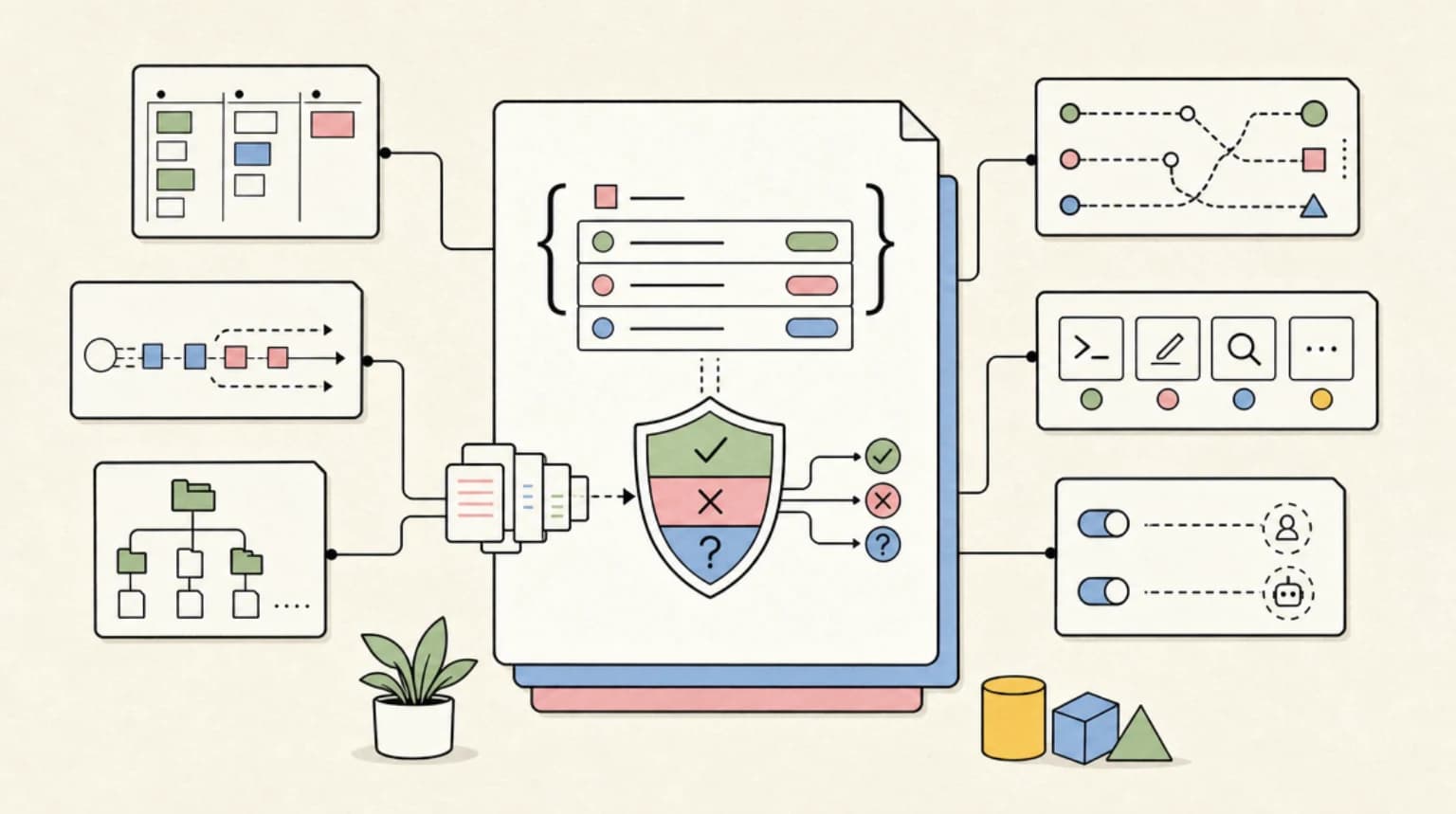
Stop the approval-fatigue prompts without going full YOLO mode. A hands-on guide to Claude Code's permission system - settings.json scopes, allow/deny/ask rules, tool specifiers, and the headless flags that actually matter.
Official Sources#
| Resource | Link |
|---|---|
| Claude Code settings reference | code.claude.com/docs/en/settings |
| Permissions and rule syntax | code.claude.com/docs/en/permissions |
| Permission modes | code.claude.com/docs/en/permission-modes |
| CLI reference | code.claude.com/docs/en/cli-reference |
| Hooks reference | code.claude.com/docs/en/hooks |
If you use Claude Code for more than a few minutes a day, you have felt the friction: the agent stops to ask before every npm test, every file edit, every git status. The instinct is to reach for --dangerously-skip-permissions and never look back. That is a mistake. The permission system is the one layer standing between an autonomous agent and your shell, your secrets, and your production credentials. The right move is not to disable it - it is to configure it so the safe stuff runs silently and the dangerous stuff still stops.
This is a practical guide to that configuration. We will cover where settings live and how the scopes combine, the exact syntax for allow / deny / ask rules, how tool specifiers work for Bash, file edits, and web access, and the headless flags you need for CI. Every claim here is checked against the current Claude Code docs - links are in the table above and in the Sources section.
Last updated: June 17, 2026
The Settings Scopes: Where Permissions Actually Come From#
Claude Code reads settings from several settings.json files. Crucially, permission rules merge across scopes rather than fully overriding one another - so a deny rule defined anywhere stays in force, and a more restrictive scope cannot be loosened by a less authoritative one. The scopes, from highest authority to lowest:
- Managed policy - a system-level file an organization deploys (on macOS,
/Library/Application Support/ClaudeCode/; on Linux/WSL,/etc/claude-code/). Developers cannot override it. This is how a security team enforces a baseline. - Command-line arguments - flags like
--allowedToolsthat apply to a single session. - Project local settings -
.claude/settings.local.json. Personal, not checked into git (Claude Code adds it to.gitignoreautomatically). Machine-specific tweaks go here. - Project shared settings -
.claude/settings.json. Checked into the repo and shared with your team. This is the file that should encode "everyone on this project can run the test suite without asking." - User settings -
~/.claude/settings.json. Your global defaults across every project.
The key mental shift: this is not a simple "higher file wins" override. The allow, deny, and ask lists from every applicable scope are combined, and within that combined set a deny rule can never be cancelled by an allow rule (more on that next). So put team-wide policy in the project's .claude/settings.json so it travels with the repo, keep personal preferences in ~/.claude/settings.json, and use .claude/settings.local.json for one-off machine-specific rules you do not want to commit.
A minimal project settings.json:
JSON
{
  "permissions": {
    "allow": [
      "Bash(npm run test *)",
      "Bash(npm run lint)",
      "Read(~/.config/**)"
    ],
    "ask": [
      "Bash(git push *)"
    ],
    "deny": [
      "Read(./.env)",
      "Read(./.env.*)",
      "Read(./secrets/**)",
      "Bash(curl *)"
    ]
  }
}
allow, deny, ask: Three Lists, One Rule of Precedence#
The permissions object holds three arrays that decide what happens when the agent wants to use a tool:
allow- the tool call runs without prompting you.ask- the tool call always prompts for confirmation, even if a broaderallowrule would have matched.deny- the tool call is blocked outright and never runs.
The precedence is the part people get wrong: rules are evaluated deny then ask then allow, first match wins, and a deny rule cannot have allowlist exceptions. So a deny for Read(./.env) blocks the file even if you also have a broad allow like Read(./**) - and even if that allow lives in a more authoritative scope. This is exactly the behavior you want: your allowlist can be generous because your denylist is the real safety net.
Permission modes (defaultMode)#
Tool calls that match none of the three lists fall back to the session's permission mode. Set the default under permissions with defaultMode; the documented values are:
default- prompt on first use of each tool (standard interactive behavior).acceptEdits- auto-approve file edits and common filesystem commands in the working directory, but still gate other tools.plan- Claude reads and explores but does not edit source files.dontAsk- auto-deny tools unless explicitly pre-approved viaallowrules.bypassPermissions- skip all permission prompts (isolated environments only).auto- auto-approve with background safety checks (research preview; gated by account tier).
JSON
{
  "permissions": {
    "defaultMode": "acceptEdits",
    "deny": ["Read(./.env)", "Read(./.env.*)"]
  }
}
One gotcha worth knowing: in recent versions, defaultMode: "auto" set inside a project's .claude/settings.json or .claude/settings.local.json is silently ignored, so a checked-out repo cannot grant itself auto mode. If you want auto mode to persist, put it in your user ~/.claude/settings.json.
From the archive
The $500M Claude Bill: A Spend-Guardrails Playbook for AI-Native Teams
Jun 17, 2026 • 11 min read
Cohere's North Mini Code: A 30B Open-Weight Coding Model That Runs on One H100
Jun 17, 2026 • 7 min read
Cursor Origin: A Git Forge Built for AI Agents, Not Humans
Jun 17, 2026 • 8 min read
DeepSeek V4 Economics: The Cost-Quality Frontier for Agentic Coding in 2026
Jun 17, 2026 • 9 min read
Tool Specifier Syntax: The Part Worth Memorizing#
Each rule is a tool name, optionally followed by a specifier in parentheses that narrows which calls it matches. A bare tool name ("WebSearch") matches every use of that tool. The specifier syntax differs by tool, and the differences matter.
Bash#
Bash rules match against the command string. The space before * is significant:
JSON
"Bash(npm run build)"     // exact command match
"Bash(npm run test *)"    // prefix match: "npm run test" plus any arguments
"Bash(npm *)"             // any npm command
"Bash(ls *)"              // matches "ls -la" but NOT "lsof"
"Bash(ls*)"               // matches both "ls -la" and "lsof"
"Bash(*)"                  // every command (same as bare "Bash")
Compound commands are understood: Claude Code splits on &&, ||, ;, |, and newlines, and each subcommand must match independently, so an allowlisted command chained with a disallowed one will still stop. Common process wrappers (timeout, time, nice, nohup) are stripped before matching.
The important caveat: Bash matching is still best-effort, not a hardened shell sandbox. Do not rely on a Bash allow rule as a security boundary against a hostile prompt; rely on deny plus a restricted environment for that.
Read and Edit (file paths)#
File-tool rules take a path argument that follows gitignore-style glob patterns. A leading // means an absolute path, ~/ is your home directory, a leading / is project-relative, and a bare filename matches at any depth:
JSON
"Edit(/src/**/*.ts)"   // project-relative; ** crosses directories
"Read(~/.zshrc)"        // a specific home-directory file
"Read(//tmp/scratch)"   // absolute path
"Edit(.env)"            // bare filename matches at any depth
This is the mechanism for the single most valuable permission rule you can write: deny reads of your secrets.
JSON
"deny": [
  "Read(./.env)",
  "Read(./.env.*)",
  "Read(.env)",
  "Read(./secrets/**)",
  "Read(/**/*.pem)"
]
A deny on Read does more than stop the file from being opened - it keeps credentials out of the model's context entirely, which is the actual goal. The denylist above is a reasonable baseline for any repo.
WebFetch and WebSearch#
Web tools support a domain: specifier so you can scope network access to trusted hosts. Matching is case-insensitive:
JSON
"allow": [
  "WebFetch(domain:docs.anthropic.com)",
  "WebFetch(domain:*.github.com)"
],
"ask": [
  "WebSearch"
]
Note that WebFetch(domain:*.github.com) matches subdomains but not bare github.com, and WebFetch(domain:example.*) matches TLD variations like example.org.
MCP server tools#
Tools provided by MCP servers are addressed as mcp__<server>__<tool>. You can allow an entire server or a single tool:
JSON
"allow": [
  "mcp__github",              // every tool from the github MCP server
  "mcp__sentry__list_issues"  // just one tool from the sentry server
]
Subagents#
Spawning subagents is gated by the Agent tool, which takes the agent name as a specifier - and, for deny/ask rules, can match on parameter values:
JSON
"allow": ["Agent(Explore)"],
"ask": ["Agent(isolation:worktree)"],
"deny": ["Agent(model:opus)"]
Editing Permissions Without Touching JSON#
You do not have to hand-edit files. Inside a session, run /permissions (alias /allowed-tools) to open an interactive view of every active allow/deny/ask rule, add or remove rules, manage working directories, and review recent denials. When Claude Code prompts you to approve a tool call, choosing the "always allow" option writes the corresponding rule into your settings for you - usually .claude/settings.local.json. That is the fastest way to build an allowlist: work normally for an afternoon, approve the repetitive-but-safe calls with "always," and let the file accumulate. (There is no claude config CLI command; /config opens the settings UI interactively, and --settings overrides for one session.)
The additionalDirectories setting (under permissions) grants the agent access to directories outside the current working directory without re-approving each one - handy for monorepos or sibling asset folders:
JSON
{
  "permissions": {
    "additionalDirectories": ["../shared-types", "../design-tokens"]
  }
}
Permissions in Headless and CI Runs#
When you run Claude Code non-interactively - in CI, a cron job, or a script - there is no human to answer prompts, so permission handling has to be settled up front. The relevant CLI flags:
--allowedTools- a list of tool rules to allow for this run, same syntax as theallowarray.--disallowedTools- the inverse, for this run.--permission-mode- sets the mode for the session (default,acceptEdits,plan,dontAsk,bypassPermissions, orauto).--settings- inject a settings object or file for this run.--dangerously-skip-permissions- bypass all permission checks. This is the YOLO flag (equivalent to--permission-mode bypassPermissions).
A headless run that is allowed to edit and test but nothing else:
Terminal
claude -p "fix the failing unit tests in src/parser" \
  --allowedTools "Edit(/src/**)" "Bash(npm run test *)" "Read(/src/**)" \
  --permission-mode acceptEdits
About --dangerously-skip-permissions: it has its place - a fully sandboxed throwaway container with no network and no real credentials, where the blast radius is genuinely zero. It does not belong on your laptop or any machine with SSH keys, cloud credentials, or access to production. The name is not a joke. If you reach for it to escape prompt fatigue, that is a signal to write a good allow list instead, which gets you the same quiet experience without handing over the keys. For enforcing policy too dynamic for static rules, see our guide on Claude Code hooks.
Other settings.json Keys Worth Knowing#
permissions is one object in a larger settings file. A few neighbors that interact with it:
hooks- shell commands that fire on lifecycle events (PreToolUse,PostToolUse, and others). APreToolUsehook can block a tool call programmatically, which lets you enforce rules too dynamic for static glob matching (for example, "deny any Bash command that contains a production hostname"). Permissions and hooks are complementary, not redundant.env- environment variables injected into every session and tool call.enableAllProjectMcpServers- auto-approves the MCP servers defined in the project's.mcp.jsoninstead of prompting for each.disableBypassPermissionsMode- set to"disable"to forbid bypass mode entirely, useful in a managed policy.
A Recommended Baseline#
A sane default to drop into a project's .claude/settings.json, then tighten from experience:
JSON
{
  "permissions": {
    "allow": [
      "Bash(npm run test *)",
      "Bash(npm run lint)",
      "Bash(npm run build)",
      "Bash(git status)",
      "Bash(git diff *)",
      "Bash(git log *)",
      "Read(/**)",
      "Edit(/src/**)",
      "Edit(/tests/**)"
    ],
    "ask": [
      "Bash(git push *)",
      "Bash(git commit *)"
    ],
    "deny": [
      "Read(./.env)",
      "Read(./.env.*)",
      "Read(.env)",
      "Read(./secrets/**)",
      "Read(/**/*.pem)",
      "Bash(curl *)",
      "Bash(rm -rf *)"
    ]
  }
}
This lets the agent test, lint, build, read the codebase, and edit source and tests without interruption; pauses it before it pushes or commits; and hard-blocks it from reading secrets or running a handful of dangerous commands. Commit it, and your whole team inherits the policy.
The Mental Model#
Three lists, one precedence rule (deny over ask over allow, with deny never overridable), a set of scopes whose rules merge rather than simply override, and a clear separation between static rules (permissions) and dynamic enforcement (hooks). Get those four things straight and you can run Claude Code with far less friction and far more safety than either extreme - clicking "approve" all day or skipping permissions entirely.
For the next layer up, see how to write a CLAUDE.md so the agent knows your conventions, and Claude Code tips and tricks for the broader workflow.
FAQ#
What is the precedence between allow, deny, and ask in Claude Code?#
Rules are evaluated deny, then ask, then allow, and the first match wins. A deny rule blocks a tool call even if a broader allow rule would have matched it, and a deny cannot have allowlist exceptions - which is what makes a generous allowlist safe, because your denylist is the real boundary. Tool calls matching none of the lists fall back to the configured defaultMode.
Where does Claude Code store permission settings?#
In settings.json files at several scopes: managed policy (deployed by an organization, highest authority), command-line flags, project-local .claude/settings.local.json (gitignored, personal), project-shared .claude/settings.json (committed, team-wide), and user ~/.claude/settings.json (your global defaults). Rules from all applicable scopes merge, and a deny anywhere stays in force.
How do I let Claude Code run my tests without asking every time?#
Add a prefix rule to the allow array, for example "Bash(npm run test *)", in your project's .claude/settings.json. The trailing * is a prefix match, so it covers npm run test, npm run test:unit, npm run test:e2e, and so on. The space before * matters. Or approve a test command once with the "always allow" option and Claude Code writes the rule for you.
Is it safe to use --dangerously-skip-permissions?#
Only in a fully sandboxed environment with no network access and no real credentials, where the agent cannot do lasting damage. On a machine with SSH keys, cloud credentials, or production access, it removes the one layer protecting those resources. For day-to-day prompt fatigue, write a good allow list instead - you get the same quiet experience without disabling the safeguards.
How do I stop Claude Code from reading my .env file?#
Add Read deny rules such as "Read(./.env)", "Read(./.env.*)", and a bare "Read(.env)" (which matches at any depth) in the deny array. Because deny wins over allow and cannot be overridden, these block the file even if you have a broad Read(/**) allow rule, and they keep secrets out of the model's context entirely rather than just declining to open the file.
Sources#
- Claude Code settings reference: https://code.claude.com/docs/en/settings (verified June 17, 2026)
- Claude Code permissions and rule syntax: https://code.claude.com/docs/en/permissions (verified June 17, 2026)
- Claude Code permission modes: https://code.claude.com/docs/en/permission-modes (verified June 17, 2026)
- Claude Code CLI reference: https://code.claude.com/docs/en/cli-reference (verified June 17, 2026)
- Claude Code hooks reference: https://code.claude.com/docs/en/hooks (verified June 17, 2026)
Read next
How to Write a CLAUDE.md: The Complete 2026 Guide
CLAUDE.md is the highest-leverage file in any Claude Code project. Here's what goes in one, what doesn't, and the patterns that actually ship.
12 min readClaude Code Hooks Explained
Hooks give you deterministic control over Claude Code. Auto-format on save, block dangerous commands, run tests before commits, fire desktop notifications. Here's how to set them up.
12 min read60 Claude Code Tips and Tricks for Power Users
The definitive collection of Claude Code tips - sub-agents, hooks, worktrees, MCP, custom agents, keyboard shortcuts, and dozens of hidden features most developers never discover.
25 min readShare
Developers Digest
Technical content at the intersection of AI and development. Building with AI agents, Claude Code, and modern dev tools - then showing you exactly how it works.
300+ videos30K+ GitHub stars850+ articles
Related Tools
ProductivityNew
A
AgentCanvas
A hosted infinite canvas your headless AI agents drive over MCP. Any MCP-speaking agent - Claude Code, Codex, Cursor, or...
View ToolAI CodingDaily Driver

Claude Code
Anthropic's agentic coding CLI. Runs in your terminal, edits files autonomously, spawns sub-agents, and maintains memory...
View ToolProductivity
C
Codeburn
Interactive TUI dashboard that shows exactly where your Claude Code and Cursor tokens are going, in real time.
View ToolAI Models

Claude Opus 4.7
Anthropic's flagship reasoning model. Best-in-class for coding, long-context analysis, and agentic workflows. 1M token c...
View ToolApps from Developers Digest
DirectoriesIn Progress
Hooks Directory
Pick the hooks you want, get a settings.json you can paste in.
View AppDeveloper Tools
Agent Hub
Every coding agent in one window. Stop alt-tabbing between Claude, Codex, and Cursor.
View AppDeveloper ToolsIn Progress
Skill Builder
Turn a one-liner into a working Claude Code skill. From idea to installed in a minute.
View AppRelated Guides
Guide
PreToolUse Hook - Claude Code
Fires before any tool executes. Allow, deny, defer, or modify the call.
Claude CodeGuide
Claude Code Setup Guide
Configure Claude Code for maximum productivity -- CLAUDE.md, sub-agents, MCP servers, and autonomous workflows.
AI AgentsGuide
Migrating from Cursor to Claude Code
A concrete step-by-step guide to moving your development workflow from Cursor to Claude Code - settings, rules, keybindings, and the habits that transfer.
Getting StartedRelated Videos

Anthropic's Cowork: Claude Code for the Rest of Your Work
In this video, we dive into Anthropic's newly launched Cowork, a user-friendly extension of Claude Code designed to streamline work for both developers and non-developers. This discussion includes an
Video·
Anthropic Sonnet 4.5 in Claude Code in 10 Minutes
To learn for free on Brilliant, go to https://brilliant.org/DevelopersDigest/ . You’ll also get 20% off an annual premium subscription TOOLS I USE → Wispr Flow (voice-to-text): https://dub.sh/...
Video·
Anthropic Claude Code with Sonnet 3.7 in 15 Minutes
In this video, I demonstrate Claude Code, a tool by Anthropic currently in limited research preview. This enables developers to delegate tasks directly from the terminal. I walk through installatio...
Video·
Related Posts

12 min read
Claude Code
How to Write a CLAUDE.md: The Complete 2026 Guide
CLAUDE.md is the highest-leverage file in any Claude Code project. Here's what goes in one, what doesn't, and the patter...
12 min read
Claude Code
Claude Code Hooks Explained
Hooks give you deterministic control over Claude Code. Auto-format on save, block dangerous commands, run tests before c...

25 min read
Claude Code
60 Claude Code Tips and Tricks for Power Users
The definitive collection of Claude Code tips - sub-agents, hooks, worktrees, MCP, custom agents, keyboard shortcuts, an...

7 min read
composio
Composio CLI: Connect OpenClaw and Claude Code to 1,000+ Apps
A companion guide to the Composio CLI video: one command-line layer that lets Claude Code, OpenClaw, Codex, and other ag...

8 min read
anthropic
Anthropic Claude Tag Turns Slack Into a Shared Agent Workspace
Claude Tag is Anthropic's new Slack-based beta for Team and Enterprise users. The important shift is not chat convenienc...
8 min read
ai-agents
Omnigent: Databricks' Meta-Harness for Orchestrating Claude Code, Codex, and Custom Agents
Databricks open-sourced Omnigent, a meta-harness that sits above individual agent CLIs so your sessions, policies, and s...
Build with the member tools

Get Smarter About AI Dev
New tutorials, open-source projects, and deep dives on coding agents - delivered weekly.
One email per weekReal code, not theoryFree forever