Composio CLI: Connect OpenClaw and Claude Code to 1,000+ Apps
TL;DR
A companion guide to the Composio CLI video: one command-line layer that lets Claude Code, OpenClaw, Codex, and other agent harnesses search, authenticate, and execute tools across 1,000+ apps.
Official Sources#
| Resource | Description |
|---|---|
| Watch: Composio CLI with OpenClaw and Claude Code | The full 10-minute walkthrough on the DevDigest channel |
| Composio CLI | Official CLI landing page with the command reference |
| Composio CLI docs | Install, login, and the search/execute/link workflow |
| Composio dashboard | Manage connected accounts and API keys |
What This Video Covers#
The video introduces the Composio universal CLI: a single command-line layer that connects AI agents to 1,000+ apps through prebuilt connectors, with OAuth and account setup handled for you. The demos build a "Hello World" Google Doc, push the latest five Hacker News stories into a Google Sheet, and then run the same kind of natural-language workflow from an OpenClaw bot over Telegram.
This post is the companion guide. Watch the video for the live demos, then use this page for the exact commands and the setup order.
If you want the broader Composio picture (SDKs, the Vercel AI SDK integration, MCP servers), read Composio 101 first. This post is narrower: it is about the CLI path and why it works so well inside agent harnesses.
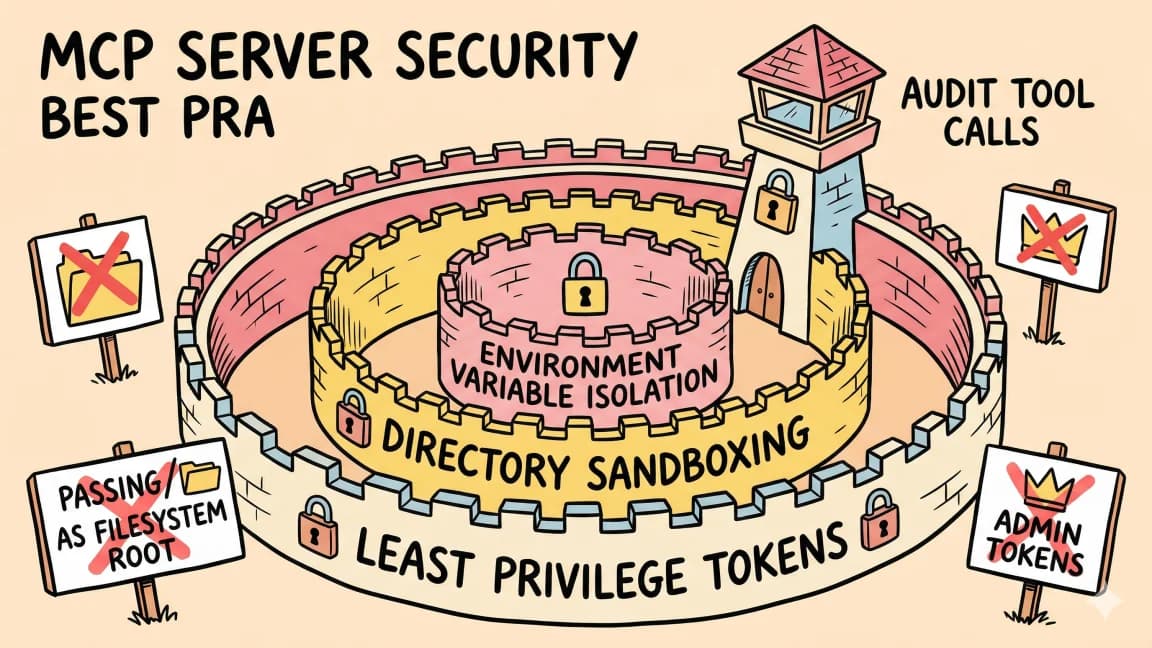
Why a CLI Instead of MCP#
The core argument in the video: a CLI is usable by both humans and agents, and LLMs are already very good at writing bash. Instead of registering dozens of MCP servers per tool, the agent gets one binary with a simple loop, and the syntax is often simpler than the equivalent MCP wiring.
It is also portable. Claude Code, Codex, OpenClaw, Cursor, VS Code, and Windsurf can all shell out to the same composio binary, so your integrations survive a change of harness. An agent can even load the usage contract on demand by running the CLI's help output, which is exactly the progressive-disclosure pattern MCP was designed around, done with plain commands.
Install and Login#
From the official docs:
curl -fsSL https://composio.dev/install | bash
composio login
Login opens the browser and ties the CLI to your Composio account, which is where connected app accounts live.
The Core Loop: search, execute, link#
The CLI documents a three-step workflow for agents:
composio search "<what you want done>"finds relevant tools by natural language.composio execute <slug> -d '<params>'runs the tool slug that search returned.- If you hit an auth error,
composio link <toolkit>connects the account in the browser, then retry the execute.
The docs show the Gmail version of this loop verbatim:
composio search "summarize my unread gmail"
composio execute GMAIL_FETCH_EMAILS --get-schema
composio link gmail
composio execute GMAIL_FETCH_EMAILS -d '{ query: "is:unread newer_than:1d" }'
--get-schema prints the tool's input schema before you run it, and --dry-run validates a call without executing. Two more commands round out the surface: composio run executes inline TypeScript/JavaScript with injected helpers for multi-step workflows, and composio proxy <url> --toolkit <name> gives curl-like raw API access with Composio-managed auth.
Using It From Claude Code#
Nothing special is required: Claude Code already has a shell. Once the CLI is installed and logged in, you can prompt something like "use the composio CLI to create a Google Sheet with the top five Hacker News stories" and the agent runs the search, execute, link loop itself. The video's Hacker News to Sheets demo is exactly this: fetch stories, then write titles, links, and points into a new sheet, with the one-time composio link googlesheets auth happening in the browser.
Using It From OpenClaw#
The video's second half wires the same workflows into an OpenClaw bot reached over Telegram. If you have not set up OpenClaw yet, What Is OpenClaw? covers install, onboarding, skills, and its native MCP support. Since OpenClaw agents can run shell commands, the CLI path works there the same way, and natural-language requests in chat become scheduled or on-demand cross-app tasks without manual orchestration.
Composio also offers a hosted MCP route for OpenClaw: per composio.dev/openclaw, you add an MCP server named composio with transport type HTTP at https://connect.composio.dev/mcp, with no auth headers, since OAuth is handled automatically. Use MCP if you prefer OpenClaw's native tool registry; use the CLI if you want one portable layer across every harness you run.
When to Use It vs Alternatives#
- Composio CLI: best for agent harnesses that can shell out (Claude Code, OpenClaw, Codex, Cursor). One binary, portable across tools, auth handled for you.
- Composio MCP or SDKs: better when a harness has first-class MCP support and no shell, or when you are building a product. The docs are explicit that you should not build production integrations on the CLI: it changes fast and has no CLI-level SLA, so use the SDKs as the application runtime.
- Hand-rolled API calls: fine for one or two services you already have keys for, but you re-implement OAuth, token refresh, and schemas per app.
Whichever path you pick, connecting an agent to your email and documents deserves a pause: run through the agent security checklist before granting scopes.
FAQ#
Do I need an API key to use the Composio CLI?#
You need a Composio account. composio login authenticates the CLI through the browser, and connected app accounts (Gmail, Google Sheets, and so on) are added per toolkit with composio link.
How does the agent know which tool slug to call?#
It searches first. composio search "<task in natural language>" returns matching tool slugs, and composio execute <slug> --get-schema shows the expected input before running anything.
Is the CLI production-ready?#
Not as an application runtime. The official docs say not to build production integrations on the CLI because it is in constant development with no CLI-level SLAs. It is great for agent workflows and personal automation; use the SDKs for products.
Does this replace MCP?#
No. It is an alternative transport for the same catalog. Composio ships MCP servers too, including the hosted endpoint OpenClaw can use. The CLI wins when you want one layer across many harnesses; MCP wins when your client has native support and no shell.
What did the video actually build?#
Three demos: a "Hello World" Google Doc, a Google Sheet auto-populated with the latest five Hacker News stories (titles, links, points), and the same style of workflow driven from an OpenClaw bot over Telegram.
Watch the full walkthrough above, then install the CLI and run your first composio search to see what your agents can reach.
Get the next deep dive like this in your inbox
One email a week on composio and the rest of the AI dev stack. Free.
Read next on Claude Code
What Is OpenClaw? Setup, Skills, MCP Server, Claude Code, and Ollama (2026 Guide)
OpenClaw is an open-source, self-hosted personal AI agent you run on your own machine and reach through chat apps like Telegram, Slack, Discord, and WhatsApp. This guide covers install, onboarding, OpenClaw skills and ClawHub, the OpenClaw MCP server, using it with Claude Code, and running it on local models with Ollama.
12 min readComposio 101: Give Your AI Agent Access to 500+ Apps
Composio is a tool infrastructure layer that connects AI agents to Gmail, GitHub, Slack, Google Calendar, and hundreds more apps - all auth handled for you. Here is how to set it up and start building real cross-app workflows.
7 min readWhat Is MCP (Model Context Protocol)? The 2026 Developer Guide
MCP is the open standard for connecting AI apps to tools and data: servers expose tools, resources, and prompts over JSON-RPC, and any client can use them. What it is, how the stateless 2026-07-28 spec works, how to install a server in Claude Code or Cursor, and how to build one with the v2 TypeScript SDK.
14 min readTechnical content at the intersection of AI and development. Building with AI agents, Claude Code, and modern dev tools - then showing you exactly how it works.