Composio 101: Give Your AI Agent Access to 500+ Apps
TL;DR
Composio connects AI agents to Gmail, GitHub, Slack and hundreds more apps with auth handled for you. How to set it up and build real cross-app workflows.
Last updated: October 18, 2026
Updated October 18, 2026: The MCP sample used composio.mcp.create() and composio.mcp.generate(). In @composio/core 0.25.0 that standalone server API is marked deprecated ("do not generate new code against composio.mcp"), so the sample now uses a session's hosted MCP endpoint (mcp: true, then session.mcp.url and session.mcp.headers) per Composio's sessions via MCP guide. Pricing now matches the pricing page: Hobby is free with 100,000 tool calls a month and Pro is $29/month as a usage credit, replacing the old 20K/200K/2M tiers. The CLI install line now matches the CLI docs.
Official Sources#
| Source | Description |
|---|---|
| Composio Documentation | Official SDK and API reference |
| Composio Pricing | Current pricing tiers and limits |
| Composio Tools Catalog | Full list of 877+ supported toolkits |
| Composio sessions via MCP | Exposing a session as an MCP endpoint |
| Vercel AI SDK | Official AI SDK documentation |
Your AI agent can write code, run tests, and refactor files. But ask it to send an email, check your calendar, or create a GitHub issue from a bug report in your inbox - and it has no idea what to do. The agent is powerful but isolated, stuck inside the codebase with no connection to the tools you actually use every day.
Composio fixes this. It is a tool infrastructure layer that gives any AI agent the ability to take real actions across 500+ apps and 10,000+ individual tools. Gmail, GitHub, Slack, Google Calendar, Notion, Stripe, Linear, Salesforce - with all the authentication handled for you.
The Problem Composio Solves#
Building integrations for AI agents is brutal. For every app you want your agent to use, you need to handle OAuth flows, build and maintain API wrappers, optimize JSON schemas so the model actually understands what to call, manage token refresh, and figure out how to scale all of that as you add more tools.
Even with MCP (Model Context Protocol), which is supposed to solve this, you are limited to apps that have published their own MCP servers. GitHub has one. Slack has one. But what about the other 500 apps your team actually uses? Salesforce, HubSpot, Stripe, Google Sheets, Supabase?
Composio abstracts all of this into a single API call. One integration layer, one auth system, one SDK.
Meta Tools: The Key Architecture Decision#
Here is where Composio gets clever. If you load just GitHub and Notion as regular MCP tools, that is about 70 tool schemas. Roughly 40,000 tokens burned before the user even says anything. Scale to 500 apps and the approach falls apart completely.
Composio takes a different approach. Your agent only gets five meta tools:
| Tool | What It Does |
|---|---|
COMPOSIO_SEARCH_TOOLS | Semantic search across 10,000+ tools. Returns exactly what is needed for the task. |
COMPOSIO_MANAGE_CONNECTIONS | Handles OAuth on the fly, mid-conversation. |
COMPOSIO_MULTI_EXECUTE_TOOL | Runs up to 20 tool calls in parallel. |
COMPOSIO_REMOTE_WORKBENCH | Sandboxed Python environment for bulk data processing. |
COMPOSIO_REMOTE_BASH_TOOL | Execute bash commands for file and data processing. |
So when you say "send an email to John," your agent does not have a SEND_EMAIL tool pre-loaded. Instead it calls COMPOSIO_SEARCH_TOOLS, which returns not just the send email action, but also the search contacts action - because it knows you will need John's email address first. In benchmarks, this prerequisite resolution hits 95% accuracy versus 56% with basic keyword search.
When something returns a huge payload - like 500 emails - Composio automatically routes that to the sandboxed workbench instead of blowing up your context window. That saves 48 to 84% on tokens for bulk operations.
Getting Started with the Vercel AI SDK#
The fastest way to get Composio into a TypeScript project is through the Vercel AI SDK provider. Install the packages:
npm install @composio/core @composio/vercel ai @ai-sdk/anthropicGrab your COMPOSIO_API_KEY from platform.composio.dev/settings and add it alongside your Anthropic key in .env:
COMPOSIO_API_KEY=your_composio_api_key
ANTHROPIC_API_KEY=your_anthropic_api_key
Now build your agent. The Vercel provider is agentic - tools include an execute function, so the AI SDK handles tool calls automatically:
import { anthropic } from "@ai-sdk/anthropic";
import { Composio } from "@composio/core";
import { VercelProvider } from "@composio/vercel";
import { generateText, stepCountIs } from "ai";

const composio = new Composio({ provider: new VercelProvider() });

const session = await composio.create("user_123");
const tools = await session.tools();

const { text } = await generateText({
  model: anthropic("claude-sonnet-4-5"),
  tools,
  prompt: "Star the composio repository on GitHub",
  stopWhen: stepCountIs(10),
});

console.log(text);
That is the entire agent. The session.tools() call returns the five meta tools. The AI SDK handles the agentic loop - calling tools, processing results, calling more tools - until the task is complete or it hits the step limit.
Using Composio as an MCP Server#
If you use Claude Code, Cursor, or any MCP-compatible tool, you can add Composio as an MCP server and skip the SDK entirely. Install the CLI:
curl -fsSL https://composio.dev/install | sh
If you are building your own app, you can also expose one user's session over MCP. Pass mcp: true when you create the session and read the endpoint off session.mcp (adapted from Composio's sessions via MCP guide):
import { Composio } from "@composio/core";

const composio = new Composio({ apiKey: process.env.COMPOSIO_API_KEY });

// Opt into the session's hosted MCP endpoint. No provider package is needed.
const session = await composio.create("user_123", {
  toolkits: ["gmail"],
  mcp: true,
});

console.log("MCP URL:", session.mcp.url);
// session.mcp.headers carries the API key credential: pass it to your
// MCP client as returned and store it like a secret.
This gives you a per-user MCP URL that works with any MCP client, backed by the same session as session.tools(). The guide notes the trade-off: over MCP, SDK-side modifiers such as beforeExecute hooks and your own custom tools do not run.
Real Workflow: Email to GitHub Issue#
Here is where Composio shines - cross-app workflows from a single prompt. Say you want to turn a bug report email into a GitHub issue:
const { text } = await generateText({
  model: anthropic("claude-sonnet-4-5"),
  tools,
  prompt:
    "Check my latest email. If there is a bug report, create a GitHub issue with the details.",
  stopWhen: stepCountIs(10),
});
The agent will call COMPOSIO_SEARCH_TOOLS to find email-reading tools, fetch your latest emails, identify the bug report, search for GitHub issue creation tools, and create a properly formatted issue with title, description, and labels. Two apps, one prompt, and the agent figured out the workflow on its own.
This pattern extends to any combination of connected apps. Triage your inbox and create a summary spreadsheet. Read Slack messages and update a Notion board. Pull calendar events and draft a daily standup email.
Authentication Flow#
Composio handles auth through the COMPOSIO_MANAGE_CONNECTIONS meta tool. When your agent tries to use a tool that requires authentication, it calls this meta tool, which returns an OAuth link. The user clicks, authenticates, and the connection is stored for future use.
For programmatic control, you can manage connections directly:
const session = await composio.create("user_123", {
  manageConnections: false,
});

const connectionRequest = await session.authorize("github", {
  callbackUrl: "https://your-app.com/callback",
});

// Redirect user to connectionRequest.redirectUrl
Connected accounts persist across sessions. Once a user connects their GitHub account, every future session for that user has GitHub access without re-authenticating.
Pricing and Limits#
Per the pricing page, the Hobby plan is free with no credit card: 100,000 tool calls and 50,000 trigger events a month, and unlimited connected accounts when you use your own OAuth app. Meta tools such as tool search are free; each tool execution counts once. If you use Composio-managed auth, up to 20,000 of those calls and the first 1,000 connected accounts are free.
Pro is $29/month, which is a $29 usage credit: tool calls beyond the free allowance cost $0.0003 each and trigger events $0.003 each. Enterprise pricing is custom.
Where to Go Next#
Composio supports 877 toolkits across every category you can think of - developer tools, CRM, analytics, e-commerce, finance, HR, marketing. The full catalog is at docs.composio.dev.
If you are building with the OpenAI Agents SDK instead of Vercel, swap the provider:
import { OpenAIAgentsProvider } from "@composio/openai-agents";

const composio = new Composio({ provider: new OpenAIAgentsProvider() });
The same pattern works with LangChain, CrewAI, LlamaIndex, Google ADK, and Mastra. Composio also supports event-driven workflows through triggers - webhook and polling-based events from connected apps that can kick off agent workflows automatically.
The core idea is simple: your agent should be able to use any tool you use. Composio makes that a five-minute setup instead of a five-week integration project.
Frequently Asked Questions#
What is Composio?#
Composio is a tool infrastructure layer that connects AI agents to 500+ apps and 10,000+ individual tools. It handles OAuth authentication, API wrappers, and JSON schema optimization so your agent can take real actions across Gmail, GitHub, Slack, Google Calendar, Notion, Stripe, Linear, and hundreds of other services through a single integration layer.
How does Composio handle so many tools without blowing up context?#
Composio uses a meta-tool architecture. Instead of loading all 10,000+ tool schemas upfront, your agent gets five meta tools including COMPOSIO_SEARCH_TOOLS, which semantically searches for exactly the tools needed for the current task. Benchmarks show 95% accuracy on prerequisite resolution and 48-84% token savings for bulk operations.
Does Composio work with MCP?#
Yes. Composio provides an MCP server that works with Claude Code, Cursor, and any MCP-compatible tool. In your own app, creating a session with mcp: true gives each user a hosted MCP URL scoped to that session's toolkits and connections.
What frameworks does Composio support?#
Composio has official providers for Vercel AI SDK, OpenAI Agents SDK, LangChain, CrewAI, LlamaIndex, Google ADK, and Mastra. The agentic tool pattern works the same across all of them - tools include an execute function that handles the tool call loop automatically.
How much does Composio cost?#
The Hobby plan is free with 100,000 tool calls a month and no credit card required. Pro is $29/month as a usage credit, with additional tool calls at $0.0003 each. Meta tools such as tool search are not billed. Check the pricing page for current rates.
How does authentication work?#
When your agent tries to use a tool requiring auth, Composio returns an OAuth link through the COMPOSIO_MANAGE_CONNECTIONS meta tool. The user clicks, authenticates, and the connection is stored for all future sessions. You can also manage connections programmatically for custom flows.
Continue Reading#
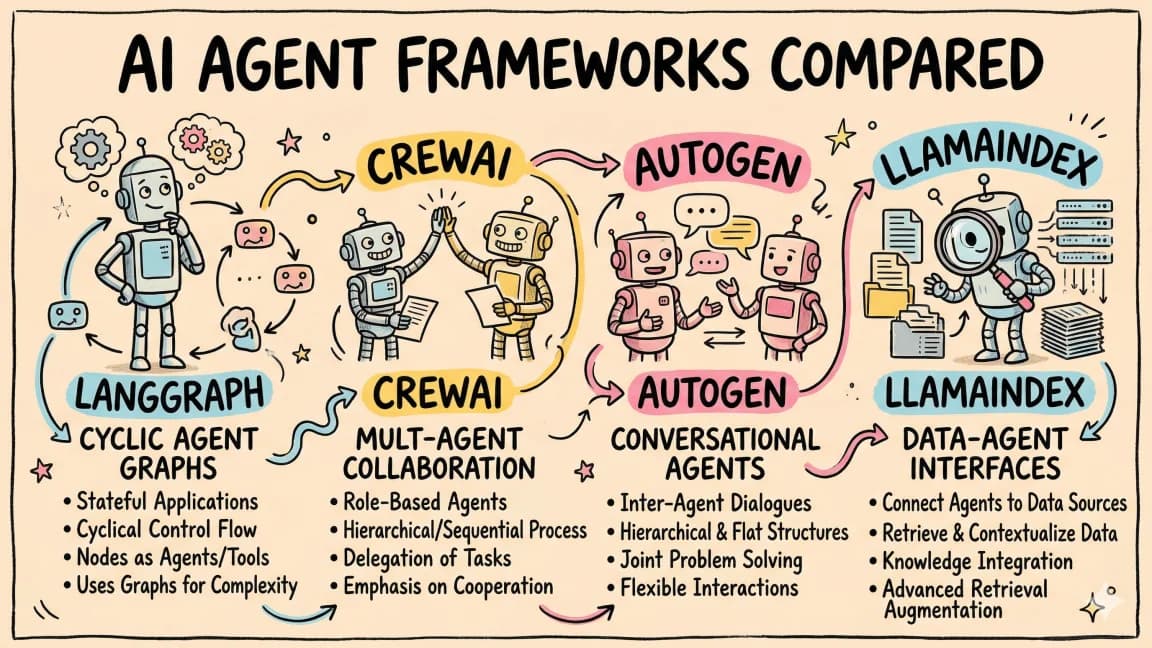
- AI Agent Frameworks Compared - LangGraph, CrewAI, Mastra, CopilotKit, AutoGen and Claude Code side by side
- Claude Code Channels: Telegram, Discord, iMessage, and Webhooks
- Claude Code as an HL7 to FHIR Migration Agent for Hospitals
- Claude Knowledge Work Plugins Turn Agent Setup Into Team Infrastructure
- Best AI Agent Frameworks (2026) - the frameworks Composio plugs tools into
- Intro to Agents 101 course - provider-agnostic agent concepts, including tool use, built hands-on
Get the next deep dive like this in your inbox
One email a week on Composio and the rest of the AI dev stack. Free.
Read next on AI coding tools
Composio CLI: Connect OpenClaw and Claude Code to 1,000+ Apps
Composio CLI guide for Claude Code and OpenClaw: install, log in, and run the search, execute, link loop to connect agents to 1,000+ apps from one binary.
7 min readWhat Is MCP (Model Context Protocol)? The 2026 Developer Guide
MCP (Model Context Protocol) is the open standard connecting AI apps to tools and data. How the 2026-07-28 spec works and how to install or build a server.
14 min readHow to Build AI Agents in TypeScript
A practical guide to building AI agents with TypeScript using the Vercel AI SDK. Tool use, multi-step reasoning, and real patterns you can ship today.
10 min readNew here? Start with
Technical content at the intersection of AI and development. Building with AI agents, Claude Code, and modern dev tools - then showing you exactly how it works.