CLIs Over MCPs: Why the Best AI Agent Tools Already Exist
TL;DR
OpenClaw has 247K stars and zero MCPs. The best tools for AI agents aren't new protocols - they're the CLIs developers have used for decades.
Last updated: June 7, 2026
Official Sources#
| Resource | Link |
|---|---|
| Model Context Protocol Documentation | modelcontextprotocol.io |
| Claude Code Overview | Anthropic Docs |
| OpenAI Codex Documentation | OpenAI Developers |
| MCP TypeScript SDK | GitHub |
| GitHub CLI Documentation | cli.github.com |
| Unix Pipeline Philosophy | Bell Labs - The UNIX Time-Sharing System |
OpenClaw is the most starred project on GitHub. 247K stars and counting. The creator built a CLI-first architecture for AI agent orchestration. No MCPs. Not a single one.
Think about that. The most popular developer tool of 2026 looked at MCP servers and said "no thanks." It ships a CLI instead. So does Claude Code. So does Codex. So does the GitHub CLI.
This isn't a coincidence. It's a pattern.
The Core Argument#
CLIs are the better primitive for AI agents. Not MCPs. Not custom protocols. The command line interfaces developers have used for 40 years.
For the broader MCP map, pair this with What Is MCP (Model Context Protocol)? A TypeScript Developer's Guide and The Complete Guide to MCP Servers; those pieces cover the concepts and server-selection layer behind this article.
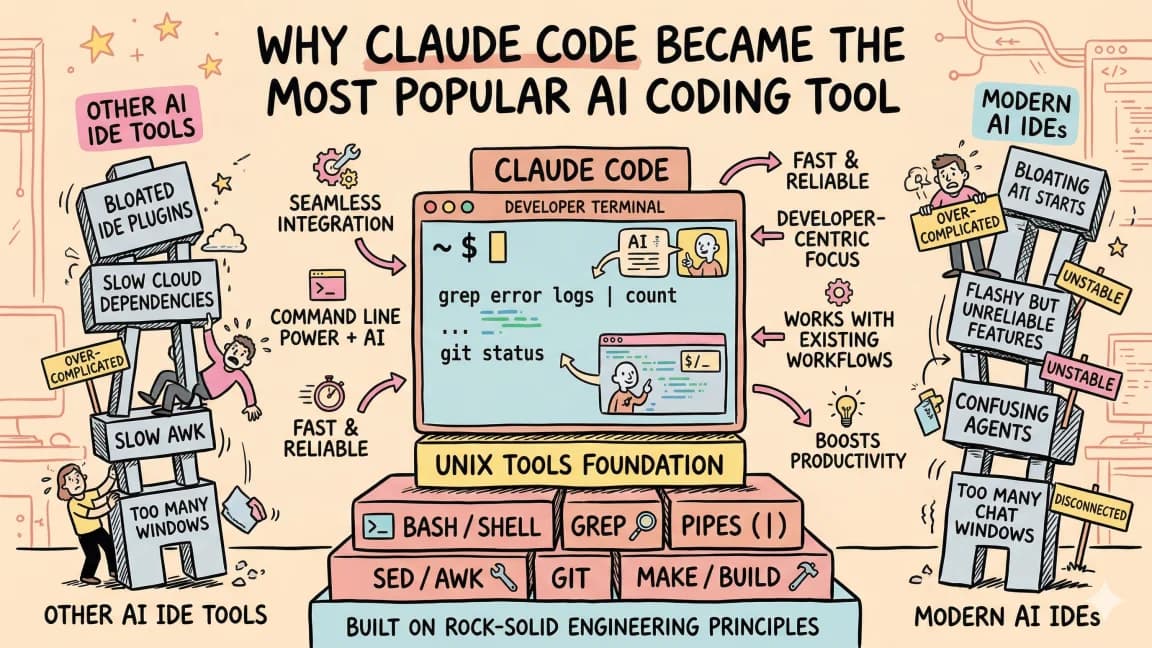
Here's the reasoning: the best proxy for what a computer should use is what both humans and computers already know how to use. No human uses an MCP. Every developer uses a CLI. When you need to find something, you grep. When you need to transform data, you pipe through sed or awk. When you need to interact with a service, you reach for its CLI.
AI agents should do the same thing.
File System Access vs Context Loading#
This is where the token math gets brutal.
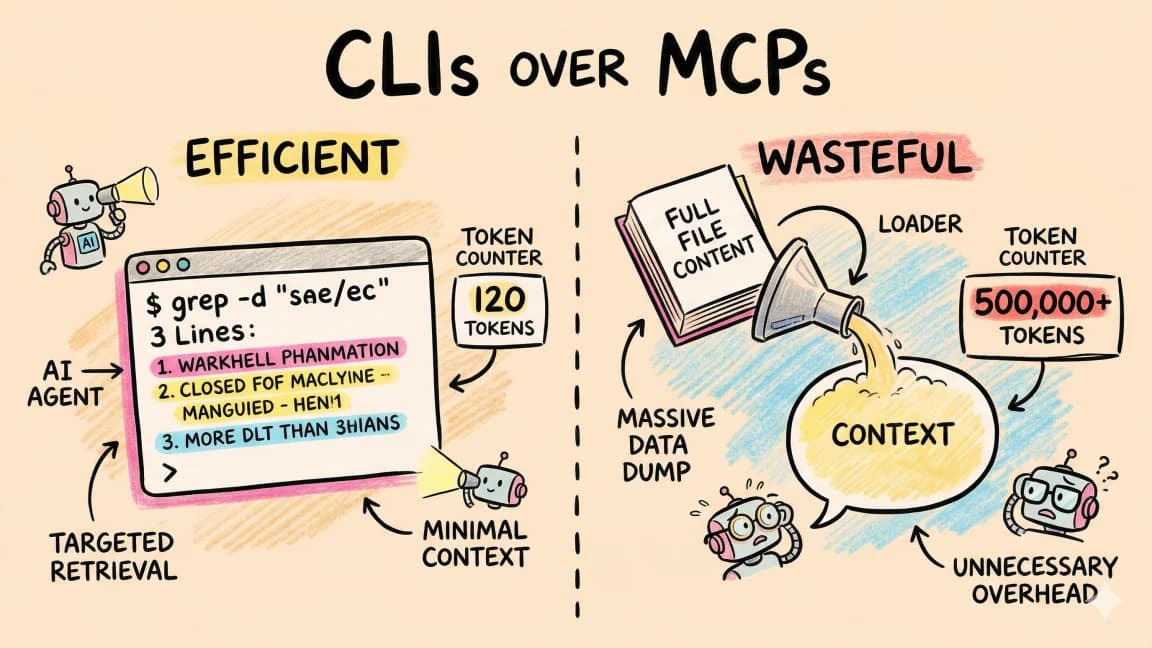
MCPs load everything into context. Want to search a codebase? The MCP reads files into the model's context window. Want to scrape a webpage? The entire page gets serialized and stuffed into tokens. For anything large, you need a sub-agent sitting between the orchestrator and the MCP just to manage the data flow.
CLIs interact with the file system directly. grep -r "pattern" ./src runs on your machine and returns only the matching lines. The model sees 10 lines instead of 10,000. curl fetches a URL and pipes it to jq to extract exactly what you need. The heavy lifting happens outside the context window.
# MCP approach: load entire file into context, search in-model
# Cost: ~4,000 tokens for a typical source file

# CLI approach: search on disk, return only matches
grep -rn "handleAuth" ./src --include="*.ts"
# Cost: ~50 tokens for the results
That's an 80x difference in token usage for a single search operation. Multiply that across an agent session with hundreds of tool calls and the gap is massive. CLIs keep the expensive context window lean. MCPs bloat it.
The Universal Interface#
Run --help on any CLI. That's your entire API, loaded in one command.
$ obsidian --help
Usage: obsidian <command> [options]

Commands:
  search    Search notes by content or title
  read      Read a note by path
  create    Create a new note
  list      List notes in a folder
  tags      List all tags
An AI agent reads that output and immediately knows every capability, every flag, every argument. No schema files. No protocol negotiation. No server discovery. One command, full understanding.
This is the part that matters most: CLIs are a universal interface. Humans use them. Scripts use them. AI agents use them. The same tool serves all three audiences with zero adaptation. When Obsidian released their CLI, it didn't just help developers. It made every AI coding harness on the planet capable of managing Obsidian vaults. When Google shipped a Workspace CLI, every agent gained the ability to create docs, manage sheets, and send emails.
MCPs require agent-specific integration. You build an MCP server, and it works with Claude. Maybe Cursor. Maybe a handful of others. A CLI works with everything.
CLI + Harness + Skills: The Real Power Combo#
A CLI alone is just a tool. The magic happens when you combine three things:
- A CLI that does one thing well
- A harness (Claude Code, Codex, OpenClaw) that orchestrates tool use
- Skills that tell the agent when and how to use each tool
# .claude/skills/vault-management.md

When working with Obsidian notes:
- Use `obsidian search` to find relevant notes before creating new ones
- Use `obsidian read` to check existing content
- Use `obsidian create` with proper frontmatter
- Always use wikilinks for cross-references
The skill file is plain markdown. The CLI is a standard binary. The harness reads the skill, discovers the CLI via --help, and chains operations together. No protocol overhead. No server management. No authentication handshakes.
This combination lets you do things MCPs cannot. Write the search results to a file. Pipe one CLI's output into another. Use xargs to parallelize operations. Compose tools with standard Unix patterns that have been refined for decades.
# Find all TODO comments, extract file paths, run tests for those files
grep -rn "TODO" ./src --include="*.ts" -l | xargs -I {} dirname {} | sort -u | xargs -I {} npm test -- --testPathPattern={}
Try expressing that in MCP calls. You can't, not cleanly. CLIs compose. MCPs don't.
Where MCPs Still Make Sense#
MCPs aren't useless. They solve real problems in specific areas:
Authentication flows. OAuth, API keys, token refresh. CLIs can handle auth, but MCP's standardized protocol makes multi-service auth cleaner when you need it.
Tool discovery. "What tools does this server offer?" MCP's schema-based discovery is elegant. CLIs require the agent to know the tool exists and run --help.
Structured context loading. When you need to tell an agent about available capabilities in a standardized format, MCP's tool descriptions work well.
But these are complementary features, not primary interfaces. Use MCPs for auth and discovery. Use CLIs for the actual work.
The Evidence is Everywhere#
The trend is accelerating. Every major tool release in 2025 and 2026 points the same direction:
OpenClaw (247K stars): CLI-first, zero MCPs. The most popular open-source project on GitHub chose the command line as its agent interface.
Claude Code: Anthropic's own coding agent is a CLI. Not a web app. Not an MCP server. A CLI you install with npm and run in your terminal.
Codex CLI: OpenAI built their coding agent as a CLI too. Two competing companies, same architectural choice.
Obsidian CLI: Millions of impressions on social when it launched. Developers immediately started wiring it into their agent workflows.
Google Workspace CLI: Same story. Millions of views. Instant adoption by agent harnesses everywhere. (Its backstory is its own lesson: the developer who built it on Google's DevRel team was later fired.)
The pattern is clear. The companies building the most successful AI tools aren't inventing new protocols. They're shipping CLIs.
Build for the Interface That Already Exists#
If you're building a tool and wondering whether to create an MCP server or a CLI: build the CLI.
Your tool will work with every agent harness that exists today and every one that will exist tomorrow. It will work for humans who prefer the terminal. It will compose with other tools via pipes and subshells. It will be testable, scriptable, and debuggable with standard Unix tools.
MCPs are a layer you can add later if you need structured discovery or auth flows. But the CLI is the foundation.
The best AI agent tools aren't the ones we're inventing. They're the ones that have been sitting in our PATH for years. grep, git, curl, jq. Every CLI you've ever installed. The agent revolution doesn't need a new protocol. It needs access to what already works.
Run --help. That's the whole API.
FAQ#
What does "CLIs over MCPs" mean?#
"CLIs over MCPs" is an architectural preference for using traditional command line interfaces instead of the Model Context Protocol when building AI agent tools. The argument is that CLIs provide a universal interface that both humans and AI agents already know how to use, while MCPs require agent-specific integration and load more data into context windows.
Why are CLIs better for AI agents than MCP servers?#
CLIs interact with the file system directly and return only the results, keeping token usage low. A grep command might return 50 tokens of matching lines, while an MCP would load entire files into context costing thousands of tokens. CLIs also compose with pipes and standard Unix patterns, work with any agent harness, and have --help built in for instant API discovery.
What is the token cost difference between CLIs and MCPs?#
The difference can be 80x or more for search operations. A CLI like grep runs on disk and returns only matching lines (roughly 50 tokens for typical results). An MCP approach loads entire files into the model's context window (roughly 4,000 tokens per file). Across hundreds of tool calls in an agent session, this compounds into massive cost differences.
When should I use MCP servers instead of CLIs?#
MCPs still make sense for OAuth authentication flows that require token refresh, standardized tool discovery when agents need to know what capabilities are available, and structured context loading in multi-service environments. Use MCPs for auth and discovery, but reach for CLIs when doing the actual work.
Why did OpenClaw choose CLIs over MCPs?#
OpenClaw (247K GitHub stars) built a CLI-first architecture because CLIs provide universal compatibility, lower token costs, and natural composability. The same reasoning drove Claude Code, Codex CLI, and other major AI coding tools to choose command line interfaces. When the most successful AI tools independently make the same architectural choice, it signals a pattern.
How do CLIs work with AI agent skills?#
Skills are plain markdown files that tell agents when and how to use specific CLIs. The agent reads the skill, discovers CLI capabilities via --help, and chains operations together. This combination of CLI plus harness plus skills is more powerful than MCPs because it allows Unix-style composition - piping output between tools, using xargs for parallelization, and writing intermediate results to files.
Can I convert my MCP server to a CLI?#
Yes, and you probably should. Build the CLI as your primary interface, then add an MCP layer on top if you need structured discovery or complex auth flows. The CLI will work with every agent harness that exists today and every one that will exist tomorrow. It will also work for humans, be testable with standard tools, and compose with other CLI tools via pipes.
What CLIs are most useful for AI agents?#
The most useful CLIs are the ones already in your PATH: grep for searching, git for version control, curl for HTTP requests, jq for JSON processing, plus domain-specific tools like gh for GitHub, obsidian for vault management, and gog for Google Workspace. The agent revolution does not need new protocols - it needs access to what already works.
Continue Reading#
Get the next comparison like this in your inbox
One email a week on CLI and the rest of the AI dev stack. Free.
Read next on AI coding tools
What Is MCP (Model Context Protocol)? The 2026 Developer Guide
MCP (Model Context Protocol) is the open standard connecting AI apps to tools and data. How the 2026-07-28 spec works and how to install or build a server.
14 min readWhy Claude Code Won: Unix Philosophy Meets AI Agents
Why Claude Code won: terminal agents fit how software already works - files, shell commands, git, logs and project memory. The architecture behind the tool.
10 min readMCP vs Function Calling: When to Use Each
MCP servers and function calling both let AI tools interact with external systems. They solve different problems. Here is when to reach for each.
6 min readNew here? Start with
Technical content at the intersection of AI and development. Building with AI agents, Claude Code, and modern dev tools - then showing you exactly how it works.