MCP tools need a shared board, not another transcript
TL;DR
MCP makes tools callable by agents. That solves invocation. It does not solve visibility. The next agent and the next human still need to see what the tool calls produced, and a transcript is the wrong place for that.
Official Sources#
| Resource | Description |
|---|---|
| MCP Tools specification | How MCP servers expose tools to models |
| MCP servers overview | Tools, resources, and the model-controlled invocation model |
| Claude Code MCP integration | Connecting Claude Code to external tools via MCP |
| AgentCanvas | An MCP server whose tools write to a shared board |
The Model Context Protocol did the hard part. It standardized how agents call tools. A server declares its tools through tools/list, the model invokes them through tools/call, and the result comes back as typed content. Any agent that speaks MCP can drive any server. That is a real win.
What MCP did not standardize is what happens to the result after the model reads it. The tool output lands in the conversation, the model reasons over it, and then it scrolls up into the transcript and dies. For the next tool call that is fine. For the next agent, or the next human, it is a problem.
Invocation is solved. Visibility is not.#
The MCP spec is explicit that tools are model-controlled: the model discovers and invokes them automatically based on context. That means an agent with the right MCP servers can do a lot - query a database, run a browser, fetch a doc, generate an image.
But the output of those calls has nowhere durable to go. A browser MCP returns a screenshot. It enters the transcript. The model looks at it. Then what? If a second agent needs that screenshot later, it has to call the browser MCP again. If a human needs it, they have to scroll. The tool did the work and the work disappeared.
This is the gap that a shared board fills. Instead of the tool output living only in the conversation, the agent writes it to a canvas where it persists and where the next call can read it back.
An MCP server whose output is a place#
AgentCanvas is an MCP server, but its tools do not just return a result. They place a result. create_image_asset puts media on the board. create_html_asset puts a doc in a sandboxed iframe. append_html streams content in chunks so you watch it assemble. list_assets reads the board back.
That changes the shape of an agent run. A browser agent attaches its screenshot to the canvas item it was checking. A research agent pins its findings as a doc. An image agent places the generated image next to the brief that asked for it. Every tool call leaves a visible artifact instead of a transcript line.
The tools are standard MCP - they work with Claude Code, Codex, Cursor, or any harness that speaks the protocol. The difference is that the destination is a board, not stdout.
Why this matters for multi-agent work#
The Claude Code MCP docs frame MCP as a way to give an agent access to external tools. That is correct but incomplete for teams of agents. When two agents share a set of MCP tools, they share the ability to act. They do not share a memory of what was done.
A shared board is that memory. Agent A runs a workflow MCP and pins the run log. Agent B calls list_assets, sees the log, and picks up where A left off. No transcript pasted into context, no re-running the workflow to see what happened. The board is the handoff.
This is the same argument made in skills over MCP with progressive disclosure: the protocol is good at exposing capability, and bad at exposing state. A canvas is a lightweight way to add state without bolting a database onto every MCP server.
When a board is overkill#
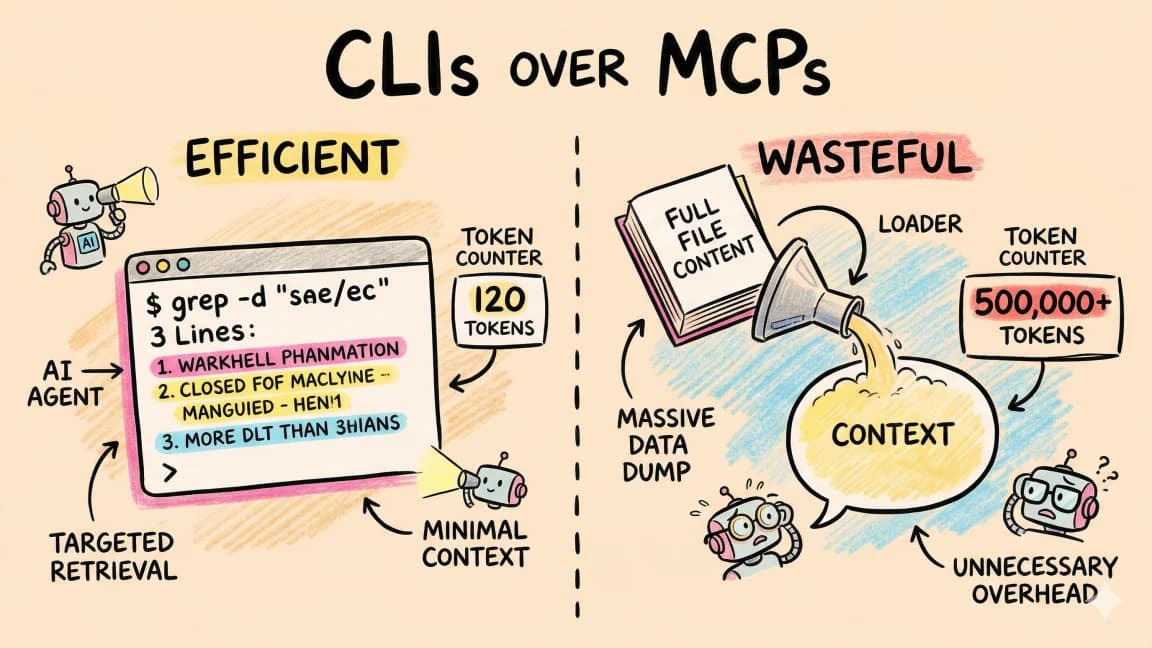
Not every MCP tool needs a board. The rule from CLIs over MCPs still holds: if a tool duplicates something the agent already does natively, it is dead weight. A board is worth it when:
- The tool output is something a human will want to look at (a screenshot, a doc, a generated image, a run log).
- The output needs to survive past the current turn so a later agent or human can use it.
- Multiple agents need to converge on the same set of artifacts.
If the tool is a quick lookup that the model consumes and forgets, leave it in the transcript. The board is for the work, not the lookups.
FAQ#
What does MCP not solve?#
MCP standardizes tool invocation - how an agent discovers and calls tools. It does not standardize where tool output goes after the model reads it, so results tend to die in the transcript.
How does a shared board help MCP tools?#
A board gives tool output a durable, visible place. Instead of a screenshot living only in the conversation, the agent pins it to a canvas where the next agent and the next human can see it.
Is AgentCanvas an MCP server?#
Yes. AgentCanvas exposes standard MCP tools like create_html_asset, create_image_asset, and list_assets. Any MCP-speaking agent can call them. The difference from a typical MCP server is that the tools write to a persistent board.
Do I need a board for every MCP tool?#
No. Use a board when the tool output is something a human or a later agent will want to inspect - screenshots, docs, generated images, run logs. For quick lookups the model consumes and forgets, the transcript is fine.
How is this different from writing tool output to files?#
Files work but they are a flat list with no spatial relationship. A canvas is a layout, so when several agents each produce several artifacts you can see which artifact belongs to which agent and which task at a glance.
Get the next deep dive like this in your inbox
One email a week on MCP and the rest of the AI dev stack. Free.
Read next on Claude Code
What Is MCP (Model Context Protocol)? The 2026 Developer Guide
MCP is the open standard for connecting AI apps to tools and data: servers expose tools, resources, and prompts over JSON-RPC, and any client can use them. What it is, how the stateless 2026-07-28 spec works, how to install a server in Claude Code or Cursor, and how to build one with the v2 TypeScript SDK.
14 min readBest MCP Servers in 2026: The Developer Shortlist
A practical ranked list of MCP servers worth installing first for Claude Code, Cursor, Copilot, Codex, and OpenCode: GitHub, Filesystem, Context7, Playwright, Postgres, Sentry, Supabase, Notion, Slack, and more.
10 min readSkills Delivered Over MCP: Why Progressive Disclosure Is the Missing Piece of Both Standards
SKILL.md solved knowledge packaging with progressive disclosure. MCP solved capability transport but ships flat, context-hungry tool lists. The next shape combines them - an MCP server whose tools are a skill directory, so an agent pays context only for what the task needs. Here is the argument and a working implementation.
9 min readTechnical content at the intersection of AI and development. Building with AI agents, Claude Code, and modern dev tools - then showing you exactly how it works.