Cursor Automations Developer Guide: Always-On AI Coding Agents
TL;DR
Cursor Automations lets AI agents run in the background based on triggers, not prompts. Here is how to set them up, configure triggers, and integrate into your workflow.
Official Sources#
| Resource | Link |
|---|---|
| Cursor Documentation | docs.cursor.com |
| Cursor Pricing | cursor.com/pricing |
| Cursor Changelog | cursor.com/changelog |
| Cursor Automations Launch | creati.ai/ai-news/2026-03-08/cursor-automations-agentic-coding-system-launch |
Last updated: June 15, 2026
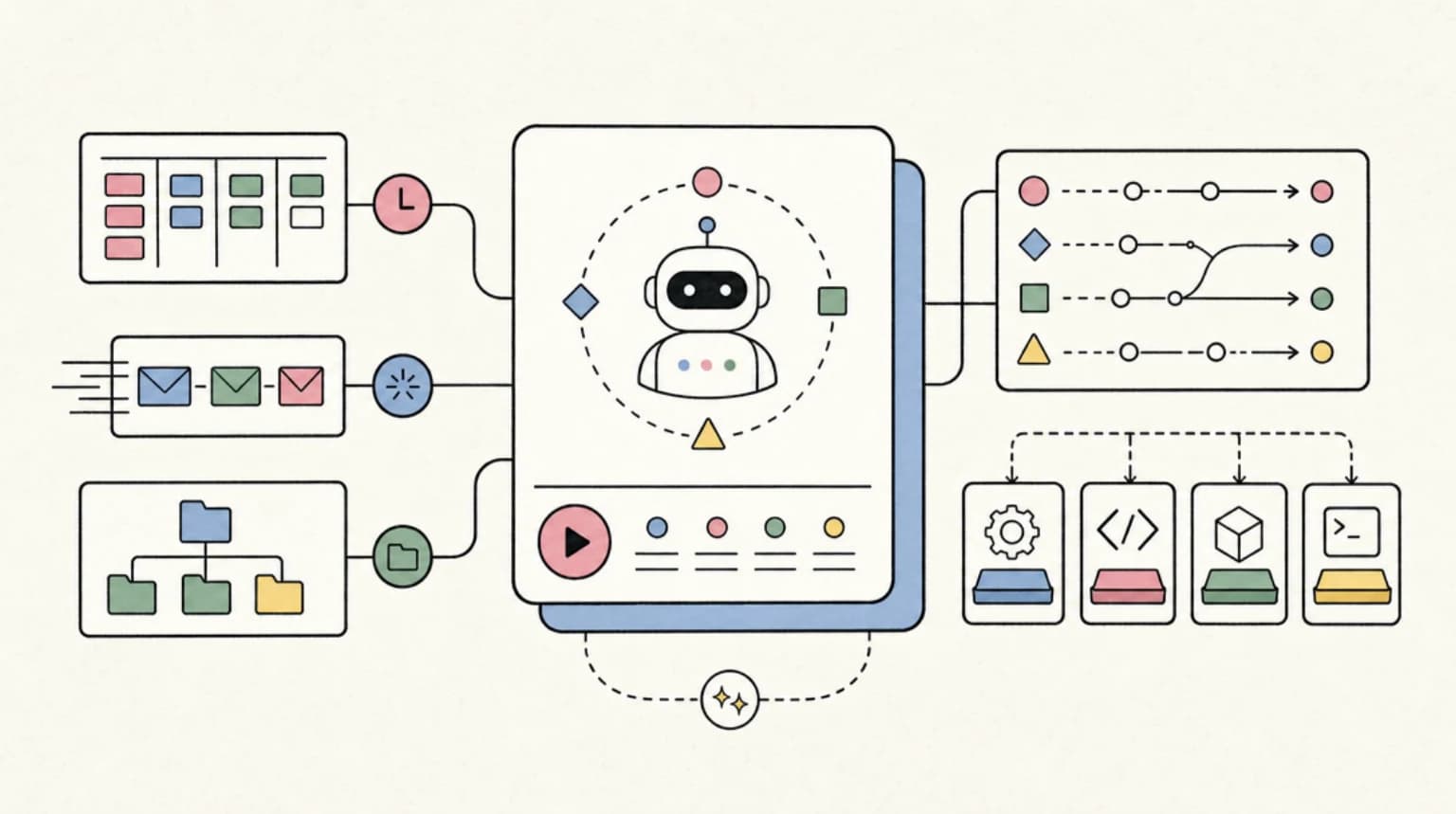
Cursor Automations shipped in March 2026 and changed how AI coding agents fit into development workflows. Instead of waiting for you to prompt them, automations let agents run in the background based on triggers: test failures, file saves, PR opens, cron schedules, or webhook calls.
The shift is from interactive AI to always-on AI. Teams using automations report 20-40% reductions in manual review tasks and 1-2 hours recovered per developer weekly. Here is how to set them up.
What Automations Actually Do#
Traditional AI coding assistants are reactive. You ask a question, they answer. You prompt a refactor, they generate code. The loop requires you to be present and typing.
Automations flip this. You define a trigger and instructions once. The agent runs whenever that trigger fires, whether you are at your desk or not. Results queue up for review.
The practical difference:
| Traditional AI | Automations |
|---|---|
| Manual prompts | Automatic triggers |
| Synchronous chat | Asynchronous background |
| Developer as operator | Developer as reviewer |
| Single file context | Full repository scope |
Jonas Nelle, Cursor's engineering lead for async agents, described it as a "conveyor belt" for development: "Humans are not completely out of the picture. Instead, they are not always initiating. They're called in at the right points."
Setting Up Your First Automation#
Automations are configured via YAML files in your project's .cursor/automations/ directory, or through Cursor's settings panel.
Directory Structure#
Code
my-project/
  .cursor/
    automations/
      fix-tests.yaml
      dependency-audit.yaml
      pr-review.yaml
Basic Configuration#
Every automation needs three things: a name, a trigger, and instructions.
YAML
name: Fix Failing Tests
trigger:
  - type: test_failure
    test_command: pnpm test
    debounce_ms: 5000
instructions: |
  Review failing tests and source code. Identify root cause
  and propose minimal fix without modifying test expectations.
  Run tests in sandbox to verify before submitting diff.
sandbox:
  install_command: pnpm install
  env:
    NODE_ENV: test
When your test suite fails, this automation spawns an isolated container, clones your repo, runs the agent with your instructions, and stages a diff for your review.
Trigger Types#
Cursor supports six trigger types. Each fits different workflow patterns.
1. Cron Schedule#
Standard cron syntax for recurring tasks.
YAML
name: Weekly Dependency Audit
trigger:
  - type: cron
    schedule: "0 9 * * 1"  # Monday 9am
instructions: |
  Run npm audit. For vulnerabilities with severity high or critical,
  check if patch versions are available. Apply patches and run tests.
  Skip major version bumps.
Good for: dependency updates, dead code detection, documentation sync, weekly summaries.
2. Git Events#
Triggered on push, commit, PR open, PR merge, or branch creation.
YAML
name: PR Security Review
trigger:
  - type: git
    event: pull_request_open
instructions: |
  Review the PR diff for security issues. Check for:
  - Hardcoded credentials or API keys
  - SQL injection vectors
  - Unvalidated user input
  - Missing authentication checks
  Post findings as PR comment.
Good for: automated code review, security scanning, style checks.
3. Test Failure#
Fires when your test command exits non-zero.
YAML
name: Auto-Fix TypeScript Errors
trigger:
  - type: test_failure
    test_command: pnpm typecheck
    debounce_ms: 10000
instructions: |
  Read the type errors. Fix them without changing business logic.
  Prefer narrowing types over adding type assertions.
  Run typecheck in sandbox to verify fix.
Good for: type errors, linting failures, test fixes.
4. File Save#
Immediate response when you save specific files.
YAML
name: Update Changelog
trigger:
  - type: file_save
    patterns:
      - "src/api/**/*.ts"
    debounce_ms: 60000
instructions: |
  If the saved file contains API endpoint changes,
  update CHANGELOG.md with a brief description of the change.
  Follow existing changelog format.
Debouncing is important here. 30-60 seconds prevents trigger spam during active editing.
5. Webhook/API#
External systems invoke automations via REST.
YAML
name: Incident Responder
trigger:
  - type: webhook
    path: /incident
instructions: |
  Received alert from PagerDuty. Query recent logs,
  identify potential root cause, and draft initial
  incident report with relevant code references.
Invocation:
Terminal
curl -X POST \
  -H "Authorization: Bearer $CURSOR_API_KEY" \
  https://api.cursor.sh/automations/{id}/trigger \
  -d '{"alert_id": "12345"}'
Good for: CI/CD integration, incident response, external tool hooks.
6. Manual#
Direct invocation through API when you want on-demand runs.
YAML
name: Generate Release Notes
trigger:
  - type: manual
instructions: |
  Compare current main branch to last release tag.
  Generate release notes covering new features, bug fixes,
  and breaking changes. Format for CHANGELOG.md.
From the archive
OpenRouter Fusion Makes Model Panels Real. Use Them Like Escalation, Not Autopilot
Jun 15, 2026 • 8 min read
Kimi K2.7-Code Developer Guide: The Open-Source Coding Model Worth Running
Jun 14, 2026 • 8 min read
Agent Workspaces Need Filesystem Contracts
Jun 13, 2026 • 8 min read
Best Claude Model Now That Fable 5 Is Disabled (Mythos vs Opus vs GPT-5.5)
Jun 13, 2026 • 6 min read
Agent Execution Model#
Understanding how automations run helps you write better instructions.
Isolated Containers#
Each run spawns a fresh container with:
- A clone of your repository at HEAD
- Your specified install command executed
- Environment variables from vault (not version control)
- Network access to allowlisted domains only
- No access to your local filesystem outside the repo
The agent works in this sandbox. Changes are staged as a diff for your review. By default, nothing auto-applies.
Execution Flow#
- Trigger fires
- Container spawned with repo clone
- Install command runs
- Agent receives instructions
- Agent performs work in sandbox
- Diff staged for review
- Developer approves before application
Constraints#
- 30-minute execution time limit per run
- No real-time mid-run guidance
- Monthly run quotas on Pro/Business plans
- Beta API subject to schema changes
Production Workflows#
These patterns are what teams actually use.
Daily Dependency Audit#
YAML
name: Dependency Security Check
trigger:
  - type: cron
    schedule: "0 8 * * *"
instructions: |
  Run npm audit. For each vulnerability:
  - If patch version available, update and test
  - If minor version available and changelog looks safe, update and test
  - Skip major versions, log them for human review
  Commit passing updates. Report blocked updates.
sandbox:
  install_command: npm ci
TypeScript Error Cleanup#
YAML
name: Fix Type Errors on Save
trigger:
  - type: file_save
    patterns: ["**/*.ts", "**/*.tsx"]
    debounce_ms: 30000
instructions: |
  Run tsc --noEmit. If errors exist in saved files:
  - Fix type errors without changing runtime behavior
  - Prefer type narrowing over assertions
  - Do not modify test files
  Stage fixes for review.
sandbox:
  install_command: pnpm install
PR Review Preparation#
YAML
name: Pre-Review Analysis
trigger:
  - type: git
    event: pull_request_open
instructions: |
  Analyze the PR diff for:
  - Functions over 50 lines (suggest extraction)
  - Missing error handling
  - Unused imports or variables
  - Test coverage gaps
  Post analysis as PR comment, not blocking.
Dead Code Detection#
YAML
name: Weekly Dead Code Sweep
trigger:
  - type: cron
    schedule: "0 10 * * 5"  # Friday 10am
instructions: |
  Identify unused exports, unreachable code paths,
  and files with zero imports. Generate removal PR
  with tests passing. Group related removals.
CI/CD Integration#
Automations work alongside your existing CI. The common pattern is AI-generated insights posted to PRs before human review.
GitHub Actions Example#
YAML
# .github/workflows/cursor-analyze.yml
name: Cursor Analysis
on:
  pull_request:
    types: [opened, synchronize]

jobs:
  analyze:
    runs-on: ubuntu-latest
    steps:
      - name: Trigger Cursor Automation
        run: |
          curl -X POST \
            -H "Authorization: Bearer ${{ secrets.CURSOR_API_KEY }}" \
            https://api.cursor.sh/automations/pr-analysis/trigger \
            -d '{"pr_number": "${{ github.event.number }}"}'
This augments human reviewers rather than replacing them.
Configuration Best Practices#
Start Narrow#
Begin with verifiable, low-risk automations: test fixes, dependency updates, dead code removal. These have clear success criteria.
Disable Auto-Apply Initially#
Run with auto-apply off for your first 30 days. Review every diff. Build trust in the agent's judgment before expanding scope.
Use Debouncing#
For file-save triggers in active projects, 30-60 second debounces prevent trigger storms. A single focused coding session should not spawn dozens of runs.
Write Clear Instructions#
Think of instructions as guidance for a capable junior developer. Be explicit about:
- What the agent should and should not change
- How to verify success
- When to stop and flag for human review
Pin Cursor Version#
In team environments, pin your Cursor version for stability. The automations API is still in beta.
Comparing to Claude Code#
Both Cursor Automations and Claude Code offer agentic coding, but the execution model differs.
| Aspect | Cursor Automations | Claude Code |
|---|---|---|
| Trigger | Event-based, scheduled | Manual or via hooks |
| Environment | IDE-native, sandboxed | Terminal, local filesystem |
| Workflow | Background, async | Foreground, interactive |
| Pricing | Included in Cursor plans | Separate Anthropic subscription |
| Best for | Recurring maintenance | One-off complex tasks |
The practical split: Automations for background maintenance (dependency updates, PR prep, error fixing). Claude Code for foreground work (feature building, complex refactors, exploratory coding).
Many teams use both.
Getting Started Checklist#
- Create
.cursor/automations/directory in your project - Start with one automation (test failure or dependency audit)
- Set
debounce_msappropriately for your trigger type - Write instructions as guidance for a capable junior developer
- Run with auto-apply disabled
- Review staged diffs for 2-4 weeks
- Enable auto-apply for trusted, narrow automations
- Expand scope gradually
FAQ#
What is Cursor Automations?#
Cursor Automations is a feature that lets AI coding agents run in the background based on triggers like test failures, file saves, PR opens, cron schedules, or webhook calls. Instead of waiting for manual prompts, automations execute autonomously and stage results for your review.
How much does Cursor Automations cost?#
Automations are included in Cursor Pro ($20/month), Pro+ ($60/month), Ultra ($200/month), and Business ($40/seat/month) plans. Usage is subject to monthly run quotas depending on your tier.
Can Cursor Automations run without my approval?#
By default, no. Changes are staged as diffs that require your review before applying. You can enable auto-apply for specific automations, but this is not recommended until you have built trust in the agent's judgment over several weeks.
How do Cursor Automations compare to GitHub Actions?#
Automations complement CI/CD rather than replacing it. GitHub Actions runs deterministic scripts. Automations run AI agents that can reason about code, propose fixes, and adapt to context. The common pattern is triggering automations from GitHub Actions for AI-assisted analysis on PRs.
Can I use Cursor Automations with Claude Code?#
Yes. Automations handle background maintenance inside Cursor (dependency updates, test fixes, PR prep). Claude Code handles foreground interactive work in the terminal (feature building, complex refactors). They serve different parts of the workflow.
What happens if an automation fails?#
Failed runs are logged with error output. The automation does not retry automatically. You can review the failure, adjust instructions, and re-run manually. Setting up monitoring via webhook triggers helps catch systematic failures.
How do I limit which files automations can modify?#
Instructions should explicitly scope what the agent can and cannot touch. For additional safety, use sandbox configurations that limit write access to specific directories or file patterns.
Are automations available on the free tier?#
No. Automations require a paid Cursor subscription (Pro or higher). The free Hobby tier includes basic AI features but not background automations.
Continue Reading#
- 303 AI Skills for 12 Careers: The Free Directory
- Buzz: Block's Agent-Native Messaging Layer on Nostr
Sources#
Read next
Cursor vs Claude Code in 2026 - Which Should You Use?
A detailed comparison of Cursor and Claude Code from someone who uses both daily. When to use each, how they differ, and the ideal setup.
9 min readCursor: The AI-Powered Code Editor That Changed How Developers Work
Cursor started as an open-source code editor and evolved into one of the most popular AI coding tools available. Here is a hands-on look at its key features, pricing tiers, and how it compares to traditional editors like VS Code.
10 min readCursor Composer 2: Everything You Need to Know
Cursor just shipped Composer 2 - a major upgrade to their AI coding assistant. Here is what changed and why it matters.
5 min readShare
Developers Digest
Technical content at the intersection of AI and development. Building with AI agents, Claude Code, and modern dev tools - then showing you exactly how it works.
300+ videos30K+ GitHub stars850+ articles
Related Tools
AI Coding

Windsurf
Codeium's AI-native IDE. Cascade agent mode handles multi-file edits autonomously. Free tier with generous limits. Stron...
View ToolAI Coding
C
Conductor
Mac app for running parallel Claude Code, Codex, and Cursor agents in isolated workspaces. Watch every agent work at onc...
View ToolProductivityNew
A
AgentCanvas
A hosted infinite canvas your headless AI agents drive over MCP. Any MCP-speaking agent - Claude Code, Codex, Cursor, or...
View ToolAI CodingDaily Driver

Claude Code
Anthropic's agentic coding CLI. Runs in your terminal, edits files autonomously, spawns sub-agents, and maintains memory...
View ToolApps from Developers Digest
Developer ToolsIn Progress
Agent Benchmark Lab
Compare AI coding agents on reproducible tasks with scored, shareable runs.
View AppDeveloper ToolsIn Progress
Workflow Autopilot Builder
Define AI-assisted business automations without locking the workflow to one vendor.
View AppDeveloper ToolsIn Progress
Agent Workflow Hub
Queue and organize repeatable agent workflows before they become production automations.
View AppRelated Guides
Guide
Claude Code Setup Guide
Configure Claude Code for maximum productivity -- CLAUDE.md, sub-agents, MCP servers, and autonomous workflows.
AI AgentsGuide
MCP Servers Explained
What MCP servers are, how they work, and how to build your own in 5 minutes.
AI AgentsGuide
Building Your First MCP Server
Step-by-step guide to building an MCP server in TypeScript - from project setup to tool definitions, resource handling, testing, and deployment.
AI AgentsRelated Videos
Build No-Code AI Agents, Automations and Apps with VectorShift
No-Code AI Automation with VectorShift: Integrations, Pipelines, and Chatbots In this video, I introduce VectorShift, a no-code AI automation platform that enables you to create AI solutions...
Video·
VectorShift: The No-Code Platform for AI Agents, Assistants, Chatbots and Automations
In this video, I'll introduce you to VectorShift, a powerful no-code AI automation platform, and show you how to use its functionalities for various use cases, including agents, chatbots, and...
Video·
Vibe Coding with Wispr Flow and Cursor
Sign-up for Wispr Flow here: https://dub.sh/dd-wispr In this video, I introduce you to 'vibe coding,' a new trend coined by Andrej Karpathy. I'll walk you through how to leverage Wispr Flow...
Video·
Related Posts
9 min read
Claude Code
Cursor vs Claude Code in 2026 - Which Should You Use?
A detailed comparison of Cursor and Claude Code from someone who uses both daily. When to use each, how they differ, and...
10 min read
Cursor
Cursor: The AI-Powered Code Editor That Changed How Developers Work
Cursor started as an open-source code editor and evolved into one of the most popular AI coding tools available. Here is...
5 min read
Cursor
Cursor Composer 2: Everything You Need to Know
Cursor just shipped Composer 2 - a major upgrade to their AI coding assistant. Here is what changed and why it matters.

12 min read
AI Coding
AI Coding Tools Pricing Comparison 2026
Complete pricing breakdown for every major AI coding tool. Claude Code, Cursor, Copilot, Windsurf, Codex, Augment, and m...
10 min read
AI Coding Tools
Best AI Coding Tools July 2026: Updated After Opus 5 and Fable 5 API-Only
Opus 5 launched at Fable-5-quality for half the price, Fable 5 went API-only on July 9, and the tool-stack math changed...

7 min read
Slack
Slack Code vs Claude Code vs Cursor vs OpenCode: When Agents Belong in Chat
Slack Code puts coding agents in dedicated Slack channels with diffs, live HTML previews, and an audit log. Here is when...
Build with the member tools

Get Smarter About AI Dev
New tutorials, open-source projects, and deep dives on coding agents - delivered weekly.
One email per weekReal code, not theoryFree forever