Automate Video Editing with the Descript API: Raw Recording to Published Cut in One Script

TL;DR
The boring 80 percent of video editing is mechanical: cut the filler, clean the audio, add captions, export. The Descript API turns each of those into a scripted job, so a raw recording becomes a published, captioned cut without opening the editor once.
Every team has the same pile: the webinar recording, the product walkthrough, the two-hour pairing session, the podcast episode that never shipped because editing it was half a day nobody had. The math is lopsided - 80 percent of the edit is mechanical (cut filler words, shrink silences, clean the audio, add captions, export) and 20 percent is judgement. The mechanical part should not need a human in front of a timeline, and since 2026 it does not: Descript has a public API that turns each of those jobs into a scripted, asynchronous task, plus an editing agent that handles part of the judgement for you.
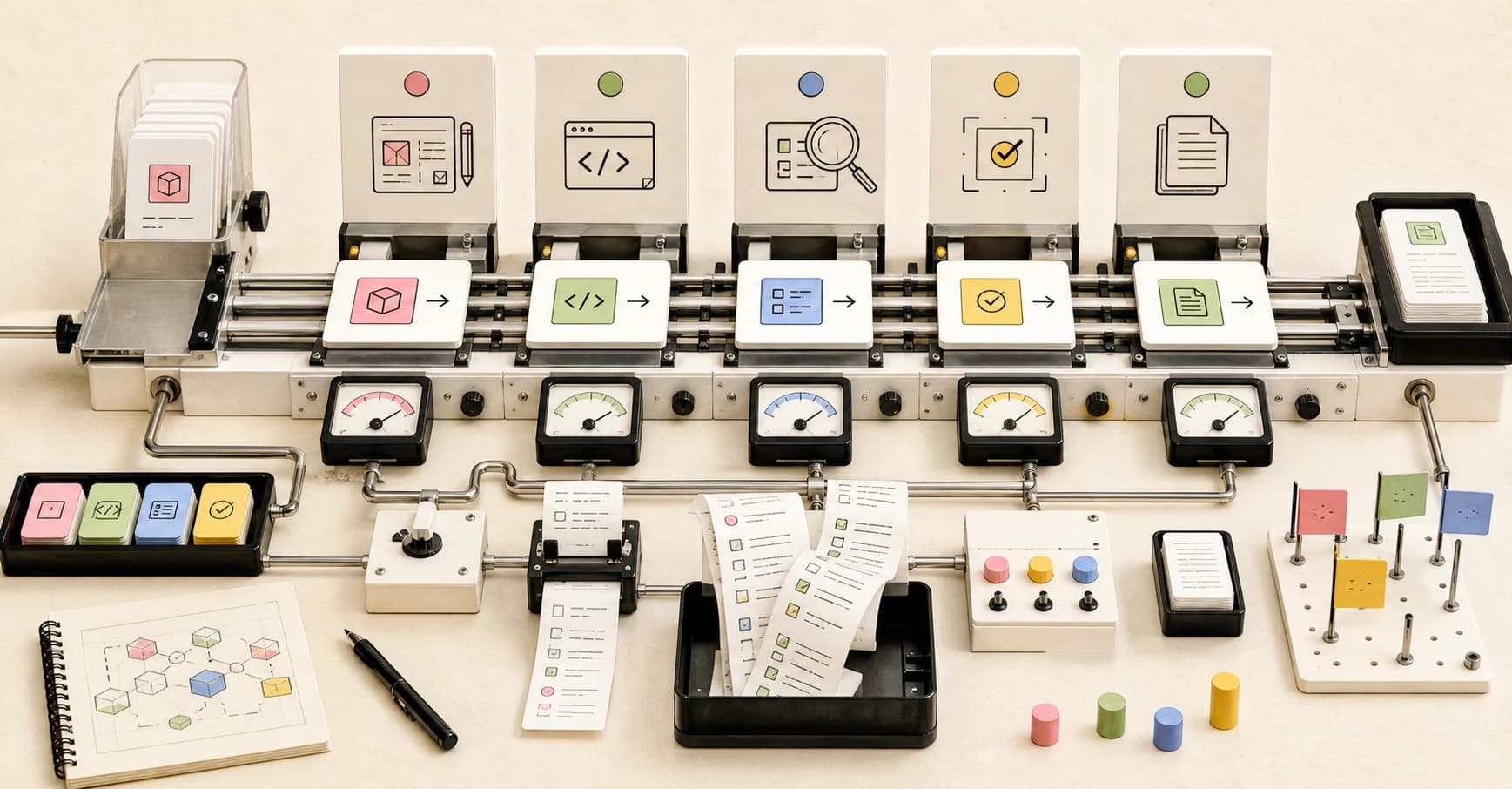
This guide builds the canonical version end to end: a raw recording goes in, a published, captioned, cleaned cut comes out - with a transcript to feed your content pipeline - and the editor never opens. Seven steps, under an hour, every step ending in something you can run. The app-driven sibling of this build is our auto-narrated changelog videos guide; here we stay in the terminal.
Official Sources#
| Resource | Description |
|---|---|
| Descript API overview | What the API does, the FAQ, and the Underlord trigger model |
| Descript API docs | Full endpoint reference: import, agent edit, publish, transcript |
| Import endpoint | URL imports, media URL requirements, direct upload fields |
| Direct file upload | The three-step flow for local files, signed URLs |
| Agent edit endpoint | The Underlord prompt endpoint, models, and job polling |
| Publish endpoint | Share links and time-limited download URLs |
| Transcript export | Transcripts as text, Markdown, SRT, DOCX and more |
| Descript pricing | Plan limits: media hours, AI credits, export resolution |
Step 1: Install the two CLIs#
Prerequisites: a Descript account on a paid plan (the API is available to paying users at no additional cost, drawing on the AI credits and media minutes your plan already includes - per the Descript API FAQ, as of 2026-08-14; the free plan exists at $0 with 60 media minutes and 100 one-time AI credits, but the FAQ limits API access to paying users - pricing page, as of 2026-08-14), a recording to clean up, and Node.js 24 or higher per the CLI requirements, as of 2026-08-14.
Install the Descript CLI globally:
npm install -g @descript/platform-cli@latestInstall OpenCode with the official one-liner from the docs, authenticate a provider (opencode auth login), and prove headless mode works - this is the same capability the whole pattern depends on:
curl -fsSL https://opencode.ai/install | bash
opencode run --model opencode/deepseek-v4-flash "print the current directory tree, two levels deep"
If that returns a tree and exits, both CLIs are ready. What you have now: two working CLIs and a paid Descript plan with API access.
Step 2: Create an API token and prove it works#
API tokens live in Descript's account settings. Open Settings → API tokens, click Create token, name it, and pick the Drive it should be scoped to - the docs walk the exact click path. Tokens inherit your permissions on that Drive, which keeps a pipeline token from touching projects you did not intend.
You see the token exactly once, so treat it like a password and never commit it. Verify it with the read-only status endpoint before anything else - it confirms both connectivity and which Drive you are pointed at:
curl -H "Authorization: Bearer YOUR_API_TOKEN" https://descriptapi.com/v1/status
A valid token returns your drive_id, drive_name, and api_version. What you have now: a verified credential scoped to one Drive.
Step 3: Import a recording from a URL#
Everything in this pipeline is a background job. Import, edit, and publish each return a job_id you poll, and any job accepts a callback_url if you would rather be pinged than poll - the same event-trigger pattern as deploying agent webhooks.
The import endpoint creates the project, imports the media, builds a composition, and kicks off transcription in one call, exactly as the quickstart shows:
curl -X POST https://descriptapi.com/v1/jobs/import/project_media \
  -H "Authorization: Bearer YOUR_API_TOKEN" \
  -H "Content-Type: application/json" \
  -d '{
    "project_name": "Webinar June Rough Cut",
    "add_media": {
      "recording.mp4": {
        "url": "https://your-bucket.example.com/recording.mp4"
      }
    },
    "add_compositions": [
      { "name": "Main", "clips": [ { "media": "recording.mp4" } ] }
    ]
  }'
Two constraints on that URL, straight from the import endpoint docs, as of 2026-08-14: it must be reachable by Descript's servers, and it must support HTTP Range requests. For S3-compatible storage, that means a signed URL - the docs recommend signing for 12 to 48 hours. The response returns job_id, project_id, and project_url. What you have now: an import job running and a project ready to receive its edit.
Step 4: Upload a local file directly#
Most of your recordings are local files, not public URLs - so the import endpoint also accepts a direct upload. Instead of a url, send content_type and file_size, and the response returns a signed upload_url per media item. The direct upload guide is three steps, and the signed URL stays valid for 3 hours, as of 2026-08-14.
Step one, request the upload URLs:
curl -X POST https://descriptapi.com/v1/jobs/import/project_media \
  -H "Authorization: Bearer YOUR_API_TOKEN" \
  -H "Content-Type: application/json" \
  -d '{
    "project_name": "Pairing Session Rough Cut",
    "add_media": {
      "recording.mp4": {
        "content_type": "video/mp4",
        "file_size": 52428800
      }
    },
    "add_compositions": [
      { "name": "Main", "clips": [ { "media": "recording.mp4" } ] }
    ]
  }'
Step two, PUT the raw bytes to the returned upload_url with Content-Type: application/octet-stream - the import job detects the upload automatically and starts processing:
curl -X PUT \
  -H "Content-Type: application/octet-stream" \
  --data-binary @recording.mp4 \
  "https://storage.googleapis.com/your-signed-upload-url"
Step three, poll the job until job_state is stopped - the completion check returns the transcribed duration under result.media_status, which is also what gets billed against your plan's media minutes:
curl -H "Authorization: Bearer YOUR_API_TOKEN" \
  https://descriptapi.com/v1/jobs/YOUR_JOB_ID
What you have now: a local recording imported, transcribed, and sitting in a composition, ready to be edited.
Step 5: Let the editing agent do the boring 80 percent#
The agent edit endpoint is Descript's Underlord agent as an API call: send a project and a one-shot prompt, and it performs the edit in the background. There is no back-and-forth conversation over an API, so the docs recommend framing the edit as one prompt with everything the agent needs. The documented use cases cover exactly the mechanical pass this pipeline exists for: "remove all filler words from the transcript", "add studio sound to every clip", "create a 30-second highlight reel", and "remove the section from 1:30 to 2:15".
The canonical first cut:
curl -X POST https://descriptapi.com/v1/jobs/agent \
  -H "Authorization: Bearer YOUR_API_TOKEN" \
  -H "Content-Type: application/json" \
  -d '{
    "project_id": "YOUR_PROJECT_ID",
    "prompt": "Remove filler words, shorten long silences, add Studio Sound to every clip, and add captions. Keep the full structure otherwise."
  }'
Model choice is a real lever. The endpoint accepts a model field, defaults to auto (a medium-cost option), and the agent models endpoint lists the catalog - in the docs' example claude-haiku-4.5 is a low-cost tier and claude-opus-4.8 is high. The same escalation instinct as coding agent fleets applies: cheap model for the mechanical pass, escalate only when the edit needs judgement.
Poll the returned job. When it stops, the result carries agent_response, project_changed, and ai_credits_used - the exact credit cost of the edit, so you know what a rough cut costs before you schedule it. What you have now: an edited composition - filler gone, audio cleaned, captions on - waiting for review.
Step 6: Publish the cut and download the file#
This is where the loop closes. The publish endpoint renders the composition at a resolution you choose (480p through 4K) and returns both a public share_url and a time-limited signed download_url:
curl -X POST https://descriptapi.com/v1/jobs/publish \
  -H "Authorization: Bearer YOUR_API_TOKEN" \
  -H "Content-Type: application/json" \
  -d '{
    "project_id": "YOUR_PROJECT_ID",
    "media_type": "Video",
    "resolution": "1080p"
  }'
Two details before you wire this into anything. Republishing the same composition reuses the previous share URL and overwrites its content, so review links stay stable across iterations. And the download URL expires, so a pipeline that downloads later must keep the job result, not a stale link. For a real production pipeline, the review step sits between the edit and the publish: the agent does the cut, a human opens the project_url and checks it, and only then does a publish trigger.
If the destination is a different language market, the ElevenLabs dubbing pipeline is the natural next step for a published cut. What you have now: a shareable, downloadable video, produced without a single timeline interaction.
Step 7: Turn the transcript into content - then schedule the whole thing#
The project that produced the video also holds the transcript, and the transcript export endpoint returns it as text, Markdown, HTML, RTF, DOCX, or SRT, with optional speaker labels and timecodes:
curl -X POST https://descriptapi.com/v1/export/transcript \
  -H "Authorization: Bearer YOUR_API_TOKEN" \
  -H "Content-Type: application/json" \
  -d '{
    "project_id": "YOUR_PROJECT_ID",
    "format": "markdown",
    "include_speaker_labels": "changes",
    "timecodes": { "interval_seconds": 30 }
  }' -o transcript.md
That transcript is the seed for everything a developer ships around a video - show notes, a blog draft, a social clip plan - and turning it into those is a bounded task, exactly what a budget coding model does well. One headless OpenCode run writes the first draft:
opencode run --model opencode/deepseek-v4-flash \
  "Read transcript.md. Write show notes for the video: 5 bullets, one 2-sentence summary, and 3 timestamps with quotes worth clipping. Output only the show notes."
That is the full pipeline: import, edit, publish, transcript-to-content. The last step is removing yourself from the trigger. Every job accepts a callback_url, so a webhook receiver or a cron schedule can start the chain the moment a recording lands in a folder. Pace yourself against the documented rate limits: a 429 response carries a Retry-After header, as of 2026-08-14. What you have now: a recording in, a published captioned video and a content draft out, with the trigger left on a schedule.
FAQ#
Does the Descript API work on the free plan?#
No. Per the API FAQ, API access is included for paying users at no additional cost and draws from your plan's AI credits and media minutes. The free plan ($0, 60 media minutes, 100 one-time AI credits, pricing page, as of 2026-08-14) has no API access. Hobbyist is $24 monthly or $16 billed annually, with 10 media hours and 400 AI credits per month.
What does an API-edited video cost?#
It draws on the two buckets your plan already has: media minutes for import and processing (media_seconds_used on the job result) and AI credits for the agent edit (ai_credits_used). An empty bucket returns 402 Payment Required with the reason, per the agent edit endpoint docs. The agent endpoint also lets you pin a cheaper model - claude-haiku-4.5 is the docs' low-cost example - instead of the default auto.
Can I upload a local file, or do I need a public URL?#
Both. URL imports need a URL reachable by Descript's servers with HTTP Range support - sign it for 12 to 48 hours. For local files, send content_type and file_size on the import request, PUT the bytes to the returned signed upload URL (valid for 3 hours), and the job processes automatically.
How do I get the final video file out of Descript?#
The publish endpoint returns a public share_url and a time-limited signed download_url. Republishing the same composition reuses the share URL, so review links stay stable.
Can the whole pipeline run unattended?#
The jobs are asynchronous by design and every one accepts a callback_url, so yes - a recording landing in a folder can trigger import, edit, and publish without the editor app. The one step that should stay human is the review between edit and publish.
Some links to tools above are referral links - see our affiliate disclosure.
Sources#
| Source | URL |
|---|---|
| Descript API overview and FAQ | https://www.descript.com/api |
| Descript API docs (endpoint reference) | https://docs.descriptapi.com/ |
| Descript API - import endpoint | https://docs.descriptapi.com/#tag/API-Endpoints/operation/importProjectMedia |
| Descript API - direct file upload | https://docs.descriptapi.com/#tag/Direct-file-upload |
| Descript API - agent edit endpoint | https://docs.descriptapi.com/#tag/API-Endpoints/operation/agentEditJob |
| Descript API - publish endpoint | https://docs.descriptapi.com/#tag/API-Endpoints/operation/publishJob |
| Descript API - transcript export | https://docs.descriptapi.com/#tag/API-Endpoints/operation/exportTranscript |
| Descript API - rate limiting | https://docs.descriptapi.com/#tag/Rate-Limiting |
| Descript pricing | https://www.descript.com/pricing |
| OpenCode Docs | https://opencode.ai/docs/ |
Last updated: August 14, 2026
Continue Reading#
- Auto-Narrated Changelog Videos - the app-driven sibling of this pipeline, for teams that prefer the editor
- Put an AI Agent on a Cron Job - schedule the import-to-publish chain so it runs without you
- Put an AI Agent Behind a Webhook - the event-trigger pattern for "recording just landed"
- Dub Your Videos into Every Language - the sequel step for a published cut
- OpenCode Developer Guide 2026 - the full tour of the agent CLI used for the content pass
Get the next deep dive like this in your inbox
One email a week on descript and the rest of the AI dev stack. Free.
Read next
Auto-Narrated Changelog Videos: Build the Pipeline in Under an Hour
Release notes nobody reads are a content problem with a mechanical fix: have a coding agent write the narration script from real git history, record the demo with Screen Studio, and let Descript narrate and edit it. A complete one-hour build.
8 min readPut an AI Agent on a Cron Job: Automating Dev Chores with OpenCode
An agent CLI plus a cron schedule turns recurring dev chores into background work: dependency bumps, doc freshness checks, morning briefs. The pattern, the guardrails, and where to run it - your own hardware or a cloud host.
11 min readPut an AI Agent Behind a Webhook: Turn GitHub Issues into Pull Requests
The most common trigger for an AI coding agent is not a clock, it is an event. A GitHub webhook, a Railway service, and OpenCode headless add up to a repo where a labeled issue gets a real pull request without anyone at the keyboard. The full build, start to finish.
10 min readNew here? Start with
Technical content at the intersection of AI and development. Building with AI agents, Claude Code, and modern dev tools - then showing you exactly how it works.