Mastra: Review and Setup Guide for TypeScript Agent Apps (2026)
TL;DR
Mastra review and setup for TypeScript AI agents - verified create commands, Mastra Studio, workflows and memory, plus pricing and who should skip it.
The TypeScript AI agent ecosystem has been moving fast, and Mastra has quietly become one of the more serious options for developers who want something beyond a thin wrapper around an LLM API. It is an open source framework built around the idea that agents and workflows are fundamentally different things that deserve different primitives -- and that both should feel native in a modern TypeScript project.
If you have spent time fighting with untyped prompt glue code, wondering where to put memory, or trying to reason about multi-step agent processes through a wall of nested async functions, Mastra is worth a close look.
Last updated: June 10, 2026 Last verified: 2026-08-21
What Mastra actually is#
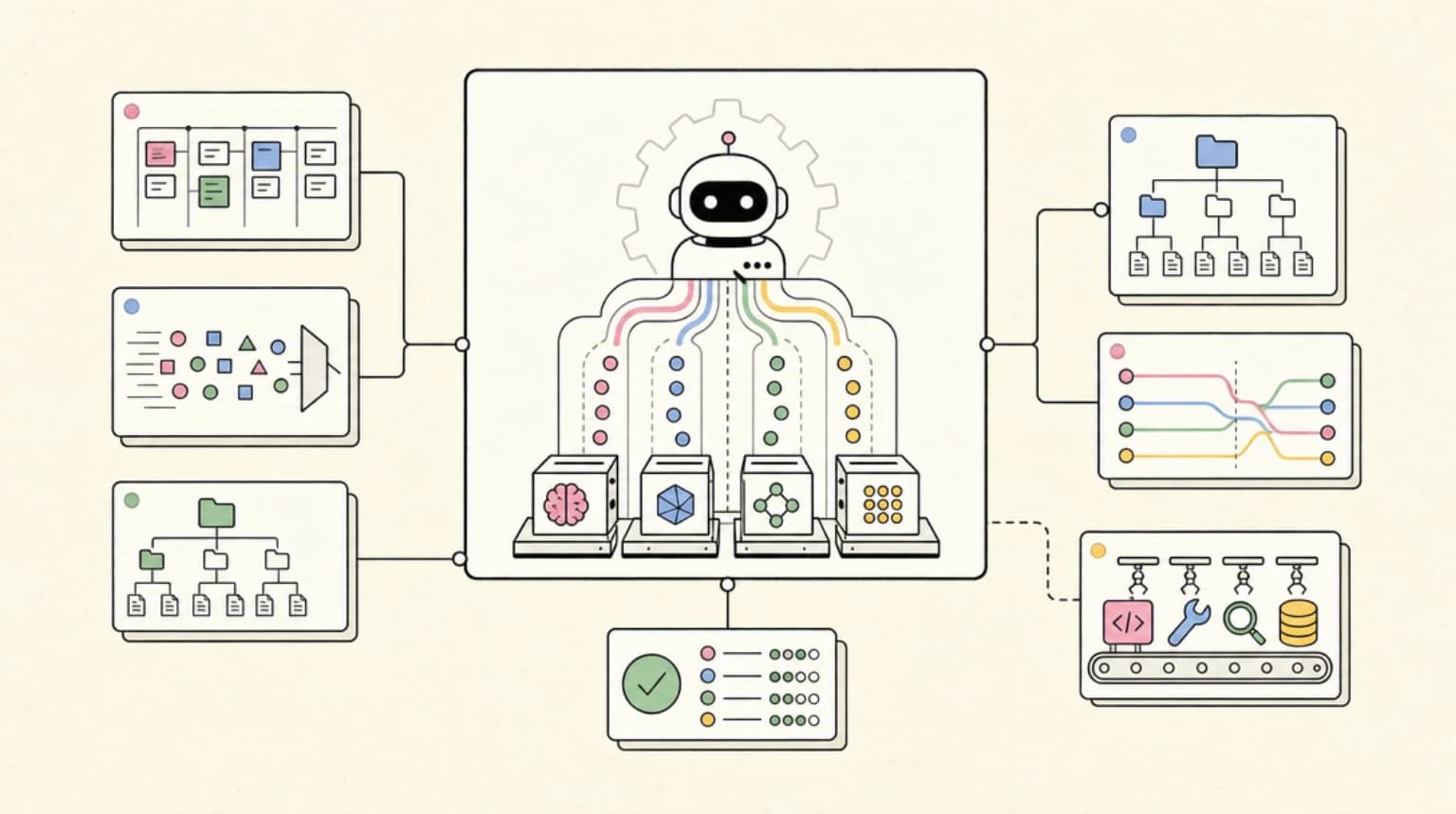
Mastra is a TypeScript framework for building AI-powered applications. The core primitives are agents, workflows, tools, and memory. Agents handle open-ended tasks where the steps are not known in advance -- the agent decides which tools to invoke and when to stop. Workflows handle predetermined multi-step processes with explicit typed control flow, including support for suspension, resumption, and parallelism.
The framework ships with a local development UI called Mastra Studio (runs at localhost:4111) that lets you test agents, inspect tool calls, and run workflows without building a frontend first. That alone removes a significant amount of friction from the early build-and-test loop.
Mastra also provides a model router that exposes over 6,700 models from providers including OpenAI, Anthropic, Google, xAI, and OpenRouter. You reference models as provider/model-name strings in your agent configuration, which means switching providers is a one-line change rather than a dependency swap.
Quick start#
The verified create command from the docs is:
npm create mastra@latest
Or with flags to select a provider and skip the interactive wizard:
npm create mastra@latest my-agent-app --llm openai
Equivalent commands for other package managers:
pnpm create mastra@latest
yarn create mastra
bunx create-mastra
The wizard scaffolds a src/mastra directory with a weather agent example, a tool, a workflow, and a scorer. Once setup finishes, start the dev server and open Studio:
npm run dev
# Studio opens at http://localhost:4111
Mastra requires Node.js v22.13.0 or later. It also runs on Bun, Deno, and Cloudflare Workers.
Defining agents#
Agents are instances of the Agent class from @mastra/core/agent. The minimal setup looks like this:
import { Agent } from '@mastra/core/agent'

export const myAgent = new Agent({
  id: 'my-agent',
  name: 'My Agent',
  instructions: 'You are a helpful assistant.',
  model: 'openai/gpt-4o',
})
Register it in your root Mastra instance to give it access to shared memory, logging, and the agent registry:
import { Mastra } from '@mastra/core'
import { myAgent } from './agents/my-agent'

export const mastra = new Mastra({
  agents: { myAgent },
})
From there, you can call agent.generate() for a full response or agent.stream() to get a token stream. The docs note that you should retrieve agents via mastra.getAgentById() rather than importing them directly, so that the agent gets access to instance-level shared services.
Beyond the basics, agents support structured output (typed objects instead of plain text), guardrails, per-request dynamic configuration, voice input and output, and message processors that transform content before and after generation. Multi-agent systems are supported through a supervisor pattern where one agent routes tasks to specialized subagents.
Workflows#
Workflows are the other main primitive, and the distinction the docs draw is important: use agents when the steps are unknown, use workflows when they are defined upfront. Workflows give you fine-grained control over how data flows between steps, what runs in parallel, and how errors are handled.
Steps are created with createStep() using Zod (or Valibot or ArkType) schemas for input and output:
import { createStep, createWorkflow } from '@mastra/core/workflows'
import { z } from 'zod'

const formatStep = createStep({
  id: 'format',
  inputSchema: z.object({ message: z.string() }),
  outputSchema: z.object({ formatted: z.string() }),
  execute: async ({ inputData }) => ({
    formatted: inputData.message.toUpperCase(),
  }),
})
Workflows support suspension and resumption, which is useful for human-in-the-loop patterns where you need to pause execution, wait for approval, and then continue. For production workloads that need managed infrastructure, Mastra integrates with Inngest as a workflow runner, adding automatic retries and step memoization on top of the built-in engine.
Memory#
Memory is a separate package (@mastra/memory) that you install alongside a storage provider. The default quickstart uses @mastra/libsql for local SQLite-backed storage:
npm install @mastra/memory@latest @mastra/libsql@latestMastra supports four memory modes: message history (plain conversation storage), observational memory (a background agent that distills message history into a dense observation log as it grows), working memory (persistent structured user data like preferences and goals), and semantic recall (retrieves past messages by semantic similarity rather than recency). These can be combined and filtered with memory processors when the combined context approaches the model's limit.
The observational memory mode is particularly useful for long-running assistants where raw message history would quickly fill the context window.
Deployment#
Mastra applications can be deployed to any Node.js-compatible environment. The mastra build command compiles your application, and the output can be deployed to any VM, container, or PaaS. First-party deployers for Vercel, Netlify, and Cloudflare automate the build and deployment process. Deployment guides also exist for Amazon EC2, AWS Lambda, Azure App Services, and DigitalOcean.
The Mastra Platform is a hosted option that adds observability (searchable traces, logs, and metrics), a hosted Studio, and a managed server deployment target. This is separate from the open source framework and has its own pricing tier.
Pricing#
Mastra's core framework is Apache 2.0 licensed and free to use. The Mastra Platform -- which adds hosted observability, Studio, and server deployment -- has the following tiers as of the time this was verified:
- Starter: 100K observability events per month, 24 CPU hours, 15-day data retention
- Teams ($250/month): 1M events, 250 CPU hours, 6-month retention, SSO, and SOC 2 documentation
- Enterprise: Custom pricing, RBAC, audit logs, data stays in your VPC, flat annual fee
If you are self-hosting everything and only using the open source framework, the cost is zero.
Who should skip this#
Mastra is a good fit for teams building TypeScript applications where AI is a first-class concern. It is less appropriate in a few situations:
If your team is primarily Python-based, the ecosystem fit is poor. Mastra is TypeScript-first by design, and using it from Python would require running a separate Node.js service.
If you need a simple single-turn classification or extraction pipeline with no memory, no multi-step logic, and no UI, the framework is heavier than necessary. A direct SDK call to your model provider will be less code and easier to reason about.
If your deployment target does not support Node.js v22 or later, you will hit runtime compatibility issues early. Cloudflare Workers are supported, but the constraint still narrows your options compared to lighter frameworks.
Finally, if your team is not already comfortable with TypeScript generics and schema validation with Zod or similar, the typed step definitions in workflows can feel like a lot of ceremony before you get anything running.
Continue Reading#
- Mastra vs LangGraph.js: TypeScript Agent Frameworks Head to Head
- Mastra npm Supply Chain Attack: 140+ AI Framework Packages Backdoored
- Auto-Narrated Changelog Videos: Build the Pipeline in Under an Hour
- Give Your Site a Voice: Build a Conversational Support Agent with ElevenLabs Agents
- Cactus Needle 2: The 14MB Agentic LLM That Runs on a Raspberry Pi 5
Sources#
- Mastra docs: Quickstart
- Mastra docs: Agents overview
- Mastra docs: Workflows overview
- Mastra docs: Memory overview
- Mastra docs: Deployment overview
- Mastra pricing
All commands, API shapes, and pricing figures were verified against live documentation on August 21, 2026.
FAQ#
Is Mastra open source?#
Yes. The core framework is released under the Apache 2.0 license, which permits commercial use without restriction. The Mastra Platform (hosted observability, Studio, and server deployment) is a separate commercial product with a free tier and paid plans starting at $250 per month. Enterprise self-hosted features have custom pricing and keep all data within your own VPC.
What LLM providers does Mastra support?#
Mastra's model router provides access to models from OpenAI, Anthropic, Google, xAI, OpenRouter, and others -- over 6,700 models in total as of the docs at time of writing. You reference models as provider/model-name strings, so switching providers does not require changing your import structure or reinstalling packages.
How does Mastra compare to LangChain for TypeScript?#
Mastra is TypeScript-native and designed around typed primitives (agents, workflows, steps with Zod schemas). LangChain's JS port covers similar ground but carries architectural decisions inherited from the Python original. Mastra's workflow primitive is more opinionated about control flow and data typing, which trades flexibility for predictability. For teams starting fresh in TypeScript, Mastra is generally easier to reason about at scale.
Can I add Mastra to an existing project?#
Yes. Run mastra init in an existing project instead of using create mastra. Mastra also integrates with Next.js, React (Vite), Astro, Express, SvelteKit, and Hono. In these setups, Mastra lives alongside your existing application and deploys using the framework's standard deployment process.
Get the next deep dive like this in your inbox
One email a week on typescript and the rest of the AI dev stack. Free.
Read next on AI coding tools
The TypeScript AI Agent Stack in Mid-2026: Mastra vs Vercel AI SDK vs OpenAI Agents SDK vs LangGraph.js
The TypeScript AI agent stack compared - Mastra, Vercel AI SDK, OpenAI Agents SDK and LangGraph.js, which layer each covers, and how to pick or combine them.
10 min readAI Coding Tools Pricing Comparison 2026
AI coding tools pricing, verified Sep 28, 2026: Claude Code, Codex, Cursor, Copilot, Antigravity, Windsurf and more. Free tiers, pro plans and hidden costs.
12 min readFactory AI and the Model Routing Era: How Coding Agents Are Learning to Spend Your Tokens Wisely
Factory AI's Droid lets you pick a model per task and per subagent. What its routing, BYOK and open-weight tiers reveal about cutting coding agent costs.
8 min readNew here? Start with
Technical content at the intersection of AI and development. Building with AI agents, Claude Code, and modern dev tools - then showing you exactly how it works.