Give Your Coding Agent a Voice: Dictate Prompts with Wispr Flow
TL;DR
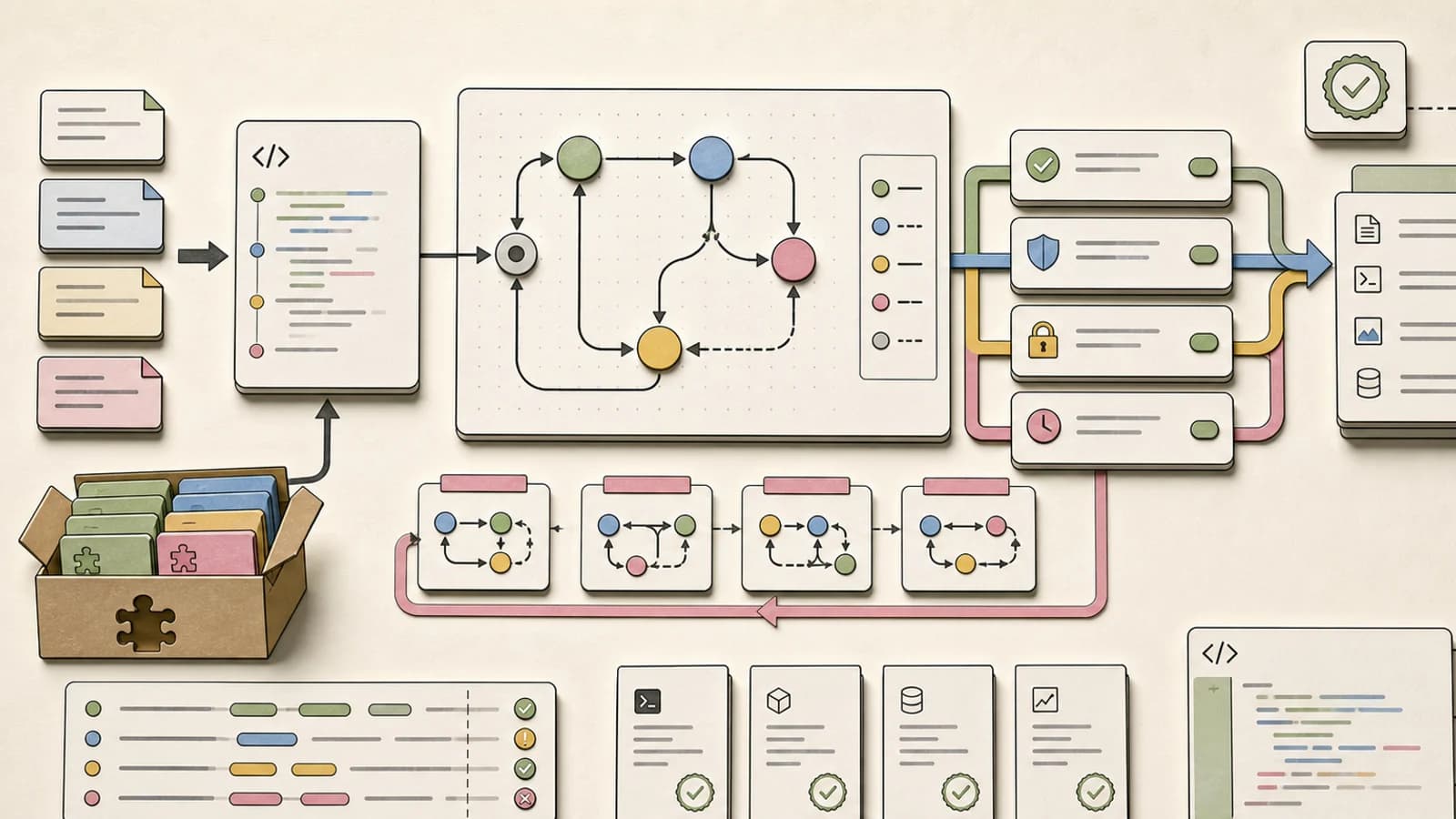
The agent is only as good as the prompt, and the best prompts are the ones you would speak. How to dictate context-rich prompts into an agent CLI like OpenCode hands-free: hotkeys, snippets, dictionary, and Command Mode.
The bottleneck of an AI coding agent is not the model and it is not the tooling. It is the prompt. An agent working from a thin prompt returns thin code: it guesses your intent and your edge cases because you did not tell it. The fix is more context, and the fastest way to put context in is to speak it. You type about 45 words a minute; you talk at roughly 4x that, and the extra words are exactly the detail that decides whether the result is right.
This guide builds one thing: a voice-driven loop around a terminal coding agent, using Wispr Flow for dictation and OpenCode as the agent. By the end you will dictate a full task into the agent without touching the keyboard, review the diff by voice, and dictate the commit message and PR body. Seven steps, under an hour, each ending in something you can run.
Official Sources#
| Resource | Description |
|---|---|
| Wispr Flow | Download, developer page, and feature overview |
| Wispr Flow Help Center | Command Mode, shortcuts, and IDE integration reference |
| Wispr Flow Pricing | Free tier limits and Pro pricing |
| OpenCode Docs | Install, /connect, and the TUI reference |
Step 1: Install Wispr Flow and bind your hotkeys#
Download Wispr Flow from wisprflow.ai - Mac and Windows on desktop, iPhone and Android on mobile. A new account starts with 14 days of Flow Pro free, no card required, which matters because Command Mode (Step 6) needs it. After the trial you drop to the free Basic tier, which still covers the core dictation workflow at 2,000 words per week on desktop. Open the Flow icon in your menu bar or system tray, then Settings → General → Shortcuts. The defaults that matter:
- Push to talk: hold
Fn(Mac) orCtrl+Win(Windows) to dictate, release to stop - Hands-free: double-tap the push-to-talk key, or
Fn+Space/Ctrl+Win+Space, to start and stop without holding - Paste last transcript:
Cmd+Ctrl+V(Mac) orShift+Alt+Z(Windows) - the fallback when a paste misses, used in Step 3 and Step 7 - Cancel:
Esc
Each action takes up to 4 shortcuts; middle click or mouse buttons 4-10 work as standalone triggers. One Mac trap: the Apple Fn key does not exist on external keyboards, so rebind push-to-talk to Ctrl+Opt, which Flow also auto-assigns when it detects a non-Apple keyboard.
Runnable check: press push-to-talk, dictate "the quick brown fox jumps over the lazy dog", release, and confirm the text lands in your focused field.
Step 2: Install OpenCode and open a session#
The agent side is OpenCode, an open source terminal agent CLI that works with any provider. Install with the official script:
Terminal
curl -fsSL https://opencode.ai/install | bash
Then cd into a project you know well and start it:
Terminal
opencode
Run /connect to pick a provider and paste an API key - OpenCode Zen is the built-in curated option for new users. Then run /init to have the agent analyze the project and write an AGENTS.md file you should commit. If you have never used the CLI before, the full tour is in our OpenCode developer guide.
Runnable check: ask one typed question, for example "How is authentication handled in this repo?", and confirm the agent answers with file references.
Step 3: Dictate your first real prompt#
This is the move the whole build exists for. Put the cursor in the OpenCode prompt line, press push-to-talk, and dictate a task the way you would brief a junior developer: the goal, the file, the constraint, the thing not to touch. The OpenCode docs put it directly - talk to it like a junior developer on your team - and multi-paragraph prompts are normal, which is exactly what dictation is best at.
End the dictation with "press enter". Flow strips those words, pastes your text, then sends an Enter keystroke - exactly what submits a prompt in a terminal TUI. Flow prompts you once to enable the feature on first use; keep the command as the last thing you say, with no comma before it, or the punctuation gets mangled.
Two details make dictated prompts better immediately:
- Tab toggles Plan mode (the agent only proposes, never edits) and Build mode. Plan first: "flag deleted notes in the database, then add a screen showing recently deleted ones" - Tab, review the plan, Tab, then dictate "Sounds good, go ahead."
- @ fuzzy-searches project files, so dictate "look at the auth handler at @src/auth.ts" and the file lands in the prompt. Our prompt engineering post covers why this context is what separates a good agent session from a frustrating one.
Runnable check: in Plan mode, dictate a two-sentence task about a file in the repo you opened, confirm the plan names the right files, and Tab back to Build mode.
Step 4: Teach Flow your vocabulary#
Dictation tools fail on code the way they fail on proper nouns: they write what they hear, not what you meant. Wispr Flow has two mechanisms for this.
Personal dictionary. Flow builds one automatically as you dictate, and you can add words by hand. Add your project name, your stack's names (the docs' own examples are Supabase and MongoDB), and any term your mic butchers.
Variable recognition is the bigger one. In VS Code, Cursor, or Windsurf, Flow reads your open editor and uses the actual variable, function, and class names as transcription context for JavaScript, TypeScript, Python, Java, Swift, C++, C, Rust, and Go. Setting it up: in your IDE run Toggle Screen Reader Accessibility Mode from the command palette (Cmd+Shift+P / Ctrl+Shift+P), confirm the "Screen Reader Optimized" indicator in the status bar, and make sure Wispr Flow has macOS Accessibility permission. Then "set user I.D. to none" types set userId to None.
In Cursor or Windsurf chat panels, file tagging works too: "check at main.py" becomes check @main.py, and for .env say "dot env".
Runnable check: add three words to the dictionary - your project name, one library, one team term - then dictate a prompt that includes all three and confirm they come through spelled right.
From the archive
@cloudflare/computer: an Agent Runtime That Treats a Container as a Tool, Not a Home
Aug 3, 2026 • 7 min read
Cloudflare Runs Kimi and GLM at Scale: FP8 KV Caches, INT4 Weights, and a Cache Safety Net
Aug 3, 2026 • 7 min read
Workers Can Now Accept Inbound TCP and Serve gRPC: Cloudflare Closes the HTTP-Only Gap
Aug 3, 2026 • 6 min read
Workers RPC Now Bridges Python and JavaScript: No Schemas, No Serialization Code
Aug 3, 2026 • 6 min read
Step 5: Snippets for the prompts you repeat#
Every agent user has a small set of prompts they type over and over: the code review checklist, the environment setup, "explain this diff", the PR summary. Wispr Flow snippets turn each one into a spoken cue that expands into the full formatted text - shell aliases, for your voice.
Create one per recurring prompt. Three that earn their keep immediately:
- "Code review" expands to your full review checklist prompt: read the diff, check for security issues, name the smells, propose the smallest fix, change nothing.
- "Env setup" expands to your fresh-clone setup prompt.
- "Explain diff" expands to: "Summarize this diff in plain language, list what changed per file, flag anything risky."
Snippets are set up in the Flow app. The payoff: the stable part of the prompt never varies, so the dictation budget goes to the part that changes per task.
Runnable check: create one snippet with a one-word cue, put the cursor in the OpenCode prompt line, speak the cue, and watch it expand into the full prompt.
Step 6: Command Mode for the review half#
Dictation is the input side. The output side - reviewing and rewriting what the agent produced - is where Command Mode earns its keep: highlight text, hold the shortcut, speak a command, release, and Flow replaces the selection.
- Enable: paid subscription or active trial, then Settings → Experimental → Command Mode
- Shortcut: hold
Fn+Ctrl(Mac) orCtrl+Win+Alt(Windows), speak, release - Cancel:
Escat any time; revert:Cmd+Z/Ctrl+Z - Selection limit: 1,000 words
The review loop looks like this. The agent writes a 400-word summary of the refactor it just did; you highlight it and say "make this more concise and assertive", and the PR-ready version appears in place. You draft a commit message, highlight it, say "rewrite with conventional commit prefixes". With no selection, Command Mode generates text inline at the cursor. It can also recall your past dictations - "what did I dictate about the retry logic yesterday" surfaces the text inline - and voice changes to your Polish settings are proposed in a notification and applied only when you tap Apply.
Runnable check: highlight one paragraph of agent output in your notes app or IDE, activate Command Mode, say "make this more concise", and confirm the selection is replaced (and that Cmd+Z brings it back).
Step 7: One voice-driven session, end to end#
Put it together and a feature ships with your hands off the keyboard:
- Dictate the task in Plan mode,
@-referencing the files that matter. - Review the plan, dictate adjustments: "drop the admin screen, keep it to the database change."
- Tab to Build mode, dictate "go ahead."
- Read the diff with your eyes, then dictate the follow-up: "now handle the edge case in @file where the note is already deleted."
- Dictate the commit message - "fix null pointer exception in user auth module" - into the terminal when the agent asks.
- Dictate the PR body, then use Command Mode on the agent's own summary to tighten it.
What you have now is a hands-free loop around a real agent: context in, review by eye, adjustments by voice. That loop is the honest use of voice in coding. Dictating code line by line is a party trick; dictating the context that decides the code is a workflow.
Three failure modes to know before you rely on it, all documented in the Wispr Flow help center:
- Secure Keyboard Entry (Mac). Slack, Terminal, and any focused password field can enable it, which blocks Flow's shortcuts system-wide. Hold-to-talk still works; quit the culprit or move focus.
- Terminal paste misses. Flow pastes with your system paste shortcut, and some terminals want a different one. If text does not appear, hit Paste last transcript (
Cmd+Ctrl+V/Shift+Alt+Z) to recover it - the clipboard is restored after each paste. The integrated terminals in Cursor, VS Code, and Windsurf support direct paste. - Long prompts. Flow chunks long dictations automatically for Claude Code and Codex on Mac so the CLI receives the whole prompt. For other CLIs like OpenCode, treat dictation as a normal paste and use Paste last transcript if anything collapses.
Dictation also auto-stops at 20 minutes with a warning at 19 - a safety rail, not a bug.
FAQ#
Can you really dictate prompts to a coding agent without mangling the code terms?#
Yes, if you teach it your vocabulary. The personal dictionary handles project and library names, and in VS Code, Cursor, and Windsurf, variable recognition reads your open editor so "user I.D." becomes userId. Long dictations into Claude Code and Codex are chunked automatically on Mac.
Does Wispr Flow work inside the terminal?#
Yes. Flow pastes dictated text with your system paste shortcut; if the first paste misses, Paste last transcript (Cmd+Ctrl+V on Mac, Shift+Alt+Z on Windows) recovers it. The integrated terminals of Cursor, VS Code, and Windsurf support direct paste.
How much does Wispr Flow cost?#
Flow Basic is free at 2,000 words per week on desktop (1,000 on iPhone, unlimited on Android for now) and includes the dictionary and snippets. Flow Pro is $12/user/month billed annually or $15 monthly, with unlimited words and Command Mode. Every new account starts with a 14-day Pro trial, no card required.
Which coding agents work with this workflow?#
Any agent that accepts pasted multi-line prompts in a terminal - OpenCode, Claude Code, and Codex all qualify. Wispr Flow's docs document long-dictation chunking for Claude Code and Codex on Mac, and file tagging by voice works in Cursor and Windsurf chat panels.
Is it private?#
Flow offers Privacy Mode (zero data retention) and is HIPAA-ready; Enterprise plans get enforced privacy mode, SOC 2 Type II, and ISO 27001. Details are on the Wispr Flow trust center.
Sources#
| Source | URL |
|---|---|
| Wispr Flow (developers page) | https://wisprflow.ai/developers |
| Wispr Flow Help Center | https://docs.wisprflow.ai/ |
| Wispr Flow Command Mode docs | https://docs.wisprflow.ai/articles/4816967992-how-to-use-command-mode |
| Wispr Flow shortcuts docs | https://docs.wisprflow.ai/articles/2612050838-supported-unsupported-keyboard-hotkey-shortcuts |
| Wispr Flow IDE integration docs | https://docs.wisprflow.ai/articles/6434410694-use-flow-with-cursor-vs-code-and-other-ides |
| Wispr Flow Pricing | https://wisprflow.ai/pricing |
| OpenCode Docs | https://opencode.ai/docs/ |
Some links to tools above are referral links - see our affiliate disclosure.
Last updated: August 4, 2026
Continue Reading#
- OpenCode Developer Guide 2026 - the full tour of the CLI this guide dictates into
- Put an AI Agent on a Cron Job - the other side of the same coin: agents running without you at all
- Why Skills Beat Prompts for Coding Agents - what makes an agent prompt good, which is what dictation lets you write
- Agent Manager: Running Agent CLIs in the Terminal - managing several agent terminals at once
- Context Engineering Guide - how the context you feed the agent decides the output
- Turn a Voice Memo into a GitHub Issue - the deferred sibling: speak away from the desk, transcribe and file later
Read next
OpenCode Developer Guide: The Open Source AI Coding Agent with 160K Stars
OpenCode is the fastest-growing open-source AI coding agent - 160K GitHub stars, 7.5M monthly users, 75+ model providers. Here is how to set it up, configure models, and use it effectively in your workflow.
11 min readPut an AI Agent on a Cron Job: Automating Dev Chores with OpenCode
An agent CLI plus a cron schedule turns recurring dev chores into background work: dependency bumps, doc freshness checks, morning briefs. The pattern, the guardrails, and where to run it - your own hardware or a cloud host.
11 min readWhy Skills Beat Prompts for Coding Agents in 2026
The coding-agent workflow is maturing past giant hand-written prompts. The winning pattern in 2026 is a control stack: project rules, reusable skills, bounded sub-agents, and deterministic tools around the model.
9 min readShare
Developers Digest
Technical content at the intersection of AI and development. Building with AI agents, Claude Code, and modern dev tools - then showing you exactly how it works.
300+ videos30K+ GitHub stars850+ articles
Related Tools
AI Frameworks
C
Composio
Gives AI agents access to 250+ external tools (GitHub, Slack, Gmail, databases) with managed OAuth. Handles the auth and...
View ToolAI Coding

Cline
Open-source autonomous coding agent inside VS Code. Creates files, runs commands, and can use a browser for UI testing a...
View ToolAI CodingOpen source

OpenCode
Open-source AI coding agent for terminal, desktop, and IDE. Works with 75+ LLM providers including Claude, GPT, Gemini,...
View ToolProductivitySelf-hosted

n8n
Workflow automation platform with native AI agent building. Visual editor plus JavaScript/Python code nodes, 500+ integr...
View ToolApps from Developers Digest
Developer ToolsPlus $20/mo
Agent Eval Bench Plus
Score every coding agent on your own tasks. Catch regressions in CI.
View AppDeveloper ToolsIn Progress
agentfs
Give your agents a filesystem that branches like git. Crash-safe by default.
View AppDeveloper ToolsIn Progress
Agent Benchmark Lab
Compare AI coding agents on reproducible tasks with scored, shareable runs.
View AppRelated Guides
Guide
Claude Code Setup Guide
Configure Claude Code for maximum productivity -- CLAUDE.md, sub-agents, MCP servers, and autonomous workflows.
AI AgentsGuide
MCP Servers Explained
What MCP servers are, how they work, and how to build your own in 5 minutes.
AI AgentsGuide
Run AI Models Locally with Ollama and LM Studio
Install Ollama and LM Studio, pull your first model, and run AI locally for coding, chat, and automation - with zero cloud dependency.
Getting StartedRelated Videos
Vibe Coding with Wispr Flow and Cursor
Sign-up for Wispr Flow here: https://dub.sh/dd-wispr In this video, I introduce you to 'vibe coding,' a new trend coined by Andrej Karpathy. I'll walk you through how to leverage Wispr Flow...
Video·
Streamline Your Git Workflow with GitKraken and Claude Code
Try out GitKraken here: https://gitkraken.cello.so/myw3K67IkCr to get 50% GitKraken Pro. In this video, we explore GitKraken, a robust Git GUI that not only visualizes your Git repository...
Video·
Build Your Own Voice AI Agent with Ten Agent: A Step-by-Step Guide
In this video, discover how to build your customized voice AI agents using TEN Agent, an open-source conversational AI platform. Learn to integrate top speech-to-text models, large language...
Video·
Related Posts
11 min read
opencode
OpenCode Developer Guide: The Open Source AI Coding Agent with 160K Stars
OpenCode is the fastest-growing open-source AI coding agent - 160K GitHub stars, 7.5M monthly users, 75+ model providers...

11 min read
opencode
Put an AI Agent on a Cron Job: Automating Dev Chores with OpenCode
An agent CLI plus a cron schedule turns recurring dev chores into background work: dependency bumps, doc freshness check...

9 min read
AI Coding
Why Skills Beat Prompts for Coding Agents in 2026
The coding-agent workflow is maturing past giant hand-written prompts. The winning pattern in 2026 is a control stack: p...
7 min read
Claude Code
Agent-Manager: A Tmux TUI for Running Claude Code, Codex, and OpenCode Side by Side
Agent-Manager wraps tmux into a Go TUI that groups AI coding agents by project, shows live status for each, and lets you...

14 min read
Context Engineering
Context Engineering: The Highest-Leverage Skill in AI-Assisted Development
Context engineering is the practice of designing the persistent information that surrounds every AI interaction. CLAUDE....
11 min read
elevenlabs
Turn a Voice Memo into a GitHub Issue (and PR) with ElevenLabs Scribe
The bug you find walking home deserves a better capture path than a Notes app draft. A phone recording, the ElevenLabs S...
Build with the member tools

Get Smarter About AI Dev
New tutorials, open-source projects, and deep dives on coding agents - delivered weekly.
One email per weekReal code, not theoryFree forever