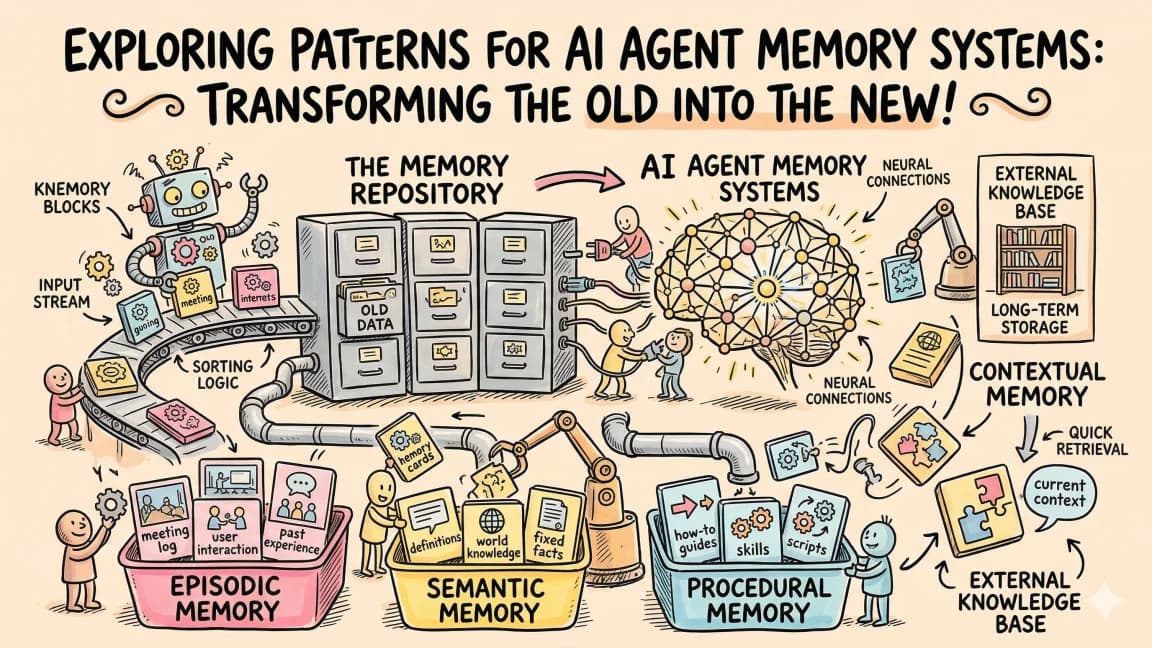
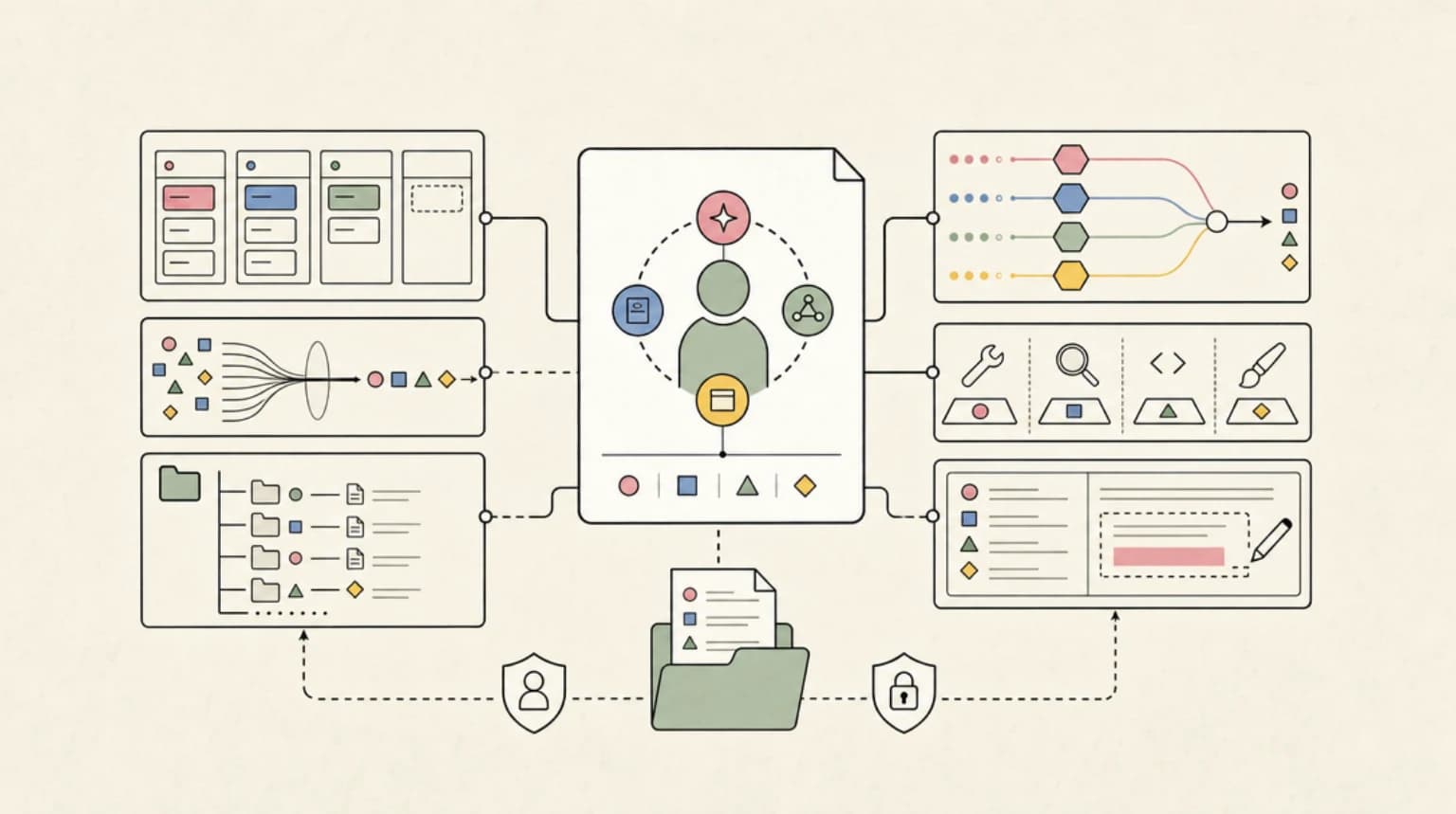
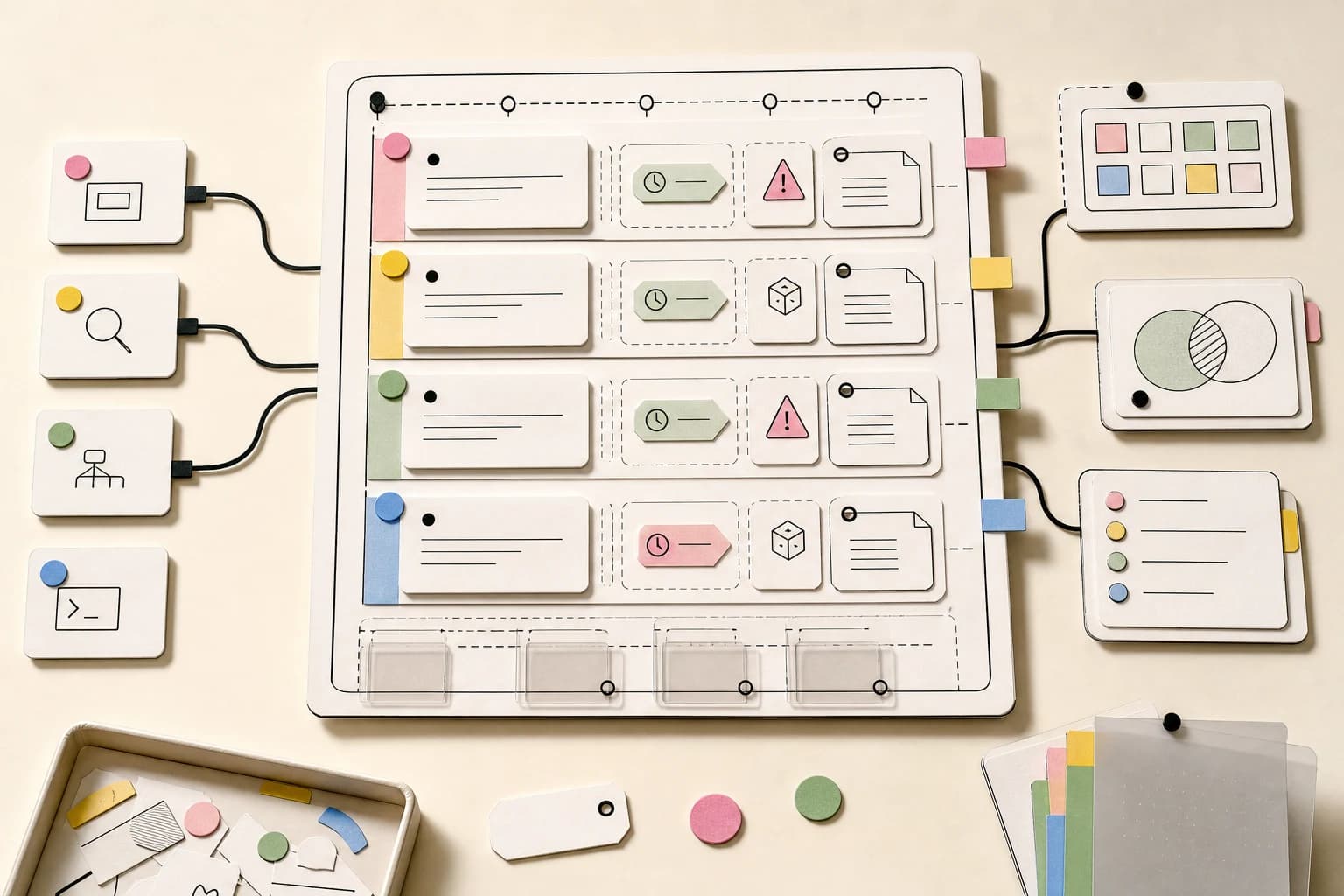
Agent Memory Architectures Explained: 5 Layers and How Each Framework Builds Them
TL;DR
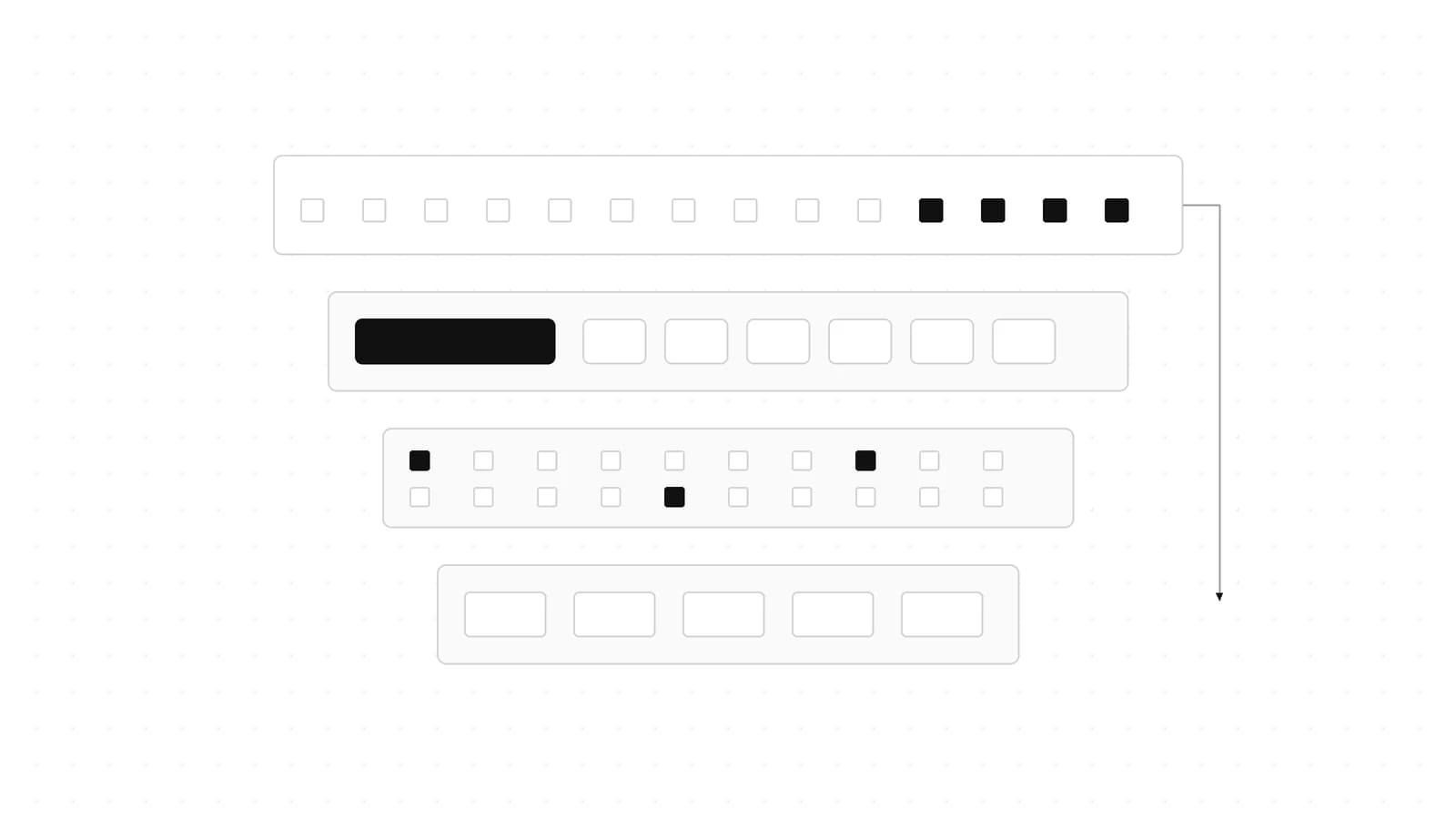
Agent memory is five layers: history, compaction, semantic recall, working memory and files. How Mastra, LangGraph, OpenAI and Claude implement each.
Last updated: October 17, 2026
Agent memory is not one feature. It is five layers - raw conversation history, compaction of that history, semantic recall across threads, a small always-in-context working memory, and file-based instructions like CLAUDE.md and AGENTS.md - and every major framework now ships its own version of most of them. Verdict: start with history plus compaction, add working memory when you need stable user facts, and reach for semantic recall only when users return to old threads; file-based memory is the default for coding agents.
This post updates our earlier overview of agent memory patterns with the concrete primitives, defaults and code for Mastra, LangGraph/LangChain, the OpenAI Agents SDK, the Claude API, Claude Code and Codex, as documented in October 2026.
The five layers, in one diagram#
The vocabulary below comes mostly from the LangGraph memory concepts guide, which is the clearest public write-up of the taxonomy.
- Conversation history (short-term memory). The messages of one conversation. LangGraph calls this thread-scoped state persisted by a checkpointer; Mastra calls it message history; the OpenAI Agents SDK calls it a session.
- Compaction. What you do to history before it overflows the context window: summarize older turns, or clear bulky tool results by rule.
- Semantic memory (long-term facts). Facts that outlive a single thread. LangGraph stores these in custom namespaces in a store that any thread can read. Following the CoALA paper, LangGraph separates semantic memory (facts), episodic memory (past experiences) and procedural memory (instructions). It also warns that "semantic memory" in the psychology sense is not the same thing as "semantic search" over embeddings - you can store facts without a vector index.
- Working memory. A small, structured scratchpad that is injected into every turn: the user's name, stack, preferences, current goal.
- File-based memory. Plain files the agent reads at startup or on demand: CLAUDE.md, AGENTS.md, or a
/memoriesdirectory the model manages itself. This is procedural memory in CoALA terms, and it is what coding agents lean on most.
%% title: Where each memory layer enters the context window
flowchart LR
  F["Files: CLAUDE.md / AGENTS.md"] --> S["System prompt"]
  W["Working memory"] --> S
  S --> C["Context window"]
  V["Semantic recall (vector DB)"] --> C
  K["Compacted summary"] --> C
  H["Recent history (last N)"] --> C
  U["New user message"] --> C
  C --> M["Model"]
  M -.->|writes| HS["History store"]
  M -.->|updates| W
  M -.->|indexes| V
  M -.->|edits| F
The point of the diagram: each layer competes for the same context window, and each has a different write path. History is appended every turn, working memory is rewritten by a tool call, semantic memory is indexed in the hot path or in the background, and files change rarely.
Layer 1: Conversation history (threads and sessions)#
Every framework agrees on the shape - a conversation ID plus an owner ID - and differs on who holds the messages.
Mastra addresses history with a resource (a stable user or entity ID) and a thread (one conversation). A thread's owner cannot be changed after creation. The message history docs set lastMessages to 10 by default, and that count includes every stored message: tool calls, tool results and signals. A single tool-heavy turn can eat most of the window. Two details worth knowing:
- Mastra recommends a token budget instead:
messageHistory: { maxTokens: 8_000, atMaxRemoveTokens: 2_000 }trims oldest-first in chunks, which keeps the prompt prefix stable for provider caching. SettingmessageHistorywithoutlastMessagesdisables the 10-message cap. In@mastra/core@1.78.0the type definitions marklastMessagesas deprecated in favor ofmessageHistory. - A plain
lastMessageswindow slides forward on every request once a thread passes the limit, which changes the start of the prompt and invalidates the provider prompt cache. The docs point long conversations to Observational Memory (Layer 2) for that reason.
When a Mastra agent delegates to a subagent, each call gets a fresh threadId and a resource ID of {parentResourceId}-{agentName}, so subagent history does not leak into the parent thread (memory overview).
LangGraph persists history with a checkpointer keyed by thread_id. The add-memory guide uses InMemorySaver (Python) or MemorySaver (JS) for development and PostgresSaver for production, with a one-time checkpointer.setup() call. In LangChain v1, create_agent(checkpointer=...) wires the same thing into the prebuilt agent loop.
OpenAI Agents SDK uses a Session interface. The JS sessions guide lists getSessionId, getItems, addItems, popItem and clearSession; the runner fetches stored items before each run and persists new input and output after. JS ships MemorySession (local dev, reset on process exit) and OpenAIConversationsSession (backed by the Conversations API). The Python SDK ships far more backends: SQLiteSession, AsyncSQLiteSession, RedisSession, SQLAlchemySession, MongoDBSession, DaprSession, OpenAIConversationsSession, plus AdvancedSQLiteSession (branching and analytics) and EncryptedSession (encryption and TTL wrapper). One piece of advice from the SDK docs is easy to miss: if you already chain turns server-side with conversationId or previousResponseId, you usually do not also need a session for the same history.
import asyncio

from agents import Agent, Runner, SQLiteSession

agent = Agent(name="Assistant", instructions="Answer concisely.")


async def main() -> None:
    # Pass a file path to persist; the default db_path is ":memory:".
    session = SQLiteSession("user-456", "conversations.db")
    await Runner.run(agent, "My project uses pnpm.", session=session)
    result = await Runner.run(agent, "Which package manager do I use?", session=session)
    print(result.final_output)


if __name__ == "__main__":
    asyncio.run(main())
The gotcha in that snippet is the default: in openai-agents 0.24.0, SQLiteSession's db_path defaults to ":memory:", so a session created with only an ID disappears when the process exits.
Claude Messages API is stateless. Your application holds the message array and sends it every turn; there is no built-in session object. That is a feature if you already have a database of conversations, and extra work if you do not.
Layer 2: Compaction (summarize or clear before the window fills)#
Compaction is where the frameworks diverge most. Four implementations, each with a different owner of the summarizer.
Claude API: server-side compaction and context editing#
Anthropic's compaction overview describes two modes, with the summary written by Claude on the server:
- Threshold compaction (docs): add a
compact_20260112edit undercontext_management.editswith thecompact-2026-01-12beta. The trigger defaults to 150,000 input tokens and must be at least 50,000.pause_after_compactiondefaults tofalse. When the threshold is hit, the response starts with acompactionblock and the API drops the summarized turns for you on later requests. - On-demand compaction (docs): send a top-level
compaction: { type: 'summarize' }with thecompact-2026-09-04beta. The API summarizes every message once, generates no reply, and returns the block alone withstop_reason: "compaction". You replace your history with that block, keep it exactly as returned (it carries a signature), put it first inmessages, and send the beta header on every later request. Anthropic's guidance is to use on-demand compaction wherever it is available.
%% title: Threshold vs on-demand compaction
sequenceDiagram
  participant App
  participant API
  participant Model
  Note over App,Model: Threshold mode
  App->>API: messages + compact_20260112 edit
  API->>API: input tokens >= trigger?
  API->>Model: summarize older turns
  Model-->>API: summary
  API-->>App: compaction block + reply
  Note over App,Model: On-demand mode
  App->>API: messages + compaction summarize
  API->>Model: summarize all messages
  Model-->>API: summary
  API-->>App: block alone, stop_reason compaction
  App->>API: block first + next user turn
Both modes, type-checked against @anthropic-ai/sdk@0.135.0:
import Anthropic from '@anthropic-ai/sdk';
import type { BetaMessageParam } from '@anthropic-ai/sdk/resources/beta/messages/messages';

const client = new Anthropic();
const model = 'claude-opus-5-5';

// Threshold compaction: the API summarizes once input passes the trigger.
export async function thresholdTurn(history: BetaMessageParam[]) {
  const res = await client.beta.messages.create({
    model,
    max_tokens: 4096,
    betas: ['compact-2026-01-12'],
    messages: history,
    context_management: {
      edits: [
        {
          type: 'compact_20260112',
          trigger: { type: 'input_tokens', value: 150_000 },
          pause_after_compaction: false,
        },
      ],
    },
  });
  // Append the whole reply (it may start with a compaction block).
  history.push({ role: 'assistant', content: res.content });
  return res;
}

// On-demand compaction: your code decides when; no reply is generated.
export async function compactNow(history: BetaMessageParam[]): Promise<BetaMessageParam[]> {
  const res = await client.beta.messages.create({
    model,
    max_tokens: 4096,
    betas: ['compact-2026-09-04'],
    messages: history,
    compaction: { type: 'summarize' },
  });
  if (res.stop_reason !== 'compaction') return history; // keep going, try later
  // The signed block replaces every message it summarized and goes first.
  return [{ role: 'assistant', content: res.content }];
}
Three rules from the on-demand docs that will bite you otherwise: you cannot send compaction and context_management on the same request; if the last assistant turn ends in a tool call with no result, the request is rejected; and a missing summary still returns HTTP 200 with empty content, so check stop_reason before looking for the block.
Context editing is the non-summarizing alternative (docs). Under the context-management-2025-06-27 beta, clear_tool_uses_20250919 replaces old tool results by rule: the trigger defaults to 100,000 input tokens, it keeps the 3 most recent tool uses, and it supports clear_at_least, exclude_tools and clear_tool_inputs (default false). clear_thinking_20251015 does the same for thinking blocks. Clearing changes the prompt prefix, so it invalidates cached prefixes; clear_at_least exists so that each cache rewrite removes enough tokens to pay for itself. If you run Claude Code rather than the raw API, our idle compaction post (linked under Continue Reading) walks through the same cache-cost tradeoff in practice.
OpenAI Agents SDK: a compaction session decorator#
OpenAIResponsesCompactionSession wraps any session except OpenAIConversationsSession and calls responses.compact when history grows. Its default decision hook compacts once at least 10 non-user items accumulate; you can replace it with shouldTriggerCompaction. compactionMode is 'auto' (default), 'previous_response_id' or 'input', and runCompaction({ force: true }) compacts on your schedule. The sessions guide suggests turning auto-compaction off for low-latency streaming and compacting between turns instead.
import {
  Agent,
  run,
  MemorySession,
  OpenAIResponsesCompactionSession,
} from '@openai/agents';

const agent = new Agent({
  name: 'Assistant',
  instructions: 'Answer concisely.',
});

// Layer 1: a Session the runner reads before and writes after each run.
// Layer 2: the compaction decorator calls responses.compact as history grows.
const session = new OpenAIResponsesCompactionSession({
  underlyingSession: new MemorySession(),
  model: 'gpt-5-mini',
  shouldTriggerCompaction: ({ compactionCandidateItems }) =>
    compactionCandidateItems.length >= 20,
});

export async function main() {
  await run(agent, 'My project uses pnpm and Next.js.', { session });
  const result = await run(agent, 'Which package manager do I use?', { session });
  console.log(result.finalOutput);

  // Force a compaction at a quiet moment instead of mid-stream.
  await session.runCompaction({ force: true });
}
The underlying session stays the source of truth: compaction clears it and writes back the compacted items. Keep one compaction-session instance per conversation scope so two runs do not race on the same history.
LangChain and LangGraph: middleware or do it yourself#
LangChain v1's create_agent ships SummarizationMiddleware (short-term memory docs). In langchain 1.4.6, trigger accepts ('fraction', x), ('tokens', n) or ('messages', n) tuples, and keep defaults to ('messages', 20).
from langchain.agents import create_agent
from langchain.agents.middleware import SummarizationMiddleware
from langgraph.checkpoint.memory import InMemorySaver
from langgraph.store.memory import InMemoryStore

agent = create_agent(
    model="openai:gpt-5-mini",
    tools=[],
    middleware=[
        SummarizationMiddleware(
            model="openai:gpt-5-mini",
            trigger=("tokens", 4000),
            keep=("messages", 20),
        ),
    ],
    checkpointer=InMemorySaver(),  # layer 1: thread-scoped history
    store=InMemoryStore(),         # layer 3: cross-thread long-term memory
)

config = {"configurable": {"thread_id": "thread-1"}}
# agent.invoke({"messages": [{"role": "user", "content": "hi"}]}, config)
In a hand-built LangGraph graph you have lower-level tools: trim_messages, RemoveMessage (including REMOVE_ALL_MESSAGES), or a summary key in state that a node maintains. The add-memory guide warns that whatever you delete must leave a history the provider accepts - for example, every tool call still followed by its tool result.
Mastra: Observational Memory#
Mastra's Observational Memory, added in @mastra/memory@1.1.0, replaces raw history with an observation log maintained by two background agents. The Observer runs when unobserved messages exceed 30,000 tokens (default); the Reflector runs when observations exceed 40,000 tokens (default) and rewrites the entire log. Mastra states compression is typically 5x to 40x - that is Mastra's figure, not an independent benchmark. Because the log changes in chunks rather than sliding every turn, the prompt prefix stays stable for caching. Operational knobs include maxRetries (default 8), failurePolicy ('abort' by default, or 'continue'), activateAfterIdle and bufferOnIdle. Enable it with observationalMemory: true; it works with the Postgres, LibSQL, MySQL, MongoDB, Convex and Oracle storage adapters.
Layer 3: Semantic memory (facts recalled by meaning)#
LangGraph store. Long-term memory items are JSON documents organized by a namespace tuple (for example ('memories', user_id)) and a key. You put, get and search; search takes a content filter and, if the store has an index configured, a natural-language query for vector similarity. The add-memory guide enables that with InMemoryStore(index={"embed": embeddings, "dims": 1536}). The concepts guide lays out the two design tradeoffs well:
- Profile vs collection. A single profile document is easy to inject but needs careful updates so new facts do not overwrite old ones. A collection of small memories gives higher recall but shifts work to updating, deleting and searching.
- Hot path vs background. Writing memories during the turn is immediate and transparent but adds latency. Writing in the background adds no latency, but freshness depends on when the job runs.
The same store also holds procedural memory: LangGraph describes agents that rewrite their own instructions and save them as store items.
import {
  StateGraph,
  MessagesAnnotation,
  MemorySaver,
  InMemoryStore,
  START,
  END,
  type LangGraphRunnableConfig,
} from '@langchain/langgraph';
import { AIMessage } from '@langchain/core/messages';

// Layer 1: checkpointer = thread-scoped short-term memory.
const checkpointer = new MemorySaver();
// Layer 3: store = namespaced long-term memory shared across threads.
const store = new InMemoryStore();

async function respond(
  state: typeof MessagesAnnotation.State,
  config: LangGraphRunnableConfig,
) {
  const userId = config.configurable?.userId as string;
  const namespace = ['memories', userId];
  const profile = await config.store?.get(namespace, 'profile');
  const name = (profile?.value as { name?: string } | undefined)?.name ?? 'there';
  await config.store?.put(namespace, 'last_seen', { at: new Date().toISOString() });
  return { messages: [new AIMessage(`Hi ${name}, you have ${state.messages.length} messages in this thread.`)] };
}

const graph = new StateGraph(MessagesAnnotation)
  .addNode('respond', respond)
  .addEdge(START, 'respond')
  .addEdge('respond', END)
  .compile({ checkpointer, store });

export async function main() {
  await store.put(['memories', 'user-1'], 'profile', { name: 'Ada' });
  const config = { configurable: { thread_id: 'thread-1', userId: 'user-1' } };
  const out = await graph.invoke({ messages: [{ role: 'user', content: 'hello' }] }, config);
  console.log(out.messages.at(-1)?.content);
  const hits = await store.search(['memories', 'user-1'], { filter: { name: 'Ada' } });
  console.log(hits.map((h) => h.key));
}
Notice the split: thread_id selects the checkpoint (history), while userId selects the store namespace (facts). A new thread for the same user starts with empty history but the same profile.
Mastra semantic recall is off by default (docs). Turning it on requires a vector store and an embedder, unless the store embeds server-side (Mastra cites MongoDB autoEmbed). Options are topK, messageRange (how many neighboring messages to pull around each hit), scope: 'resource' to search across all of a user's threads, and a metadata filter. Mastra is candid about the cost: every call adds latency, and it recommends leaving semantic recall off for realtime two-way voice.
OpenAI Agents SDK and the Claude API ship no built-in vector memory. You add a store yourself or expose one as a tool. If you would rather not run that, our roundup of hosted agent memory providers (under Continue Reading) compares the managed options.
Layer 4: Working memory (a small, always-present scratchpad)#
Mastra has the most complete first-party working memory (docs). It comes in two forms:
- A Markdown
template, which the agent rewrites wholesale (replace semantics). - A
schema, which uses merge semantics: objects are deep merged,nulldeletes a field, and arrays are replaced rather than appended.
The default scope is resource, so the scratchpad follows the user across threads; scope: 'thread' isolates it per conversation. The agent edits it through an updateWorkingMemory tool. For subagents that should read but not own it, pass readOnly: true in the memory options of the call. Atomic merges via mergeWorkingMemory() currently require @mastra/pg, and useStateSignals (deliver working memory as a state signal instead of folding it into the system message) is experimental. With Observational Memory, manageWorkingMemory hands updates to the Observer pipeline so the main agent stops spending tool calls on bookkeeping.
All three Mastra layers in one config, type-checked against @mastra/core@1.78.0 and @mastra/memory@1.38.0:
import { Agent } from '@mastra/core/agent';
import { Memory } from '@mastra/memory';
import { LibSQLStore } from '@mastra/libsql';
import { z } from 'zod';

const memory = new Memory({
  storage: new LibSQLStore({ id: 'memory', url: 'file:./memory.db' }),
  options: {
    // Layer 1: recent history (the default is already 10).
    lastMessages: 10,
    // Layer 4: a structured, resource-scoped scratchpad (merge semantics).
    workingMemory: {
      enabled: true,
      scope: 'resource',
      schema: z.object({
        name: z.string().optional(),
        stack: z.array(z.string()).optional(),
        timezone: z.string().optional(),
      }),
    },
    // Layer 2: background Observer + Reflector compression.
    observationalMemory: {
      observation: { messageTokens: 30_000 },
      reflection: { observationTokens: 40_000 },
    },
  },
});

export const agent = new Agent({
  id: 'support-agent',
  name: 'Support agent',
  instructions: 'Help developers debug their builds.',
  model: 'openai/gpt-5-mini',
  memory,
});

export async function reply(text: string) {
  // Send only the new message; Mastra loads the rest from storage.
  return agent.generate(text, {
    memory: { thread: 'thread-123', resource: 'user-456' },
  });
}
LangGraph has no dedicated working-memory primitive; the equivalent is a single "profile" document in the store (the profile pattern above) or extra keys in graph state that a node keeps up to date. Claude's closest analog is the memory tool's /memories directory: the API injects a protocol telling Claude to check that directory before starting a task, so a small progress.md or user.md behaves like a scratchpad the model maintains. Our context ledger piece argues for keeping whatever lives here small, scoped and auditable, which applies to every framework.
Layer 5: File-based memory (CLAUDE.md, AGENTS.md, /memories)#
Claude Code loads two memory systems every session (memory docs):
- CLAUDE.md, written by you. Scopes are managed policy,
~/.claude/CLAUDE.md(user),./CLAUDE.mdor./.claude/CLAUDE.md(project) and./CLAUDE.local.md(personal, per project). Files in ancestor directories load at launch; files in subdirectories load on demand when Claude reads files there.@pathimports recurse up to four hops. The docs recommend keeping each file under 200 lines, and the project-root CLAUDE.md is re-read from disk after/compact. - Auto memory, written by Claude. It lives at
~/.claude/projects/<project>/memory/with aMEMORY.mdindex plus topic files. It is machine-local, shared across worktrees of the same repository, and on by default; the first 200 lines or 25KB load each session. Turn it off withautoMemoryEnabled: falseorCLAUDE_CODE_DISABLE_AUTO_MEMORY=1.
Both are context, not enforced configuration. The docs point to PreToolUse hooks if you need to actually block an action.
New since v2.1.277: Claude Code reads AGENTS.md directly. By default it does so only when no CLAUDE.md, .claude/CLAUDE.md or CLAUDE.local.md exists in the working directory or above. The "Project instructions" setting takes claude-md-or-agents-md (default), claude-md-and-agents-md, claude-md or managed-only. AGENTS.local.md, AGENTS.override.md and the .agents/ directory are not read.
Codex walks the tree differently (AGENTS.md guide). It first reads AGENTS.override.md, else AGENTS.md, from Codex home (~/.codex or CODEX_HOME). Then it walks from the project root (usually the Git root) down to the current directory, taking at most one file per directory - AGENTS.override.md, then AGENTS.md, then any project_doc_fallback_filenames. Files are concatenated root-down, so closer files take precedence, and loading stops at project_doc_max_bytes, 32 KiB by default.
%% title: Which instruction file loads (Claude Code vs Codex)
flowchart TD
  subgraph CC["Claude Code (default setting)"]
    A{"CLAUDE.md or CLAUDE.local.md present?"} -->|yes| B["Load CLAUDE.md files only"]
    A -->|no| C["Load AGENTS.md"]
  end
  subgraph CX["Codex"]
    D["Codex home: override or AGENTS.md"] --> E["Each dir, root to cwd"]
    E --> G{"AGENTS.override.md?"}
    G -->|no| H{"AGENTS.md?"}
    H -->|no| I["Fallback filenames"]
    G -->|yes| J["Concatenate root-down"]
    H -->|yes| J
    I --> J
    J --> K["Stop at 32 KiB"]
  end
The practical upshot for a repo used by both tools: if you keep a CLAUDE.md, Claude Code will ignore your AGENTS.md unless you switch the setting to claude-md-and-agents-md (or have CLAUDE.md import it with @AGENTS.md). The same applies to a personal CLAUDE.local.md: adding one in a project that relies on AGENTS.md stops Claude Code from reading AGENTS.md for you. Our AGENTS.md smells catalog covers what to put in the file once it loads.
Claude API memory tool. For your own agents, the memory tool (memory_20250818) gives Claude file-based memory you host. It is client-side: Claude issues view, create, str_replace, insert, delete and rename commands against paths under /memories, and your handler maps them to storage. It is available on all Claude 4 and later models. The docs require restricting operations to /memories to prevent path traversal, recommend pairing memory with compaction for long-running agents, and note that context editing warns Claude as it approaches the clearing threshold so it can save to memory first. The full handler, including the traversal guard, is in our memory tool setup tutorial; here is the request side with tool-result clearing that never clears memory operations:
import Anthropic from '@anthropic-ai/sdk';

const client = new Anthropic();

export async function turn(userText: string) {
  return client.beta.messages.create({
    model: 'claude-sonnet-5-5',
    max_tokens: 4096,
    betas: ['context-management-2025-06-27'],
    tools: [{ type: 'memory_20250818', name: 'memory' }],
    context_management: {
      edits: [
        {
          type: 'clear_tool_uses_20250919',
          trigger: { type: 'input_tokens', value: 100_000 },
          keep: { type: 'tool_uses', value: 3 },
          clear_at_least: { type: 'input_tokens', value: 20_000 },
          exclude_tools: ['memory'],
        },
      ],
    },
    messages: [{ role: 'user', content: userText }],
  });
}
The mapping table#
| Layer | Mastra | LangGraph / LangChain | OpenAI Agents SDK | Claude API | Claude Code / Codex |
|---|---|---|---|---|---|
| History | Memory with lastMessages or messageHistory | Checkpointer + thread_id | Session (many backends) | You hold messages | Session transcript |
| Compaction | Observational Memory | SummarizationMiddleware, trim_messages | OpenAIResponsesCompactionSession | Compaction + context editing | /compact and auto compaction |
| Semantic | semanticRecall | Store with index + search | Bring your own | Bring your own | Not built in |
| Working | workingMemory | Store profile or state keys | Context object or custom session | Memory tool files | Auto memory MEMORY.md |
| Files | n/a (agent instructions) | Procedural memory in store | Agent instructions | Memory tool | CLAUDE.md / AGENTS.md |
Each project is strong in a different place. Mastra bundles the most layers behind one config object, and Observational Memory is the most opinionated answer to cache-friendly compaction. LangGraph gives the most explicit control and the clearest conceptual model - you choose namespaces, write timing and deletion rules yourself. The OpenAI Agents SDK keeps history pluggable with the widest set of storage backends (in Python) and an optional transaction-aware session interface for atomic, idempotent persistence. Claude's API pushes compaction and clearing server-side, which removes summarizer code from your app but ties you to its signed block format. If memory is only one input to your framework choice, see our Mastra vs CopilotKit vs LangGraph comparison.
How to choose (a short decision path)#
%% title: Picking memory layers for your agent
flowchart TD
  S["Start"] --> Q1{"Multi-turn?"}
  Q1 -->|no| N["No memory"]
  Q1 -->|yes| H["History"]
  H --> Q2{"Long or tool-heavy sessions?"}
  Q2 -->|yes| C["Add compaction"]
  Q2 -->|no| Q3
  C --> Q3{"Stable user facts?"}
  Q3 -->|yes| W["Add working memory"]
  Q3 -->|no| Q4
  W --> Q4{"Users return to old threads?"}
  Q4 -->|yes| R["Add semantic recall"]
  Q4 -->|no| Q5
  R --> Q5{"Coding agent in a repo?"}
  Q5 -->|yes| F["CLAUDE.md / AGENTS.md"]
The first branch is Mastra's own advice: skip memory for single-turn requests where each interaction is independent. Beyond that, a few rules drawn straight from the docs:
- Keep file memory short. Claude Code recommends under 200 lines per CLAUDE.md and only loads the first 200 lines or 25KB of auto memory. Codex stops at 32 KiB. Anything past the cap is silently absent.
- Never clear the memory tool. Put
memoryinexclude_toolsforclear_tool_uses_20250919, or Claude loses the record of what it saved. - Set
clear_at_least. Every clear invalidates the cached prefix; make each one remove enough tokens to be worth the cache write. - Send only the new message to Mastra. Mastra loads history from storage and filters client-echoed history. If you set
retainFullInput: true, that filter is off and every input message not already stored is saved to the thread. - One compaction session per scope. With the OpenAI Agents SDK, keep one
OpenAIResponsesCompactionSessioninstance per conversation and compact between turns when latency matters.
Verification note#
The code in this post was type-checked, not executed (no API keys were used). TypeScript snippets were checked with tsc --noEmit (strict, moduleResolution: bundler, exit 0) against @mastra/core@1.78.0, @mastra/memory@1.38.0, @mastra/libsql@1.26.2, @openai/agents@0.20.0, @langchain/langgraph@1.5.1, @langchain/core@1.2.18, @anthropic-ai/sdk@0.135.0 and zod@4.6.7 with typescript@7.0.2; a deliberate type error was confirmed to fail the check. Python snippets passed python -m py_compile and an import check against langgraph 1.2.16, langchain 1.4.6 (with langchain-openai 1.7.2) and openai-agents 0.24.0. Defaults quoted from type definitions (compact_20260112 trigger 150,000, Observer 30,000, Reflector 40,000, SummarizationMiddleware keep ('messages', 20), SQLiteSession db_path ":memory:") were read from those installed packages.
FAQ#
What is the difference between short-term and long-term agent memory?#
In LangGraph's terms, short-term memory is thread-scoped state persisted by a checkpointer and keyed by thread_id; it holds one conversation. Long-term memory is data saved under custom namespaces in a store, and any thread can read it. Mastra draws the same line between message history (per thread) and resource-scoped working memory or semantic recall.
Is compaction the same as summarization?#
Mostly. Compaction usually means summarizing older turns, managed by the platform: Claude's API writes the summary server-side, the OpenAI Agents SDK calls responses.compact, and LangChain's SummarizationMiddleware calls a model you choose. Claude's context editing is different - it clears old tool results or thinking by rule without summarizing. Mastra Observational Memory uses background Observer and Reflector agents to maintain a compressed log instead of a single summary.
Does Claude Code read AGENTS.md?#
Yes, since v2.1.277, when no CLAUDE.md, .claude/CLAUDE.md or CLAUDE.local.md is present. The "Project instructions" setting can load both (claude-md-and-agents-md), only CLAUDE.md, or only managed policy. Codex reads AGENTS.md natively, one file per directory from the project root to the working directory, with a 32 KiB default cap.
Do I need a vector database for agent memory?#
Not for most chat agents. History plus compaction plus a small working memory covers the common case, and Mastra ships semantic recall off by default because each call adds latency. Add a vector index when users return to old threads and expect the agent to recall specifics from them, or when you need cross-thread fact retrieval at scale.
Where does the Claude memory tool store files?#
On your infrastructure. The memory tool is client-side: Claude sends commands such as view and create for paths under /memories, and your handler maps them to a filesystem, database or object store. You are responsible for restricting paths to /memories.
Sources#
- Mastra memory overview: https://mastra.ai/docs/memory/overview
- Mastra message history: https://mastra.ai/docs/memory/message-history
- Mastra Observational Memory: https://mastra.ai/docs/memory/observational-memory
- Mastra working memory: https://mastra.ai/docs/memory/working-memory
- Mastra semantic recall: https://mastra.ai/docs/memory/semantic-recall
- LangGraph memory concepts: https://docs.langchain.com/oss/python/concepts/memory
- LangGraph add memory: https://docs.langchain.com/oss/python/langgraph/add-memory
- LangChain short-term memory: https://docs.langchain.com/oss/python/langchain/short-term-memory
- OpenAI Agents SDK (JS) sessions: https://openai.github.io/openai-agents-js/guides/sessions/
- OpenAI Agents SDK (Python) sessions: https://openai.github.io/openai-agents-python/sessions/
- Claude compaction overview: https://platform.claude.com/docs/en/build-with-claude/compaction
- Claude threshold compaction: https://platform.claude.com/docs/en/build-with-claude/compaction-threshold
- Claude on-demand compaction: https://platform.claude.com/docs/en/build-with-claude/compaction-on-demand
- Claude context editing: https://platform.claude.com/docs/en/build-with-claude/context-editing
- Claude memory tool: https://platform.claude.com/docs/en/agents-and-tools/tool-use/memory-tool
- Claude Code memory: https://code.claude.com/docs/en/memory
- Codex AGENTS.md guide: https://developers.openai.com/codex/guides/agents-md
Continue Reading#
- Setting Up the Memory Tool with Fable 5: Persistent Agents That Learn - the full client-side memory tool handler, including the path-traversal guard.
- Best AI Agent Memory Providers in 2026: Mem0 vs Zep vs Letta vs Cloudflare - hosted semantic memory options for frameworks without a built-in vector store.
- Claude Code Idle Compaction: What It Does and How to Turn It Off - compaction and prompt-cache math in practice.
- LlamaIndex in 2026: Workflows, Agents, and What Changed
- Context Engineering for Agents: Caching, Compaction, Subagents - caching, clearing, compaction and subagents for the context window itself
Get the next deep dive like this in your inbox
One email a week on AI Agents and the rest of the AI dev stack. Free.
Read next on AI coding tools
AI Agent Memory Patterns
AI agent memory patterns that fix forgetting between sessions: CLAUDE.md persistence, RAG retrieval, conversation summarization, structured and tiered memory.
9 min readSetting Up the Memory Tool with Fable 5: Persistent Agents That Learn
Fable 5 memory tool setup with handlers, security and context editing. Anthropic says file-based memory helped Fable 5 three times more than it helped Opus 4.8.
8 min readBest AI Agent Memory Providers in 2026: Mem0 vs Zep vs Letta vs Cloudflare
Mem0 vs Zep vs Letta vs Cloudflare compared as AI agent memory layers: architecture, pricing, the disputed benchmarks and which one to pick for your agent.
11 min readNew here? Start with
Technical content at the intersection of AI and development. Building with AI agents, Claude Code, and modern dev tools - then showing you exactly how it works.