LlamaIndex in 2026: Workflows, Agents, and What Changed
TL;DR
LlamaIndex in late 2026: Python Workflows 2.26 with typed events, human-in-the-loop and DBOS durability, plus LiteParse. LlamaIndex.TS is deprecated.
LlamaIndex in late 2026 is a Python-first toolkit built around Workflows, an event-driven step framework (llama-index-workflows 2.26.0, released October 11, 2026) that powers its prebuilt agents and the LlamaAgents serving and deploy stack. It is strongest for document-heavy agents - parse, extract, classify, then act - where you want plain-Python control flow, built-in human-in-the-loop and opt-in durability. If you work in TypeScript, the framework is no longer an option: LlamaIndex.TS was deprecated in March 2026 and its repository was archived on April 30, 2026.
Last updated: October 17, 2026
That is a different product from the "RAG library with a hundred integrations" many developers remember. This guide maps what is maintained today, walks through the Workflows event model with code I ran locally, covers agents, human approval, durability and serving, and ends with where LlamaIndex fits against the alternatives.
What LlamaIndex is in 2026#
LlamaIndex's own docs now describe the company as "the company behind LlamaParse" and the LlamaIndex Framework as "its original open-source Python toolkit for RAG and agents" (llms.txt). That framing matters: the commercial center of gravity is document parsing and extraction, and the open-source orchestration layer has been reorganized under the LlamaAgents umbrella.
The Workflows source moved too. github.com/run-llama/workflows-py now redirects to run-llama/llama-agents, which releases llama-index-workflows, llama-agents-server, llama-agents-dbos, llamactl and the control-plane packages from one repo.
Here is what is current, with versions and dates from PyPI and npm as of October 17, 2026:
| Piece | Package | Latest | What it does |
|---|---|---|---|
| Core framework | llama-index-core | 0.14.25 (Sep 21) | Agents, indexes, retrievers, LLM abstractions |
| Workflow engine | llama-index-workflows | 2.26.0 (Oct 11) | Event-driven steps, context, streaming, resume |
| HTTP server | llama-agents-server | 0.8.0 (Sep 16) | REST + streaming API and a debugger UI for workflows |
| Durable runtime | llama-agents-dbos | 0.7.0 (Sep 16) | DBOS-backed journal for every step transition |
| CLI | llamactl | 0.10.4 (Sep 16) | Templates, local serve, deploy to LlamaCloud or self-host |
| Cloud SDK | llama-cloud / @llamaindex/llama-cloud | 2.18.0 (Oct 9) | Parse, Extract, Classify and other LlamaParse APIs |
| Local parser | liteparse / @llamaindex/liteparse | 2.16.0 / 2.15.1 | Open-source local document parsing (Apache-2.0) |
| Frontend | @llamaindex/ui | 4.7.0 | React hooks for workflow-backed apps |
And what is deprecated:
| Package | Status |
|---|---|
LlamaIndex.TS (run-llama/LlamaIndexTS) | README says "This project is deprecated and no longer maintained"; repo archived April 30, 2026 |
@llamaindex/workflow-core (last 1.3.4) | npm deprecation: "Please use LlamaAgents (Python Workflows) instead" |
@llamaindex/workflow, @llamaindex/core, @llamaindex/openai, @llamaindex/anthropic, @llamaindex/env, @llamaindex/tools | npm: "deprecated and no longer maintained" |
llama-parse, llama-cloud-services | Docs say to prefer llama-cloud / @llamaindex/llama-cloud |
%% title: The LlamaIndex stack in late 2026
flowchart TB
  App["Your app"] --> Core["llama-index-core<br/>agents, RAG"]
  Core --> WF["llama-index-workflows<br/>event engine"]
  WF --> Server["llama-agents-server<br/>HTTP + debugger UI"]
  WF --> DBOS["llama-agents-dbos<br/>durable runtime"]
  CLI["llamactl"] --> Deploy["LlamaCloud or self-host"]
  Server --> Deploy
  subgraph Docs["Documents"]
    Lite["LiteParse<br/>local, open source"]
    Parse["LlamaParse<br/>cloud APIs"]
  end
  App --> Docs
One practical detail: Workflows does not require the rest of the framework. pip install llama-index-workflows gives you the engine on its own. llama-index-core bundles it and keeps it importable as llama_index.core.workflow for API stability. I checked that llama_index.core.workflow.Workflow is workflows.Workflow returns True on 2.26.0, so the two import paths are the same class.
How Workflows work: events in, events out#
The whole model fits in one sentence from the Workflows docs: a step receives an event, does some work, and returns another event, and the returned event triggers whichever step's type annotation accepts it. There is no graph DSL. Routing comes from Python type hints:
- Start and stop. A run begins with a
StartEvent(keyword arguments to.run()become its fields) and ends when a step returns aStopEvent. - Branches are
ifstatements that return different event types, declared as a union in the return annotation. - Loops are a step returning an event that an earlier step handles.
- Fan-out and fan-in. Return
list[Event]to fan out and acceptlist[Event]to fan in, or emit dynamically withctx.send_event()and gather withctx.collect_events(). - State and dependencies.
ctx.storeholds per-run state.Resource(...)injects clients, indexes and models that should not be serialized. - Concurrency.
@step(num_workers=4)lets four copies of a step run in parallel.
Here is a document triage workflow that uses most of that. It splits a document into pages, summarizes pages in parallel, collects the results in order, and rejects empty input on a separate branch:
import asyncio

from workflows import Context, Workflow, step
from workflows.events import Event, StartEvent, StopEvent


class Page(Event):
    number: int
    text: str


class Summary(Event):
    number: int
    summary: str


class Rejected(Event):
    reason: str


class DocTriage(Workflow):
    @step
    async def split(self, ctx: Context, ev: StartEvent) -> Page | Rejected | None:
        pages: list[str] = ev.pages
        if not pages:
            return Rejected(reason="empty document")
        await ctx.store.set("expected", len(pages))
        for i, text in enumerate(pages):
            ctx.send_event(Page(number=i, text=text))
        return None

    @step(num_workers=4)
    async def summarize(self, ev: Page) -> Summary:
        # Swap in an LLM call here; kept deterministic so it runs offline.
        return Summary(number=ev.number, summary=ev.text[:40])

    @step
    async def collect(self, ctx: Context, ev: Summary) -> StopEvent | None:
        expected = await ctx.store.get("expected")
        done = ctx.collect_events(ev, [Summary] * expected)
        if done is None:
            return None  # keep waiting for the rest
        ordered = sorted(done, key=lambda s: s.number)
        return StopEvent(result=[s.summary for s in ordered])

    @step
    async def reject(self, ev: Rejected) -> StopEvent:
        return StopEvent(result={"error": ev.reason})


async def main() -> None:
    wf = DocTriage(timeout=30)
    print(await wf.run(pages=["Invoice 1042 from Acme...", "Terms: net 30..."]))
    print(await wf.run(pages=[]))


if __name__ == "__main__":
    asyncio.run(main())
Running it prints ['Invoice 1042 from Acme...', 'Terms: net 30...'] and then {'error': 'empty document'}.
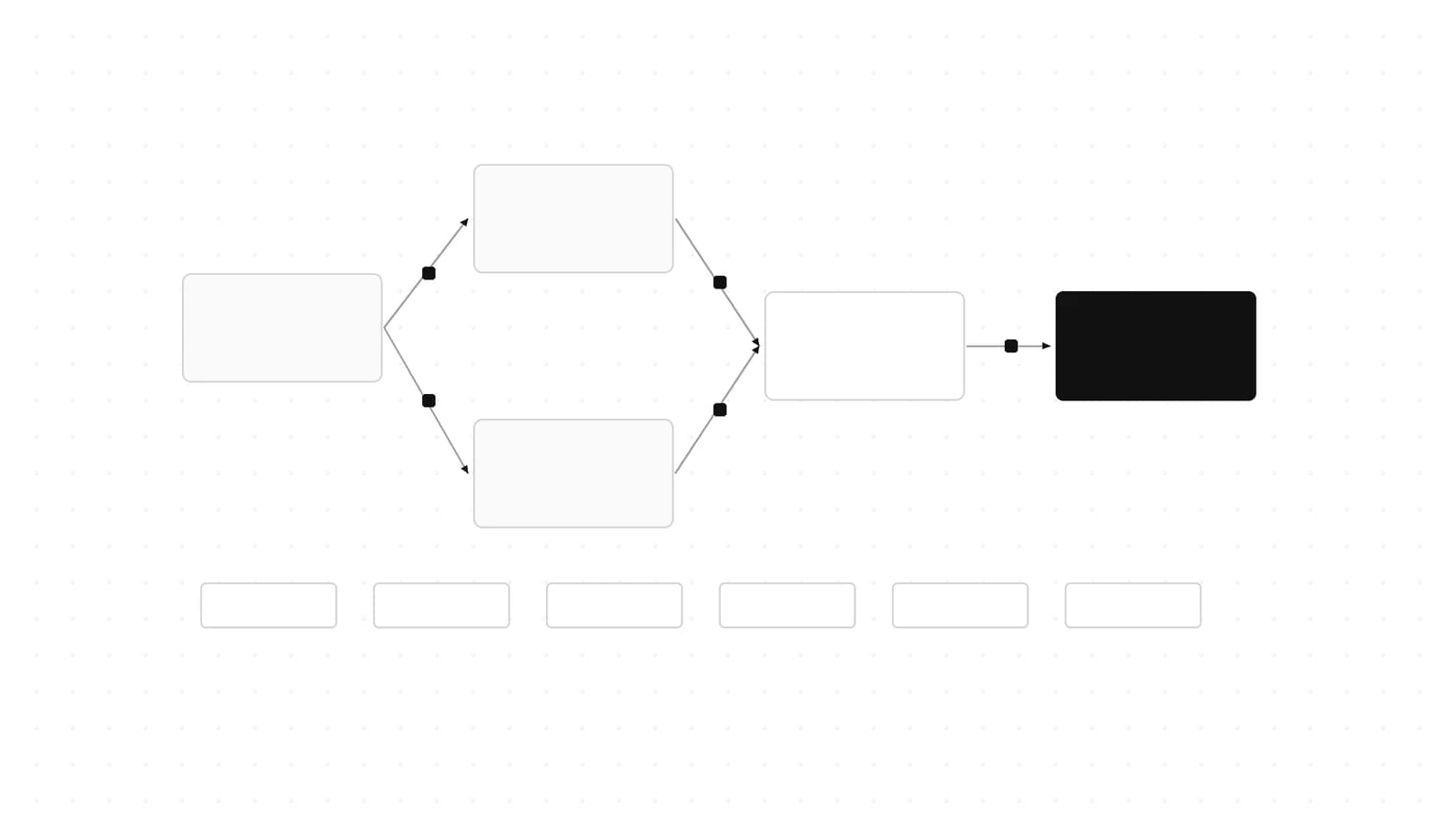
%% title: How a workflow routes events
flowchart LR
  S["StartEvent"] --> Split["split"]
  Split -- "Rejected" --> Reject["reject"]
  Reject --> Stop["StopEvent"]
  Split -- "Page x N" --> Sum["summarize<br/>4 workers"]
  Sum -- "Summary" --> Collect["collect"]
  Collect -- "all N in" --> Stop
The validator is the feature#
Before a run starts, Workflows validates the event graph from the step signatures: start and stop events exist, every produced event has a consumer, and every consumed event has a producer. You can call workflow.validate() in tests, and @step(skip_graph_checks=["reachability"]) opts a step out of one check.
The trap is dynamic emission. If split only uses ctx.send_event(Page(...)) and you leave Page out of its return annotation, the validator cannot see that anything produces Page. I removed it to check, and the run fails before any step executes:
workflows.errors.WorkflowValidationError: The following events are consumed but never produced: Page
That is why the annotation above reads -> Page | Rejected | None even though the step never returns a Page directly. Keep dynamically sent events in the annotation and the validator works for you instead of against you.
One more default worth knowing: Workflow(timeout=...) defaults to 45 seconds in 2.26.0. Anything that waits on a human or a long batch needs an explicit timeout.
Agents on top of Workflows#
The prebuilt agents in llama_index.core.agent.workflow are themselves workflows. The agent docs list three: FunctionAgent for models with native tool calling, ReActAgent for prompt-driven reasoning loops, and CodeActAgent, which writes and runs code as its action. Tools are plain Python functions; the name, docstring and type hints become the tool schema. Streaming is on by default (FunctionAgent(..., streaming=False) turns it off).
import asyncio

from llama_index.core.agent.workflow import AgentStream, FunctionAgent, ToolCallResult
from llama_index.llms.anthropic import Anthropic


def invoice_total(line_items: list[float], tax_rate: float) -> float:
    """Return the invoice total: the sum of line items plus tax."""
    subtotal = sum(line_items)
    return round(subtotal * (1 + tax_rate), 2)


agent = FunctionAgent(
    tools=[invoice_total],
    llm=Anthropic(model="claude-sonnet-5-5"),  # reads ANTHROPIC_API_KEY
    system_prompt="You check invoice math. Always use the tool for arithmetic.",
)


async def main() -> None:
    handler = agent.run("Lines are 120.00, 80.50 and 19.50 at 8% tax. Total?")
    async for ev in handler.stream_events():
        if isinstance(ev, ToolCallResult):
            print(f"\n[tool] {ev.tool_name}({ev.tool_kwargs}) -> {ev.tool_output}")
        elif isinstance(ev, AgentStream):
            print(ev.delta, end="", flush=True)
    response = await handler
    print("\n", response)


if __name__ == "__main__":
    asyncio.run(main())
Because agent.run() returns the same WorkflowHandler as any workflow, you stream AgentStream deltas and ToolCallResult events with the same handler.stream_events() loop. I import-checked this against llama-index-core 0.14.25 and llama-index-llms-anthropic 0.12.3 (which lists claude-sonnet-5-5 in its model table); I did not make live model calls.
Three multi-agent patterns#
The multi-agent docs describe three ways to combine agents, in increasing order of control:
AgentWorkflow. Each agent declarescan_handoff_to, and you pass aroot_agentand optionalinitial_state. The active agent decides when to hand off. For a document pipeline that might be anextractorthat hands off to areviewer, which hands off to awriterthat drafts the customer reply.- Orchestrator with agents as tools. A single
FunctionAgentcalls sub-agents wrapped as tools, so one agent always owns the conversation and decides the order. - Custom planner. You write a workflow that asks a model for an explicit plan (the docs parse XML or JSON), then executes it step by step.
The docs advise starting with AgentWorkflow and moving to the orchestrator or a custom planner when you need more control. Since AgentWorkflow is a Workflow, everything below (human input, snapshots, the server) applies to it unchanged. The 0.14.24 release (August 19, 2026) fixed AgentWorkflow honoring structured_output_fn / output_cls, so pin at least that version if you rely on structured output.
MCP in both directions#
LlamaIndex supports MCP both ways: you can use tools from existing MCP servers inside workflows and agents, and you can convert your own workflows into MCP servers so other agents can call them. If you are building the server side yourself, our guide to building MCP servers covers the protocol details. LlamaParse also ships its own MCP servers.
Human in the loop#
Approval is a first-class pattern. A step returns an InputRequiredEvent, a second step consumes a HumanResponseEvent, and whoever holds the handler sends the response in. The human-in-the-loop docs show this shape; here is a refund approval:
import asyncio

from workflows import Context, Workflow, step
from workflows.events import (
    HumanResponseEvent,
    InputRequiredEvent,
    StartEvent,
    StopEvent,
)


class ApprovalFlow(Workflow):
    @step
    async def ask(self, ctx: Context, ev: StartEvent) -> InputRequiredEvent:
        await ctx.store.set("amount", ev.amount)
        return InputRequiredEvent(prefix=f"Approve refund of ${ev.amount}? (y/n) ")

    @step
    async def decide(self, ctx: Context, ev: HumanResponseEvent) -> StopEvent:
        amount = await ctx.store.get("amount")
        approved = ev.response.strip().lower() == "y"
        return StopEvent(result={"amount": amount, "approved": approved})


async def main() -> None:
    wf = ApprovalFlow(timeout=60)
    handler = wf.run(amount=250)
    async for ev in handler.stream_events():
        if isinstance(ev, InputRequiredEvent):
            print(ev.prefix)
            # In a real app this answer comes from a UI, Slack, or an HTTP call.
            await handler.send_event(HumanResponseEvent(response="y"))
    print(await handler)


if __name__ == "__main__":
    asyncio.run(main())
Executed locally, this prints the prompt and then {'amount': 250, 'approved': True}.
That works when the caller stays connected. When the answer might arrive hours later in a different request, the docs describe a pause-and-resume pattern: snapshot handler.ctx.to_dict(), call handler.cancel_run(), store the snapshot, and later rebuild with Context.from_dict(workflow, data) and workflow.run(ctx=ctx) before sending the response.
There is also ctx.wait_for_event(), which looks simpler because it waits inline inside one step. The docs recommend the two-step event pattern instead, because on resume wait_for_event replays all the code in the step before the waiter. Any side effect above it runs again.
%% title: Human approval over WorkflowServer
sequenceDiagram
  participant Client
  participant Server
  participant Workflow
  Client->>Server: POST /workflows/approval/run-nowait
  Server-->>Client: handler_id
  Client->>Server: GET /events/{id}
  Workflow-->>Client: InputRequiredEvent
  Client->>Server: POST /events/{id} HumanResponseEvent
  Workflow-->>Server: StopEvent
  Client->>Server: GET /results/{id}
Durability: snapshots you own vs a DBOS runtime#
Workflows are ephemeral by default. If the process dies, the run is gone. The durable workflows docs give you two ways out.
Option A: your own checkpoint loop#
There is no built-in checkpointer in the base runtime. Instead you stream internal events with stream_events(expose_internal=True), and whenever a StepStateChanged event reports StepState.NOT_RUNNING (a step just finished), you persist ctx.to_dict(). To resume, rebuild the context with Context.from_dict() and pass it to run(ctx=...), even in another process:
import asyncio
import json

from workflows import Context, Workflow, step
from workflows.events import (
    Event,
    StartEvent,
    StepState,
    StepStateChanged,
    StopEvent,
)


class Item(Event):
    doc_id: str


class Done(Event):
    doc_id: str
    fields: int


class Batch(Workflow):
    @step
    async def fan_out(self, ev: StartEvent) -> list[Item]:
        return [Item(doc_id=d) for d in ev.doc_ids]

    @step(num_workers=4)
    async def extract(self, ev: Item) -> Done:
        await asyncio.sleep(0.05)  # stand-in for a parse or LLM call
        return Done(doc_id=ev.doc_id, fields=len(ev.doc_id))

    @step
    async def fan_in(self, ev: list[Done]) -> StopEvent:
        return StopEvent(result=sorted(d.doc_id for d in ev))


async def run_until_crash(wf: Workflow, store: dict, crash_after: int, **kwargs) -> None:
    handler = wf.run(**kwargs)
    finished = 0
    async for ev in handler.stream_events(expose_internal=True):
        if isinstance(ev, StepStateChanged) and ev.step_state == StepState.NOT_RUNNING:
            # A step just finished: persist a JSON snapshot (a real DB in production).
            store["snapshot"] = json.dumps(handler.ctx.to_dict())
            finished += 1
            if finished == crash_after:
                await handler.cancel_run()  # simulate the process dying here
                break


async def resume(wf: Workflow, store: dict):
    ctx = Context.from_dict(wf, json.loads(store["snapshot"]))
    return await wf.run(ctx=ctx)


async def main() -> None:
    store: dict = {}
    await run_until_crash(
        Batch(timeout=30), store, crash_after=2, doc_ids=["inv-1", "inv-22", "po-7"]
    )
    # Later, possibly in a new process: rebuild the workflow and resume.
    print("resumed:", await resume(Batch(timeout=30), store))


if __name__ == "__main__":
    asyncio.run(main())
I ran this with a print in each step to see what re-executes. With the "crash" after the second step completion, the trace was:
fan_out
extract inv-1
extract inv-22
extract po-7
extract po-7      <- resumed run
extract inv-22    <- resumed run
resumed: ['inv-1', 'inv-22', 'po-7']
inv-1 had finished before the snapshot and did not run again. inv-22 and po-7 were still in flight, so they rewound and re-ran. That is exactly the semantics the docs describe: resume is at-least-once. Completed steps stay done, interrupted steps start over. Three rules follow:
- Make side-effecting steps safe to repeat (idempotency keys on charges, emails and writes).
- Keep heavy objects (clients, indexes, model handles) in
Resource(...), not inctx.store. - Keep event payloads and store values JSON-serializable.
to_dict()fails for the whole snapshot if one value is not.
Option B: the DBOS runtime#
llama-agents-dbos plugs a DBOS-backed runtime into the same workflow classes. Every step transition is journaled automatically, SQLite is the default store, and Postgres (via DBOS's system_database_url) is what you use for multiple replicas. After a crash, calling workflow.run(run_id=...) again resumes from the journal. When you serve through WorkflowServer, runtime.build_server_runtime(idle_timeout=...) (600 seconds by default in 0.7.0) releases workflows that are waiting, for a human say, from memory and restores them when an event arrives.
import asyncio

from dbos import DBOS, DBOSConfig
from llama_agents.dbos import DBOSRuntime
from workflows import Context, Workflow, step
from workflows.events import StartEvent, StopEvent

DBOS(config=DBOSConfig(
    name="invoice-agent",
    system_database_url="sqlite:///dbos.sqlite",  # postgresql://... for replicas
))
runtime = DBOSRuntime()


class Reconcile(Workflow):
    @step
    async def reconcile(self, ctx: Context, ev: StartEvent) -> StopEvent:
        # Every step transition is journaled; keep side effects idempotent.
        return StopEvent(result=f"reconciled {ev.invoice_id}")


workflow = Reconcile(
    runtime=runtime,
    workflow_name="reconcile-v1",  # durable identity: bump it on breaking changes
    num_concurrent_runs=8,         # per replica
)


async def main() -> None:
    await runtime.launch()
    # Re-running with the same run_id after a crash resumes from the journal.
    print(await workflow.run(run_id="inv-1042", invoice_id="1042"))
    await runtime.destroy()


if __name__ == "__main__":
    asyncio.run(main())
This ran locally against SQLite and printed reconciled 1042 on both the first run and a rerun with the same run_id. One gotcha from that test: llama-agents-dbos 0.7.0 declares dbos>=2.18.0, so a fresh install on October 17 resolved dbos 3.3.0, and runtime.launch() failed with DBOSException: Queue objects cannot be constructed directly. The dbos 3.x line (3.0.0 through 3.3.0) adds that guard. Pinning dbos==2.31.1 made it work. Check for a newer llama-agents-dbos before you pin.
The DBOS docs are candid about tradeoffs:
- Replica ownership. A replica (its
executor_id) owns every workflow it starts, so one workflow's steps cannot be spread across replicas. - Replay can repeat steps. As with Option A, design steps to run more than once.
- The name is the identity. The workflow name is its durable identity, so renaming the class changes it. The docs recommend an explicit
workflow_namesuch as"counter-v1", and the package README warns that rows filed under an old name are invisible to a deployment that uses a new one. Code changes need draining, or a new name. - Back-pressure.
num_concurrent_runs=Ncaps active runs per replica; extra runs wait in a DBOS queue.
%% title: Two ways to make a run durable
flowchart LR
  Run["Run"] --> Fin["Step finishes"]
  Fin --> A["A: your loop<br/>ctx.to_dict to DB"]
  Fin --> B["B: DBOSRuntime<br/>journals step"]
  A -- "crash" --> RA["Context.from_dict<br/>+ run(ctx)"]
  B -- "crash" --> RB["run(run_id)<br/>replays journal"]
  RA --> Redo["in-flight step re-runs"]
  RB --> Redo
What changed in 2.24 to 2.26#
The last three Workflows releases are almost entirely about durability, per the llama-agents release notes:
- 2.24.0 (Sep 16):
Workflow(serializer=...)andRuntime(default_serializer=...)configure serialization across context state, durable ticks and replay.JsonSerializer(allowed_types=[...])now accepts classes. - 2.25.0 (Sep 25): timeouts now measure accumulated alive time across resumes instead of resetting on each resume. This is a behavior change: a long human-approval flow that suspends and resumes repeatedly can now hit its timeout where it previously would not. Revisit timeouts on any flow that pauses for people.
- 2.26.0 (Oct 11): a journal and restore API on
BasicRuntime, plusBasicRuntime.state_checkpoint, a cheap checkpoint you can diff against an earlier one as a JSON Patch. It also fixes resumes from any snapshot or journal position so each returned or sent event is delivered exactly once.
For how LangGraph, Mastra, Pydantic AI and the OpenAI Agents SDK handle the same crash, see Durable AI Agent Frameworks Compared. LlamaIndex lands closest to LangGraph with Option A (you own the snapshots, interrupted work re-runs) and closest to Pydantic AI's DBOS integration with Option B.
Serving and deploying#
WorkflowServer lives in its own package, llama-agents-server. It wraps any workflow in an HTTP API with streaming and a debugger UI:
from llama_agents.server import SqliteWorkflowStore, WorkflowServer

from hitl import ApprovalFlow  # the refund-approval workflow above

server = WorkflowServer(workflow_store=SqliteWorkflowStore(db_path="workflows.db"))
server.add_workflow("approval", ApprovalFlow(timeout=600))

# Run with: python -m llama_agents.server server.py
# Serves on 0.0.0.0:8080 by default, with a debugger UI at /
Start it with python -m llama_agents.server server.py. It binds 0.0.0.0:8080 by default (override with WORKFLOWS_PY_SERVER_HOST / WORKFLOWS_PY_SERVER_PORT) and mounts the debugger UI at /. I ran this locally and drove the approval flow end to end over HTTP:
curl -X POST localhost:8080/workflows/approval/run-nowait \
  -H 'content-type: application/json' -d '{"start_event": {"amount": 75}}'
# -> {"handler_id": "8QpIQwXCZu", "status": "running", ...}

curl -X POST localhost:8080/events/8QpIQwXCZu \
  -H 'content-type: application/json' \
  -d '{"event": {"type": "HumanResponseEvent", "value": {"response": "y"}}}'
# -> {"status": "sent"}

curl localhost:8080/results/8QpIQwXCZu
# -> {..., "result": {"amount": 75, "approved": true}, "status": "completed"}
The main endpoints, from the deployment docs:
| Endpoint | Purpose |
|---|---|
GET /health | Health check |
GET /workflows | List registered workflows |
POST /workflows/{name}/run | Run and wait for the result |
POST /workflows/{name}/run-nowait | Start a run, return handler_id |
GET /events/{handler_id} | Stream events (SSE or NDJSON) |
POST /events/{handler_id} | Send an event in (human in the loop) |
GET /handlers | List runs |
GET /handlers/{handler_id} and GET /results/{handler_id} | Run status and result |
POST /handlers/{handler_id}/cancel | Cancel a run |
The docs page names the result path inconsistently (the table says /handlers/{handler_id}, the prose says /results/{handler_id}). In 0.8.0 both routes exist: /handlers/{id} returns the handler record with the serialized StopEvent, and /results/{id} returns the plain result value.
Three operational caveats from the docs:
- The default
MemoryWorkflowStoreis in-memory, so state is lost on restart. UseSqliteWorkflowStore(db_path=...)for a single box, or the DBOS runtime for Postgres-backed persistence and multiple replicas. - Only one reader may stream a run's events at a time.
- Streamed events cannot be recovered later unless your client stores them.
Above the server sits llamactl (0.10.4), the CLI for starting from templates, serving locally and deploying to LlamaCloud or your own infrastructure, plus @llamaindex/ui React hooks for the frontend. LlamaIndex's LlamaAgents announcement frames the whole flow around document extraction agents: pick a template, serve locally with one command, deploy as a headless API or inside the LlamaParse UI with one more.
What it is best at: document agents#
This is where LlamaIndex has the clearest edge, and where the company is investing.
LlamaParse cloud primitives. Parse, Extract, Classify and related APIs are available through llama-cloud (Python) and @llamaindex/llama-cloud (TypeScript), both 2.18.0. That TypeScript SDK is the supported way to use LlamaIndex from a TS codebase now.
Retrieval Harness (beta, paid tiers). The Retrieval Harness gives agents filesystem-style tools over your own indexed documents: hybrid retrieve, list files, server-side regex grep, and file read. It adds page screenshots linked to chunks, incremental sync and stage-by-stage pipeline observability. It is a sensible shape for agents that need to navigate a document corpus the way a coding agent navigates a repo, rather than relying on one top-k query.
LiteParse. LiteParse is an open-source (Apache-2.0) local parser with Node, Python, Rust and WASM builds. LlamaIndex's own September benchmarks report 2.8 ms per page for text extraction and 3.9 ms per page for markdown with OCR off (on LiteParse 2.14.6); those are vendor-run numbers, so measure on your own documents. It also returns blocks with bounding boxes for visual grounding and has an isComplex API for routing.
That routing API is the interesting part. Here is a TypeScript function that probes a document first and only parses locally when the document is simple enough:
import { LiteParse } from "@llamaindex/liteparse";

type Lane = "heavy-pipeline" | "local-ocr" | "local-text";

export async function routeDocument(path: string) {
  // Cheap pre-pass: per-page complexity signals, no full parse yet.
  const probe = new LiteParse({ ocrEnabled: false });
  const pages = await probe.isComplex(path);

  let lane: Lane = "local-text";
  if (pages.some((p) => p.layout?.isComplex)) {
    lane = "heavy-pipeline"; // multi-column, tables, figures: send to a heavier parser
  } else if (pages.some((p) => p.needsOcr)) {
    lane = "local-ocr";
  }

  if (lane === "heavy-pipeline") {
    const reasons = pages.flatMap((p) => p.layout?.reasons ?? []);
    return { lane, reasons, markdown: null };
  }

  const parser = new LiteParse({
    outputFormat: "markdown",
    ocrEnabled: lane === "local-ocr",
  });
  const { text, totalPages } = await parser.parse(path);
  return { lane, reasons: [], totalPages, markdown: text };
}
This type-checks against @llamaindex/liteparse@2.15.1 with TypeScript 7.0.2 (strict, moduleResolution: "bundler"), and a local smoke run on a one-page PDF returned the page text as markdown. The pattern - cheap local pass for clean documents, heavier parser for multi-column layouts, tables and scans - is where LiteParse and LlamaParse are designed to work together.
Tradeoffs to weigh#
LlamaIndex does a lot well. These are the documented costs to weigh against it:
- Python only for orchestration. With LlamaIndex.TS archived and
@llamaindex/workflow-corepointing to Python, TypeScript teams should look at Mastra or LangGraph.js, or at LangChain and the Vercel AI SDK. You can still call LlamaParse and LiteParse from TS. - Steps must be idempotent. Both durability paths re-run interrupted steps. That is standard for checkpoint-style systems, but it is your job, not the framework's.
- Durability is opt-in. Runs are ephemeral until you add a checkpoint loop or the DBOS runtime, and the DBOS path brings its own versioning discipline (stable
workflow_name, draining on deploy) and, as of this week, a dependency pin. - Single-reader streams. The server allows one reader per run's event stream, and missed events are not replayable unless you store them.
- Core releases are mostly maintenance; new primitives land elsewhere.
llama-index-core0.14.x releases in 2026 have mostly been fixes, security updates and cleanup (0.14.25 removed the deprecated IPEX integrations, stopped retrying failed function tools and added native async toStructuredLLMRerank). Workflows, the server and the DBOS runtime ship from the llama-agents repo. Watch both changelogs. - Many small packages. The integration catalog is one of LlamaIndex's strengths, but each LLM, vector store and reader is its own package to pin and upgrade.
Who should pick LlamaIndex today#
Pick it for:
- Python document pipelines and agents over PDFs, forms, invoices and spreadsheets, especially if you will use LlamaParse or LiteParse anyway.
- Typed event graphs with pre-run validation, where you want branching and fan-out as plain Python instead of a graph builder.
- A built-in approval flow plus a ready HTTP server and debugger UI, without writing your own run API.
Consider alternatives for:
- TypeScript-first apps: Mastra, LangGraph.js or the Vercel AI SDK.
- Teams already invested in LangGraph's checkpointer semantics and graph tooling.
- Claude-native agent loops where the model drives tools directly; see Claude Agent SDK vs LangGraph for that tradeoff.
If you want the docs inside your own agent while you build, LlamaIndex makes that easy: append index.md to any docs page for raw Markdown, or point an MCP client at the hosted docs server at https://developers.llamaindex.ai/mcp.
FAQ#
Is LlamaIndex.TS still maintained?#
No. The LlamaIndex.TS README says the project is deprecated and no longer maintained (deprecation commit March 11, 2026), and the GitHub repository was archived on April 30, 2026. The @llamaindex/* framework packages on npm carry deprecation notices. To use LlamaParse from TypeScript, use @llamaindex/llama-cloud; for local parsing, @llamaindex/liteparse.
What is the difference between LlamaIndex Workflows and LlamaAgents?#
Workflows (llama-index-workflows) is the open-source event engine: steps, events, context, streaming and resume. LlamaAgents is the umbrella name covering Workflows plus llamactl, the workflow server and client, LlamaCloud document primitives (Parse, Extract, Classify, Agent Data) and the @llamaindex/ui React hooks.
Are LlamaIndex workflows durable by default?#
No. Runs are ephemeral by default. You either snapshot Context.to_dict() yourself when steps finish and resume with Context.from_dict(), or use llama-agents-dbos, which journals every step transition. Both are at-least-once: steps that were in flight during a crash run again.
Do I need llama-index-core to use Workflows?#
No. pip install llama-index-workflows installs the engine on its own, imported as workflows. llama-index-core bundles it and re-exports it as llama_index.core.workflow, and both paths point to the same classes.
Sources#
- https://developers.llamaindex.ai/python/llamaagents/overview/
- https://developers.llamaindex.ai/python/llamaagents/workflows/
- https://developers.llamaindex.ai/python/llamaagents/workflows/human_in_the_loop/
- https://developers.llamaindex.ai/python/llamaagents/workflows/durable_workflows/
- https://developers.llamaindex.ai/python/llamaagents/workflows/dbos/
- https://developers.llamaindex.ai/python/llamaagents/workflows/deployment/
- https://developers.llamaindex.ai/python/framework/understanding/agent/
- https://developers.llamaindex.ai/python/framework/understanding/agent/multi_agent/
- https://developers.llamaindex.ai/python/framework/module_guides/mcp/
- https://developers.llamaindex.ai/llms.txt
- https://github.com/run-llama/llama-agents/releases
- https://github.com/run-llama/llama_index/releases
- https://github.com/run-llama/LlamaIndexTS
- https://www.npmjs.com/package/@llamaindex/workflow-core
- https://pypi.org/project/llama-index-workflows/
- https://pypi.org/project/llama-agents-dbos/
- https://www.llamaindex.ai/blog/llamaagents-build-serve-and-deploy-document-agents
- https://www.llamaindex.ai/blog/liteparse-updates-september-2026
- https://www.llamaindex.ai/blog/announcing-retrieval-harness
Continue Reading#
- Durable AI Agent Frameworks Compared - the same crash pushed through LangGraph, Mastra, Pydantic AI and the OpenAI Agents SDK.
- Mastra vs LangGraph.js - where TypeScript teams should look now that LlamaIndex.TS is archived.
- AI Agent Frameworks Compared - the broader map of agent frameworks and when each one fits.
- Google ADK 2.x in Late 2026: Workflows, Human Input, A2A and Agent Runtime Explained - another event-and-graph workflow engine, from Google.
- Choosing an Agent Framework in Late 2026: 10 Frameworks Compared by Use Case - a capability matrix across ten frameworks, LlamaIndex included.
Get the next deep dive like this in your inbox
One email a week on AI Agents and the rest of the AI dev stack. Free.
Read next on AI coding tools
Durable AI Agent Frameworks Compared: One Run, Four Stacks
One agent run crashes mid tool call, waits two days for approval, then retries a charge. How LangGraph, Mastra, Pydantic AI and OpenAI Agents SDK handle it.
14 min readMastra vs LangGraph.js: TypeScript Agent Frameworks Compared
Both Mastra and LangGraph.js are serious TypeScript agent frameworks - but they start from opposite philosophies. Here is what that means for your next project.
8 min readClaude Agent SDK vs LangGraph: Choosing Your Agent Stack in 2026
Claude Agent SDK vs LangGraph head-to-head: architecture, state handling, multi-agent patterns, and real pricing - plus a decision guide for which agent stack fits your team in 2026.
9 min readNew here? Start with
Technical content at the intersection of AI and development. Building with AI agents, Claude Code, and modern dev tools - then showing you exactly how it works.