How to Use GLM 5.2 and Other Custom Model Providers in Codex

TL;DR
Codex can point at OpenAI-compatible model providers, local Ollama servers, and internal model proxies. Here is the practical config pattern, the sharp edges, and when to use it.
Codex is not limited to OpenAI's hosted models.
The advanced config supports custom model providers, which means Codex can talk to a compatible provider by changing ~/.codex/config.toml: a different base URL, API wire format, auth environment variable, and optional headers.
That is useful if you want to try GLM 5.2 through an OpenAI-compatible endpoint, route Codex through an internal LLM proxy, run local models behind Ollama, or test a provider like Mistral without changing the rest of your Codex workflow.
The feature is powerful because it keeps the agent interface stable while swapping the model backend.
It is also easy to misconfigure.
Last updated: June 21, 2026
The Mental Model#
A Codex model provider answers four questions:
| Provider setting | What it controls |
|---|---|
base_url | Where Codex sends model requests |
wire_api | Which API shape Codex should speak |
env_key | Which environment variable contains the API key |
http_headers / env_http_headers | Extra headers for gateways, betas, org routing, or proxies |
You then choose a model and point Codex at the provider:
TOML
model = "gpt-5.4"
model_provider = "proxy"

[model_providers.proxy]
name = "OpenAI using LLM proxy"
base_url = "http://proxy.example.com"
env_key = "OPENAI_API_KEY"
That one indirection is the whole trick. model names the model. model_provider names the connection profile.
For a broader Codex workflow, pair this with Codex exec in CI and the Codex vs Claude Code June comparison. Those posts cover where Codex fits. This one is just the provider wiring.
The Three Rules That Save Time#
First, do not use reserved provider IDs. Codex reserves openai, ollama, and lmstudio for built-in providers. Your custom provider can be called glm, zai, mistral, proxy, openrouter, company_gateway, or almost anything else, but not those three.
Second, keep provider definitions in user config. The official docs call out that project-local .codex/config.toml files cannot override provider authentication, provider headers, or provider definitions. That is a good safety boundary. A repo should not silently reroute your agent to a different model service.
Third, match the provider's API shape. Many providers advertise OpenAI-compatible chat completions. Some expose Responses-style APIs. Local Ollama often behaves like an OpenAI-compatible /v1 endpoint. Do not assume every model provider supports every Codex feature.
GLM 5.2 Through an OpenAI-Compatible Endpoint#
If your GLM 5.2 provider exposes an OpenAI-compatible API, Codex config is usually simple.
Use a custom provider ID, set the provider base URL, set the key environment variable, and put the provider's model name in model.
TOML
model = "glm-5.2"
model_provider = "glm_proxy"

[model_providers.glm_proxy]
name = "GLM 5.2 through an OpenAI-compatible endpoint"
base_url = "https://api.example-glm-provider.com/v1"
env_key = "GLM_API_KEY"
Then set the key in your shell:
Terminal
export GLM_API_KEY="..."
codex
Replace the base_url and model with the exact values from your provider. The important part is the shape, not the placeholder URL.
If the provider requires an extra beta flag, organization header, or routing feature, use headers:
TOML
model = "glm-5.2"
model_provider = "glm_proxy"

[model_providers.glm_proxy]
name = "GLM 5.2 via gateway"
base_url = "https://api.example-glm-provider.com/v1"
env_key = "GLM_API_KEY"
env_http_headers = { "X-Provider-Features" = "GLM_FEATURES" }
Then:
Terminal
export GLM_API_KEY="..."
export GLM_FEATURES="reasoning-preview"
codex
Use env_http_headers for values that should not live directly in config. Plain http_headers is fine for non-secret static values.
Local Ollama Is Different#
Ollama is already a built-in provider ID in Codex, so do not redefine [model_providers.ollama] yourself.
If you want a separate local endpoint profile, give it a different name:
TOML
model = "qwen3.5:27b"
model_provider = "local_ollama"

[model_providers.local_ollama]
name = "Local Ollama"
base_url = "http://localhost:11434/v1"
This is useful when you want Codex's agent loop around a local model. It is not magic. Smaller local models may be useful for search, summaries, mechanical edits, or cheap experimentation, but they will not behave like a frontier coding model on a large refactor.
For model-selection context, read the GLM 5.2 vs DeepSeek vs Qwen coding model comparison and the frontier model pricing roundup.
From the archive
Agent Evals Need Baseline Receipts
Jun 20, 2026 • 8 min read
There Are No Instances in ATProto - Dan Abramov Explains the Architecture
Jun 20, 2026 • 7 min read
Cloudflare Temporary Accounts: Let Agents Deploy Without OAuth Flows
Jun 20, 2026 • 6 min read
Cloudflare Now Lets AI Agents Deploy Workers Without Signup
Jun 20, 2026 • 8 min read
Mistral Example#
The official docs show a Mistral-style provider shape:
TOML
model = "mistral-large-latest"
model_provider = "mistral"

[model_providers.mistral]
name = "Mistral"
base_url = "https://api.mistral.ai/v1"
env_key = "MISTRAL_API_KEY"
Then:
Terminal
export MISTRAL_API_KEY="..."
codex
The same pattern applies to any provider that exposes a compatible API. What changes is the provider URL, key name, model ID, supported features, and whether Codex needs a specific wire API mode.
Internal Proxy Example#
Teams often want Codex to go through an internal gateway instead of sending requests directly to every vendor.
That can centralize logging, rate limits, policy, spend controls, model routing, and data handling.
TOML
model = "gpt-5.4"
model_provider = "company_proxy"

[model_providers.company_proxy]
name = "Company LLM Gateway"
base_url = "https://llm-gateway.internal.example.com/v1"
env_key = "COMPANY_LLM_KEY"
http_headers = { "X-Client" = "codex" }
env_http_headers = { "X-Team" = "CODEX_TEAM" }
Then:
Terminal
export COMPANY_LLM_KEY="..."
export CODEX_TEAM="platform"
codex exec "review the staged diff and list the risky changes"
This is the most realistic enterprise use case. The developer still uses Codex. The platform team owns routing, budgets, logging, and approved models.
When to Set wire_api#
Most simple OpenAI-compatible providers work with the default provider shape. If a provider needs a specific protocol, set wire_api explicitly according to the Codex docs and the provider docs.
The practical rule:
- Use the provider's recommended OpenAI-compatible
/v1endpoint when available. - Use Responses-style configuration only when the provider supports that API shape.
- Do not enable provider-specific Codex options just because they exist.
One sharp edge: Codex model_verbosity applies only to providers using the Responses API. If you point Codex at a chat-completions-style provider, do not expect every OpenAI-specific tuning knob to work.
A Safer Test Loop#
Do not test a new provider on a production refactor.
Use a small, read-heavy task first:
Terminal
codex exec "Read this repo and summarize the test commands. Do not edit files."
Then try a small edit:
Terminal
codex exec "Add one regression test for the smallest parser edge case you can find. Keep the diff minimal."
Then inspect:
Terminal
git diff --stat
git diff
You are testing three things:
- Does the provider connect?
- Does the model follow Codex's tool and editing loop?
- Does the output justify the cost and latency?
That third question is the real one. A model can connect successfully and still be the wrong model for Codex.
Common Failures#
| Symptom | Likely cause |
|---|---|
| Codex ignores your provider | model_provider does not match the table name |
| Auth fails | env_key points at an unset environment variable |
| Provider returns 404 | Wrong base_url, often missing or duplicating /v1 |
| Provider returns unsupported feature errors | API is OpenAI-like but not fully compatible |
| Local model edits are low quality | The model is too small or weak for agentic coding |
| Config works in one shell but not another | API key was exported only in the current shell |
| Project config does not override provider settings | This is expected by design |
If you are debugging a Codex installation issue on macOS, keep the Codex macOS certificate update runbook nearby. Provider config problems and local trust/certificate problems can look similar from the outside.
The Takeaway#
Custom model providers make Codex more interesting because they separate the agent surface from the model backend.
You can keep the same terminal workflow and route it through OpenAI, GLM 5.2, Mistral, Ollama, or an internal gateway, as long as the provider exposes a compatible API and the model is strong enough for the task.
But the goal is not to collect provider configs. The goal is to find the cheapest, fastest, most reliable model path for each class of coding work.
Start with one provider. Run the same task set. Keep the receipts. Then decide whether the switch is worth it.
FAQ#
Can Codex use GLM 5.2?#
Codex can use GLM 5.2 if you access it through a provider endpoint compatible with the API shape Codex expects. Configure a custom provider with the provider's base_url, key environment variable, and exact model ID.
Can I redefine the built-in openai, ollama, or lmstudio providers?#
No. Those provider IDs are reserved. Use a custom name like glm_proxy, company_proxy, mistral, or local_ollama.
Should provider config live in a project repository?#
No for secrets and provider definitions. Codex intentionally prevents project-local .codex/config.toml from overriding provider auth, headers, and definitions. Keep those in your user config.
Do all custom providers support every Codex feature?#
No. OpenAI-compatible does not always mean feature-identical. Some settings, including model_verbosity, depend on the provider's wire API and may not apply to chat-completions-style endpoints.
Continue Reading#
- Codex vs Claude Code: June 2026 - where Codex fits in an agent-first workflow
- Codex Exec in CI: Headless Guide - running the same custom providers unattended
- GLM 5.2 vs DeepSeek v4 vs Qwen3: Open-Weights Coding Showdown - the models worth pointing Codex at
Sources#
- OpenAI Codex advanced configuration: custom model providers
- OpenAI Codex advanced configuration
- OpenAI Codex CLI documentation
- Ollama OpenAI compatibility documentation
- Mistral AI API documentation
- Developers Digest: Codex exec CI headless guide
- Developers Digest: GLM 5.2 vs DeepSeek v4 vs Qwen3 open weights coding showdown
Read next
OpenAI's Codex Mac Certificate Deadline Is a Runbook Test
OpenAI's May 8 macOS certificate rotation for ChatGPT, Codex, Codex CLI, and Atlas is not just a one-off update. It is a useful test of how your team governs AI developer tools.
7 min readCodex Exec in CI: The Practical Guide to Headless OpenAI Agents
codex exec is OpenAI's non-interactive mode for running Codex agents from scripts, CI pipelines, and GitHub Actions - here is how to set it up safely with real flags and working YAML.
9 min readCodex vs Claude Code in July 2026: Opus 5, GPT-5.6, and the Post-Fable-5 Landscape
Anthropic launched Opus 5 at $5/$25 and Fable 5 went API-only on July 9. OpenAI shipped GPT-5.6 Sol/Terra/Luna inside Codex and hit 8 million users. Here is the honest July 2026 update on which tool fits which developer.
11 min readShare
Developers Digest
Technical content at the intersection of AI and development. Building with AI agents, Claude Code, and modern dev tools - then showing you exactly how it works.
300+ videos30K+ GitHub stars850+ articles
Related Tools
AI Models

ChatGPT
OpenAI's flagship. GPT-4o for general use, o3 for reasoning, Codex for coding. 300M+ weekly users. Tasks, agents, web br...
View ToolAI Coding

Codex CLI
OpenAI's open-source terminal coding agent built in Rust. Runs locally, reads your repo, edits files, and executes comma...
View ToolAI CodingAgent
OpenAI Codex
OpenAI's coding agent for terminal, cloud, IDE, GitHub, Slack, and Linear workflows. Reads repos, edits files, runs comm...
View ToolAI Coding
C
Continue.dev
Open-source AI code assistant for VS Code and JetBrains. Bring your own model - local or API. Tab autocomplete, chat,...
View ToolApps from Developers Digest
Related Guides
Guide
Run AI Models Locally with Ollama and LM Studio
Install Ollama and LM Studio, pull your first model, and run AI locally for coding, chat, and automation - with zero cloud dependency.
Getting StartedGuide
Chronicle Research Preview Setup Guide
Set up Codex Chronicle on macOS, manage permissions, and understand privacy, security, and troubleshooting.
Getting StartedGuide
Custom Model Option - Claude Code
Add gateway or custom models to the picker via environment variables.
Claude CodeRelated Videos

Generate Videos in Codex + Claude Code with This...
Check out HeyGen! https://heygen.1stcollab.com/developersdigest The video introduces HeyGen, an AI video generation platform with a rich API and a CLI that lets developers create, fetch, and manipula...
Video·

10x Design in Claude Code and Codex
Try Higgsfield: https://higgsfield.ai/s/higgsfield-general-campaign-developersdigest-juDMTi AI coding agents can build entire websites in minutes, but the default results often still look generic and...
Video·
Self Improving Applications with Claude Code & Codex
Build a Self‑Improving Next.js App: Supabase + Vercel Eve + GitHub Issues + Agent Loops Check out Supabase: https://supabase.plug.dev/1wWOTGS The video demonstrates how to build and deploy a self-im...
Video·
Related Posts

7 min read
OpenAI
OpenAI's Codex Mac Certificate Deadline Is a Runbook Test
OpenAI's May 8 macOS certificate rotation for ChatGPT, Codex, Codex CLI, and Atlas is not just a one-off update. It is a...
9 min read
openai
Codex Exec in CI: The Practical Guide to Headless OpenAI Agents
codex exec is OpenAI's non-interactive mode for running Codex agents from scripts, CI pipelines, and GitHub Actions - he...
11 min read
ai-coding
Codex vs Claude Code in July 2026: Opus 5, GPT-5.6, and the Post-Fable-5 Landscape
Anthropic launched Opus 5 at $5/$25 and Fable 5 went API-only on July 9. OpenAI shipped GPT-5.6 Sol/Terra/Luna inside Co...
14 min read
open-weights
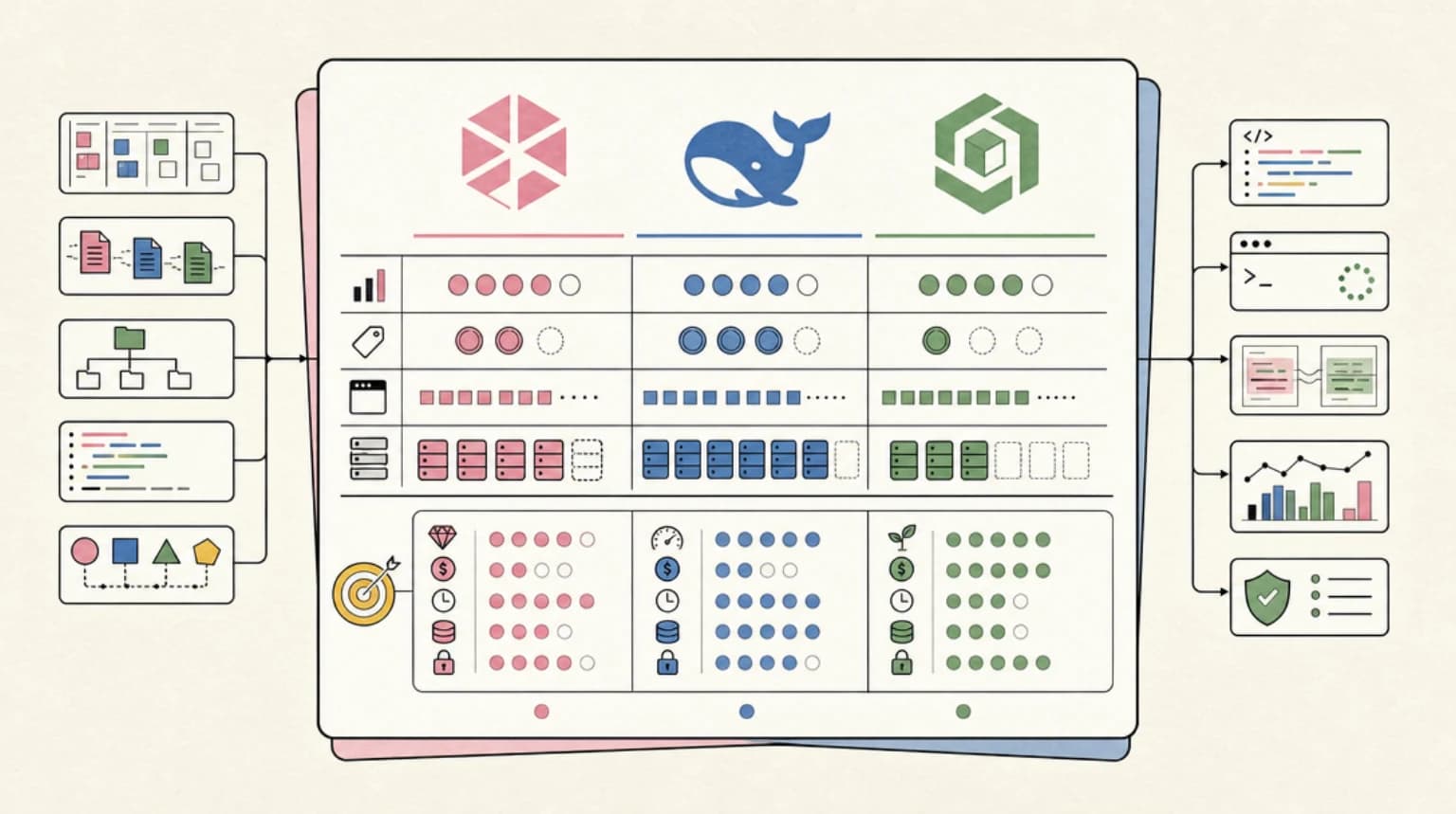
GLM-5.2 vs DeepSeek V4 vs Qwen3: The Open-Weights Coding Model Showdown (2026)
A data-rich, source-cited comparison of the open-weights coding models that matter in 2026: GLM-5.2, DeepSeek V4, Qwen3,...
11 min read
pricing
Frontier Model API Pricing, August 2026: Claude vs OpenAI vs Gemini vs DeepSeek
Same-day-verified llm api pricing august 2026: Claude Fable 5, GPT-5.6 Sol/Terra/Luna, Claude Sonnet 5, Gemini 3.5 Flash...
10 min read
AI Coding
The Model, IDE, CLI, and Agent Framework Changes That Actually Matter
The AI coding market is noisy. The changes that matter are easier to spot when you separate model capability, editor loo...
Build with the member tools

Get Smarter About AI Dev
New tutorials, open-source projects, and deep dives on coding agents - delivered weekly.
One email per weekReal code, not theoryFree forever