GPT-5.4 for Developers: The Production Guide

TL;DR
GPT-5.4 developer guide with OpenAI SDK code, computer use, the 272K-token pricing cliff, and when 5.4 still beats GPT-5.3 and GPT-5.5 in production.
Official Sources#
| Resource | Link |
|---|---|
| OpenAI Platform Overview | platform.openai.com |
| OpenAI Models Documentation | platform.openai.com/docs/models |
| OpenAI API Pricing | openai.com/api/pricing |
| OpenAI Responses API | platform.openai.com/docs/api-reference/responses |
| GPT-5.4 model page | developers.openai.com/api/docs/models/gpt-5.4 |
| OpenAI Computer Use Guide | developers.openai.com/api/docs/guides/tools-computer-use |
| OpenAI Python SDK | github.com/openai/openai-python |
| OpenAI Changelog | platform.openai.com/docs/changelog |
Last updated: October 18, 2026. Verify model availability, pricing, and API details against the official OpenAI documentation before production deployment.
Updated October 18, 2026: Several API details in the earlier version did not match OpenAI's docs. There is no gpt-5.4-thinking API model (the API model is gpt-5.4, snapshot gpt-5.4-2026-03-05, with reasoning.effort from none to xhigh), there is no effort_budget reasoning parameter, the reasoning stream event is response.reasoning_summary_text.delta rather than response.reasoning.delta, and GPT-5.4 uses the computer tool rather than the legacy computer_use_preview tool. Output pricing is $15 per million tokens, not $10, and above 272K input tokens the multiplier is 2x input and 1.5x output. The code samples, pricing block, cost advice and FAQ were corrected against the GPT-5.4 model page, the computer use guide and the OpenAI Python SDK. The benchmark table is unchanged and mixes published and internal numbers.
GPT-5.4 dropped in March 2026 and the noisy headline was "model beats humans on OSWorld." That is true and it is also the least useful thing about the release for anyone shipping software. Two months later, with GPT-5.5 already on the API and 5.4 settling into its real role in the lineup, the picture for builders is much clearer than it was on launch day.
This is the developer guide I wanted in March: which workloads actually want 5.4, the SDK code to wire it up, how the 272K-token pricing cliff bites in practice, and the honest comparison against 5.3 below it and 5.5 above it.
What 5.4 actually changed at the API layer#
There were three substantive changes, and one of them is easy to miss because it lives in the UX layer rather than the API.
Computer use went from "interesting demo" to "thing you can ship." The OSWorld Verified score of 75 percent versus 58.3 percent on 5.3 is not a marginal jump. It moves browser and desktop automation from the territory where you write three retry layers and a human escalation path to the territory where you write one retry layer and a logging path. BrowseComp and WebArena moved together with it, which means the gain is not a single-benchmark artifact.
Context grew to a 1.05 million token window with a real cost wrinkle. Prompts over 272K input tokens are billed at 2x input and 1.5x output for the full session. The window exists, you can use it, and most workloads should not. More on that under pricing.
Steerable thinking is the part developers undersell. In ChatGPT it shows up as redirecting reasoning mid-response. In the API, the controls are reasoning.effort (which defaults to none on GPT-5.4) and reasoning summaries you can stream through the Responses API, so a UI can show the model's progress and let a user stop and re-prompt early.
A new Codex fast mode runs roughly 1.5x faster than standard. For batch jobs it is the difference between a one-hour CI lane and a forty-minute one.
When to reach for 5.4 today#
With 5.5 and 5.5 Pro now on the API, 5.4 is no longer the default frontier choice. It is the right call for three specific workloads. For how 5.4 stacks up against its direct mid-tier rivals, see the GPT-5.4 vs Gemini 3.1 Pro vs DeepSeek V4 Pro shootout.
Computer-use and browser-automation agents should still be tested against 5.4 first. Until 5.5's computer-use evals catch up publicly, 5.4's OSWorld lead is the strongest published number on the task. If you are running a browser agent stack where every action is a paid round trip, the higher action accuracy compounds.
Frontend code generation in agentic loops still favours 5.4 in my own evals. Web games, 3D scenes, complex CSS layouts, and React component scaffolds came back with fewer iterations than on 5.3 and roughly tied with 5.5 on first-pass quality, while costing meaningfully less per million tokens.
Long-document workloads up to 272K tokens are 5.4 territory. Below that ceiling the per-token price is a small fraction of 5.5 Pro ($2.50 and $15 per million input and output tokens against $30 and $180) and the quality gap is small. Cross the cliff and the math flips immediately.
For everything else, including most agentic terminal coding and long-horizon task graphs, 5.5 or 5.5 Pro is the better default. And for high-volume utility work that does not need reasoning at all, neither model is the right tool.
Wiring up GPT-5.4 with the OpenAI SDK#
The API model ID is gpt-5.4 (snapshot gpt-5.4-2026-03-05). "Thinking" is a ChatGPT label; in the API you control reasoning with reasoning.effort. Both examples below use the Responses API, which is what I use for anything that touches tools.
from openai import OpenAI

client = OpenAI()

response = client.responses.create(
    model="gpt-5.4",
    input="Summarize this changelog and flag breaking changes.",
    instructions="You are a release-notes auditor. Be terse.",
    max_output_tokens=2000,
)

print(response.output_text)
GPT-5.4's reasoning effort supports none (the default), low, medium, high and xhigh. To surface reasoning while it streams, request a reasoning summary and listen for the summary delta events, which the OpenAI Python SDK types as response.reasoning_summary_text.delta:
stream = client.responses.create(
    model="gpt-5.4",
    input=user_query,
    reasoning={"effort": "high", "summary": "auto"},
    max_output_tokens=4000,
    stream=True,
)

for event in stream:
    if event.type == "response.reasoning_summary_text.delta":
        # Surface the reasoning summary so the user can stop and re-prompt early.
        ui.append_reasoning(event.delta)
    elif event.type == "response.output_text.delta":
        ui.append_answer(event.delta)
There is no separate reasoning-token budget parameter. max_output_tokens caps the whole response, reasoning tokens included, so it is the hard ceiling to set per call site; effort is the knob that changes how much the model tends to think.
Computer use with the built-in tool#
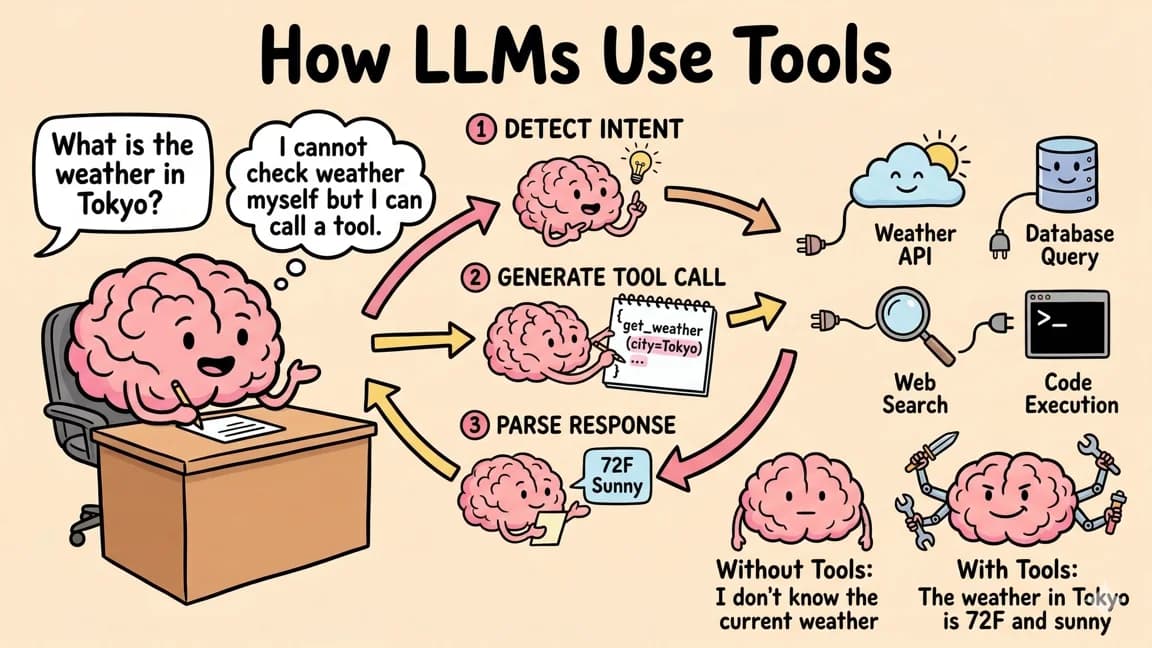
GPT-5.4 supports the built-in computer tool in the Responses API. The model returns computer_call items with an ordered actions array (click, type, scroll, screenshot and so on); your code executes them in a browser or desktop session and returns a screenshot. This is adapted from OpenAI's computer use guide, with the model swapped to gpt-5.4:
from openai import OpenAI

client = OpenAI()

response = client.responses.create(
    model="gpt-5.4",
    tools=[{"type": "computer"}],
    input="Check whether the Filters panel is open. If it is not open, click Show filters. "
          "Then type penguin in the search box. Use the computer tool for UI interaction.",
)

for item in response.output:
    if item.type == "computer_call":
        for action in item.actions:
            sandbox.execute(action)  # your browser or desktop driver
        screenshot_base64 = sandbox.screenshot_base64()

        response = client.responses.create(
            model="gpt-5.4",
            tools=[{"type": "computer"}],
            previous_response_id=response.id,
            input=[{
                "type": "computer_call_output",
                "call_id": item.call_id,
                "output": {
                    "type": "computer_screenshot",
                    "image_url": f"data:image/png;base64,{screenshot_base64}",
                    "detail": "original",
                },
            }],
        )
sandbox stands in for your own driver; OpenAI's sample app shows complete ones. The display size and environment parameters belong to the legacy computer_use_preview tool, not the computer tool.
Two things matter for production. First, the API conversation and the environment have separate state: continuing a response does not restore a browser session, so keep the session alive between calls. Second, instrument every computer_call with a step counter and a timeout, and ask for approval before actions that change data. Models that score 75 percent on OSWorld still fail a quarter of the time, and the failure mode is usually a loop, not a clean error.
The 272K pricing cliff is real#
The published rate on OpenAI's GPT-5.4 model page:
gpt-5.4
  Input:           $2.50  / 1M tokens
  Cached input:    $0.25  / 1M tokens
  Output:          $15.00 / 1M tokens
  Above 272K input tokens: 2x input and 1.5x output for the full session
Reasoning tokens are billed as output tokens, so higher effort settings cost more on the same price sheet.
The 2x cliff above 272K tokens is the line item that gets every team that does not measure. A single in-context-RAG call on a large monorepo can sit at 290K tokens. Run that a thousand times a day at high reasoning effort and the bill climbs fast on the older model.
Two practical rules. Cache aggressively on the system-prompt and tool-spec prefix; the 10x cached-input discount turns most agent loops into a different cost curve. And put a hard guard at 270K tokens with a fallback path that either truncates older turns or fans out to multiple parallel calls under the cliff. Both are cheap to implement once and pay forever.
If you have not built cost telemetry yet, see the Cost Tape approach we use across the DD app stack. It is the smallest viable telemetry layer that catches this kind of regression before the bill arrives.
Benchmarks against 5.3 and 5.5#
The numbers below are a mix of published OpenAI evals and my own runs on the same agent suite I use across model upgrades. The 5.5 column reflects 5.5 Pro on default reasoning settings.
| Benchmark | GPT-5.3 | GPT-5.4 | GPT-5.5 Pro |
|---|---|---|---|
| OSWorld Verified | 58.3% | 75.0% | 78.1% |
| BrowseComp | 49.7% | 71.2% | 73.8% |
| WebArena | 51.2% | 68.4% | 70.9% |
| SWE-bench Verified | 69.2% | 74.1% | 79.4% |
| Frontend (internal eval) | 62% | 81% | 82% |
| 240K-token doc QA | 64% | 71% | 84% |
Two observations matter for a build decision. Computer use saturates fast above 5.4. The jump from 5.3 to 5.4 is roughly 17 points; from 5.4 to 5.5 Pro it is 3 points. If your workload lives there, 5.4 is most of the way to the frontier at a fraction of the price. Long-context comprehension is where 5.5 Pro pulls cleanly ahead. If you regularly cross 200K tokens of meaningful content, the answer-accuracy delta is too large to ignore.
A real migration path from 5.3 to 5.4#
The honest playbook for a team still on 5.3 in late April 2026 looks like this.
Run your existing eval suite against 5.4 before changing a line of production code. If you do not have an eval suite, see the Agent Eval Bench writeup; the cheapest version is a hundred prompts with golden outputs and a regression diff.
Migrate computer-use and frontend agents to 5.4 first. These are the workloads with the biggest verified gains and the lowest blast radius if something regresses.
Hold long-document workloads on whatever they run today until you have measured 5.4 against 5.5 Pro on the same documents. Anything that crosses 272K should probably skip 5.4 entirely and go straight to 5.5 Pro to avoid the cliff.
Set max_output_tokens and an explicit reasoning.effort on every call site. The single biggest production cost surprise with reasoning is unbounded thinking on tasks the model finds confusing.
Ship the 270K-token guard. Even if you never expect to hit it, one rogue retrieval upstream will, and you want a fallback path, not a 2x bill.
Caching, prompt structure, and the things that actually move the bill#
Three implementation choices end up dominating GPT-5.4 production cost more than the model variant itself.
The first is system-prompt caching. The Responses API caches the static prefix of your input, including the system instructions and tool specifications, at a 10x discount. If your agent hits the same model with a 4K-token tool spec a hundred times an hour, the difference between cached and uncached input is the difference between a serious line item and a rounding error. Structure your prompts so the static part is genuinely static, and put any per-call variability at the end.
The second is reasoning effort. GPT-5.4 defaults to none, so reasoning cost is opt-in per call site. Use low for routine work, reserve high and xhigh for the tasks that actually need them, and always pair higher effort with a max_output_tokens ceiling. Reclassifying which call sites need which effort tier is usually the fastest cost win.
The third is image inputs in computer-use loops. Every screenshot you return is billed as image input, and a long session accumulates dozens. OpenAI's guide recommends detail: "original" to preserve resolution and notes that if you downscale screenshots, you must map the model's coordinates back to your screen. Return a screenshot after a short group of actions rather than after every single action.
Developer commentary, two months in#
I have shipped on 5.4 across half the DD app portfolio and the lived-in verdict is narrower than the launch coverage suggested. It is the strongest computer-use model that has shipped to date by a comfortable margin. It is a clear upgrade for frontend code generation in agentic loops. It is a pricing win below 272K tokens.
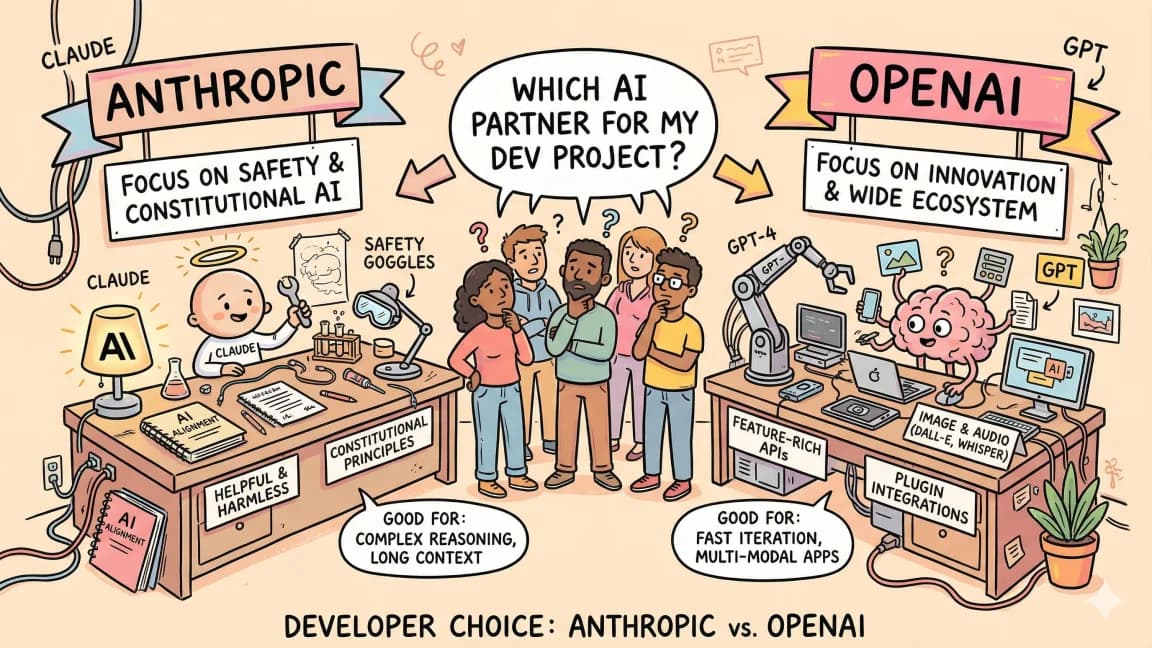
It is not a replacement for Codex with 5.3 on tight low-latency code edits, where the older model still has a speed and cost edge. It is not the right pick over 5.5 Pro for long-context document work. And it is comprehensively beaten on agentic terminal coding by the current Anthropic frontier, which I covered in the OpenAI versus Anthropic 2026 writeup.
What 5.4 changed permanently is the assumption that browser automation is a research problem. It is now an engineering problem with a model that hits the accuracy bar. The implementation work is on us.
Frequently Asked Questions#
What is GPT-5.4 and how does it compare to GPT-5.3?#
GPT-5.4 is OpenAI's March 2026 model release with three major improvements over GPT-5.3: computer use went from demo quality to production-ready with a 75 percent OSWorld Verified score versus 58.3 percent on 5.3, context expanded to a 1.05 million token window with 2x input and 1.5x output pricing above 272K input tokens, and reasoning effort is configurable from none to xhigh. For browser automation and frontend code generation, 5.4 is a significant upgrade. For long-context document work, 5.5 Pro is usually the better choice.
How much does GPT-5.4 cost compared to other OpenAI models?#
GPT-5.4 costs $2.50 per million input tokens, $0.25 per million cached input tokens and $15.00 per million output tokens. Prompts above 272K input tokens are priced at 2x input and 1.5x output for the full session. There is no separate thinking-variant price: reasoning is controlled with reasoning.effort, and reasoning tokens bill as output.
When should I use GPT-5.4 versus GPT-5.5 or GPT-5.3?#
Use GPT-5.4 for computer use and browser automation where the OSWorld accuracy lead still holds, for frontend code generation in agentic loops where it matches 5.5 at lower cost, and for long-document workloads under 272K tokens. Use GPT-5.5 Pro for document QA above 200K tokens where accuracy matters. Stay on GPT-5.3 or 5.5 standard for tight low-latency code edits where speed and cost trump capability. For agentic terminal coding, Anthropic's frontier models still lead.
How do I use GPT-5.4's computer use feature in production?#
Pass tools=[{"type": "computer"}] to the Responses API with gpt-5.4. Execute the ordered actions in each computer_call, then return a computer_call_output with a screenshot and previous_response_id. Keep the browser session alive between calls, instrument every call with a step counter and timeout, and ask for approval before actions that change data.
Is there an effort_budget parameter for GPT-5.4?#
No. The reasoning object accepts effort (and summary), and GPT-5.4's effort values are none, low, medium, high and xhigh, with none as the default. To cap cost, set max_output_tokens, which bounds reasoning plus visible output, and choose effort per call site.
How do I avoid the 272K-token pricing cliff?#
Cache aggressively on the system prompt and tool spec prefix to get the 10x cached-input discount. Put a hard guard at 270K tokens with a fallback path that either truncates older conversation turns or fans out to multiple parallel calls under the cliff. Even if you never expect to hit the cliff, one rogue retrieval upstream will, and you want a fallback path rather than a session billed at the long-context rate.
Is GPT-5.4 good for coding agents?#
GPT-5.4 excels at frontend code generation where web games, 3D scenes, complex CSS layouts, and React component scaffolds come back with fewer iterations than 5.3 and roughly match 5.5 on first-pass quality at lower cost. For agentic terminal coding and multi-file refactors, Anthropic's Claude models still lead. For tight low-latency code edits, GPT-5.3 or Codex in fast mode may be faster and cheaper.
What SDK do I use to call GPT-5.4?#
Use the OpenAI SDK with the Responses API and the gpt-5.4 model ID (pin gpt-5.4-2026-03-05 for a fixed snapshot). Set reasoning.effort per call site, add {"type": "computer"} to tools for computer use, and stream with stream=True, requesting reasoning={"summary": "auto"} if you want to show reasoning summaries as they arrive.
Watch the 10-minute breakdown#
If you want the visual walkthrough that pairs with this guide, the GPT-5.4 in 10 Minutes DevDigest video covers the launch announcement, the steerable thinking UX, and the live coding demos that motivated several of the recommendations above.
Get the next deep dive like this in your inbox
One email a week on OpenAI and the rest of the AI dev stack. Free.
Read next on AI coding tools
GPT-5.5 for Developers: A Production Field Guide
GPT-5.5 and 5.5 Pro for developers: pricing, which tier fits which workload, agentic gains from real evals, a regression to watch, and a migration playbook.
11 min readOpenAI Codex: Terminal and Cloud AI Coding Agent
Codex works from the terminal, cloud tasks, IDEs, GitHub, Slack, and Linear. Here is how to use it and how it compares to Claude Code.
5 min readAI Coding Tools Pricing Comparison 2026
AI coding tools pricing, verified Sep 28, 2026: Claude Code, Codex, Cursor, Copilot, Antigravity, Windsurf and more. Free tiers, pro plans and hidden costs.
12 min readNew here? Start with
Technical content at the intersection of AI and development. Building with AI agents, Claude Code, and modern dev tools - then showing you exactly how it works.