Pydantic AI V2 in Late 2026: Capabilities, Graphs, Evals and MCP
TL;DR
Pydantic AI V2 explained through v2.57.0: capabilities, typed output, Conversation storage, caching, graphs, evals, MCP Apps and Logfire, with checked code.
Pydantic AI is the Pydantic team's typed Python agent framework. V2 went stable on June 23, 2026 and has reached v2.57.0. It rebuilt the framework around one primitive, the capability, and moved most of the batteries into a separate package called Pydantic AI Harness. My verdict: it is the most thoroughly typed way to build agents in Python today, and it offers more durable-execution engines than any other framework we have compared. The costs are that it is Python only, it ships fast (v2.50.0 on September 24 to v2.57.0 on October 15), and the Harness is still on 0.x, so its APIs can move.
Last updated: October 17, 2026
This is a working tour of V2, built around eleven example files. Every snippet below was type-checked against pydantic-ai 2.57.0, pydantic-graph 2.57.0, pydantic-evals 2.57.0 and pydantic-ai-harness 0.57.0, using Pyright 1.1.414 in strict mode with zero errors. Six of the examples were also run end to end against Pydantic AI's built-in TestModel. No API keys were available, so no real provider calls were made. Outputs shown here come from TestModel, not from a live model.
What changed in V2, in one table#
V1 shipped in September 2025. The first V2 beta (2.0.0b1, forked from v1.100.0) is dated May 20, 2026, and stable v2.0.0 followed on June 23 with no breaking changes beyond the betas (changelog). The changelog describes V2 as "harness-first with capabilities as a core primitive." Here is what that means in practice if you are coming from V1:
| V1 habit | V2 replacement | Why it matters |
|---|---|---|
Agent(instrument=..., prepare_tools=..., history_processors=..., event_stream_handler=...) | The same behavior, attached as capabilities | One composable unit instead of a growing list of constructor arguments |
mcp_servers=[MCPServerStreamableHTTP(...)] | toolsets=[MCPToolset(url)] or the MCP capability | Per-transport server classes were replaced by one MCPToolset |
'openai:gpt-...' meant Chat Completions | A bare openai: prefix now uses the Responses API. Use openai-chat: for Chat Completions | Model strings without a provider prefix, such as Agent('gpt-5'), now raise UserError |
Agent(...) inferred Agent[None, str] | It now infers Agent[object, str] | Generic defaults changed from None to object, which affects how tools are annotated (see the gotchas below) |
from pydantic_graph.beta import ... | from pydantic_graph import ... | The builder API is now the top-level API, and pydantic_graph.persistence is gone |
end_strategy='early' default | 'graceful' default | Pending tool calls are handled differently once output is produced |
pip install pydantic-ai pulled in every provider | The default install is pydantic-ai-slim[openai,anthropic,google,cli,mcp,evals,web,retries,logfire] | Bedrock, Groq, Mistral, Cohere, xAI, Hugging Face, Temporal, AG-UI, UI and spec extras must be added explicitly |
| An older instrumentation version by default | Instrumentation v5 by default | Run spans now report usage under gen_ai.aggregated_usage.* |
ModelProfile also became a TypedDict. Message history serialized under V1 still deserializes in V2, so a stored conversation survives the upgrade.
The documented upgrade path has three steps: move to the latest V1 (v1.100.0 or later), clear every deprecation warning, then upgrade to V2 and fix the changes that came without a warning. You do not have to rush. The version policy promises security fixes for V1 for at least six months after V2's stable release, and V1 is still being patched: v1.107.7 shipped a security fix on September 29. Minor releases avoid intentional breaking changes, and deprecated APIs stay until the next major version, which will not ship sooner than three months after V2.0.
One more floor to note: since v2.55.0, every package requires Python 3.11 or newer. On Python 3.10, installs resolve to 2.54.0 or earlier. v2.56.0 added Python 3.15 support.
The mental model: an agent loop plus capabilities#
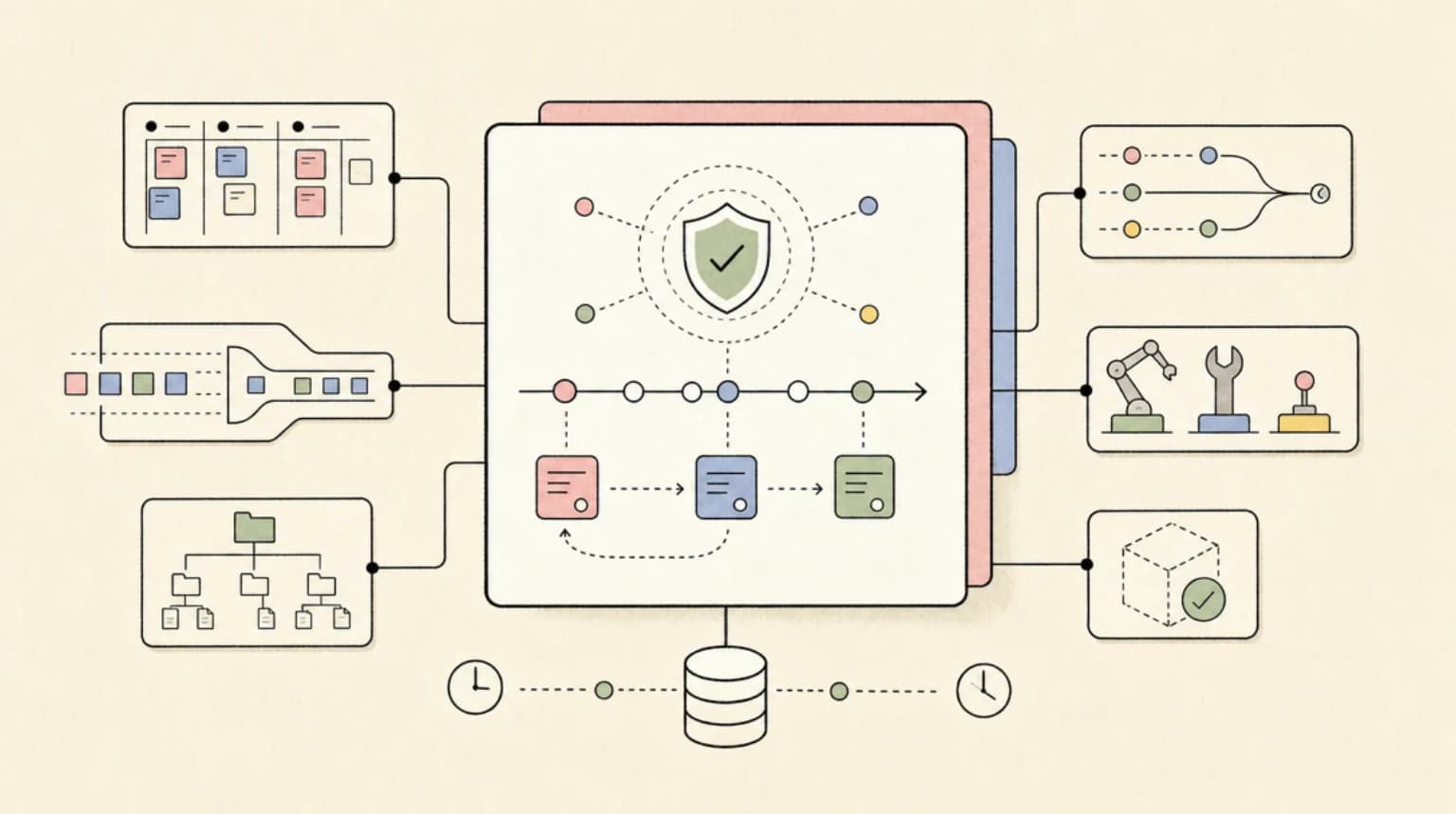
The run loop has not changed: the model is called, tools run, and the result goes back to the model until it produces output that validates against your schema. What changed is where behavior lives. A capability bundles tools, hooks, instructions and model settings into one unit that you attach with capabilities=[...].
%% title: Pydantic AI V2 run loop
flowchart TD
    P[User prompt] --> A[Agent]
    A --> C[Capabilities layer: instructions, tools, hooks, settings]
    C --> M[Model request]
    M --> Q{Tool calls?}
    Q -- yes --> T[Run tools, hooks wrap each call]
    T --> M
    Q -- no --> V[Validate output with Pydantic]
    V --> R[AgentRunResult with typed output and Conversation]
Capabilities come from two packages (capabilities overview). Core pydantic-ai ships the ones that need model or framework support: Caching, Hooks, MCP, LocalWorkspace, Thinking, ToolSearch and others, plus the Temporal, DBOS and Prefect durability capabilities under pydantic_ai.durable_exec. Pydantic AI Harness, the official capability library, ships the rest. That includes Coder (a full coding-agent stack), Memory, Guardrails, Spend Limits, Subagents, Planning, Code Mode (which runs model-written Python in the Monty sandbox), Step Persistence, Compaction, and the AWS Lambda, Absurd and pgtask durability capabilities.
This split is a deliberate tradeoff. Core keeps the stricter version policy described above. The Harness uses 0.x versions, and its own docs say its APIs may move between minor releases, "always with deprecation warnings where practical," and that every breaking change is documented in release notes with migration guidance. Patch releases will not intentionally break existing behavior. That lets the team iterate on higher-level patterns without breaking the core contract. In return, you should pin the Harness version and read its release notes before upgrading.
Example 1: a typed agent with deps, structured output, hooks and caching#
This example combines the pieces most production agents need: a dependency object, a Pydantic output model, a tool that reads the dependencies, a hook, and prompt caching.
from dataclasses import dataclass
from typing import Literal

from pydantic import BaseModel
from pydantic_ai import Agent, ModelRequestContext, RunContext
from pydantic_ai.capabilities import Caching, Hooks


@dataclass
class SupportDeps:
    customer_id: str
    plan: Literal['free', 'pro', 'enterprise']


class Triage(BaseModel):
    category: Literal['billing', 'bug', 'how-to']
    urgent: bool
    summary: str


hooks = Hooks[SupportDeps]()


@hooks.on.before_model_request
async def log_request(
    ctx: RunContext[SupportDeps], request_context: ModelRequestContext
) -> ModelRequestContext:
    print(f'model request #{ctx.run_step} for {ctx.deps.customer_id}')
    return request_context


support_agent = Agent(
    'anthropic:claude-sonnet-5-5',
    deps_type=SupportDeps,
    output_type=Triage,
    instructions='Triage the support ticket. Look up the plan before deciding urgency.',
    capabilities=[Caching(), hooks],
)


@support_agent.tool
async def customer_plan(ctx: RunContext[SupportDeps]) -> str:
    """Return the customer's current plan."""
    return ctx.deps.plan


def main() -> None:
    deps = SupportDeps(customer_id='cus_123', plan='enterprise')
    with support_agent.override(model='test'):
        result = support_agent.run_sync('Invoices page returns a 500', deps=deps)
    triage: Triage = result.output  # statically typed as Triage
    print(triage.category, triage.urgent)
    print(result.usage.requests)


if __name__ == '__main__':
    main()
Running it with TestModel printed two model request #N for cus_123 lines (one before the tool call, one after), then the triage fields and a request count of 2. Three details are worth pointing out:
result.outputis statically aTriage. TheAgentis generic in its output type, and that type carries through toAgentRunResult.output, so your editor knowstriage.urgentis abool.result.usageis a property in V2, not a method.- Hooks follow a fixed lifecycle at every stage (run, node, model request, tool call, output):
wrap_*enters, thenbefore_*, then the operation (on_*_errorif it fails), thenafter_*, thenwrap_*exits (hooks docs). Within oneHooksinstance,before_*,after_*andon_*_errorfire in registration order.wrap_*hooks nest as middleware, with the first registered outermost. Across capabilities,after_*and error hooks run in reverse order. Since v2.54.0, awrap_*hook encloses the stage's complete lifecycle.
output_type accepts scalars, TypedDicts, dataclasses, Pydantic models, unions, lists of types and output functions. By default, structured output uses tool calling, and each member of a union is registered as its own output tool. Type checkers differ here: Pyright 1.1.412 and later accept union and Literal type forms for output_type (PEP 747), while mypy needs explicit generic parameters (output docs).
Example 2: bundle behavior as a Capability#
You do not need to subclass anything to write your own capability. Capability takes instructions and tools declaratively:
from pydantic_ai import Agent, Capability

refunds = Capability[object](
    id='refunds',
    description='Look up refund eligibility for an order.',
    instructions='Refunds are allowed within 30 days of delivery.',
)


@refunds.tool_plain
def days_since_delivery(order_id: str) -> int:
    """Days since the order was delivered."""
    return 12 if order_id.startswith('A') else 45


agent = Agent('openai:gpt-6.1-sol', capabilities=[refunds])

if __name__ == '__main__':
    with agent.override(model='test'):
        print(agent.run_sync('Can order A-100 be refunded?').output)
With TestModel, the run called the tool and returned {"days_since_delivery":45}. The tool's docstring becomes its description, and the instructions travel with the tool. The explicit Capability[object] matters under strict Pyright: without it, the type is inferred as Capability[Unknown], which strict mode flags. That is a direct consequence of V2's object generic default.
Pass defer_loading=True (an id is required) and the capability stays a one-line catalog entry until the model decides to load it. This is the same on-demand idea as Agent Skills and SKILL.md files: the model sees a short description first and pays for the full instructions and tools only when it needs them. v2.57.0 also made the Skills capability honour the disable-model-invocation and user-invocable frontmatter fields.
Example 3: store a conversation, not a pile of messages (v2.55)#
v2.55.0 (October 9) added Conversation. Every entry point accepts it as conversation=, and every result returns one as result.conversation. It holds the messages, the running usage, a conversation_id, and any deferred tool requests the last run paused on.
from pydantic_ai import Agent, ConversationTypeAdapter, UsageLimits

agent = Agent('anthropic:claude-haiku-5-5', instructions='Be a concise assistant.')

db: dict[str, bytes] = {}  # stand-in for a jsonb column keyed by conversation_id


def turn(prompt: str, conversation_id: str | None = None) -> str:
    conversation = (
        ConversationTypeAdapter.validate_json(db[conversation_id]) if conversation_id else None
    )
    result = agent.run_sync(
        prompt,
        conversation=conversation,
        usage_limits=UsageLimits(request_limit=20),  # budget for the whole thread
    )
    db[result.conversation_id] = ConversationTypeAdapter.dump_json(result.conversation)
    return result.conversation_id


if __name__ == '__main__':
    with agent.override(model='test'):
        cid = turn('Remember that my deploy target is Fly.io.')
        turn('Where do I deploy?', cid)
        stored = ConversationTypeAdapter.validate_json(db[cid])
        print(cid == stored.conversation_id, stored.usage.requests)
The run printed True 2: the conversation_id survived the JSON round trip, and usage counted two requests across two separate runs. That second number is the main reason to store a Conversation instead of a bare message list. If you continue from messages alone, each turn's UsageLimits budget starts again from zero. With a Conversation, the budget covers the whole thread. A paused conversation also needs deferred_tool_requests to resume, and messages alone do not record which unanswered calls need approval.
The persistence docs are blunt about a common overreach: "Reaching for a durable engine because you wanted to store a chat thread is the common mistake - a jsonb column is enough for that." Durable engines keep one run alive across crashes. If you want saved checkpoints you can resume or fork without writing the save and load code yourself, Harness StepPersistence does that.
Caching is now one switch (v2.55)#
The same release added a unified cache model setting and a Caching capability. Caching() and model_settings={'cache': True} are equivalent. Retention accepts True, False, '5m', '30m' or '1h', and is snapped to the tiers each provider supports.
What it does depends on the provider (caching docs):
Without Caching() | Providers | With Caching() |
|---|---|---|
| Nothing is cached | Anthropic (including on Bedrock, Vertex AI and Microsoft Foundry), Bedrock Claude and Nova, OpenRouter's Anthropic models | Tool definitions, instructions and the conversation are cached |
| Cached implicitly | OpenAI GPT-5.6 and later, Gemini 2.5 and later on OpenRouter | Explicit breakpoints are added on top, such as one after the instructions |
| Cached implicitly | Older OpenAI models, Gemini, DeepSeek, xAI | No effect |
The first row is the one that matters most: a Claude agent without this capability, whether it calls Anthropic directly or routes through Bedrock, Vertex AI, Foundry or OpenRouter, pays full input price for its instructions, tools and history on every step of every run. Caching is still off by default, and the docs give the reason: a cache write costs more than uncached input (1.25x for Anthropic's 5-minute cache, 2x for the 1-hour cache, and 0.1x for reads). So a prefix that is never read back costs more with caching than without. For agents that mostly make one-off requests with long shared instructions, use Caching(messages=False) to cache only the stable prefix. The Claude-side math is covered in our prompt caching production guide.
v2.55.0 also turned prompt caching on by default in Harness Coder, and halved import pydantic_ai time by lazy-loading pydantic_ai.mcp.
Human approval without holding a process open#
Approval in Pydantic AI does not block a thread. Mark a tool requires_approval=True (or raise ApprovalRequired inside it), and the run ends with DeferredToolRequests as its output. Your output type must include it. You store the state, ask a person, and start a new run with the message history plus DeferredToolResults (deferred tools docs).
%% title: Deferred approval round trip
sequenceDiagram
    participant User
    participant App
    participant Agent
    participant Model
    participant Reviewer
    participant Human
    User->>App: question
    App->>Agent: run prompt
    Agent->>Model: request
    Model-->>Agent: call refund, requires approval
    Agent-->>App: output DeferredToolRequests
    App->>Reviewer: optional ApprovalReviewer, low risk only
    App->>Human: remaining approvals
    Human-->>App: approve
    App->>Agent: run with message_history and DeferredToolResults
Agent-->>App: final outputfrom pydantic_ai import Agent, DeferredToolRequests, DeferredToolResults, ToolDenied
agent = Agent(
'anthropic:claude-sonnet-5-5',
output_type=[str, DeferredToolRequests],
)
@agent.tool_plain(requires_approval=True)
def refund(order_id: str, amount_usd: float) -> str:
"""Issue a refund."""
return f'Refunded {amount_usd} on {order_id}'
def approve(requests: DeferredToolRequests) -> DeferredToolResults:
results = DeferredToolResults()
for call in requests.approvals:
args = call.args_as_dict()
if float(args.get('amount_usd', 0)) <= 100:
results.approvals[call.tool_call_id] = True
else:
results.approvals[call.tool_call_id] = ToolDenied('Over the self-serve limit')
return results
if __name__ == '__main__':
with agent.override(model='test'):
first = agent.run_sync('Refund order A-100')
assert isinstance(first.output, DeferredToolRequests)
second = agent.run_sync(
message_history=first.all_messages(),
deferred_tool_results=approve(first.output),
)
print(type(first.output).__name__, '->', second.output)
The TestModel run printed DeferredToolRequests -> ... followed by the tool's return value, so the pause, decision and resume path works as documented. If you would rather decide inline, the HandleDeferredToolCalls capability takes a handler and resolves approvals inside the same run.
v2.57.0 added a Harness capability aimed at a real problem: approval prompts that people stop reading, which we covered in approval fatigue as a security bug. ApprovalReviewer asks a second model one risk question about each call that already needs approval. A no (not risky) approves the call on the person's behalf. A yes or unsure leaves it for the person. It never denies a call and never runs one itself (ApprovalReviewer docs). ToolCallJudge, added in v2.53.0, has the opposite power: its yes blocks a call, whether or not a person is watching. The ApprovalReviewer README puts the distinction this way: "Use Tool Call Judge when you want a model to say no ... Use Approval Reviewer when you want a model to say yes on a person's behalf." Both are reasonable designs. Which one fits depends on whether your failure mode is too many prompts or too few.
Workspaces: one API for local and sandboxed tools (v2.52)#
v2.52.0 (September 29) added ctx.workspace, which gives tools one API for files and commands, whether they run on the local machine or in a sandbox (workspace docs).
from pydantic_ai import Agent, ModelRetry, RunContext
from pydantic_ai.capabilities import LocalWorkspace
from pydantic_ai.workspaces import WorkspaceError

agent = Agent(
    'anthropic:claude-sonnet-5-5',
    capabilities=[LocalWorkspace('.', read_only=False)],
)


@agent.tool
async def run_tests(ctx: RunContext[object], path: str) -> str:
    """Run pytest on a path and return the tail of the output."""
    try:
        result = await ctx.workspace.run(['python', '-m', 'pytest', '-q', path], timeout=120)
    except WorkspaceError as e:
        raise ModelRetry(f'Could not run tests: {e}') from e
    return f'exit={result.exit_code}\n{result.stdout[-2000:]}'
Swap LocalWorkspace for a sandbox and the tool code stays the same. v2.52.0 shipped E2BSandbox, SpritesSandbox, SSHWorkspace and BubblewrapSandbox, and v2.56.0 added SmolSandbox (a local smolvm microVM). The Harness also includes a Modal sandbox. Workspaces work under durable execution. Under DBOS, for example, each workspace call is a step, and a run with a workspace executes its tool calls sequentially. Note the RunContext[object] annotation: with V2's generic default, RunContext[None] fails strict type checking on an agent with no deps_type.
The same release raised AnthropicModel's default max_tokens on Claude Sonnet 4.5 and later, first to 16384 and then to the model's maximum output, streaming those requests behind the scenes. If you relied on the old 4096 default to cap spend, set max_tokens explicitly.
Durable execution: nine engines, one line to attach#
This section stays short on purpose. Our durable AI agent frameworks comparison pushes one crashing, two-day-approval run through Pydantic AI, LangGraph, Mastra and the OpenAI Agents SDK, and that is the place to go for crash and retry behavior. One update since that post: it counted eight engines. The durable execution overview now lists nine, plus a builder for any other backend. The docs split them into two groups, and the code for each lives in different places:
| Engine | Docs group | Where the integration ships |
|---|---|---|
| Temporal, DBOS, Prefect | Co-maintained by the Pydantic and vendor teams | Core pydantic-ai (pydantic_ai.durable_exec) |
| Restate | Co-maintained by the Pydantic and vendor teams | Restate's own Python SDK (restate.ext.pydantic) |
| AWS Lambda | Co-maintained by the Pydantic and vendor teams | Harness (AWSLambdaDurability, pydantic-ai-harness[aws-lambda]) |
| Absurd | Additional external SDK integrations | Harness, added in v2.53.0 (AbsurdDurability, replacing pydantic-ai-absurd) |
| pgtask | Additional external SDK integrations | Harness, added in v2.56.0 (PGTaskDurability) |
| Kitaru, Apache Airflow | Additional external SDK integrations | External SDKs |
The split matters for upgrades: an engine that ships in the Harness follows the Harness's 0.x stability promise, not core's stricter policy. Each agent gets one engine. Since v2.54.0 a second one is refused at construction: when I built an agent with two durability capabilities, Agent(...) raised UserError ("An agent can have only one durable execution engine"). v2.56.0 also added a Render Workflows integration. Here is the DBOS version:
from dbos import DBOS, DBOSConfig
from pydantic_ai import Agent
from pydantic_ai.durable_exec.dbos import DBOSDurability
from pydantic_ai.mcp import MCPToolset

dbos_config: DBOSConfig = {
    'name': 'support_bot',
    'system_database_url': 'sqlite:///dbos.sqlite',  # Postgres in production
}
DBOS(config=dbos_config)

agent = Agent(
    'anthropic:claude-sonnet-5-5',
    name='support',  # unique: identifies this agent's workflows
    toolsets=[MCPToolset('http://localhost:8000/mcp', id='tickets')],  # never rename after deploy
    capabilities=[DBOSDurability()],
)


@DBOS.workflow()
async def answer(question: str) -> str:
    result = await agent.run(question)
    return result.output
Two requirements from the DBOS docs are easy to miss. Each agent needs a unique name, and each MCPToolset needs a unique id. DBOS derives step names from these values, so renaming either after deploy breaks in-flight workflows. Function tools you register yourself are not wrapped automatically: decorate any that do I/O with @DBOS.step. v2.57.0 also made the waits between continuation polls (Anthropic pause_turn, OpenAI background mode) durable DBOS.sleep steps, so recovery skips waits that already finished.
pydantic-graph: typed control flow when one loop is not enough#
Most agents should stay a single loop. When you need explicit fan-out, joins or decisions, the GraphBuilder API (now the top-level pydantic_graph API) gives you typed steps. Each step declares StepContext[State, Deps, Input], and edges are type-checked against them.
import asyncio
from dataclasses import dataclass

from pydantic_graph import GraphBuilder, StepContext, reduce_list_append


@dataclass
class ReviewState:
    repo: str


g = GraphBuilder(state_type=ReviewState, input_type=str, output_type=list[str])


@g.step
async def lint(ctx: StepContext[ReviewState, None, str]) -> str:
    return f'lint: ok for {ctx.inputs}'


@g.step
async def security(ctx: StepContext[ReviewState, None, str]) -> str:
    return f'security: no secrets in {ctx.inputs}'


@g.step
async def tests(ctx: StepContext[ReviewState, None, str]) -> str:
    return f'tests: 42 passed in {ctx.state.repo}'


collect = g.join(reduce_list_append, initial_factory=list[str])

g.add(
    g.edge_from(g.start_node).to(lint, security, tests),
    g.edge_from(lint, security, tests).to(collect),
    g.edge_from(collect).to(g.end_node),
)
graph = g.build()


async def main() -> None:
    findings = await graph.run(state=ReviewState(repo='api'), inputs='PR-981')
    print(sorted(findings))
    print(graph.render(title='review', direction='LR'))


if __name__ == '__main__':
    asyncio.run(main())
The run printed all three findings, then a Mermaid stateDiagram-v2. That diagram is generated by graph.render() (shown trimmed below), which inserted a broadcast fork state and a reduce_list_append join state on its own:
stateDiagram-v2
  direction LR
  state broadcast <<fork>>
  state reduce_list_append <<join>>
  [*] --> broadcast
  broadcast --> lint
  broadcast --> security
  broadcast --> tests
  lint --> reduce_list_append
  security --> reduce_list_append
  tests --> reduce_list_append
  reduce_list_append --> [*]
Drawn as a flowchart, the same graph looks like this:
%% title: Graph fan-out and join
flowchart LR
    S([start]) --> B{{broadcast}}
    B --> L[lint]
    B --> SE[security]
    B --> T[tests]
    L --> J[join: reduce_list_append]
    SE --> J
    T --> J
    J --> E([end])
Use .map() on an edge instead of broadcasting to spread an iterable across parallel tasks (parallel execution docs). One design choice to know: V2 removed pydantic_graph.persistence, so the builder does not snapshot graph state between steps. If you need that, use Harness StepPersistence or a durable engine. If checkpointed graph state is the core abstraction you want, LangGraph's checkpointer model is built around exactly that, and it is a reasonable choice for that shape of problem.
Pydantic Evals: grade the trajectory, offline and online#
Pydantic Evals is code-first. It grades final outputs and tool-call trajectories against datasets, or against sampled live traffic. The agentic evaluators (ToolCorrectness, TrajectoryMatch, ArgumentCorrectness, MaxToolCalls, MaxModelRequests) are deterministic, never call an LLM, and read the local OpenTelemetry span tree (agentic evaluators docs). They need the logfire SDK installed and configured, but not a Logfire account.
import logfire
from pydantic_ai import Agent
from pydantic_evals import Case, Dataset
from pydantic_evals.evaluators import MaxToolCalls, ToolCorrectness, TrajectoryMatch

logfire.configure(send_to_logfire=False)  # capture spans locally, no account needed
logfire.instrument_pydantic_ai()

agent = Agent('anthropic:claude-sonnet-5-5')


@agent.tool_plain
def lookup_order(order_id: str) -> str:
    """Fetch an order."""
    return f'{order_id}: delivered 12 days ago'


@agent.tool_plain
def issue_refund(order_id: str) -> str:
    """Refund an order."""
    return f'refunded {order_id}'


async def handle(query: str) -> str:
    with agent.override(model='test'):
        result = await agent.run(query)
    return result.output


dataset = Dataset[str, str, None](
    name='refunds',
    cases=[Case(name='refund_flow', inputs='Refund order A-100')],
    evaluators=[
        ToolCorrectness(expected_tools=['lookup_order', 'issue_refund']),
        TrajectoryMatch(expected_trajectory=['lookup_order', 'issue_refund'], order='in_order'),
        MaxToolCalls(max_calls=4),
    ],
)

if __name__ == '__main__':
    report = dataset.evaluate_sync(handle)
    report.print(include_input=False, include_output=False)
The report for refund_flow showed TrajectoryMatch: 1.00, 2 of 2 assertions passed (ToolCorrectness and MaxToolCalls), and 2 model requests. TestModel calls every registered tool, which is why the trajectory matched here. A real model has to earn that score.
The 'in_order' mode is worth understanding before you set thresholds. It computes F1 from the longest common subsequence: precision is LCS divided by the actual length, and recall is LCS divided by the expected length. The docs' own example: expected ['a', 'b', 'c'] against actual ['a', 'x', 'b'] gives an LCS of 2, so precision and recall are both 2/3 and F1 is about 0.667. Extra calls lower the score without zeroing it, while 'exact' gives all or nothing. One blind spot: native provider tools run on the provider's side, produce no local spans, and are invisible to these evaluators. In V2, Dataset also requires a keyword-only name=, and v2.57.0 added dataset_name to EvaluationReport.
For production, the OnlineEvaluation capability grades runs in the background after each completed run (online evaluation docs):
from dataclasses import dataclass

from pydantic_ai import Agent
from pydantic_evals.evaluators import Evaluator, EvaluatorContext, MaxToolCalls
from pydantic_evals.online import OnlineEvalConfig
from pydantic_evals.online_capability import OnlineEvaluation


@dataclass
class NotEmpty(Evaluator):
    def evaluate(self, ctx: EvaluatorContext) -> bool:
        return bool(ctx.output)


agent = Agent(
    'anthropic:claude-sonnet-5-5',
    name='support',  # results land under gen_ai.evaluation.target = 'support'
    capabilities=[
        OnlineEvaluation(
            evaluators=[NotEmpty(), MaxToolCalls(max_calls=6)],
            config=OnlineEvalConfig(default_sample_rate=0.1),
        )
    ],
)
Results are emitted as gen_ai.evaluation.result OpenTelemetry events under gen_ai.evaluation.target, which is set to the agent's name. For how this code-first approach compares with Braintrust, Promptfoo and DeepEval, see our AI agent evaluation tools comparison.
MCP: local by default, native opt-in, and MCP Apps (v2.57)#
The recommended client path is the MCP capability. In V2 it connects to the server locally by default, and native=True opts into the provider's own MCP connector, where the provider calls the server instead of your process (MCP client docs).
from pydantic_ai import Agent
from pydantic_ai.capabilities import MCP
from pydantic_ai.mcp import MCPToolset

# Recommended: the MCP capability. Runs the server connection locally by default.
docs_agent = Agent(
    'anthropic:claude-sonnet-5-5',
    capabilities=[MCP(url='https://mcp.example.com/mcp', id='docs')],
)

# Opt into the provider's native MCP connector instead (the provider calls the server).
native_agent = Agent(
    'anthropic:claude-sonnet-5-5',
    capabilities=[MCP(url='https://mcp.example.com/mcp', id='docs', native=True)],
)

# Lower level: an MCPToolset over Streamable HTTP.
toolset_agent = Agent(
    'openai:gpt-6.1-sol',
    toolsets=[MCPToolset('http://localhost:8000/mcp', id='local_tools')],
)
Streamable HTTP is the recommended transport. SSE is still supported, and URLs ending in /sse are detected automatically. At the protocol level, the MCP specification's 2025-03-26 revision replaced the older HTTP+SSE transport with Streamable HTTP, so new servers should expose Streamable HTTP. The integration also works in the other direction: an agent can be served inside an MCP server.
v2.57.0 added MCP Apps support. MCPToolset.call_tool_for_app relays tool calls from MCP Apps, and MCPToolset.read_resource_contents reads resources. MCP Apps tool results are forwarded to AG-UI frontends (as an ACTIVITY_SNAPSHOT with activity type mcp-apps) and to Vercel AI frontends (as a data-mcp-apps chunk). Tools whose _meta.ui.visibility leaves out 'model' are not exposed to the model at all, so UI-only tools stay out of the model's context. If MCP Apps are new to you, MCP Apps vs tool calling explains the model.
On the frontend side, VercelAIAdapter speaks the Vercel AI Data Stream Protocol, so a useChat frontend can drive a Pydantic AI agent. It targets AI SDK v5 by default, and sdk_version=6 enables v6 features (Vercel AI integration docs). v2.57.0 also stopped emitting unset optional fields in UIMessage JSON, which the AI SDK had been rejecting.
Observability: Logfire or any OpenTelemetry backend#
Logfire is Pydantic's commercial hosted observability platform. Its pricing page lists a free Personal plan and an Enterprise Self-hosted option that runs on your own Kubernetes cluster. Pydantic AI's instrumentation is plain OpenTelemetry, so any OTel backend works (Logfire integration docs).
import logfire
from pydantic_ai import Agent

logfire.configure(send_to_logfire='if-token-present')  # plain OTel; any backend works
logfire.instrument_pydantic_ai()

agent = Agent('google:gemini-3.8-flash', instructions='Answer in one sentence.')
Three changes to check if you already have dashboards:
- Instrumentation v5 is the default. Run spans report usage under
gen_ai.aggregated_usage.*. Update any query that read token totals from run spans. - Prompt-cache health attributes (v2.55). Model-request spans now carry
pydantic_ai.cache.*attributes: a per-request hit ratio, the size of the established cached prefix, apydantic_ai.cache.collapseevent when a prefix is lost unexpectedly, and apydantic_ai.cache.not_enabledflag when a request long enough to cache goes to a model that needs caching configured. - A first-run banner. Until instrumentation is configured, the first run prints a banner to stderr when a person or a coding agent is reading. I saw it on every example agent run that did not configure Logfire. It is suppressed under pytest, when
CIis set, or withPYDANTIC_AI_NO_BANNER=1.
Release timeline since V2.0#
- Jun 23 - v2.0.0: stable V2, no new breaking changes since the betas.
- Sep 24 - v2.50.0:
RunContext.in_durable_context. - Sep 29 - v2.52.0: workspaces and the first sandboxes, new Anthropic
max_tokensdefault, Claude Sonnet 5.5 support. - Oct 1 - v2.53.0: Harness
AbsurdDurability,repair_messages, HarnessToolCallJudge, and a fix for advisory GHSA-6fqq-452j-qhrp (rated high: aConcurrencyLimitedModelslot leak on streamed requests). - Oct 2 - v2.54.0:
wrap_*hooks enclose full stage lifecycles, and a second durable engine is refused. - Oct 9 - v2.55.0:
Conversation, unifiedCaching, Python 3.11 minimum, faster import, Claude Haiku 5.5 support. - Oct 13 - v2.56.0: Harness pgtask durability, Render Workflows,
SmolSandbox, Python 3.15 support. - Oct 15 - v2.57.0: Harness
ApprovalReviewer, MCP Apps relay,MetaProviderfor Meta Muse models, and pricing requests at their reported service tier.
If you are on a V2 release older than v2.53.0 and use ConcurrencyLimitedModel or limit_model_concurrency with streaming, upgrade: GHSA-6fqq-452j-qhrp (rated high) let a streamed request keep its concurrency slot. V1 is not affected. The fix also makes a wrapper that shares a limiter with its agent raise UserError (v2.53.0 release notes).
Gotchas I hit while checking the examples#
- Agents fail at construction without an API key. In 2.57.0,
Agent('anthropic:claude-sonnet-5-5')raisedUserErrorwhenANTHROPIC_API_KEYwas unset. Construction fails, not the first run. In tests, wrap runs inagent.override(model='test')and set placeholder keys in the test environment, or build the agent withTestModeldirectly. - Strict Pyright flags
Capability(...)asCapability[Unknown]. Annotate it asCapability[object], or use your deps type. RunContext[None]no longer matches a deps-less agent. UseRunContext[object]. Both of these come from the change in generic defaults fromNonetoobject.- Agentic evaluators fail without raising if Logfire is not configured. With the
logfire.configure(...)andinstrument_pydantic_ai()lines removed, the same dataset scoredTrajectoryMatch: 0.000and failed both assertions, with no exception. A green-looking pipeline that runs but scores zero usually means no spans were captured. - The banner prints until instrumentation is set up. Expect it in local scripts and set
PYDANTIC_AI_NO_BANNER=1if it gets in the way.
When to pick Pydantic AI#
Pydantic AI fits Python teams that want static types from dependencies to validated output, provider portability by changing a model string, and a choice of durable engines rather than one built in. It also suits teams that want evals and agent code in the same language and test suite. The capability model is its main design idea: caching, durability, approvals, evals and MCP all attach the same way, so a production agent looks like a list of capabilities rather than a tangle of wrapper classes.
Look elsewhere in these cases:
- Your product is TypeScript. Mastra and the Vercel AI SDK are built for that stack, and both document their own approaches to durable workflows and streaming UIs. Pydantic AI can still sit behind a Vercel AI SDK frontend through
VercelAIAdapter. - You want the model vendor's own agent loop. The OpenAI Agents SDK and the Claude Agent SDK each package their vendor's tools and conventions directly. The tradeoff runs the other way: tighter integration with one provider, less portability across providers.
- You want checkpointed graph state as the core abstraction. LangGraph is designed around checkpointers and resumable graph state. Pydantic AI's graph builder deliberately leaves persistence to the Harness or a durable engine.
- You need every API frozen for a year. Core's policy is strict, but the Harness is 0.x and the release cadence is fast. Pin versions and budget time to read release notes.
FAQ#
What is new in Pydantic AI V2?#
V2 (stable June 23, 2026) rebuilt the framework around capabilities, which bundle tools, hooks, instructions and settings into one unit. Higher-level features moved into the separate Pydantic AI Harness package. Several defaults changed: openai: now uses the Responses API, end_strategy defaults to 'graceful', instrumentation defaults to v5, and generic defaults are object. Since v2.55.0, Python 3.11 or newer is required.
Do I have to upgrade from V1 now?#
No. V1 gets security fixes for at least six months after June 23, 2026, and v1.107.7 shipped one on September 29. When you do upgrade, move to the latest V1 (v1.100.0 or later) first, clear every deprecation warning, then switch to V2 and fix the changes that came without a warning. Message history stored under V1 still loads in V2.
Is Pydantic AI Harness stable enough for production?#
It is Pydantic's official capability library, and its docs say the capabilities are tested end to end and meant for production use. But it is on 0.x versions, and its docs say APIs may move between minor releases, with deprecation warnings where practical and migration notes in the release notes. Patch releases will not intentionally break existing behavior. Pin the exact version, read the release notes before upgrading, and keep the Harness capabilities you rely on, including the AWS Lambda, Absurd and pgtask durability engines, covered by your own tests.
Do I need Logfire to use Pydantic AI or Pydantic Evals?#
No. Pydantic AI's instrumentation is plain OpenTelemetry, so any OTel backend works. The agentic evaluators need the logfire SDK installed and configured locally (for example with send_to_logfire=False) to capture spans, but they do not need a Logfire account. Logfire itself is a commercial product with a free Personal plan.
How do I store a chat between runs?#
Store result.conversation with ConversationTypeAdapter.dump_json in your own database, keyed by conversation_id, and pass it back as conversation= on the next run. A jsonb column is enough. Durable engines solve a different problem: keeping a single run alive through crashes.
Sources#
- Pydantic AI overview
- Pydantic AI changelog and V2 upgrade guide
- Version policy
- Capabilities overview
- Hooks
- Output
- Persistence
- Caching
- Deferred tools
- Harness ApprovalReviewer
- ApprovalReviewer README in pydantic-ai-harness
- Workspaces
- Durable execution overview
- Durable execution with DBOS
- Graph builder
- Graph parallel execution
- Agentic evaluators
- Online evaluation
- MCP client
- MCP specification 2025-03-26 changelog
- Vercel AI integration
- Logfire integration
- Pydantic Logfire pricing
- Pydantic AI Harness
- pydantic-ai GitHub releases (v2.50.0 to v2.57.0, v1.107.7)
- v2.53.0 release notes and GHSA-6fqq-452j-qhrp
- v2.57.0 release notes
- pydantic-ai on PyPI
Continue Reading#
- Durable AI Agent Frameworks Compared: One Run, Four Stacks - the crash, approval and retry walkthrough for Pydantic AI, LangGraph, Mastra and the OpenAI Agents SDK
- OpenAI Agents SDK vs Claude Agent SDK: Building Agents on the Two Big Platforms - the vendor-managed alternative to a portable framework
- AI Agent Eval Tools Compared: Braintrust vs Promptfoo vs DeepEval - where Pydantic Evals sits next to the dedicated eval platforms
- Choosing an Agent Framework in Late 2026: 10 Frameworks Compared by Use Case - where Pydantic AI fits among ten frameworks, with a decision flowchart
Get the next deep dive like this in your inbox
One email a week on AI Agents and the rest of the AI dev stack. Free.
Read next on AI coding tools
Durable AI Agent Frameworks Compared: One Run, Four Stacks
One agent run crashes mid tool call, waits two days for approval, then retries a charge. How LangGraph, Mastra, Pydantic AI and OpenAI Agents SDK handle it.
14 min readOpenAI Agents SDK vs Claude Agent SDK: Building Agents on the Two Big Platforms
OpenAI Agents SDK vs Claude Agent SDK compared - handoffs vs subagents, guardrails vs hooks, sandboxing, MCP support and how to choose a platform for your team.
9 min readAI Agent Eval Tools Compared: Braintrust vs Promptfoo vs DeepEval
AI agent eval tools compared - Braintrust, Langfuse, Promptfoo, DeepEval, Ragas, and OpenAI Evals on offline vs online evals, LLM-as-judge, CI, and datasets.
9 min readNew here? Start with
Technical content at the intersection of AI and development. Building with AI agents, Claude Code, and modern dev tools - then showing you exactly how it works.