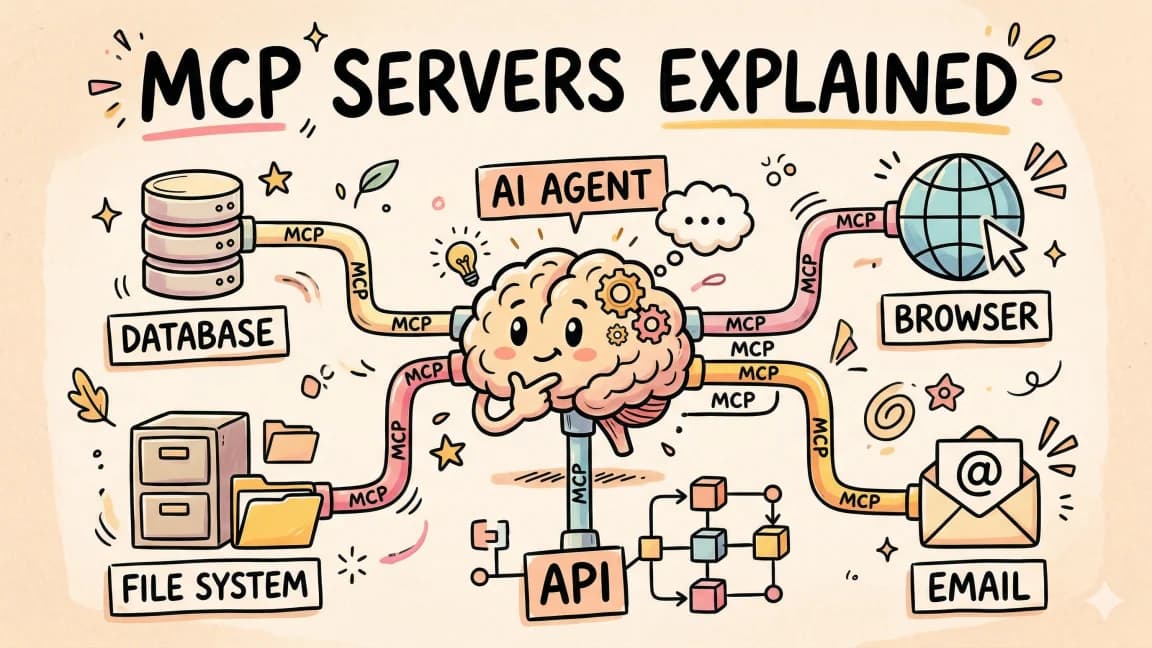
MCP Apps vs Tool Calling vs Standalone UIs: Interactive Interfaces for Agent Tools Compared
TL;DR
MCP Apps vs tool calling vs standalone web UIs: how sandboxed interactive UIs for MCP servers compare to the other two, and when to use each approach.
Last updated: July 29, 2026
The MCP 2026-07-28 final specification shipped yesterday, and with it came MCP Apps - an official extension that lets MCP servers render interactive HTML interfaces directly inside host applications like Claude Desktop, VS Code, and Microsoft 365 Copilot.
This is a new capability in the MCP ecosystem, and it introduces a third option for how MCP servers interact with users. Previously you had two choices: standard tool calling (text in, structured data out) or building a standalone web app. MCP Apps adds a middle path: sandboxed, interactive UIs that live inside the conversation.
This post compares all three approaches so you can decide which one to use for your next MCP server.
What Changed on July 29, 2026#
MCP Apps shipped as an official extension with the 2026-07-28 final specification:
- MCP Apps is an official extension, versioned independently of the core MCP spec with its own ext-apps repository and delegated maintainers
- Six host clients support it at launch: Claude Desktop, VS Code GitHub Copilot, Microsoft 365 Copilot, Goose, Postman, and Archestra.AI
- Framework starter templates are available for React, Vue, Svelte, Preact, Solid, and vanilla JavaScript
- App Bridge SDK provides a reference implementation for host clients to render MCP Apps in sandboxed iframes with message passing and tool call proxying
- 18+ example servers demonstrate use cases from 3D visualization to data exploration to PDF viewing
The Three Approaches#
1. Standard Tool Calling#
The original MCP interaction model. The server declares tools with JSON Schema input/output definitions. The LLM decides when to call them. Results come back as text, structured data, or inline images.
User -> LLM decides -> Server tool call -> Structured response -> LLM formats -> User reads
2. MCP Apps (New)#
Tools declare a UI resource reference in _meta.ui.resourceUri. The host preloads the UI, renders it in a sandboxed iframe, and establishes bidirectional JSON-RPC communication. The app can call tools, receive data updates, and send context back to the model.
User -> LLM decides -> Server returns tool result + UI reference -> Host renders UI in iframe -> User interacts -> App calls tools via host -> Results update in-place
3. Standalone Web App#
No MCP integration at all. Build a separate web application with its own API, authentication, and state management. Send the user a link.
User -> Clicks link -> Opens new tab -> Standalone app loads -> User interacts -> Separate API calls -> Results in separate window
Head-to-Head Comparison#
| Dimension | Standard Tool Calling | MCP Apps | Standalone Web App |
|---|---|---|---|
| Setup complexity | Low - declare JSON Schema, implement handler | Medium - build HTML UI + tool declaration | High - full app with routing, auth, API, state |
| User experience | Text/structured data only | Interactive UI in conversation | Full web app in separate tab |
| Context preservation | Full - results stay in chat | Full - UI lives inline in chat | Lost - user leaves conversation |
| Bidirectional data | Not supported | Yes - app calls tools, host pushes data | Via separate API layer |
| Security | Server returns data, LLM interprets | Sandboxed iframe - host controls capabilities | Standard web security model |
| State management | Stateless per tool call | App state persists in iframe | Full app-level state |
| Auth required | MCP transport auth | MCP transport auth + host capability consent | Separate auth system |
| Maintenance | Minimal - schema and handler | Medium - UI code + tool handler | Full application lifecycle |
| Host client support | All MCP clients | Claude Desktop, VS Code, M365 Copilot, Goose, Postman, Archestra.AI | All web browsers |
| Best for | Simple data queries, file ops, API wrappers | Interactive dashboards, multi-step forms, rich media previews | Full-featured products that exist outside agent context |
When to Use Each Approach#
Standard Tool Calling: The Default#
Standard tool calling should be your default for any MCP server. It is the simplest to build, works across every MCP client, and handles most use cases well. Use it when:
- The tool returns simple data (search results, file contents, API responses)
- The output is naturally textual or structured (JSON, markdown, CSV)
- The user does not need to interact with the result beyond reading it
- You want maximum client compatibility
Examples: search tools, file readers, code analysis tools, API wrappers, database query tools.
MCP Apps: When Conversation Context Matters#
MCP Apps shine when your tool produces output that benefits from interactivity, and that interactivity benefits from living inside the conversation. Use MCP Apps when:
- The output is a visualization that users should explore (maps, charts, 3D models)
- The task involves multiple interdependent choices (deployment configurators, workflow builders)
- The user needs to review and act on items one at a time (approval queues, code review lists)
- The data changes over time and the user should see live updates (monitoring dashboards, log streams)
- The output is rich media that benefits from inline viewing (PDFs, videos, 3D scenes)
Examples from the official repository: map-server (CesiumJS globe), cohort-heatmap-server, pdf-server, system-monitor-server, budget-allocator-server.
Standalone Web App: When It Exists Outside the Agent#
Standalone web apps remain the right choice when the capability is a product, not a tool. Use standalone when:
- The app has its own user base and use cases beyond agent integration
- Users need to access it without an MCP host (bookmark, share, mobile)
- The UI requires capabilities beyond what a sandboxed iframe allows (file system access, browser extensions, native features)
- The app is a full product that happens to have an agent integration
Examples: analytics platforms, project management tools, CI/CD dashboards, design tools.
Building an MCP App: A Practical Example#
The MCP Apps extension uses a familiar pattern. Your server declares a tool with a _meta.ui.resourceUri field pointing to an HTML resource:
// Server-side tool declaration with MCP Apps support
server.setRequestHandler('tools/call', async (request) => {
  if (request.params.name === 'query-analytics') {
    const data = await fetchAnalytics(request.params.arguments);

    return {
      content: [{
        type: 'text',
        text: `Found ${data.length} records. Opening interactive view.`
      }],
      _meta: {
        ui: {
          resourceUri: 'ui://analytics-dashboard',
          permissions: ['tools/call']
        }
      }
    };
  }
});
The host preloads the ui://analytics-dashboard resource, which returns an HTML page that renders inside a sandboxed iframe. The app communicates with the host through JSON-RPC over postMessage:
// Inside the MCP App iframe
const app = new App({
  transport: new PostMessageTransport(window.parent),
});

// Request fresh data through the host's MCP connection
const result = await app.request('tools/call', {
  name: 'get-analytics-data',
  arguments: { view: 'monthly' }
});

// Update the UI with new data
renderChart(result.data);
The App SDK handles message routing, tool call proxying through the host, and capability consent. The host validates permissions before forwarding tool calls.
Host Support and Compatibility#
MCP Apps is an extension, not a core spec feature. Host support varies. At launch (July 28, 2026):
| Host | MCP Apps Support | Notes |
|---|---|---|
| Claude Desktop | Yes | Full sandboxed iframe rendering |
| VS Code (GitHub Copilot) | Yes | Renders in Copilot Chat |
| Microsoft 365 Copilot | Yes | Enterprise integration |
| Goose | Yes | Open source agent |
| Postman | Yes | API development tool |
| Archestra.AI | Yes | AI orchestration platform |
| Claude Code (CLI) | Not at launch | Terminal-only, no iframe support |
| Cursor | Not at launch | TBD on roadmap |
| Zed | Not at launch | TBD on roadmap |
If you need to support hosts without MCP Apps, your server should fall back to returning structured data through standard tool calling. The pattern: check the client's capabilities during initialization and serve the appropriate response format.
The Cost of MCP Apps#
MCP Apps are not free. The tradeoffs:
- More code to maintain - an HTML/JS UI layer on top of your tool handler
- Limited host support at launch - only 6 clients, missing Claude Code CLI and Cursor
- Sandbox constraints - iframe isolation means no access to host cookies, local storage, or DOM
- Performance overhead - loading an iframe with bundled JS is heavier than returning text
- Accessibility - you own the accessibility of your UI, unlike text responses which the host formats
For simple use cases, standard tool calling is still the better choice. MCP Apps add power at the cost of complexity. Evaluate whether the interactivity benefit justifies the additional surface area before adopting it.
Official Sources#
| Resource | Link | Verified |
|---|---|---|
| MCP Apps Overview | modelcontextprotocol.io/extensions/apps | July 29, 2026 |
| MCP Apps Build Guide | modelcontextprotocol.io/extensions/apps/build | July 29, 2026 |
| MCP Apps Specification | github.com/modelcontextprotocol/ext-apps | July 29, 2026 |
| MCP Apps Examples | github.com/modelcontextprotocol/ext-apps/examples | July 29, 2026 |
| MCP 2026-07-28 Final Specification | modelcontextprotocol.io/specification | July 29, 2026 |
| MCP Apps API Documentation | apps.extensions.modelcontextprotocol.io | July 29, 2026 |
| MCP Client Extension Matrix | modelcontextprotocol.io/extensions/client-matrix | July 29, 2026 |
FAQ#
What are MCP Apps?#
MCP Apps is an official extension to the Model Context Protocol that shipped with the 2026-07-28 specification. It lets MCP servers return interactive HTML interfaces that render inside host applications like Claude Desktop and VS Code. The apps run in sandboxed iframes and communicate bidirectionally with the host through JSON-RPC over postMessage.
How do MCP Apps differ from standard tool calling?#
Standard tool calling returns text or structured data that the LLM formats. MCP Apps return an interactive HTML UI that renders inline in the conversation. The app can call tools through the host, receive real-time data updates, and maintain persistent state across interactions.
Do I have to rewrite my MCP server to use MCP Apps?#
No. MCP Apps is an additive extension. Your existing tools continue to work. You add MCP Apps support by including _meta.ui.resourceUri in tool responses and providing corresponding UI resources. Clients that do not support the extension simply ignore the UI metadata and display the text response.
Which MCP clients support MCP Apps at launch?#
Claude Desktop, VS Code GitHub Copilot, Microsoft 365 Copilot, Goose, Postman, and Archestra.AI. Claude Code CLI, Cursor, and Zed do not support MCP Apps at launch.
What about security? Can an MCP App access my data?#
MCP Apps run in a sandboxed iframe with no access to the host's DOM, cookies, or local storage. All communication goes through a postMessage channel that the host controls. The host decides which capabilities (tool calls, etc.) to grant the app based on user consent.
Can I use React or other frameworks to build MCP Apps?#
Yes. The official repository provides starter templates for React, Vue, Svelte, Preact, Solid, and vanilla JavaScript. The App class from @modelcontextprotocol/ext-apps is a convenience wrapper, not a requirement - you can implement the postMessage protocol directly.
Continue Reading#
For more on the MCP ecosystem and the 2026-07-28 specification:
- MCP Goes Stateless: The 2026-07-28 Migration Guide - the stateless core protocol changes and how to migrate existing servers
- The MCP 2026-07-28 Rewrite: What Breaks and How to Migrate - comprehensive breaking changes list including Roots/Sampling deprecation and OAuth hardening
- MCP Clients Compared: How to Pick a Host for 2026 - how different clients handle MCP, updated for the stateless era
- Complete Guide to MCP Servers - building and deploying servers for the 2026-07-28 specification
- What Is MCP? - the Model Context Protocol explained for developers new to the ecosystem
- ChatGPT Plugin Extensions: Build Sidebar Apps, Panels and File Editors - the openai/ui entrypoints that put an MCP App in ChatGPT's sidebar, panels and file viewers
Get the next comparison like this in your inbox
One email a week on MCP and the rest of the AI dev stack. Free.
Read next on AI coding tools
MCP Goes Stateless: The 2026-07-28 Migration Guide
MCP 2026-07-28 spec migration guide: sessions and the initialize handshake are gone. What changed, what breaks, and how to move your MCP servers to stateless.
9 min readWhat Is MCP (Model Context Protocol)? The 2026 Developer Guide
MCP (Model Context Protocol) is the open standard connecting AI apps to tools and data. How the 2026-07-28 spec works and how to install or build a server.
14 min readThe Complete Guide to MCP Servers
Everything you need to know about Model Context Protocol - how it works, how to install servers, how to build your own, and the best ones.
12 min readNew here? Start with
Technical content at the intersection of AI and development. Building with AI agents, Claude Code, and modern dev tools - then showing you exactly how it works.