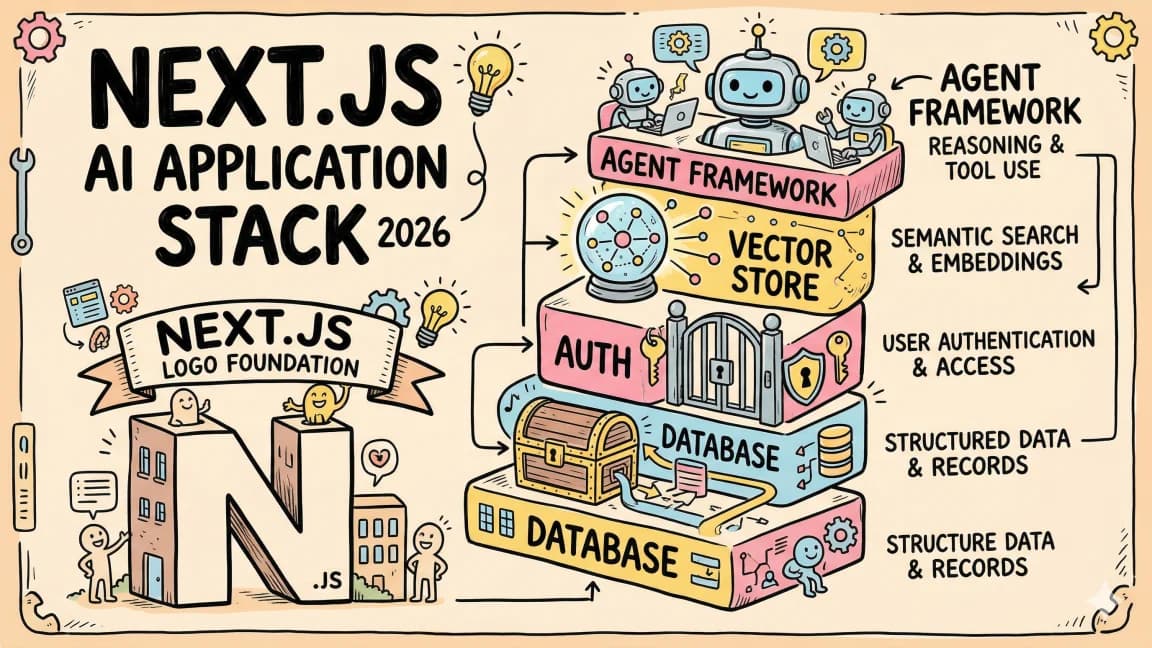
Streaming and Generative UI for Agent Apps: AI SDK 7, AG-UI 1.0, Mastra and LangGraph
TL;DR
Stream tokens, tool calls and UI parts from agents: AI SDK 7 UI message streams, resumable streams, AG-UI 1.0 events, and Mastra and LangGraph.
Last updated: October 17, 2026
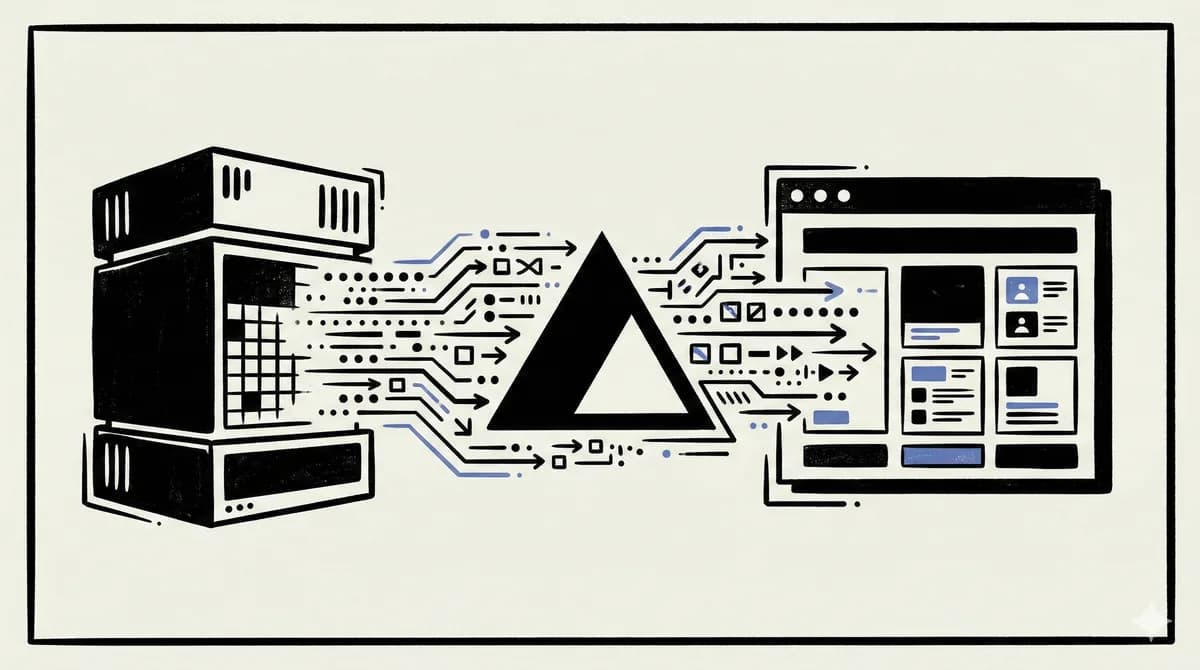
An agent UI is a typed event stream, not a text stream. Text, reasoning, tool input, tool output, approvals and custom data each arrive as separate parts, and the UI renders each part with its own component. For a React or Next.js app, the shortest path today is AI SDK 7's UI message stream plus useChat, which gives you typed tool parts, typed data parts and Redis-backed resumable streams. If your agent backend is Python, LangGraph, Mastra or something else and you want any frontend to talk to it, AG-UI 1.0 (a normative spec since September 2026) is the framework-neutral wire.
One warning before the code: "resume" means two different things here. Reconnecting to a stream that is still running after a reload is one problem. Continuing a run that paused on purpose to wait for a person is another. Each stack below handles the two differently, and if you treat one as the other you will build the wrong thing.
The examples were type-checked against ai@7.0.143, @ai-sdk/react@4.0.147, resumable-stream@2.2.13, @ag-ui/core@1.0.3 and @ag-ui/client@1.0.3 with strict tsc --noEmit on TypeScript 7.0.2. They were not run against live model APIs. The AG-UI producer and client need no API key, so we also ran them against each other locally.
Official Sources#
| Resource | What it confirms |
|---|---|
| AI SDK stream protocol | Every UI message stream part type, the x-vercel-ai-ui-message-stream: v1 header and the data: [DONE] terminator |
| AI SDK streaming custom data | createUIMessageStream, data part reconciliation by id, transient parts |
| AI SDK resume streams | resume: true, the POST and GET handlers, stop semantics, replay behaviour |
| AI SDK 7 migration guide | The stateless stream helpers, renames, Node.js 22+ and ESM-only |
| AG-UI 1.0 spec | Event families, the HTTP + SSE binding, interrupts and resume |
| Mastra streaming and AI SDK UI integration | Agent.stream(), @mastra/ai-sdk converters, typed data parts |
| LangChain frontend overview and join/rejoin | useStream, durable threads, disconnect vs stop |
| LangGraph event streaming | streamEvents v3 and its typed projections |
The four layers of streaming in an agent app#
A plain chatbot only needs layer one. An agent needs all four, which is why text-only streams stop working once you add tools.
- Token streaming. Text and reasoning arrive as deltas. This is what most people mean by "streaming".
- Tool-call streaming. The model writes tool arguments token by token. Then the arguments are complete, the tool runs, and its output comes back. Each stage deserves its own UI: a preview while arguments stream, a spinner while the tool runs, a card when output lands, and an error state when it fails.
- UI and data parts. Your server needs to send things the model did not write, such as a progress bar, a status toast or a chart payload. These need types, stable ids so they can be updated in place, and a way to mark some of them as temporary.
- Durability. Users reload tabs and phones drop connections. Long runs also pause for approvals. You need a reconnect story for a live stream and a pause/resume story for a run.
If you flatten all of that into one text stream, the client has to guess where a tool call starts, whether a JSON blob is finished, and which bytes belong to a progress update. A typed event stream removes the guessing, because every event says what it is.
%% title: Layers of an agent stream
flowchart LR
  M[Model] --> T[Token deltas]
  M --> TI[Tool input deltas]
  TI --> TE[Tool exec]
  TE --> TO[Tool output]
  S[Server code] --> DP[Data parts]
  T --> ES[Event stream SSE]
  TO --> ES
  DP --> ES
  ES --> R[Client reducer]
  R --> P[message.parts]
P --> C[React components]How AI SDK 7's UI message stream works#
The AI SDK UI hooks (useChat, useCompletion) speak two protocols: a plain text stream and the data stream, which the docs also call the UI message stream. The data stream uses Server-Sent Events. Each event is one JSON part, and the stream ends with a literal data: [DONE]. If you implement it from a custom backend (FastAPI, Go, anything else), you must set the x-vercel-ai-ui-message-stream: v1 header. Without it, the client will not treat the response as a UI message stream.
A single turn that uses a tool follows a predictable lifecycle:
startopens the assistant message.start-stepmarks the beginning of one LLM call.text-start,text-deltaandtext-endstream a text block. All three carry the sameid, so several text blocks can interleave without getting mixed up. Reasoning uses the same three parts (reasoning-start/delta/end).tool-input-startcomes next, thentool-input-deltachunks (each with aninputTextDelta), thentool-input-availablewith the parsed input.tool-output-availablecarries the tool's result. If an approval was refused, you gettool-output-deniedinstead.finish-stepends that LLM call. It matters when tools run on the server, because the client uses it to join several model calls into one assistant message.finish, thendata: [DONE].
Here is the tool section of that lifecycle on the wire, using the examples from the protocol docs:
data: {"type":"tool-input-start","toolCallId":"call_fJdQDqnXeGxTmr4E3YPSR7Ar","toolName":"getWeatherInformation"}
data: {"type":"tool-input-delta","toolCallId":"call_fJdQDqnXeGxTmr4E3YPSR7Ar","inputTextDelta":"San Francisco"}
data: {"type":"tool-input-available","toolCallId":"call_fJdQDqnXeGxTmr4E3YPSR7Ar","toolName":"getWeatherInformation","input":{"city":"San Francisco"}}
data: {"type":"tool-output-available","toolCallId":"call_fJdQDqnXeGxTmr4E3YPSR7Ar","output":{"city":"San Francisco","weather":"sunny"}}
data: {"type":"finish-step"}
data: [DONE]
AI SDK 7 documents several parts that older tutorials do not cover:
reasoning-fileis for files produced during reasoning.customis for provider-specific parts whosekindfollows{provider}.{provider-type}(the docs useopenai.compactionas the example).tool-approval-requestandtool-approval-response. A request carriestoolCallIdandapprovalId. It can also carry an opaqueapprovalDescriptor(shown to the UI aspart.approval.descriptor) and areason. If the request is not marked automatic, the client must answer it explicitly.reset-stepremoves every part received since the most recentstart-step. When a step is retried, its partial output can be cleared before the replacement arrives, so the user does not see half a sentence left on screen.abortends the stream and includes a reason.inputEncodingontool-input-start. With the default'json', the UI parses the accumulated deltas as partial JSON. With'text', it treats them as a raw string, which suits custom tools whose input is code or HTML. Persistedinput-streamingparts keep the encoding, so a resumed stream still parses correctly.
%% title: One tool call over the UI message stream
sequenceDiagram
  participant C as Client
  participant R as Route
  participant M as Model
  participant T as Tool
  C->>R: POST messages
  R->>M: streamText
  M-->>R: text deltas
  R-->>C: text-start, text-delta
  M-->>R: tool call
  R-->>C: tool-input-start, tool-input-delta
  R-->>C: tool-input-available
  R->>T: execute
  T-->>R: result
  R-->>C: tool-output-available
  R-->>C: finish-step, finish, DONE
What changed in AI SDK 7 for streaming code#
You may have learned the AI SDK from an older tutorial, including our own Vercel AI SDK guide, which predates v7 and uses toDataStreamResponse and handleInputChange. If so, these are the changes that affect streaming code. All of them come from the v7 migration guide:
- The response helpers on the result are deprecated.
result.toUIMessageStreamResponse(),toUIMessageStream(),pipeUIMessageStreamToResponse(),toTextStreamResponse()andpipeTextStreamToResponse()still work, but they log warnings and will be removed in the next major version. Use the stateless top-level helpers instead:createUIMessageStreamResponse({ stream: toUIMessageStream({ stream: result.stream }) }),pipeUIMessageStreamToResponse, andtoTextStreampluscreateTextStreamResponse. fullStreamis nowstream. The old name still works as a deprecated alias.systemis nowinstructions. In the same way,stepCountIsis nowisStepCount,onFinishis nowonEnd, andonStepFinishis nowonStepEnd. The callback renames also apply to the UI message stream helpers.experimental_telemetryis nowtelemetry.onChunkreceives every stream part in v7. In v6 it only saw some of them.useChattakesthrottle.experimental_throttleis deprecated.- Tool approval moved to
toolApprovalonstreamText, for exampletoolApproval: { getWeather: 'user-approval' }. TheneedsApprovalproperty ontool()is deprecated. - ESM only, Node.js 22 or later. Node 18 and 20 are no longer supported, and the guide recommends Node 24 LTS or Node 26 for production.
Codemods handle most of the migration. npx @ai-sdk/codemod v7 runs the full set, and you can run a single transform such as npx @ai-sdk/codemod v7/rename-system-to-instructions src/.
Step 1: Type your messages, tools and data parts#
Start with one shared type. UIMessage takes three type parameters: metadata, data parts and tools. InferUITools derives the tool part types from your tool definitions, so the client knows the exact input and output shape of every tool.
src/ai/types.ts:
import { tool, type InferUITools, type UIMessage } from 'ai';
import { z } from 'zod';

export const tools = {
  getForecast: tool({
    description: 'Get a multi-day forecast for a city',
    inputSchema: z.object({
      city: z.string(),
      days: z.number().int().min(1).max(7),
    }),
    execute: async ({ city, days }) => ({
      city,
      days: Array.from({ length: days }, (_, i) => ({
        day: i + 1,
        highC: 18 + i,
        summary: 'clear',
      })),
    }),
  }),
};

// UIMessage<METADATA, DATA_PARTS, TOOLS>
export type AppUIMessage = UIMessage<
  never,
  {
    progress: { label: string; percent: number };
    notice: { message: string };
  },
  InferUITools<typeof tools>
>;
With this type, the client sees a tool part with type: 'tool-getForecast' and data parts with type: 'data-progress' and type: 'data-notice'. Typos fail at compile time. Writing 'data-progres' on the server is a type error against these packages, and so is reading part.output.forecast on the client.
Step 2: Stream text, tools and custom data from the route#
The route below uses createUIMessageStream to mix your own parts with the model's output. Three things to notice:
writer.write({ type: 'start' })comes first, as in the v7 docs, so the assistant message exists before any part is attached to it.data-progressis written twice with the sameid: 'progress-1'. The second write does not add a new part. The client merges it into the existing part (the docs call this reconciliation), so a progress bar updates in place.data-noticeistransient: true. It is delivered touseChat'sonDatacallback and never added to message history. Use this for toasts and status lines you do not want saved.
src/app/api/chat/route.ts:
import { anthropic } from '@ai-sdk/anthropic';
import {
  convertToModelMessages,
  createUIMessageStream,
  createUIMessageStreamResponse,
  isStepCount,
  streamText,
  toUIMessageStream,
} from 'ai';
import { tools, type AppUIMessage } from '@/ai/types';

export async function POST(req: Request) {
  const { messages }: { messages: AppUIMessage[] } = await req.json();

  const stream = createUIMessageStream<AppUIMessage>({
    execute: async ({ writer }) => {
      // Start the assistant message before writing any other parts.
      writer.write({ type: 'start' });

      // Persistent data part: lands in message.parts, updatable by id.
      writer.write({
        type: 'data-progress',
        id: 'progress-1',
        data: { label: 'Thinking', percent: 10 },
      });

      // Transient data part: only reaches useChat's onData callback.
      writer.write({
        type: 'data-notice',
        data: { message: 'Connected to forecast tool' },
        transient: true,
      });

      const result = streamText({
        model: anthropic('claude-sonnet-5-5'),
        instructions: 'You are a concise weather assistant.',
        messages: await convertToModelMessages(messages),
        tools,
        stopWhen: isStepCount(5),
        onEnd() {
          // Same id as above, so the client updates the existing part.
          writer.write({
            type: 'data-progress',
            id: 'progress-1',
            data: { label: 'Done', percent: 100 },
          });
        },
      });

      writer.merge(
        toUIMessageStream({ stream: result.stream, sendStart: false }),
      );
    },
  });

  return createUIMessageStreamResponse({ stream });
}
You can use any AI SDK provider in place of anthropic(...). sendStart: false on toUIMessageStream stops the model stream from emitting a second start, because the route has already written one.
We also checked the reconciliation and transient behaviour without a model. We wrote the two data-progress parts and one transient data-notice through createUIMessageStream, then read the result back with readUIMessageStream. The final message held one data-progress part with percent: 100 and no notice, which matches the docs.
Step 3: Render generative UI from parts#
On the client, generative UI is a switch over part.type, plus a second switch over part.state for tools. This is the approach the AI SDK recommends for production. AI SDK RSC (@ai-sdk/rsc and streamUI) is still marked experimental, and its docs point you to AI SDK UI and include a migration guide.
src/components/chat.tsx:
'use client';

import { useChat } from '@ai-sdk/react';
import { useState } from 'react';
import type { AppUIMessage } from '@/ai/types';

export function Chat() {
  const [input, setInput] = useState('');
  const [notice, setNotice] = useState<string | null>(null);

  const { messages, sendMessage, status, stop } = useChat<AppUIMessage>({
    throttle: 50,
    onData: (part) => {
      if (part.type === 'data-notice') setNotice(part.data.message);
    },
  });

  return (
    <div>
      {notice && <p role="status">{notice}</p>}

      {messages.map((message) => (
        <div key={message.id}>
          {message.parts.map((part, i) => {
            const key = `${message.id}-${i}`;
            switch (part.type) {
              case 'text':
                return <p key={key}>{part.text}</p>;

              case 'data-progress':
                return (
                  <progress key={key} value={part.data.percent} max={100}>
                    {part.data.label}
                  </progress>
                );

              case 'tool-getForecast':
                switch (part.state) {
                  case 'input-streaming':
                    // Partial object: every field may still be missing.
                    return (
                      <pre key={key}>{JSON.stringify(part.input ?? {}, null, 2)}</pre>
                    );
                  case 'input-available':
                    return (
                      <p key={key}>
                        Fetching {part.input.days}-day forecast for {part.input.city}...
                      </p>
                    );
                  case 'output-available':
                    return (
                      <ul key={key}>
                        {part.output.days.map((d) => (
                          <li key={d.day}>
                            Day {d.day}: {d.highC}C, {d.summary}
                          </li>
                        ))}
                      </ul>
                    );
                  case 'output-error':
                    return <p key={key}>Forecast failed: {part.errorText}</p>;
                  default:
                    return null;
                }

              default:
                return null;
            }
          })}
        </div>
      ))}

      <form
        onSubmit={(e) => {
          e.preventDefault();
          sendMessage({ text: input });
          setInput('');
        }}
      >
        <input value={input} onChange={(e) => setInput(e.currentTarget.value)} />
        {status === 'streaming' || status === 'submitted' ? (
          <button type="button" onClick={() => stop()}>
            Stop
          </button>
        ) : (
          <button type="submit">Send</button>
        )}
      </form>
    </div>
  );
}
Each tool state maps to one of the stream parts from earlier:
input-streamingwhiletool-input-deltachunks arriveinput-availableaftertool-input-availableoutput-availableaftertool-output-availableoutput-errorwhen the tool fails
During input-streaming, part.input is a partial object built from incomplete JSON, so treat every field as possibly missing. The default branch covers the approval states (approval-requested, approval-responded, output-denied). The docs ask you to include these whenever you switch on part.state exhaustively.
Approvals. Configure toolApproval on streamText. The stream then emits tool-approval-request, the part moves to approval-requested, and your UI calls addToolApprovalResponse from useChat with the user's decision. AI SDK 6 vs LangGraph for TypeScript agents compares this approach with LangGraph's checkpointed interrupts. The approval flow has changed little since then, apart from the move from needsApproval to toolApproval.
MCP Apps. A tool can also return UI that a server ships as HTML. The AI SDK supports MCP Apps hosts, where a tool points to a ui:// resource that is rendered in a sandboxed iframe. @ai-sdk/mcp provides mcpAppClientCapabilities, and @ai-sdk/react provides a renderer component. For how the same idea works inside ChatGPT, see OpenAI Apps SDK and MCP UI.
If you need the same parsing outside React (a terminal UI, a test, a worker), readUIMessageStream turns a stream of chunks into an async iterable of UIMessage snapshots.
Step 4: Make the stream survive a reload (resumable streams)#
By default, a reload closes the HTTP connection and the user is left with a half-finished answer, even though the model may still be generating. Resumable streams fix this by buffering the stream in Redis with pub/sub. The pieces:
- Client:
resume: trueonuseChat. On mount, the hook sendsGET /api/chat/[id]/stream. You can change this request withprepareReconnectToStreamRequeston the transport. - Your database: an
activeStreamIdper chat. - Redis: handled by the
resumable-streampackage. It readsREDIS_URLorKV_URL, shipsredis,ioredisand generic adapters (the generic one is for clients such as Upstash or Valkey), and sets a 24-hour expiry on its keys. It is designed for serverless platforms without sticky load balancing. In the common case where nobody resumes, it costs oneINCRand oneSUBSCRIBEper stream. - Two handlers: a POST that creates the stream and a GET that resumes it.
The chat store below is a stand-in. Replace it with your database.
lib/chat-store.ts (stand-in, imported as @util/chat-store as in the docs):
// Stand-in persistence layer. Replace with your database.
import type { UIMessage } from 'ai';

type ChatRecord = { id: string; messages: UIMessage[]; activeStreamId: string | null };
const chats = new Map<string, ChatRecord>();

export async function readChat(id: string): Promise<ChatRecord> {
  return chats.get(id) ?? { id, messages: [], activeStreamId: null };
}

export async function saveChat(update: Partial<ChatRecord> & { id: string }) {
  const current = await readChat(update.id);
  chats.set(update.id, { ...current, ...update });
}
app/api/chat/route.ts: consumeSseStream receives a tee'd copy of the outgoing SSE stream, and the handler stores it in Redis under a new id. after from next/server keeps that work running after the response has been returned.
import { anthropic } from '@ai-sdk/anthropic';
import {
  convertToModelMessages,
  createUIMessageStreamResponse,
  generateId,
  streamText,
  toUIMessageStream,
  type UIMessage,
} from 'ai';
import { after } from 'next/server';
import { createResumableStreamContext } from 'resumable-stream';
import { readChat, saveChat } from '@util/chat-store';

export async function POST(req: Request) {
  const { id, message }: { id: string; message: UIMessage } = await req.json();

  const chat = await readChat(id);
  const messages = [...chat.messages, message];

  // Save the user message and clear any stale stream pointer.
  await saveChat({ id, messages, activeStreamId: null });

  const result = streamText({
    model: anthropic('claude-sonnet-5-5'),
    messages: await convertToModelMessages(messages),
  });

  return createUIMessageStreamResponse({
    stream: toUIMessageStream({
      stream: result.stream,
      originalMessages: messages,
      generateMessageId: generateId,
      onEnd: async ({ messages }) => {
        await saveChat({ id, messages, activeStreamId: null });
      },
    }),
    // Receives a tee'd copy of the SSE stream; store it in Redis.
    async consumeSseStream({ stream }) {
      const streamId = generateId();
      const streamContext = createResumableStreamContext({ waitUntil: after });
      await streamContext.createNewResumableStream(streamId, () => stream);
      await saveChat({ id, activeStreamId: streamId });
    },
  });
}
app/api/chat/[id]/stream/route.ts: return 204 when nothing is in flight. Otherwise, replay the stored stream with the standard UI message stream headers.
import { UI_MESSAGE_STREAM_HEADERS } from 'ai';
import { after } from 'next/server';
import { createResumableStreamContext } from 'resumable-stream';
import { readChat } from '@util/chat-store';

export async function GET(
  _req: Request,
  { params }: { params: Promise<{ id: string }> },
) {
  const { id } = await params;
  const chat = await readChat(id);

  if (chat.activeStreamId == null) {
    // Nothing in flight for this chat.
    return new Response(null, { status: 204 });
  }

  const streamContext = createResumableStreamContext({ waitUntil: after });

  return new Response(
    await streamContext.resumeExistingStream(chat.activeStreamId),
    { headers: UI_MESSAGE_STREAM_HEADERS },
  );
}
chat.tsx: turn on resume, and send only the newest message plus the chat id, because the server already has the history.
'use client';

import { useChat } from '@ai-sdk/react';
import { DefaultChatTransport, type UIMessage } from 'ai';

export function ResumableChat({
  chat,
}: {
  chat: { id: string; messages: UIMessage[] };
}) {
  const { messages, sendMessage, status } = useChat({
    id: chat.id,
    messages: chat.messages,
    resume: true, // GET /api/chat/[id]/stream on mount
    transport: new DefaultChatTransport({
      // The server already has history; send only the new message and the id.
      prepareSendMessagesRequest: ({ id, messages }) => ({
        body: { id, message: messages[messages.length - 1] },
      }),
    }),
  });

  return (
    <div>
      {messages.map((m) => (
        <div key={m.id}>
          {m.parts.map((p, i) => (p.type === 'text' ? <p key={i}>{p.text}</p> : null))}
        </div>
      ))}
      <button disabled={status !== 'ready'} onClick={() => sendMessage({ text: 'Write a long report' })}>
        Send
      </button>
    </div>
  );
}
%% title: Resuming an AI SDK stream after reload
sequenceDiagram
  participant C as Client
  participant P as POST route
  participant G as GET route
  participant R as Redis
  participant D as DB
  C->>P: send message
  P->>R: createNewResumableStream
  P->>D: save activeStreamId
  Note over C: tab reloads
  C->>G: resume on mount
  G->>D: read activeStreamId
  G->>R: resumeExistingStream
  R-->>C: replay plus live chunks
  P->>D: onEnd clears activeStreamId
Three behaviours catch people out:
stop()disconnects instead of cancelling. In a resumable setup, closing the tab, refreshing, or callingstop()only closes the HTTP connection. Generation keeps going so a client can come back to it. The docs recommend a dedicated stop endpoint that saves the partial assistant message, cancels the work, and clearsactiveStreamIdonly if it still matches. Do not call that endpoint from route cleanup, or every navigation will cancel the run.- Resumes are treated as full replays.
DefaultChatTransportassumes the resume endpoint replays the stream from the beginning, which is whatresumable-streamdoes. On the firststartchunk, it rebuilds the interrupted response so you do not get duplicated text. If your own endpoint sends only the remaining chunks, setresumeStreamIsReplay: false. - Reconnecting when a tab becomes visible only happens after a network drop.
useChatalso reconnects when a backgrounded page becomes visible again, but only if a network disconnect interrupted the stream. Healthy streams are left alone.
All of this is the "reconnect to a live stream" kind of resume. Pausing a run for a person uses a separate mechanism, which in the AI SDK is tool approvals.
AG-UI 1.0: the framework-neutral wire#
AG-UI describes itself as "one request in, one ordered stream of typed events out". The application POSTs a RunAgentInput (thread id, run id, messages, tools, context and state) and gets back an SSE stream of events. The 1.0 spec is normative and uses BCP 14 language (MUST, SHOULD). The JSON schema is authoritative for structure and the spec document is authoritative for behaviour. @ag-ui/core 1.0.0 was published on September 17, 2026, and the current @ag-ui/core and @ag-ui/client are both 1.0.3.
The spec defines 31 event types in eight families. Producers only have to implement the run lifecycle, but consumers must accept every family.
| Family | Events |
|---|---|
| Runs and steps | RUN_STARTED, RUN_FINISHED, RUN_ERROR, STEP_STARTED, STEP_FINISHED |
| Text messages | TEXT_MESSAGE_START, TEXT_MESSAGE_CONTENT, TEXT_MESSAGE_END, TEXT_MESSAGE_CHUNK |
| Tool calls | TOOL_CALL_START, TOOL_CALL_ARGS, TOOL_CALL_END, TOOL_CALL_RESULT, TOOL_CALL_CHUNK |
| Reasoning | REASONING_START, REASONING_MESSAGE_START/CONTENT/END/CHUNK, REASONING_END, REASONING_ENCRYPTED_VALUE |
| State | STATE_SNAPSHOT, STATE_DELTA, MESSAGES_SNAPSHOT |
| Activity | ACTIVITY_SNAPSHOT, ACTIVITY_DELTA |
| Subagents | SUBAGENT_STARTED, SUBAGENT_FINISHED, SUBAGENT_ERROR |
| Passthrough | RAW, CUSTOM |
According to the changelog, 1.0 added these over the 0.x line:
- an optional
outcomeonRUN_FINISHED(success, interrupt or cancelled) - interrupts, answered by resume entries on the next run's input
- subagent attribution through
subagentRunId REASONING_*events, replacing the retiredTHINKING_*events- activity events
- normative rules for unknown versus malformed events, and for the chunked event form
- an HTTP + Protobuf binding with 4-byte length-prefixed frames
AgentCapabilitiesin the schema
Rules worth knowing before you write a consumer:
- Do not act on
TOOL_CALL_ARGSbeforeTOOL_CALL_END. Argument deltas are plain text and the protocol does not validate them. You can show a preview, but only execute after the end event. - The application executes the tools it advertised. If a tool came from
RunAgentInput.tools, the agent proposes the call and the application runs it ("the agent proposes, the application disposes"). A run that stops on one of these frontend tools finishes as success and lists the unanswered call ids inpendingToolCallIds. - HTTP 200 does not mean success. Errors that happen after the stream opens arrive in the stream as
RUN_ERROR, so a consumer must not treat the status code as success. - State is sent as snapshots plus JSON Patch.
STATE_SNAPSHOTreplaces the consumer's state.STATE_DELTAis an RFC 6902 patch applied atomically. A producer should send a fresh snapshot whenever it cannot be sure the consumer's starting state matches its own.
AG-UI is also explicit about what it is not. It is not a generative UI specification. It is a two-way runtime protocol for user interaction, and it can carry generative UI specs such as A2UI (Google), Open-JSON-UI (OpenAI) and MCP-UI / MCP Apps.
Here is a minimal producer. It uses EventEncoder from @ag-ui/encoder to frame each event as SSE, and it streams text, a state snapshot and patch, and a call to a frontend tool.
agui/producer.ts:
import { EventType, type Event as AGUIEvent, type RunAgentInput } from '@ag-ui/core';
import { EventEncoder } from '@ag-ui/encoder';

// Minimal AG-UI endpoint: one POST of RunAgentInput in, one SSE stream out.
export async function POST(req: Request) {
  const input = (await req.json()) as RunAgentInput;
  const encoder = new EventEncoder(); // SSE (text/event-stream)
  const { threadId, runId } = input;

  const stream = new ReadableStream<Uint8Array>({
    start(controller) {
      const bytes = new TextEncoder();
      const send = (event: AGUIEvent) =>
        controller.enqueue(bytes.encode(encoder.encodeSSE(event)));

      send({ type: EventType.RUN_STARTED, threadId, runId });

      // Shared state: a snapshot first, then RFC 6902 JSON Patch deltas.
      send({ type: EventType.STATE_SNAPSHOT, snapshot: { step: 'planning', items: [] } });

      send({ type: EventType.TEXT_MESSAGE_START, messageId: 'm1', role: 'assistant' });
      send({ type: EventType.TEXT_MESSAGE_CONTENT, messageId: 'm1', delta: 'Drafting your ' });
      send({ type: EventType.TEXT_MESSAGE_CONTENT, messageId: 'm1', delta: 'itinerary.' });
      send({ type: EventType.TEXT_MESSAGE_END, messageId: 'm1' });

      send({
        type: EventType.STATE_DELTA,
        delta: [
          { op: 'replace', path: '/step', value: 'confirming' },
          { op: 'add', path: '/items/-', value: 'Lisbon, 3 nights' },
        ],
      });

      // Call a tool the application advertised in input.tools.
      // The application executes it; the agent only proposes.
      send({ type: EventType.TOOL_CALL_START, toolCallId: 't1', toolCallName: 'confirmBooking', parentMessageId: 'm1' });
      send({ type: EventType.TOOL_CALL_ARGS, toolCallId: 't1', delta: '{"city":"Lis' });
      send({ type: EventType.TOOL_CALL_ARGS, toolCallId: 't1', delta: 'bon","nights":3}' });
      send({ type: EventType.TOOL_CALL_END, toolCallId: 't1' });

      // Stopped on a frontend tool: success, naming the unanswered call.
      send({
        type: EventType.RUN_FINISHED,
        threadId,
        runId,
        outcome: { type: 'success', pendingToolCallIds: ['t1'] },
      });

      controller.close();
    },
  });

  return new Response(stream, { headers: { 'content-type': encoder.getContentType() } });
}
Typing send with the Event union from @ag-ui/core is worth the effort. If you leave out the delta field on a TEXT_MESSAGE_CONTENT event, the compiler rejects it. Casting each event to BaseEvent would hide that mistake.
Below is a consumer built with HttpAgent from @ag-ui/client. It advertises the frontend tool, previews the arguments as they stream, acts only at TOOL_CALL_END, and branches on the run outcome.
agui/client.ts:
import { HttpAgent } from '@ag-ui/client';

const agent = new HttpAgent({ url: 'https://agent.example.com/agui', threadId: 'thread-1' });

export async function run() {
  await agent.runAgent(
    {
      tools: [
        {
          name: 'confirmBooking',
          description: 'Ask the user to confirm a booking',
          parameters: {
            type: 'object',
            properties: { city: { type: 'string' }, nights: { type: 'number' } },
            required: ['city', 'nights'],
          },
        },
      ],
    },
    {
      onTextMessageContentEvent: ({ event, textMessageBuffer }) => {
        // The buffer holds text received before this delta.
        render(textMessageBuffer + event.delta);
      },
      onToolCallArgsEvent: ({ toolCallName, partialToolCallArgs }) => {
        preview(toolCallName, partialToolCallArgs); // best-effort parse: display only
      },
      onToolCallEndEvent: ({ toolCallName, toolCallArgs }) => {
        // Arguments are complete; now it is safe to act on them.
        if (toolCallName === 'confirmBooking') openConfirmDialog(toolCallArgs);
      },
      onRunFinishedEvent: (params) => {
        switch (params.outcome) {
          case 'success':
            if (params.pendingToolCallIds.length > 0) {
              // Answer the frontend tool in the next run's messages.
            }
            break;
          case 'interrupt':
            for (const interrupt of params.interrupts) askUser(interrupt.id, interrupt.message);
            break;
          case 'cancelled':
            break;
        }
      },
    },
  );
}

// Resuming a paused run: a new run whose resume list covers every interrupt.
export async function resume(interruptId: string, approved: boolean) {
  await agent.runAgent({
    resume: [
      approved
        ? { interruptId, status: 'resolved', payload: { approved: true } }
        : { interruptId, status: 'cancelled' },
    ],
  });
}

declare function render(text: string): void;
declare function preview(name: string, args: Record<string, unknown>): void;
declare function openConfirmDialog(args: Record<string, unknown>): void;
declare function askUser(id: string, message?: string): void;
Running this client against the producer above surfaced two details:
- In
onTextMessageContentEvent,textMessageBufferholds the text received before the current delta. Appendevent.deltato render the latest text. partialToolCallArgsis only a best-effort parse. While the arguments read{"city":"Lis, it came back as{}. The complete{"city":"Lisbon","nights":3}only appeared inonToolCallEndEvent.
After the run, the agent's state was {"step":"confirming","items":["Lisbon, 3 nights"]}, so the patch had been applied.
Interrupts are how AG-UI pauses and resumes a run. A run that needs outside input ends with RUN_FINISHED whose outcome is interrupt. The event carries one or more Interrupt objects, each with an id and reason and optionally a message, toolCallId and responseSchema. The next run sends a resume list with one entry per interrupt. The spec describes each entry's status as answered or abandoned. In @ag-ui/core 1.0.3 the literal values are 'resolved' and 'cancelled'. The consumer must reject a resuming input that leaves any interrupt uncovered, because leaving an interrupt out does not count as abandoning it.
%% title: AG-UI interrupt and resume
sequenceDiagram
  participant A as App
  participant G as Agent
  A->>G: POST RunAgentInput
  G-->>A: RUN_STARTED
  G-->>A: TEXT_MESSAGE events
  G-->>A: TOOL_CALL_START, ARGS, END
  G-->>A: RUN_FINISHED outcome interrupt
  Note over A: user approves
  A->>G: POST new run with resume list
  G-->>A: RUN_STARTED
  G-->>A: RUN_FINISHED outcome success
CopilotKit is the most widely used AG-UI frontend. We covered when it makes sense as the UI layer in When CopilotKit Is the UI Layer, Not the Agent Framework. The AG-UI integrations list also includes LangChain/LangGraph, Mastra, Microsoft Agent Framework, Google ADK, AWS Strands, Pydantic AI, Agno, LlamaIndex, CrewAI, AG2, Claude Agent SDK, Claude Managed Agents, Cloudflare Agents and Amazon Bedrock AgentCore.
How other frameworks expose streams#
Mastra#
Mastra exposes streams at two levels. Agent.stream() returns a MastraModelOutput with textStream, fullStream, and promises for text, steps, finishReason, usage and object. Its chunk types will look familiar: text-start/delta/end, reasoning-*, tool-call, tool-result, step-start, step-finish and finish. Workflow runs stream their own events, such as workflow-step-start, workflow-step-progress, workflow-paused and workflow-step-suspended.
One thing Mastra does well is support both frontend protocols. @mastra/ai-sdk converts Mastra streams to the AI SDK UI format. It provides chatRoute, workflowRoute and networkRoute for Mastra's own server, and handleChatStream, handleWorkflowStream and handleNetworkStream for Next.js or Express, wrapped in createUIMessageStreamResponse. The converters default to the AI SDK v5 format for backward compatibility, so pass version: 'v7' when your frontend runs AI SDK 7.
Along the way, Mastra emits typed data parts:
data-workflow(state snapshots)data-workflow-step(the step that changed)data-network,data-tool-agent,data-tool-workflowanddata-tool-network- your own
data-{custom}parts, written withwriter.custom()
A suspended tool emits data-tool-call-suspended with runId, toolCallId and suspendPayload. When you send resumeData plus the runId back, handleChatStream() or chatRoute() calls agent.resumeStream().
The same Mastra backend can also serve AG-UI. @ag-ui/mastra exposes Mastra agents as an AG-UI endpoint through registerCopilotKit() from @ag-ui/mastra/copilotkit. That gives you one backend with two possible frontends, chosen per app. For the broader architecture comparison, see Mastra vs CopilotKit vs LangGraph.
LangGraph and LangChain#
LangGraph has the widest choice of stream modes: values, updates, messages, custom, checkpoints, tasks and debug. With version: 'v2' (LangGraph 1.1+), they share a unified StreamPart shape. For new apps, LangChain recommends the event streaming API introduced in LangGraph v1.2. graph.streamEvents(input, { version: 'v3' }) returns typed projections such as stream.messages, stream.values, stream.output, stream.subgraphs and stream.interrupts.
On the frontend, useStream connects to a createAgent or LangGraph backend. The React package is @langchain/react, and there are Vue, Svelte and Angular versions. It exposes messages, the tool-call lifecycle, interrupts, checkpoints and history, typed state values, and thread metadata. It is built around durable threads, not just token streaming.
The join/rejoin flow works like this:
- Bind
useStreamto athreadId, and save new ids withonThreadId. - Call
stream.disconnect()to leave while the run continues on the server. It is an alias forstop({ cancel: false }). - Remount with the same
threadIdto reattach. - Plain
stream.stop()cancels the run on the server by default.
That last distinction is one the AI SDK leaves to you. LangChain gives "leave" and "cancel" separate calls, while a resumable AI SDK setup needs a custom stop endpoint. The cost is infrastructure, because join/rejoin requires a LangGraph Agent Server. If you run one, LangGraph has the strongest built-in durability of the three stacks. LangGraph is also on AG-UI's integration list if you want a frontend that is not from LangChain.
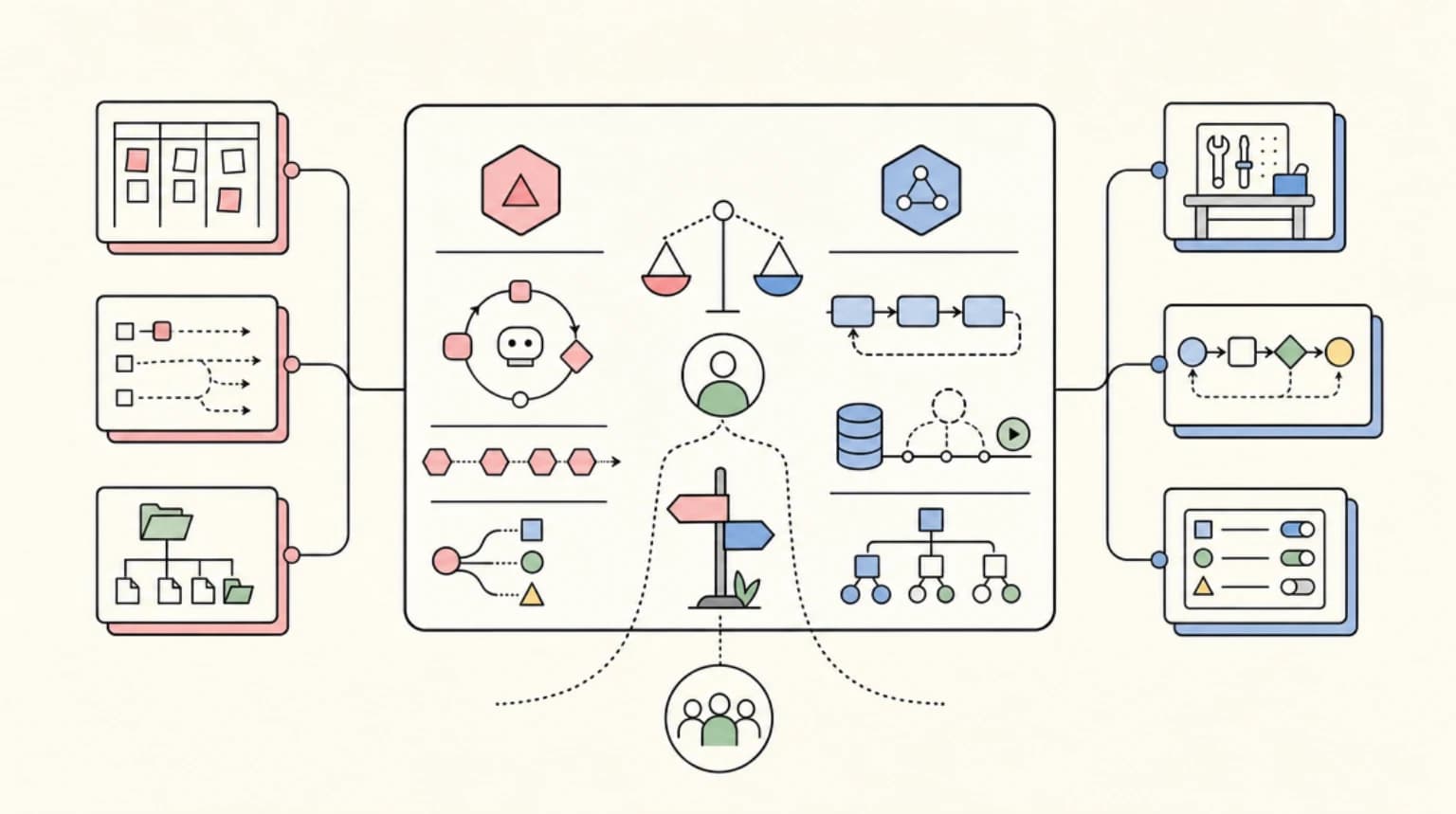
Decision table: which stream for which app#
| App | Wire format | Reconnect to a live stream | Pause and resume a run | Typed UI parts |
|---|---|---|---|---|
| Next.js chat with tools and custom cards | AI SDK UI message stream (SSE, v1 header) | resume: true + resumable-stream and Redis | toolApproval + addToolApprovalResponse | tool-${name} and data-* parts typed via UIMessage |
| Reload-safe long generations on serverless | AI SDK UI message stream, or LangGraph streams | AI SDK resume with Redis, or LangGraph Agent Server join/rejoin | Depends on backend | AI SDK parts, or useStream typed state |
| Python or multi-framework backend with a rich in-app copilot | AG-UI events over SSE (or Protobuf) | None in the SSE binding; start a new run | RUN_FINISHED interrupt outcome + resume list | STATE_* snapshots/patches, CUSTOM, carried UI specs |
| Mastra backend | Either: @mastra/ai-sdk for useChat, or @ag-ui/mastra for CopilotKit | Follows the frontend protocol you pick | Suspend/resume via data-tool-call-suspended + agent.resumeStream() | data-workflow, data-tool-agent and custom parts |
| Long human-in-the-loop pauses | Any of the above | Secondary concern | AG-UI interrupts, LangGraph interrupts + checkpointer, Mastra suspend/resume, AI SDK approvals | Varies |
If you have not picked a backend yet, compare frameworks on how they handle durability and human-in-the-loop steps first. The streaming layer follows from that choice.
Troubleshooting#
- A custom backend streams but
useChatrenders nothing. Check for thex-vercel-ai-ui-message-stream: v1header and the finaldata: [DONE].UI_MESSAGE_STREAM_HEADERSfromaisets the header for you, along withcontent-type: text/event-streamandx-accel-buffering: no. - Text is duplicated after a resume. Your resume endpoint and the transport disagree about whether a resume is a replay or a continuation.
resumable-streamreplays from the start, which is the default the transport expects. SetresumeStreamIsReplay: falseonly if your endpoint sends just the remaining chunks. - The stop button does not stop anything. In a resumable setup,
stop()only disconnects. Add the dedicated stop endpoint. - Mastra parts do not match what
useChatexpects. The@mastra/ai-sdkhandlers default to the v5 format. Passversion: 'v7'. - AG-UI tool arguments fail to parse. You are parsing the deltas. Wait for
TOOL_CALL_END(oronToolCallEndEventin@ag-ui/client), which hands you the parsed arguments. - An AG-UI connection dropped mid-run. The HTTP + SSE binding has no stream resumption.
Last-Event-IDis not used, and running again creates a new run with a newrunId. Keep the messages you have and start a new run. - The UI crashes while a tool's arguments stream in. In the AI SDK,
part.inputduringinput-streamingis a partial object. Guard every field.
FAQ#
What is the difference between a text stream and a UI message stream?#
A text stream carries only text. The UI message stream uses SSE, and each event is a typed JSON part. Parts cover text and reasoning deltas, tool input and output, approvals, sources, files, custom data and step boundaries. Custom backends must send the x-vercel-ai-ui-message-stream: v1 header and end with data: [DONE].
Do I need Redis for resumable streams in the AI SDK?#
For the documented setup, yes. resumable-stream uses Redis pub/sub, reads REDIS_URL or KV_URL, and has a generic adapter for clients such as Upstash or Valkey. You also need a database field that holds the activeStreamId for each chat, plus the POST and GET handlers.
Is AG-UI a replacement for the AI SDK?#
No. AG-UI is a wire protocol between any agent backend and any frontend. AI SDK UI has its own protocol and hooks. The two can coexist: Mastra, for example, can serve AI SDK UI streams through @mastra/ai-sdk and AG-UI through @ag-ui/mastra.
Does AG-UI support resuming a dropped stream?#
Not in the HTTP + SSE binding. Last-Event-ID is not used, and running again starts a new run with a new runId. AG-UI's interrupt and resume mechanism is for runs that paused on purpose, not for dropped connections.
Is streamUI (AI SDK RSC) still recommended?#
AI SDK RSC is marked experimental. Its docs recommend AI SDK UI for production and include a migration guide. In AI SDK 7, generative UI means rendering typed tool and data parts from useChat.
Sources#
- https://ai-sdk.dev/docs/ai-sdk-ui/stream-protocol
- https://ai-sdk.dev/docs/ai-sdk-ui/streaming-data
- https://ai-sdk.dev/docs/ai-sdk-ui/generative-user-interfaces
- https://ai-sdk.dev/docs/ai-sdk-ui/chatbot-tool-usage
- https://ai-sdk.dev/docs/ai-sdk-ui/chatbot-resume-streams
- https://ai-sdk.dev/docs/ai-sdk-ui/reading-ui-message-streams
- https://ai-sdk.dev/docs/migration-guides/migration-guide-7-0
- https://ai-sdk.dev/docs/ai-sdk-rsc/overview
- https://ai-sdk.dev/docs/ai-sdk-core/mcp-apps
- https://www.npmjs.com/package/ai
- https://github.com/vercel/resumable-stream
- https://docs.ag-ui.com/spec/1.0
- https://docs.ag-ui.com/spec/1.0/events
- https://docs.ag-ui.com/spec/1.0/events/tool-calls
- https://docs.ag-ui.com/spec/1.0/basic/patterns/snapshots
- https://docs.ag-ui.com/spec/1.0/changelog
- https://docs.ag-ui.com/spec/1.0/basic/transports/http-sse
- https://docs.ag-ui.com/spec/1.0/basic/patterns/interrupt-resume
- https://docs.ag-ui.com/concepts/generative-ui-specs
- https://docs.ag-ui.com/integrations
- https://mastra.ai/docs/guides/streaming
- https://mastra.ai/integrations/agentic-ui/ai-sdk-ui
- https://mastra.ai/integrations/agentic-ui/copilotkit
- https://docs.langchain.com/oss/javascript/langchain/frontend/overview
- https://docs.langchain.com/oss/javascript/langchain/frontend/join-rejoin
- https://docs.langchain.com/oss/javascript/langgraph/event-streaming
- https://docs.langchain.com/oss/javascript/langgraph/streaming
Continue Reading#
- When CopilotKit Is the UI Layer, Not the Agent Framework - the AG-UI frontend in a real app architecture.
- Vercel AI SDK 6 vs LangGraph 1.0 - tool approvals versus checkpointed durability.
- Mastra vs CopilotKit vs LangGraph - how the three stacks split backend and UI responsibilities.
Get the next deep dive like this in your inbox
One email a week on AI Agents and the rest of the AI dev stack. Free.
Read next on AI coding tools
When CopilotKit Is the UI Layer, Not the Agent Framework
CopilotKit works best as the agent UI layer, not the agent framework: chat surfaces, frontend tools, shared state, generative UI, and human approval.
8 min readVercel AI SDK: Build Streaming AI Apps in TypeScript
The AI SDK is the fastest way to add streaming AI responses to your Next.js app. Here is how to use it with Claude, GPT, and open source models.
5 min readVercel AI SDK 6 vs LangGraph 1.0: Which Agent Framework Should TypeScript Teams Use?
Vercel AI SDK 6 vs LangGraph 1.0 for TypeScript agents - ToolLoopAgent versus durable state graphs, and how to choose the right framework for your team.
8 min readNew here? Start with
Technical content at the intersection of AI and development. Building with AI agents, Claude Code, and modern dev tools - then showing you exactly how it works.