Adam (YC W25): Open Source AI CAD That Generates OpenSCAD from Text

TL;DR
Adam (YC W25) open-sources CADAM, a browser tool that turns text into parametric OpenSCAD models, and HN debates whether text-to-CAD is useful or a demo.
A YC W25 company called Adam launched on Hacker News yesterday with 189 points and 87 comments. They are building AI agents for mechanical CAD software. The headline: an open source text-to-CAD platform called CADAM that generates parametric OpenSCAD models from natural language.
The HN discussion got into the weeds on whether this approach is actually useful for real manufacturing workflows or just a nice demo for hobbyist 3D printing.
Last updated: October 22, 2026 (stack, license and provider keys re-checked against the CADAM README)
What CADAM Does#
CADAM is a React app that runs entirely in the browser. You describe what you want in plain English - or upload a reference image - and the system generates OpenSCAD code that compiles to a 3D model. The key differentiator from typical text-to-3D tools: it outputs parametric CAD, not meshes.
The GitHub README describes CADAM as an open source text-to-CAD web application. At launch it was presented as taking text prompts and image references and producing OpenSCAD code with extracted parameters exposed as sliders.
The architecture is straightforward:
- Frontend: React 19 with TanStack Start
- 3D rendering: Three.js via React Three Fiber
- CAD engine: OpenSCAD compiled to WebAssembly, running in a Web Worker
- AI: Claude API with a single agentic endpoint that switches between "parametric mode" (OpenSCAD) and "mesh mode" (textured 3D)
- Backend: Supabase for auth, database, and storage
One clever optimization: simple parameter adjustments bypass the LLM entirely. When you move a slider, the app does a deterministic regex update on the OpenSCAD source. No API call, instant feedback.
The founders note in their launch post that "surprisingly, in our evals Gemini 3.1 Pro is the top model" for this task.
The HN Debate: Useful Tool or Toy?#
The discussion split into two camps.
The skeptics argued that text-to-CAD solves the wrong problem. User tapia, who appears to work in CAD professionally, made the point repeatedly:
CAD is really not so complicated with the tools we currently have. You just have to learn how to use them... describing complex geometries with specific tolerances with natural language is much more complex than creating the geometry programmatically.
User q3k was blunter about the V8 engine example in the README:
Yeah, no, that is a lie. This is not a CAD model. It is a fantasy 3d model that looks like it is straight out of Gearhead Garage (1999)... Show me something functional that you have actually manufactured.
The critique: AI-generated CAD models look impressive in renders but lack the dimensional tolerances, fastener specifications, and design intent required for actual manufacturing. The V8 engine demo has cams intersecting each other and no thought given to how it would be assembled.
The optimists pushed back on the narrow framing. User dgellow defended the 3D printing use case:
The 3D print market is pretty large and tools to generate some designs that can then be tweaked are pretty useful in that context. I do not think that type of AI CAD tool would replace professional CAD work, that is something that requires way too much context and human judgement.
The founder zachdive agreed, positioning CADAM as "AI TinkerCAD" - a tool for rapid prototyping and hobbyist work, not production engineering.
The Legitimate Use Cases#
Reading between the lines of the discussion, three use cases emerge where text-to-CAD makes sense:
Rapid prototyping. When you need a bracket, enclosure, or fixture for a one-off project, getting a starting point from a text description is faster than learning or re-learning a CAD tool. The output needs iteration, but the first draft is free.
Hobbyist 3D printing. For parts that do not need to interface with other components or meet tolerance specs, the generated models are often good enough to print directly. A custom phone stand does not need GD&T.
Education and exploration. Learning CAD is a significant time investment. Text-to-CAD lowers the barrier for people who want to explore mechanical design without committing to mastering SolidWorks or Fusion 360.
The founder mentioned that their commercial extensions for Onshape and Fusion 360 include face and edge selection context - you can select geometry and describe what you want done to it. That hybrid interface (traditional selection plus natural language) may be more practical than pure text-to-CAD for complex assemblies.
Technical Details Worth Noting#
A few implementation choices stand out:
OpenSCAD as the intermediate representation. This is a deliberate choice. OpenSCAD is a code-first CAD tool - models are programs, not interactive designs. That makes it a natural fit for LLM generation. The downside: OpenSCAD uses CSG (constructive solid geometry) primitives, which are less expressive than the B-rep approaches used by professional CAD tools. The founders acknowledge this and mention plans to support build123d and CadQuery for constraint-driven modeling.
Parameters are first-class. The system extracts dimensions as named parameters that users can adjust via sliders. This is the right UX choice. Instead of regenerating the entire model for a small tweak, you adjust the parameters directly.
Multi-provider setup. The README lists the Anthropic Claude API as its AI layer and its setup steps ask for Anthropic, OpenRouter, OpenAI and Google API keys, similar to the pattern covered in our Vercel AI SDK guide.
GPLv3 license. The open source release is under GPL, which matters if you are thinking about commercial derivatives.
My Take#
The skeptics are right that text-to-CAD is not going to replace SolidWorks for production engineering anytime soon. The gap between "looks like a V8 engine" and "can be manufactured as a V8 engine" is enormous, and natural language is a poor interface for specifying tolerances, material properties, and assembly constraints.
But the skeptics are also fighting a straw man. Nobody is claiming this replaces professional CAD workflows. The real question is whether text-to-CAD is useful for the long tail of simpler problems: brackets, enclosures, adapters, fixtures, organizers, holders, and the thousand other small parts that people design and 3D print.
For that use case, getting a parametric starting point from a sentence is genuinely valuable. You are trading precision for speed. The output is not manufacturing-ready, but it is iteration-ready.
The more interesting angle is the hybrid interface - traditional CAD selection plus natural language commands. That could make existing CAD tools more accessible without dumbing them down. Select a face, type "add a 5mm chamfer," get a valid operation. The Adam team's Fusion and Onshape extensions are exploring this direction.
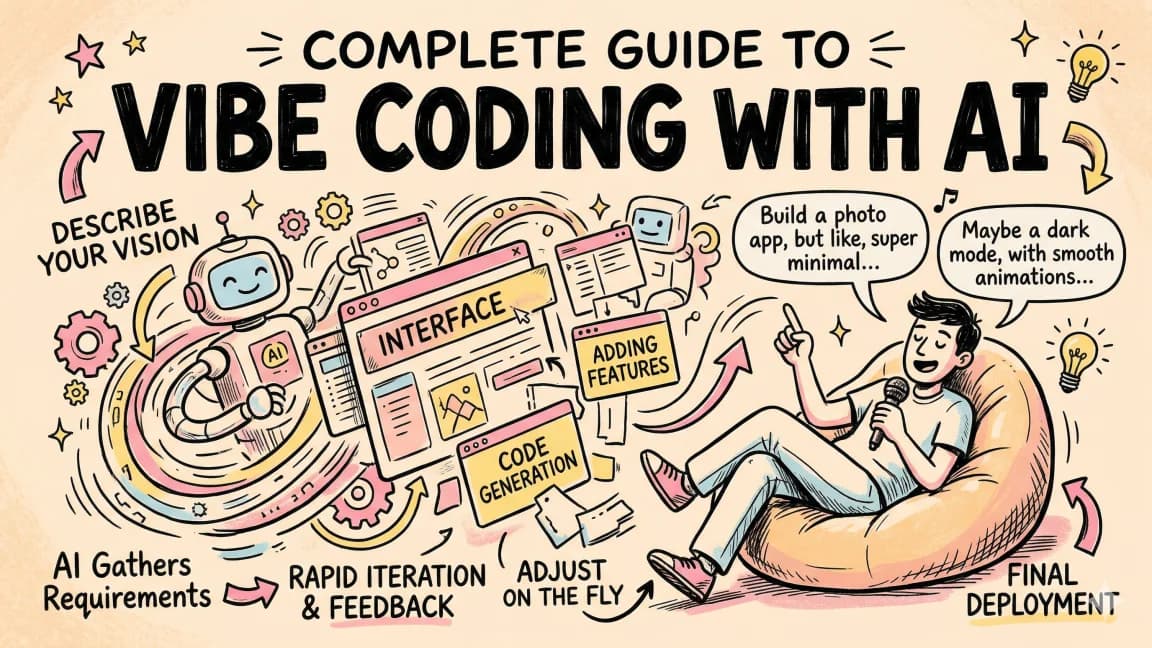
Worth watching how this evolves. The underlying models are getting better at code generation, and OpenSCAD is just code. If you want a broader look at where AI-assisted building tools stand right now, see our vibe coding guide and the roundup on building 24 apps with AI agents.
FAQ#
What is CADAM?#
CADAM is the open source text-to-CAD platform from Adam (YC W25). It is a React app that runs entirely in the browser: you describe a part in plain English or upload a reference image, and it generates OpenSCAD code that compiles to a parametric 3D model, with extracted parameters exposed as sliders.
Why does CADAM generate OpenSCAD instead of meshes?#
OpenSCAD is a code-first CAD tool where models are programs, which makes it a natural fit for LLM generation and keeps the output parametric rather than a fixed mesh. The trade-off is that OpenSCAD uses CSG primitives, which are less expressive than the B-rep approaches in professional CAD tools, and the founders mention plans to support build123d and CadQuery.
Which AI models does CADAM support?#
The README names the Anthropic Claude API as the AI layer, and its setup steps ask for Anthropic, OpenRouter, OpenAI and Google API keys. The founders note that in their evals Gemini 3.1 Pro was the top model for this task. Simple slider adjustments skip the LLM entirely and update the OpenSCAD source with a deterministic regex.
Is text-to-CAD ready for production manufacturing?#
Not according to the HN discussion. Skeptics pointed out that generated models lack the tolerances, fastener specifications, and design intent manufacturing needs, and the founder positions CADAM as "AI TinkerCAD" for rapid prototyping and hobbyist 3D printing rather than production engineering.
What license is CADAM released under?#
The open source release is under GPLv3, which matters if you are considering commercial derivatives.
Continue Reading#
- Tencent Hy3: A 295B Open MoE That Punches Above Its Weight
- Ternlight: A 7 MB Embedding Model That Runs Entirely in the Browser
- Unlimited OCR: Baidu's Open-Source Solution for Long Document Parsing
- DeepMind Open-Sources WeatherNext Cyclones After a Nature-Verified Breakthrough
Sources#
- CADAM GitHub Repository - Open source codebase
- Hacker News Launch Discussion - 87 comments, 189 points
- Adam Website - Commercial product and Onshape/Fusion extensions
- OpenSCAD Documentation - The underlying CAD language
Get the next deep dive like this in your inbox
One email a week on News and the rest of the AI dev stack. Free.
Read next
Open Design Shows the Next Agent Wrapper
Open Design turns coding agent CLIs like Claude Code and Codex into a design engine. The real lesson is artifact-first agent wrappers, not design automation.
8 min readVibe Coding in 2026: Build Fast Without Losing the Plot
Vibe coding works when you pair natural-language building with repo context, tests, diff review, security checks and rollback. The practical guardrail workflow.
10 min readBest AI Coding Tools July 2026: Updated After Opus 5 and Fable 5 API-Only
Best AI coding tools for July 2026, re-ranked after Opus 5 launched at half Fable 5's price and Fable 5 went API-only - pricing, picks and stacks by profile.
10 min readNew here? Start with
Technical content at the intersection of AI and development. Building with AI agents, Claude Code, and modern dev tools - then showing you exactly how it works.