Claude Agent SDK vs Claude Code: When to Build and When to Drive
TL;DR
Claude Agent SDK vs Claude Code explained: same engine, two surfaces.
Last updated: October 8, 2026 - the billing rows below were corrected: the separate Agent SDK credit planned for June 15 was paused and then replaced by monthly API credits on Max and Team plans (details in Claude Max API Credits).
Official Sources#
| Resource | Link |
|---|---|
| Claude Agent SDK Overview | code.claude.com/docs/en/agent-sdk/overview |
| Agent SDK Subagents | code.claude.com/docs/en/agent-sdk/subagents |
| Claude Code Documentation | code.claude.com/docs |
| Claude Managed Agents | platform.claude.com/docs/en/managed-agents/overview |
| Agent View (Background Sessions) | code.claude.com/docs/en/agent-view |
| Routines (Scheduled Automation) | code.claude.com/docs/en/routines |
| Dynamic Workflows | code.claude.com/docs/en/workflows |
| Anthropic Pricing | anthropic.com/pricing |
Type "claude agent sdk vs" into a search bar and the autocomplete finishes the sentence for you. The confusion is understandable: both products run the same agent loop, share the same tools, and even share a binary. But they answer different questions, and in June 2026 the line got sharper.
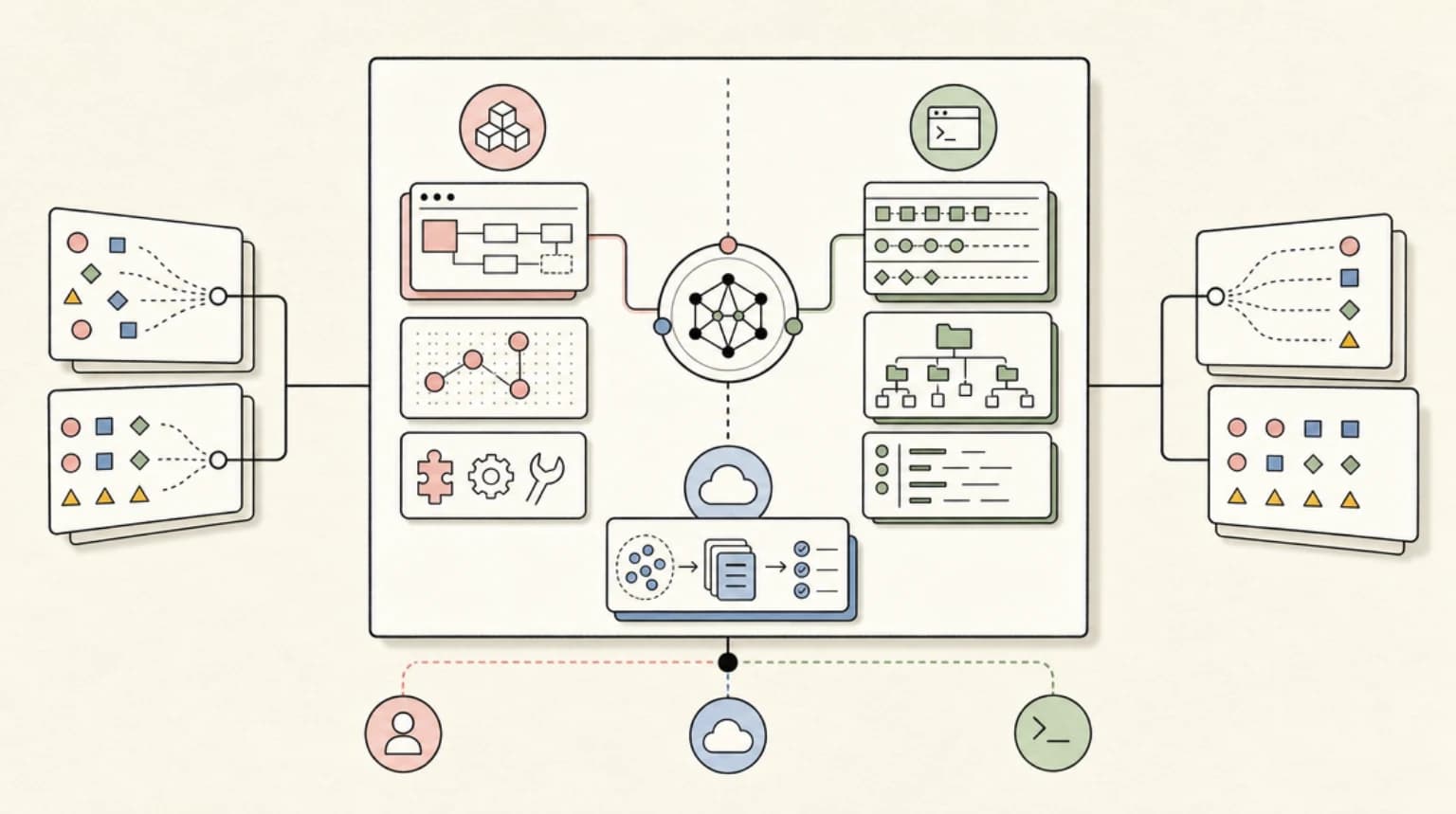
The short version: Claude Code is the interactive product you drive from a terminal. The Claude Agent SDK is that same harness packaged as a Python and TypeScript library you embed in your own software. And Claude Managed Agents is the third option, where Anthropic hosts the agent loop and the sandbox so you operate neither. This post draws the decision line between all three, using only what is in the official docs as of June 2026.
The Short Answer#
- Drive Claude Code when a human is at the keyboard: exploring a codebase, pairing on a refactor, reviewing what an agent did before merging.
- Build with the Agent SDK when software is at the keyboard: a CI job, a Slack bot, a product feature, a pipeline that calls
query()and processes the message stream. - Rent Managed Agents when you want neither the terminal nor the process: Anthropic runs the loop and a sandbox per session, and your app talks to it over a REST API.
Anthropic's own SDK docs draw the same line: interactive development and one-off tasks go to the CLI; CI/CD pipelines, custom applications, and production automation go to the SDK. Their words: "Many teams use both: CLI for daily development, SDK for production."
For the full background on the CLI side, see our complete guide to Claude Code. If you are comparing across vendors rather than within Anthropic's stack, that is a different question - see OpenAI Agents SDK vs Claude Agent SDK.
Head-to-Head: Claude Code vs Claude Agent SDK#
| Dimension | Claude Code (CLI) | Claude Agent SDK |
|---|---|---|
| What it is | Interactive terminal product | Library: @anthropic-ai/claude-agent-sdk (npm) or claude-agent-sdk (pip, Python 3.10+) |
| Who orchestrates | You, conversationally, turn by turn | Your code, via query() options |
| Subagents | Markdown files in .claude/agents/ | Programmatic AgentDefinition objects (filesystem agents also load) |
| Fleet management | Agent view dashboard, background sessions under a supervisor process | Workflow tool (TypeScript SDK v0.3.149+), resumable subagents |
| Scheduling | Routines: schedule, API, and GitHub triggers on Anthropic-managed cloud | Your own cron, queue, or webhook calling the SDK or claude -p |
| Permissions | Interactive prompts, plan approval, permission modes | allowedTools, permissionMode, hooks as in-process callbacks |
| Subscription billing | Interactive plan limits | Still draws from plan limits when signed in with your plan; Max and Team also get a separate monthly API credit that covers SDK and claude -p runs using an API key from a linked Console org |
| Auth for shipped products | Not applicable | API key required; claude.ai login may not be offered to your end users |
That last row matters if you are building a product: the SDK overview states that Anthropic does not allow third-party developers to offer claude.ai login or rate limits in their products unless previously approved.
What Only the SDK Gives You#
Programmatic AgentDefinition#
In the CLI, subagents are markdown files. In the SDK, the recommended path is the agents parameter on query(): a dictionary of AgentDefinition objects, each with a required description and prompt, plus optional tools, disallowedTools, model (aliases include fable, opus, sonnet, haiku, inherit), skills, memory, mcpServers, maxTurns, background, effort, and permissionMode.
Because definitions are plain objects, you can build them with factory functions at request time - a stricter security reviewer on a bigger model for high-stakes runs, a cheaper one otherwise. Programmatic definitions take precedence over same-named filesystem agents. Two sharp edges from the docs: include Agent in allowedTools to auto-approve subagent invocations, and never give a subagent the Agent tool, because subagents cannot spawn their own subagents. The tool was also renamed from Task to Agent in Claude Code v2.1.63, and current SDK releases still emit Task in a few fields, so robust code checks both names.
Resumable subagents#
When an SDK subagent completes, the Agent tool result includes an agentId. Capture it alongside the session_id, pass resume: sessionId on a later query() call, and reference the agent ID in your prompt: the subagent continues with its full prior history, including tool calls and reasoning. Transcripts persist separately from the main conversation, survive compaction, and are cleaned up after 30 days by default. The built-in Explore and Plan agents are one-shot and return no agentId. This is the building block for multi-step product flows where an analysis from request one informs a follow-up in request two.
The Workflow tool#
Subagents handle a few delegated tasks per turn. For runs that coordinate dozens to hundreds of agents, the TypeScript SDK (v0.3.149 and later) exposes the Workflow tool: orchestration moves into a JavaScript script the runtime executes outside the conversation, with intermediate results held in script variables instead of Claude's context. The runtime caps runs at 16 concurrent agents and 1,000 agents total, which bounds the cost of a runaway script. Include Workflow in allowedTools to auto-approve runs.
One more SDK-side fact worth planning around: Anthropic paused the Agent SDK credit change it announced for June 15, and as of October 7, 2026 the Help Center says Agent SDK and claude -p usage with your plan still draws from subscription limits. Max and Team plans additionally get monthly API credits that cover SDK and claude -p runs made with an API key from your linked Console org. We broke down the budgeting implications in our Agent SDK credit meter analysis.
What Only the CLI Gives You#
The interactive harness#
Permission prompts, plan approval, the /workflows progress view with per-agent token counts and pause/stop/restart keys, effort controls, and rewind. None of this exists when your code is the operator; in claude -p and the SDK there is nobody to prompt, so tool calls follow configured rules without interactive confirmation.
Agent view#
claude agents opens one dashboard for every background session across all your projects, grouped by needs-input, working, and completed. It is a research preview requiring v2.1.139 or later. Sessions run under a separate supervisor process, so they survive closing the terminal, machine sleep, and auto-updates. Dispatch from the view, from inside a session with /bg, or from the shell with claude --bg "prompt". One honest caveat from the docs: each background session uses your subscription quota independently, so check your limits before dispatching many at once.
Routines#
Routines are the CLI ecosystem's answer to scheduled automation: a saved configuration of prompt, repositories, and connectors that runs on Anthropic-managed cloud infrastructure, so it keeps working when your laptop is closed. Triggers come in three flavors - a schedule, an authenticated HTTP endpoint, or GitHub events like pull_request.opened - and one routine can combine all three. Create them at claude.ai/code/routines or with /schedule in the CLI. Routines are a research preview on Pro, Max, Team, and Enterprise plans with Claude Code on the web enabled, with a daily per-account run cap.
If your "I need the SDK" itch is really "I need this to run nightly without me," a routine may cover it with zero infrastructure.
Managed Agents: The Hosted Third Option#
Claude Managed Agents is a pre-built agent harness running on Anthropic's infrastructure, in beta behind the managed-agents-2026-04-01 header (set automatically by the SDKs, enabled by default for API accounts). You define an Agent (model, system prompt, tools, MCP servers, skills) once, pick an Environment (Anthropic cloud sandbox or a self-hosted sandbox on your own infrastructure), then start Sessions that stream events over SSE.
The official comparison against the Agent SDK is crisp: the SDK runs in your process on your infrastructure with session state as JSONL on your filesystem; Managed Agents runs on Anthropic's side with a managed sandbox per session and a hosted event log. Custom tools flip too - in-process functions with the SDK, an event round-trip with Managed Agents. The docs suggest the path many teams will follow: prototype locally with the SDK, move to Managed Agents for production when you do not want to operate sandboxes and session storage. One compliance note from the overview: because sessions are stateful by design, the beta is not currently eligible for Zero Data Retention or HIPAA BAA coverage.
For how the hosted option stacks up against orchestration frameworks, see Managed Agents vs LangGraph vs DIY.
Decision Guide by Persona#
- Solo developer or daily driver. Claude Code, full stop. The harness, agent view, and routines cover development, parallel background work, and nightly jobs without orchestration code.
- Platform engineer wiring agents into CI/CD. The Agent SDK.
query()withallowedTools, hooks for audit logging, and headless permission rules are built for pipelines. On Max and Team plans, budget against the monthly API credit by running pipelines with an API key from the linked Console org. - Product team shipping an agent feature. Prototype with the SDK; evaluate Managed Agents for production if you do not want to own sandboxes or session storage. Our TypeScript agent-building guide walks the SDK path end to end.
- Automation owner who wants scheduled jobs with zero infra. Routines first. Graduate to the SDK or Managed Agents when you outgrow the trigger model or the daily run cap.
When to Skip the SDK, and When to Stay With the CLI#
Skip the SDK if your real need is a recurring job (routines), a one-off batch (claude -p in a script), or parallel work on your own machine (agent view). Reaching for a library when a built-in surface already does the job is how you end up maintaining orchestration code nobody asked for.
Stay with the CLI even for automation-adjacent work when a human reviews every result anyway - dispatching ten background sessions through agent view is often faster than writing the harness to do the same.
Go to the SDK without hesitation when there is no human at the keyboard: webhooks, CI gates, product features, anything needing programmatic AgentDefinitions, resumable subagents, or the Workflow tool at scale.
And go in clear-eyed about maturity labels: agent view and routines are research previews; dynamic workflows are available on all paid plans but require Claude Code v2.1.154 or later, with a /config toggle on Pro; Managed Agents is a beta with the ZDR and HIPAA caveats above. The core CLI and the SDK query() surface are the stable ground.
FAQ#
Is the Claude Agent SDK the same as Claude Code?#
They share the same engine - the SDK was formerly called the Claude Code SDK, and the TypeScript package bundles a native Claude Code binary - but they are different surfaces. Claude Code is the interactive terminal product; the Agent SDK exposes the same tools, agent loop, and context management as a Python and TypeScript library for your own applications.
Does the Claude Agent SDK use my Claude subscription?#
It can, with a caveat. As of October 7, 2026, the Help Center says Agent SDK and claude -p usage still draws from your subscription limits when you are signed in with your plan; the June 15 credit split was paused. Max and Team plans now also include a monthly API credit ($100 on Max 5x, $200 on Max 20x, up to $500 pooled on Team) that covers SDK and claude -p runs made with an API key from a linked Console org, but not interactive Claude Code. API-key usage bills through the API as usual. Shipped products must use API key authentication; offering claude.ai login to your users is not permitted without prior approval.
Can the Claude Agent SDK spawn subagents like Claude Code?#
Yes, and more flexibly: define them programmatically with AgentDefinition objects, load the same .claude/agents/ markdown files Claude Code uses, or rely on the built-in general-purpose agent. SDK subagents are also resumable across queries via the returned agentId plus session resume. The one hard limit: subagents cannot spawn their own subagents.
What is the difference between the Agent SDK and Managed Agents?#
The Agent SDK is a library that runs the agent loop inside your process, on your infrastructure, with state on your filesystem. Managed Agents is a hosted REST API where Anthropic runs the loop and a sandbox per session and persists the event log server-side. Anthropic recommends prototyping with the SDK and considering Managed Agents for production.
Should I use routines or the Agent SDK for scheduled agent jobs?#
Routines, if the job fits their trigger model: cron schedules, an authenticated HTTP endpoint, or GitHub events, all running on Anthropic-managed cloud with no servers to maintain. Choose the SDK when you need custom orchestration, in-process tools, your own infrastructure, or volumes beyond the routine daily run cap.
Sources#
- Agent SDK overview - Claude Docs: https://code.claude.com/docs/en/agent-sdk/overview (accessed June 10, 2026)
- Subagents in the SDK - Claude Docs: https://code.claude.com/docs/en/agent-sdk/subagents (accessed June 10, 2026)
- Building agents with the Claude Agent SDK - Anthropic: https://claude.com/blog/building-agents-with-the-claude-agent-sdk (accessed June 10, 2026)
- Manage multiple agents with agent view - Claude Code Docs: https://code.claude.com/docs/en/agent-view (accessed June 10, 2026)
- Automate work with routines - Claude Code Docs: https://code.claude.com/docs/en/routines (accessed June 10, 2026)
- Orchestrate subagents at scale with dynamic workflows - Claude Code Docs: https://code.claude.com/docs/en/workflows (accessed June 10, 2026)
- Claude Managed Agents overview - Claude Platform Docs: https://platform.claude.com/docs/en/managed-agents/overview (accessed June 10, 2026)
Get the next comparison like this in your inbox
One email a week on claude and the rest of the AI dev stack. Free.
Read next on Claude Code
Claude Agent SDK vs LangGraph: Choosing Your Agent Stack in 2026
Claude Agent SDK vs LangGraph head-to-head: architecture, state handling, multi-agent patterns, and real pricing - plus a decision guide for which agent stack fits your team in 2026.
9 min readClaude Agent SDK in Late 2026: What Is New and How to Use It
What changed in the Claude Agent SDK by October 2026: nested subagents with caps, SessionStore, skills, plugins, structured outputs and permission defaults.
15 min readClaude Code Routines vs Managed Agents Schedules: Where Recurring Agent Work Should Live
Claude Code Routines vs Managed Agents scheduled deployments: how triggers, pricing and limits differ, and where your recurring agent work should run.
9 min readTechnical content at the intersection of AI and development. Building with AI agents, Claude Code, and modern dev tools - then showing you exactly how it works.