Claude Agents vs Skills: Which One Do You Actually Need?
TL;DR
Claude agents vs skills, untangled: agents are workers with their own context window, skills are instructions loaded on demand.
Official Sources#
| Source | Description | Last Verified |
|---|---|---|
| Claude Code Skills Documentation | Skill format, triggers, and progressive disclosure | October 9, 2026 |
| Claude Code Subagents Documentation | Subagent creation and configuration | October 9, 2026 |
| Claude Code Workflows Documentation | Comparison table and composition patterns | October 9, 2026 |
| Agent SDK Overview | Building agents as applications | July 30, 2026 |
| Agent Skills Open Standard | Cross-platform skill format specification | July 30, 2026 |
| Anthropic Engineering: Agent Skills | Design rationale and best practices | July 30, 2026 |
Last updated: October 9, 2026 - re-verified against the current skills, subagents and workflows docs; added the background setting for forked skills.
Type "claude agents" into a search box and autocomplete offers "vs skills" almost immediately. Understandable: both are folders of markdown under .claude/, both have YAML frontmatter with a description field, and both get picked up automatically when Claude decides they are relevant.
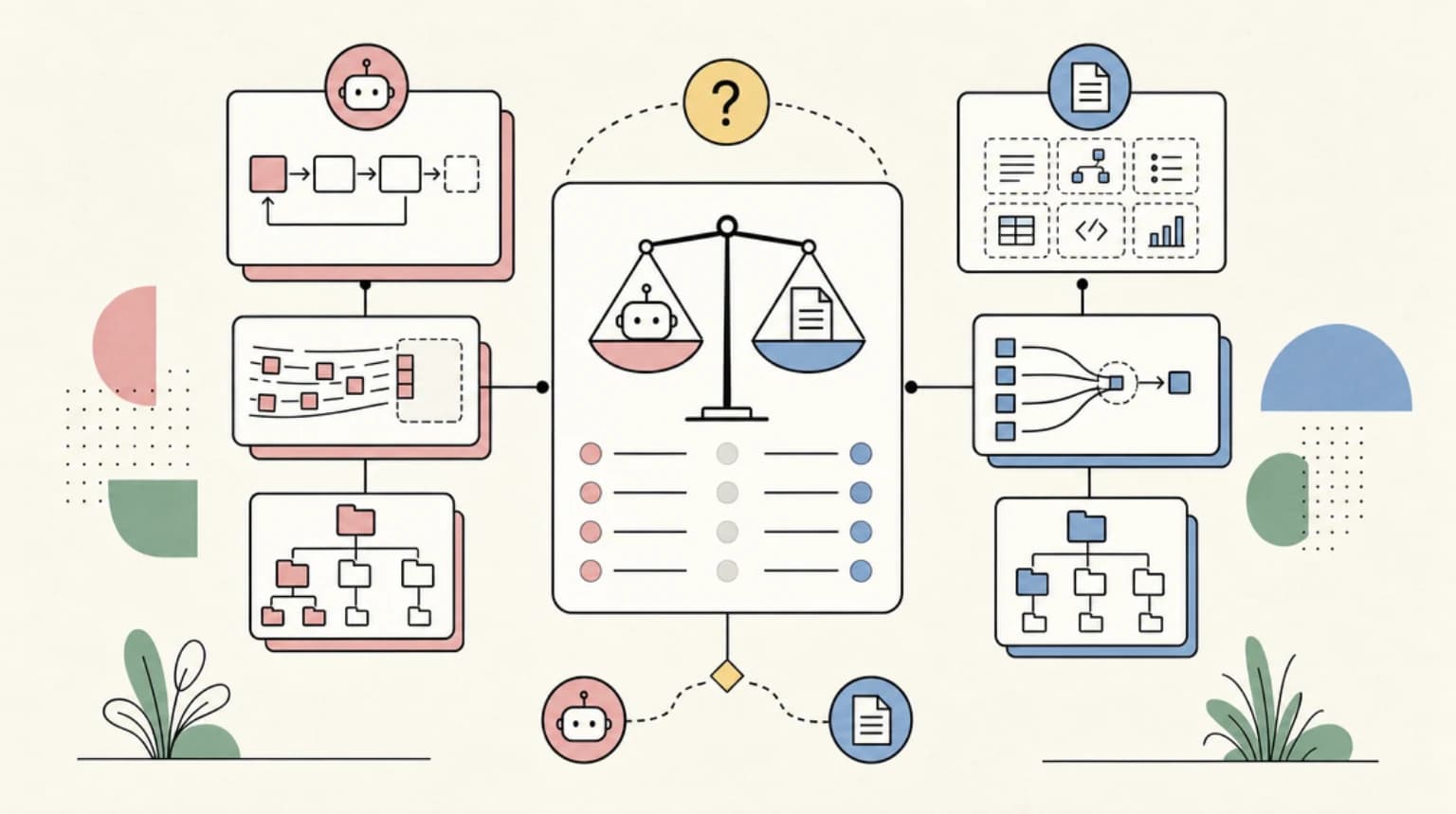
They are not the same thing. Anthropic's own comparison table draws the line in four words or fewer: a subagent is "a worker Claude spawns," and a skill is "instructions Claude follows." One is a separate worker with its own context window. The other is a playbook loaded into the conversation you are already having. Once that clicks, every other difference - cost, file format, invocation, composition - falls out of it. Here is the distinction, a head-to-head table, and a decision guide by use case.
First, Untangle the Word "Agent"#
Part of the confusion is that "agent" means at least three different things in the Claude ecosystem:
Subagents are workers your Claude Code session spawns for side tasks. Each runs in its own context window with a custom system prompt, its own tool access, and independent permissions. The docs' pitch is precise: use one "when a side task would flood your main conversation with search results, logs, or file contents you won't reference again." The subagent does the messy exploration in its own context and returns only a summary. You define one as a markdown file in .claude/agents/ (project) or ~/.claude/agents/ (personal); only name and description are required. Claude Code also ships built-ins: Explore for fast read-only codebase search, Plan, and a general-purpose agent.
Agent SDK agents are full applications you build with the Claude Agent SDK (our Agent SDK tool page tracks pricing and alternatives), which packages "the same tools, agent loop, and context management that power Claude Code" as a Python or TypeScript library. When someone says they "built a Claude agent," this is usually what they mean: a program that calls query() with a prompt and allowed tools, then lets Claude work autonomously. SDK agents can define their own subagents through an agents option, so the two meanings nest. If you are weighing the SDK against the CLI itself, see Claude Agent SDK vs Claude Code.
Agent teams and background agents are Claude Code's larger-scale parallelism surfaces, a separate topic covered in subagents vs agent teams vs workflows.
For the agents-vs-skills question, the first two meanings matter, and they share the defining property: an agent is an executor with its own context, separate from yours.
What Skills Actually Are#
A skill is a folder containing a SKILL.md file - that is the core of the format, per the Agent Skills open standard Anthropic released and other agent products have adopted. The file holds YAML frontmatter telling Claude when to use the skill, plus markdown instructions to follow when it runs, optionally bundling scripts, templates, and reference docs.
The design center is progressive disclosure, which the standard defines in three stages: at startup the agent loads only each skill's name and description, when a task matches it reads the full SKILL.md into context, and during execution it optionally runs bundled code or loads referenced files. Anthropic's engineering team frames it memorably: "Building a skill for an agent is like putting together an onboarding guide for a new hire."
The economics follow from that design. The Claude Code docs note that "a skill's body loads only when it's used, so long reference material costs almost nothing until you need it" - which is exactly why a procedure that has outgrown CLAUDE.md belongs in a skill. Skills live at ~/.claude/skills/<name>/SKILL.md (personal), .claude/skills/ (project), or inside plugins, and the directory name becomes a slash command: a deploy-staging skill is invocable as /deploy-staging. Custom commands have been merged into this system entirely; .claude/commands/deploy.md and .claude/skills/deploy/SKILL.md both create /deploy and work the same way.
The crucial contrast with agents: when a skill runs, its content enters your current conversation as a message and stays there for the rest of the session. Nothing spawns. No separate context exists. The skill is not a worker; it is the playbook the current worker reads. If you are new to the format, the beginner guide to Claude Code skills walks through building your first one.
Head-to-Head: Agents vs Skills#
The first two rows come straight from the comparison table in the official workflows doc; the rest are assembled from the subagents and skills pages.
| Subagents (agents) | Skills | |
|---|---|---|
| What it is | A worker Claude spawns | Instructions Claude follows |
| Who decides what runs next | Claude, turn by turn | Claude, following the prompt |
| Context | Own context window, own system prompt | Loads into your current conversation and stays there |
| File format | Markdown in .claude/agents/, name and description required | SKILL.md in .claude/skills/<name>/, all frontmatter optional |
| What comes back | A summary of the work, not the intermediate noise | Nothing comes back; the work happens in your session |
| Model control | model frontmatter routes to haiku, sonnet, opus, fable, a full model ID, or inherit | model field overrides only for the rest of the current turn |
| Direct invocation | Claude delegates based on description | /skill-name, or Claude loads it based on description |
| Cost profile | Keeps your main context clean; burns its own tokens per spawn | Cheap until invoked; body then occupies context every turn |
| Best at | Isolation: research, log-digging, parallel side tasks | Repeatability: procedures, conventions, checklists |
Two cost details before you build a library of either. Skill listings truncate the combined description and when_to_use text at 1,536 characters, so front-load the trigger conditions. And after auto-compaction, Claude Code re-attaches only the first 5,000 tokens of each invoked skill within a shared 25,000-token budget, so a sprawling skill body gets clipped in long sessions. Subagents have the inverse profile: the parent conversation stays small, but every spawn is a fresh context paying its own way.
The Real Answer: They Compose#
The framing "agents vs skills" suggests a choice. The docs describe a composition, in both directions:
Skills preloaded into agents. A subagent definition can carry a skills field, and "the full content of each listed skill is injected into the subagent's context at startup." Your api-developer subagent starts life already knowing the team's API conventions and error-handling patterns, without discovering them mid-task.
Skills that run as agents. A skill can set context: fork in its frontmatter, and the skill content becomes the prompt driving a subagent, isolated from your conversation history. Pair it with agent: Explore and your research procedure runs in a cheap read-only worker that never touches your main context. Per the current skills docs, a forked skill runs in the background by default; set background: false (Claude Code v2.1.218 or later) if the turn should wait for the result.
The Agent SDK keeps the same composition in application code: SDK agents load skills from .claude/skills/*/SKILL.md, and AgentDefinition accepts a skills list for preloading. The mature pattern is not choosing one primitive - it is encoding knowledge as skills, workers as agents, and wiring them together, the layering visible in the best Claude Code skills of 2026, where many top skills are thin orchestration layers over subagents.
Decision Guide by Use Case#
You keep pasting the same instructions into chat. Skill. This is the docs' literal trigger condition: "you keep pasting the same instructions, checklist, or multi-step procedure into chat, or when a section of CLAUDE.md has grown into a procedure rather than a fact."
Codebase exploration keeps flooding your context. Subagent. Let Explore or a custom read-only worker absorb the search results and hand back three sentences.
You want team conventions enforced in every session. Project skills, checked into .claude/skills/ in the repo. Everyone who clones gets them, and live change detection picks up edits without a restart.
You are building a product feature on Claude. Agent SDK. A skill cannot ship as your backend; the SDK is the library form of the whole harness. Note that starting June 15, 2026, SDK and claude -p usage on subscription plans draws from a separate monthly Agent SDK credit.
You want a task done with different tools or a cheaper model. Subagent, since tools, disallowedTools, and model are per-worker controls. Routing side tasks to Haiku is one of the docs' listed reasons subagents exist.
You want a dangerous procedure that only runs when you say so. Skill with disable-model-invocation: true. It becomes a manual slash command Claude cannot trigger on its own.
When to Skip Both#
Honest scoping, because neither primitive is free to maintain:
- It is a fact, not a procedure. "We use pnpm, not npm" belongs in CLAUDE.md. Skills earn their keep for multi-step processes, not one-line preferences.
- It is a one-off. A task you will run once is a prompt. Write the skill the second or third time you type the same thing.
- You need scale, not delegation. Subagents handle "a few delegated tasks per turn" per the official table. A 500-file migration or fan-out audit is workflow territory - dozens to hundreds of agents driven by a script, a different primitive entirely.
- Your commands already work. Files in
.claude/commands/keep working under the merged system. Migrate to skill directories when you want supporting files or invocation control, not before.
FAQ#
What is the difference between Claude agents and skills?#
The short version of claude agents vs skills: an agent (subagent or Agent SDK agent) is a worker that runs in its own context window and returns results to you, while a skill is a SKILL.md file of instructions that loads into the current conversation when relevant. Agents isolate work; skills standardize it.
Are Claude Code subagents and skills the same thing?#
No. Both are markdown with YAML frontmatter, but subagents live in .claude/agents/ and spawn a separate context with their own system prompt and tool access, while skills live in .claude/skills/ and inject instructions into the session you are already in.
Can a Claude agent use skills?#
Yes, in two directions. A subagent's skills frontmatter field preloads full skill content into the worker at startup, and a skill with context: fork runs its own content as the prompt for a subagent. Subagents can also discover and invoke skills through the Skill tool during execution.
Do skills work with the Claude Agent SDK?#
Yes. The Agent SDK loads skills from .claude/skills/*/SKILL.md in the working directory and home directory by default, controllable via the settingSources option. Skills follow the Agent Skills open standard, so the same folder works across Claude Code, the SDK, and other compatible agent products.
Should I build a skill or an agent first?#
Build the skill first if your pain is repetition (re-explaining a procedure every session). Build the subagent first if your pain is context pollution (exploration burying your conversation). Most teams end up with both, wired together through the skills field.
Continue Reading#
- Ultracode: Claude Code Multi-Agent Orchestration Mode Explained
- 12 Ways Developers Are Actually Leveraging Claude Fable 5
- Intro to Agents 101 course - the SKILL.md standard, subagent decomposition, and when not to go multi-agent, built hands-on
Sources#
- Extend Claude with skills - Claude Code docs - accessed June 11, 2026
- Create custom subagents - Claude Code docs - accessed June 11, 2026
- Orchestrate subagents at scale with dynamic workflows - Claude Code docs - accessed June 11, 2026 (source of the comparison table)
- Agent SDK overview - Claude Docs - accessed June 11, 2026 (platform.claude.com/docs/en/agent-sdk/overview redirects here)
- Agent Skills open standard - accessed June 11, 2026
- Equipping agents for the real world with Agent Skills - Anthropic Engineering - accessed June 11, 2026
Get the next comparison like this in your inbox
One email a week on Claude Code and the rest of the AI dev stack. Free.
Read next on Claude Code
MCP Servers vs Agent Skills: Which to Build in 2026
MCP servers vs Agent Skills: MCP gives an agent access to a live system, Skills teach it how to do a task. A five-question framework for which one to build.
10 min readUltracode Explained: Claude Code Multi-Agent Orchestration
Ultracode is a prompt keyword that runs one task as a dynamic workflow, and an /effort setting that pairs xhigh reasoning with automatic orchestration.
8 min readClaude Code vs Codex vs Cursor vs OpenCode: Which Agent Ships More Code?
Four agents, same tasks: honest trade-offs between Claude Code, Codex CLI, Cursor Agent and OpenCode from a developer shipping production apps with all of them.
10 min readTechnical content at the intersection of AI and development. Building with AI agents, Claude Code, and modern dev tools - then showing you exactly how it works.