How to Use Codex Cloud Reusable Environments (2026 Guide)
TL;DR
Codex Cloud reusable environments: publish once, then start isolated tasks from web, desktop or mobile. Setup, secrets, CLI, limits and 8-16 GiB VMs.
Last updated: October 17, 2026
Codex Cloud, which OpenAI listed in the ChatGPT release notes on September 29, 2026, runs Codex coding tasks on OpenAI-managed VMs from a reusable "cloud environment" you publish once: repositories, dependencies, tools, network rules and secrets. Every task starts in its own isolated workspace copied from that published filesystem, and it keeps working while your computer sleeps. Our verdict: if you already pay for Plus or above and your code lives on GitHub.com, this is the lowest-friction way to fire off agent work from your phone and come back to a reviewable diff. The main tradeoffs are GitHub.com-only repositories (no GitHub Enterprise Server yet), no computer or browser use inside cloud tasks, and a terminal interface that is still marked experimental.
This guide walks through creating and publishing an environment, wiring network access and credentials without leaking them, running and resuming tasks across devices, driving it all from the codex cloud CLI, and where it differs from Claude Code's cloud sessions.
What changed: Codex prepares the environment, you review it#
The interesting part of the relaunch is who writes the setup. In what OpenAI now calls Codex Cloud (Legacy), you wrote a setup script and an optional maintenance script, ran them on the universal container image, and relied on container caching for up to 12 hours. Secrets were only available to the setup script and were removed before the agent phase started.
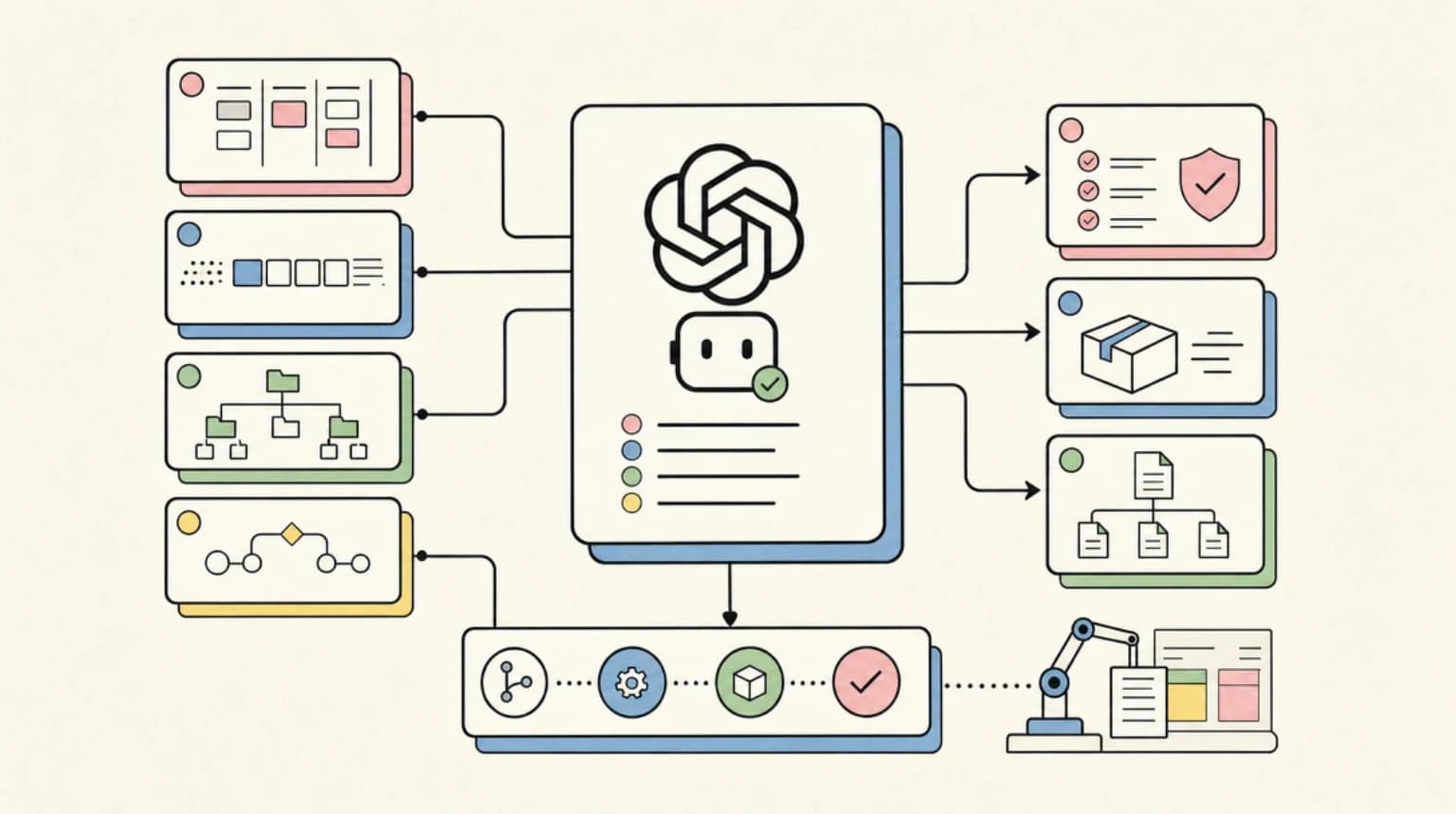
In the new flow, described in the cloud environments docs, Codex inspects your repositories, identifies runtimes, package versions, tools and services, installs them, and tests the workflow with you in a conversation. OpenAI is explicit that "you don't need to write an installation script yourself." When the setup works, Codex records it in two fields:
- Install script: commands to install dependencies and prepare development assets.
- Start skill: instructions to start services and check that they are ready.
You then publish the prepared filesystem, and every new task starts from that snapshot. Two practical consequences: credentials no longer have to disappear before the agent runs (network secrets are substituted by a proxy instead, covered below), and setup knowledge lives in a reviewable artifact rather than in someone's shell history.
Legacy is not gone yet. It still backs Code Review and the Linear and GitHub integrations, and OpenAI says it plans to deprecate it. If you rely on those integrations, keep your legacy environments until OpenAI announces a migration path. For the threat model behind cloud internet access (allowlists, prompt injection, what an agent can exfiltrate), our Codex cloud security playbook is still the right background, with one caveat: its secret handling section describes the legacy setup-script model.
%% title: Codex Cloud environment lifecycle
flowchart LR
  A[Pick GitHub repos] --> B[Codex inspects and installs]
  B --> C[Test with you]
  C --> D[Save config]
  D --> E[Publish filesystem]
  E --> F[Task 1 workspace]
  E --> G[Task 2 workspace]
  E --> H[Task N workspace]
E -. Edit + Republish .-> EPrerequisites#
According to OpenAI's availability article and the environment docs:
- An eligible plan. Codex Cloud is available to eligible Plus, all Pro tiers, Business, Enterprise, Healthcare and Education accounts, subject to rollout and workspace settings. It is not included with Free or Go.
- Workspace permission. Cloud access is off by default for Enterprise workspaces that have not enabled it. Creating or editing environments shared with the workspace also needs the Manage workspace environments permission, which is off by default (OpenAI Help Center), so ask a workspace admin before you plan on the Share step below. Guest, K-12 and Enterprise view-only seats cannot create cloud environments.
- Repositories on GitHub.com. GitLab and self-hosted GitHub Enterprise Server are not supported in cloud environments yet; both are on OpenAI's roadmap.
- The web app or desktop app for creation. You can only create environments on the web or in the desktop app. Mobile can start and continue tasks against environments that are already published.
- Optional: the Codex CLI for terminal control. Install with
npm i -g @openai/codex. The commands in this guide were checked againstcodex-cli 0.163.0.
Step 1: Create and publish an environment#
- In a new task on the web or in the desktop app, choose Work in > Cloud, open Select environment, and select Create environment. (You can also start from Settings > Codex Cloud > Environments > Create environment.)
- Select the GitHub repositories to check out. Connect GitHub if prompted.
- Select Get started. Codex inspects the repositories, installs dependencies and tools, and tests the workflow.
- Answer prompts for missing access or information. This is also where you steer: ask for a specific Node or Python version, a particular test command, or a service such as Postgres to be started.
- Review the setup report, configuration and files. Resolve anything unfinished, save, and select Publish.
- When Environment published appears, select Start a new task and describe the work.
The three verbs in that screen do different things, and mixing them up is an easy way to end up with a change that "does not take":
| Action | What it does | When a task sees it |
|---|---|---|
| Save | Stores configuration; some settings apply to the active setup immediately | During the current setup session |
| Publish / Republish | Captures the prepared filesystem for new tasks | Only tasks started after publishing |
| Share | Controls who can use the environment (Privacy > Who can use) | Colleagues can start their own tasks |
If an environment shows an Unpublished badge under Settings > Codex Cloud > Environments, tasks cannot use it yet. Finish setup and publish.
To change the setup later, open the environment's ... menu, select Edit, describe the change, let Codex prepare and test it, save, and select Republish. If a fix needs changes to source files, a package manifest or a lockfile, OpenAI's troubleshooting guidance is to make that change in a normal coding task first, then return to setup.
Step 2: Give it network access and credentials safely#
Internet access is configured per environment:
- Turn on Allow Codex to access internet.
- Under Allow domains, choose Package managers or Custom domains only, then add hosts under Additional allowed domains. All (unrestricted) exists for workflows that genuinely need broad access.
- Save, test during setup, publish or republish, and verify in a new task.
The Package managers preset covers npm and Yarn, PyPI and PyTorch, crates.io and the Rust static hosts, the Go proxy and checksum database, Maven and Gradle, Bazel, Buf, CPAN, Ubuntu and Debian repositories, a few vendor repositories (Microsoft, Buildkite, NVIDIA, NodeSource), and GitHub's source, archive, release and LFS hosts. For a registered root domain the matching www host is also allowed, but any other subdomain needs its own entry. If your private registry serves metadata from packages.example.com and tarballs from downloads.example.com, you need both.
Two more details from the docs that save debugging time. First, allowing a destination does not supply credentials or grant permissions in that service. Second, if a public service filters by source IP, OpenAI publishes an agent egress IP feed; those ranges are shared across customers, so keep the service's own authentication in place.
Environment variables vs network secrets#
Codex Cloud gives you two ways to hand a value to a task, and the choice matters:
| Type | Use it for | How it is delivered |
|---|---|---|
| Environment variable | A value a program must read directly, such as APP_MODE=development | Passed directly to programs in the environment |
| Network secret | A credential sent to a specific HTTPS service, such as a private registry token | Programs receive a placeholder; the proxy substitutes the real value for allowed destinations |
For a network secret you set a Key, a Value and Allowed domains, and you should use a key name that does not collide with any direct variable. Substitution works for HTTPS on port 443, during both setup and tasks, and the raw credential never lands in a local process or file. Saving an environment-owned network secret also adds its domains to the restricted allowlist. If a program needs to read the raw value itself (a CLI that signs requests locally, for example), it has to be an environment variable instead, which means the agent can see it.
%% title: How a network secret reaches a registry
sequenceDiagram
  participant T as Task process
  participant P as Egress proxy
  participant R as packages.example.com
  T->>P: HTTPS request with placeholder token
  P->>P: Check allowed domains
  P->>R: Same request with real token
  R-->>P: 200 package tarball
  P-->>T: Response
Personal vault for shared environments#
Settings > Codex Cloud > Personal vault stores your own environment variables and network secrets. A shared environment can request values that each person supplies from their own account, so sharing an environment shares the requirements, not your credentials. When a required value is missing you get an Add personal secrets prompt with Save and start. Only requested values reach a task, and a value scoped to a specific environment overrides a general default.
In our view this is the feature most worth adopting on a team: one person prepares the environment, everyone else brings their own token.
Private networks and cloud credentials#
- VPN: Tailscale is currently the supported provider (Advanced > VPN). Create the auth key as both Reusable (so new task VMs can join) and Ephemeral (so offline devices are removed). Private IPv4 subnet routes, split DNS and MagicDNS are supported. Tasks in a shared environment use its configured VPN identity.
- OIDC: Advanced > OIDC lets tasks obtain short-lived cloud credentials through a trust relationship your organization configures. It is available by request for Enterprise workspaces.
Step 3: Run, leave, and continue a task from any device#
On the web or desktop, choose Work in > Cloud and pick a published environment. On mobile, open Codex and pick one. Describe the goal; Codex edits files, runs commands and checks its work, and you review changes and test results before committing or opening a pull request. Reopen the same task on another device to keep going. A new task, by contrast, starts separate work from the published setup.
What a task starts from is the part to internalize:
- New task: the published environment's prepared filesystem.
- Existing task: its own saved files, including uncommitted changes and installed tools.
- Repository refresh: runs automatically in the background and keeps dependency caches without rerunning install or start commands.
Republishing an environment does not touch tasks that already exist. And by default a task's saved VM state is recoverable for up to seven days after you last start a turn or resume it. OpenAI's own advice is blunt: "Saved state doesn't replace source control." Push a branch for anything you would be upset to lose.
%% title: What state a task starts from
flowchart TD
  A{New or existing task?} -->|New| B[Published env filesystem]
  A -->|Existing| C[Task's own saved files]
  C --> D[Uncommitted changes kept]
  C --> E[Installed tools kept]
  F[Republish env] --> B
  F -. no effect .-> C
On Enterprise workspaces with Cloud delegation enabled, you can also ask @ChatGPT in Slack or Microsoft Teams to work on a repository; Codex picks an environment shared with the workspace and available to the requesting account.
Step 4: Drive Codex Cloud from the terminal (experimental)#
The Codex CLI ships a codex cloud command group, labelled [EXPERIMENTAL] in its own help text. Everything below matches the --help output and argument validation of codex-cli 0.163.0 (see our Codex CLI 0.163 notes for what else is in that release):
# browse environments and tasks interactively
codex cloud

# submit a task; --env takes an environment id or its label
codex cloud exec --env acme-web --branch main "Fix the flaky date test in packages/api and run pnpm test"

# best-of-N: 1-4 attempts (5 is rejected)
codex cloud exec --env acme-web --attempts 3 "Add input validation to the signup handler"

# list recent tasks as JSON for scripting (limit 1-20)
codex cloud list --env acme-web --limit 10 --json

# inspect, diff and apply a task locally
codex cloud status <TASK_ID>
codex cloud diff <TASK_ID> --attempt 2
codex apply <TASK_ID>
Behavior worth knowing, from the developer commands reference and the CLI source:
--envis required forexec. It accepts an environment id or a case-insensitive label match.--branchdefaults to your current local branch, so run it from the branch you mean or pass it explicitly.--attemptsdefaults to 1. Passing 5 fails withattempts must be between 1 and 4.codex cloud execprints the task URL on success and exits non-zero if submission fails, which makes it safe to use in scripts.codex apply <TASK_ID>applies the task's latest diff withgit applyto your working tree and exits non-zero if that fails, for example on conflicts.codex cloud applyandcodex cloud diffalso take--attempt <N>to pick a specific best-of-N result.
Do not confuse this with codex exec. codex exec runs the agent headlessly on the machine you invoke it from; codex cloud exec only submits work to an OpenAI VM built from your published environment and returns immediately.
A small helper: list ready tasks and their apply commands#
codex cloud list --json returns { tasks, cursor }. The shape below is taken from the JSON the CLI builds in cloud-tasks/src/lib.rs and the types in cloud-tasks-client/src/api.rs. This script filters to tasks with status ready that are not code reviews and prints what you need to land each one:
// cloud-tasks.ts - list ready Codex Cloud tasks and print the apply command for each.
// Usage: node cloud-tasks.ts <ENV_ID_OR_LABEL> [CURSOR]
import { execFile } from "node:child_process";
import { promisify } from "node:util";

const run = promisify(execFile);

type CloudTaskStatus = "pending" | "ready" | "applied" | "error";

interface CloudTask {
  id: string;
  url: string;
  title: string;
  status: CloudTaskStatus;
  updated_at: string;
  environment_id: string | null;
  environment_label: string | null;
  summary: {
    files_changed: number;
    lines_added: number;
    lines_removed: number;
  };
  is_review: boolean;
  attempt_total: number | null;
}

interface CloudTaskPage {
  tasks: CloudTask[];
  cursor: string | null;
}

async function listTasks(env: string, cursor?: string): Promise<CloudTaskPage> {
  const args = ["cloud", "list", "--env", env, "--limit", "20", "--json"];
  if (cursor) args.push("--cursor", cursor);
  const { stdout } = await run("codex", args);
  return JSON.parse(stdout) as CloudTaskPage;
}

async function main(): Promise<void> {
  const [env, cursor] = process.argv.slice(2);
  if (!env) {
    console.error("usage: node cloud-tasks.ts <ENV_ID_OR_LABEL> [CURSOR]");
    process.exit(2);
  }

  const page = await listTasks(env, cursor);
  const ready = page.tasks.filter((t) => t.status === "ready" && !t.is_review);

  if (ready.length === 0) {
    console.log("No ready tasks on this page.");
  }

  for (const task of ready) {
    const { files_changed, lines_added, lines_removed } = task.summary;
    const attempts = task.attempt_total ?? 1;
    console.log(`${task.title}`);
    console.log(`  ${files_changed} files, +${lines_added} -${lines_removed}, ${attempts} attempt(s)`);
    console.log(`  review: ${task.url}`);
    console.log(`  apply:  codex apply ${task.id}`);
  }

  if (page.cursor) {
    console.log(`\nNext page: node cloud-tasks.ts ${env} ${page.cursor}`);
  }
}

main().catch((err: unknown) => {
  console.error(err instanceof Error ? err.message : err);
  process.exit(1);
});
This file was type-checked with tsc --noEmit (strict, moduleResolution: bundler) using typescript@7.0.2 and @types/node@26.6.5, and the CLI flags were cross-checked against @openai/codex@0.163.0. It was not run against a live Codex Cloud account. A non-zero exit from codex rejects the execFile promise, so authentication or environment errors surface instead of being parsed as empty output.
Limits and gotchas#
Default VM resources per task:
| Plan | vCPUs | Memory | Disk |
|---|---|---|---|
| Plus, Edu Plus | 2 | 8 GiB | 8 GiB |
| Pro, Business, Enterprise | 4 | 16 GiB | 32 GiB |
| Edu, Edu Pro | 4 | 16 GiB | 32 GiB |
Enterprise can request larger VMs through its OpenAI account team. The rest of the list:
- 8 GiB of disk on Plus is small. A monorepo with a heavy
node_modules, a Rusttarget/directory or ML wheels can fill it. Keep the install script lean and prefer targeted installs over "install everything." - No computer or browser use in cloud environments. Visual checks and anything that needs a GUI stay local for now.
- GitHub.com only. No GitLab or GitHub Enterprise Server in cloud environments yet.
- Personal skills do not sync. Skills committed to the repository are available in cloud tasks; skills that live only on your laptop are not. Commit the ones you depend on.
- Republish does not update running tasks. Start a new task to pick up environment changes.
- Network secrets are HTTPS-on-443 only. Anything that authenticates over another port or protocol, or reads the raw token, needs an environment variable.
- An allowlisted domain is not an authenticated one. Check the hostname and the credential separately when a download fails.
- State expires. Saved VM state is recoverable for up to seven days after your last turn or resume.
- Billing. OpenAI's availability article says: "At launch, standard Codex Cloud environments have no separate VM charge. Model usage counts toward your normal Codex usage limits and applicable credits or billing." Each extra best-of-N attempt is another model run, so expect it to use more of your allowance; our Codex usage limits and pricing guide covers how those limits work per plan.
- Legacy still owns some workflows. Code Review and the Linear and GitHub integrations run on Codex Cloud (Legacy) environments.
Codex Cloud vs Claude Code cloud sessions#
The closest alternative is Claude Code's cloud sessions, available on Pro, Max and Team plans and for Enterprise users with premium or Chat + Claude Code seats. Both products solve the same problem (agent work that outlives your laptop lid) and both are GitHub-first. They differ mostly in how the environment gets built and how much the terminal is part of the loop. This table compares documented capabilities only:
| Codex Cloud | Claude Code cloud sessions | |
|---|---|---|
| Environment setup | Codex inspects repos, installs and tests with you, records an Install script and Start skill, you publish the filesystem | You write a Bash setup script; per the cloud environments docs, if it finishes in roughly five minutes the filesystem is snapshotted and reused, and rebuilt when the script or allowed hosts change or after roughly seven days |
| Entry points | Web, desktop app, mobile, experimental codex cloud CLI, Slack/Teams on Enterprise | claude.ai/code, Claude mobile app Code tab, desktop app (Cloud), claude --cloud, routines |
| Terminal handoff | Submit with codex cloud exec, pull results with codex apply | claude --cloud starts a session, --teleport pulls a cloud session into your terminal, claude -p "..." --cloud <id> sends follow-ups |
| Secrets | Proxy-substituted network secrets plus environment variables; Personal vault for per-developer values on shared environments | Network secrets attached after requests leave the session |
| Private networking | Tailscale VPN; OIDC by request on Enterprise | Option to run sessions on your organization's self-hosted environment |
| Persistence | Per-task saved VM state, recoverable up to seven days after last turn or resume | Keeps running after you close your laptop; idle sessions stop and the VM is reclaimed, and reopening restores conversation history but not running background work. Start services per session (for example with a SessionStart hook) |
| Repositories | GitHub.com only; no GitHub Enterprise Server or GitLab yet | GitHub clone; self-hosted GitHub Enterprise Server on Team and Enterprise plans; or a local repo bundle under 100 MB (non-GitHub remotes via CCR_FORCE_BUNDLE=1, no push back) |
| Pricing | No separate VM charge at launch; counts toward Codex limits | No separate VM charge; counts toward plan usage |
Where each one is stronger, on the documentation: Codex Cloud's guided setup removes the need to write and maintain a setup script by hand, and the Personal vault is a clean answer to "how do five developers share one environment without sharing one token." Claude Code wires the terminal more tightly into the loop (start with claude --cloud, pull a session down with --teleport, send follow-ups from any logged-in machine), can start from a local repository that has not been pushed, supports self-hosted GitHub Enterprise Server on Team and Enterprise plans (and can take a GitLab or Bitbucket checkout as a bundle, though it cannot push back to that remote), and offers self-hosted environments for teams that cannot run code on vendor infrastructure. For the wider tool choice beyond cloud runners, see our Claude Code vs Codex comparison.
%% title: Picking a cloud agent runner
flowchart TD
  A{Need browser or computer use?} -->|Yes| L[Local agent]
  A -->|No| B{Repo on GitHub.com?}
  B -->|No: GHES or other host| F[Claude Code cloud]
  B -->|Yes| D{Want guided setup + vault?}
  D -->|Yes| E[Codex Cloud]
  D -->|Prefer own script or self-host| F
The GHES path assumes a Claude Code Team or Enterprise plan. GitLab, Bitbucket and other non-GitHub repositories can go up as a bundle with CCR_FORCE_BUNDLE=1, but the session cannot push results back to that remote.
FAQ#
Is Codex Cloud included in ChatGPT Plus?#
Yes, for eligible Plus accounts, subject to rollout. It is also available on all Pro tiers, Business, Enterprise, Healthcare and Education, but not on Free or Go. At launch there is no separate VM charge; model usage counts toward your normal Codex limits and any applicable credits.
Does a Codex Cloud task keep running when I close my laptop?#
Yes. Tasks run on OpenAI-managed VMs and keep working while your computer is asleep. You can reopen the same task on web, desktop or mobile, and its saved VM state is recoverable for up to seven days after you last start a turn or resume it.
Can I start a Codex Cloud task from the terminal?#
Yes, with the experimental codex cloud exec --env <ENV_ID> "prompt" command in the Codex CLI. It accepts --branch and --attempts (1 to 4 for best-of-N), prints the task URL, and you land the result locally with codex apply <TASK_ID>.
Do I need to write a setup script?#
No. Codex inspects your repositories, installs and tests the setup with you, and records it as an Install script and a Start skill that you review before publishing. Codex Cloud (Legacy), which still backs Code Review and the Linear and GitHub integrations, uses hand-written setup scripts.
Does Codex Cloud support GitLab?#
Not in cloud environments yet. OpenAI lists GitLab and self-hosted GitHub Enterprise Server as unsupported today and on its roadmap.
Sources#
- ChatGPT release notes (Codex Cloud, September 29, 2026)
- Cloud environments - ChatGPT Learn
- Codex Cloud overview - ChatGPT Learn
- Codex Cloud (Legacy) environments - ChatGPT Learn
- Codex Cloud availability and billing - OpenAI Help Center
- Developer commands - ChatGPT Learn
- openai/codex: cloud-tasks CLI definition
- openai/codex: cloud-tasks JSON output
- Use Claude Code in the cloud - Claude Code Docs
- Cloud environments - Claude Code Docs
- Claude Code with GitHub Enterprise Server - Claude Code Docs
Continue Reading#
- OpenAI Codex Cloud Security Playbook 2026: Internet Access, Prompt Injection, and Safe Defaults - the threat model for cloud internet access, allowlists and prompt injection.
- Codex Usage Limits and Pricing in 2026 - how the limits your cloud tasks draw from work on each plan.
- ChatGPT Work and Codex Now Share One Desktop App: What Actually Changed - the desktop app where Work in > Cloud lives.
Get the next deep dive like this in your inbox
One email a week on AI Agents and the rest of the AI dev stack. Free.
Read next on AI coding tools
OpenAI Codex Cloud Security Playbook 2026: Internet Access, Prompt Injection, and Safe Defaults
Codex cloud security: keep internet access off by default, use strict domain allowlists, limit HTTP methods and review work logs to contain prompt injection.
10 min readChatGPT Work and Codex Now Share One Desktop App: What Actually Changed
OpenAI is consolidating its desktop apps, not merging ChatGPT and Codex into one indistinguishable product. Here is how ChatGPT Work, Codex, and GPT-5.6 fit together.
8 min readCodex Usage Limits and Pricing in 2026: Pro 100, Pro 200, Pro 500, Resets, and 'Model at Capacity' Errors
Codex usage limits and pricing per ChatGPT plan: what Plus, Pro $200 and Pro $500 buy, how resets work, and what to do about 'Selected model is at capacity'.
14 min readNew here? Start with
Technical content at the intersection of AI and development. Building with AI agents, Claude Code, and modern dev tools - then showing you exactly how it works.