Git Worktrees + Claude Code: Run Parallel Agents in 2026
TL;DR
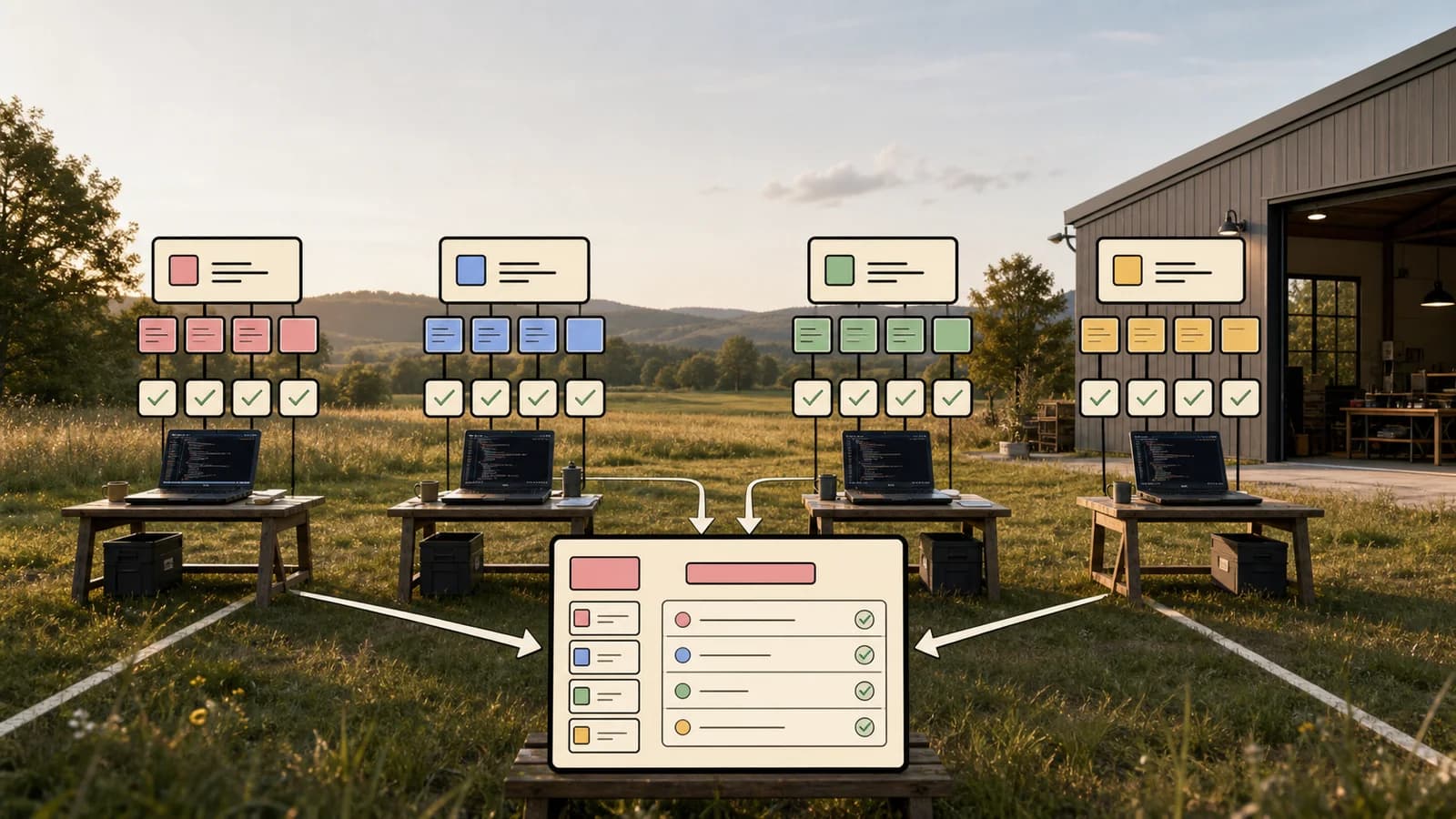
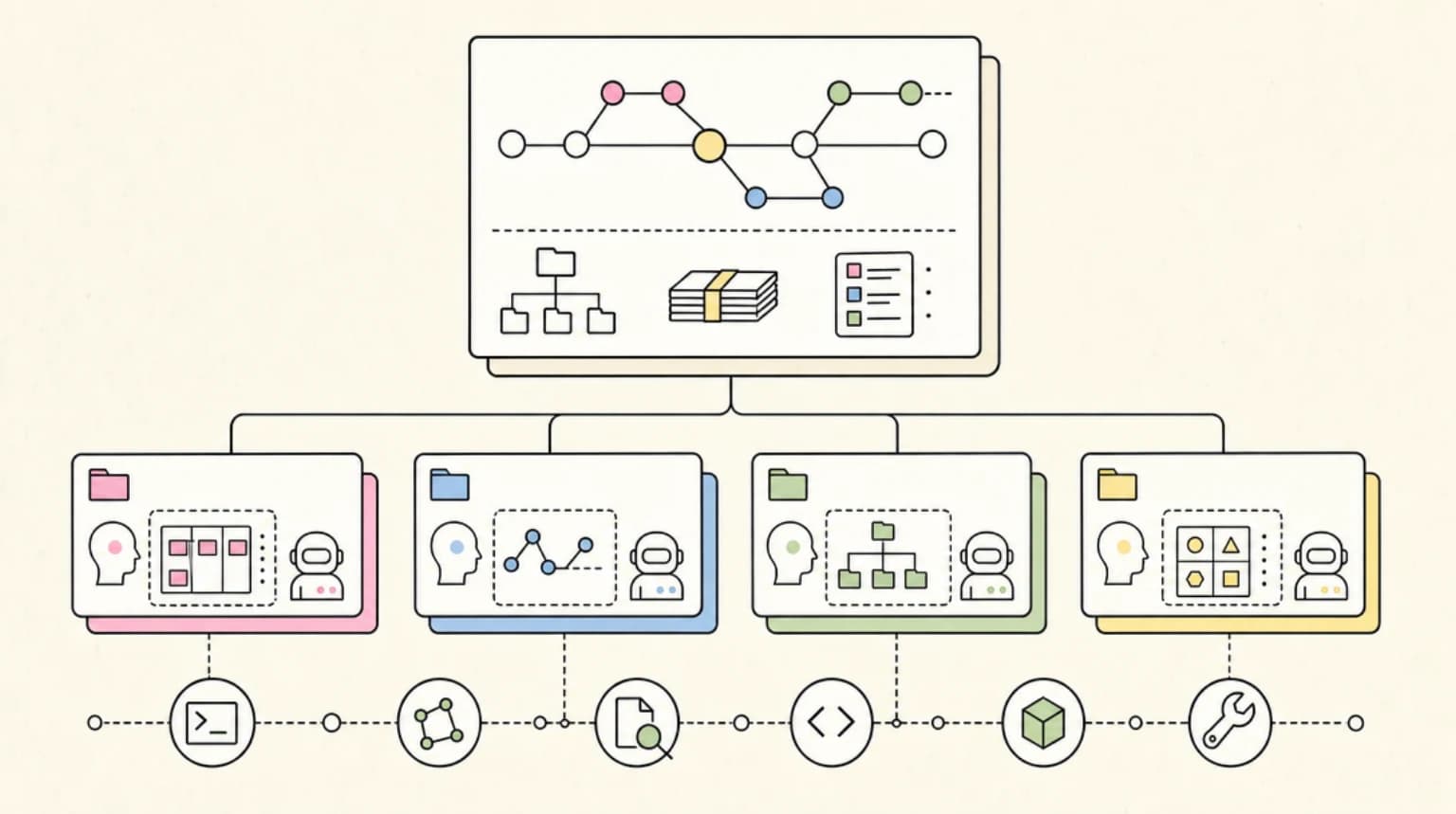
Several Claude Code agents on one repo cause branch collisions and stash chaos. Git worktrees give each agent its own directory on one shared Git history.
Running parallel Claude Code agents on a single repository checkout is a recipe for chaos. Branch switches interrupt running agents. Stashing kills momentum. Two agents trying to edit the same file at the same time produce the kind of merge conflict that takes longer to untangle than the original task.
Git worktrees solve this. Each agent gets its own directory, its own branch, and its own working state - no stashing, no collisions, no lost context. The whole workflow runs faster because agents never wait on each other.
Last updated: June 10, 2026
The Problem: Context Switching Kills Parallel Agent Velocity#
The typical pattern when people first try parallel agents: open two terminals, start two Claude Code sessions on the same directory, and hope for the best. This breaks in predictable ways.
Git can only have one active branch per checkout. When Agent A is mid-task on feature/auth-refactor and you need Agent B to jump in on fix/api-timeout, something has to give. If you git stash before switching, Agent A's working state is gone from the directory. If you switch branches without stashing, you've corrupted Agent A's context. If Agent B works on a detached HEAD, merging later becomes painful.
The deeper issue is that each Claude Code session builds context about the files it has touched. Interrupting that flow with a branch switch flushes the agent's understanding of recent edits. Rebuilding that context costs tokens and time - often more than the original task would have taken sequentially.
The fix is not better stash hygiene. The fix is eliminating the need to stash at all.
What Git Worktrees Are (Quick Primer)#
Git worktrees let you check out multiple branches from one repository simultaneously, each in a separate directory. They are a native Git feature (available since Git 2.5, released in 2015) that most developers have never touched because the single-checkout mental model is deeply ingrained.
See the Claude Code guides for the full command surface Claude Code exposes for this workflow. A typical layout looks like this:
project/
├── main/              # primary checkout (main branch)
├── main-feature-a/    # worktree for feature-a branch
├── main-fix-123/      # worktree for fix/issue-123 branch
All three directories share exactly one .git folder. Commits made in any worktree are immediately visible to all others via git log, git merge, and git rebase. You are not cloning the repository - you are adding lightweight checkout pointers into the same repository.
Core commands:
# Create a worktree with a new branch
git worktree add ../project-feature-a -b feature/a

# Create a worktree from an existing branch
git worktree add ../project-fix-123 fix/issue-123

# List all active worktrees
git worktree list

# Remove a worktree when you are done
git worktree remove ../project-feature-a
The @johnlindquist/worktree CLI (described in Juri Strumpflohner's Nx blog post) wraps these commands with ergonomic defaults - auto-naming folders, opening your configured editor, and integrating with gh pr checkout:
npm install -g @johnlindquist/worktree@latest

wt new feature-name   # creates worktree + opens in editor
wt pr 1234            # checks out a PR into its own worktree
wt list               # shows all active worktrees
wt remove feature-name
Setting Up Worktrees for Claude Code#
The steps are straightforward. The discipline is in the setup before you launch agents.
Step 1 - Create the worktrees
# From your main repo root
git worktree add ../project-agent-a -b agent/task-a
git worktree add ../project-agent-b -b agent/task-b
Name the branches after the task, not the agent. agent/auth-refactor is more useful in your Git log than claude-session-2.
Step 2 - Run any per-worktree setup
If your project has a setup script, run it in each worktree. Node projects need node_modules installed in each directory (worktrees share .git but not build artifacts):
cd ../project-agent-a && npm install
cd ../project-agent-b && npm install
Step 3 - Configure CLAUDE.md per worktree (optional but high-value)
Claude Code reads CLAUDE.md from the project root. Because each worktree has its own directory, you can drop a task-specific CLAUDE.md in each one without affecting others. This lets you give Agent A narrow instructions ("only touch files under src/auth/") while Agent B has different scope ("only touch api/routes/"). Tight scope constraints reduce the chance an agent edits files it should not.
Step 4 - Launch agents in separate terminals or tmux panes
# Terminal 1
cd ../project-agent-a && claude

# Terminal 2
cd ../project-agent-b && claude
Mike Welsh's Medium post describes running 5 concurrent worktrees in a monorepo this way - component refactoring, API updates, documentation writing, and test investigation all running simultaneously. A tmux layout makes all agents visible at once without context switching between windows.
The Parallel Pattern That Works#
The most productive two-agent setup is asymmetric: one agent works autonomously in a worktree while you edit in the main checkout.
main/           <- you are here, editing, reviewing
main-agent-a/   <- Claude Code runs here uninterrupted
You never need to pause your work to check on the agent. The agent never waits on you. When the agent finishes, you review the diff from your main checkout:
# From main checkout, review what the agent produced
git diff main..agent/task-a
This is the core velocity gain. The agent's working state is never disturbed by your branch switches or vice versa. As Juri Strumpflohner writes in the Nx post: "Since this is in a worktree (i.e., a different folder), you can just switch back in your editor and continue working on what you were doing, while your AI agent keeps working in the background."
Merge Discipline for Parallel Agent Output#
Parallel agents are fast. The bottleneck shifts from generation to review. Without a merge discipline, you end up with a pile of completed agent branches, none of which you have actually read.
A minimal review gate:
- Diff first, merge second. Always run
git diff main..agent/branch-namebefore merging. Look at what changed, not just whether CI passed. - Check for scope creep. Agents frequently edit files adjacent to the task. A test fix that silently refactors a helper is a common pattern. Catch it at diff time, not in production.
- Merge one branch at a time. Merging multiple agent branches simultaneously compounds conflicts. Finish one review, merge it to main, update the next worktree, then review the next branch.
# Update a worktree branch with latest main before merging
cd ../project-agent-a
git rebase origin/main

# Back in main, merge when satisfied with the diff
cd ../main
git merge agent/task-a
git worktree remove ../project-agent-a
The diff review habit also catches the failure mode Scott Chacon documented in the Grit project post-mortem: agents sometimes implement just enough to pass tests without actually implementing the underlying feature. A sha256 support check that only verified config metadata, not actual sha256 computation, passed the test suite for weeks. Diff review would have surfaced this much earlier.
Scaling to 5+ Concurrent Agents#
Worktrees scale easily from two agents to many. The constraints shift from Git to compute.
| Agents | Main constraint | Mitigation |
|---|---|---|
| 2-3 | None | Standard setup |
| 4-5 | RAM (node_modules x5, build caches) | Use pnpm or shared package cache |
| 6-10 | CPU during builds/tests | Stagger test runs; use CI for validation |
| 10+ | Context window budget per agent | Narrow scope per CLAUDE.md; short-lived tasks |
The Grit project ran into resource constraints that changed the entire project arc. Scott Chacon noted in his write-up: "I probably should have run this on some beefy server somewhere but instead I did it in lots of different places - my laptop, my Mac studio, a Hostinger slice... The first three each had resource issues at various loads of parallelism. Turns out compiling Rust can get a tad hungrier than I anticipated when you're trying to do many at a time."
For typical web development tasks, 4-5 worktrees is a practical ceiling on a modern laptop. Beyond that, run agents on a remote machine and pull completed branches back over SSH. Before you scale past a handful of agents, it is worth running the numbers in what a fleet of Claude agents actually costs.
Context window discipline at scale: Each agent's context window is finite. Give each agent a single, scoped task. An agent that is trying to "refactor auth and update the API and fix flaky tests" will exhaust its context window partway through and produce incomplete output. Three agents each doing one of those tasks will finish cleaner and faster.
Read the parallel agent fanout patterns post for task decomposition strategies that work well with this setup.
Worktrees + MCP: Keeping Servers Isolated Per Branch#
If you use MCP servers with Claude Code (database tools, file system access, custom integrations), worktrees introduce a subtle risk: MCP tool state can bleed between agents if both sessions connect to the same server instance.
The safest pattern is one MCP server instance per worktree, configured to scope to that worktree's directory. In your per-worktree CLAUDE.md, specify which MCP server the agent should connect to, or configure the server to only expose resources under a specific path.
For stateless MCP servers (pure function tools, no persistent state), this is not an issue. For stateful servers (database connections, file indexes, cached context), isolation matters. Running two agents through the same database MCP server, both writing to the same schema, is the worktree equivalent of the original branch collision problem - just one layer up the stack.
See building multi-agent workflows with Claude Code for more on MCP isolation patterns in multi-agent setups.
The Grit Project Lesson#
Scott Chacon's Grit project - a complete rewrite of Git in Rust using agents - is the most publicly documented large-scale parallel agent project available as of mid-2026. The full post-mortem on the GitButler blog is worth reading in its entirety. The project consumed roughly 45 billion tokens across Claude Code (14B), Cursor/GPT/Codex (12B), and Cursor composer-2 (16B).
What is instructive is not the scale but the failure modes. Chacon notes that a parallel agent broke a fundamental part of the testing harness and it looked like a massive regression - he nearly abandoned the project. The culprit was uncoordinated parallel writes. Worktree discipline, combined with more frequent merge checkpoints, would have isolated the damage to one branch instead of cascading across all agents.
The second lesson: coordination overhead grows non-linearly with agent count. A shared checklist file becomes a merge conflict surface when a dozen agents are updating it simultaneously. Something like GitHub Issues or a local ticketing system (Chacon eventually used his own Ticgit project) gives agents a stable coordination surface that is independent of the working tree.
The third lesson is cost. 45 billion tokens on a project that could have been decomposed more tightly is a lot of spend for the result. Worktree discipline does not reduce tokens, but narrower task scopes do. An agent that has a single, well-defined goal and a CLAUDE.md that forbids editing outside its directory will consume far fewer tokens than an agent given latitude to explore the whole codebase.
For teams building on Claude Code multi-agent workflows, the Grit experience is a useful calibration point: parallel agents work, but coordination and merge hygiene have to be engineered in, not assumed.
Official Sources#
| Resource | Link |
|---|---|
| Git worktree documentation | git-scm.com/docs/git-worktree |
| Git 2.5 worktrees announcement | GitHub Blog |
| @johnlindquist/worktree CLI | npmjs.com/package/@johnlindquist/worktree |
| Nx blog - Git Worktrees for AI Agents | nx.dev/blog/git-worktrees-ai-agents |
| Mike Welsh - Worktree + AI Agents | Medium |
| Scott Chacon - Grit post-mortem | blog.gitbutler.com/true-grit |
| Claude Code documentation | docs.anthropic.com/en/docs/claude-code |
Verify Claude Code's current capabilities and pricing against Anthropic's official docs before committing to a workflow - agent features have evolved rapidly and will continue to.
FAQ#
Do I need a separate node_modules install for each worktree?#
Yes, for Node projects. Worktrees share one .git history but not build artifacts, so each worktree directory needs its own dependency install. Use pnpm or a shared package cache to keep disk and RAM usage down once you scale past 2-3 concurrent agents.
How many Claude Code agents can I realistically run in parallel on a laptop?#
Four to five is a practical ceiling for typical web development on a modern laptop before RAM and CPU during builds/tests become the bottleneck. Beyond that, run agents on a remote machine and pull completed branches back over SSH.
What is the biggest risk of running agents in separate worktrees?#
Skipping the diff review before merging. Fast parallel output shifts the bottleneck from generation to review - always run git diff main..agent/branch-name and check for scope creep before merging, one branch at a time.
Do MCP servers work safely across multiple worktrees?#
Stateless MCP servers are fine. Stateful ones (database connections, file indexes, cached context) need one server instance per worktree, scoped to that worktree's directory, or you risk the same collision problem worktrees were meant to solve.
Continue Reading#
Get the next deep dive like this in your inbox
One email a week on Claude Code and the rest of the AI dev stack. Free.
Read next on Claude Code
Claude Code Worktrees: Parallel Development Without the Chaos
Claude Code worktrees let multiple agents work on one repo in parallel, each in its own branch and directory. Set up sub-agent isolation and keep main clean.
6 min readParallel Coding Agents Need Merge Discipline
Parallel coding agents only speed you up with merge discipline: clean task ownership, review receipts and a single merge owner instead of cleanup work.
7 min read219 PRs in One Day: A Parallel Agent Fan-Out Postmortem
Postmortem of 219 PRs in one day from 200+ parallel Claude Code subagents across 35 repos: what worked, what broke, and the patterns codified into a skill.
8 min readTechnical content at the intersection of AI and development. Building with AI agents, Claude Code, and modern dev tools - then showing you exactly how it works.