Grok Bot Routines: Automations Without Automation-Building
TL;DR
Grok Bot's routines flip the automation playbook: do the job once while a Bot follows along, correct it in plain language, then let the Bot own the schedule.
Last updated: August 23, 2026
Official Sources#
| Resource | Link |
|---|---|
| Introducing Grok Bot (xAI, August 11, 2026) | x.ai/news/introducing-grok-bot |
| Grok Bot is now included with more plans (xAI, August 21, 2026) | x.ai/news/grok-bot-more-plans |
| Skills and routines (xAI official docs) | docs.x.ai/grok-bot/skills-routines-and-automations |
| Hacker News discussion (350 points, 334 comments) | news.ycombinator.com/item?id=49261514 |
| eesel.ai early deep dive (August 12, 2026) | eesel.ai/blog/grok-bot |
The Automation You Demonstrate Instead Of Build#
Every automation tool asks the same thing up front: define a trigger, wire your nodes, test the webhook. Grok Bot's answer is one move called a routine, and the inversion is the entire pitch: do the job once with a Bot watching, correct it in plain language, and the Bot takes over the schedule.
xAI launched Grok Bot on August 11, 2026, and the launch post's "Show a Bot how it's done" section described the mechanic plainly: ask a Bot to follow along the next time you do a job; it watches, remembers how you like the work done, "saves your workflow as a routine, takes your corrections, and runs it on its own next time."
The positioning against builders is explicit: "Other AI tools may ask you to set up and build workflows and routines first. With Grok Bot, simply message a Bot to take on a task and it gets it done." The August 21 expansion post lists "easy-to-set-up routines" among four things every subscriber gets: ask a Bot to follow along once, "so it can run on its own after that." Bennett, a sales user quoted at launch: "I showed Grok Bot a workflow once and now I just fully trust it to run forever."
The official documentation fills in real mechanics. When the "Teach a task" control is available, you open a one-to-one Bot conversation and its computer view, describe the result you are about to demonstrate, perform the workflow once, stop the recording, and review what the Bot creates. Teaching records visible computer interaction for up to ten minutes, browser-only, with no microphone audio, and xAI warns against exposing secrets mid-demonstration. Critically, the docs call the learned result a draft that still needs decision rules, failure handling, and approval boundaries.
Scheduling is conversational too. You tell the owning Bot when to run which skill against which inputs and what never to do unaided, confirming six facts per the docs: owning Bot, schedule and time zone, input source, expected result, approval boundary, and missing-source behavior. Routines run while your laptop is closed, and Cursor integrations can fire them from events such as a Slack message or a GitHub notification.
Show It Once vs Build It First#
The classic consumer automation paradigm, from Zapier and Make to n8n and cron-driven agent scripts, front-loads configuration. You translate a process you already know into someone else's vocabulary of triggers, actions, and nodes before the system does anything useful. This site's own scheduling guides are written in exactly that shape: see our OpenCode cron automation guide and Codex recurring-work setup. Routines reverse the order. The demonstration is the configuration.
| Dimension | Build-it-first (Zapier, Make, n8n, cron) | Show-it-once (Grok Bot routines) |
|---|---|---|
| First step | Define triggers and wire nodes | Do the real job with the Bot following along |
| Time to first automated run | Hours to days of setup | One demonstration plus a review pass |
| Who sets it up | Whoever learns the builder | Whoever can already do the job |
| Corrections | Edit nodes, remap fields by hand | Say what was wrong; the Bot revises |
| Where the logic lives | A deterministic graph you maintain | A learned skill draft you refine |
| Failure handling | Branches you wrote in advance | Your stated policies plus approval gates |
Honesty requires the other column's defense: build-it-first tools are deterministic. A Zapier path either ran or it did not, and n8n workflows are auditable node by node. A demonstrated routine is learned behavior, which is why the docs push you to treat the capture as a draft and why the approval model below matters. Grok Bot is betting most people never wanted to be integration engineers; they wanted the chore gone. Early reviewers lean agreeable: eesel.ai's deep dive called the watch-once capture "a better onboarding story than any workflow builder I have used."
A Practical Routine Playbook#
The strongest routine candidates are repetitive, multi-step, low-judgment jobs where the hard part is tedium, not taste. Each recipe follows the docs' shape: demonstrate once, save the skill, test on a safe example.
Inbox triage, daily. Demonstrate sorting a morning's mail into reply-now, waiting, and archive piles. Schedule it for weekdays before you sit down, posting a triage list to the Bot conversation, with drafted replies never sent unreviewed. xAI ships this archetype as its inbox manager example: the Bot clears the inbox and leaves only what needs a person.
Weekly CRM hygiene. The launch post describes a pipeline ops Bot that keeps CRM hygiene clean, flags stalls, and lands a Monday scoreboard. Demonstrate your Friday cleanup pass once: merge duplicates, refresh stale deal stages. Schedule for Monday at 7:00 AM with a read-and-report boundary so it edits records but pings you before any customer contact.
Invoice processing. Demonstrate reading one invoice email, extracting the total and due date, filing the PDF, and logging a tracker row. For leverage, the docs support event-driven runs: a narrowly scoped trigger can start the routine when relevant mail arrives, though broad listeners like "every new message" create noise and burn usage.
Subscription audit, monthly. The expansion post's digital declutterer audits email, Drive, and paid subscriptions, and "only discards or unsubscribes if you say so." A monthly version produces a cancel list with amounts and last-use dates; nothing happens until you approve each line.
Standup notes, end of day. Demonstrate collecting meeting notes and drafting a three-line summary covering shipped, blocked, and next. Schedule it for late afternoon so the recap waits in the thread; xAI's meeting stand-in covers attending meetings you miss.
What does not suit routines? One-off judgment-heavy work: a strategy memo, a negotiation, an architecture decision. Anything whose demonstration exceeds the ten-minute recording window needs decomposing into separately taught skills first. And steps that send, purchase, delete, or publish stay behind approval gates until the routine has months of clean history.
Scaling Routines Across A Bot Team#
The launch post describes the intended topology: one chief-of-staff Bot on top with specialists for lanes such as inbox, expenses, or bug fixes. Bots message each other directly, share context in threads, and coordinate in group chats, passing work while pulling you in only for judgment calls.
Routines slot into that structure with one documented asymmetry: per the docs, skills are available across all your Bots, but a routine belongs to one owning Bot. So demonstrate a workflow to your generalist once and save it as a skill, then create the routine under whichever specialist holds the logins and connectors for the job. Deleting a Bot deletes the routines it owns, so put standing jobs on the Bot least likely to be retired.
Failure Modes And The Approval-Gate Safety Net#
Four warnings from the docs deserve memorizing before your first scheduled run.
First, there is no dry-run mode: a test run performs real work, navigating websites, changing files, and calling connected tools. Keep write actions behind approval from day one. Second, routines drift: the docs instruct re-testing after any website, connector, or source-format change, because steps captured against last month's UI may misfire against this month's. Third, deletion is immediate and unrecoverable; the app keeps only the 20 most recent run records per routine, with a ceiling of 50 per Bot. Fourth, absence is handled conservatively: after a long time away, Grok Bot may ask whether to keep routines running and pauses them if you do not respond.
The safety net that lets an immature routine mature in production is the approval gate. The docs' design-for-trust checklist reads like a delegation protocol: automate preparation before execution, have the Bot draft or recommend first, require approval for sending, purchasing, deleting, publishing, or touching production systems, include a policy for missing or stale data, make retries idempotent, and say where partial completion gets reported. A two-week-old invoice routine is safe not because it is perfect but because its worst failure is a wrong draft in a queue you review anyway. Trust expands as run history stays clean; the docs' progression says it outright: start with a one-time task, make it reliable, save the method, only then automate it.
What xAI Has Not Documented Yet#
Plenty, and precision matters here. The docs do not specify how corrections mechanically rewrite a captured skill, only that the Bot takes them and that you should supplement demonstrations with explicit rules. There is no export or migration path for moving a routine between Bots beyond re-teaching. No reliability numbers exist: no published success rates, benchmarks, or audit-trail view, a gap the eesel.ai review also flags. Usage metering per routine run is likewise undocumented. Until then, judge routines by their run records, which the interface does surface.
FAQ#
What exactly is a Grok Bot routine?#
Per xAI's documentation, a routine tells one Bot when to run a workflow it has learned, on a schedule or after an event. The workflow is captured by asking a Bot to follow along once while you do the job for real.
Do I need to configure triggers, nodes, or webhooks first?#
No. The launch post positions the product against exactly that: other tools ask you to build workflows first, while with Grok Bot you message a Bot and it gets it done. Scheduling and event triggers are confirmed conversationally after a demonstration.
How long can a demonstration be?#
Teaching records visible computer interaction for up to ten minutes, browser-only, with no microphone audio captured. Longer processes need breaking into separately taught skills.
Is a recorded workflow immediately reliable?#
Treat it as a draft. The docs say the learned skill still needs decision rules, failure handling, and approval boundaries, and advise testing on a safe example before scheduling anything.
How do I fix a routine that starts drifting?#
Correct it in natural language in the Bot thread, then re-test. The docs require re-testing after any website, connector, or source-format change, since steps were learned against how things looked.
Which plans include routines?#
Per the August 21 expansion post, Grok Bot ships in beta with SuperGrok Plus, SuperGrok Heavy, Cursor Pro+, Cursor Ultra, and Cursor Teams plans. Enterprise access remains waitlisted.
Can multiple Bots share one routine?#
Skills are shared across your Bots, but each routine has exactly one owning Bot, and deleting that Bot removes its routines. Teach once to capture the skill, then give ownership to the specialist holding the right logins.
How is this different from cron-based agent automation?#
Cron setups, like those in our OpenCode cron guide, run a script or prompt on a clock you configured by hand, with failure handling you wrote yourself. Routines capture the procedure from a demonstration and manage their own run history, pausing, and testing, at the cost of cron's determinism.
The Takeaway#
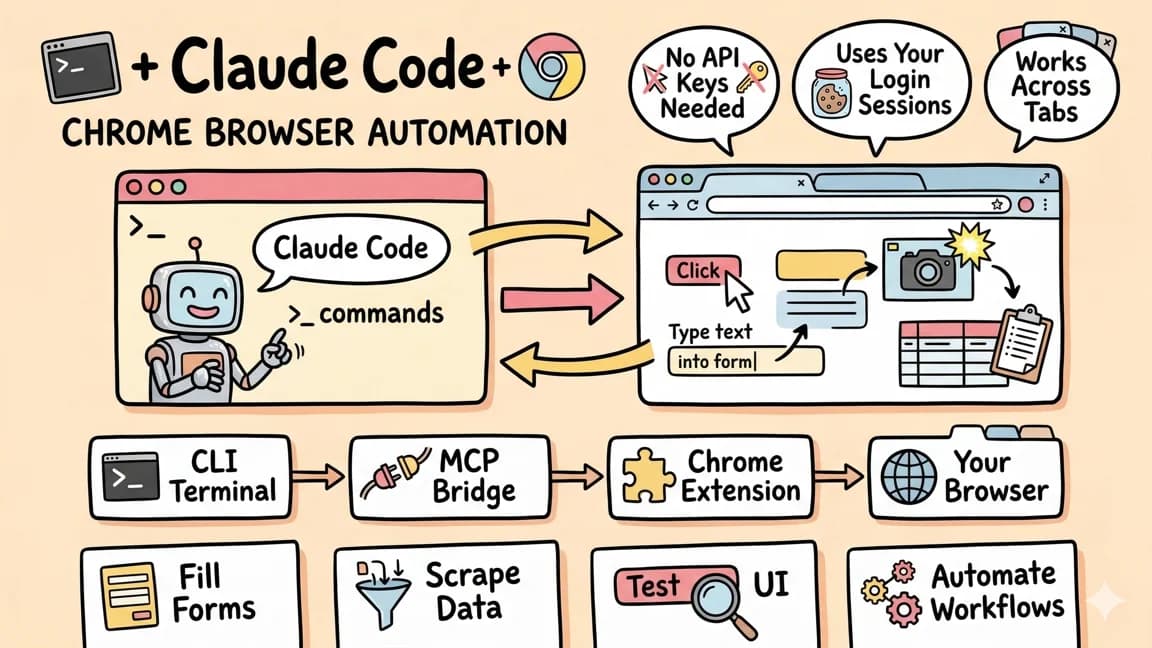
Automations used to be a developer artifact in a consumer costume: powerful, flexible, gated behind trigger-node literacy. Routines are the sharpest consumer-grade inversion yet: the setup cost is doing your actual job once. Start small, gate everything irreversible, and scale proven workflows across a specialist Bot team as trust accumulates. Start with the flagship analysis of why Grok Bot's shape works for consumers, then read how the own-computer primitive makes routines possible and how the meta-controls model gates them. For the developer-side build-it-first comparison, read how Codex handles recurring engineering work, the Cursor automations in 2026 guide, our OpenCode cron automation guide, and how Claude Code plus Chrome automation approaches the same problems - plus the security checklist for connecting agent tools before you hand any Bot your logins.
Get the next deep dive like this in your inbox
One email a week on Grok Bot and the rest of the AI dev stack. Free.
Read next on AI coding tools
Grok Bot Has the Right Shape: Four Primitives, Nothing Else
Grok Bot ships four primitives that compose - a text thread, its own cloud computer, a chief of staff over specialist Bots, and show-it-once routines - and deliberately nothing else. That restraint is the product: you message a coworker instead of configuring an automation platform.
8 min readGrok Bot's Core Primitive: Every Bot Gets a Computer
Every Grok Bot works on a persistent cloud computer with browser and terminal access, and that single primitive explains everything else about the product. Here is why own-computer beats chat drafts, API integrations, and session-scoped agents.
7 min readGrok Bot's Meta Controls: Oversight as a Product Primitive
Grok Bot ships controls over agents rather than controls by agents: approval gates, a chief-of-staff structure, and escalation learning stand in for a settings page. Here is how that oversight model works, and the control questions xAI has not answered publicly.
7 min readNew here? Start with
Technical content at the intersection of AI and development. Building with AI agents, Claude Code, and modern dev tools - then showing you exactly how it works.