Tool Calling Under the Hood: Claude Messages vs OpenAI Responses
TL;DR
How tool calling works on the wire: JSON schema tools, parallel calls, tool_choice, strict mode and streaming deltas in Claude Messages vs OpenAI Responses.
Last updated: October 17, 2026
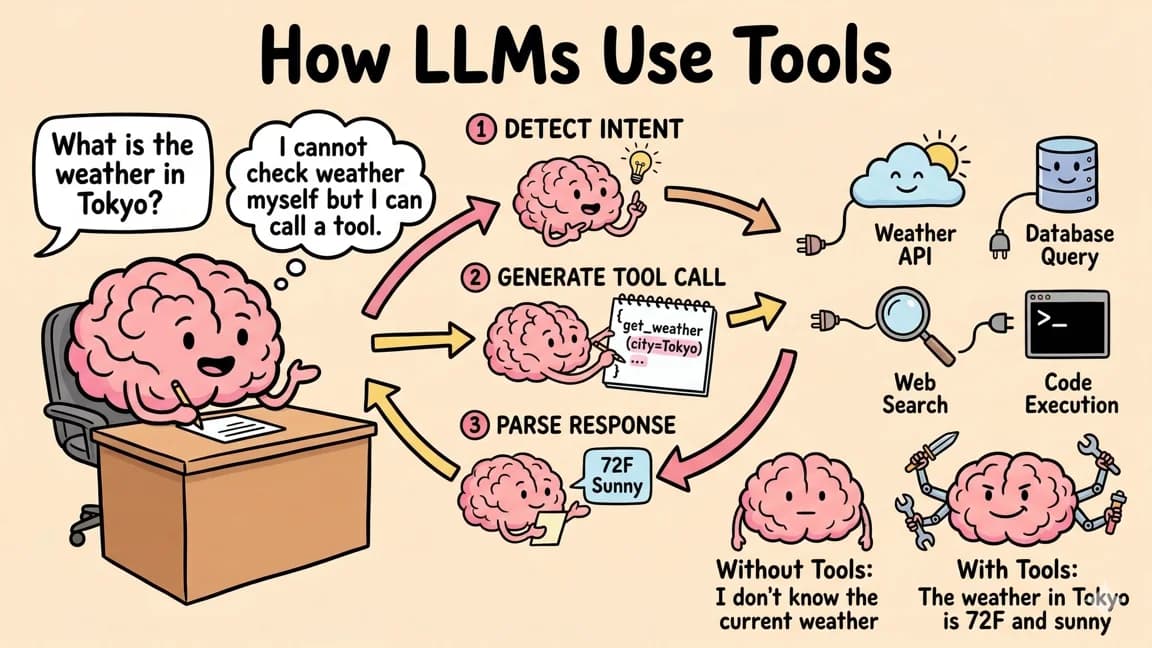
Tool calling is a structured round trip: the model emits a call with an id, a name and JSON arguments, your code runs it, and you send the result back under the same id. The Anthropic Messages API and the OpenAI Responses API implement the same loop, and both do it well. The differences that actually break code are where the knobs live (disable_parallel_tool_use inside tool_choice versus top-level parallel_tool_calls), how arguments arrive (a parsed object versus a JSON string), what strict mode defaults to, and the fact that the newest Claude models reject forced tool use with a 400.
This post is the wire-level explainer. For hardening a Claude tool loop in production (loop caps, executor errors, monitoring), read Tool Use in the Claude API: Production Patterns instead; this one stays on the mechanics and the cross-provider differences.
The loop in one picture#
%% title: One tool-calling round trip
sequenceDiagram
    participant App
    participant API as Model API
    App->>API: messages + tools + tool_choice
    API-->>App: tool_use / function_call (id, name, args)
    Note over App: validate args, run your code
    App->>API: tool_result / function_call_output (same id)
    API-->>App: final text, or more tool calls
Every tool-calling feature in both APIs is a variation on these four arrows. Parallel calls put several calls in one response. Streaming splits the second arrow into fragments. Strict mode constrains what the second arrow is allowed to contain. tool_choice decides whether the second arrow is allowed, required or pinned to one tool.
One thing worth knowing before the details: tool definitions are not free metadata. Anthropic documents that when you pass tools, the API builds a special system prompt from the tool definitions, the tool configuration and your own system prompt. OpenAI says the same thing in its function calling guide: "Under the hood, functions are injected into the system message in a syntax the model has been trained on." On both platforms, every tool you attach is billed as input tokens on every request and competes for the model's attention.
Defining a tool: same JSON Schema, different envelopes#
Both APIs describe tool inputs with JSON Schema. The envelope around the schema is where they differ.
| Field | Anthropic Messages | OpenAI Responses |
|---|---|---|
| Discriminator | none needed for user tools | type: "function" |
| Name | name, must match ^[a-zA-Z0-9_-]{1,128}$ | name |
| Description | description | description |
| Input schema | input_schema | parameters |
| Constrained decoding | strict: true (opt-in) | strict: true (recommended, normalized by default in Responses) |
| Worked examples | input_examples | no dedicated field |
| Streaming behavior | eager_input_streaming | not per tool |
| Lazy loading | defer_loading | defer_loading on a namespace |
| Caching hint | cache_control | no per-tool field |
| Free-text tools | no direct equivalent | type: "custom" with optional Lark or regex grammar |
A few of these deserve a sentence each.
input_examples (Anthropic). You can attach sample inputs to a tool. Each one must validate against input_schema or the request returns a 400, and Anthropic puts the cost at roughly 20-50 tokens for a simple example and 100-200 for a complex nested one (define tools). They are most useful when a tool has optional parameters and you want the model to learn when to fill them.
Custom tools (OpenAI). A type: "custom" tool takes free text instead of JSON arguments and comes back as a custom_tool_call item with an input string. You can constrain that text with a context-free grammar in Lark or regex syntax (custom tools). This is a good fit when the natural argument is a program, a query or a formatted string rather than an object.
Namespaces (OpenAI). A type: "namespace" entry groups related functions, with optional defer_loading: true, so tools with similar names in different domains stay distinguishable (defining namespaces). Anthropic gets to a similar place by convention: its guide recommends service-prefixed names such as github_list_prs and consolidating related operations into fewer tools with an action parameter.
On tool surface design, the two vendors give compatible advice. OpenAI suggests aiming for fewer than 20 functions available at the start of a turn (a soft suggestion) and using enums to make invalid states unrepresentable; past that, it points to tool search, supported on gpt-5.4 and later. Anthropic recommends detailed descriptions of three to four sentences per tool and fewer, broader tools. The same idea runs through One Tool Beats Ten Endpoints: shape tools around intent, not around your REST routes.
What comes back: tool_use blocks vs function_call items#
Here is the same call on both wires.
Claude returns an assistant message with stop_reason: "tool_use" and one or more tool_use content blocks. input is already a parsed object:
{
  "role": "assistant",
  "stop_reason": "tool_use",
  "content": [
    { "type": "text", "text": "Let me check that order." },
    {
      "type": "tool_use",
      "id": "toolu_01A...",
      "name": "orders_get_status",
      "input": { "order_id": "ORD-1042" }
    }
  ]
}
You answer in a user message containing tool_result blocks:
{
  "role": "user",
  "content": [
    {
      "type": "tool_result",
      "tool_use_id": "toolu_01A...",
      "content": "{\"status\":\"in_transit\",\"eta\":\"2026-10-19\"}"
    }
  ]
}
content can be a string or an array of content blocks such as text, images or documents, and is_error: true marks a failure (handle tool calls). Errors are a feature, not just a status: Anthropic documents that when a call is invalid or missing parameters and you return an is_error result, Claude retries two to three times with corrections before apologizing to the user. Write the error string for the model ("order_id must look like ORD-1234"), not for your logs.
OpenAI Responses returns tool calls as items in the top-level output array. Note the two ids and the string-typed arguments:
{
  "type": "function_call",
  "id": "fc_1234xyz",
  "call_id": "call_67890abc",
  "name": "orders_get_status",
  "arguments": "{\"order_id\":\"ORD-1042\"}"
}
You answer with a function_call_output input item keyed by call_id (not id), where output is usually a string:
{
  "type": "function_call_output",
  "call_id": "call_67890abc",
  "output": "{\"status\":\"in_transit\",\"eta\":\"2026-10-19\"}"
}
| Anthropic | OpenAI Responses | |
|---|---|---|
| Where calls live | content[] of the assistant message | output[] of the response |
| Call id you echo back | id -> tool_use_id | call_id -> call_id (ignore fc_ id here) |
| Arguments | input, a parsed object | arguments, a JSON string you JSON.parse |
| Result container | tool_result block in a user message | function_call_output input item |
| Error signal | is_error: true | convention only: put the error in output |
| Must replay | assistant content, including thinking blocks | output items, including reasoning items |
The last row is the one that bites in agent loops. OpenAI says that for reasoning models, any reasoning items returned alongside tool calls must be passed back with the tool call outputs; the JS SDK ships toResponseInputItems() in openai/lib/responses/ResponseInputItems to turn a response's output into replayable input. Anthropic's equivalent is preserving thinking blocks: send the assistant's content back unchanged, signature included. If you rebuild history from your own summary of the turn, you break both.
tool_choice: auto, any/required, forced, none, allowed_tools#
| Intent | Anthropic tool_choice | OpenAI tool_choice |
|---|---|---|
| Model decides (default with tools) | {"type": "auto"} | "auto" |
| Must call at least one tool | {"type": "any"} | "required" |
| Must call this tool | {"type": "tool", "name": "..."} | {"type": "function", "name": "..."} |
| No tool calls | {"type": "none"} (default without tools) | "none" |
Restrict to a subset, keep tools unchanged | no direct equivalent | {"type": "allowed_tools", "mode": "auto", "tools": [...]} |
Three behaviors matter more than the names.
Forced calls skip the preamble and the thinking. With any or tool, Anthropic prefills the assistant turn so the response starts directly with the tool_use block. The model will not write explanatory text first, even if asked, and on every model that accepts forced tool use a forced call has no thinking block. If you want reasoning before the call, Anthropic's advice is auto plus an instruction in the user message. Changing tool_choice between requests also invalidates cached message blocks (tool definitions and the system prompt stay cached).
The 2026 gotcha: current Claude models reject forced tool use. Claude Opus 5.5, Claude Sonnet 5.5, Claude Fable 5.1 and Claude Mythos 5.1 return a 400 for any and tool. Manual extended thinking (thinking: {type: "enabled"}) blocks them on other models too. Anthropic's recommended replacement is auto with strict tool use for schema-valid inputs, or structured outputs via output_config.format when what you really wanted was a fixed JSON shape (forcing tool use). Extraction code that forces a single "record the result" tool as a JSON-mode trick fails at request time on these models; output_config.format is the direct replacement.
allowed_tools exists for caching. OpenAI's allowed_tools restricts which tools are callable this turn without changing the tools array, so the cached prompt prefix that contains your tool definitions stays valid (tool choice). If your agent has phases (plan, then act), this is cheaper than swapping the tools list per phase.
%% title: Picking tool_choice
flowchart TD
    A[Need a tool call?] --> B{Must the model call a tool?}
    B -- No --> C[auto]
    B -- Yes --> D{Claude Opus 5.5 class model?}
    D -- Yes --> E[auto + strict tools or structured output]
    D -- No --> F{One specific tool?}
    F -- Yes --> G[forced tool / function]
    F -- No --> H[any on Claude, required on OpenAI]
    C --> I{Narrow tools per turn on OpenAI?}
    I -- Yes --> J[allowed_tools, tools list unchanged]
Parallel tool calls#
Both APIs default to parallel calls, and both let you turn them off. The switch is in a different place on each.
Anthropic. Claude 4 and later models call tools in parallel when a request benefits. To limit it, set disable_parallel_tool_use: true inside the tool_choice object; it is not a top-level parameter. With auto it means at most one call per response; with any or tool it means exactly one (parallel tool use).
The API does not prescribe execution order. Run read-only calls concurrently and side-effecting or order-dependent calls sequentially; that decision is yours. What the API does prescribe is the shape of your reply:
- one
tool_resultfor everytool_usein the batch, - all of them in the next single user message,
- every
tool_resultbefore any text in that message, - and an
is_error: trueresult for any call you chose not to run.
Anthropic's docs flag the failure mode directly: formatting results incorrectly, such as splitting them across messages, "teaches" Claude to avoid parallel calls. If your agent mysteriously stopped batching, check your history builder before your prompt. Anthropic's SDK Tool Runner handles this formatting for you if you do not need manual control.
OpenAI. Set top-level parallel_tool_calls: false to get zero or one call per turn. Two documented edge cases: on supported models beginning with GPT-5, functions can be called in parallel when built-in tools are also available, but built-in tools cannot be part of a parallel function-call batch; and fine-tuned models that call multiple functions in one turn have strict mode disabled for those calls (parallel function calling).
The practical risk with parallel calls is not the API, it is your downstream. Four simultaneous writes against a rate-limited service is the classic failure, covered in the parallel tool section of the OpenAI Responses API migration guide. Cap concurrency per tool, not per turn.
Strict mode and structured outputs#
Both vendors implement strict mode with grammar-constrained sampling: the schema is compiled into a grammar and decoding cannot produce tokens that violate it. The developer experience differs in defaults and limits.
Anthropic. strict: true is opt-in per tool. It guarantees that input follows input_schema and that name is always a valid tool name, and it shares a pipeline and a JSON Schema subset with JSON structured outputs (output_config.format with type: "json_schema"). The older output_format parameter is deprecated and only works with the structured-outputs-2025-11-13 beta header. Strict tools and JSON outputs can be combined in one request; structured outputs are incompatible with citations and message prefilling.
The schema subset: basic types, enum of scalars, const, anyOf/allOf (no allOf with $ref), internal $ref/$defs, default, common string formats, and minItems of 0 or 1. additionalProperties must be false. Not supported: recursive schemas, numeric constraints such as minimum/maximum, and minLength/maxLength (the SDK helpers can move those into descriptions and validate client-side). Two quieter rules: required properties are emitted first, and enum casing is not guaranteed, so compare enum values case-insensitively (JSON Schema limitations).
OpenAI. Strict mode requires additionalProperties: false on every object and every property listed in required; optional fields become a union with null, for example "type": ["string", "null"]. OpenAI recommends always enabling it. The default differs by API: if you omit strict, Responses tries to normalize your schema into strict mode and falls back to non-strict when it cannot (the tool in the response then shows strict: false), while Chat Completions stays non-strict by default (strict mode). If you send strict: true with a schema that does not qualify, the request is rejected with the missing constraints listed.
| Limit | Anthropic (strict tools + JSON outputs) | OpenAI (structured outputs) |
|---|---|---|
| Strict tools per request | 20 | not separately documented |
| Optional parameters | 24 total across strict schemas | n/a (all properties required; use null unions) |
| Union-typed parameters | 16 total | not separately documented |
| Total object properties | not separately documented | 5,000 |
| Nesting depth | not separately documented | 10 levels |
| String budget for names and enum/const values | not separately documented | 120,000 characters |
| Enum values | not separately documented | 1,000 across the schema |
| Compile behavior | "Schema is too complex for compilation" 400, 180 s timeout, schema cached up to 24 h since last use | not separately documented |
Sources: Anthropic schema complexity limits, OpenAI supported schemas.
The Anthropic optional-parameter limit is easy to hit because it is summed across every strict tool in the request: four strict tools with six optional parameters each already reach 24. Anthropic's own advice is to mark only the tools where a schema violation causes real damage as strict, and to make parameters required with an explicit default where you can. The first request with a new schema also pays grammar compile latency.
Should you always turn it on? On OpenAI, the vendor says yes, and Responses mostly does it for you. On Anthropic, turn it on for tools whose inputs drive writes, money or irreversible actions, and for anything you previously forced with tool_choice; leave it off on long-tail read tools if you are near the complexity limits.
Streaming tool-call deltas#
Streaming tool arguments lets you show "calling orders_get_status..." immediately and start validating early. Both APIs stream arguments as string fragments that only become valid JSON at the end.
Anthropic. A tool_use block opens with content_block_start carrying input: {} as a placeholder. Then content_block_delta events arrive with delta.type: "input_json_delta" and a partial_json string. Concatenate them per block index and parse at content_block_stop. The message-level message_delta then carries stop_reason: "tool_use".
%% title: Anthropic streaming tool input
flowchart LR
    A["content_block_start<br/>tool_use, input {}"] --> B["content_block_delta<br/>input_json_delta"]
    B --> B
    B --> C[content_block_stop]
    C --> D[JSON.parse the joined string]
    D --> E[message_delta<br/>stop_reason tool_use]
By default the API buffers and validates each parameter before streaming it. Setting eager_input_streaming: true on a user-defined tool turns on fine-grained streaming: fragments arrive sooner because the server skips buffering and JSON validation, so the accumulated string can be invalid JSON, and a max_tokens stop can cut a parameter off midway. Anthropic's recommendation is to send unparseable input back as an is_error tool result wrapping the raw string, e.g. {"INVALID_JSON": "..."}. The per-tool field replaces the legacy fine-grained-tool-streaming-2025-05-14 beta header and works on all models across the Claude API, Bedrock, Vertex AI and Microsoft Foundry (fine-grained tool streaming).
OpenAI Responses. A function call appears as response.output_item.added with a function_call item that already has its name and call_id and empty arguments. Then response.function_call_arguments.delta events stream fragments keyed by item_id and output_index, response.function_call_arguments.done delivers the complete arguments string, and response.output_item.done closes the item (streaming).
%% title: OpenAI Responses streaming tool call
flowchart LR
    A[response.output_item.added<br/>function_call, call_id] --> B[response.function_call_arguments.delta]
    B --> B
    B --> C[response.function_call_arguments.done<br/>full arguments]
    C --> D[response.output_item.done]
    D --> E[response.completed]
The rule on both sides: treat deltas as UI and as a progress signal, and treat the closing event (content_block_stop with a successful parse, or function_call_arguments.done) as the only value you execute. Never fire a side effect from a partial argument string.
Working code: the same loop on both APIs#
Both examples run a streaming, strict, parallel-capable tool loop with an 8-turn cap. They were type-checked with tsc --noEmit (strict, moduleResolution: bundler) against @anthropic-ai/sdk@0.135.0 and openai@7.36.0 on TypeScript 7.0.2. They were not run against the live APIs.
Anthropic Messages, streaming with a strict, eager-streaming tool. The accumulator rebuilds every content block by index, including thinking blocks and their signatures, so the assistant turn can be replayed unchanged. All tool results go back in one user message.
import Anthropic from "@anthropic-ai/sdk";

const client = new Anthropic(); // reads ANTHROPIC_API_KEY

const tools: Anthropic.Tool[] = [
  {
    name: "orders_get_status",
    description:
      "Look up the shipping status of one order by its order id. Returns carrier, status and ETA. Use when the user asks where an order is.",
    input_schema: {
      type: "object",
      properties: {
        order_id: { type: "string", description: "Order id, e.g. ORD-1042" },
      },
      required: ["order_id"],
      additionalProperties: false,
    },
    strict: true, // grammar-constrained: input always matches the schema
    eager_input_streaming: true, // stream fragments without server-side buffering
  },
];

async function runTool(name: string, input: unknown): Promise<string> {
  if (name === "orders_get_status") {
    const { order_id } = input as { order_id: string };
    return JSON.stringify({ order_id, status: "in_transit", eta: "2026-10-19" });
  }
  throw new Error(`Unknown tool: ${name}`);
}

export async function ask(question: string) {
  const messages: Anthropic.MessageParam[] = [{ role: "user", content: question }];

  for (let turn = 0; turn < 8; turn++) {
    const stream = await client.messages.create({
      model: "claude-opus-5-5",
      max_tokens: 2048,
      tools,
      tool_choice: { type: "auto" }, // any/tool return 400 on Opus 5.5
      messages,
      stream: true,
    });

    // Rebuild every content block by index. Thinking blocks (with their
    // signature) must go back unchanged alongside the tool_use blocks.
    type Draft =
      | { type: "text"; text: string }
      | { type: "thinking"; thinking: string; signature: string }
      | { type: "redacted_thinking"; data: string }
      | { type: "tool_use"; id: string; name: string; json: string };
    const drafts = new Map<number, Draft>();
    let stopReason: string | null = null;

    for await (const event of stream) {
      if (event.type === "content_block_start") {
        const b = event.content_block;
        if (b.type === "tool_use") {
          // input arrives as {} here; the real value comes in deltas
          drafts.set(event.index, { type: "tool_use", id: b.id, name: b.name, json: "" });
        } else if (b.type === "text") {
          drafts.set(event.index, { type: "text", text: "" });
        } else if (b.type === "thinking") {
          drafts.set(event.index, { type: "thinking", thinking: "", signature: "" });
        } else if (b.type === "redacted_thinking") {
          drafts.set(event.index, { type: "redacted_thinking", data: b.data });
        }
      } else if (event.type === "content_block_delta") {
        const d = drafts.get(event.index);
        const delta = event.delta;
        if (d?.type === "tool_use" && delta.type === "input_json_delta") {
          d.json += delta.partial_json;
        } else if (d?.type === "text" && delta.type === "text_delta") {
          d.text += delta.text;
          process.stdout.write(delta.text);
        } else if (d?.type === "thinking" && delta.type === "thinking_delta") {
          d.thinking += delta.thinking;
        } else if (d?.type === "thinking" && delta.type === "signature_delta") {
          d.signature = delta.signature;
        }
      } else if (event.type === "message_delta") {
        stopReason = event.delta.stop_reason;
      }
    }

    const content: Anthropic.ContentBlockParam[] = [];
    const calls: { id: string; name: string; input: unknown; badJson?: string }[] = [];
    let text = "";
    for (const [, d] of [...drafts].sort(([a], [b]) => a - b)) {
      if (d.type !== "tool_use") {
        if (d.type === "text") text += d.text;
        content.push(d);
        continue;
      }
      let input: unknown;
      let badJson: string | undefined;
      try {
        input = d.json ? JSON.parse(d.json) : {};
      } catch {
        // eager_input_streaming skips validation, so the JSON can be invalid
        badJson = d.json;
        input = { INVALID_JSON: d.json };
      }
      content.push({ type: "tool_use", id: d.id, name: d.name, input });
      calls.push({ id: d.id, name: d.name, input, badJson });
    }
    messages.push({ role: "assistant", content });

    if (stopReason !== "tool_use") return text;

    // Run the batch, then send every tool_result in ONE user message.
    const results = await Promise.all(
      calls.map(async (c): Promise<Anthropic.ToolResultBlockParam> => {
        if (c.badJson !== undefined) {
          return {
            type: "tool_result",
            tool_use_id: c.id,
            is_error: true,
            content: JSON.stringify({ INVALID_JSON: c.badJson }),
          };
        }
        try {
          return {
            type: "tool_result",
            tool_use_id: c.id,
            content: await runTool(c.name, c.input),
          };
        } catch (err) {
          return {
            type: "tool_result",
            tool_use_id: c.id,
            is_error: true,
            content: String(err),
          };
        }
      }),
    );
    messages.push({ role: "user", content: results });
  }
  throw new Error("Tool loop did not finish in 8 turns");
}
OpenAI Responses, streaming with strict functions and allowed_tools. The full tools list stays constant for caching while allowed_tools narrows this turn to the read-only tool. The arguments accumulator is there for live UI; the authoritative items come from response.completed, which are replayed with toResponseInputItems() before the function_call_output items.
import OpenAI from "openai";
import { toResponseInputItems } from "openai/lib/responses/ResponseInputItems";
import type {
  FunctionTool,
  ResponseInputItem,
  ResponseOutputItem,
} from "openai/resources/responses/responses";

const client = new OpenAI(); // reads OPENAI_API_KEY

const tools: FunctionTool[] = [
  {
    type: "function",
    name: "orders_get_status",
    description: "Look up the shipping status of one order by its order id.",
    parameters: {
      type: "object",
      properties: {
        order_id: { type: "string", description: "Order id, e.g. ORD-1042" },
      },
      required: ["order_id"],
      additionalProperties: false,
    },
    strict: true,
  },
  {
    type: "function",
    name: "orders_cancel",
    description: "Cancel an order that has not shipped yet.",
    parameters: {
      type: "object",
      properties: { order_id: { type: "string" } },
      required: ["order_id"],
      additionalProperties: false,
    },
    strict: true,
  },
];

async function runTool(name: string, args: unknown): Promise<string> {
  if (name === "orders_get_status") {
    const { order_id } = args as { order_id: string };
    return JSON.stringify({ order_id, status: "in_transit", eta: "2026-10-19" });
  }
  throw new Error(`Unknown tool: ${name}`);
}

export async function ask(question: string) {
  const input: ResponseInputItem[] = [{ role: "user", content: question }];

  for (let turn = 0; turn < 8; turn++) {
    const stream = await client.responses.create({
      model: "gpt-6-astra",
      input,
      tools, // keep the full list stable for prompt caching...
      tool_choice: {
        // ...and narrow what is callable this turn instead
        type: "allowed_tools",
        mode: "auto",
        tools: [{ type: "function", name: "orders_get_status" }],
      },
      parallel_tool_calls: true,
      stream: true,
    });

    // Accumulate argument fragments per output_index (useful for live UI).
    const args = new Map<number, string>();
    let output: ResponseOutputItem[] = [];

    for await (const event of stream) {
      switch (event.type) {
        case "response.output_item.added":
          if (event.item.type === "function_call") args.set(event.output_index, "");
          break;
        case "response.function_call_arguments.delta":
          args.set(event.output_index, (args.get(event.output_index) ?? "") + event.delta);
          break;
        case "response.function_call_arguments.done":
          args.set(event.output_index, event.arguments); // full string, authoritative
          break;
        case "response.output_text.delta":
          process.stdout.write(event.delta);
          break;
        case "response.completed":
          output = event.response.output;
          break;
      }
    }

    const calls = output.filter(
      (item): item is OpenAI.Responses.ResponseFunctionToolCall =>
        item.type === "function_call",
    );
    if (calls.length === 0) return output;

    // Replay the model's output (including reasoning items) before the results.
    input.push(...toResponseInputItems(output));

    const results = await Promise.all(
      calls.map(async (call): Promise<ResponseInputItem.FunctionCallOutput> => {
        let result: string;
        try {
          result = await runTool(call.name, JSON.parse(call.arguments));
        } catch (err) {
          result = JSON.stringify({ error: String(err) });
        }
        return { type: "function_call_output", call_id: call.call_id, output: result };
      }),
    );
    input.push(...results);
  }
  throw new Error("Tool loop did not finish in 8 turns");
}
Notice how little of the code is actually different: the event names, where the id lives, and the JSON.parse on OpenAI's side. Most of the work in both is bookkeeping that keeps the next request's history faithful to what the model actually produced.
Differences cheat sheet#
| Concern | Anthropic Messages | OpenAI Responses |
|---|---|---|
| Schema field | input_schema | parameters |
| Call id echoed back | tool_use.id -> tool_result.tool_use_id | function_call.call_id -> function_call_output.call_id |
| Arguments type | parsed object (input) | JSON string (arguments) |
| Stop signal | stop_reason: "tool_use" | function_call items present in output |
| Turn off parallel | tool_choice.disable_parallel_tool_use: true | top-level parallel_tool_calls: false |
| Require some tool | any (400 on Opus 5.5, Sonnet 5.5, Fable 5.1, Mythos 5.1) | required |
| Restrict without changing tools | no direct equivalent | allowed_tools |
| Strict default | off; opt in per tool | Responses normalizes to strict when possible; Chat Completions off |
| Streaming events | content_block_start / input_json_delta / content_block_stop | output_item.added / function_call_arguments.delta / .done / output_item.done |
| Error signaling | is_error: true on tool_result | free-form output string |
| Free-text tools | no direct equivalent | type: "custom" with grammar |
If you target both providers, a framework that normalizes these shapes saves real code. The Vercel AI SDK 7 is a good example: its provider layer maps both wire formats onto one tool interface. The tradeoff is that newer provider-specific knobs (eager_input_streaming, allowed_tools, custom grammars) can lag behind or need provider options, so it pays to know what is underneath. And if you are deciding between raw function calling and a protocol layer on top, see MCP vs Function Calling.
FAQ#
Is function calling the same as tool calling?#
Yes, at the API level. OpenAI's docs say "function calling" and use type: "function"; Anthropic's say "tool use". Both describe the same mechanism: the model emits a structured call, your code executes it, and you return the result keyed by the call's id. OpenAI also has non-function tool types (custom tools and built-in tools), which is why "tool" is the broader word.
Why does my Claude request return 400 when I force a tool?#
Claude Opus 5.5, Claude Sonnet 5.5, Claude Fable 5.1 and Claude Mythos 5.1 reject tool_choice any and tool, and manual extended thinking (thinking: {type: "enabled"}) blocks them on other models. Switch to auto with strict: true on the tool, or use output_config.format if you only need structured JSON back.
Should I always turn on strict mode?#
On OpenAI, yes: OpenAI recommends it, and Responses normalizes eligible schemas to strict anyway. On Anthropic, turn it on for tools where a malformed input would cause damage, and watch the per-request limits (20 strict tools, 24 optional parameters, 16 union-typed parameters across all strict schemas).
Why did Claude stop making parallel tool calls?#
The most common cause is history formatting. Every tool_result for a batch has to go back in one user message, before any text. Splitting results across messages "teaches" Claude to stop batching, per Anthropic's parallel tool use docs. Also check that you did not set disable_parallel_tool_use: true inside tool_choice.
Can I trust streamed tool arguments before the block finishes?#
No. On both APIs the deltas are string fragments that are only guaranteed to form complete JSON at the closing event, and with Anthropic's eager_input_streaming even the final string can be invalid. Render progress from deltas, but execute only after content_block_stop (with a guarded parse) or response.function_call_arguments.done.
Sources#
- Anthropic, Define tools: https://platform.claude.com/docs/en/agents-and-tools/tool-use/define-tools
- Anthropic, Handle tool calls: https://platform.claude.com/docs/en/agents-and-tools/tool-use/handle-tool-calls
- Anthropic, Parallel tool use: https://platform.claude.com/docs/en/agents-and-tools/tool-use/parallel-tool-use
- Anthropic, Strict tool use: https://platform.claude.com/docs/en/agents-and-tools/tool-use/strict-tool-use
- Anthropic, Fine-grained tool streaming: https://platform.claude.com/docs/en/agents-and-tools/tool-use/fine-grained-tool-streaming
- Anthropic, Tool reference: https://platform.claude.com/docs/en/agents-and-tools/tool-use/tool-reference
- Anthropic, Structured outputs: https://platform.claude.com/docs/en/build-with-claude/structured-outputs
- Anthropic, Thinking (preserving thinking blocks): https://platform.claude.com/docs/en/build-with-claude/thinking
- OpenAI, Function calling guide: https://developers.openai.com/api/docs/guides/function-calling
- OpenAI, Structured outputs guide: https://developers.openai.com/api/docs/guides/structured-outputs
- Anthropic TypeScript SDK: https://github.com/anthropics/anthropic-sdk-typescript
- OpenAI Node SDK: https://github.com/openai/openai-node
Continue Reading#
- Tool Use in the Claude API: Production Patterns for Reliable Agents - loop caps, executor error handling and monitoring for the Claude side of this loop.
- MCP vs Function Calling: When to Use Each - where a protocol layer sits on top of the raw tool calls described here.
- What Is an Agent Harness? A Developer's Map for 2026 - how the tool loop fits inside the larger harness that runs an agent.
- The Agent Loop Explained: How 5 SDKs Run Tools Until Done - how five SDKs wrap this tool loop, what they count and when they stop.
- MCP vs A2A vs Function Calling: Which Layer Does What in 2026 - where MCP and A2A sit on top of the raw tool calls described here.
Get the next comparison like this in your inbox
One email a week on AI Agents and the rest of the AI dev stack. Free.
Read next on AI coding tools
Tool Use in the Claude API: Production Patterns for Reliable Agents
Master tool use in the Claude API. Schema design, retry logic, multi-step loops, and the failure modes that only show up at 10k calls a day.
12 min readAssistants to Responses API: A Migration Field Guide
Migrate from the OpenAI Assistants API to the Responses API: a tested plan covering code, state, threads, tool-use parity, and an eval-gated cutover.
13 min readMCP vs Function Calling: When to Use Each
MCP servers and function calling both let AI tools interact with external systems. They solve different problems. Here is when to reach for each.
6 min readNew here? Start with
Technical content at the intersection of AI and development. Building with AI agents, Claude Code, and modern dev tools - then showing you exactly how it works.