Agent Architecture: Building Multi-Step AI Workflows That Survive Production

TL;DR
A practical architecture for multi-step Claude agents. Loop patterns, state management, error recovery, and the production gotchas that turn a five-step demo into a 20 percent success rate at scale.
Official Sources#
Primary references for building production agent architectures with the Anthropic API.
| Resource | Link |
|---|---|
| Anthropic tool use documentation | docs.anthropic.com/en/docs/build-with-claude/tool-use |
| Anthropic prompt caching | docs.anthropic.com/en/docs/build-with-claude/prompt-caching |
| Anthropic Agent SDK overview | docs.anthropic.com/en/docs/agents/overview |
| Anthropic TypeScript SDK | github.com/anthropics/anthropic-sdk-typescript |
| Claude Code sub-agents | docs.anthropic.com/en/docs/claude-code/sub-agents |
| ReAct paper (Yao et al., 2022) | arxiv.org/abs/2210.03629 |
What actually makes something an agent#
A chatbot answers. An agent decides. The line is clear in theory and blurry in code, so it helps to anchor on the loop.
An agent runs a loop where the model picks the next action, a runtime executes it, and the result feeds back into the next decision. That loop is the only thing that separates a multi-step Claude workflow from a glorified if/else over a single completion. Everything else - tools, memory, planning, reflection - is decoration on top of that core.
If your "agent" runs three sequential prompt calls in a fixed order with no branching, that is a pipeline. Pipelines are great. They are not agents. The reason this matters is operational. Pipelines have predictable cost and latency. Agents have a probability distribution over both, because the model controls the trip count. Treat them differently in production or you will be surprised by your bill.
Watch the DevDigest video on building your first AI agent for the visual walk-through. The rest of this post is the architecture you bolt around that loop once it leaves localhost.
The four loop patterns you actually use#
Almost every production agent I have shipped collapses into one of four shapes.
Pattern A: simple loop. Plan, act, observe, repeat. No reflection step. Cheap, fast, and works for tasks where the model can recover from a bad tool call by trying a different one. Most "research this URL" or "summarize this codebase" agents live here.
Pattern B: loop with reflection. Same as A, but every N iterations the agent gets prompted with "you have done X, Y, Z so far. Are you on track? Should you change strategy?" Reflection is expensive (extra round trip, extra tokens, extra cache miss) but pulls success rates up sharply on any task that involves multi-hop reasoning. Use it when the cost of a wrong path is high.
Pattern C: manager + workers. A manager agent decomposes the goal into subtasks and dispatches them to worker agents. Workers report back. Manager assembles results. This is the pattern Anthropic's own engineering team uses for parallel research. The win is parallelism. The cost is coordination overhead, which is real.
Pattern D: hierarchical with verification gates. Same as C, but the manager runs each worker output through a verifier before accepting it. The verifier is usually a smaller model (Haiku verifying Sonnet) or a deterministic check. This is the pattern that survives at 10+ steps without the agent reliability cliff eating you alive.
Here is the simple loop with the Anthropic TypeScript SDK. Real, runnable, no pseudocode.
TypeScript
import Anthropic from "@anthropic-ai/sdk";

const client = new Anthropic();

const tools: Anthropic.Tool[] = [
  {
    name: "search_docs",
    description: "Search internal documentation for a query",
    input_schema: {
      type: "object",
      properties: { query: { type: "string" } },
      required: ["query"],
    },
  },
  {
    name: "finish",
    description: "Call when the task is complete",
    input_schema: {
      type: "object",
      properties: { answer: { type: "string" } },
      required: ["answer"],
    },
  },
];

async function executeTool(name: string, input: any): Promise<string> {
  if (name === "search_docs") {
    return await searchDocs(input.query);
  }
  throw new Error(`unknown tool: ${name}`);
}

async function runAgent(goal: string, maxSteps = 8) {
  const messages: Anthropic.MessageParam[] = [{ role: "user", content: goal }];

  for (let step = 0; step < maxSteps; step++) {
    const response = await client.messages.create({
      model: "claude-sonnet-4-5",
      max_tokens: 4096,
      tools,
      messages,
    });

    messages.push({ role: "assistant", content: response.content });

    if (response.stop_reason === "end_turn") return messages;

    const toolUses = response.content.filter(
      (b): b is Anthropic.ToolUseBlock => b.type === "tool_use"
    );

    if (toolUses.length === 0) return messages;

    const toolResults: Anthropic.ToolResultBlockParam[] = await Promise.all(
      toolUses.map(async (tu) => {
        try {
          const result = await executeTool(tu.name, tu.input);
          return { type: "tool_result", tool_use_id: tu.id, content: result };
        } catch (err) {
          return {
            type: "tool_result",
            tool_use_id: tu.id,
            content: `error: ${(err as Error).message}`,
            is_error: true,
          };
        }
      })
    );

    messages.push({ role: "user", content: toolResults });

    if (toolUses.some((t) => t.name === "finish")) return messages;
  }

  throw new Error("agent exceeded max steps");
}
Three things make this production-shaped instead of demo-shaped. The hard step cap, the explicit finish tool that lets the model signal completion (don't trust end_turn alone, the model lies about being done), and the is_error flag on tool results so the model knows when something failed instead of returning silent garbage.
State management is where agents go to die#
The single biggest difference between an agent demo and an agent in production is what happens to context.
A demo runs for five turns. A production agent runs for forty. By turn twenty your messages array is 80k tokens of tool calls, partial results, and reasoning. Three things break.
First, latency. Every turn re-uploads the entire history. Without prompt caching you pay full input cost on every step, and the call time creeps from two seconds to fifteen.
Second, attention. Models are demonstrably worse at long contexts. The instruction you put in the system prompt at turn one is competing with 60k tokens of tool noise by turn twenty. The model starts forgetting constraints.
Third, the cost compounds geometrically. A 20-step agent with no caching costs roughly 10x what the same agent with caching costs, because each turn pays for everything before it.
The fix is two patterns layered together.
Prompt caching on the system prompt and tool definitions. Anthropic's prompt cache cuts cached read costs to 10 percent of normal input. For an agent that reuses the same tool schema across thirty turns, this is the single most impactful change you can make. Set cache_control: { type: "ephemeral" } on your tools array (final element) and on the system message.
Summarization checkpoints. Every N steps (we use 10), have the agent compress its own history. Replace the messages array with a single user message: "Summary of your work so far: ..." plus the most recent two turns. Lossy but necessary. The trick is making the summary include enough state for the agent to keep going - what it was trying to do, what it has tried, what failed, what is next.
TypeScript
async function compactHistory(
  messages: Anthropic.MessageParam[]
): Promise<Anthropic.MessageParam[]> {
  if (messages.length < 20) return messages;

  const summary = await client.messages.create({
    model: "claude-haiku-4-5",
    max_tokens: 1024,
    messages: [
      ...messages,
      {
        role: "user",
        content:
          "Summarize what you have done so far in 200 words. Include the goal, completed steps, current blockers, and the next planned action.",
      },
    ],
  });

  const summaryText = summary.content
    .filter((b): b is Anthropic.TextBlock => b.type === "text")
    .map((b) => b.text)
    .join("");

  return [
    { role: "user", content: `Resuming task. Prior progress:\n\n${summaryText}` },
    ...messages.slice(-4),
  ];
}
Use Haiku for the summary. It is dramatically cheaper, the summary doesn't need Sonnet-level reasoning, and the compaction is now a fixed-cost operation regardless of history length.
From the archive
OpenAI Agents SDK Evolution: What Ships in Production
Apr 29, 2026 • 10 min read
OpenAI Apps SDK: Building MCP UIs Inside ChatGPT
Apr 29, 2026 • 12 min read
Astro vs Next.js 16: Which to Choose in 2026
Apr 29, 2026 • 12 min read
Claude Batch API: Cutting Async Workload Costs In Half
Apr 29, 2026 • 11 min read
Error handling: the part everyone skips#
There are four error categories in an agent and they need different responses.
Tool execution errors. The tool ran and threw. Network failure, permission denied, malformed input. These are recoverable. Return the error string back as a tool result with is_error: true. The model will usually retry with adjusted input. If the same tool fails three times in a row with similar errors, escalate.
Invalid tool calls. The model called a tool with invalid input shape. Schema validation should catch this before execution. Return a structured error explaining what was wrong. The model corrects on the next turn 90 percent of the time.
API errors from Anthropic. Rate limits, 5xx, timeouts. These are infrastructure problems. Retry with exponential backoff and jitter. We wrote up the full pattern in Claude API reliability: error handling best practices.
Logical errors. The agent is doing the wrong thing. Maybe stuck in a loop calling the same tool. Maybe wandering into off-topic territory. These are not recoverable with a retry. They need a circuit breaker - if step count exceeds budget, or the same tool is called with the same input twice in a row, hard-stop and return what you have.
The loop-detection circuit breaker is the one most teams skip and the one that saves the most money. Three lines of code, one Set, prevents the runaway agent that calls search_docs("hello") 50 times until your context window explodes.
TypeScript
const callSignatures = new Set<string>();
for (const tu of toolUses) {
  const sig = `${tu.name}:${JSON.stringify(tu.input)}`;
  if (callSignatures.has(sig)) {
    throw new Error(`loop detected: ${sig} called twice`);
  }
  callSignatures.add(sig);
}
Decomposition: how to know when an agent is done#
A bad agent doesn't know when to stop. A good agent has explicit success criteria baked into the prompt. This is the single highest-leverage prompt engineering change for multi-step work.
The pattern is to give the model an explicit finish tool with a structured output, and tell it in the system prompt exactly when to call it. "Call finish when you have a complete answer to the user's question, with citations to at least two sources." The model then has a concrete target, not a vibe.
For decomposition, the manager-worker pattern works best when the manager produces a static plan first, then dispatches in parallel. Dynamic dispatch (manager picks next task based on previous worker output) sounds smart but introduces sequential dependencies that kill throughput. Static plan, parallel dispatch, sequential merge.
TypeScript
async function managerPlan(goal: string): Promise<string[]> {
  const response = await client.messages.create({
    model: "claude-sonnet-4-5",
    max_tokens: 2048,
    system: "You are a planner. Decompose the goal into 3-5 independent subtasks. Return JSON array of strings, no other output.",
    messages: [{ role: "user", content: goal }],
  });
  const text = response.content.find((b): b is Anthropic.TextBlock => b.type === "text")?.text ?? "[]";
  return JSON.parse(text);
}

async function fanOut(goal: string) {
  const subtasks = await managerPlan(goal);
  const results = await Promise.all(subtasks.map((t) => runAgent(t, 8)));
  return results;
}
Promise.all is doing real work here. Three workers running in parallel cuts wall-clock time roughly 3x compared to sequential. For research-style tasks this is the difference between a 90 second response and a 30 second one.
Production at scale: what breaks past 100 concurrent agents#
Once you are running real agent traffic, three things bite.
Rate limit shape. Anthropic rate limits are per-organization, measured in tokens per minute. A burst of 100 agents starting simultaneously will hammer the limit during their first turn (when input tokens are smallest) and then again in waves. Smooth this with a token bucket on your side. Don't trust the SDK retries to handle it - they will, but you will burn budget on retries that could have been spaced out.
Per-agent cost variance. Average cost per agent run might be $0.40, but the p99 will be $4.00, and the p99.9 will be $40 if you don't have a hard ceiling. Set a per-agent token budget. When the cumulative input + output tokens for one run exceeds the cap, terminate. We track this on every run with agent-finops, our cost observability dashboard - watching the p99 line is the only way to catch a runaway before the bill arrives.
Replay and debugging. The hardest agent bugs are the ones that happened in production three days ago and you can't reproduce. The fix is logging every step with full input, output, and tool result. Storage is cheap. We use tracetrail to replay agent runs step by step against the same prompts and inputs, which is how we usually figure out whether a regression was the model, the tool layer, or the prompt itself.
The full architecture for a production-ready Claude agent fits in maybe 300 lines of TypeScript. The harder work is the operational scaffolding around it - cost limits, replay, monitoring, summarization. Skip those and the loop runs fine on day one and ruins your week on day thirty.
If you want to see this stack working end to end, the DevDigest YouTube channel has the build-along where we wire up Sonnet 4.5, prompt caching, the manager-worker fan-out, and the replay layer in a single Next.js app. The pattern is the same whether you are running one agent or a thousand. The discipline scales with the count.
FAQ#
What is the difference between an agent and a pipeline?#
A pipeline runs a fixed sequence of prompts in order with no branching. An agent runs a loop where the model picks the next action, executes it, and feeds the result back into the next decision. The distinction matters operationally because pipelines have predictable cost and latency, while agents have a probability distribution over both since the model controls the loop count.
How many steps can a production agent run before it breaks down?#
Most agents start degrading past 15-20 steps due to context length issues, attention drift, and compounding latency. Without prompt caching and history summarization, a 20-step agent costs roughly 10x what one with caching costs. The practical ceiling depends on your caching strategy and summarization checkpoints - with both, you can push to 40+ steps reliably.
Which loop pattern should I use for my agent?#
Use Pattern A (simple loop) for straightforward tasks like URL research or codebase summarization where the model can recover from errors by trying different tool calls. Use Pattern B (loop with reflection) when wrong paths are expensive and you need the model to self-correct. Use Pattern C (manager + workers) for parallelism. Use Pattern D (hierarchical with verification) for anything over 10 steps where the reliability cliff would otherwise kill you.
Why do I need an explicit finish tool?#
Models lie about being done. Relying on end_turn alone leads to agents that declare victory prematurely or trail off into irrelevant reasoning. An explicit finish tool with structured output gives the model a concrete target and lets you define exactly what completion means - like "call finish when you have a complete answer with citations to at least two sources."
How do I prevent runaway agent costs?#
Three controls: a hard step cap (set maxSteps and enforce it), a per-agent token budget (terminate when cumulative input + output exceeds the cap), and loop detection (if the same tool is called with the same input twice, hard-stop). The loop-detection circuit breaker is three lines of code and saves the most money by catching the agent that calls search_docs("hello") 50 times.
What is the best way to handle long agent histories?#
Two patterns layered together. First, use Anthropic's prompt caching on the system prompt and tool definitions - this cuts cached read costs to 10% of normal for the constant parts. Second, run summarization checkpoints every 10 steps using Haiku to compress the history into a summary that includes the goal, completed steps, current blockers, and next planned action.
How do I debug agent failures that happened in production?#
Log every step with full input, output, and tool results. Storage is cheap, debugging without logs is expensive. The hardest bugs are ones you cannot reproduce, so replay capability is essential. Replay tools let you re-run agent sessions step by step against the same prompts and inputs to figure out whether a failure was the model, the tool layer, or the prompt.
What is the manager-worker pattern and when should I use it?#
The manager agent decomposes a goal into subtasks and dispatches them to worker agents running in parallel. Workers report back, and the manager assembles results. Use it when you need parallelism - three workers running Promise.all cuts wall-clock time roughly 3x compared to sequential. The cost is coordination overhead, so it only pays off when subtasks are genuinely independent.
Continue Reading#
Read next
The Agent Reliability Cliff: Why Your 10-Step Chain Only Succeeds 20% of the Time
The math of agent pipelines is brutal. 85% reliability per step compounds to about 20% at 10 steps. Here is why long chains collapse in production, and the six patterns the field has converged on to fight the decay.
9 min readOpenAI Agents SDK for TypeScript: A Practical Guide
OpenAI released their Agents SDK for TypeScript with first-class support for tool calling, structured outputs, multi-agent coordination, streaming, and human-in-the-loop approvals. Here is how each piece works.
10 min readAgent Replays with TraceTrail: Loom for Agent Runs
Agent runs are opaque. TraceTrail turns a Claude Code JSONL into a public share link with a stepped timeline of messages, tool calls, and tokens.
8 min readShare
Developers Digest
Technical content at the intersection of AI and development. Building with AI agents, Claude Code, and modern dev tools - then showing you exactly how it works.
300+ videos30K+ GitHub stars850+ articles
Related Tools
AI FrameworksNew

Claude Agent SDK
Anthropic's Python SDK for building production agent systems. Tool use, guardrails, agent handoffs, and orchestration. R...
View ToolAI Frameworks

Mastra
TypeScript-first AI agent framework. Agents, tools, memory, workflows, RAG, evals, tracing, MCP, and production deployme...
View ToolAI Frameworks
A
Agency Swarm
Multi-agent orchestration framework built on the OpenAI Agents SDK. Define agent roles, typed tools, and directional com...
View ToolAI FrameworksEssential

Vercel AI SDK
The TypeScript toolkit for building AI apps. Unified API across OpenAI, Anthropic, Google. Streaming, tool calling, stru...
View ToolApps from Developers Digest
Developer ToolsIn Progress
Agent Workflow Hub
Queue and organize repeatable agent workflows before they become production automations.
View AppDeveloper ToolsIn Progress
Skill Builder Hub
Author, test, score, and govern reusable AI agent skills before production registry.
View AppSaaS Products
Overnight Agents
Spec out AI agents, run them overnight, wake up to a verified GitHub repo.
View AppRelated Guides
Guide
Claude Code Setup Guide
Configure Claude Code for maximum productivity -- CLAUDE.md, sub-agents, MCP servers, and autonomous workflows.
AI AgentsGuide
Subagent Persistent Memory - Claude Code
Auto-memory that persists across multiple subagent invocations.
Claude CodeGuide
Team Lead - Claude Code
Coordinator agent that assigns tasks and synthesizes findings.
Claude CodeRelated Videos
TRAE: Custom AI Agents That Actually Understand Your Codebase
Check out Trae here! https://tinyurl.com/2f8rw4vm In this video, we dive into @Trae_ai a newly launched AI IDE packed with innovative features. I provide a comprehensive demonstration...
Video·
Building Effective AI Agents with VectorShift
In this video, I demonstrate how to use VectorShift to build AI applications and workflows. By applying ideas from Anthropic's blog post 'Building Effective Agents,' I show you how to create...
Video·

Buzz: Open-Source Collaboration for Humans + AI Agents
Buzz by Block: Open-Source Slack-Style Collaboration for Humans + AI Agents (Demo & Setup) Check out Arcade: https://arcade.dev.plug.dev/xiDRwlA Repo: https://github.com/block/buzz The video introd...
Video·
Related Posts

9 min read
AI Agents
The Agent Reliability Cliff: Why Your 10-Step Chain Only Succeeds 20% of the Time
The math of agent pipelines is brutal. 85% reliability per step compounds to about 20% at 10 steps. Here is why long cha...

10 min read
OpenAI
OpenAI Agents SDK for TypeScript: A Practical Guide
OpenAI released their Agents SDK for TypeScript with first-class support for tool calling, structured outputs, multi-age...
8 min read
AI Coding
Agent Replays with TraceTrail: Loom for Agent Runs
Agent runs are opaque. TraceTrail turns a Claude Code JSONL into a public share link with a stepped timeline of messages...

10 min read
Claude
Claude API Reliability: Error Handling Best Practices
The defensive patterns that keep Claude integrations alive in production. Retry shapes, backoff with jitter, circuit bre...
13 min read
MCP
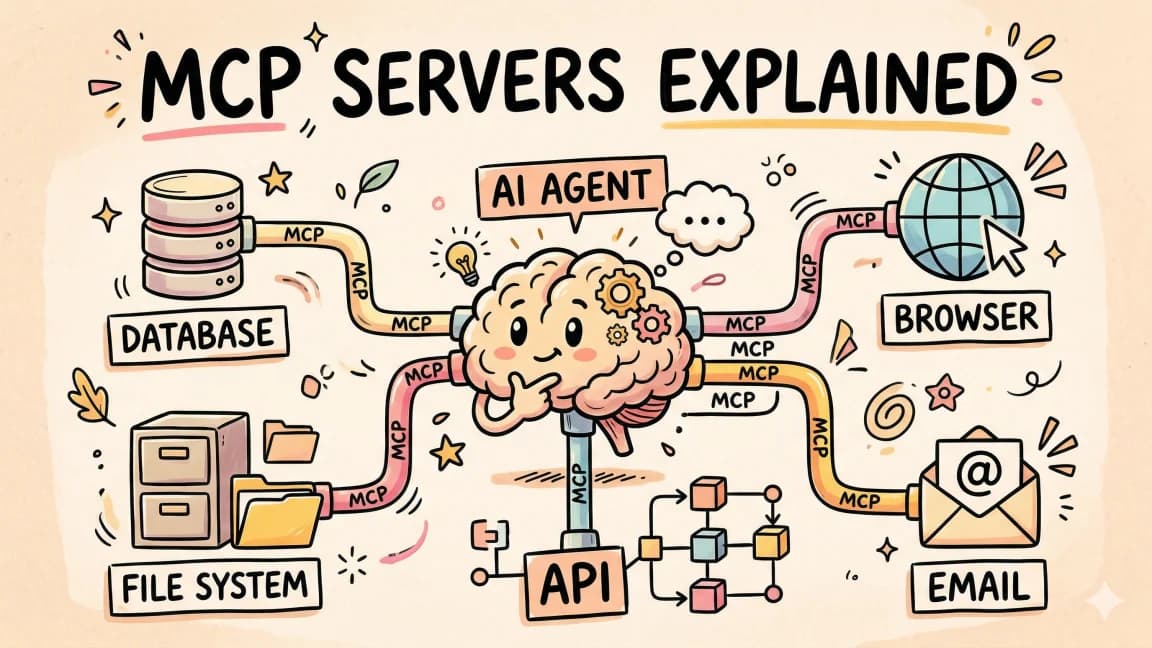
Model Context Protocol: A Production Guide To Building MCP Servers
Build MCP servers that connect Claude to your databases, APIs, and tools. Architecture, TypeScript SDK code, debugging,...
10 min read
RAG
RAG with Claude: Add Context Without Retraining
A production-grade RAG pipeline with Claude. Chunking that survives real documents, retrieval tuning that actually moves...
Build with the member tools

Get Smarter About AI Dev
New tutorials, open-source projects, and deep dives on coding agents - delivered weekly.
One email per weekReal code, not theoryFree forever