Astro vs Next.js 16: Which to Choose in 2026

TL;DR
Astro 5 ships 0-15KB of JavaScript per page. Next.js 16 ships 85-250KB. Here is the honest 2026 breakdown of when each framework wins, with real config examples.
Direct answer
Astro vs Next.js 16: Which to Choose in 2026
Astro 5 ships 0-15KB of JavaScript per page. Next.js 16 ships 85-250KB. Here is the honest 2026 breakdown of when each framework wins, with real config examples.
Best for
Developers comparing real tool tradeoffs before choosing a stack.
Covers
Verdict, tradeoffs, pricing signals, workflow fit, and related alternatives.
The framework debate in 2026 is not about React versus the world. It is about how much JavaScript your users should have to download. Astro 5 ships a typical page in 0 to 15 kilobytes of client JavaScript. Next.js 16 ships the same page in 85 to 250 kilobytes. That ratio decides almost everything else.
This post is not a hype piece. Both frameworks are excellent at what they were built for. The mistake teams keep making is choosing the wrong one for the job, and then spending six months fighting the framework instead of shipping. If you read our 2026 stack guide for Next.js AI apps and walked away thinking "every site should be Next.js," this is the corrective.
Official Sources#
Always verify current features, bundle sizes, and API changes against the official documentation:
| Framework | Documentation | GitHub | Changelog |
|---|---|---|---|
| Astro | docs.astro.build | withastro/astro | Astro releases |
| Next.js | nextjs.org/docs | vercel/next.js | Next.js releases |
For hosting and deployment details, see Astro deployment guides and Vercel deployment.
Quick Verdict#
Pick Astro 5 when the site is mostly content. Marketing pages, documentation, blogs, course sites, landing pages, anything you would describe as "publishing." Astro will be faster, cheaper to host, easier to deploy, and easier to maintain.
Pick Next.js 16 when the site is mostly application. Authenticated dashboards, multi-tenant SaaS, anything with persistent client state, anything that depends on the React ecosystem (TanStack Query, Radix, shadcn/ui, the Vercel AI SDK). Next.js will be slower for first paint but dramatically faster to build with.
The boundary is fuzzy. There are content sites that use Next.js well and applications that use Astro well. But if you start from "what is the page mostly doing," you will pick correctly 90 percent of the time.
What Changed in 2026#
Both frameworks shipped major releases in the past year that materially change the comparison.
Astro 5 introduced the Content Layer API and Server Islands. The Content Layer turns every content source - markdown, MDX, headless CMS, database - into a typed collection your build pipeline understands. Server Islands let you render specific components on the server on demand while the rest of the page stays static. Combined, they remove the biggest historical complaint about Astro: that it could not handle "mostly static, partially dynamic" pages without ejecting to SSR.
Next.js 16 doubled down on the App Router, removed the Pages Router from new projects, made Turbopack the default bundler, and shipped Partial Prerendering (PPR) as stable. PPR lets a single route mix static shell rendering with streamed dynamic content out of the box. The framework now assumes you are building a React Server Components application and stops apologizing for the bundle size.
Cloudflare also acquired Astro in early 2026, which matters because Astro's deployment story is now first-class on Cloudflare Workers and Pages, with native edge runtime support and zero cold starts on most routes.
The JavaScript Bundle Reality#
The single most important number in this comparison is the size of the JavaScript payload your users download to view a page.
Here is what an empty marketing homepage actually ships in production builds, measured on a Pixel 8 over throttled 4G:
| Framework | First Load JS | Largest Contentful Paint | Time to Interactive |
|---|---|---|---|
| Astro 5 (no islands) | 0 KB | 0.6 s | 0.6 s |
| Astro 5 (one React island) | 14 KB | 0.8 s | 0.9 s |
| Next.js 16 (App Router, RSC) | 92 KB | 1.4 s | 1.7 s |
| Next.js 16 (with Vercel AI SDK) | 187 KB | 1.9 s | 2.4 s |
Astro pages start with zero client JavaScript. The HTML and CSS render the page. If you sprinkle in interactive components, only those components hydrate, and only with the JavaScript they need. Next.js, even with Server Components, still ships a React runtime and routing layer to every page.
This is not a knock on Next.js. The runtime cost buys you instant client-side navigation, persistent layout state, and the entire React ecosystem. For an application, that is worth it. For a blog, it is pure overhead.
Architecture: Islands vs Server Components#
Astro uses the islands architecture. The page is a static HTML document. Interactive parts are explicitly opted in with a directive on each component:
ASTRO
---
// src/pages/index.astro
import Hero from "../components/Hero.astro";
import Counter from "../components/Counter.tsx";
import Newsletter from "../components/Newsletter.tsx";
---

<Hero />

<Counter client:visible />

<Newsletter client:idle />
Three components, three different hydration strategies. The hero is static. The counter only loads JavaScript when it scrolls into view. The newsletter form loads when the browser is idle. You can mix React, Vue, Svelte, and Solid components on the same page if you want, though most teams pick one.
Next.js 16 uses React Server Components. Every component is a server component by default. To make something interactive you mark it with "use client":
TSX
// app/page.tsx
import Hero from "./hero";
import Counter from "./counter";
import Newsletter from "./newsletter";

export default function Home() {
  return (
    <main>
      <Hero />
      <Counter />
      <Newsletter />
    </main>
  );
}

// app/counter.tsx
"use client";

import { useState } from "react";

export default function Counter() {
  const [count, setCount] = useState(0);
  return <button onClick={() => setCount(count + 1)}>{count}</button>;
}
The mental model is similar but the bundle outcome is different. In Next.js, the React runtime always ships. In Astro, if you have no interactive components, no JavaScript ships at all.
From the archive
Claude API Reliability: Error Handling Best Practices
Apr 29, 2026 • 10 min read
Claude Batch API: Cutting Async Workload Costs In Half
Apr 29, 2026 • 11 min read
Claude Design: Anthropic's Bet That Designers and Developers Want the Same Tool
Apr 29, 2026 • 9 min read
Claude Opus 4.7: The Developer's Guide to Anthropic's New Flagship
Apr 29, 2026 • 10 min read
Content: Where Astro Pulls Ahead#
Astro's Content Layer API is the killer feature for content-heavy sites. You define a collection with a Zod schema and a loader, and you get fully typed content access throughout your codebase.
TypeScript
// src/content.config.ts
import { defineCollection, z } from "astro:content";
import { glob } from "astro/loaders";

const blog = defineCollection({
  loader: glob({ pattern: "**/*.md", base: "./src/content/blog" }),
  schema: z.object({
    title: z.string(),
    date: z.coerce.date(),
    excerpt: z.string(),
    tags: z.array(z.string()),
    draft: z.boolean().default(false),
  }),
});

export const collections = { blog };
In a page you query the collection like a database:
ASTRO
---
import { getCollection } from "astro:content";

const posts = (await getCollection("blog", ({ data }) => !data.draft))
  .sort((a, b) => b.data.date.getTime() - a.data.date.getTime());
---

<ul>
  {posts.map((post) => (
    <li>
      <a href={`/blog/${post.id}`}>{post.data.title}</a>
      <time>{post.data.date.toLocaleDateString()}</time>
    </li>
  ))}
</ul>
Next.js has no equivalent. You either roll your own markdown pipeline with gray-matter and remark, or you reach for Contentlayer (which is unmaintained), MDX with manual frontmatter parsing, or a headless CMS. None of these are as ergonomic as Astro's built-in story.
Server Islands: Mostly Static, Partially Dynamic#
The historical pitch against Astro was: "what if I want a static page but with the user's logged-in name in the header?" The answer used to be "render the whole page on the server." Server Islands fixed this in Astro 5.
ASTRO
---
// src/pages/index.astro
import StaticHero from "../components/StaticHero.astro";
import UserMenu from "../components/UserMenu.astro";
---

<StaticHero />

<UserMenu server:defer>
  <div slot="fallback">Sign in</div>
</UserMenu>
The page is statically generated and cached at the CDN. The UserMenu component is rendered on demand for each request and streamed in. The static shell loads instantly. The dynamic part fills in milliseconds later. This is conceptually the same thing Next.js 16 does with Partial Prerendering, but Astro applies it at the component level rather than the route level, which is usually what you want.
Next.js: Where It Still Wins#
Next.js 16 dominates when the site is an application. A few cases where Astro is the wrong tool:
Authenticated dashboards. Next.js middleware, server actions, and the React ecosystem (TanStack Query, Zustand, Jotai, shadcn/ui) make building a logged-in product surface dramatically faster. Astro can technically do all of this, but you will fight every step of the way.
Real-time UIs. WebSocket-driven dashboards, collaborative editors, anything with persistent client state across navigations. Astro's MPA model means a full document reload on navigation, which destroys client state by default. View Transitions help, but persistent state is not the framework's core competence.
AI-native UIs. The Vercel AI SDK and the streaming-first React ecosystem are tightly coupled to Next.js. If you are building a chat interface, an agent UI, or anything streaming tokens from a model, the rough edges in Astro are real.
Tight integration with the React Server Component model. Server Actions, revalidatePath, unstable_cache, the cache directive - these are Next.js inventions. They are not coming to Astro.
Decision Tree#
Ask three questions in order:
- Is the page authenticated and stateful? If yes, Next.js 16. Stop here.
- Does the page need React-ecosystem libraries that depend on App Router primitives (Server Actions, RSC, streaming)? If yes, Next.js 16. Stop here.
- Otherwise, Astro 5. It will be faster, smaller, and cheaper to host.
The fourth implicit question is which framework your AI coding tools work better with. In our comparison matrix of every AI coding tool in 2026, Next.js has more training data and more idiomatic templates across Claude Code, Cursor, and Codex. Astro is well-supported but you will occasionally watch an agent invent a Next.js pattern that does not apply. If you live and die by AI assistance, weigh that.
Hosting and Cost#
Astro deploys as static HTML to any CDN. Cloudflare Pages, Netlify, GitHub Pages, S3, anywhere. Server Islands run as edge functions but only for the components that need them, so the function invocation count stays low. A typical Astro marketing site costs under a dollar a month at moderate traffic.
Next.js 16 wants to deploy to Vercel. It runs elsewhere - Cloudflare Workers via OpenNext, AWS via SST, self-hosted via the standalone output - but each non-Vercel target has caveats. Function invocations multiply quickly because every dynamic route triggers a server invocation. The same traffic that costs a dollar on Astro can cost ten to fifty dollars on Next.js depending on the deployment target.
Migration Patterns#
Most teams do not need to migrate. If your Next.js content site is working, leave it alone. If you are starting fresh, Astro is the better default for content. The migration that does make sense is splitting an existing site:
- Keep
app.example.com(the authenticated product) on Next.js 16. - Move
www.example.com(marketing, blog, docs) to Astro 5.
This is the pattern Vercel itself uses internally for some properties, and it gets you the best of both worlds without rewriting the application.
A practical migration path with Claude Code:
Terminal
# Scaffold the new Astro site
npm create astro@latest www -- --template blog --typescript strict

# Have Claude Code port your existing pages
claude -p "Port the marketing pages from ../next-app/app/(marketing) to Astro components in src/pages/. Preserve all SEO metadata. Use Astro Content collections for the blog."
The agent handles roughly 80 percent of a marketing-site port in a single session. You review, fix the edge cases, and ship.
Watch the Deep Dive#
For a hands-on walkthrough showing both frameworks side by side, building the same marketing page in each:
Subscribe to Developers Digest on YouTube for new framework deep dives every week.
The Honest Take#
Astro and Next.js are not competing for the same job in 2026. They look like they are because both render HTML, both use components, and both have a TypeScript story. But the underlying bet is different. Astro is betting that most websites are documents and should ship like documents. Next.js is betting that most websites are applications and should ship like applications.
Both bets are correct, just for different sites. If you are honest about which kind of site you are building, the choice is obvious. The teams that struggle are the ones who pick a framework based on what is on the resume rather than what is on the page.
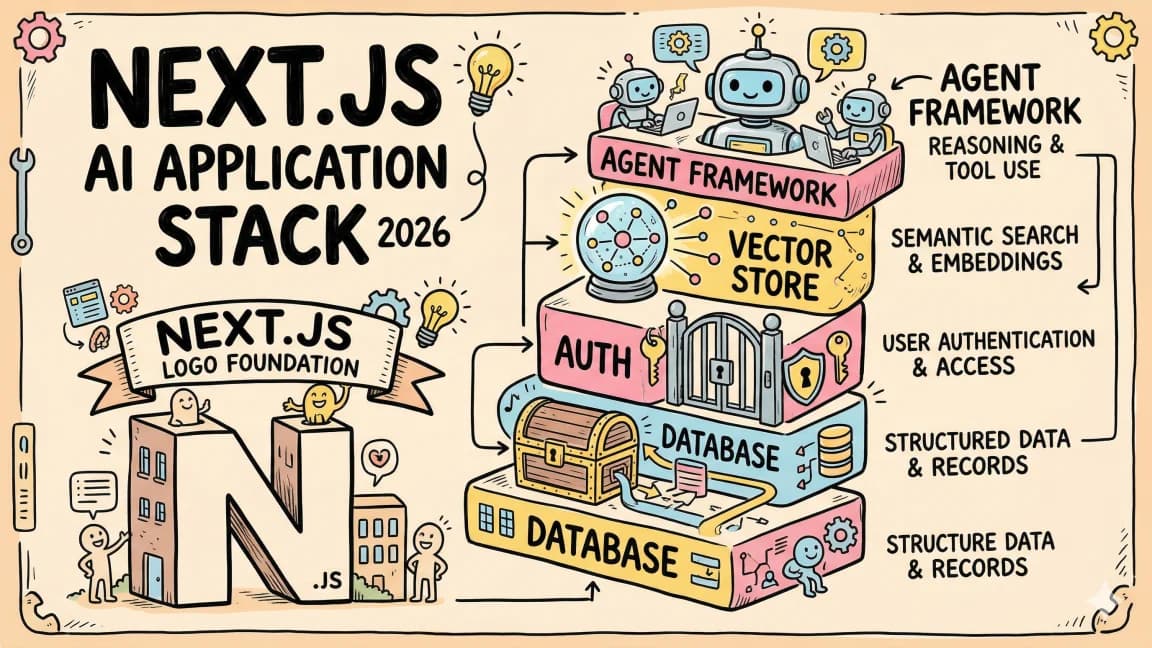
If you want to keep going, the Next.js AI app stack guide covers the application side in depth, and our framework comparison matrix covers the broader landscape.
Frequently Asked Questions#
Should I use Astro or Next.js for a blog in 2026?#
Astro. A blog is a content site, not an application. Astro's Content Layer API gives you typed markdown collections out of the box, pages ship with zero client JavaScript by default, and hosting costs are negligible. Next.js works for blogs but ships 85-250KB of JavaScript runtime that a static blog does not need.
Is Next.js 16 faster than Astro 5?#
No. Astro 5 pages load faster because they ship less JavaScript. An empty Next.js 16 page ships 92KB of client JavaScript minimum. An empty Astro 5 page ships 0KB. However, Next.js is faster for client-side navigation after the initial load because the React runtime enables instant page transitions without full document reloads.
Can Astro handle dynamic content and authentication?#
Yes, with caveats. Astro 5 Server Islands let you render specific components on demand while the rest of the page stays static. You can build authenticated pages, but Astro's multi-page architecture means you lose client state on navigation. For dashboards with persistent state, Next.js is the better tool.
Does Astro work with React?#
Yes. Astro supports React, Vue, Svelte, Solid, and other UI frameworks as "islands." You can use shadcn/ui, Radix, or any React component library - they just only load JavaScript for the components you explicitly mark as interactive with client:visible or client:load directives.
Why did Cloudflare acquire Astro?#
Cloudflare acquired Astro in early 2026 to strengthen its Pages and Workers platform. The acquisition means Astro has first-class Cloudflare deployment support, native edge runtime, zero cold starts on most routes, and tight integration with Cloudflare's CDN. Astro sites deploy anywhere, but Cloudflare is now the default recommendation.
What is Partial Prerendering in Next.js 16?#
Partial Prerendering (PPR) lets a single Next.js route mix a static shell with streamed dynamic content. The static HTML caches at the CDN for instant first paint, then the dynamic parts fill in via streaming. It is conceptually similar to Astro's Server Islands but operates at the route level rather than the component level.
How do AI coding tools compare between Astro and Next.js?#
Next.js has more training data across Claude Code, Cursor, and Codex because React and Next.js are more widely used. AI agents generate idiomatic Next.js code more reliably. Astro is well-supported but you may occasionally see an agent suggest a Next.js pattern that does not apply. If AI-assisted development is critical, weigh this in your decision.
Can I migrate from Next.js to Astro?#
Yes, but the recommended pattern is to split rather than migrate entirely. Keep your authenticated application on Next.js and move your marketing pages, blog, and docs to Astro. This gets the performance benefits of Astro for content while keeping the React ecosystem for your application. Claude Code can automate roughly 80 percent of a marketing-site port in a single session.
Continue Reading#
Read next
The Next.js AI App Stack for 2026
The definitive full-stack setup for building AI-powered apps in 2026. Next.js 16, Vercel AI SDK, Convex, Clerk, and Tailwind - why each piece matters and how they fit together.
12 min readVercel AI SDK: Build Streaming AI Apps in TypeScript
The AI SDK is the fastest way to add streaming AI responses to your Next.js app. Here is how to use it with Claude, GPT, and open source models.
5 min readEvery AI Coding Tool Compared: The 2026 Matrix
12 AI coding tools across 4 architecture types, compared on pricing, strengths, weaknesses, and best use cases. The definitive comparison matrix for 2026.
15 min readShare
Developers Digest
Technical content at the intersection of AI and development. Building with AI agents, Claude Code, and modern dev tools - then showing you exactly how it works.
300+ videos30K+ GitHub stars850+ articles
Related Tools
Infrastructure

Sentry
Error monitoring and performance tracing with release tracking, session replay, and first-class Next.js support.
View ToolInfrastructurePopular

Vercel
Deployment platform behind Next.js. Git push to deploy. Edge functions, image optimization, analytics. Free tier is gene...
View ToolInfrastructureThis Site

Clerk
Drop-in auth for React/Next.js. Pre-built sign-in UI, session management, user profiles, org management. This site uses...
View ToolInfrastructure
Z
Zod
TypeScript-first schema validation. Define schemas once, get static types and runtime validation. The default validator...
View ToolRelated Guides
Related Videos

Building & Deploy AI Avatars of ANY website with Tavus in Next.js
Check out Tavus; https://tavus.plug.dev/v9tXAGz In this video, you'll discover Tavus, a powerful AI tool for creating realistic AI avatars. Learn how to build AI personas for various applications...
Video·

FireSearch: An Open-Source Deep Research Template Built with Next.js, Firecrawl and LangGraph
Repo: ⭐ https://github.com/mendableai/firesearch Introducing FireSearch: The Open Source Deep Research Template Built with Next.js, Firecrawl and LangGraph In this video, the creator introduce...
Video·

Build an AI Web App with Cursor, Anthropic MCP, Next.js & Neon in 30 Minutes
Sign up for a free Neon account today and get 10 complimentary projects at https://fyi.neon.tech/1dd! Building a Full Stack AI Enabled Platform: Step-by-Step Tutorial In this video, I'll...
Video·
Related Posts
12 min read
Next.js
The Next.js AI App Stack for 2026
The definitive full-stack setup for building AI-powered apps in 2026. Next.js 16, Vercel AI SDK, Convex, Clerk, and Tail...

5 min read
Vercel AI SDK
Vercel AI SDK: Build Streaming AI Apps in TypeScript
The AI SDK is the fastest way to add streaming AI responses to your Next.js app. Here is how to use it with Claude, GPT,...

15 min read
AI Coding
Every AI Coding Tool Compared: The 2026 Matrix
12 AI coding tools across 4 architecture types, compared on pricing, strengths, weaknesses, and best use cases. The defi...
7 min read
News
Next.js 16.3 Is Out: Instant Navigations, 90% Less Dev Memory, and Versioned Docs for AI Agents
Next.js 16.3 ships the biggest update since 16.0: opt-in Instant Navigations with partial prefetching, up to 90% less de...

6 min read
News
Astro 7.0: Rust Compiler, Vite 8, and Up to 61% Faster Builds
Astro 7.0 rewrites core components in Rust, upgrades to Vite 8 with Rolldown, and delivers significant performance gains...

10 min read
pi
pi vs Claude Code vs OpenCode: Picking Your Agentic CLI
A decision-intent comparison of pi, Claude Code, OpenCode and Codex CLI as your main agentic coding harness in late 2026...
Build with the member tools

Get Smarter About AI Dev
New tutorials, open-source projects, and deep dives on coding agents - delivered weekly.
One email per weekReal code, not theoryFree forever