Google Antigravity in 2026: IDE, Antigravity 2.0, CLI, Pricing and Limits Explained
TL;DR
Google Antigravity in 2026 explained: the IDE, Antigravity 2.0 desktop app, agy CLI, extensions and Python SDK, plus how pricing, quota limits and models work.
Google Antigravity is Google's agentic development platform, and in September 2026 it ships as five surfaces: the Antigravity IDE, the agent-first Antigravity 2.0 desktop app, the Antigravity CLI (agy), extensions for VS Code, Visual Studio, JetBrains, Zed and Xcode, and a Python SDK. Every surface is free to use with a Google account under a weekly rate limit; Google AI Pro ($19.99/month) and Google AI Ultra (from $99.99/month) raise the limits, refresh them every five hours, and add paid overage credits. If you only remember one thing: Antigravity is the cheapest way to try a multi-agent coding workflow in 2026, but Google does not publish hard quota numbers, so heavy users should plan around the limits rather than assume them.
Last updated: September 28, 2026. Every price, model, and limit below was checked against antigravity.google, the Antigravity docs, and Google One on that date. This page originally reviewed the November 2025 preview; it has been rewritten as the 2026 guide, and the preview notes are kept at the end.
Newer model context: Gemini 4 Argon now makes Antigravity's harness design more important, because the model's long-output promise only helps if the agent surface handles permissions, checkpoints, and review cleanly.
Official Sources#
| Resource | Link | Last verified |
|---|---|---|
| Antigravity homepage | antigravity.google | September 28, 2026 |
| Pricing | antigravity.google/pricing | September 28, 2026 |
| Plans and rate limits | antigravity.google/docs/plans | September 28, 2026 |
| Models by plan | antigravity.google/docs/models | September 28, 2026 |
| Downloads (2.0, CLI, IDE, extensions, SDK) | antigravity.google/download | September 28, 2026 |
| Getting started (2.0, CLI, IDE) | antigravity.google/docs/getting-started | September 28, 2026 |
| Google AI plans | one.google.com/about/google-ai-plans | September 28, 2026 |
The Antigravity family at a glance#
Antigravity launched in November 2025 as a single VS Code-style IDE with an "Agent Manager" bolted on. On May 19, 2026 Google introduced Antigravity 2.0, a separate desktop app with no IDE at all, and in the same wave replaced Gemini CLI with Antigravity CLI (Gemini CLI stopped serving requests on June 18, 2026). August added IDE extensions and remote control. The current lineup from the download page:
| Surface | What it is | Current version (Sep 28, 2026) | Best for |
|---|---|---|---|
| Antigravity 2.0 | Agent-first desktop command center, no editor | v2.17.0 | Running several local agents in parallel, scheduled tasks |
| Antigravity CLI | Terminal TUI, binary agy | v1.2.9 | Terminal-first developers, SSH boxes |
| Antigravity IDE | Standalone agent-powered editor | v2.5.5 | Developers who want one editor with agents built in |
| IDE extensions | Plugins for VS Code, Visual Studio, JetBrains, Zed, Xcode | Per marketplace | Keeping your current editor |
| Antigravity SDK | Python SDK on the same agent harness | v0.1.18 | Building custom agents and evals |
Google's own recommendation in the 2.0 announcement is to "dual-wield" Antigravity 2.0 with your IDE of choice. That is the mental model for 2026: agents in 2.0 or the CLI, editing and debugging in an IDE.
Antigravity 2.0: the agent-first desktop app#
Antigravity 2.0 is where Google is putting its weight. Per the launch post, it groups conversations into Projects that can span multiple folders with their own settings and permissions, instead of tying one agent to one repository. The agent can spin up dynamic subagents for focused subtasks, run tasks asynchronously, and be intercepted with JSON hooks. Scheduled Tasks trigger agents on a cron.
The getting started guide documents two ways to boot an agent: Local Mode (works directly in your folders) and New Worktree Mode (works in an isolated Git worktree). It also lists the slash commands worth learning first:
| Command | What it does |
|---|---|
/goal | Run until the task is completely finished without asking for intermediate input |
/grill-me | Ask clarifying questions before implementing |
/schedule | Run an instruction once later or on a recurring schedule |
/browser | Explicitly turn on browser-driven debugging in Chrome |
Since launch Google has added Custom Agents (August 12, Markdown-defined specialist agents with scoped skills and command policies) and Remote Control (August 21, drive sessions on another machine from a browser, with push notifications).
Antigravity CLI: the terminal surface#
The CLI is the successor to Gemini CLI and shares its agent harness with 2.0. Install it with the official script from the docs:
# macOS / Linux
curl -fsSL https://antigravity.google/cli/install.sh | bash

# Then, inside a project
agy
On Windows PowerShell the installer is irm https://antigravity.google/cli/install.ps1 | iex. The binary lands at ~/.local/bin/agy on macOS and Linux. First launch walks you through a color scheme, a rendering mode (alt-screen or inline), and a workspace trust prompt before the agent indexes your files.
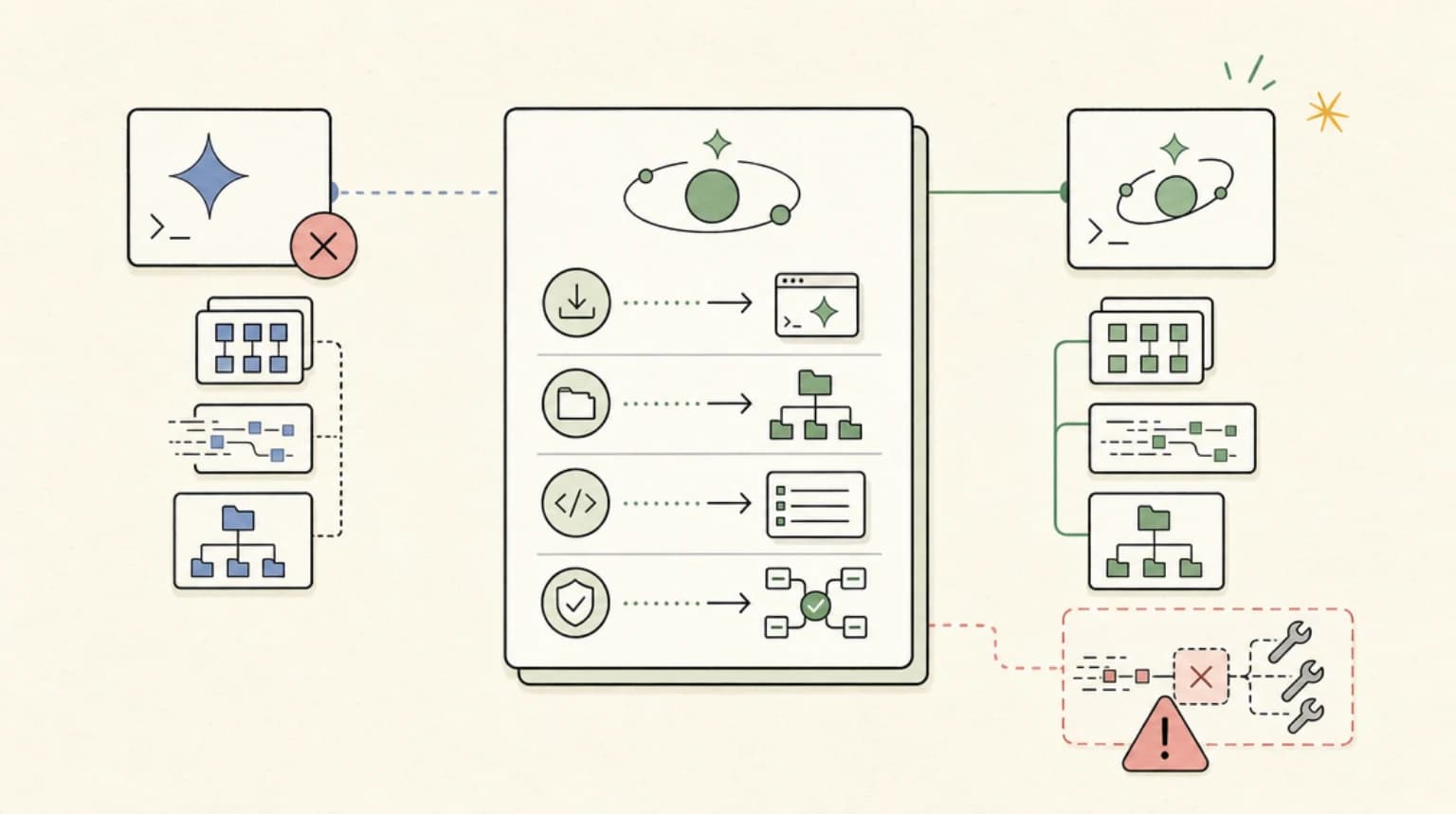
If you are coming from Gemini CLI, our Gemini CLI to Antigravity CLI migration guide covers config, MCP, and extension changes step by step. For how agy stacks up against the other terminal agents, see Antigravity CLI vs Claude Code vs Codex.
Antigravity IDE and the new extensions#
The standalone Antigravity IDE still exists (v2.5.5 today), but its role has narrowed. Google said in May that an upcoming release would remove the Agent Manager from the IDE, "turning the IDE into a purely agent-powered IDE," with multi-agent work moving to 2.0.
The bigger change is that you no longer need Google's editor at all. On August 20, 2026 Google shipped Antigravity extensions for Visual Studio Code, Visual Studio, JetBrains IDEs (2026.2.1 and later), Zed, and Xcode (27 beta 6 or later). Individuals sign in with any Antigravity plan, including the free tier; enterprise teams sign in through Gemini Enterprise or a Google Cloud project, with JetBrains and Zed enterprise support still in preview.
Antigravity pricing in 2026#
Antigravity itself has no price tag. What you pay for is quota, through Google's consumer AI plans or Google Cloud. From the pricing page and Google One, verified September 28, 2026:
| Plan | Price (US) | What you get in Antigravity |
|---|---|---|
| Individual (no subscription) | $0 | Agent model access, unlimited Tab completions, unlimited command requests, basic weekly rate limits |
| Google AI Pro | $19.99/mo | Everything in Individual, more generous limits refreshed every five hours, flexible AI credit pool |
| Google AI Ultra | From $99.99/mo | Everything in Pro, the highest limits, flexible AI credit pool |
| Organization (Google Cloud) | Consumption-based API pricing via Gemini Enterprise | Antigravity 2.0 and CLI under Google Cloud terms; included in select Gemini Enterprise subscriptions (rolling out) |
Two things the pricing page will not tell you until you read the plans doc: there is no bring-your-own-key or bring-your-own-endpoint option for extra capacity, and there are no contract-based organizational tiers for the consumer product.
Antigravity limits: how the quota actually works#
Google does not publish a request count. The plans doc describes the tiers qualitatively:
| Plan | Quota refresh | Weekly cap |
|---|---|---|
| No AI subscription | "Meaningful quota, refreshed weekly" | Weekly rate limit |
| Google AI Pro | "High, generous quota, refreshed every five hours until weekly limit reached" | Higher weekly rate limit |
| Google AI Ultra | "The highest, most generous quota, refreshed every five hours" | Highest weekly rate limits |
The important sentence is this one: the limits "are correlated with the amount of work done by the agent, which can differ from prompt to prompt." A quick, well-scoped task costs little; an open-ended refactor that runs for an hour costs a lot. Google also notes the limits exist "primarily" to the degree it has capacity and may change.
What happens when you hit the wall depends on your plan. Pro and Ultra users can buy AI credits and set "AI Credit Overages" to Always (spill into credits automatically, switching back when the quota refreshes) or Never (wait for the refresh). Credits are consumed at Gemini Enterprise consumption pricing. Free users simply wait for the weekly reset.
The in-app usage panel shown on the models page meters Gemini models and Claude and GPT models separately, each with a weekly and a five-hour gauge. In practice that means running out of Gemini quota does not stop you from switching to a third-party model, and vice versa.
Which models Antigravity supports#
From the models doc on September 28, 2026:
| Model | Free and AI Plus | AI Pro | AI Ultra | Enterprise |
|---|---|---|---|---|
| Gemini 3.8 Flash | Yes | Yes | Yes | Yes |
| Gemini 3.7 Flash | Yes | Yes | Yes | Yes |
| Gemini 3.6 Flash | Yes | Yes | Yes | Yes |
| Gemini 3.1 Pro | Yes | Yes | Yes | Yes |
| Claude Sonnet 4.6 (thinking) | Yes | Yes | Yes | No |
| Claude Opus 4.6 (thinking) | Yes | Yes | Yes | No |
| GPT-OSS-120b | Yes | Yes | Yes | No |
Nano Banana 2 powers the built-in image tool for UI mockups and diagrams and is not user-selectable. Note what is missing: the third-party options are a generation behind the newest Anthropic models, and Enterprise is Gemini-only. If you need the latest Claude models for coding, that is a real reason to look at Claude Code or Cursor instead.
Antigravity vs Claude Code vs Cursor, in one table#
| Antigravity | Claude Code | Cursor | |
|---|---|---|---|
| Free usage | Yes, weekly limit | No (paid Claude plan) | Hobby tier, limited agent requests |
| Entry paid tier | Google AI Pro $19.99/mo | Claude Pro $20/mo ($17 annual) | Pro $20/mo |
| Primary surface | 2.0 desktop app + CLI | Terminal, IDEs, desktop, web | Editor with Agents Window |
| Bring your own key | No | API key or third-party providers | Yes (Teams adds a token rate) |
| Model families | Gemini, older Claude, GPT-OSS | Claude | Claude, GPT, Gemini, Grok, Composer |
For the full editor-to-editor breakdown, read Antigravity vs Cursor (2026). For terminal agents, Antigravity CLI vs Claude Code vs Codex goes deeper on harness design and multi-agent workflows.
Who should use Antigravity in 2026#
- Students, hobbyists, and anyone cost-sensitive. No other major agentic platform gives you a working multi-agent setup with frontier Gemini models for $0.
- Gemini CLI refugees. The CLI is the official path forward, and the migration is well documented.
- Teams already on Google Cloud. The organization plan brings Antigravity 2.0 and the CLI under Google Cloud terms, and per the extensions announcement enterprise sign-ins respect your IAM policies and VPC Service Controls, with no training on your data.
- Developers who want to keep their editor. The VS Code, JetBrains, Zed, and Xcode extensions make Antigravity an add-on rather than a switch.
Skip it, or pair it with something else, if you need the newest Claude models, predictable published quotas, or bring-your-own-key billing.
The November 2025 preview, for the record#
The original version of this post reviewed the public preview that launched in November 2025. At the time, Antigravity was a single VS Code-style IDE built by a team that originated at Windsurf, with an Agent Manager inbox for coordinating agents across workspaces.
The preview offered a planning mode (review and comment on a plan before execution) and a fast mode (start working immediately), automatic browser testing of the app it built, and Nano Banana image generation inside the editor. Much of that survived: planning became artifacts you can comment on in 2.0, browser testing became the explicit /browser command, and image generation now runs on Nano Banana 2.
FAQ#
Is Google Antigravity free?#
Yes. As of September 28, 2026 the Individual plan costs $0 and includes agent model access, unlimited Tab completions, unlimited command requests, and a weekly rate limit. Google AI Pro ($19.99/month) and Ultra (from $99.99/month) raise the limits and refresh them every five hours.
What are Antigravity's rate limits?#
Google does not publish fixed numbers. Free users get a quota refreshed weekly; Pro and Ultra get quotas refreshed every five hours, capped by a weekly limit. Limits scale with how much work the agent does, not with prompt count, and Gemini models are metered separately from Claude and GPT models.
What happens when I hit the Antigravity limit?#
On the free plan you wait for the weekly refresh. On Pro or Ultra you can buy Google AI credits and set AI Credit Overages to Always, which spends credits at Gemini Enterprise consumption pricing until your quota refreshes. There is no bring-your-own-key option.
What is the difference between Antigravity 2.0 and the Antigravity IDE?#
Antigravity 2.0 is an agent-first desktop app with no code editor, built for running and scheduling multiple agents across Projects. The Antigravity IDE is a traditional editor with agents built in. Google recommends using 2.0 alongside whichever IDE you prefer, and now ships extensions for VS Code, JetBrains, Zed, Visual Studio, and Xcode.
How do I install the Antigravity CLI?#
On macOS or Linux run curl -fsSL https://antigravity.google/cli/install.sh | bash, then run agy inside a project. On Windows PowerShell use irm https://antigravity.google/cli/install.ps1 | iex. The CLI replaced Gemini CLI, which stopped serving requests on June 18, 2026.
Can I use Claude models in Antigravity?#
Yes, on Free, AI Plus, AI Pro, and AI Ultra: the models page lists Claude Sonnet 4.6 and Claude Opus 4.6 (thinking), plus GPT-OSS-120b. Enterprise is Gemini-only. The newest Claude releases are not offered.
Is Antigravity better than Cursor or Claude Code?#
It depends on what you optimize for. Antigravity wins on free usage and Google Cloud integration. Cursor wins on model choice and editor polish. Claude Code wins on terminal-first workflows with the newest Claude models. See our Antigravity vs Cursor comparison for a full breakdown.
Watch the Video#
The video covers the November 2025 preview; the product has changed substantially since, as described above.
Continue Reading#
- Antigravity vs Cursor (2026) - pricing, limits, models, and which editor workflow fits you
- Antigravity CLI vs Claude Code vs Codex - the terminal agent field guide
- Gemini CLI to Antigravity CLI Migration Guide - what maps to what after the June 2026 switch
- AI Coding Tools Pricing 2026 - every major coding agent's plans side by side
Sources#
- Google Antigravity pricing - plan tiers, free plan inclusions, organization plan (fetched September 28, 2026)
- Antigravity docs: Plans - quota refresh windows, overages, no BYOK (fetched September 28, 2026)
- Antigravity docs: Models - model availability by plan, separate usage meters (fetched September 28, 2026)
- Antigravity download page - current versions, CLI install commands, IDE extensions, SDK (fetched September 28, 2026)
- Antigravity docs: Getting Started - Local and Worktree modes, slash commands,
agyinstall path (fetched September 28, 2026) - Introducing Google Antigravity 2.0 - May 19, 2026 launch, subagents, hooks, Scheduled Tasks, IDE roadmap (fetched September 28, 2026)
- Introducing IDE Extensions - August 20, 2026 extensions and enterprise sign-in (fetched September 28, 2026)
- Introducing Custom Agents and Remote Control - August 2026 feature launches (fetched September 28, 2026)
- Transitioning Gemini CLI to Antigravity CLI - Google Developers Blog, May 19, 2026 (fetched September 28, 2026)
- Google AI plans - AI Pro and AI Ultra US prices (fetched September 28, 2026)
- Cursor pricing and Claude pricing - comparison table entries (fetched September 28, 2026)
Get the next comparison like this in your inbox
One email a week on Google and the rest of the AI dev stack. Free.
Read next on AI coding tools
Gemini 4 Argon: What Developers Can Actually Use
Gemini 4 Argon for developers: what Google shipped, what is verified, why access starts narrow, and what to watch before planning a migration around it.
8 min readAntigravity CLI vs Claude Code vs Codex: The Terminal Agent Field Guide (July 2026)
Antigravity CLI vs Claude Code vs Codex: how Google's Gemini CLI replacement compares on architecture, pricing, multi-agent workflows, and daily coding.
9 min readGemini CLI to Antigravity CLI Migration Guide: The June 18 Deadline
Gemini CLI to Antigravity CLI migration guide: install, migrate config, update scripts and CI, and avoid the silent MCP failure that breaks tool calls.
6 min readNew here? Start with
Technical content at the intersection of AI and development. Building with AI agents, Claude Code, and modern dev tools - then showing you exactly how it works.