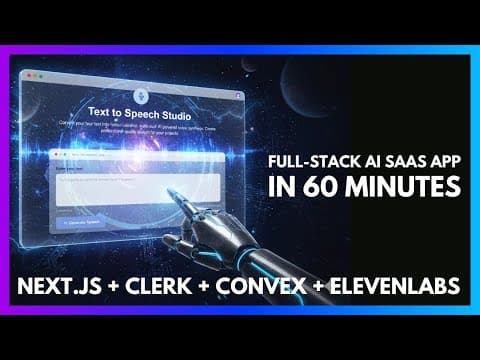
Build a Full Stack AI SaaS Application in 60 Minutes
TL;DR
Build a full stack AI SaaS with Next.js, Clerk billing, Convex and 11 Labs voice, then let AI coding tools speed up the build once the foundation is set.
Last updated: June 6, 2026
Official Sources#
| Resource | Link |
|---|---|
| Next.js Documentation | nextjs.org/docs |
| Clerk Billing Docs | clerk.com/docs/billing |
| Convex Quick Start | docs.convex.dev/quickstart |
| ElevenLabs API Reference | elevenlabs.io/docs |
| Vercel Deployment Guide | vercel.com/docs |
The Modern AI SaaS Stack#
Building a full-stack AI SaaS application no longer requires months of development. The right combination of managed services and AI coding tools can compress what used to be weeks of work into a single focused session.
For the design side of the same problem, read AI Design Slop: 15 Patterns That Out Your App as Vibe-Coded with Create Beautiful UI with Claude Code: The Style Guide Method; they show how agent-generated interfaces fail and how to give coding agents better visual constraints.
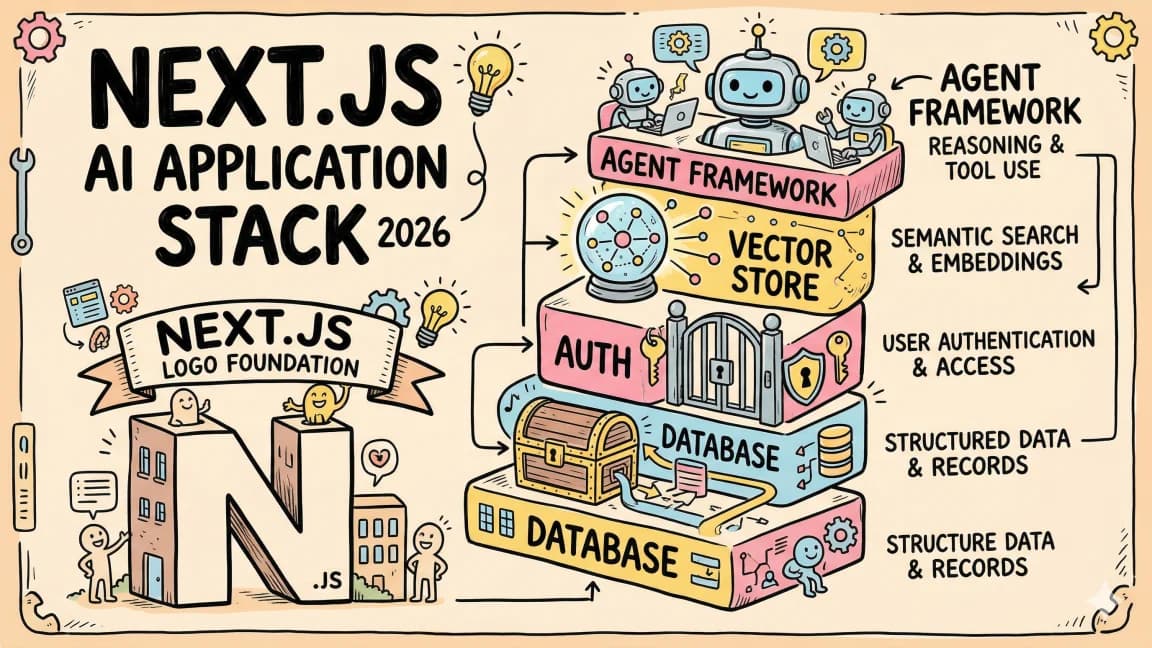
This post breaks down a production-ready stack: Next.js for the frontend and API routes, Clerk for authentication and billing, Convex for real-time data and file storage, and 11 Labs for AI voice generation. The goal is simple: establish a solid foundation, then leverage AI coding tools to accelerate everything else.
Authentication and Billing with Clerk#
Clerk handles what traditionally consumes the most setup time in any SaaS: user management and monetization. Beyond standard OAuth (Google, GitHub, etc.) and email flows, Clerk's recent billing feature eliminates the complexity of Stripe integration.
Instead of managing webhooks for subscription changes, upgrade/downgrade logic, and payment failure handling manually, Clerk abstracts this into configuration. You define plans (Free, Pro, Premium), set pricing tiers with optional annual discounts, and assign feature flags to each tier. The platform handles the Stripe integration, receipt emails, and subscription state management.
For a $20/month Pro plan, Clerk takes 0.7% of transactions. The trade-off is straightforward: zero webhook maintenance, built-in email handling, and type-safe access control through the has() method that works on both frontend and backend.
Real-Time Backend with Convex#
Convex serves as both database and file storage, with a killer feature: real-time sync between backend and UI without additional infrastructure. Define your schema in TypeScript, save the file, and the tables exist immediately - no migrations to run.
The platform runs your backend functions on their servers, not as Next.js routes. This separation means your API logic scales independently of your frontend deployment. For file storage, Convex accepts blobs directly - no S3 buckets or signed URLs to configure.
Authentication integrates through JWT templates. Configure the issuer domain in Clerk, add it to Convex's environment variables, and every request carries the user's identity automatically.
AI Voice Generation via 11 Labs#
11 Labs provides text-to-speech with voice cloning capabilities. Their per-character billing model maps naturally to SaaS tiering: Free users get limited characters, Pro users get more, Premium gets unlimited.
Integration requires an API key with scoped permissions (good security practice) and a simple POST endpoint. The SDK returns audio streams that you can pipe directly to the client or store for later playback. Voice selection happens through voice IDs, which you can expose as dropdown options in your UI based on the user's subscription tier.
The AI Coding Workflow#
The critical insight: AI coding tools work best after the foundation is set. Do not start with Cursor or Claude Code. Start with documentation, API keys, and basic project structure.
The workflow follows three phases:
Phase 1: Foundation (Manual)
- Initialize the Next.js project with TypeScript and Tailwind
- Configure Clerk middleware and providers
- Set up Convex client and schema
- Create the 11 Labs API route
Phase 2: Acceleration (AI-Assisted) Once the plumbing exists, use Cursor's agent mode or Claude Code to generate components. The AI understands your existing Clerk setup, Convex schema, and API structure. Prompt for a landing page with navigation, pricing section, and FAQ - it creates components that respect your authentication context.
Phase 3: Refinement (Mixed) Use AI for targeted fixes: "Convert inline styles to Tailwind," "Fix dark mode text contrast," or "Add error handling to this TypeScript interface." The fix-in-place feature handles syntax errors and type mismatches without rewriting entire files.
Gating Features by Subscription#
Clerk's has() method enables granular access control without custom middleware. Check user.has({ plan: "pro" }) in your Next.js API routes to protect endpoints, or use it in server components to conditionally render UI.
On the backend, guard your 11 Labs route:
const hasPro = await auth.has({ plan: "pro" });
if (!hasPro) return new Response("Unauthorized", { status: 403 });
On the frontend, conditionally show navigation items or entire components based on the same check. Users without access see upgrade prompts; users with access see the feature. Clerk handles the subscription state synchronization automatically.
File Storage and History#
With Convex file storage, saving generated audio requires minimal code. Create an HTTP action that accepts a form data payload containing the audio blob, text metadata, and format. Store the blob using storage.store(), get back a storage ID, and write the metadata to your database table.
To display user history, create a Convex query that filters by the authenticated user's ID and returns recent files. The Convex React client provides useQuery hooks that update in real-time - no polling or refresh logic required.
Deployment Path#
When ready for production:
- Deploy the Next.js app to Vercel
- Push Convex to production (toggles between dev/prod environments in the dashboard)
- Enable live mode in Clerk (switches from test transactions to real payments)
The entire stack provisions without custom infrastructure. Authentication, billing, database, file storage, and AI integration all run as managed services.
Official Sources#
| Resource | Link |
|---|---|
| Next.js Documentation | nextjs.org/docs |
| Clerk Documentation | clerk.com/docs |
| Clerk Billing Guide | clerk.com/docs/billing |
| Convex Documentation | docs.convex.dev |
| Convex File Storage | docs.convex.dev/file-storage |
| ElevenLabs API Documentation | elevenlabs.io/docs |
| ElevenLabs Pricing | elevenlabs.io/pricing |
| Vercel Deployment Guide | vercel.com/docs |
FAQ#
What is the best stack for building an AI SaaS in 2026?#
The recommended modern stack combines Next.js for the frontend and API routes, Clerk for authentication and billing, Convex for real-time database and file storage, and an AI API provider like ElevenLabs, OpenAI, or Anthropic. This combination eliminates infrastructure management while providing real-time sync, built-in payment processing, and type-safe backends. Each service offers generous free tiers for development and scales with usage-based pricing for production.
How does Clerk billing compare to building Stripe integration manually?#
Clerk billing abstracts away the complexity of Stripe webhooks, subscription state management, and payment failure handling. Instead of writing webhook handlers for subscription changes, upgrade/downgrade logic, and managing customer portal access, you define pricing tiers in the Clerk dashboard and the platform handles everything. Clerk takes 0.7% of transactions on Pro plans. The trade-off is less flexibility for custom billing scenarios, but significantly faster time to market for standard SaaS pricing models.
Why use Convex instead of Firebase or Supabase for an AI SaaS?#
Convex provides real-time sync without additional configuration, meaning UI updates automatically when backend data changes. Unlike Firebase, Convex runs your backend functions as TypeScript on their servers rather than requiring Cloud Functions setup. Unlike Supabase, there are no migrations to manage - schema changes are instant. Convex also bundles file storage directly, so you can store generated audio, images, or documents without configuring S3 or similar services.
How do you gate features by subscription tier in a Next.js app?#
With Clerk's has() method, you check subscription status in both server components and API routes. Call auth.has({ plan: "pro" }) in your API routes to protect endpoints, returning a 403 if the user lacks access. In React server components, the same check conditionally renders premium UI or upgrade prompts. Clerk automatically synchronizes subscription state from Stripe, so you never need to query the payment provider directly.
What are the typical costs to run an AI SaaS application?#
For a small-scale deployment: Vercel free tier covers most Next.js hosting, Clerk's free tier supports up to 10,000 monthly active users, Convex offers 1 million function calls free monthly, and ElevenLabs provides 10,000 characters per month on their free tier. Once you exceed free tiers, expect approximately $25-50/month for Clerk Pro, $25-50/month for Convex depending on usage, and ElevenLabs costs scale with character generation. AI API costs (OpenAI, Anthropic, etc.) vary significantly based on model choice and volume.
How do you handle file uploads and storage for AI-generated content?#
Convex file storage accepts blobs directly through HTTP actions. Create a server function that receives FormData containing the file, metadata, and format. Call storage.store() with the blob, receive a storage ID, then write the metadata to your database. For retrieval, Convex provides URLs that serve files directly. No S3 configuration, signed URL management, or CDN setup required. Files are served from Convex's infrastructure automatically.
Should you use AI coding tools from the start of a project?#
AI coding tools like Cursor or Claude Code work best after foundation setup is complete. Start manually: initialize Next.js with TypeScript, configure Clerk middleware, set up Convex schema, and create initial API routes. Once the plumbing exists, AI assistants understand your authentication context, database schema, and API structure. Prompting for a "landing page with pricing section" generates components that correctly integrate with your existing setup rather than generic templates.
What AI voice generation options exist beyond ElevenLabs?#
ElevenLabs is popular for voice cloning and natural speech, but alternatives include OpenAI's Text-to-Speech API (simpler integration, fewer voices), Amazon Polly (AWS ecosystem, cost-effective at scale), Google Cloud Text-to-Speech (neural voices, multi-language), and PlayHT (voice cloning focus). For SaaS tiering, ElevenLabs' per-character billing maps well to subscription limits. OpenAI charges per 1M characters making it cost-effective for high-volume use cases.
Watch the Video#
Get the next deep dive like this in your inbox
One email a week on SaaS and the rest of the AI dev stack. Free.
Read next
Building a SaaS with Claude Code: End-to-End Guide
How to go from idea to deployed SaaS product using Claude Code as your primary development tool. Project setup, feature building, deployment, and iteration.
10 min readHow to Build Full-Stack TypeScript Apps With AI in 2026
A practical guide to building full-stack Next.js apps with Claude Code, Cursor, Convex, Clerk and Vercel - the TypeScript-native AI stack that works in 2026.
7 min readThe Next.js AI App Stack for 2026
Next.js AI app stack for 2026: Next.js 16, Vercel AI SDK, Convex, Clerk and Tailwind - why each piece matters and how they fit together.
12 min readNew here? Start with
Technical content at the intersection of AI and development. Building with AI agents, Claude Code, and modern dev tools - then showing you exactly how it works.