GitHub Copilot SDK Hits GA: Embed the Copilot Agent Runtime in Your Own Apps
TL;DR
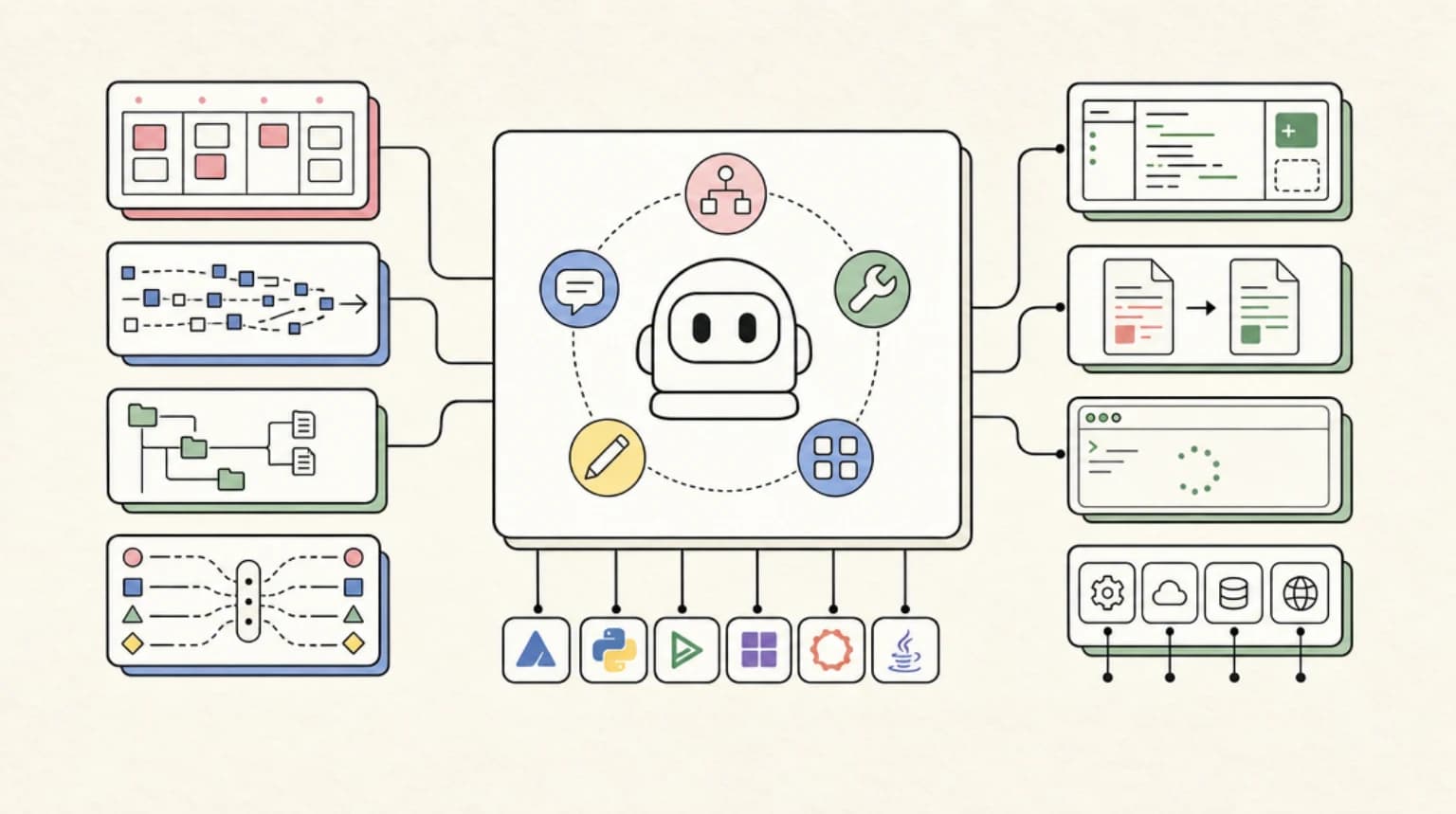
On June 2, 2026, GitHub made the Copilot SDK generally available. It exposes the same agent runtime behind Copilot - planning, tool calls, file edits, streaming, MCP - across TypeScript, Python, Go, .NET, Rust, and Java. Here is what changed at GA and what it means for builders.
Official Sources#
| Resource | URL |
|---|---|
| Copilot SDK GA changelog | github.blog/changelog/2026-06-02-copilot-sdk-is-now-generally-available |
| Copilot SDK repository | github.com/github/copilot-sdk |
| Copilot app announcement | github.blog/news-insights/product-news/github-copilot-app-the-agent-native-desktop-experience |
| Model Context Protocol | modelcontextprotocol.io |
What GitHub Shipped#
On June 2, 2026, alongside Microsoft Build, GitHub announced that the Copilot SDK is now generally available. The pitch is straightforward: instead of building your own agent orchestration layer, you embed the same runtime that powers GitHub Copilot directly into your own applications, services, and developer tools, with a stable API and production support.
This is the same engine GitHub uses internally. Per GitHub's own framing, the SDK "exposes the same agentic runtime that powers the Copilot app." The desktop app, the refreshed CLI, and your custom integration all sit on one foundation. That is the part worth paying attention to, because it changes what "build an agent" means for a lot of teams.
If you have been following the GitHub side of the agent race, this slots in next to the work we covered in GitHub Copilot Coding Agent and CLI. The coding agent was about Copilot doing autonomous work inside GitHub. The SDK is about you taking that same autonomy and pointing it at your own product.
Six Languages, One Runtime#
At GA the SDK supports six officially maintained language bindings. Rust and Java are new at GA; the rest graduated from public preview.
| Language | Install |
|---|---|
| Node.js / TypeScript | npm install @github/copilot-sdk |
| Python | pip install github-copilot-sdk |
| Go | go get github.com/github/copilot-sdk/go |
| .NET | dotnet add package GitHub.Copilot.SDK |
| Rust | cargo add github-copilot-sdk |
| Java | Maven / Gradle (com.github:copilot-sdk-java) |
The repository is MIT licensed, which matters if you are embedding it into a commercial product.
How it actually works under the hood#
The architecture is worth understanding before you commit to it, because it is not a thin HTTP wrapper around an inference API. GitHub's repo describes the data path as:
Code
Your Application -> SDK Client -> JSON-RPC -> Copilot CLI (server mode)
The SDK is a client that talks over JSON-RPC to the Copilot CLI running in server mode. The CLI is the agent. That has two practical consequences:
- You inherit the CLI's first-party tools. GitHub notes the SDK "exposes the Copilot CLI's first-party tools, similar to running the CLI with
--allow-all." So file reads, edits, grep, and shell-style actions are available out of the box. That is powerful and also exactly the surface you need to sandbox. - The Rust SDK bundles the CLI binary by default. Other languages expect the CLI to be present. This is a real deployment detail: your container or CI runner needs the Copilot CLI available, not just a package from a registry.
If your mental model was "call a chat endpoint," recalibrate. You are running a local agent process and driving it programmatically.
A Minimal Session#
The shape of a basic call looks like a chat completion, which makes the on-ramp gentle. The following is illustrative of the documented client pattern rather than a verbatim quote from the reference docs, so check the getting started guide before you copy it into production:
TypeScript
import { CopilotClient } from "@github/copilot-sdk";

const client = new CopilotClient();

const response = await client.chat({
  messages: [
    { role: "user", content: "Add Stripe checkout to my Next.js app" },
  ],
});

console.log(response.content);
The difference from a plain model call is that "Add Stripe checkout to my Next.js app" is not answered with prose. The agent plans, reads your files, and proposes edits, using the CLI's tool surface. Streaming and multi-turn sessions are first-class, so you can wire the token stream into your own UI and keep a session alive across turns.
From the archive
GLM-5.2 Cost Math: When Open-Weights Coding Models Actually Save You Money
Jun 17, 2026 • 9 min read
GLM-5.2 vs DeepSeek V4 vs Qwen3: The Open-Weights Coding Model Showdown (2026)
Jun 17, 2026 • 14 min read
Mastra npm Supply Chain Attack: 140+ AI Framework Packages Backdoored
Jun 17, 2026 • 7 min read
Microsoft's Work IQ APIs Hit GA: What Agent Builders Actually Get on June 16
Jun 17, 2026 • 7 min read
What Is New at GA#
The preview already had sessions and streaming. GA added the pieces you need to actually ship and operate this in production.
Custom tools and MCP#
You can register your own tools that the agent invokes autonomously, and you can connect to Model Context Protocol servers. You can also override built-in tools. That last point is underrated: if you do not want the agent shelling out or editing arbitrary files, you can replace edit_file or grep with your own constrained implementation.
A custom tool registration looks roughly like this (again, illustrative of the pattern, confirm against the docs):
Python
from github_copilot_sdk import CopilotClient, Tool

def query_analytics(query: str) -> dict:
    """Query the analytics database."""
    return {"users": 1523, "conversions": 234}

analytics_tool = Tool(
    name="query_analytics",
    description="Query analytics database for metrics",
    parameters={
        "type": "object",
        "properties": {
            "query": {"type": "string", "description": "SQL query"},
        },
        "required": ["query"],
    },
    function=query_analytics,
)

client = CopilotClient(tools=[analytics_tool])
If you have built tools for the OpenAI Agents SDK or Codex SDK, the JSON-schema tool definition will feel familiar. MCP support means you can also reuse servers you already run instead of rewriting integrations per SDK. For context on which MCP servers are worth your time, see 271 MCP Servers: The Top 5 That Matter.
A hook system#
GA introduced hooks to intercept agent behavior at defined points: pre and post tool use, session start, MCP tool calls, and permission requests. This is the governance layer. If you are putting an autonomous agent in front of your filesystem and shell, the permission-request hook is where you enforce "ask a human before deleting files" or "never touch infra/." Treat it as a requirement, not a nicety.
Production plumbing#
GA also added the operational details that separate a demo from a service:
- OpenTelemetry tracing with W3C trace-context propagation, so agent runs show up in the same observability stack as the rest of your services.
- Flexible authentication: GitHub OAuth, GitHub Apps, environment tokens, and bring-your-own-key. BYOK is the notable one, because it means non-Copilot users can use the SDK with their own model keys.
- Cloud and remote sessions, so a session can be backed by a GitHub-hosted environment or driven through a remote session URL rather than always running locally.
- Fine-grained system-prompt customization, letting you modify specific prompt sections independently instead of replacing the whole thing.
- Slash commands and interactive prompts now consistent across all six SDKs.
Pricing and Access#
The SDK is available to all existing GitHub Copilot subscribers, "including Copilot Free for personal use, and to non-Copilot users via BYOK." In plain terms: if you already pay for Copilot, the SDK is included. If you do not, you can still use it by supplying your own model key. The SDK itself is not a separate paid product.
One thing to verify against your own usage: agent runs consume Copilot capacity the same way the rest of the product does. If you are on a metered plan, autonomous tool loops can burn requests faster than interactive chat. We walked through that dynamic in the Copilot usage-based billing guide and the premium requests explainer, and it applies double to anything you script.
How This Compares#
This is not the first "agent runtime as an SDK." OpenAI shipped the Codex SDK and the Agents SDK on a similar premise, and Anthropic has leaned into the SDK-as-plumbing approach. The differentiator for the Copilot SDK is distribution and parity: it is the literal runtime behind a product millions of developers already use, it ships in six languages at GA, and it reuses GitHub's existing identity and billing instead of asking you to provision a new account. For shops already standardized on GitHub, that lowers the integration tax meaningfully.
The tradeoff is the CLI dependency. Because the agent is the Copilot CLI in server mode, your deployment story includes shipping and updating that binary, not just pinning a package version. For a serverless function that wants one quick completion, that is friction. For a long-running internal tool or CI assistant, it is fine.
Should You Use It#
Reach for the Copilot SDK if:
- You are already a GitHub and Copilot shop and want to embed agentic coding into internal tools, CI assistants, or a customer-facing feature without building orchestration from scratch.
- You need MCP, custom tools, and hook-based governance as first-class features rather than bolt-ons.
- You want one runtime behind your terminal, your cloud sessions, and your own app.
Be more cautious if:
- You need a stateless, low-dependency call into a model. The CLI-in-server-mode architecture is heavier than a single HTTP request.
- You are not on GitHub for identity and billing, in which case the BYOK path works but you lose part of the integration advantage that makes this SDK compelling.
The honest summary: GA is the moment this stops being a preview toy and becomes infrastructure you can build a product on. The custom tools, MCP, hooks, OpenTelemetry, and stable API are exactly the boxes a platform team checks before adopting. Just go in clear-eyed about the runtime model. You are not calling an endpoint, you are embedding an agent.
For where this fits in the broader landscape, see our best AI coding tools of 2026 roundup and the evolution of agent SDKs.
FAQ#
Is the Copilot SDK free to use?#
It is included with an existing GitHub Copilot subscription, including Copilot Free for personal use. Non-Copilot users can access it through bring-your-own-key (BYOK) with their own model provider credentials. See the usage-based billing guide and the premium requests explainer for how metered plans are affected by autonomous tool loops.
Does the Copilot SDK support MCP servers?#
Yes. GA added support for connecting to Model Context Protocol servers alongside custom tool registration, so existing MCP servers can be reused instead of rewritten per SDK. For a shortlist of servers worth installing, see 271 MCP Servers: The Top 5 That Matter.
How is the Copilot SDK different from the Codex SDK?#
Both expose an agent runtime as an embeddable SDK rather than a chat endpoint. The Copilot SDK's differentiator is that it is the literal runtime behind the Copilot CLI and app, ships in six languages at GA, and reuses GitHub identity and billing. See Codex SDK vs CLI vs GitHub Action for the OpenAI-side comparison.
Do I need the Copilot CLI installed to use the SDK?#
Yes, in most languages. The SDK talks to the Copilot CLI running in server mode over JSON-RPC, so your container or CI runner needs the CLI binary available (the Rust SDK bundles it by default). This is a heavier deployment model than a stateless HTTP call to a model endpoint.
Note on Claims#
Install commands, supported languages, the GA feature list, the JSON-RPC architecture, and pricing in this post are drawn from GitHub's GA changelog and the official repository. The code snippets are illustrative of the documented client and tool patterns and should be checked against the current SDK reference before production use.
Continue Reading#
Read next
GitHub Copilot Coding Agent and CLI: Why GitHub Is Back in the Agent Race
GitHub Copilot is moving from autocomplete into asynchronous coding agents, terminal workflows, MCP, skills, and model choice. Here is what changed in 2026.
8 min readCodex SDK vs CLI vs GitHub Action: Which Surface Should You Build On?
Codex is no longer just a terminal agent. Here is when to use the Codex SDK, Codex CLI, or openai/codex-action, and how to avoid building the same agent loop three times.
8 min readOpenAI Agents SDK Evolution: What Ships in Production
Configurable memory, sandbox-aware orchestration, Codex-like filesystem tools. Here is how the new Agents SDK actually behaves in prod.
10 min readShare
Developers Digest
Technical content at the intersection of AI and development. Building with AI agents, Claude Code, and modern dev tools - then showing you exactly how it works.
300+ videos30K+ GitHub stars850+ articles
Related Tools
AI FrameworksAgent UI

CopilotKit
Frontend stack for agent-native apps. React hooks, prebuilt copilot UI, AG-UI runtime, frontend tools, shared state, and...
View ToolAI Frameworks
C
Composio
Gives AI agents access to 250+ external tools (GitHub, Slack, Gmail, databases) with managed OAuth. Handles the auth and...
View ToolAI Coding328K views

GitHub Copilot
The original AI coding assistant. 77M+ developers. Inline completions in VS Code and JetBrains. Copilot Workspace genera...
View ToolAI FrameworksEssential

Vercel AI SDK
The TypeScript toolkit for building AI apps. Unified API across OpenAI, Anthropic, Google. Streaming, tool calling, stru...
View ToolApps from Developers Digest
Developer ToolsIn Progress
MCP Lens
Replay every MCP tool call to find why your agent went sideways.
View AppSaaS Products
Overnight Agents
Spec out AI agents, run them overnight, wake up to a verified GitHub repo.
View AppDeveloper Tools
DD Traces
See exactly what your agent did, locally. No cloud, no signup.
View AppRelated Guides
Guide
MCP Servers Explained
What MCP servers are, how they work, and how to build your own in 5 minutes.
AI AgentsGuide
Building Your First MCP Server
Step-by-step guide to building an MCP server in TypeScript - from project setup to tool definitions, resource handling, testing, and deployment.
AI AgentsGuide
AI Agent Frameworks Compared: LangGraph vs CrewAI vs Mastra vs CopilotKit
Deep comparison of the top AI agent frameworks - LangGraph, CrewAI, Mastra, CopilotKit, AutoGen, and Claude Code.
AI AgentsRelated Videos
GitHub Copilot Spark Launch: New Rival to Cursor + v0? Full Update in 6 Minutes
Learn The Fundamentals Of Becoming An AI Engineer On Scrimba; https://v2.scrimba.com/the-ai-engineer-path-c02v?via=developersdigest Introducing GitHub Spark and Exciting GitHub Copilot Updates!...
Video·
Continue: Incredible Open Source Github Copilot Alternative. Use Groq + Llama-3, Ollama and more
Introducing Continue: The Open Source Alternative to GitHub Copilot for Coding The video introduces 'Continue,' an open source alternative to GitHub Copilot, designed to enhance coding with...
Video·
GitHub Copilot Chat
#Github #GithubCopilot #GitHubCopilotChat #VSCode #ProgrammingWorkflow #CodeProductivity In this video, we dive into GitHub Copilot Chat in VS Code, exploring its powerful capabilities and...
Video·
Related Posts
8 min read
GitHub Copilot
GitHub Copilot Coding Agent and CLI: Why GitHub Is Back in the Agent Race
GitHub Copilot is moving from autocomplete into asynchronous coding agents, terminal workflows, MCP, skills, and model c...

8 min read
Codex
Codex SDK vs CLI vs GitHub Action: Which Surface Should You Build On?
Codex is no longer just a terminal agent. Here is when to use the Codex SDK, Codex CLI, or openai/codex-action, and how...
10 min read
OpenAI
OpenAI Agents SDK Evolution: What Ships in Production
Configurable memory, sandbox-aware orchestration, Codex-like filesystem tools. Here is how the new Agents SDK actually b...

11 min read
MCP
271 MCP Servers Exist. These 5 Actually Make Claude Code Better.
Most MCP servers are noise. After shipping 24 apps with Claude Code, these are the five I reach for every time.

8 min read
AI Coding
The 10 Best AI Coding Tools in 2026
From terminal agents to cloud IDEs - these are the AI coding tools worth using for TypeScript development in 2026.
8 min read
Anthropic
Anthropic Buying Stainless Is About Agent Plumbing
Anthropic's Stainless acquisition is not just an SDK deal. It is a bet that agents need generated SDKs, CLIs, docs, and...
Build with the member tools

Get Smarter About AI Dev
New tutorials, open-source projects, and deep dives on coding agents - delivered weekly.
One email per weekReal code, not theoryFree forever