Gemini CLI to Antigravity CLI Migration Guide: The June 18 Deadline
TL;DR
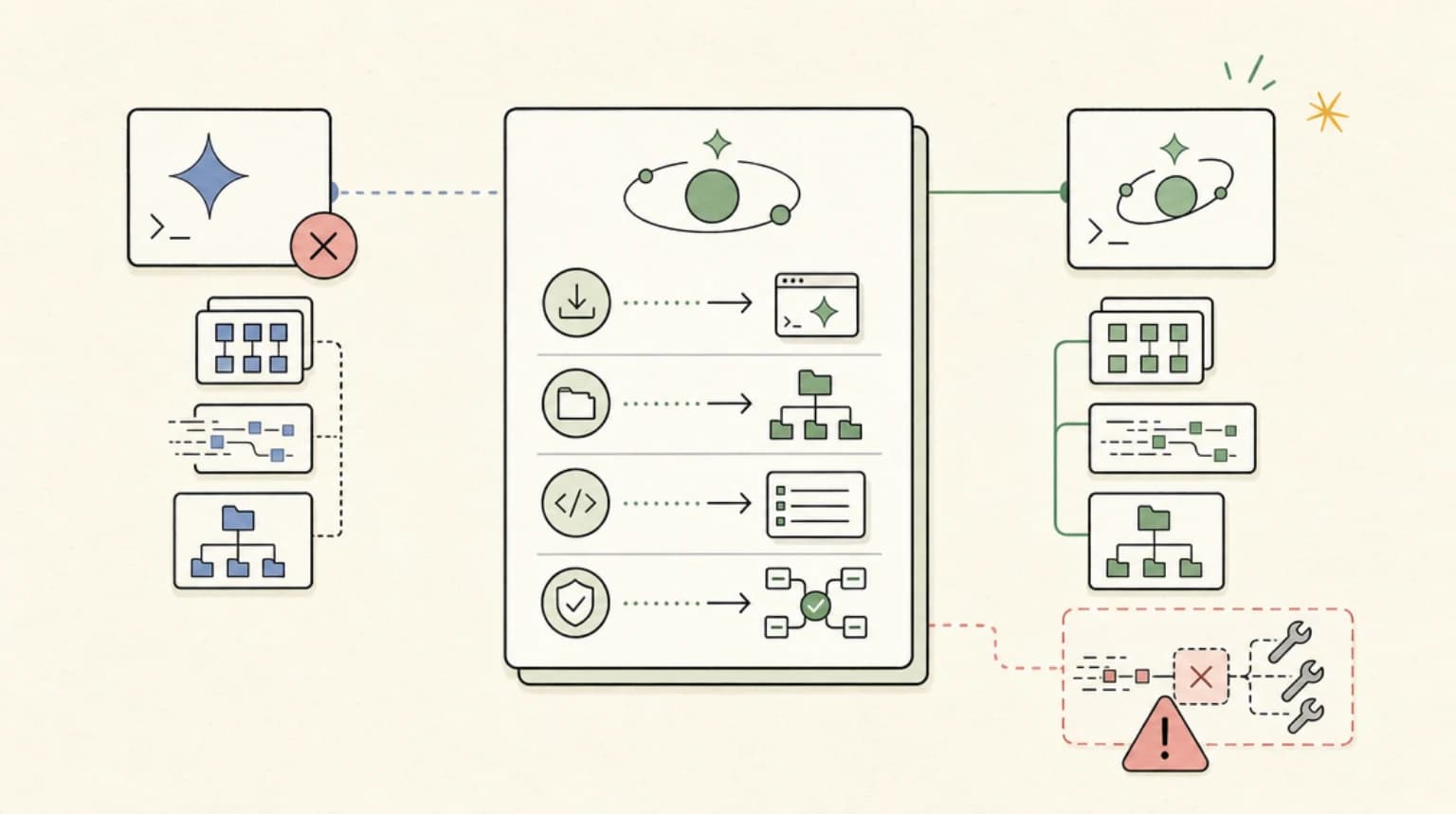
Gemini CLI to Antigravity CLI migration guide: install, migrate config, update scripts and CI, and avoid the silent MCP failure that breaks tool calls.
Official Sources#
| Resource | Link |
|---|---|
| Google Developers Blog Announcement | developers.googleblog.com |
| Antigravity CLI Installation | antigravity.google/cli |
| Antigravity Documentation | antigravity.dev/docs |
| GitHub Issue #31 (ACP Mode) | github.com/google/antigravity-cli/issues/31 |
| Gemini Code Assist Enterprise | cloud.google.com/gemini/docs |
| Gemini CLI Quota and Pricing | geminicli.com/docs/resources/quota-and-pricing |
Updated October 18, 2026: Google's own pages now disagree about who lost Gemini CLI on June 18. The Gemini CLI quota and pricing page says: "Unpaid tier and Google One users: Gemini CLI was replaced by Antigravity CLI on June 18th, 2026." That names unpaid and Google One users only, yet the same page's quota table still lists "Google AI Pro 1,500 requests" and "Google AI Ultra 2,000 requests" per user per day. This guide originally said Google AI Pro and Ultra subscribers were cut off too; treat that as unconfirmed until Google reconciles the two. The same page also confirms Gemini CLI still runs on a paid Gemini API key or Vertex AI, so the API-key FAQ below was corrected. Values are from our Gemini CLI plans data, verified October 18, 2026.
Previously updated: August 1, 2026 (note below added after the deadline)
This guide was written in the 24 hours before the June 18 shutdown and is still the fastest path for anyone late to the migration. The post-launch landscape has since settled - Antigravity CLI is now a stable option alongside Claude Code and Codex, and our Antigravity CLI vs Claude Code vs Codex field guide covers the current feature set, pricing, and the ACP-mode gap in detail.
Tomorrow, June 18, 2026, Gemini CLI stops serving requests for free-tier users (Google's quota page now words this as "Unpaid tier and Google One users"). This guide also listed Google AI Pro/Ultra subscribers when it was written; see the October update above for why that is now unclear. If you rely on the gemini binary in your terminal, CI pipelines, or automation scripts, you have roughly 24 hours to migrate to Antigravity CLI or your workflows will break.
This guide covers exactly what to do: installation, config migration, the silent MCP bug that breaks tool calls, and the CI/CD changes you cannot skip.
Who Is Affected#
Must migrate by June 18:
- Free-tier (unpaid) Gemini CLI users
- Google One users
- Google AI Pro and Ultra subscribers (as originally reported; Google's quota page still lists Pro and Ultra request allowances, so confirm your own access)
- Anyone using Gemini Code Assist IDE extensions outside enterprise agreements
- New Gemini Code Assist for GitHub installations (blocked after June 18)
Exempt from migration:
- Gemini Code Assist Standard or Enterprise license holders
- Organizations using GitHub integration through Google Cloud
- Anyone accessing Gemini via paid API keys (not CLI)
If you are on an enterprise license, your Gemini CLI access continues. But the community is moving to Antigravity, so the ecosystem support for Gemini CLI will decline.
What Changes#
Antigravity CLI is a ground-up Go rewrite, not a fork of the original TypeScript stack. The core features transfer: Agent Skills, Hooks, Subagents, and Extensions (now called plugins). But the implementation details differ in ways that will break existing automation.
Key differences:
| Aspect | Gemini CLI | Antigravity CLI |
|---|---|---|
| Binary name | gemini | agy |
| Language | TypeScript | Go |
| Performance | Standard | Faster startup, async multi-agent |
| Skills directory | .gemini/skills/ | .agents/skills/ |
| Global skills | ~/.gemini/skills/ | ~/.gemini/antigravity-cli/skills/ |
| MCP config | Inline in settings.json | Separate mcp_config.json |
| Extensions | Extensions API | Plugins API |
| Request quota | 1,000/day | Weekly compute cap |
Google explicitly states there will not be 1:1 feature parity at launch. The migration script does not touch your CI configs, cron jobs, or shell aliases. You must audit those manually.
Step 1: Install Antigravity CLI#
macOS/Linux:
curl -fsSL https://antigravity.google/cli/install.sh | bash
Or via Homebrew:
brew install --cask antigravity-cli
Windows (PowerShell):
irm https://antigravity.google/cli/install.ps1 | iex
Verify installation:
agy doctor
This runs end-to-end validation. Fix any issues before proceeding.
Step 2: Authenticate#
Run agy and complete the OAuth flow. The settings file lands at ~/.gemini/antigravity-cli/settings.json.
If you were using a custom API key with Gemini CLI, you will need to reconfigure it in the new settings file.
Step 3: Import Your Extensions#
Antigravity CLI includes a migration command for Gemini extensions:
agy plugin import gemini
This converts your Gemini extensions to Antigravity plugins. Review the output for any warnings about incompatible extensions.
Step 4: Move Your Skills#
Workspace skills move from .gemini/skills/ to .agents/skills/:
git mv .gemini/skills .agents/skills
Global skills move from ~/.gemini/skills/ to ~/.gemini/antigravity-cli/skills/:
mv ~/.gemini/skills ~/.gemini/antigravity-cli/skills
Step 5: Fix the MCP Config (Critical)#
This is where most migrations silently fail. Antigravity CLI moves MCP server configuration from inline entries in settings.json to a dedicated mcp_config.json file.
The trap: Remote MCP servers use a different field name. You must rename url to serverUrl. If you keep url, the server appears to load at startup and passes initial checks. It only fails hours later when you actually invoke a tool - no error at startup, just silent failure during the session. This class of config mismatch is common across every MCP-native client right now; our MCP client comparison walks through how each tool handles server discovery.
Before (Gemini CLI settings.json):
{
  "mcpServers": {
    "myserver": {
      "url": "https://mcp.example.com/v1"
    }
  }
}
After (Antigravity CLI mcp_config.json):
{
  "mcpServers": {
    "myserver": {
      "serverUrl": "https://mcp.example.com/v1"
    }
  }
}
Run agy inspect after configuration to confirm your plugins, skills, and MCP servers loaded correctly.
Step 6: Update CI/CD and Automation#
The migration script does not touch scripts, cron jobs, or CI configs that invoke the gemini binary directly. You must find and replace these yourself.
Audit your codebase:
grep -r "gemini" .github/workflows/
grep -r "gemini" scripts/
grep -r "^gemini " ~/.bashrc ~/.zshrc ~/.bash_profile
Replace all gemini calls with agy. Common locations:
- GitHub Actions workflows
- GitLab CI/CD pipelines
- Jenkins scripts
- Cron jobs
- Shell aliases in dotfiles
- Docker entrypoints
- Makefile targets
Known Issues at Launch#
Missing ACP mode: If you use orchestration bridges with stdio mode, there is no drop-in replacement. GitHub Issue #31 tracks this gap. Workaround: use the HTTP transport or wait for the feature.
Quota change: The daily 1,000-request limit becomes a weekly compute-based cap. Community reports describe exhaustion after roughly 2,000 lines of generated code, with multi-day cooldowns. Plan heavy generation work accordingly.
No backward compatibility: Even features marked as "carried forward" may have different flag names and environment variable conventions. Test everything before June 18.
Migration Checklist#
Before June 18, confirm:
-
agy doctorpasses -
agy inspectshows all plugins, skills, and MCP servers - Remote MCP entries use
serverUrlnoturl - All
geminibinary references in CI/CD replaced withagy - Shell aliases updated
- Heavy generation work completed or quota management understood
The migration takes roughly 45 minutes for interactive setup. Auditing automation infrastructure takes longer. Start now.
If You Miss the Deadline#
After June 18, per Google's quota and pricing page as it read on October 18, 2026:
- Unpaid tier and Google One users: "Gemini CLI was replaced by Antigravity CLI on June 18th, 2026."
- Google AI Pro and Ultra users: unclear. This guide originally said they lost CLI access, but the same page's quota table still lists "Google AI Pro 1,500 requests" and "Google AI Ultra 2,000 requests" per user per day.
- Gemini Code Assist Standard and Enterprise users: unchanged access, with 1,500 and 2,000 requests per user per day in Google's Code Assist quota docs.
- Gemini API key or Vertex AI users: still served, with "Cost: Based on model and token usage."
If you are on an unpaid tier and want a free terminal agent, Antigravity CLI is the path. If you can pay per token, Gemini CLI still works with an API key. Google also notes that "Gemini CLI has not been optimized for Gemini 4 Argon. To use Gemini 4 Argon, please use Antigravity."
FAQ#
Does Antigravity CLI work with Claude or GPT models?#
Yes. Unlike Gemini CLI which was Gemini-only, Antigravity CLI supports multiple providers including Gemini, Claude, and GPT-OSS models through the /model command.
Can I keep using Gemini CLI after June 18 if I have an API key?#
Yes, if it is a paid key. This answer originally said no, but Google's quota and pricing page still documents pay-as-you-go use of the gemini binary: "To do this, log in using a Gemini API key or Vertex AI," with "Cost: Based on model and token usage." The same page still lists an unpaid Gemini API key tier of "250 maximum model requests / user / day" on the Flash model only, which sits awkwardly next to its note that unpaid tier users were replaced by Antigravity CLI, so do not rely on the free key tier.
What happens to my existing Gemini CLI skills?#
They need to move to the new directory structure. Use git mv .gemini/skills .agents/skills for workspace skills. The skill format itself remains compatible.
Is there a way to test the migration before June 18?#
Yes. Install Antigravity CLI now and run agy doctor and agy inspect. Both tools can coexist temporarily. Validate your config migration before removing Gemini CLI.
Why did Google give only 30 days notice?#
Google announced on May 19, 2026 with a June 18 deadline - roughly one sprint cycle. The reasoning was not explained in the blog post. Enterprise customers are exempt, which suggests this is a cost-reduction move for free-tier support.
Will Gemini CLI get updates after June 18 for enterprise users?#
Yes, enterprise users retain access with "the latest Gemini models and other updates" according to the announcement. But community investment will shift to Antigravity CLI.
How do I report bugs in Antigravity CLI?#
Use the GitHub repository at github.com/google/antigravity-cli. The ACP mode gap is tracked as Issue #31.
What is the weekly quota limit exactly?#
Google has not published specific numbers. Community reports suggest roughly 2,000 lines of generated code before throttling kicks in, with multi-day cooldown periods. Monitor your usage and plan heavy generation work accordingly.
Continue Reading#
- Antigravity CLI vs Claude Code vs Codex - the post-launch field guide with pricing and the ACP-mode gap
- MCP Clients Compared - server discovery and config across every major client
- Headless AI Coding Agents in CI - replacing the
geminibinary in pipelines - Claude Code vs Cursor vs Codex - the terminal agent landscape after the shutdown
- AI Coding Tools Pricing - what the CLI alternatives cost per seat
Get the next deep dive like this in your inbox
One email a week on gemini and the rest of the AI dev stack. Free.
Read next
Gemini CLI Guide: 1M Token Context and Who Can Still Use It
Gemini CLI puts a 1 million token context in your terminal but now only serves paid Gemini API, Vertex AI and Code Assist users. Setup and TypeScript workflow.
4 min readGoogle Antigravity in 2026: IDE, Antigravity 2.0, CLI, Pricing and Limits Explained
Google Antigravity in 2026 explained: the IDE, Antigravity 2.0 desktop app, agy CLI, extensions and Python SDK, plus how pricing, quota limits and models work.
11 min read10 CLI Tools Reshaping AI Development in 2026
From Claude Code to Gladia, the ten CLIs every AI-native developer should know. Install commands, trade-offs, and when to reach for each.
8 min readNew here? Start with
Technical content at the intersection of AI and development. Building with AI agents, Claude Code, and modern dev tools - then showing you exactly how it works.