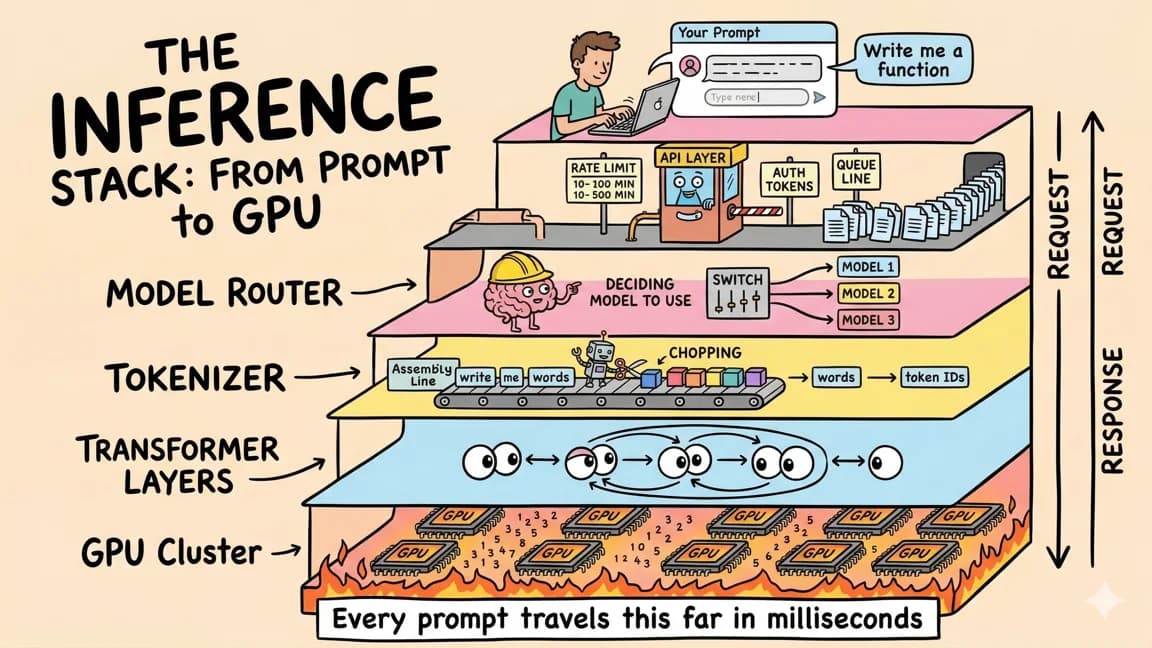
How much VRAM do you need to run a local LLM in 2026?
TL;DR
How much VRAM a local LLM needs: Q4 weights are about 30% of BF16, plus a KV cache that grows per token. Real numbers from 8 GB to 256 GB.
Last updated: October 18, 2026
The memory a local LLM needs is the quantized weights file, plus the KV cache for the context you keep, plus headroom for the runtime and OS. At 4-bit the weights are about 30% of the BF16 size (Qwen3.8-27B goes from 55.6 GB in BF16 to 16.5 GB as UD-Q4_K_M), and the KV cache costs anywhere from about 20 KiB to 160 KiB per token depending on the architecture. In practice, 16 GB runs a ~20B MoE like gpt-oss-20b, 24 GB runs a 27B dense model at 4-bit with a modest context, and 64 GB is the first tier that holds an 80B-total MoE like Qwen3-Coder-Next.
Every number below comes from this site's local models directory: 63 open-weight models with file sizes pulled from the Hugging Face API. The models cited in this post were re-checked against their Hugging Face file trees on October 18, 2026.
%% title: What fills your memory
flowchart LR
  W["Weights file<br/>fixed by quant"] --> T["Total"]
  K["KV cache<br/>grows per token"] --> T
  R["Runtime buffers + OS"] --> T
  T --> F{"Fits?"}
  F -->|Yes| G["Run fully on GPU"]
  F -->|No| S["Shorter context,<br/>smaller quant,<br/>or offload"]
The formula: weights + KV cache + headroom#
There are three terms, and only one of them is fixed.
- Weights. The size of the file you download. It is set by the parameter count and the quantization, and it does not change while the model runs.
- KV cache. The keys and values every attention layer stores for each token in the context. It grows linearly with context length and is set by the architecture, not the parameter count.
- Headroom. Compute buffers, the runtime itself, and whatever else the OS or desktop needs.
The local models directory uses one rule of thumb for its memory tiers: a model "fits" a tier when its smallest listed download is at most 85% of that memory, which leaves 15% for context and the OS. For a 16 GB tier that is a 13.6 GB budget; for 24 GB it is 20.4 GB. That rule is a filter, not a guarantee. The rest of this post shows exactly when 15% is too little - mostly long contexts on dense models with many KV heads.
A note on units: file sizes here are decimal GB (10^9 bytes), which is what Hugging Face reports. Per-token KV costs are given in KiB (1,024 bytes) because the arithmetic comes out in round binary numbers.
Weights: what each quant costs, with real bytes#
Here is one dense model, Qwen3.8-27B (27,781,427,952 parameters), across the four builds most people actually download. Sizes are from the Hugging Face file trees of the official repo, the unsloth GGUF repo, and the mlx-community MLX repo.
| Build | Bytes | Size | Share of BF16 | Bits per parameter |
|---|---|---|---|---|
| BF16 (official safetensors) | 55,563,006,776 | 55.6 GB | 100% | 16.0 |
| Q8_0 GGUF (unsloth) | 29,047,086,048 | 29.0 GB | 52% | 8.36 |
| UD-Q4_K_M GGUF (unsloth) | 16,464,440,224 | 16.5 GB | 30% | 4.74 |
| MLX 4bit (mlx-community, 3 shards) | 16,054,541,349 | 16.1 GB | 29% | 4.62 |
One scope note on that table: the BF16 and MLX rows include the vision encoder, but the unsloth GGUF files do not (it ships separately as mmproj-BF16.gguf, 931,146,432 bytes, roughly 0.47B parameters at 2 bytes each). Dividing the GGUF bytes by the full 27.8B count therefore reads low by about 0.15 bits. Against the text-only parameters, Q8_0 comes to about 8.51 bits per parameter and UD-Q4_K_M to about 4.82, in line with the llama.cpp figures below.
Why is "4-bit" 30% of BF16 rather than 25%? Because quantized formats store scales alongside the weights, and k-quants mix block types across tensors. The llama.cpp quantize README measures this on Llama-3.1-8B: Q4_K_M averages 4.8944 bits per weight, Q8_0 8.5008, and F16 16.0005. So a rough estimate is parameters x bits per weight / 8, using about 4.8 for Q4_K_M and 8.5 for Q8_0. For Qwen3.8-27B (full parameter count) that predicts 16.7 GB and 29.5 GB, close to the real files; against the roughly 27.3B text-only parameters the GGUF files actually hold, it predicts 16.4 GB and 29.0 GB.
Three details that catch people:
- The vision projector is a separate file. The GGUF weights above exclude the image encoder. If you want image input you also load
mmproj-BF16.gguf, which is 931 MB for Qwen3.8-27B. - Runtime tags are not the same as repo files. Ollama's default tag
qwen3.8:27bis listed at 18 GB with Text and Image input, so it bundles vision support. The like-for-like comparison is the 16.5 GB UD-Q4_K_M file plus the 0.93 GBmmproj-BF16.gguf, about 17.4 GB. Check what a tag includes before comparing sizes. - Some vendors ship small weights to begin with. OpenAI's gpt-oss card says the MoE weights were post-trained with MXFP4, so the official gpt-oss-20b download is already small (13.8 GB) and the listed community quants barely shrink it (11.2-12.1 GB).
A second data point for a 24B dense model, Devstral Small 2 24B from the unsloth GGUF repo: Q4_K_M is 14,334,446,752 bytes (14.3 GB) and Q8_0 is 25,055,317,152 bytes (25.1 GB). Keep that 14.3 GB number - it comes back in the KV cache section, where the same model turns out to be expensive. Everything here applies equally to Ollama, LM Studio, llama.cpp and mlx-lm, since they all load the same kinds of files.
MoE: total parameters set memory, active parameters set compute#
Mixture-of-experts models report two numbers, and only one of them matters for memory.
- The Qwen3.6-35B-A3B card describes it as "35B in total and 3B activated", with 256 experts, of which 8 routed plus 1 shared are active per token.
- The gpt-oss card lists gpt-oss-120b at 117B parameters with 5.1B active, and gpt-oss-20b at 21B with 3.6B active.
- Mistral's Mixtral announcement put it most directly: "Mixtral has 46.7B total parameters but only uses 12.9B parameters per token. It, therefore, processes input and generates output at the same speed and for the same cost as a 12.9B model."
Notice what that sentence does not say: it does not say Mixtral needs the memory of a 12.9B model. The router picks different experts for each token, so every expert has to be resident somewhere the GPU can reach. Active parameters set the compute per token. Total parameters set the size of the file.
The dataset shows it plainly:
| Model | Total / active | Smallest 4-bit build | Largest 4-bit build |
|---|---|---|---|
| Qwen3.6-35B-A3B | 35B / 3B | 20.4 GB (MLX 4bit) | 22.1 GB (UD-Q4_K_M) |
| Qwen3-Coder-Next | 79.7B / 3B | 44.8 GB (MLX 4bit) | 48.4 GB (Q4_K_M) |
| gpt-oss-120b | 116.8B / 5.1B | 62.3 GB | 63.4 GB (MXFP4) |
Qwen3.6-35B-A3B runs about 3B parameters per token and still needs a 20+ GB file. Qwen3-Coder-Next has the same 3B active and needs more than twice that.
%% title: MoE memory vs compute
flowchart LR
  T["Token"] --> R["Router"]
  subgraph MEM["Per MoE layer: all 256 experts resident"]
    A["8 routed + 1 shared active"]
    I["The rest idle this token"]
  end
  R --> A
  A --> O["Output"]
The upside of MoE is that the idle experts do not have to sit in VRAM. llama.cpp can keep expert tensors in system RAM while attention and shared layers stay on the GPU. That is the right path when a MoE file is bigger than your card, and it is covered in llama.cpp MoE offload: --n-cpu-moe vs the new expert cache.
The KV cache: derive it from config.json#
The weights are a fixed cost. The KV cache is the variable one, and it is where most "the file fits but it crashed" reports come from. For what the cache is and why it exists, see the KV caching guide. Here we only do the arithmetic.
For every attention layer, the model stores one key vector and one value vector per KV head, per token:
bytes = 2 (K and V) x attention layers x KV heads x head_dim x bytes per value x tokens
All four inputs are in the model's config.json (under text_config for multimodal models). The default cache type in both Ollama and llama.cpp is f16, which is 2 bytes per value. The examples below assume f16.
Example 1: Devstral Small 2 24B, a conventional dense model#
From config.json (text_config): num_hidden_layers 40, num_key_value_heads 8, head_dim 128, sliding_window null. Every layer is full attention.
2 x 40 x 8 x 128 x 2 bytes = 163,840 bytes = 160 KiB per token.
| Context | KV cache (f16) | + Q4_K_M weights (14.3 GB) |
|---|---|---|
| 4,096 | 0.67 GB | 15.0 GB |
| 32,768 | 5.37 GB | 19.7 GB |
| 131,072 | 21.47 GB | 35.8 GB |
| 262,144 | 42.95 GB | 57.3 GB |
At 32K context it fits a 24 GB card with room to spare. At 128K the cache is bigger than the weights and the total is over 32 GB.
Example 2: Qwen3.8-27B, a hybrid with only a quarter full-attention layers#
The config lists 64 layers, but full_attention_interval is 4: 48 layers are linear_attention (Gated DeltaNet) and only 16 are full_attention. Linear-attention layers keep a fixed-size state that does not grow with context, so only the 16 full-attention layers count here. They use num_key_value_heads 4 and head_dim 256.
2 x 16 x 4 x 256 x 2 bytes = 65,536 bytes = 64 KiB per token. That is 2.15 GB at 32K, 8.59 GB at 128K, and 17.18 GB at the native 262,144-token limit. The linear-attention state is a small fixed cost on top. So the 16.5 GB UD-Q4_K_M build plus a 128K cache is about 25.1 GB before runtime buffers: over a 24 GB card, comfortable on 32 GB. For how this model does on agentic coding tasks, see Qwen3.8-27B local agentic coding benchmarks.
Example 3: Qwen3.6-35B-A3B, a hybrid MoE#
The model card describes 40 layers in a 10 x (3 x Gated DeltaNet + 1 x Gated Attention) layout, with 2 KV heads and head dim 256 on the attention layers. That is 10 attention layers.
2 x 10 x 2 x 256 x 2 bytes = 20,480 bytes = 20 KiB per token, or 2.68 GB at 128K.
This matters because the card asks for long contexts: "we advise maintaining a context length of at least 128K tokens to preserve thinking capabilities." With the 20.4 GB MLX 4bit build, 128K of cache brings the total to 23.1 GB before runtime buffers. That is over budget on 24 GB: the weights alone (20,402,204,271 bytes) already miss the site's 24 GB rule (a 20.4 GB budget), which is why the model first fits at 32 GB, and on a Mac the GPU working set is smaller than total RAM. On 32 GB it is comfortable.
The takeaway#
| Model | Attention layers | KV heads | head_dim | Per token | At 128K |
|---|---|---|---|---|---|
| Devstral Small 2 24B | 40 | 8 | 128 | 160 KiB | 21.47 GB |
| Qwen3.8-27B | 16 of 64 | 4 | 256 | 64 KiB | 8.59 GB |
| Qwen3.6-35B-A3B | 10 of 40 | 2 | 256 | 20 KiB | 2.68 GB |
Three models with similar parameter counts, an 8x spread in per-token cache cost. Any "X GB of VRAM for a Y B model" table that ignores the architecture is going to be wrong for long contexts.
Sliding-window layers#
Some models cap the cache on most layers. The Olmo 3.1 32B Think config has 64 layers: 48 sliding_attention layers with a 4,096-token window, and 16 full_attention layers, with 8 KV heads and a head dim of 128 (hidden size 5120 over 40 attention heads). The 16 full layers cost 2 x 16 x 8 x 128 x 2 = 64 KiB per token for the whole context. The 48 sliding layers only need the last 4,096 tokens, which is about 0.8 GB at f16 no matter how long the context gets. llama.cpp's --swa-full flag ("use full-size SWA cache", default false) is what controls this: by default it does not keep a full-length cache for sliding layers.
A script to do this for any model#
Standard library only. It was checked with python -m py_compile, an isolated import check, and a run under Python 3.13.16; the output matches every number above.
"""Estimate KV cache size from a model's config.json values."""


def kv_cache_bytes(
    attn_layers: int,
    kv_heads: int,
    head_dim: int,
    tokens: int,
    bytes_per_value: float = 2.0,  # f16/bf16 cache
) -> float:
    # 2 = one K tensor and one V tensor per attention layer
    return 2 * attn_layers * kv_heads * head_dim * bytes_per_value * tokens


if __name__ == "__main__":
    models = {
        # name: (full-attention layers, KV heads, head_dim)
        "Devstral Small 2 24B": (40, 8, 128),
        "Qwen3.8-27B": (16, 4, 256),
        "Qwen3.6-35B-A3B": (10, 2, 256),
    }
    for name, (layers, kv_heads, head_dim) in models.items():
        per_token = kv_cache_bytes(layers, kv_heads, head_dim, tokens=1)
        print(f"{name}: {per_token / 1024:.0f} KiB per token")
        for ctx in (4_096, 32_768, 131_072, 262_144):
            gb = kv_cache_bytes(layers, kv_heads, head_dim, ctx) / 1e9
            print(f"  {ctx:>7} tokens: {gb:5.2f} GB")
Output for the first model:
Devstral Small 2 24B: 160 KiB per token
     4096 tokens:  0.67 GB
    32768 tokens:  5.37 GB
   131072 tokens: 21.47 GB
   262144 tokens: 42.95 GB
Count only the layers that keep a full-length cache. For hybrid models, read layer_types or full_attention_interval in the config and skip linear-attention layers; for sliding-window layers, cap their token count at the window.
%% title: Where KV memory comes from
sequenceDiagram
  participant P as Prompt
  participant A as Attention layer
  participant C as KV cache
  loop every token
    P->>A: token t
    A->>C: append K and V per KV head
    C-->>A: all past K and V
  end
  Note over C: grows 160 KiB per token for Devstral
Shrinking the cache: context length and cache quantization#
You have two levers: keep fewer tokens, or store each one in fewer bytes.
Context length#
Ollama picks a default context from your VRAM, per its context-length docs: under 24 GiB gets 4k, 24-48 GiB gets 32k, and 48 GiB or more gets 256k. The same page recommends at least 64000 tokens for agents and coding tools. To set it:
OLLAMA_CONTEXT_LENGTH=64000 ollama serve
Then load a model and check what actually happened:
ollama ps
The CONTEXT column shows the context in use, and PROCESSOR shows where the model landed. Per the Ollama FAQ, 100% GPU means it is fully in VRAM, while a split like 48%/52% CPU/GPU means part of it spilled to system memory.
One multiplier to watch: the FAQ notes that required RAM scales by OLLAMA_NUM_PARALLEL * OLLAMA_CONTEXT_LENGTH. Serving parallel requests multiplies the cache.
In llama.cpp's server, -c / --ctx-size sets the context (default 0, meaning it is read from the model), and --fit (on by default) will "adjust unset arguments to fit in device memory".
Cache quantization#
The Ollama FAQ documents OLLAMA_KV_CACHE_TYPE: f16 is the default, q8_0 uses about half the memory of f16, and q4_0 about a quarter. It requires Flash Attention (which Ollama enables automatically where supported), and it applies to all models globally. The FAQ also warns that models with a high GQA count may see a larger precision impact. For scale, the Qwen3.6-35B-A3B card lists 16 query heads sharing 2 KV heads on its attention layers.
In llama.cpp, the equivalent flags are -ctk / --cache-type-k and -ctv / --cache-type-v (default f16; allowed values f32, f16, bf16, q8_0, q4_0, q4_1, iq4_nl, q5_0, q5_1). Flash Attention is -fa, which defaults to auto. A command using the documented flags:
llama-server -m <model>.gguf -c 32768 -ctk q8_0 -ctv q8_0
Applied to Devstral at 128K: q8_0 stores values at about 8.5 bits each (the same block format as the weight quant in the llama.cpp table), so the 21.47 GB f16 cache becomes roughly 11.4 GB. With the 14.3 GB weights that is about 25.7 GB instead of 35.8 GB - inside a 32 GB budget with headroom, still not a 24 GB one.
Apple unified memory vs a discrete GPU#
The two platforms count memory differently, and the official docs are specific about how.
Apple silicon. The MLX documentation states: "Apple silicon has a unified memory architecture. The CPU and GPU have direct access to the same memory pool." There is no separate VRAM figure; the model sits in system RAM. But not all of it is available as GPU working set. Apple's Metal API exposes MTLDevice.recommendedMaxWorkingSetSize, described as "an approximation of how much memory, in bytes, this GPU device can allocate without affecting its runtime performance." So a Mac's total RAM is an upper bound, not the budget. The mlx-lm README adds that a model large relative to RAM can be slow, that mlx-lm wires model and cache memory on macOS 15 and later, and that the limit can be raised:
sudo sysctl iogpu.wired_limit_mb=N
where N is larger than the model in MB and smaller than the machine's total memory. The OS still needs the rest.
Discrete GPU. The tier number is simply the card's VRAM. Layers that do not fit go to system RAM: Ollama shows this as a CPU/GPU split in ollama ps, and llama.cpp's -ngl sets how many layers live in VRAM (default auto). Partial offload works, but it changes how the model runs, which is why the per-tier picks below assume everything stays in VRAM.
This post makes no speed claims. For the bandwidth side of the unified-memory versus discrete-GPU question, see RTX Spark for local LLMs: will it run a coding agent?
Per-tier picks#
These use the site's rule (smallest listed download at most 85% of memory). The rule takes the smallest build on any platform, including MLX builds that only run on Apple silicon, so the counts below match the directory's tier pages. The picks are models that first fit at that tier, largest first, with one extra condition: the lead pick fits on both a Mac and a discrete GPU. Where a larger model only fits through its MLX build, it is listed second and marked Mac only, with its smallest GGUF size for discrete-GPU readers. On a discrete GPU (GGUF and official builds only), 8 GB fits 13 models and 16 GB fits 18; from 24 GB up the counts are the same. That is a capacity list, not a quality ranking, and it is not the full ordering - each tier links to its complete list, sorted by total parameters.
| Tier | Models that fit (of 63) | Picks | Smallest download |
|---|---|---|---|
| 8 GB | 14 | Qwen3.5-9B; Gemma 4 12B (Mac only) | 5.7 GB (Q4_K_M); 6.7 GB (MLX 4bit), smallest GGUF 7.0 GB |
| 16 GB | 19 | gpt-oss-20b; LFM2.5-24B-A2B (Mac only) | 11.2 GB (MLX), smallest GGUF 11.6 GB; 13.6 GB (MLX 4bit), smallest GGUF 14.5 GB |
| 24 GB | 28 | Aya Expanse 32B, Qwen3.8-27B, Devstral Small 2 24B | 19.8 GB (Q4_K_M), 16.1 GB, 14.3 GB |
| 32 GB | 30 | Nemotron 3.5 Bolt 74B-A9B (2-bit only), Qwen3.6-35B-A3B | 22.0 GB (native 2-bit), 20.4 GB |
| 48 GB | 32 | Jamba2 Mini | 31.2 GB (Q4_K_M) |
| 64 GB | 33 | Qwen3-Coder-Next | 44.8 GB (MLX 4bit) |
| 128 GB | 42 | Mistral Medium 3.5 128B, gpt-oss-120b | 74.9 GB, 62.3 GB |
| 256 GB | 48 | GLM-4.7, GLM-5.3-Flash | 198.6 GB (MLX 4bit), 199.7 GB |
Notes per tier:
- 8 GB. 4-bit only, short context. Qwen3.5-9B Q4_K_M is 5.7 GB, under the 6.8 GB budget on any platform. Gemma 4 12B passes the rule only through its 6.74 GB MLX 4bit build, so it applies to Apple silicon, and even there the GPU working set on an 8 GB Mac is below total RAM. Every Gemma 4 12B GGUF misses the rule; the smallest, Q4_0 (QAT), is 6.98 GB.
- 16 GB. OpenAI's card says gpt-oss-20b runs "within 16GB of memory", and its smallest GGUF (Q4_K_M, 11.6 GB) fits the 13.6 GB budget. LFM2.5-24B-A2B fits only as MLX 4bit (13.57 GB); its Q4_K_M GGUF is 14.5 GB, over budget on a discrete GPU. A 24B dense model at Q4 (Devstral Small 2, 14.3 GB) misses the site's 85% rule for 16 GB (13.6 GB budget), and its 160 KiB/token cache would leave no room anyway.
- 24 GB. The 24-32B dense tier, and Devstral Small 2's first tier. Plan on a short-to-medium context: Qwen3.8-27B at 16.5 GB plus 32K of cache is about 18.6 GB, while 128K is over budget.
- 32 GB. Where long context becomes realistic. Qwen3.6-35B-A3B's 20 KiB/token cache makes its card's 128K recommendation fit with room to spare. Nemotron 3.5 Bolt 74B-A9B qualifies only through its native 2-bit build (22.0 GB), the one sub-8-bit build listed; its Q8_0 is 78.9 GB. Do not read it as 4-bit-class quality at 32 GB.
- 48 GB. Honestly, this tier adds only two models over 32 GB (Jamba2 Mini and Phi-4-reasoning-vision-15B, whose only listed download is its 30.2 GB BF16 weights). What 48 GB mostly buys is context headroom for the 24-32 GB models.
- 64 GB. Qwen3-Coder-Next at 44.8-48.4 GB. Its card suggests cutting context to 32,768 tokens if you hit out-of-memory errors, which tells you how much the cache adds at this size.
- 128 GB. The ~120B MoE and dense tier. The gpt-oss card says gpt-oss-120b fits a single 80GB GPU.
- 256 GB. GLM-5.3-Flash is 321B total with 18B active, and still 199.7 GB at 4-bit.
- Beyond. 15 of the 63 models need more than 256 GB even at their smallest listed download. Kimi K3's UD-Q4_K_XL build is 1.51 TB.
%% title: Pick by memory
flowchart TD
  Q{"How much memory?"} --> A["8 GB: Qwen3.5-9B"]
  Q --> B["16 GB: gpt-oss-20b"]
  Q --> C["24 GB: Qwen3.8-27B"]
  Q --> D["32 GB: Qwen3.6-35B-A3B"]
  Q --> E["64 GB: Qwen3-Coder-Next"]
  Q --> F["128 GB: gpt-oss-120b"]
  Q --> G["256 GB: GLM-5.3-Flash"]
  C --> L{"Need 128K context?"}
  L -->|Yes| K["Check KV per token first"]
How to check before you download#
- Get the file size. Open the model's page in the local models directory or its Hugging Face file tree and note the size of the exact quant you want, plus the
mmprojfile if you need image input. - Read the config. Open
config.json(look undertext_configfor multimodal models) and notenum_hidden_layers,layer_typesorfull_attention_interval,num_key_value_heads, andhead_dim. - Compute the cache. Run the script above with the number of full-length attention layers and your target context. Halve it if you plan to use a q8_0 cache.
- Add headroom and compare. Add about 15% and compare to your VRAM, or on a Mac, to the GPU working set rather than total RAM.
- Confirm after loading. Run
ollama psand check for100% GPUand theCONTEXTyou expected, or let llama.cpp's--fitadjust unset arguments and read what it chose.
FAQ#
How much VRAM do I need for a 7B-9B model?#
At 4-bit, 8 GB is enough with a short context. Qwen3.5-9B is 5.7 GB as Q4_K_M and 9.5 GB as Q8_0, so Q8_0 belongs on a 16 GB card once you add the cache.
Is 16 GB enough for a local coding model?#
For a small MoE, yes: OpenAI says gpt-oss-20b runs within 16GB of memory, and its listed community quants are 11.2-12.1 GB (the official download is 13.8 GB). A 24B dense model at Q4 (Devstral Small 2 at 14.3 GB) does not pass the site's 16 GB rule (13.6 GB budget) and belongs on 24 GB; at 160 KiB per token it would also leave no room for the 64000-token context Ollama recommends for coding tools.
Why does my model run out of memory at long context when the file fits?#
Because the KV cache grows with every token and is not part of the file. Devstral Small 2 24B needs 21.47 GB of f16 cache at 128K, more than its 14.3 GB Q4_K_M weights. Use a shorter context, a q8_0 cache (about half the size), or a model with fewer attention layers or KV heads.
Does a MoE model with 3B active parameters need less memory?#
No. Total parameters set the weights size, because the router can pick any expert on any token. Qwen3.6-35B-A3B is 20.4-22.1 GB at 4-bit, and Qwen3-Coder-Next, also 3B active, is 44.8-48.4 GB. Experts can live in system RAM instead of VRAM, but they still have to be loaded somewhere.
Is Mac unified memory the same as VRAM?#
Not exactly. Per the MLX docs, the CPU and GPU share one memory pool, so there is no separate VRAM. The GPU's usable working set is bounded by what Metal reports as recommendedMaxWorkingSetSize, and mlx-lm documents raising its wired limit with sudo sysctl iogpu.wired_limit_mb=N.
Sources#
- Qwen3.8-27B config: https://huggingface.co/Qwen/Qwen3.8-27B/raw/main/config.json
- Qwen3.8-27B GGUF file tree (unsloth): https://huggingface.co/api/models/unsloth/Qwen3.8-27B-GGUF/tree/main
- Qwen3.8-27B MLX 4bit file tree: https://huggingface.co/api/models/mlx-community/Qwen3.8-27B-4bit/tree/main
- Devstral Small 2 24B config: https://huggingface.co/mistralai/Devstral-Small-2-24B-Instruct-2512/raw/main/config.json
- Devstral Small 2 24B GGUF file tree (unsloth): https://huggingface.co/api/models/unsloth/Devstral-Small-2-24B-Instruct-2512-GGUF/tree/main
- Qwen3.6-35B-A3B model card: https://huggingface.co/Qwen/Qwen3.6-35B-A3B/raw/main/README.md
- Qwen3.6-35B-A3B GGUF file tree (unsloth): https://huggingface.co/api/models/unsloth/Qwen3.6-35B-A3B-GGUF/tree/main
- Qwen3-Coder-Next model card: https://huggingface.co/Qwen/Qwen3-Coder-Next/raw/main/README.md
- Olmo 3.1 32B Think config: https://huggingface.co/allenai/Olmo-3.1-32B-Think/raw/main/config.json
- gpt-oss model card: https://huggingface.co/openai/gpt-oss-20b/raw/main/README.md
- gpt-oss-20b file tree: https://huggingface.co/api/models/openai/gpt-oss-20b/tree/main
- Mistral, Mixtral of experts: https://mistral.ai/news/mixtral-of-experts
- llama.cpp quantize README: https://github.com/ggml-org/llama.cpp/blob/master/tools/quantize/README.md
- llama.cpp server README: https://github.com/ggml-org/llama.cpp/blob/master/tools/server/README.md
- Ollama context length docs: https://docs.ollama.com/context-length
- Ollama FAQ: https://docs.ollama.com/faq
- Ollama library, qwen3.8: https://ollama.com/library/qwen3.8
- MLX unified memory docs: https://ml-explore.github.io/mlx/build/html/usage/unified_memory.html
- Apple Metal, recommendedMaxWorkingSetSize: https://developer.apple.com/documentation/metal/mtldevice/recommendedmaxworkingsetsize
- mlx-lm README: https://github.com/ml-explore/mlx-lm/blob/main/README.md
Continue Reading#
Get the next deep dive like this in your inbox
One email a week on Hardware and the rest of the AI dev stack. Free.
Read next on local and open-weight models
KV Caching: A Practical Guide to Optimizing Transformer Inference
How KV caching speeds up LLM inference - the math, the code, the memory tradeoffs, and when it stops helping. Every dev running local models hits this wall.
11 min readllama.cpp MoE Offload: --n-cpu-moe vs the New Expert Cache
llama.cpp now caches hot MoE experts on the GPU. In the PR author's RTX 5090 run, --cpu-moe plus --moe-cache-mib decoded 2.2x faster than --fit. When to use each flag.
10 min readRTX Spark for Local LLMs: Will It Run a Coding Agent?
RTX Spark laptops ship October 16 with up to 128 GB of unified memory. Why the 600 GB/s figure is not memory bandwidth and which local coding models fit.
8 min readNew here? Start with
Technical content at the intersection of AI and development. Building with AI agents, Claude Code, and modern dev tools - then showing you exactly how it works.