OpenAI Dots: Always-On Agents Need a Control Plane

TL;DR
OpenAI Dots turns ChatGPT into a long-running work agent. The useful developer question is not whether it is cute, but where approvals, permissions, and sandboxes sit.
Last updated: September 30, 2026. Google Trends showed a launch-week spike for "OpenAI dots" and "ChatGPT dots", but the durable demand signal is still the broader "AI agents" lane.
OpenAI's Dots launch is easy to dismiss as a branding moment. The product has a small friendly name, a consumer-looking setup flow, and a launch page that talks about help arriving before you ask for it.
For developers, the more useful read is architectural: Dots is OpenAI's clearest attempt to make the personal AI agent a standing worker, not a chat thread.
A dot has its own cloud computer, can work across connected apps, can keep going between conversations, can message you from ChatGPT, Slack, or Teams, and can delegate work into Codex or ChatGPT Work. That means it sits above the ChatGPT Agent, Codex, and recurring task surfaces rather than replacing only one of them.
The take: Dots is not mainly a new model story. It is a control-plane story.
What OpenAI actually shipped#
OpenAI says Dots are "always-on agents" powered by GPT-6 Astra. The launch page says each dot has its own cloud computer, can use apps you connect, can work toward goals over time, and can ask for review when a decision needs you. It is rolling out to Pro, Business Premium, and Enterprise users in eligible markets, with the first dot included in those plans.
The most developer-relevant capabilities are the boring ones:
- Dots can use their own browser and cloud computer.
- Dots can connect to apps through ChatGPT permissions.
- Dots can connect to your personal computer if you allow it.
- Dots can run proactive background research with read-only tools.
- Dots can delegate tasks to Codex or ChatGPT Work, where normal usage limits still apply.
- Dots have action rules, Custom Rules, Activity View, and approval gates for sensitive steps.
That list matters more than the launch examples. "Prepare an invoice after approval" is a nice demo. The product shape underneath it is the thing developers should evaluate: long-lived context, cross-app permissions, action review, and sandboxed execution.
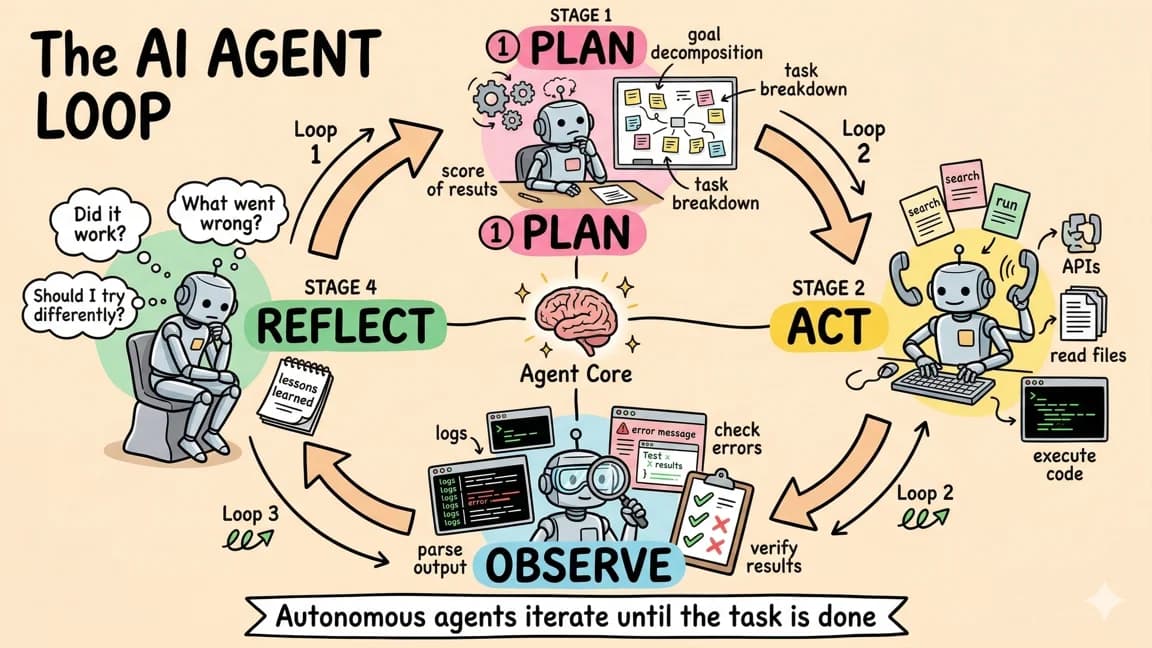
If you already think in terms of agent workflows as state machines, Dots looks like an OpenAI-hosted state machine where the human review node is built into the product UI.
The permission model is the product#
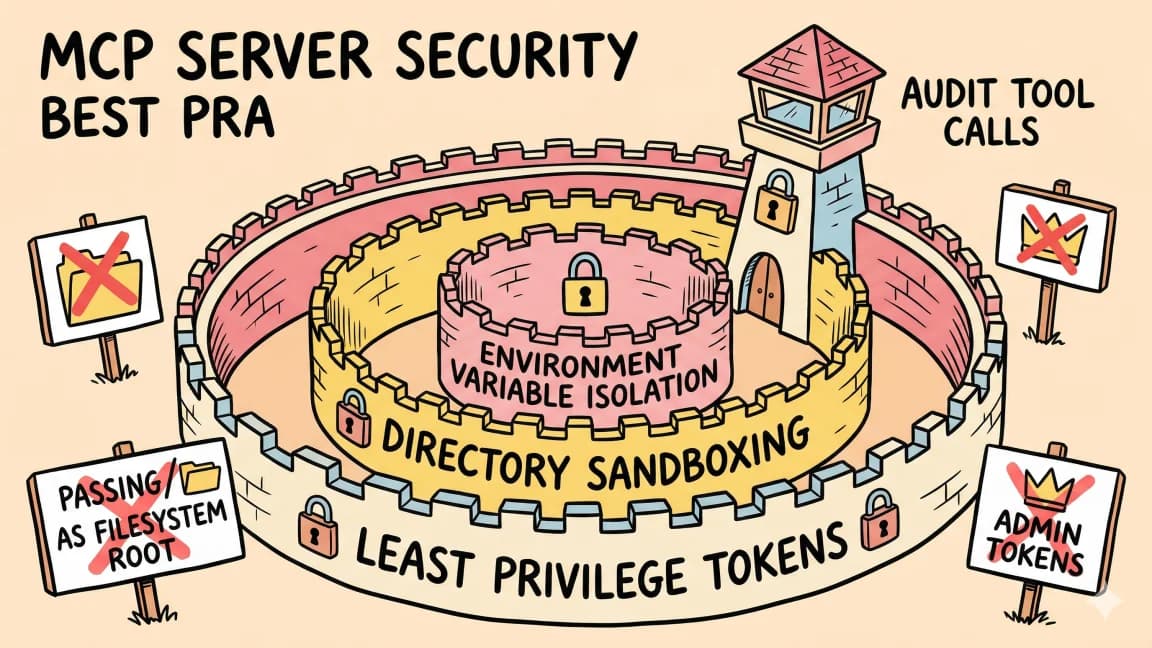
OpenAI's separate safety, security, and privacy post is the more important document. It says each dot gets a protected cloud workspace, secure sign-ins keep supported passwords out of model context, app connections are managed through existing ChatGPT permissions, and a separate Auto-review system checks actions such as sending email or changing files before they run.
That should become the checklist for every always-on agent product:
| Question | Why it matters |
|---|---|
| Where does the agent execute? | The cloud computer, local machine, and coordinator need different blast-radius limits. |
| What can it read in the background? | Read-only research is still private context accumulation. |
| What can it write without approval? | Drafting, sending, purchasing, deleting, and permission changes are different risk classes. |
| Who owns the approval rule? | A model-written preference is not the same thing as an enforced policy. |
| What can the agent remember? | Long-lived usefulness and long-lived privacy risk are the same mechanism. |
This is why Dots lands in the same family as the agent security checklist, not only in the family of chatbot launches. The product is only useful if it gets enough access to do real work. The product is only trustworthy if that access is legible and narrow.
OpenAI's strongest design choice is separating the working environment from the checks that enforce action rules. If an agent can edit the system that reviews its own actions, the approval layer is theater. If the review layer is outside the workspace, it becomes a real boundary.
The strategic move#
The immediate competitive story is not "OpenAI made another agent." Everyone is making another agent.
The strategic move is that Dots tries to own the place where agent work is assigned, monitored, remembered, and approved.
That is a stronger position than owning one execution tool. Codex can write code. ChatGPT Agent can browse and produce artifacts. ChatGPT Work can run delegated tasks. A dot can become the continuity layer above those surfaces: the thing that knows what you care about, watches for changes, and decides when to invoke the right worker.
That creates a second-order effect for developer tools. The winning product may be the one that becomes easy for another agent to delegate to.
In a Dots world, the question for a coding agent is not only "can it solve the task?" It is "can it accept scoped work from a higher-level personal agent, return receipts, respect approvals, and avoid keeping unnecessary context?" That favors tools with clean task APIs, explicit permissions, branch-level isolation, and inspectable outputs.
It also makes the Claude Code vs Cursor vs Codex comparison more about orchestration than editor taste. The agent you use directly may become less important than the agent your always-on assistant can safely call.
What people are actually saying#
The Hacker News thread was huge by launch-post standards, with roughly 660 points and more than 500 comments when I checked. The split was useful.
Several commenters were confused by the product boundary. One thread asked whether this is effectively a managed version of OpenClaw, or a single-thread abstraction that coordinates work and delegates to other tasks. That is the right technical question, because OpenAI now has overlapping surfaces: ChatGPT Agent, Codex, ChatGPT Work, and Dots.
The sharpest disagreement was about trust. Some commenters said they would not give any always-on agent access to their digital life, no matter which lab ships it. Others argued that frontier labs are among the few organizations with enough security infrastructure to attempt this responsibly. Both views can be true: OpenAI can have better safeguards than a small startup, and the category can still be risky by design.
The most practical pushback was that Dots sits between consumer and professional use. If it is too expensive for casual users and too personal for enterprises, adoption depends on whether the agent saves enough daily coordination work to justify the access it asks for.
There was also a lot of discussion about the name and mascot. That is less important than the security model, but not irrelevant. Cute presentation lowers emotional friction exactly where users should slow down and inspect permissions.
Google Trends check#
Google Trends in the United States over the past 90 days showed the branded Dots queries as launch spikes, not established demand:
| Query | 90-day average |
|---|---|
| OpenAI dots | 0.58 |
| ChatGPT dots | 0.43 |
| GPT-6.1 Sol | 0.06 |
| proactive AI assistant | 0.00 |
| AI agents | 30.89 |
On September 30, "OpenAI dots" and "ChatGPT dots" were visibly above zero, but "AI agents" remained the durable query cluster. That changes how I would write and optimize around it: the lasting article is not "what is Dots?" alone. It is "what does always-on agent work require?"
The developer takeaway#
Try Dots like you would try any agent with tools: start with low-risk, high-observation workflows.
Good first tasks:
- monitor a project plan and draft a status update
- watch a public changelog and summarize impact
- prepare a pull request review checklist without posting it
- collect meeting prep from connected docs without sending messages
- draft recurring research briefs that you approve manually
Bad first tasks:
- send external email without review
- purchase anything without a hard confirmation step
- connect broad file-system access before testing the sandbox
- let the agent hold credentials in readable notes
- use it as the only tracker for commitments that matter
The product promise is compelling because coordination work is real work. Developers lose hours to status, handoffs, recurring checks, and "please keep this moving" tasks. A standing agent could absorb some of that.
But the durable lesson is the same one from agent workspaces and filesystem contracts: autonomy is only useful when the workspace, permissions, and receipts are explicit.
Dots is OpenAI saying the personal agent is no longer a demo. The next question is whether the control plane is strong enough for the access the product needs.
FAQ#
What are OpenAI Dots?#
OpenAI Dots are always-on ChatGPT agents that can keep working across connected apps, use a cloud computer, remember task context, and bring work back for review. OpenAI says they are powered by GPT-6 Astra and are rolling out to eligible Pro, Business Premium, and Enterprise users.
Are Dots the same as Codex?#
No. Codex is an execution surface for coding work. Dots can delegate tasks to Codex or ChatGPT Work, but the dot is positioned as the long-running assistant that tracks goals, context, permissions, and approvals across work.
Can Dots use my computer?#
OpenAI says Dots can connect to your personal computer only if you choose to allow it. Otherwise, each dot has its own cloud computer and works with the apps and accounts you connect through ChatGPT permissions.
Are Dots safe for sensitive work?#
Treat them as promising but high-trust software. OpenAI describes sandboxed workspaces, secure sign-ins, read-only proactive research, Custom Rules, Activity View, and Auto-review checks. Those safeguards help, but OpenAI also says Dots can still make mistakes, so sensitive actions should stay behind explicit review.
What is the best first use case for developers?#
Use Dots for monitored drafts and coordination before granting broad write access. Status updates, changelog watchlists, review checklists, and low-risk research briefs are better first tests than email sending, purchasing, or local machine access.
Continue Reading#
- ChatGPT Agent: OpenAI's Operator Meets Deep Research - the action-and-research layer underneath the Dots story
- OpenAI Codex: Terminal and Cloud AI Coding Agent - where delegated coding work lands
- The Agent Security Checklist I Use Before Connecting Tools - the permission checklist to apply before connecting apps
- Agent Workflows as Code: State Machines for AI Systems - how to think about long-running agent orchestration
- Claude Code vs Cursor vs Codex - how the coding-tool layer changes when orchestration moves up
Sources#
- OpenAI: Introducing dots
- OpenAI: How we build safety, security, and privacy into dots
- Hacker News: Dots: Always-on agents
- Google Trends, United States, past 90 days, checked September 30, 2026 with queries: "OpenAI dots", "ChatGPT dots", "AI agents", "proactive AI assistant", "GPT-6.1 Sol"
Get the next deep dive like this in your inbox
One email a week on OpenAI and the rest of the AI dev stack. Free.
Read next on AI coding tools
ChatGPT Agent: OpenAI's Operator Meets Deep Research
OpenAI has merged its browsing capabilities with deep research into a single agent that can take action on the web, generate spreadsheets and slide decks, and handle complex multi-step tasks from sta...
7 min readOpenAI Codex: Terminal and Cloud AI Coding Agent
Codex works from the terminal, cloud tasks, IDEs, GitHub, Slack, and Linear. Here is how to use it and how it compares to Claude Code.
5 min readThe Agent Security Checklist I Use Before Connecting Tools
Before an AI agent gets tools, files, APIs, MCP servers, or deployment access, decide what it can read, write, call, log, and roll back.
8 min readNew here? Start with
Technical content at the intersection of AI and development. Building with AI agents, Claude Code, and modern dev tools - then showing you exactly how it works.