WebMCP: Google's Browser Standard That Lets AI Agents Use Websites as Tools
TL;DR
WebMCP lets websites expose JavaScript functions and HTML forms to AI agents as structured tools. What the Chrome 149 origin trial does and how to implement it.
Official Sources#
| Source | Description |
|---|---|
| WebMCP Documentation | Chrome's official WebMCP reference |
| WebMCP Early Preview | Origin trial details and signup |
| Chrome at I/O 2026 | Full Google I/O 2026 Chrome announcements |
| W3C Web Machine Learning CG | Standardization group incubating WebMCP |
Last verified: June 12, 2026
AI agents have a web problem. When an agent needs to book a flight, file a support ticket, or check out a shopping cart, it has three bad options: scrape the DOM and hope the CSS selectors do not break, integrate with a bespoke API that took months to build, or click through the UI like a clumsy script from 2019.
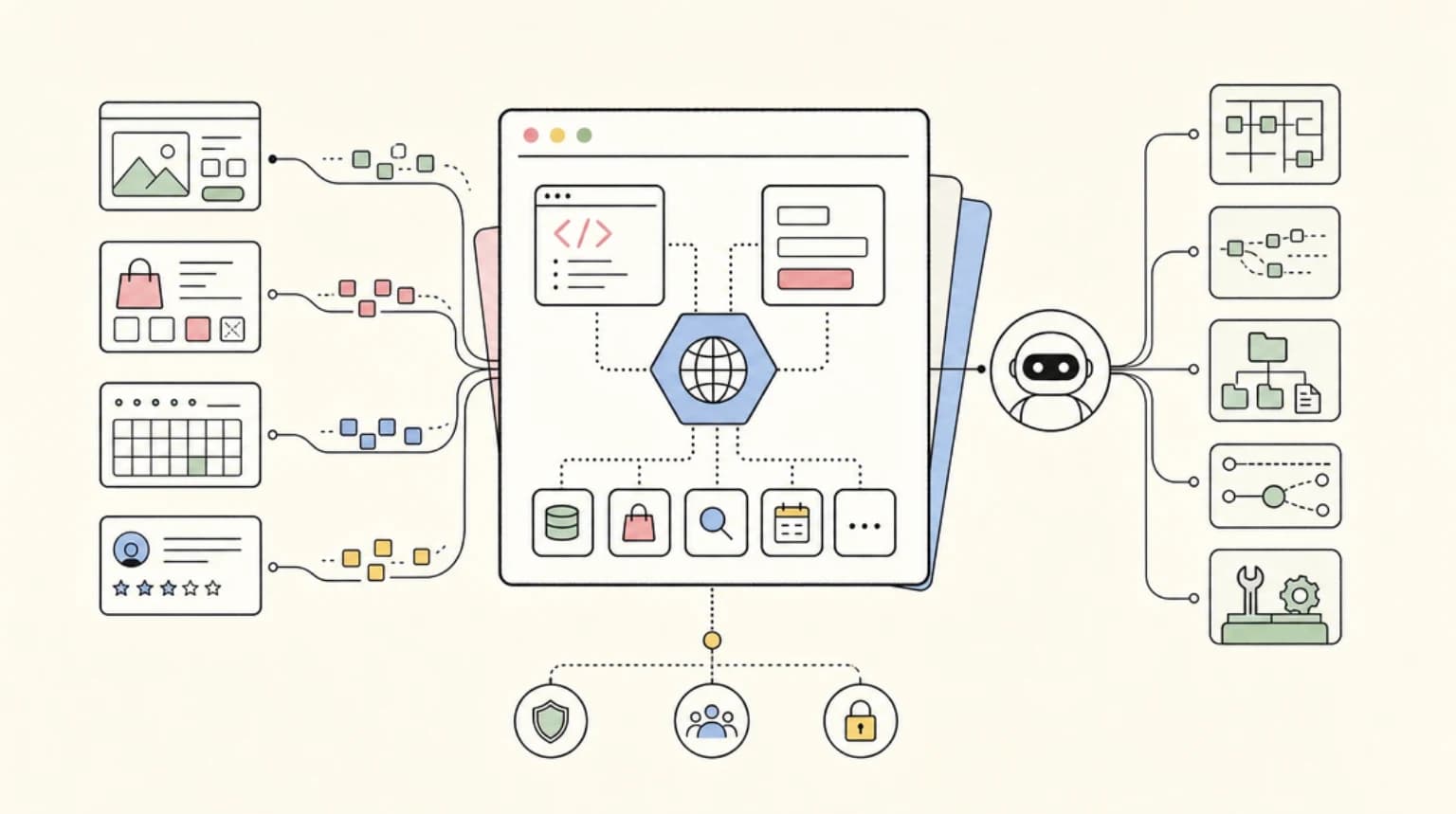
WebMCP is Google's proposal to fix this. It is a web standard that lets developers expose JavaScript functions and HTML forms directly to browser-based agents as structured tools. Instead of parsing screenshots or guessing which button submits the form, agents call typed functions with validated parameters.
The origin trial ships in Chrome 149. Microsoft is co-developing the spec through the W3C Web Machine Learning community group. Expedia, Booking.com, Shopify, Credit Karma, and Target are already experimenting with it.
Here is what WebMCP does, how to implement it, and what it means for developers building agentic workflows.
The Problem WebMCP Solves#
Browser-based agents today rely on observation. They take screenshots, parse HTML, and make repeated guesses about what elements do. This is slow, expensive, and breaks when page designs change.
Consider what happens when an agent tries to book a vacation. Without structured access, it has to: render the page, identify the departure date picker, figure out its input format, click the right sequence of elements, and hope nothing changed since the last time it visited. One CSS class rename breaks the whole flow.
WebMCP inverts this. Instead of the agent inferring what a page can do, the page declares it. A travel site exposes a search_flights tool with typed parameters for origin, destination, and dates. The agent calls the function directly. No guessing, no brittle selectors, no repeated screenshots.
The result is faster task completion, lower token consumption, and workflows that do not break when designers update the UI.
How WebMCP Fits the Protocol Stack#
WebMCP completes a three-layer architecture for AI agents:
- MCP (Model Context Protocol) - agent-to-infrastructure. Databases, APIs, filesystems. See What Is MCP.
- A2A (Agent-to-Agent) - coordination between multiple agents working on shared tasks.
- WebMCP - agent-to-website. Browser-based interaction with structured tools.
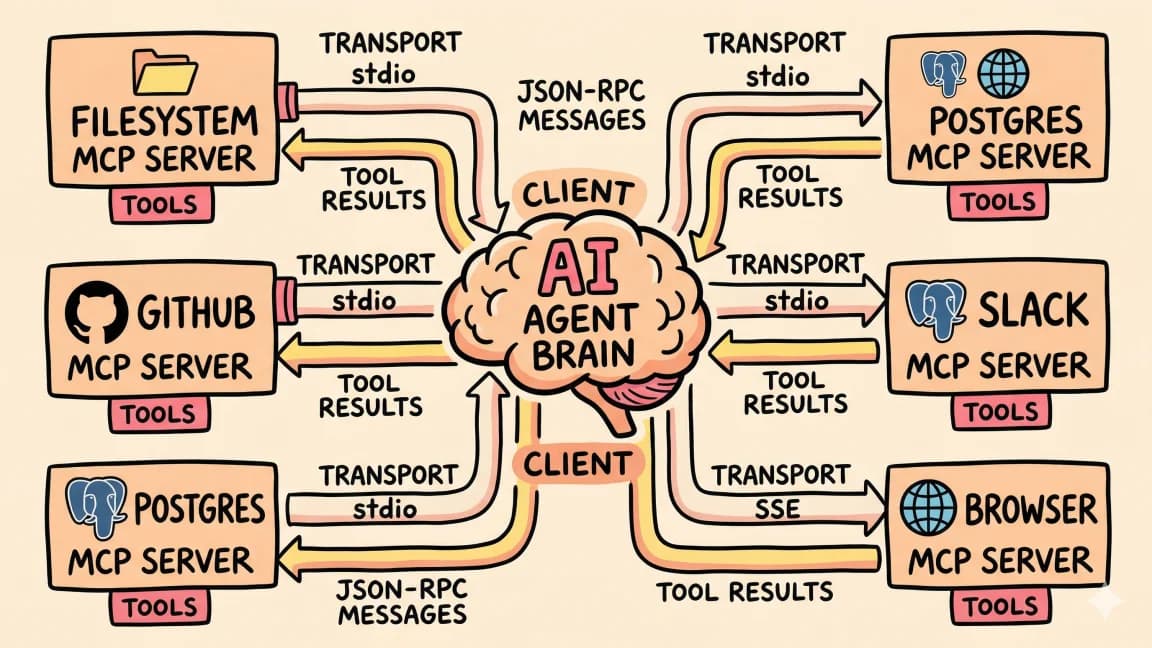
If you have been building with MCP servers, WebMCP is the browser-native equivalent. Instead of connecting an agent to a Postgres database via an MCP server, you connect it to a website via WebMCP tools.
The difference is who defines the interface. MCP servers are developer-authored connectors you install. WebMCP tools are declared by the websites themselves. The agent visits a page and discovers what tools are available, just like visiting an API endpoint that publishes its schema.
The Two APIs#
WebMCP proposes two ways to expose tools: an Imperative API for JavaScript functions and a Declarative API for HTML forms.
Imperative API#
The Imperative API lets you register JavaScript functions as agent-callable tools. Each tool has a name, description, typed parameters, and a handler function.
const webmcpManifest = {
  tools: [{
    name: "schedule_demo",
    description: "Books a product demo for qualified leads",
    parameters: {
      name: { type: "string", required: true },
      email: { type: "string", required: true },
      preferred_slot: {
        type: "string",
        enum: ["morning", "afternoon", "evening"]
      }
    },
    handler: scheduleDemo
  }]
};

window.__webmcp__ = webmcpManifest;
When an agent visits your page, it reads the manifest and sees schedule_demo as an available tool. It can call the function with structured arguments, and your handler executes the logic.
This is similar to function calling in the Claude API, but running in the browser context with direct access to the page state.
Declarative API#
The Declarative API annotates existing HTML forms so agents can interact with them without custom JavaScript. You add metadata to form elements that describes their purpose and parameter types.
This is the lower-friction path for sites with standard forms. You do not need to rewrite your checkout flow - you annotate the existing HTML so agents understand what each field does.
The Declarative API is less documented in the early preview, but the principle mirrors the Imperative API: explicit declarations replace inference.
What WebMCP Gets You#
Reliability. No brittle CSS selectors. No guessing which button submits the form. Agents call typed functions with validated parameters. When the UI changes, the tool interface stays stable.
Speed. Direct function calls are faster than rendering pages and parsing screenshots. An agent can search flights, filter results, and start checkout in a fraction of the time it takes to simulate clicks.
Composability. Tools have typed schemas. Agents can reason about what a site can do without visiting it. Multi-step workflows become function composition rather than UI automation.
Auditability. Tool calls produce clear logs. You know exactly what the agent requested and what your handler did. This is much easier to debug than reconstructing what happened from a sequence of screenshots.
Enabling WebMCP#
The origin trial is available in Chrome 149. To enable locally:
- Navigate to
chrome://flags/#enable-webmcp-testing - Enable the flag
- Restart Chrome
For production deployment, register for the origin trial through the Chrome developer program. This gets you a token to include in your site headers that enables WebMCP for real users.
Security requirements:
- Origin isolation is required - documents must have stable origins throughout tool lifetime
- WebMCP is gated by the
toolsPermissions Policy, which defaults toself - Cross-origin iframes need the
allow="tools"attribute
Current Limitations#
WebMCP is early. The origin trial is for prototyping, not production deployment.
Open browser tab required. WebMCP tools only work when the page is visible in a browser tab. No headless support. This is a security constraint - the user should be able to see what the agent is doing.
Retrofitting cost. Existing sites need work to expose WebMCP tools. Simple forms can use the Declarative API. Complex flows require refactoring to the Imperative API. The long tail of web services will take years to adopt.
Agent support is nascent. Gemini in Chrome will support WebMCP "soon after" the origin trial. Other agents need to add discovery and invocation support. Until agents widely support WebMCP, you are building for a future state.
Security model is evolving. The threat model for adversarial pages registering fake tools is not fully specified. Production deployment on sensitive workflows (finance, identity) needs clearer security boundaries than the current spec provides.
Who Is Adopting#
Google announced that Expedia, Booking.com, Shopify, Credit Karma, TurboTax, Redfin, Etsy, Instacart, and Target are experimenting with WebMCP. These are exactly the sites where browser-based agents need structured access - travel booking, e-commerce, financial services.
The pattern makes sense. These companies already have APIs for their mobile apps and partner integrations. WebMCP gives them a browser-native way to expose similar functionality to AI agents without building another integration layer.
What This Means for Developers#
If you build websites: WebMCP is worth watching. It is not production-ready today, but the trajectory is clear. Sites that expose structured tools will work better with AI agents than sites that require scraping. Start with the Declarative API on your most common user flows.
If you build AI agents: Add WebMCP discovery to your roadmap. Agents that can call WebMCP tools will complete browser tasks faster and more reliably than agents that rely on screenshots. The transition will be gradual - you will need fallback paths for sites without WebMCP support.
If you use MCP today: WebMCP is a natural extension. MCP connects agents to infrastructure you control. WebMCP connects agents to websites you visit. The mental model is the same: structured tools with typed parameters.
For the relationship between MCP and function calling, see MCP vs Function Calling.
The Standardization Path#
Google is developing WebMCP with Microsoft through the W3C Web Machine Learning community group. This signals intent to make it a cross-browser standard, not a Chrome-only feature.
But standardization is slow. The community group is an incubation venue, not a formal working group. Adoption by Safari and Firefox is not guaranteed. The spec may change significantly before reaching recommendation status.
For now, build for Chrome and plan for portability. If WebMCP succeeds, it will become a baseline capability. If it does not, you have invested in a cleaner architecture for browser automation either way.
FAQ#
What is WebMCP?#
WebMCP is a proposed web standard that lets developers expose JavaScript functions and HTML forms to browser-based AI agents as structured tools. Instead of scraping DOM or simulating clicks, agents call typed functions with validated parameters. The origin trial ships in Chrome 149.
How is WebMCP different from MCP?#
MCP (Model Context Protocol) connects AI agents to infrastructure you control - databases, APIs, filesystems. WebMCP connects agents to websites you visit. Both use structured tools with typed parameters, but MCP is agent-to-server while WebMCP is agent-to-browser.
What browsers support WebMCP?#
Chrome 149 ships the origin trial. Gemini in Chrome will add agent support soon after. Microsoft is co-developing the spec, signaling likely Edge support. Safari and Firefox have not announced plans.
Do I need to rewrite my site to use WebMCP?#
Not necessarily. The Declarative API lets you annotate existing HTML forms without custom JavaScript. Complex flows may need the Imperative API with explicit function handlers. Start with your highest-traffic user flows.
Is WebMCP secure?#
The security model is evolving. WebMCP requires origin isolation and is gated by Permissions Policy. Cross-origin iframes need explicit allow="tools" attributes. The threat model for adversarial pages is not fully specified - production deployment on sensitive workflows should wait for clearer security boundaries.
Can I use WebMCP in production?#
The origin trial is for prototyping. Production deployment is not recommended until the spec stabilizes and security boundaries are formalized. Experiment now, deploy when the standard matures.
Which companies are using WebMCP?#
Google announced that Expedia, Booking.com, Shopify, Credit Karma, TurboTax, Redfin, Etsy, Instacart, and Target are experimenting with WebMCP. These are early adopters in the origin trial phase.
When will WebMCP be a standard?#
The spec is incubating through the W3C Web Machine Learning community group with Google and Microsoft involvement. Standardization timelines are uncertain - expect years, not months, before reaching W3C recommendation status.
Sources#
- Chrome at I/O 2026 - Google's official I/O 2026 Chrome announcements
- WebMCP Early Preview - Origin trial signup and documentation access
- WebMCP Documentation - Chrome's technical reference
- DEV Community Analysis - Technical breakdown with implementation examples
- VentureBeat Coverage - Industry context and adoption analysis
Get the next deep dive like this in your inbox
One email a week on WebMCP and the rest of the AI dev stack. Free.
Read next on AI coding tools
What Is MCP (Model Context Protocol)? The 2026 Developer Guide
MCP (Model Context Protocol) is the open standard connecting AI apps to tools and data. How the 2026-07-28 spec works and how to install or build a server.
14 min readHow to Use MCP Servers: The Complete Guide
MCP servers connect AI agents to databases, APIs, and tools through a standard protocol. Here is how to configure and use them with Claude Code and Cursor.
11 min readMCP vs Function Calling: When to Use Each
MCP servers and function calling both let AI tools interact with external systems. They solve different problems. Here is when to reach for each.
6 min readNew here? Start with
Technical content at the intersection of AI and development. Building with AI agents, Claude Code, and modern dev tools - then showing you exactly how it works.