What Is Cline? The Open-Source AI Coding Tool That Runs in VS Code

TL;DR
Cline is a free, open-source VS Code extension that brings autonomous AI coding to your editor, and a common Cursor and Copilot alternative for developers who want to bring their own model. It works with local models or cloud APIs, handles multi-file changes, and runs terminal commands without proprietary lock-in.
Direct answer
What Is Cline? The Open-Source AI Coding Tool That Runs in VS Code
Cline is a free, open-source VS Code extension that brings autonomous AI coding to your editor, and a common Cursor and Copilot alternative for developers who want to bring their own model. It works with local models or cloud APIs, handles multi-file changes, and runs terminal commands without proprietary lock-in.
Best for
Developers comparing real tool tradeoffs before choosing a stack.
Covers
Verdict, tradeoffs, pricing signals, workflow fit, and related alternatives.
Official Sources#
| Resource | Link |
|---|---|
| Official Website | cline.bot |
| Documentation | docs.cline.bot |
| GitHub Repository | github.com/cline/cline |
| VS Code Marketplace | Cline Extension |
| Changelog | GitHub Releases |
| MCP Documentation | modelcontextprotocol.io |
Cline is an open-source VS Code extension that turns your editor into an autonomous AI coding environment. Unlike autocomplete tools that suggest the next line, Cline operates as an agent - it reads files, writes code, runs terminal commands, and iterates on errors without constant hand-holding.
The tool is free to install. The code is open source under the Apache 2.0 license. You bring your own API key for cloud models like Claude or OpenAI models, or you run local models through Ollama and pay nothing at all.
This guide covers what Cline is, how it compares to paid alternatives, and whether it fits your workflow.
Quick verdict#
Cline is the best open-source VS Code agent if you want model choice and control. It is a great fit when you want agentic workflows (multi-file edits, command runs, error recovery) without switching editors or locking into one vendor.
- Want the short tool-card summary? Start at Cline in the tools directory.
- If you want a more polished integrated UX, start with Cursor or Windsurf.
- If you want a terminal-native agent workflow, start with Claude Code or Codex.
- If cost is the deciding factor, start with the pricing hub and the AI coding tools pricing table.
Why Cline Exists#
The AI coding market split into two camps. On one side: commercial products like Cursor, Windsurf, and GitHub Copilot that bundle models, UX, and subscriptions together. On the other side: open-source tools that prioritize flexibility and user control.
Cline sits in the second camp. It does not try to replace your editor - it adds AI capabilities to the VS Code you already use. It does not lock you into a single model provider - it connects to whatever backend you configure. And it does not charge a subscription - you own the tool.
For developers who want agentic AI coding without vendor dependencies, Cline is the most capable open-source option available in VS Code.
What Cline Can Do#
Cline is an agent, not an autocomplete engine. The difference matters.
Autocomplete tools (like basic Copilot) predict the next tokens based on your cursor position. They are reactive. You write, they suggest.
Agentic tools (like Cline, Claude Code, and Codex) make decisions. You describe a task, and the agent figures out which files to read, what code to write, which commands to run, and how to fix errors when things break.
Cline's core capabilities include:
Multi-file code generation. Cline reads your project structure and writes code across multiple files in a single task. If you ask it to add a feature, it might create a new component, update imports, modify tests, and adjust configuration - all without you specifying each file.
Terminal command execution. Cline runs shell commands directly. It can install dependencies, run builds, execute tests, and read output. When a command fails, it sees the error and attempts to fix the underlying code.
File system access. Cline reads files and directories (respecting .gitignore), writes new files, and edits existing ones. It understands project context because it can actually see your code.
MCP (Model Context Protocol) support. Cline integrates with MCP servers for extended capabilities - database access, API connections, browser automation, and custom tools. This makes Cline extensible beyond its built-in features.
Multi-model flexibility. Cline works with local models through Ollama, or cloud models through API keys for Claude, OpenAI models, Gemini, Azure OpenAI, and others. You choose the model based on task, cost, and privacy requirements.
Iterative error correction. When something fails - a test, a build, a command - Cline reads the output and tries again. This loop continues until the task succeeds or you intervene.
The combination makes Cline a genuine coding agent rather than a fancy autocomplete.
How Cline Works#
Cline runs as a VS Code extension with a sidebar panel. You open the panel, describe what you want, and Cline executes.
The interaction model is chat-based, similar to ChatGPT or Claude. But unlike web chat interfaces, Cline has direct access to your workspace. It does not need you to paste code snippets or describe file contents - it reads them directly.
A typical workflow looks like:
- You describe a task: "Add error handling to the API routes in
src/api/" - Cline reads the relevant files to understand the current code
- Cline proposes changes and explains its approach
- You approve (or Cline auto-executes if you have enabled that mode)
- Cline writes the changes across all affected files
- Cline runs tests or builds to verify
- If errors appear, Cline reads the output and adjusts
The agent loop continues until the task is complete or you stop it.
From the archive
Claude Code Token Burn Is an Observability Problem
May 6, 2026 • 8 min read
How We Patched 100+ PRs Across Our App Empire in One Day
May 6, 2026 • 6 min read
219 PRs in One Day: A Parallel Agent Fan-Out Postmortem
May 6, 2026 • 8 min read
38 Apps in One Day: Migrating an Empire from Replit to Coolify
May 6, 2026 • 8 min read
Model Options#
Cline is model-agnostic. You pick the backend.
Cloud Models#
For cloud models, you paste an API key and Cline calls the provider directly:
- Anthropic Claude - Claude Sonnet and Opus through the Anthropic API
- OpenAI - OpenAI models (GPT and more)
- Google Gemini - Gemini Pro and Ultra through the Google AI API
- Azure OpenAI - Enterprise deployments with Azure endpoints
- OpenRouter - A proxy that routes to multiple providers
Cloud models offer the strongest reasoning quality, especially Claude Opus and higher-tier OpenAI models. The tradeoff is cost (you pay per token) and data leaving your machine.
Local Models#
For local models, Cline connects to Ollama running on your machine:
Terminal
# Install Ollama from https://ollama.ai
ollama pull deepseek-coder-v2  # A strong coding model
ollama serve                   # Start the local server
Then configure Cline to use Ollama as the provider.
Local models keep everything on your hardware. No API costs, no data transmitted. The tradeoff is model quality - even the best local models lag behind Claude Opus or higher-tier OpenAI models on complex reasoning tasks.
Popular local options for coding:
- DeepSeek Coder V2 - Strong code generation, relatively fast
- Mistral - Good general-purpose model
- CodeLlama - Meta's code-focused model
- Qwen2.5-Coder - Alibaba's coding model with good performance
For most developers, a hybrid approach works best: use local models for routine tasks and cloud models for complex work that needs stronger reasoning.
Installation#
Setup takes about five minutes.
Step 1: Install the Extension#
Open VS Code, go to Extensions (Cmd+Shift+X / Ctrl+Shift+X), search for "Cline", and install the extension by Saoudrizwan.
Step 2: Configure a Model#
Click the Cline icon in the sidebar to open the panel. Choose your model provider:
For cloud models: Select the provider (Anthropic, OpenAI, etc.) and paste your API key.
For local models: Install Ollama, pull a model, run ollama serve, then select Ollama in Cline's settings.
Step 3: Start Coding#
Type a task in the chat panel. Cline will ask for permission before reading files or running commands (unless you enable auto-approve).
That is the basic setup. For the current recommended install and onboarding paths, follow the official docs.
Cline vs. Paid Alternatives#
The natural question: why use Cline instead of Cursor, Windsurf, or Copilot?
Cline vs. Cursor#
Cursor is a proprietary VS Code fork with integrated AI. It costs $20/month for Pro or $200/month for unlimited usage. Cursor's UX is polished - inline diffs, composer mode, and tight model integration.
Cline is free and works inside standard VS Code. You keep your existing extensions, settings, and keybindings. But Cline's UI is simpler (a sidebar panel rather than Cursor's multi-mode interface), and you manage model configuration yourself.
Choose Cline if: You want open source, existing VS Code setup, or local model support.
Choose Cursor if: You want a polished all-in-one product and do not mind vendor lock-in.
Cline vs. Windsurf#
Windsurf (formerly Codeium) is another proprietary AI editor. It has a generous free tier and costs $20/month for Pro (raised from $15 in May 2026). Windsurf's Cascade agent handles multi-step tasks well.
Cline is comparable in agentic capabilities but trades commercial polish for open-source flexibility. Windsurf has better out-of-box model optimization; Cline has better extensibility through MCP.
Choose Cline if: Open source and model flexibility matter more than integrated UX.
Choose Windsurf if: You want a free or low-cost commercial product with less setup.
Cline vs. GitHub Copilot#
Copilot excels at autocomplete. It suggests code as you type and integrates deeply with GitHub. Copilot's agentic features (Copilot Chat, Copilot Agent) are improving but still behind dedicated agent tools.
Cline is more autonomous. It writes across files, runs commands, and iterates on errors. Copilot's strength is in-line suggestions during manual coding; Cline's strength is task delegation.
Choose Cline if: You want an autonomous agent rather than autocomplete.
Choose Copilot if: You want tight GitHub integration and inline suggestions while you code.
Cline vs. Claude Code#
Claude Code is Anthropic's terminal-based agent. It is not open source, requires an Anthropic subscription ($20-$200/month), and runs in the terminal rather than VS Code.
Claude Code has stronger reasoning (Opus access) and a more mature sub-agent architecture. Cline has VS Code integration and model flexibility.
Choose Cline if: You want to stay in VS Code and use multiple model providers.
Choose Claude Code if: You want the strongest reasoning quality and prefer terminal workflows.
Cline vs. Aider#
Aider is another open-source CLI tool for AI coding. It runs in the terminal, supports multiple models, and focuses on git-aware editing.
Cline has VS Code integration; Aider is terminal-only. Both are open source and model-agnostic. Aider has more mature git integration; Cline has MCP extensibility.
Choose Cline if: You prefer working inside VS Code.
Choose Aider if: You prefer terminal workflows and value git integration.
When Cline Makes Sense#
Cline fits specific developer profiles:
Privacy-conscious developers. With local models, code stays on your machine. With cloud models, code goes to the provider you configure.
Open-source advocates. Apache 2.0 license means you can fork, modify, and audit the code.
Multi-model testers. If you evaluate different models for different tasks, Cline's provider flexibility helps.
VS Code loyalists. If your workflow depends on VS Code extensions and settings, Cline adds AI without requiring a new editor.
Budget-constrained developers. Free tool plus cheap API calls (or free local models) beats $20-$200/month subscriptions.
Enterprise teams with data restrictions. Local-first operation satisfies strict data governance requirements.
When Cline Does Not Make Sense#
Cline has tradeoffs:
No commercial support. If something breaks, you file a GitHub issue and wait for community response. No SLA, no phone support, no enterprise contracts.
Setup required. Getting optimal performance requires configuring providers, tuning prompts, and sometimes debugging MCP integrations. Cursor and Windsurf work out of the box.
Weaker models locally. Local models through Ollama are capable but not Claude-Opus-tier. For complex architectural work, you need cloud APIs (and their costs).
Less polished UX. Cline's sidebar interface is functional but lacks Cursor's inline diffs and composer mode. The interaction is more chat-like than integrated.
If you want zero-setup, polished UX, and commercial accountability, paid tools like Cursor or Claude Code are better choices.
Practical Tips#
A few patterns that work well with Cline:
Start with a plan. Before asking Cline to code, describe what you want at a high level. "Add authentication to the API" is better than "fix login."
Let it read first. Point Cline at the relevant files before asking for changes. Context improves output quality.
Use cloud models for complex tasks. Save local models for routine work. Switch to Claude or higher-tier OpenAI models when reasoning quality matters.
Enable MCP for extended workflows. If you need database access, browser testing, or API integrations, configure MCP servers to expand Cline's capabilities.
Review before committing. Cline edits files directly. Review diffs in VS Code's source control panel before committing changes.
The Bottom Line#
Cline is the best open-source AI coding agent for VS Code. It brings autonomous capabilities - multi-file editing, terminal execution, iterative error correction - without subscriptions or vendor lock-in.
The tradeoff is setup effort and polish. Cursor and Windsurf are easier to start with. Claude Code has stronger reasoning. But if open source, model flexibility, and VS Code integration matter to you, Cline is the right choice.
For developers already paying for Claude or OpenAI API access, Cline is effectively free. For developers willing to run local models, it costs nothing at all.
Install it from the VS Code Marketplace, configure a model, and try delegating a real task. That is the only way to know if agentic AI coding fits your workflow.
Sources#
- Official site: https://cline.bot/
- Official docs: https://docs.cline.bot/
- GitHub repo: https://github.com/cline/cline
- License (Apache 2.0): https://github.com/cline/cline/blob/main/LICENSE
- VS Code Marketplace listing: https://marketplace.visualstudio.com/items?itemName=saoudrizwan.claude-dev
Frequently Asked Questions#
Is Cline free?#
Yes. Cline is open source under the Apache 2.0 license with no licensing fees. You only pay for cloud model API calls if you use Claude, OpenAI models, or similar providers. Using local models through Ollama is completely free.
What models does Cline support?#
Cline works with cloud providers (Anthropic Claude, OpenAI, Google Gemini, Azure OpenAI, OpenRouter) and local models through Ollama. You configure the provider and paste your API key. For local models, you run Ollama on your machine and Cline connects automatically.
How does Cline compare to Cursor?#
Cursor is a proprietary VS Code fork with integrated AI at $20-$200/month. Cline is a free VS Code extension. Cursor has a more polished UI with inline diffs and composer mode. Cline keeps you in standard VS Code with your existing setup. Choose Cursor for polish; choose Cline for open source and flexibility.
Can Cline run terminal commands?#
Yes. Cline executes shell commands directly, including builds, tests, package installations, and git operations. It reads command output and uses errors to guide subsequent fixes. You can configure approval requirements for command execution.
What is MCP and why does Cline support it?#
MCP (Model Context Protocol) is a standard for extending AI agent capabilities. Cline uses MCP to connect to databases, APIs, browsers, and custom tools beyond its built-in features. This makes Cline extensible - you add capabilities without modifying the core tool.
Is Cline good for large codebases?#
Cline handles project-wide context reasonably well, but performance depends on your model choice. Cloud models like Claude handle large context windows better than most local models. For very large monorepos, you may need to scope tasks to specific directories.
How does Cline handle errors?#
When a command or build fails, Cline reads the error output and attempts to fix the underlying code. This loop continues iteratively until the task succeeds or you stop it. The error recovery is one of Cline's strengths compared to simpler autocomplete tools.
Should I use local models or cloud models?#
Use local models (Ollama) for routine tasks, privacy-sensitive work, and cost savings. Use cloud models (Claude, OpenAI models) for complex reasoning, architectural decisions, and tasks where quality matters more than cost. Many developers use both, switching based on the task.
Related Guides#
- Best AI Coding Tools in 2026 - Full comparison of the AI coding landscape
- AI Coding Tools Pricing Comparison - Cost breakdown for every major tool
- What Is Claude Code? - Anthropic's terminal-based AI agent
- Cursor AI Guide - Deep dive on the leading proprietary AI editor
- Aider vs Claude Code - Open-source CLI tool comparison
Read next
The 10 Best AI Coding Tools in 2026
From terminal agents to cloud IDEs - these are the AI coding tools worth using for TypeScript development in 2026.
8 min readCursor vs Claude Code in 2026 - Which Should You Use?
A detailed comparison of Cursor and Claude Code from someone who uses both daily. When to use each, how they differ, and the ideal setup.
9 min readWindsurf vs Cursor: Which AI IDE for TypeScript Developers?
Both fork VS Code and add AI. Windsurf (rebranded to Devin Desktop after the Cognition acquisition) has Cascade. Cursor has Composer 2.5. Here is how they compare for TypeScript.
6 min readShare
Developers Digest
Technical content at the intersection of AI and development. Building with AI agents, Claude Code, and modern dev tools - then showing you exactly how it works.
300+ videos30K+ GitHub stars850+ articles
Related Tools
AI Coding

Cline
Open-source autonomous coding agent inside VS Code. Creates files, runs commands, and can use a browser for UI testing a...
View ToolAI Coding
C
Continue.dev
Open-source AI code assistant for VS Code and JetBrains. Bring your own model - local or API. Tab autocomplete, chat,...
View ToolAI Coding

Codex CLI
OpenAI's open-source terminal coding agent built in Rust. Runs locally, reads your repo, edits files, and executes comma...
View ToolAI Coding

Kimi Code
Open-source terminal coding agent from Moonshot AI. Powered by Kimi K2.5 (1T params, 32B active). 256K context window. A...
View ToolApps from Developers Digest
Developer ToolsIn Progress
Agent Benchmark Lab
Compare AI coding agents on reproducible tasks with scored, shareable runs.
View AppDeveloper Tools
Agent Hub
Every coding agent in one window. Stop alt-tabbing between Claude, Codex, and Cursor.
View AppDeveloper ToolsIn Progress
Maintainer Dashboard
Track open-source maintenance signals, release tasks, and repo follow-ups in one dashboard.
View AppRelated Guides
Guide
Skill Pre-Approval - Claude Code
Pre-approve tools before a skill executes so it runs without prompts.
Claude CodeGuide
Read Tool - Claude Code
Read file contents with line limiting, offset, and binary support.
Claude CodeGuide
Write Tool - Claude Code
Create or overwrite files; requires permission for existing paths.
Claude CodeRelated Videos
OpenAI Open Sources Codex: The CLI Coding Agent
Exploring Codex: AI Coding in Terminal In this video, I explore Codex, a new lightweight CLI tool for AI coding that runs in the terminal. This tool, possibly a response to Anthropic's CLI,...
Video·

Nimbalyst: The Open-Source Visual Workspace for Building with Codex and Claude Code
Nimbalyst Demo: A Visual Workspace for Codex + Claude Code with Kanban, Plans, and AI Commits Try it: https://nimbalyst.com/ Star Repo Here: https://github.com/Nimbalyst/nimbalyst This video demos N...
Video·

Magic Patterns: Why Design Wins in a World of AI Code Generators... The ULTIMATE Text-to-UI Tool
Check out Magic Patterns: https://magicpatterns.1stcollab.com/developersdigest_4 In this video, I share insights inspired by the CEO of Figma on the importance of design in the age of AI-generated...
Video·
Related Posts

8 min read
AI Coding
The 10 Best AI Coding Tools in 2026
From terminal agents to cloud IDEs - these are the AI coding tools worth using for TypeScript development in 2026.
9 min read
Claude Code
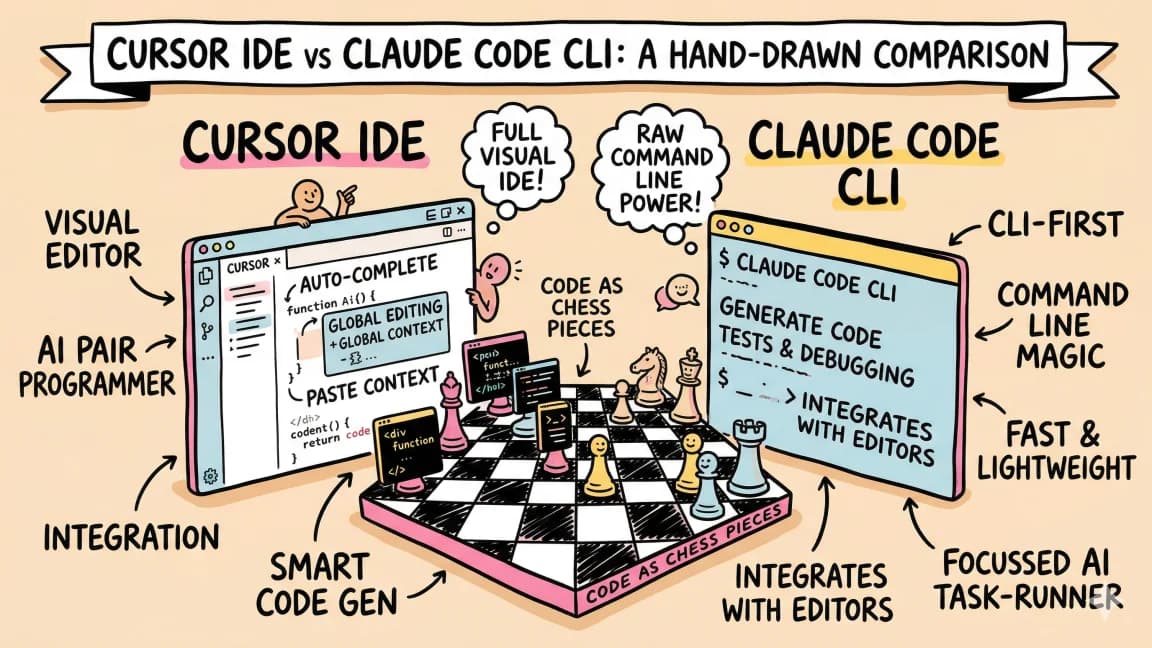
Cursor vs Claude Code in 2026 - Which Should You Use?
A detailed comparison of Cursor and Claude Code from someone who uses both daily. When to use each, how they differ, and...

6 min read
Windsurf
Windsurf vs Cursor: Which AI IDE for TypeScript Developers?
Both fork VS Code and add AI. Windsurf (rebranded to Devin Desktop after the Cognition acquisition) has Cascade. Cursor...

4 min read
Gemini
Gemini CLI: Free AI Coding With 1M Token Context
Google's Gemini CLI gives you free access to Gemini with a 1 million token context window. Here is how to set it up and...

12 min read
AI Coding
AI Coding Tools Pricing Comparison 2026
Complete pricing breakdown for every major AI coding tool. Claude Code, Cursor, Copilot, Windsurf, Codex, Augment, and m...

10 min read
Aider
Aider vs Claude Code in 2026: Git-First Open Source vs Subagent Runtime
Updated 2026 comparison of Aider and Claude Code using official docs and current workflow patterns: architecture, contro...
Build with the member tools

Get Smarter About AI Dev
New tutorials, open-source projects, and deep dives on coding agents - delivered weekly.
One email per weekReal code, not theoryFree forever