Deno Desktop Lets You Build Native Apps with TypeScript
TL;DR
Deno 2.9 ships a desktop app framework that compiles TypeScript projects into native binaries with WebView or bundled Chromium - a new Electron alternative from the Deno team.
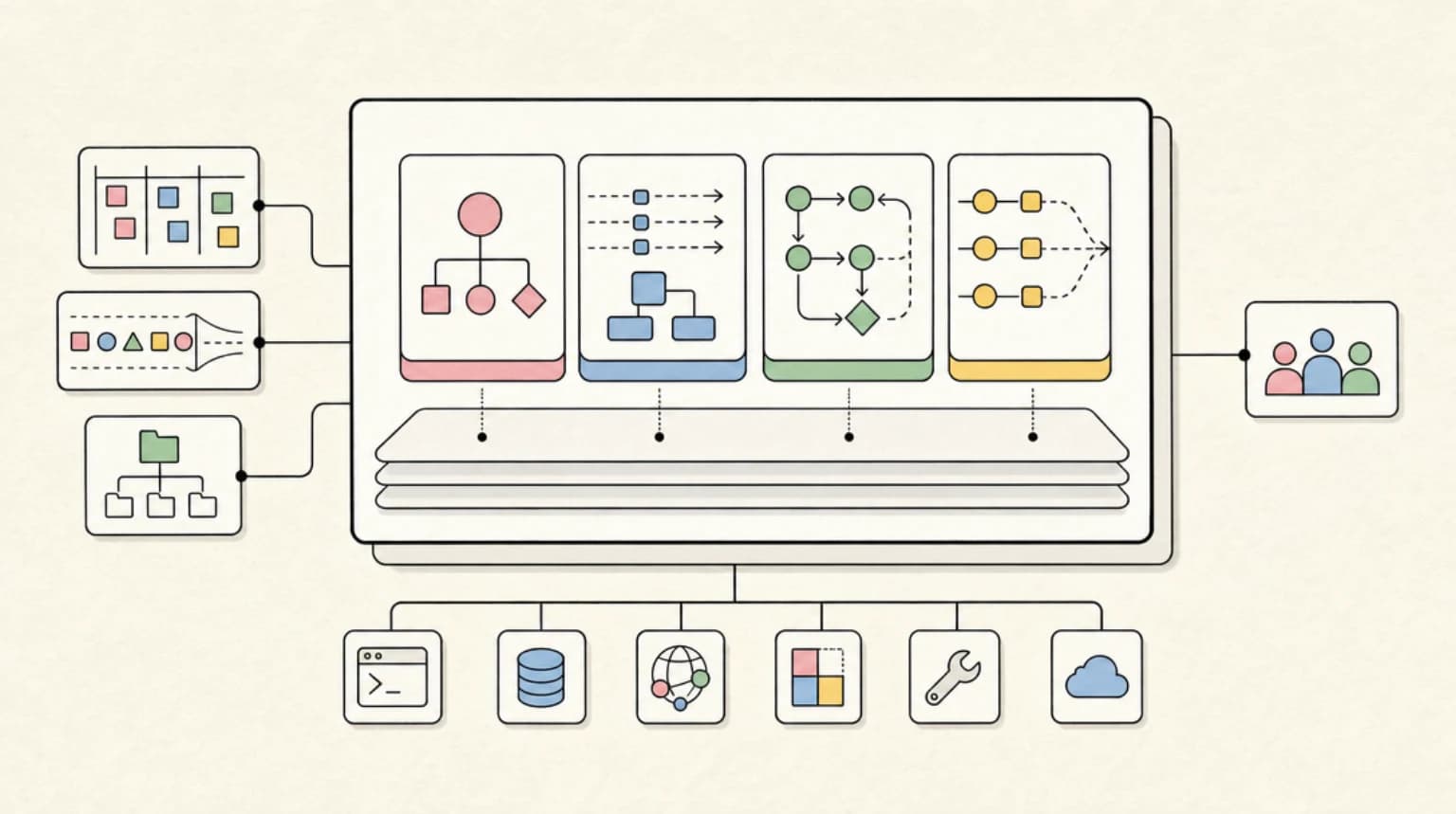
Deno just shipped Deno Desktop, a framework for building cross-platform desktop applications using TypeScript and web technologies. Available in Deno 2.9.0 canary builds, it compiles a Deno project into a native app bundle that includes your code, the Deno runtime, and either a system WebView or a bundled Chromium runtime.
Last updated: June 24, 2026
The announcement landed on the front page of Hacker News, where the useful debate was not "is web UI good or bad?" It was more practical: if your team already builds in TypeScript, does Deno Desktop give you a cleaner path to local tools than Electron or Tauri?
That question matters for AI development work too. A lot of new developer tools are not traditional consumer desktop apps. They are local dashboards, agent workbenches, background runners, prompt inspectors, file-system aware editors, and operator consoles. Those sit close to the territory we have covered in the TypeScript AI agent stack, portable terminal agents, and local coding agent workspaces. Deno Desktop is interesting because it turns that local TypeScript surface into something you can package.
What Deno Desktop Actually Does#
Deno Desktop transforms a Deno project into a redistributable app for macOS, Windows, or Linux. The output includes:
- Your application code
- The Deno runtime
- A rendering backend
- Permission choices baked in at compile time
- Optional bundled assets and framework output
The framework auto-detects popular web frameworks including Next.js, Astro, Fresh, Remix, Nuxt, SvelteKit, SolidStart, TanStack Start, and Vite SSR projects. If your app runs with Deno.serve(), the webview can connect to the local server without you manually wiring a port.
The two main rendering paths are:
- System WebView - Uses the operating system's webview, which keeps binaries smaller and looks closer to the Tauri architecture.
- Bundled Chromium through CEF - Ships a consistent browser engine with the app, closer to the Electron tradeoff.
The system WebView approach is the lightweight path. The CEF path is the consistency path. That choice is the whole product story in miniature: Deno Desktop is not trying to erase the web-on-desktop tradeoff. It is giving TypeScript teams a first-party Deno version of that tradeoff.
What Developers Are Debating#
The HN discussion is useful because it surfaces the real objections teams will have before adopting this.
Web technology is still not a native UI toolkit. Desktop apps built on webviews often miss platform-specific interaction details, accessibility defaults, keyboard behavior, and system conventions. Deno Desktop does not change that. If the product needs deeply native UI, this is still the wrong lane.
The Tauri comparison is unavoidable. Tauri already gives teams a system WebView plus a native backend, usually Rust. Deno Desktop's difference is that the backend stays in TypeScript and runs on Deno. That is a real simplification for teams that do not want a Rust sidecar just to ship an internal tool.
The Chromium bundle is not free. Deno's comparison page lists WebView apps around 40 MB and Chromium-backed apps around 150 MB before your own app code and assets. A later HN commenter reported a much larger local macOS output for a tiny test app, so treat size as something to measure in your own release build, not as a solved marketing number.
Permissions become a release artifact. Deno's compile reference says permissions granted at compile time are baked into the compiled binary. That fits Deno's security model, but it also means teams should document the permission surface the same way they document environment variables, update channels, and auto-start behavior.
Why This Fits the AI Tooling Moment#
Deno Desktop is not only competing for consumer apps. Its better early target may be the growing class of local developer utilities.
Think about the tools developers are building around agents:
- A local prompt evaluation console that reads a repo and writes reports
- A model-router dashboard for switching providers
- A file-system aware coding assistant with a packaged UI
- A deployment inspector that tails logs and stores local state
- A private admin surface for a single team
Those workflows already look more like the agent workspace contracts and OpenCode-style local agent loops than like polished native apps. They need file access, shell-adjacent capabilities, local storage, predictable packaging, and a UI that developers can iterate on quickly.
That is where "TypeScript all the way down" has leverage. You can share validation code, schemas, API clients, model routing utilities, and UI components across the server, browser, and packaged desktop surface. If your team is already evaluating TypeScript agent frameworks, a desktop wrapper becomes another distribution target instead of a separate engineering culture.
Deno Desktop vs Electron vs Tauri#
The short version:
| Tool | Best fit | Main tradeoff |
|---|---|---|
| Electron | Mature desktop apps with Chromium consistency and a huge ecosystem | Larger runtime, Node plus Chromium packaging, heavier updates |
| Tauri | Smaller apps that can use a system WebView and benefit from a Rust backend | Rust/native bridge complexity for TypeScript-heavy teams |
| Deno Desktop | TypeScript-first Deno apps, internal tools, agent workbenches, and local dashboards | Canary status, young ecosystem, real-world bundle sizes still need proof |
Electron is still the boring default for serious web-based desktop apps because it is mature, documented, and widely tested. Tauri is still compelling when small binaries and native integration matter. Deno Desktop becomes interesting when the backend logic is already TypeScript, the team likes Deno's permission model, and the app is closer to a developer tool than a consumer-grade native app.
Technical Notes Worth Checking#
Compile path: The docs show Deno Desktop through deno compile --desktop. That means you should read it as part of Deno's compilation story, not as an unrelated desktop framework.
Framework detection: Deno Desktop can detect several modern web frameworks. This is important because many internal tools begin life as a web app before someone asks for a local packaged version.
Backends: The docs describe WebView, CEF, and lower-level backend options. For most teams, the decision is WebView for smaller packages or CEF for browser consistency.
Bindings: Deno's docs frame backend-to-webview communication as bindings rather than a socket-first IPC story. That is promising for local tools that need frequent frontend-to-runtime calls, but it is still early enough that teams should benchmark their actual workload.
Auto-update: Deno Desktop includes an update system with binary diffs and rollback. That is a serious feature for internal tools because distribution and update reliability are where many "quick desktop app" experiments get painful.
From the archive
Microsoft Agent Framework Developer Guide: AutoGen + Semantic Kernel Unified
Jun 22, 2026 • 9 min read
Oak: A New Version Control System Built for AI Agents
Jun 22, 2026 • 8 min read
Prompt Injection is Role Confusion - New ICML Research Explains Why LLMs Can't Tell Friend from Foe
Jun 22, 2026 • 7 min read
Fugu Ultra's Frontier Performance Claim, Explained Without the Hype
Jun 22, 2026 • 11 min read
The Practical Take#
Deno Desktop is not a reason to rewrite an existing Electron app this week. It is not a reason to abandon Tauri if your team is comfortable with Rust. It is also not production-stable yet.
But it is absolutely worth watching if your work sits in this shape:
- The product is a developer tool, internal tool, or agent workbench
- The team already writes TypeScript and wants to avoid a second backend language
- The app needs local file or system access
- A web UI is acceptable
- Packaging matters more than deep native polish
That is a real category. As AI coding tools become more local, more workspace-aware, and more operational, the packaging layer matters again. Deno Desktop gives Deno a credible place in that conversation.
Getting Started#
If you want to try it, install the canary release and compile a small app before bringing in a full framework:
Terminal
deno upgrade canary
deno compile --desktop your-app.ts
Measure the output size on every platform you care about. Check the permission flags you grant during compilation. Test update behavior before treating this as a production distribution path.
FAQ#
Is Deno Desktop production ready?#
Not yet. The current Deno Desktop materials are tied to Deno 2.9.0 canary and pre-stable documentation. It is reasonable to prototype with it now, but critical desktop apps should wait for more stable release notes, migration guidance, and real-world packaging evidence.
How is Deno Desktop different from Electron?#
Electron pairs Chromium with Node.js and has a mature desktop ecosystem. Deno Desktop pairs Deno with a rendering backend, using either system WebView or bundled Chromium through CEF. The attraction is a Deno-native TypeScript runtime and Deno's compile and permission model.
How is Deno Desktop different from Tauri?#
Tauri usually uses a system WebView with a Rust backend. Deno Desktop can also use a system WebView, but the application logic stays in TypeScript on Deno. That is simpler for TypeScript-heavy teams, while Tauri remains stronger for teams that want a mature Rust-native desktop stack.
Does Deno Desktop preserve Deno permissions?#
The compile reference says permissions granted at compile time are baked into the compiled binary. Treat that as part of your release checklist. A packaged desktop app should make its file, network, environment, and subprocess access easy for maintainers to audit.
Sources#
Read next
Scriptc by Vercel: TypeScript-to-Native Compiler With No JavaScript Engine
Vercel Labs released Scriptc, a TypeScript-to-native compiler that produces self-contained binaries of 170-200KB with ~2ms startup times and no embedded JavaScript engine. The HN community is sharply divided on whether this is a genuine engineering breakthrough or another Vercel Labs project that will be abandoned in months.
9 min readAnt: A New JavaScript Runtime With Its Own Engine, Package Registry, and Desktop Framework
A solo developer built a complete JavaScript ecosystem from scratch - runtime, engine, package manager, and Electron alternative. Here's what HN thinks.
7 min readTypeScript 7 Is Here: The Native Go Port Delivers 10x Faster Builds
Microsoft ships TypeScript 7.0 with a complete Go rewrite of the compiler, delivering 8-12x build speedups and transforming IDE responsiveness across massive codebases.
6 min readShare
Developers Digest
Technical content at the intersection of AI and development. Building with AI agents, Claude Code, and modern dev tools - then showing you exactly how it works.
300+ videos30K+ GitHub stars850+ articles
Related Tools
Infrastructure

Deno
Secure-by-default JavaScript and TypeScript runtime from Node's original creator. Built-in TypeScript, fmt, lint, test,...
View ToolAI FrameworksEssential

Vercel AI SDK
The TypeScript toolkit for building AI apps. Unified API across OpenAI, Anthropic, Google. Streaming, tool calling, stru...
View ToolAI FrameworksAgent UI

CopilotKit
Frontend stack for agent-native apps. React hooks, prebuilt copilot UI, AG-UI runtime, frontend tools, shared state, and...
View ToolInfrastructure

Bun
All-in-one JavaScript runtime, bundler, test runner, and package manager. Written in Zig, drop-in compatible with Node,...
View ToolApps from Developers Digest
Related Guides
Guide
Building Your First MCP Server
Step-by-step guide to building an MCP server in TypeScript - from project setup to tool definitions, resource handling, testing, and deployment.
AI AgentsGuide
Getting Started with DevDigest CLI
Install the dd CLI and scaffold your first AI-powered app in under a minute.
Getting StartedGuide
Interactive Mode - Claude Code
Real-time prompt loop with history, completions, and multiline input.
Claude CodeRelated Videos
Build Full-Stack Apps with Deep Agent in 8 Minutes
Check out Deep Agent here: https://deepagent.abacus.ai/ In this video, learn how to build a full stack application using Deep Agent, a platform by Abacus AI. We'll create a Twitter clone with...
Video·
Build Full-Stack Apps in Minutes with Hostinger Horizons
Get a free trial TODAY with Hostinger Horizons and use my code DEVDIGEST to get 10% off your first month: https://www.hostinger.com/devdigest In this video, I'm showcasing Hostinger Horizons,...
Video·
Tempo: Build Web Apps with AI & MCP Integrations
Check out Tempo: https://tempo.new/?utm_source=youtube&utm_campaign=developer_ai_mcp In this video, I showcase Tempo, a powerful platform that simplifies the process of creating React applications...
Video·
Related Posts
9 min read
News
Scriptc by Vercel: TypeScript-to-Native Compiler With No JavaScript Engine
Vercel Labs released Scriptc, a TypeScript-to-native compiler that produces self-contained binaries of 170-200KB with ~2...
7 min read
JavaScript
Ant: A New JavaScript Runtime With Its Own Engine, Package Registry, and Desktop Framework
A solo developer built a complete JavaScript ecosystem from scratch - runtime, engine, package manager, and Electron alt...
6 min read
News
Bun Rewrites 535K Lines of Zig to Rust in 11 Days Using Claude
The Bun runtime completed an AI-assisted rewrite from Zig to Rust, fixing memory safety issues and improving performance...
6 min read
News
TypeScript 7 Is Here: The Native Go Port Delivers 10x Faster Builds
Microsoft ships TypeScript 7.0 with a complete Go rewrite of the compiler, delivering 8-12x build speedups and transform...
5 min read
News
Webernetes: Kubernetes Ported to the Browser in TypeScript
Ngrok engineer Sam Rose ported 100,000 lines of Kubernetes to TypeScript, creating a browser-based cluster for education...
6 min read
News
Workers RPC Now Bridges Python and JavaScript: No Schemas, No Serialization Code
Cloudflare's JavaScript-native RPC on Workers now works across languages: TypeScript Workers can call methods on Python...
Build with the member tools

Get Smarter About AI Dev
New tutorials, open-source projects, and deep dives on coding agents - delivered weekly.
One email per weekReal code, not theoryFree forever