Make Your Coding Agents Talk: Voice Summaries with the Rime CLI
TL;DR
The Rime CLI streams natural-sounding text-to-speech straight from your terminal, so Claude Code, Codex, Devin, and OpenCode can end each step with a brief spoken summary plus a next-step question. Install, commands, flags, and the agent prompt pattern behind the demo.
Coding agents end every task the same way: a wall of text that expects you to be watching the terminal. When the run is short you skim it; when the agent is iterating on its own for ten minutes, the scrolling becomes the bottleneck and most of what it printed goes unread. The fix is not faster reading, it is a different output channel.
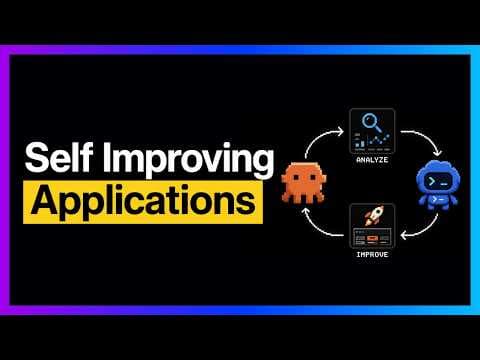
The Rime CLI demo video shows the version of this that works inside the loop: coding agents that reply out loud. Claude Code, Devin, OpenCode, and Codex are instructed to finish each unit of work with a brief, human-sounding spoken summary and ask a one-line next-step question, played through the Rime text-to-speech CLI the moment the agent finishes. You keep working; the agent speaks up when it has something worth interrupting you for. Here is how the toolchain works, the exact commands, and the prompt pattern that makes agents talk.
Official Sources#
| Resource | Description |
|---|---|
| Rime CLI on GitHub | Official CLI repo: install, commands, flags, models, configuration |
| Rime TTS quickstart | Five-minute API walkthrough, voice catalog, error reference |
| Rime | Product home: voice models, languages, pricing |
| The video | Developers Digest demo, chapters below |
What the video actually shows#
The video runs a real agent session with voice on top. The demo edits an HTML landing page - adds a gradient, a dark-mode toggle that persists the user's preference, and a mobile menu - while the agent narrates each step. The setup is not a script or a wrapper around the agent. The agent (the video cycles through Claude Code, Devin, OpenCode, and Codex) is given a standing instruction: when a unit of work completes, reply with a short spoken summary of what changed, then ask a one-line question about what comes next.
That one decision changes the loop. Instead of the agent finishing quietly and you polling for output, the terminal becomes a co-worker that tells you when it needs you and why. The video argues this matters most during longer agent runs, where the difference between "checked five minutes in" and "checked when it spoke" is minutes of idle time either way.
Install the Rime CLI#
The CLI is a single Go binary. From the README, three install paths:
# Homebrew (macOS and Linux)
brew tap rimelabs/rime-cli
brew install rime-cli

# Shell script, pinned to a version with the sh -s flag
curl -fsSL https://rime.ai/install-cli.sh | sh

# From source
go install github.com/rimelabs/rime-cli@latest
Then authenticate. rime login opens the Rime dashboard in your browser and saves the API key locally:
rime login
The key lands in ~/.rime/cli-api-token, and the RIME_CLI_API_KEY environment variable takes precedence over the stored key when you need to override it (different account, CI box, shared machine). You need a Rime account to get a key; the quickstart signup is free and the video walks through logging in for the free credits that come with it.
The command set#
Everything else is one streaming command. rime tts synthesizes text, streams the audio, and plays it as it arrives - no file, no player, no waiting for the full render:
# Streams and plays immediately
rime tts "Build finished, tests pass. Want me to push?"

# Named voice and model, saved to a file instead
rime tts "Done" --speaker astra --model-id arcana -o done.wav

# Save then play, or pipe to stdout with --output -
rime tts "Ready" -p --output -
Flags from the README:
| Flag | Short | Meaning |
|---|---|---|
--speaker | -s | Voice to use, for example astra or celeste |
--model-id | -m | arcana (WAV), mistv2 (MP3), or legacy mist |
--output | -o | Save to a file; use - for stdout |
--play | -p | Play audio after saving |
--lang | -l | Language code, default eng |
--json | Emit structured output for scripts | |
--quiet | -q | Suppress non-essential output |
Three support commands round it out. rime hello plays a time-appropriate greeting in the default voice - the fastest way to prove the token, the network path, and the speakers all work. rime play FILE plays a WAV or MP3 with a waveform visualization. rime curl "text" prints the readiness API call for the request, which is handy when you want to move the same payload into a plain HTTP integration later. rime uninstall prints clean removal instructions for the binary and ~/.rime.
Models and voices#
The CLI ships three models, per the README:
| Model | Format | Use |
|---|---|---|
arcana | WAV | High-quality, low-latency, the default for instant feedback |
mistv2 | MP3 | Compressed output for longer audio |
mist | MP3 | Legacy |
arcana covers 11 languages - English, Arabic, French, German, Hebrew, Hindi, Japanese, Portuguese, Sinhala, Spanish, and Tamil. mistv2 and mist cover English, French, German, and Spanish. The speaker names (astra, celeste, orion, and friends) come from the Rime voice catalog; the video shows the dashboard as the place to browse voices before wiring one into a project, and Rime's catalog lists the full set.
The agent prompt pattern#
The video's core move is a plain-language standing instruction, not an SDK. In the agent's system prompt or AGENTS file, tell it:
- End every completed unit of work with a spoken summary, one or two sentences, plain language, what changed and what still fails if anything.
- Ask one concrete next-step question.
- Keep it brief - the whole spoken exchange should be seconds, not paragraphs.
Then the agent expresses the summary as text through the terminal, and rime tts turns it into speech in the same step. Because the CLI streams, the delay between "agent finishes" and "you hear it" is the latency of a single short synthesis call, short enough to keep the back-and-forth feeling conversational. The video structures the demo around this iteration: change, speak, question, answer, next change - a loop you can walk away from and return to on audio.
The same pattern composes with the pieces we already covered: Claude Code hooks are a natural place to trigger speech at specific lifecycle events, and the video's later chapters cover exactly this - wiring hooks and preferences so spoken updates fire at sensible checkpoints rather than on every keystroke. If you want the agent to reach for more than the terminal, our make-claude-code-10x-at-design write-up shows the same wiring idea against image and video assets; voice is just another tool in that loop.
Rime CLI vs. a scripted audio pipeline#
If this feels familiar, it should: we built the scripted version - audio briefs from agent runs with ElevenLabs - where OpenCode runs headless, writes a plain-language summary, and an ElevenLabs API call mints an MP3 you listen to later. That pattern is for deferred consumption: scheduled runs, multiple briefs by Friday, audio you take with you. The video's approach is the interactive version: streaming playback inside the session, zero token plumbing, voice per project. The two complement each other - briefs for what ran while you were away, spoken replies for what is running now. If you want to compare TTS providers on price and latency before committing, the TTS API comparison covers the current field. And if you want the other direction - your voice into the agent rather than its voice out - the Wispr Flow write-up is that loop.
When to use it, when to skip it#
Use the spoken-loop pattern when:
- You run long agent sessions and want to work concurrently, returning only when the agent says it needs you.
- You iterate on front-end or visual tasks where the agent's "what changed" is fast to say and slow to diff, which is exactly the landing-page demo in the video.
- You have multiple agents or long-running workflows and want a distinct voice per project or role - the video suggests exactly that, and the dashboard is how you pick them.
Skip it when:
- You batch agent work overnight or on a schedule; those runs want the deferred MP3 pipeline above, not live speech.
- You are in a shared office where a talking terminal is noise; the same prompt pattern still works by piping summaries to a file.
- You need a voice product embedded in your own app; the Rime API is the right surface then, and the CLI's
rime curloutput is the bridge between the two.
Watch the Video#
Watch the full demo at https://www.youtube.com/watch?v=xOC9PQmpcyU. The post cannot carry the pacing - hearing the agent finish an edit, speak a summary, and take the next instruction in real time is the whole argument, and the video walks the landing-page edit live with chapters covering install, voices and flags, the workflow setup, voice-driven iteration, hooks, and the dashboard.
FAQ#
How do I make Claude Code talk out loud?#
Install the Rime CLI, run rime login once, and add a standing instruction to the agent's prompt telling it to end each completed step with a one- or two-sentence spoken summary followed by a single next-step question. The agent writes the summary as terminal text and the same step streams it through rime tts.
What is the Rime CLI?#
The official command-line interface for Rime text-to-speech. It authenticates with your Rime API key, synthesizes speech from text, streams audio in real time, plays it through your speakers, and saves output to WAV or MP3 files. It is a Go binary installed via Homebrew, a shell script, or go install.
Is the Rime CLI free to try?#
Creating a Rime account is free and comes with credits, which the video's install walkthrough uses to run rime hello and the first few commands. Beyond the trial, usage is metered on Rime's pricing - check the live page before committing a high-volume workflow.
Which voices and models does the Rime CLI support?#
Three models: arcana (WAV, high quality, low latency), mistv2 (MP3), and legacy mist. Speakers are catalog voices such as astra and celeste, browsable on the Rime dashboard and documented in the voice catalog. Voice covers 11 languages on arcana and 4 on the Mist models.
Do I need an API key for the Rime CLI?#
Yes. rime login opens the dashboard in your browser and saves the key to ~/.rime/cli-api-token. Set RIME_CLI_API_KEY to override the stored key per session.
Sources#
Fetched 2026-08-31:
- Rime CLI GitHub README - install, flags, models, languages, configuration paths
- Rime TTS quickstart - free account, API token flow, request shape, error reference
- Rime - product overview and voice claims
- Video page and description - title, description, and chapter timestamps
Note on method: YouTube auto-generated captions were not retrievable for this video from the machine that produced this post, so the demo flow (gradient, dark-mode toggle, mobile menu, hook wiring, voice-per-project) is taken from the video's official description and chapter list, and every command, flag, and model name is taken from the Rime CLI README and Rime docs. No quotes, prices, or flags beyond those sources appear here.
Continue Reading#
- Make Your Coding Agent Talk: Audio Briefs from Agent Runs with ElevenLabs - the deferred pipeline: agent summaries as MP3s
- Wispr Flow: Voice Prompts for Coding Agents - the input side of the same loop
- Best TTS APIs for Developers 2026 - provider comparison for picking your own layer
- Claude Code Hooks with Hookyard - lifecycle events as the trigger points for speech
- Make Claude Code 10x Better at Design - another tool wired into the agent loop
Get the next deep dive like this in your inbox
One email a week on Rime and the rest of the AI dev stack. Free.
Read next on Claude Code
Make Your Coding Agent Talk: Audio Briefs from Agent Runs with ElevenLabs
The agent finishes, the summary scrolls past, and you will read it later. Build the fix: a coding agent that ends every run with a plain-language summary, piped into ElevenLabs text-to-speech and out as an MP3 you can listen to on the way to work. The complete one-hour build.
9 min readGive Your Coding Agent a Voice: Dictate Prompts with Wispr Flow
The agent is only as good as the prompt, and the best prompts are the ones you would speak. How to dictate context-rich prompts into an agent CLI like OpenCode hands-free: hotkeys, snippets, dictionary, and Command Mode.
9 min readText-to-Speech APIs for Developers in 2026: What to Actually Use
A fair, sourced comparison of the TTS APIs developers reach for in 2026: OpenAI, ElevenLabs, xAI Grok, and Cartesia. Quality vs latency vs price, streaming, voice cloning policies, and whether to route through an AI gateway or go direct.
8 min readTechnical content at the intersection of AI and development. Building with AI agents, Claude Code, and modern dev tools - then showing you exactly how it works.