Claude Code vs Codex vs Copilot CLI: Local Sandboxes Compared
TL;DR
Copilot CLI local sandboxing is GA. How it compares with Claude Code and Codex on defaults, network, credentials, Windows, and what still runs outside.
All three major terminal coding agents now ship an OS-level sandbox for the shell commands they run, but only Codex turns it on by default. Claude Code has the strictest network posture once enabled, Copilot CLI has the best Windows and enterprise story, and none of them sandbox everything the agent does.
Last updated: October 9, 2026
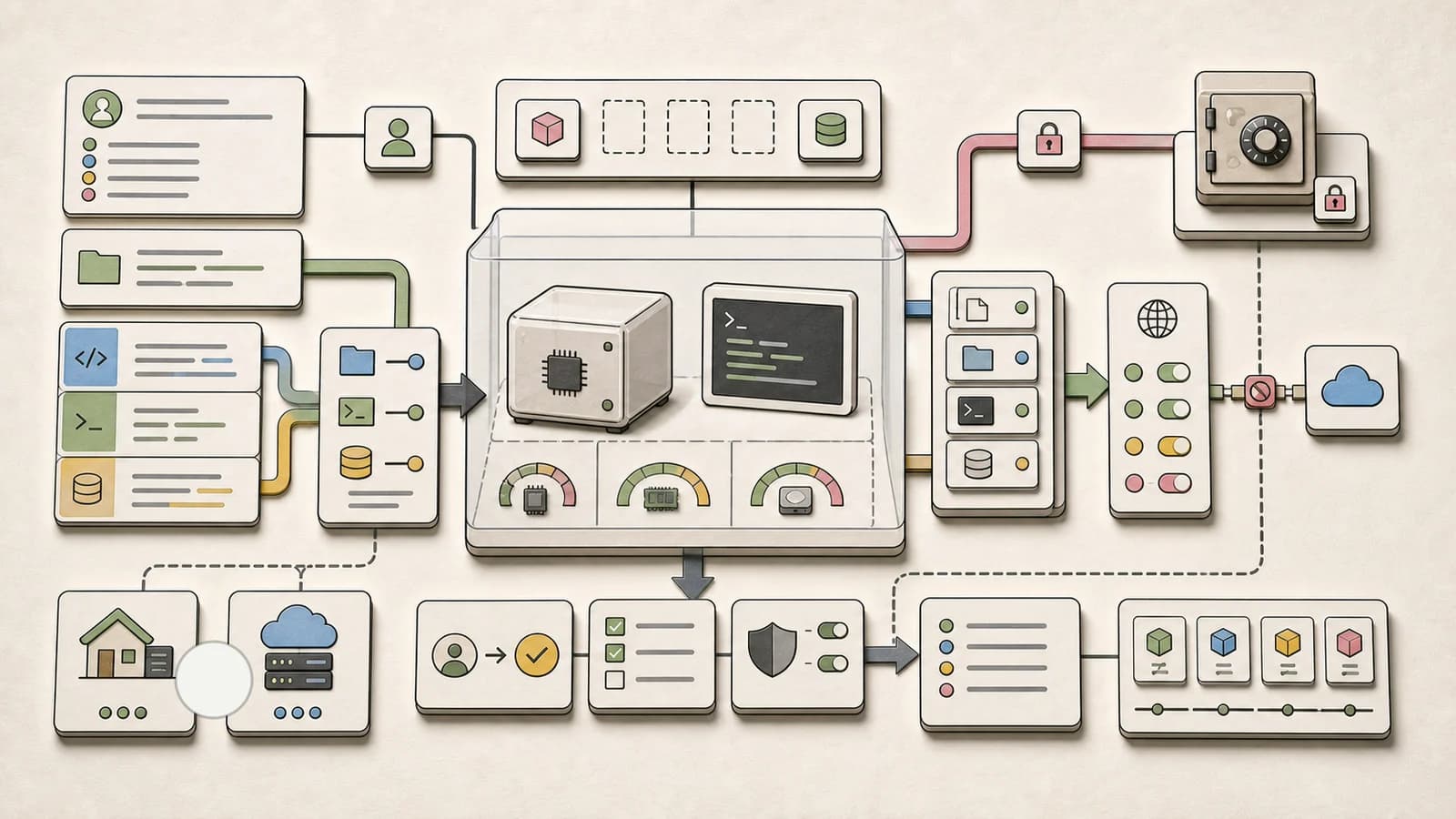
GitHub made local sandboxing for Copilot generally available on October 7 across Copilot CLI, the Copilot app, and VS Code sessions that use Agent Host. That closes the gap: Claude Code, Codex and Copilot CLI all wrap agent-run commands in Seatbelt on macOS and bubblewrap on Linux. The interesting differences are now in the defaults, which is what this page compares, using each vendor's current docs.
The short answer#
- You want safe-by-default with no setup: Codex. Its default
workspace-writemode sandboxes commands automatically and keeps network access off until you opt in. - You want the tightest network control and protected agent config: Claude Code with
/sandboxenabled. The network allowlist starts empty, and the sandbox refuses writes to.claudesettings, hooks and.mcp.jsoneven inside the project. - You are on native Windows, or your company needs to enforce policy: Copilot CLI. It sandboxes on recent Windows 11 builds, sandboxes local MCP and language servers by default, and supports managed settings that developers cannot weaken.
- You run more than one agent: put a single boundary around all of them (a container, a VM, or a wrapper like Anthropic's open source sandbox runtime), because each built-in sandbox only covers its own agent's shell commands.
Side by side#
Facts below come from each vendor's docs as fetched on October 9, 2026. A dash means the docs I read do not state it, not that the feature is missing.
| Claude Code | Codex (CLI, IDE, app) | Copilot CLI | |
|---|---|---|---|
| On by default | No. Run /sandbox or set sandbox.enabled | Yes. Default workspace-write mode | No. Run /sandbox enable |
| Engine | @anthropic-ai/sandbox-runtime (Apache-2.0) | Platform-native enforcement per OS | Microsoft MXC (MIT SDK) |
| macOS / Linux | Seatbelt / bubblewrap plus socat | Seatbelt / bubblewrap (bundled helper fallback) | Seatbelt (macOS 15+) / bubblewrap 0.5.0+ |
| Native Windows | No, WSL2 only | Yes, native Windows sandbox | Yes, recent Windows 11 builds |
| Default writes | Working dir, per-user temp, added dirs | The workspace, with .git, .agents, .codex read-only | Working dir plus the repo's .git, read/write |
| Default network | Through a local proxy, allowlist starts empty | Off until network_access = true | Outbound and local network both on |
| Credentials | Reads most of the machine unless you deny paths; credentials block can deny or mask files and env vars | - | Git and gh auth injected via placeholders and a local proxy; macOS keychain off |
| MCP and LSP servers | Run outside the sandbox | - | Local servers sandboxed by default; remote MCP never |
| Built-in file tools | Outside the sandbox, governed by permission rules | Sandbox covers spawned commands "not just built-in file operations" | In-process, honor the policy best-effort |
| Escape hatch | Unsandboxed retry, off with allowUnsandboxedCommands: false | Approval policy plus per-prefix rules | "Allow sandbox bypass", on by default |
| Fail closed if unavailable | sandbox.failIfUnavailable | - | sandbox.failIfUnavailable in managed settings |
| Cloud option | Claude Code on the web | Codex cloud | copilot --cloud --experimental, usage-billed |
Claude Code: opt-in, strict network, protected config#
Claude Code's sandbox is off by default. Run /sandbox, pick auto-allow (sandboxed commands run without prompting) or regular permissions (you still approve each one), and Claude Code saves the choice to .claude/settings.local.json. To turn it on everywhere, set sandbox.enabled in ~/.claude/settings.json, per the Claude Code sandboxing docs.
What makes it distinctive:
- Network is deny-first. Sandboxed commands have no direct route out. Traffic goes through a local proxy that checks each host against
network.allowedDomains, which starts empty. In manual mode an unknown host triggers a prompt; in auto mode it is refused unless the command listed the host and the classifier approved it. - Agent config is write-protected. Inside writable directories the sandbox still blocks writes to
.claudesettings, skills, agents, hooks,.mcp.json, shell rc files,.gitconfig, and.git/hooks. The docs explain why: a command that could edit those files could "grant itself permissions" or add a hook that runs outside the sandbox. NoallowWriteentry can lift it. - Reads are wide open by default. The docs are blunt that sandboxed commands can read "most of the machine," including
~/.sshand~/.aws/credentials. Usefilesystem.denyReador thecredentialsblock to close that, and note that environment variables are inherited unless you scrub them.
The big caveat is scope. The sandbox wraps Bash, PowerShell and Monitor commands only. The Read, Edit and Write tools follow permission rules instead, and hooks, local MCP servers and LSP servers run with your full access. If you want those inside a boundary too, the docs recommend running the whole Claude Code process in a container, a VM, or the sandbox runtime.
For teams, the managed-settings recipe is three keys:
{
  "sandbox": {
    "enabled": true,
    "failIfUnavailable": true,
    "allowUnsandboxedCommands": false
  }
}
That snippet is copied verbatim from the Claude Code docs. It turns the sandbox on, refuses to start if bubblewrap is missing, and ignores the model's dangerouslyDisableSandbox retry.
Codex: sandboxed by default, network off#
Codex is the only one of the three that sandboxes out of the box. Per the Codex sandbox docs, the default permissions mode applies sandboxing automatically across the ChatGPT desktop app, Codex CLI and the IDE extension. The three modes are read-only, workspace-write (the default for local work) and danger-full-access.
Two defaults stand out against the others. First, workspace-write keeps network access off until you add this to config.toml, per the agent approvals and security docs:
[sandbox_workspace_write]
network_access = true
Second, .git, .agents and .codex are read-only inside writable roots, recursively, so a sandboxed command cannot rewrite your history or Codex's own config. Copilot does the opposite and grants .git read/write so git commit works without prompts. Neither choice is wrong; Codex trades convenience for a cleaner rollback story.
Codex also documents a way to see the sandbox from the outside: codex sandbox linux [COMMAND] (and macos, windows) runs a command under the same policy, which is the fastest way to debug "why did this fail in the agent but not in my shell." Approvals sit on top: approval_policy = "on-request" asks before crossing the boundary, and approvals_reviewer = "auto_review" hands eligible prompts to a reviewer agent instead of you. That reviewer exists because of approval fatigue, and it does not change the boundary itself.
Copilot CLI: GA, Windows-native, enterprise-first#
Copilot's local sandbox is off by default too. Inside a session, /sandbox enable turns it on and it stays on for future sessions until /sandbox disable, per GitHub's cloud and local sandboxes docs. Under the hood is Microsoft's MXC, which translates one policy into Seatbelt, bubblewrap or the Windows backend. We covered the SDK itself in the MXC developer guide.
Where Copilot leads:
- Windows and subprocesses. Like Codex, it sandboxes natively on Windows. Unlike either of the others, its docs say it also sandboxes local MCP and language servers by default.
- Credentials without exposure. With Authenticate git and Authenticate gh on (both default), sandboxed tools get placeholders and a local proxy supplies the real credentials only to approved HTTPS destinations.
- Enterprise enforcement. Managed settings can require sandboxing, set
sandbox.allowBypasstofalse, and withsandbox.failIfUnavailableblock model requests entirely on a host that cannot sandbox.
Where it is looser by default: according to the configuration docs, outbound internet and local network access are both on, "Allow dev tool access" grants read access to package-manager registries and the tokens they store, and "Allow sandbox bypass" is on. GitHub is also unusually candid that this is "the lighter-weight end" of isolation: it restricts what a process can read, write and reach, but it is not a VM or container. On Linux, bubblewrap cannot control local network access for spawned processes independently, so the local network toggle only applies to in-process requests there.
If you want harder isolation, copilot --cloud --experimental runs the whole session in an ephemeral GitHub-hosted Linux sandbox. It is billed at $0.000024 per compute second ($0.0864 per hour), $0.000003 per GiB-second of memory, and $0.005 per GiB-month of snapshot storage. Organizations must enable the Cloud Sandbox access policy first.
What I actually ran#
Claude Code's sandbox is built on the open source sandbox runtime, which also ships a standalone srt CLI that wraps any command. That makes it the easiest of the three to test outside the agent, so I ran the two probes the Claude Code docs recommend, plus a denied-read check, on Ubuntu 24.04 with bubblewrap 0.9.0 and socat 1.8.0.
npm i @anthropic-ai/sandbox-runtime@0.0.79
cat > srt-settings.json <<'EOF'
{
  "filesystem": { "denyRead": ["/path/to/secrets"], "allowWrite": ["."], "denyWrite": [] },
  "network": { "allowedDomains": ["registry.npmjs.org"], "deniedDomains": [] }
}
EOF
npx srt --settings srt-settings.json -c 'touch ~/sandbox-probe'
npx srt --settings srt-settings.json -c 'echo ok > probe.txt && cat probe.txt'
npx srt --settings srt-settings.json -c "curl -sS --noproxy '*' https://example.com"
npx srt --settings srt-settings.json -c 'cat /path/to/secrets/token.txt'
Output:
touch: cannot touch '/root/sandbox-probe': Read-only file system
ok
curl: (6) Could not resolve host: example.com
cat: /path/to/secrets/token.txt: No such file or directory
Writing outside the project fails, writing inside it works, a command that tries to skip the proxy has no route out, and the denied directory simply appears empty. That matches the docs line for line. I could not exercise the allowlisted-domain path because this test machine already sits behind its own egress proxy, so treat that part as documented, not verified. I did not run Codex or Copilot CLI sandboxes here, so their sections rest on vendor docs only.
The practical point: srt is also how you put one boundary around a tool that has no sandbox of its own, which is the gap all three built-in sandboxes leave.
Who wins, and what changes next#
Sandboxing has stopped being a differentiator and become table stakes. Both engines underneath are open source (MXC's SDK is MIT, Anthropic's runtime is Apache-2.0), so the competition moves to defaults and policy management.
- Codex wins the individual developer who never touches settings, because the safe path is the default path.
- Copilot wins the enterprise buyer, because GA plus Windows plus fail-closed managed settings plus credential placeholders is exactly what a security review asks for, and it ships at no extra cost with the seat.
- Claude Code wins the paranoid power user, because a deny-first network allowlist and write-protected agent config are the strongest defaults once enabled. Its gap is that it is opt-in and not native on Windows.
The second-order effect is on approval prompts. Once the OS enforces the boundary, every vendor can auto-approve what happens inside it, which is why all three now pair the sandbox with an auto-allow or auto-review mode. Expect the next fight to be over the escape hatch: who can approve an unsandboxed retry, and whether an admin can turn that off. For how this fits a broader isolation decision (process sandbox vs container vs microVM), see our agent sandbox architecture guide, and for remote sandboxes you call from your own agent, the E2B vs Daytona vs Modal comparison.
What people are actually saying#
- The "is a process sandbox enough" debate is the main event. In the 694-point Docker Sandboxes thread on Hacker News, one commenter pointed out that some agent tools are "an OS-level sandbox" that does not launch VMs or containers, while another argued containers are "not enough isolation" for anyone worried about jailbreaks. GitHub's own docs effectively concede the second point by describing local sandboxing as lightweight.
- The sharpest disagreement is containers versus VMs. In the same thread, one commenter said an unprivileged container is as trustworthy as a VM barring a kernel exploit, and another replied that this makes it more vulnerable, not equivalent.
- The most useful practitioner report runs a VM per project. One commenter described running one hardened QEMU/KVM VM per project holding the whole dev environment, which sidesteps the per-agent gaps this page lists.
- The counter-case exists. In the pi pod Show HN thread, one commenter called sandboxing on personal home machines "somewhat overkill" and "somewhat theatre," while others answered that it depends on your threat model and that containers are not a safe boundary on their own. The October 7 Hacker News post on Copilot's local models and sandboxed tools drew almost no discussion, so community reaction to the GA itself is still thin.
FAQ#
Is the Claude Code sandbox on by default?#
No. Claude Code's sandbox is off until you run /sandbox or set sandbox.enabled to true in settings. Once on, it restricts writes to the working directory, temp and added directories, and routes network traffic through an allowlist that starts empty.
Does the Codex sandbox block network access?#
Yes, by default. Codex's workspace-write mode keeps network access off for sandboxed commands until you set network_access = true under [sandbox_workspace_write] in config.toml. Use danger-full-access only when you deliberately want no boundary.
How do I enable local sandboxing in GitHub Copilot CLI?#
Run /sandbox enable inside a Copilot CLI session. It persists across sessions until /sandbox disable. On Linux you need bubblewrap 0.5.0 or later on your PATH, and extra networking tools when outbound traffic is allowed. Run /sandbox policy to see the effective filesystem policy.
Do these sandboxes cover MCP servers?#
It depends. Copilot CLI sandboxes local MCP and language servers by default and never sandboxes remote MCP servers. Claude Code runs local MCP servers, hooks and LSP servers outside its sandbox. To cover them, run the whole agent inside a container, VM or wrapper.
Which coding agent sandbox works on Windows?#
Codex and Copilot CLI both have native Windows sandboxes, with Copilot requiring a recent Windows 11 build. Claude Code runs commands unsandboxed on native Windows and needs WSL2 for its sandbox.
Continue Reading#
- Claude Code vs Codex vs Cursor vs OpenCode - the broader agent comparison beyond sandboxing
- GitHub Copilot Coding Agent and CLI - why GitHub is back in the agent race
- Permissions, Logs, and Rollback for AI Coding Agents - the controls that sit next to a sandbox
- NVIDIA OpenShell Makes Agent Sandboxes a Policy Layer - another take on policy-driven isolation
- Sandboxed Agents Are Becoming the Team Control Plane - what happens when sandboxes move to the team level
Sources#
- GitHub Changelog: Local sandboxing for GitHub Copilot now generally available (October 7, 2026)
- GitHub Docs: About cloud and local sandboxes for GitHub Copilot - backends, platform requirements, enterprise enforcement, cloud pricing
- GitHub Docs: Configuring local sandbox settings - default toggles for bypass, auth, filesystem and network
- microsoft/mxc on GitHub - containment backends and SDKs
- Claude Code docs: Sandboxing - modes, protected paths, network isolation, managed settings, limitations
- anthropics/sandbox-runtime on GitHub and the
@anthropic-ai/sandbox-runtime0.0.79 npm package, run locally on October 9, 2026 - Codex docs: Sandbox - modes, platform prerequisites, approval policies
- Codex docs: Agent approvals and security - network default, protected paths,
codex sandboxtest commands - Community: Docker Sandboxes on Hacker News, pi pod Show HN, Copilot local models and sandboxed tools on Hacker News
Get the next comparison like this in your inbox
One email a week on Claude Code and the rest of the AI dev stack. Free.
Read next on Claude Code
Microsoft MXC Developer Guide 2026: Sandbox Your AI Agents at the OS Level
Microsoft Execution Containers (MXC) give your AI agents policy-driven sandboxing across Windows, Linux, and macOS. TypeScript SDK, JSON config, multiple isolation backends. Here is how to use it.
8 min readAgent Sandbox Architecture: How to Choose the Right Runtime Boundary
AI agents are getting their own computers. Here is how to choose a sandbox architecture: filesystem isolation, network policy, secrets boundaries, snapshots, and when shell access is overkill.
8 min readClaude Code Permissions: settings.json Allow, Deny, Ask
Configure Claude Code permissions in settings.json: allow, deny, and ask rules, scope precedence, tool specifiers, and the headless flags you need for CI.
11 min readTechnical content at the intersection of AI and development. Building with AI agents, Claude Code, and modern dev tools - then showing you exactly how it works.