Llama 4: The Complete Developer's Guide to Meta's Open Source Models
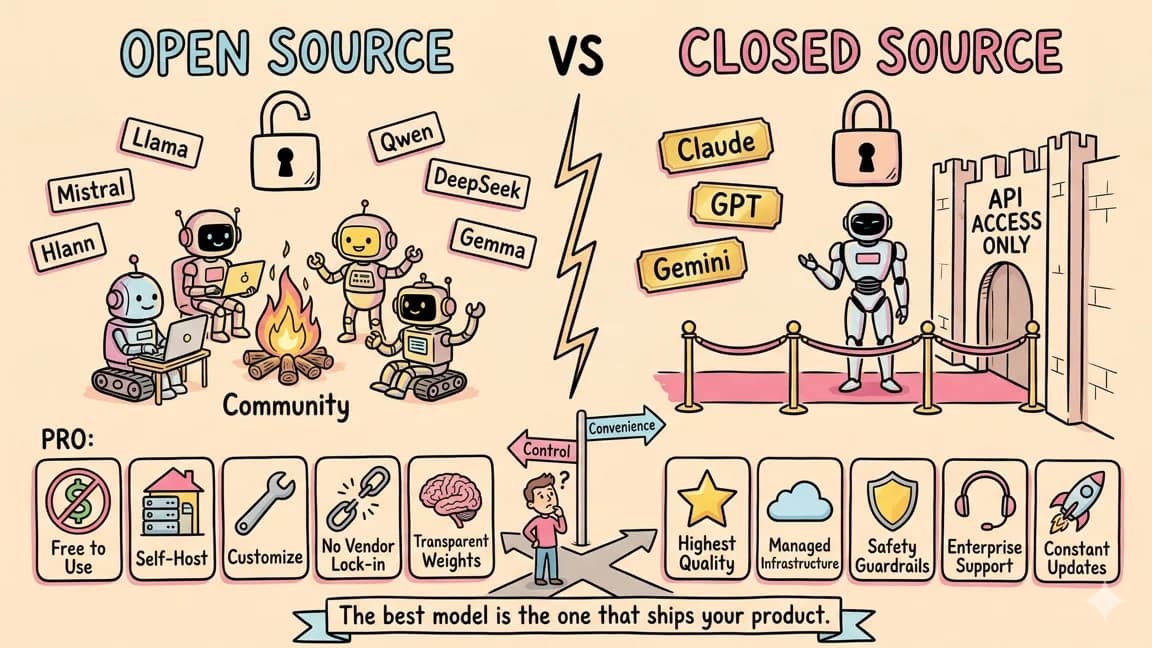
TL;DR
Meta's Llama 4 family brings mixture-of-experts to open source with Scout and Maverick.
Official Sources#
| Resource | Link |
|---|---|
| Llama Official Site | llama.meta.com |
| Llama 4 Model Card | llama.meta.com/llama4 |
| Hugging Face - Scout | huggingface.co/meta-llama/Llama-4-Scout-17B-16E |
| Hugging Face - Maverick | huggingface.co/meta-llama/Llama-4-Maverick-17B-128E |
| GitHub Repository | github.com/meta-llama/llama |
| Llama 4 Research Paper | ai.meta.com/research/publications |
| Meta AI Blog | ai.meta.com/blog |
Last updated: May 24, 2026. Verify model availability, hardware requirements, and licensing terms against the official Meta documentation before production deployment.
Why Llama 4 Matters#
Meta changed the trajectory of open-source AI when it released the original Llama in 2023. Each generation pushed the boundary of what you could run without paying an API bill. Llama 4 is the biggest leap yet - not because it is the best model on every benchmark, but because it brings mixture-of-experts (MoE) architecture to the open-source mainstream, delivering dramatically better performance per dollar of compute.
For model-selection context, compare this with AI Design Slop: 15 Patterns That Out Your App as Vibe-Coded and Create Beautiful UI with Claude Code: The Style Guide Method; the useful question is not only benchmark quality, but where the model fits in a real developer workflow.
The Llama 4 family ships two models: Scout, built for efficiency and long contexts, and Maverick, built for raw capability. Both use MoE to keep inference costs low while packing in far more knowledge than their parameter counts suggest. And both ship under a permissive license that lets you fine-tune, self-host, and build commercial products without restrictions.
For developers, this means frontier-adjacent intelligence that runs on your own hardware, integrates with your own infrastructure, and costs nothing per token once deployed.
The Llama 4 Family#
Scout (17B Active / 109B Total)#
Scout is the workhorse. It uses 16 expert networks with 17 billion active parameters per forward pass out of 109 billion total. This gives it the knowledge capacity of a 109B model with the inference cost closer to a 17B dense model.
The standout feature is the context window: 10 million tokens. That is not a typo. Scout handles entire codebases, book-length documents, and massive datasets in a single context. In practice, most providers cap this lower due to infrastructure constraints, but the architecture supports it natively.
Scout targets the sweet spot where developers spend most of their time: code generation, summarization, multi-turn conversation, document analysis, and general-purpose assistance. It is fast, it is cheap to serve, and it handles breadth well.
Maverick (17B Active / 400B Total)#
Maverick is the heavy hitter. It uses 128 expert networks with the same 17 billion active parameters per forward pass, but draws from 400 billion total parameters. The much larger expert pool means Maverick stores more specialized knowledge and handles nuanced tasks with greater precision.
Maverick targets use cases where quality matters more than speed: complex reasoning, creative writing, difficult code generation, and tasks that benefit from deeper world knowledge. It also supports a 1 million token context window, which is generous for most workloads.
The architecture choice is deliberate. By keeping active parameters at 17B for both models, Meta ensures that inference hardware requirements stay manageable. The difference between Scout and Maverick is not compute per token - it is the depth and breadth of knowledge the model can draw from.
What Changed from Llama 3 to Llama 4#
Llama 3 used dense architectures. Every token passed through every parameter. Llama 4 switches to mixture-of-experts, which is the single biggest architectural change in the family's history. Here is what that shift means in practice:
Mixture-of-experts architecture. Instead of one monolithic network, Llama 4 routes each token to a subset of specialized expert layers. This dramatically improves the ratio of knowledge stored to compute required. You get a smarter model without proportionally higher inference costs.
Native multimodality. Llama 4 processes images, video, and text natively. The models were trained from the ground up on multimodal data, not retrofitted with vision adapters. This means image understanding is a first-class capability, not an afterthought.
Massive context windows. Llama 3 topped out at 128K tokens. Scout supports 10M tokens and Maverick supports 1M. For developers working with large codebases or document collections, this removes a major constraint.
Improved multilingual performance. Llama 4 was trained on a broader multilingual corpus, with stronger performance across European and Asian languages compared to Llama 3's English-dominant training.
Better instruction following. Meta invested heavily in post-training alignment. Llama 4 models follow complex, multi-constraint prompts more reliably than their predecessors, narrowing the gap with closed-source models on instruction adherence.
Benchmarks: Where Llama 4 Stands#
Benchmarks are directional, not definitive. But they help frame where Llama 4 fits relative to the competition.
Maverick vs. The Field#
| Benchmark | Llama 4 Maverick | Claude Sonnet 4.6 | GPT-5 | DeepSeek R1 | Gemini 2.5 Pro |
|---|---|---|---|---|---|
| MMLU-Pro | 80.5 | 84.1 | 85.3 | 81.2 | 83.7 |
| HumanEval+ | 79.1 | 85.7 | 87.2 | 82.4 | 84.9 |
| GPQA Diamond | 69.8 | 72.8 | 75.1 | 71.5 | 73.2 |
| LiveCodeBench | 55.8 | 69.4 | 72.1 | 65.9 | 67.3 |
| MT-Bench | 8.8 | 9.3 | 9.4 | 9.1 | 9.2 |
| Multilingual MGSM | 91.4 | 88.7 | 90.1 | 82.3 | 93.2 |
Maverick holds its own on knowledge benchmarks (MMLU-Pro) and leads on multilingual math (MGSM). It trails Claude and GPT-5 on coding tasks and structured reasoning, which is expected given the gap in active parameter count. For an open-source model you can self-host, the numbers are strong.
Scout vs. Smaller Models#
| Benchmark | Llama 4 Scout | Llama 3.1 70B | Qwen 2.5 72B | Gemma 2 27B |
|---|---|---|---|---|
| MMLU-Pro | 74.3 | 66.4 | 71.1 | 58.7 |
| HumanEval+ | 72.8 | 64.2 | 68.9 | 55.3 |
| GPQA Diamond | 61.3 | 46.7 | 52.8 | 40.1 |
| MT-Bench | 8.5 | 8.1 | 8.3 | 7.6 |
Scout outperforms Llama 3.1 70B across the board while using fewer active parameters. It also beats Qwen 2.5 72B on most tasks. The MoE architecture lets Scout punch well above its active parameter weight class.
How to Use Llama 4#
Option 1: Meta AI API#
Meta offers hosted inference through their API. This is the fastest way to start.
from openai import OpenAI

client = OpenAI(
    api_key="your-meta-api-key",
    base_url="https://api.llama.com/v1"
)

response = client.chat.completions.create(
    model="llama-4-maverick",
    messages=[{"role": "user", "content": "Explain the CAP theorem with examples"}]
)
print(response.choices[0].message.content)
Meta's API follows the OpenAI format, so any compatible client library works without modification. Switch llama-4-maverick to llama-4-scout for the smaller model.
Option 2: Local Deployment with Ollama#
Running Llama 4 locally eliminates API costs and keeps your data on your machine. Ollama makes it straightforward.
# Install Ollama (macOS)
brew install ollama

# Pull Llama 4 Scout (quantized variants)
ollama pull llama4:scout          # Default quantization - ~60 GB
ollama pull llama4:scout-q4       # 4-bit quantized - ~35 GB
ollama pull llama4:scout-q8       # 8-bit quantized - ~55 GB

# Pull Llama 4 Maverick (requires serious hardware)
ollama pull llama4:maverick-q4    # 4-bit quantized - ~120 GB

# Run interactively
ollama run llama4:scout-q4
For API-style access to your local model:
# Ollama exposes an OpenAI-compatible API on port 11434
curl http://localhost:11434/v1/chat/completions \
  -H "Content-Type: application/json" \
  -d '{
    "model": "llama4:scout-q4",
    "messages": [{"role": "user", "content": "Write a REST API in Go"}]
  }'
Any tool that supports custom OpenAI endpoints works with your local Llama 4 instance. Point your editor, scripts, or agents at http://localhost:11434/v1 and you are set.
Option 3: Cloud Providers#
Llama 4 is available across every major inference platform:
- Together AI - optimized MoE inference with competitive pricing. Supports both Scout and Maverick with fast cold starts.
- Fireworks AI - low-latency serving with speculative decoding. Strong choice for latency-sensitive applications.
- Groq - hardware-accelerated inference on custom LPUs. Currently serves Scout with sub-second time to first token.
- AWS Bedrock - enterprise deployment with AWS integration. Supports fine-tuned variants.
- Azure AI - Microsoft-hosted Llama 4 with Azure ecosystem integration.
Third-party providers are often the sweet spot: you get managed infrastructure without API lock-in, since you can switch providers or self-host at any time. The model weights are the same everywhere.
Hardware Requirements for Local Deployment#
MoE models are memory-hungry because the full parameter set needs to be loaded even though only a fraction activates per token. Here is what you need:
| Model | Quantization | RAM / VRAM Required | Recommended Hardware |
|---|---|---|---|
| Scout | Q4_K_M | 35 GB | Mac Studio M2 Ultra 64GB, or 1x A100 80GB |
| Scout | Q8_0 | 55 GB | Mac Studio M2 Ultra 96GB, or 1x A100 80GB |
| Scout | FP16 | 110 GB | 2x A100 80GB |
| Maverick | Q4_K_M | 120 GB | Mac Pro M2 Ultra 192GB, or 2x A100 80GB |
| Maverick | Q8_0 | 200 GB | 3x A100 80GB |
| Maverick | FP16 | 400 GB | 8x A100 80GB |
For most developers, Scout Q4 is the practical local option. It fits on a well-equipped Mac Studio or a single A100 GPU and delivers strong performance across general tasks. Maverick is better accessed through an API unless you have multi-GPU infrastructure.
Apple Silicon users benefit from unified memory architecture. A Mac Studio with 64GB of unified memory can run Scout Q4 with room for the operating system and other applications. The M2 Ultra and M4 chips handle MoE models efficiently because they avoid the PCIe bottleneck that plagues GPU setups when the model does not fit in a single card.
The Open-Source Advantage#
Llama 4 ships under Meta's updated license, which is functionally similar to MIT for most developers. Here is what the license allows:
- Commercial use. Build products, sell services, and deploy in production without licensing fees.
- Fine-tuning. Train the model on your own data to specialize it for your domain.
- Self-hosting. Run the model on your own infrastructure with no phone-home requirements.
- Redistribution. Share modified versions of the model weights.
The only restriction is a user threshold: companies with over 700 million monthly active users need a separate license from Meta. For the vast majority of developers, startups, and enterprises, the license is unrestricted.
This matters for several practical reasons:
Data privacy. Self-hosting means your prompts and completions never leave your network. For healthcare, legal, finance, and government applications, this can be the deciding factor.
Cost at scale. API pricing works at low volume, but the math changes at scale. A team sending millions of tokens per day saves significantly by running their own inference server, even accounting for hardware costs.
Customization. Fine-tuning Llama 4 on domain-specific data produces a model that outperforms general-purpose APIs on your particular workload. This is not theoretical - companies routinely get 10-20% quality improvements from targeted fine-tuning on a few thousand examples.
No vendor lock-in. If your provider raises prices, changes terms, or goes down, you still have the weights. You can deploy on any cloud, any hardware, or any framework.
Best Use Cases for Developers#
Where Llama 4 Excels#
- High-volume inference. When you are processing thousands of requests per hour, self-hosted Llama 4 eliminates per-token costs. RAG pipelines, batch processing, and CI/CD integrations benefit the most.
- Long-context analysis. Scout's 10M token window makes it a strong choice for codebase analysis, legal document review, and research paper synthesis.
- Multilingual applications. Llama 4 leads open-source models on multilingual benchmarks and handles code-switching between languages naturally.
- Privacy-sensitive workloads. Medical records, legal documents, financial data - anything that cannot leave your infrastructure.
- Rapid prototyping. Free local inference means you can iterate on prompts, experiment with architectures, and build demos without watching your API bill.
- Edge deployment. Quantized Scout variants run on hardware that fits in a server rack, enabling inference closer to your users.
Where Llama 4 Falls Short#
- Agentic coding. On SWE-bench and multi-step tool-use tasks, Claude and GPT-5 maintain a clear lead. Llama 4 can follow instructions, but it struggles with the kind of autonomous, multi-turn problem solving that agentic workflows demand.
- Reasoning depth. Models like DeepSeek R1 and Claude with extended thinking produce more reliable step-by-step reasoning. Llama 4 does not have a dedicated reasoning mode.
- Instruction precision on complex prompts. When prompts contain many constraints, Llama 4 is more likely to miss or drift from requirements compared to Claude Sonnet or GPT-5.
- Image generation. While Llama 4 understands images as input, it does not generate them. For multimodal generation, you still need dedicated image models.
When to Choose Llama 4 vs. Other Models#
Choose Llama 4 when:
- You need to self-host for privacy, compliance, or cost reasons
- You are building a product and want zero per-token costs at scale
- Your workload involves long contexts (Scout's 10M window is unmatched in open source)
- You want to fine-tune a model on proprietary data
- Multilingual support is a core requirement
- You need to avoid vendor lock-in
Choose Claude or GPT-5 when:
- You need the best possible agentic performance with tool use
- Instruction following precision is critical
- You want the strongest reasoning capabilities without fine-tuning
- You prefer managed infrastructure and enterprise support
- Your volume is low enough that API pricing makes sense
Choose DeepSeek when:
- Your primary need is mathematical reasoning or chain-of-thought analysis
- You want the cheapest possible API pricing
- You need strong coding performance from an open-source model at lower hardware requirements
The practical answer for most teams is a hybrid approach. Run Llama 4 Scout locally for high-volume tasks, privacy-sensitive workloads, and rapid iteration. Route complex agentic work and precision-critical tasks to Claude or GPT-5. Use the same OpenAI-compatible API format across all providers so switching is a config change, not a code change.
Getting Started Today#
The fastest path from zero to running Llama 4:
-
Try it through an API. Sign up with Together AI or Fireworks, grab an API key, and point any OpenAI-compatible client at their Llama 4 endpoint. Working inference in under five minutes.
-
Run locally with Ollama. Install Ollama, pull
llama4:scout-q4, and start experimenting. No API key, no usage limits, no data leaving your machine. You need at least 35 GB of available memory. -
Integrate with your tools. Any editor, CLI, or framework that supports custom OpenAI-compatible endpoints works with Llama 4. Set the base URL and model name and your existing workflows adapt instantly.
-
Fine-tune for your domain. If you have domain-specific data, fine-tuning Scout on even a few thousand examples can meaningfully improve performance on your particular tasks. Tools like Axolotl and Unsloth make this accessible without deep ML expertise.
-
Benchmark against your workload. Run your actual prompts through Llama 4 and your current model. Compare quality, latency, and cost across your real use cases. Synthetic benchmarks tell part of the story. Your data tells the rest.
Meta's bet on open source continues to pay dividends for the developer community. Llama 4 does not top every leaderboard, but it puts genuinely capable AI into the hands of anyone willing to download the weights. For a growing number of use cases, that is exactly what matters.
FAQ#
What is the difference between Llama 4 Scout and Maverick?#
Both models use the same 17 billion active parameters per forward pass, but they draw from different total parameter pools. Scout uses 16 expert networks with 109 billion total parameters and a 10 million token context window - it is optimized for efficiency and long-context work like codebase analysis. Maverick uses 128 expert networks with 400 billion total parameters and a 1 million token context window - it stores more specialized knowledge and handles nuanced tasks with greater precision. Choose Scout for high-volume inference and cost-sensitive workloads. Choose Maverick when quality matters more than speed.
How much RAM or VRAM do I need to run Llama 4 locally?#
For Scout with 4-bit quantization (Q4_K_M), you need approximately 35 GB - this fits on a Mac Studio M2 Ultra with 64GB unified memory or a single A100 80GB GPU. For Scout at 8-bit (Q8_0), plan for 55 GB. Maverick requires significantly more: 120 GB for 4-bit quantization (needs 2x A100 80GB or a Mac Pro with 192GB) and 200 GB or more for higher precision. Most developers should run Scout Q4 locally and access Maverick through an API.
Is Llama 4 free to use commercially?#
Yes. Llama 4 ships under Meta's updated license, which allows commercial use, fine-tuning, self-hosting, and redistribution without licensing fees. The only restriction applies to companies with over 700 million monthly active users, who need a separate agreement. For the vast majority of developers, startups, and enterprises, the license is functionally unrestricted.
How does Llama 4 compare to Claude and GPT-5 for coding?#
Llama 4 Maverick scores around 79% on HumanEval+ compared to roughly 86% for Claude Sonnet 4.6 and 87% for GPT-5. The gap widens on complex agentic coding tasks - Claude and GPT-5 lead significantly on SWE-bench and multi-step tool use. Llama 4 is capable for code generation and review, but for autonomous multi-turn problem solving, the closed-source models maintain a clear advantage. Many teams use Llama 4 for high-volume coding tasks and route complex agentic work to Claude or GPT-5.
Can I run Llama 4 with Ollama?#
Yes. Install Ollama, then pull the model with ollama pull llama4:scout-q4 for the 4-bit quantized Scout variant. Ollama exposes an OpenAI-compatible API on port 11434, so any tool that supports custom OpenAI endpoints works with your local Llama 4 instance. Point your editor, scripts, or agents at http://localhost:11434/v1 to use local inference without API costs.
What is mixture-of-experts (MoE) and why does it matter?#
Mixture-of-experts is an architecture where each token is processed by a subset of specialized expert layers rather than the full network. Llama 4 routes tokens to a small number of experts per forward pass (17B active parameters) while storing far more knowledge in the full expert pool (109B for Scout, 400B for Maverick). This gives you the knowledge capacity of a much larger model at the inference cost of a smaller one - more intelligence per dollar of compute.
Does Llama 4 support images and multimodal input?#
Yes. Llama 4 was trained from the ground up on multimodal data and processes images, video, and text natively. Image understanding is a first-class capability, not a retrofitted adapter. However, Llama 4 does not generate images - for image generation you need dedicated models like FLUX or Stable Diffusion.
When should I choose Llama 4 over a hosted API like Claude or GPT-5?#
Choose Llama 4 when you need to self-host for privacy or compliance, when you want zero per-token costs at scale (millions of tokens per day), when you need to fine-tune on proprietary data, or when you want to avoid vendor lock-in. Choose hosted APIs when you need the best possible agentic performance, when instruction precision is critical, or when your volume is low enough that API pricing makes more sense than infrastructure costs.
Llama 4 Scout and Maverick are available under Meta's Llama 4 Community License. Visit llama.meta.com for model weights, documentation, and research papers.
Continue Reading#
Get the next deep dive like this in your inbox
One email a week on Llama and the rest of the AI dev stack. Free.
Read next on local and open-weight models
DeepSeek R1 and V3: The Developer's Guide to Open-Source AI
DeepSeek's R1 and V3 models deliver frontier-level performance under an MIT license. Here's how to use them through the API, run them locally with Ollama, and decide when they beat closed-source alternatives.
9 min readQwen 3: Alibaba's Open-Source Model That Outclassed Llama 4
Alibaba released Qwen 3 with eight models under an Apache 2 license, including a 235B mixture-of-experts flagship that beats Llama 4 Maverick on nearly every benchmark while being smaller and cheaper to run.
8 min readGPT-OSS: OpenAI's First Open Source Model
OpenAI has released its first open-weight models in over five years. GPT-OSS 12B and GPT-OSS 20B are now available under the Apache 2.0 license, marking a significant shift in strategy for the comp...
6 min readNew here? Start with
Technical content at the intersection of AI and development. Building with AI agents, Claude Code, and modern dev tools - then showing you exactly how it works.