What Is OpenClaw? Setup, Skills, MCP Server, Claude Code, and Ollama (2026 Guide)
TL;DR
OpenClaw is an open-source, self-hosted personal AI agent you run on your own machine and reach through chat apps like Telegram, Slack, Discord, and WhatsApp.
OpenClaw is an open-source, self-hosted personal AI agent. You install it on your own machine, it runs a background Gateway, and you talk to it through the chat apps you already use - Telegram, Slack, Discord, WhatsApp, iMessage, Teams, and 20+ more - while it runs commands, uses tools, and remembers context on your behalf. It works with hosted models (including Claude and Codex logins) or fully local models through Ollama, and it extends through SKILL.md-based skills from the ClawHub registry and through MCP in both directions.
Last updated: September 28, 2026. All commands below were checked against the official OpenClaw docs and GitHub repo on that date.
Official Sources#
| Resource | What it covers |
|---|---|
| openclaw/openclaw on GitHub | Source, README, install commands, license |
| OpenClaw docs | Full documentation index |
| Getting started | Prerequisites, install, onboarding, Gateway, dashboard |
| Skills and Skills CLI | SKILL.md format, load order, openclaw skills commands |
| ClawHub quickstart | Registry for OpenClaw skills and plugins |
| Run OpenClaw as an MCP server | openclaw mcp serve for Claude Code, Codex, and other MCP clients |
| Manage saved MCP servers | OpenClaw as an MCP client: openclaw mcp add/list/probe |
| Attach CLI | openclaw attach - launch Claude Code bound to a Gateway session |
| Authentication | API keys, Claude CLI reuse, Anthropic setup-token |
| Ollama provider and Ollama setup | Local, cloud, and hybrid Ollama modes |
| Security CLI | openclaw security audit |
What OpenClaw Is, in One Table#
The project describes itself as "The AI that really does things. Any OS. Any Platform." Here is what that means in concrete terms, from the README and the GitHub API as of September 28, 2026:
| Question | Answer |
|---|---|
| What kind of tool is it? | A self-hosted personal agent with a long-running Gateway process, a browser Control UI, and chat-app channels |
| Where does it run? | macOS, Linux, Windows (PowerShell installer), and WSL2 |
| How do you talk to it? | Discord, iMessage, Slack, Teams, Telegram, WhatsApp, and 20+ other messaging services, plus the Control UI |
| Which models? | Hosted providers (Claude, Codex/OpenAI, and others) and local models via Ollama, LM Studio, and custom OpenAI-compatible servers |
| License | MIT, copyright the OpenClaw Foundation (per the README) |
| Extension model | Skills (SKILL.md folders) and plugins, distributed through ClawHub; MCP servers as tools |
| Repo stats | 390,701 stars and 82,159 forks; repo created November 24, 2025 |
| Latest release | v2026.9.6, published September 23, 2026 |
If you want the story of how it got to those numbers, we covered the growth curve in One Vertical Line: The OpenClaw GitHub Star Chart Story. This post is the practical side: what to install and how the pieces fit.
How OpenClaw Differs From a Coding Agent#
Claude Code, Codex CLI, and similar tools are session-based coding agents: you open a terminal in a repo, give a task, and close it when you are done. OpenClaw is shaped differently:
- It is always on. The Gateway runs as a background service and keeps sessions, memory, and channel routes alive between conversations.
- It lives in your chat apps. A message from Telegram or Slack becomes an agent turn; the reply goes back to the same thread.
- It is a harness, not a model. OpenClaw routes to whatever provider you configure, and it can even use Claude Code or Codex as backends.
That makes it closer to a personal operations assistant than an IDE tool. The two categories are complementary, which is why most of this guide is about connecting them. If you are still sorting out the terminology, What Is an AI Coding Agent? draws the lines.
Install and Onboard OpenClaw#
The getting started guide lists Node.js 24.16+ or 26.1+ as the prerequisite, with 26 recommended. Check with node --version.
The fastest path is a one-command start:
npx openclaw@latest
Or install the CLI first. On macOS, Linux, or WSL2:
curl -fsSL https://openclaw.ai/install.sh | bash
On Windows (PowerShell):
iwr -useb https://openclaw.ai/install.ps1 | iex
Or through npm, as the README shows:
npm install -g openclaw@latest --allow-scripts=openclawThen run onboarding. The README's version installs the background daemon in the same step:
openclaw onboard --install-daemon
During onboarding, the Quick start option auto-detects an existing Claude Code login, Codex CLI login, or API key, so if you already use one of those tools you can skip manual provider setup. If you started the Gateway in the foreground instead, the getting-started guide has you stop it with Ctrl+C and install it as a service:
openclaw gateway install
openclaw gateway status
openclaw dashboard
openclaw dashboard opens the Control UI, where you send your first message. If anything looks wrong, openclaw triage runs diagnostics. From there you connect channels (Telegram, Slack, Discord, and so on) from the docs' channel pages.
OpenClaw Skills and ClawHub#
Skills are how you teach OpenClaw repeatable workflows. Per the Skills docs, a skill is a directory containing a SKILL.md file with YAML frontmatter and a markdown body that tells the agent how and when to use tools. If you have written a Claude Code or Codex skill, the format will feel familiar - it is the same pattern we described in Skills Are the New Agent Operating System.
OpenClaw loads skills from several places. Highest precedence first:
| Priority | Source | Path |
|---|---|---|
| 1 | Workspace skills | <workspace>/skills |
| 2 | Project agent skills | <workspace>/.agents/skills |
| 3 | Personal agent skills | ~/.agents/skills |
| 4 | Managed / local skills | <state-dir>/skills |
| 5 | Workshop skills | <state-dir>/agents/<agentId>/agent/workshop-skills |
| 6 | Bundled skills | shipped with the install |
| 7 | Extra directories | skills.load.extraDirs and plugin skills |
When the same skill name appears in more than one place, the higher source wins. Skills can be nested in folders up to six levels deep; the skill's name comes from the name frontmatter field, not the folder path.
ClawHub is the public registry for OpenClaw skills and plugins. You search and install from the openclaw CLI:
openclaw skills search "calendar"
openclaw skills install @openclaw/demo
openclaw skills update --all
openclaw skills list
openclaw skills check
openclaw skills check reports skills with missing prerequisites (binaries, env vars, config), which is the first thing to run when a skill silently does not trigger. Per the Skills CLI reference, you can also install from Git (openclaw skills install git:owner/repo) or a local folder (openclaw skills install ./path/to/skill --as custom-name), and openclaw skills verify @owner/<slug> checks a ClawHub skill against the registry. Publishing uses the separate clawhub CLI (npm i -g clawhub, then clawhub login).
One trust detail worth knowing: skills installed through the skills-sh: source are shown as Not scanned by ClawHub, and that state follows them through updates. Read a third-party skill before installing it, the same way you would read a shell script.
The OpenClaw MCP Server (and OpenClaw as an MCP Client)#
"OpenClaw MCP server" can mean two different things, and the docs treat them as separate features.
1. OpenClaw as an MCP server: openclaw mcp serve#
openclaw mcp serve starts a stdio MCP server that connects to your OpenClaw Gateway over WebSocket and exposes your routed chat conversations as MCP tools. The standard tool surface includes conversations_list, messages_read, events_poll, events_wait, messages_send, and approval tools. In practice, that lets Claude Code, Codex, or any MCP client read your Telegram or Slack threads and reply through the same route.
Against a local Gateway:
openclaw mcp serve
Against a remote Gateway:
openclaw mcp serve --url wss://gateway-host:18789 --token-file ~/.openclaw/gateway.token
The docs give this stdio client config for MCP clients:
{
  "mcpServers": {
    "openclaw": {
      "command": "openclaw",
      "args": ["mcp", "serve", "--url", "wss://gateway-host:18789", "--token-file", "/path/to/gateway.token"]
    }
  }
}
For Claude Code specifically, the bridge adds a Claude channel mode on top of the standard tools (--claude-channel-mode, default auto, which behaves like on). That mode forwards inbound chat messages as Claude channel notifications and lets the conversation owner approve Claude permission requests by replying yes <id> or no <id>. Turn it off with --claude-channel-mode off for generic clients.
2. OpenClaw as an MCP client: openclaw mcp add#
The other direction gives OpenClaw's own agent access to third-party MCP servers. The saved MCP servers docs cover openclaw mcp list, show, status, doctor, probe, add, configure, tools, login, and unset. add accepts stdio flags (--command, --arg, --env, --cwd) or HTTP flags (--url, --transport, --header, --auth oauth), and probes the server before saving. openclaw mcp doctor --probe is the quick health check.
openclaw mcp list
openclaw mcp doctor --probe
Per-server toolFilter.include and toolFilter.exclude let you trim what each server exposes. That matters: every tool definition costs context on every turn. If you are new to MCP itself, start with What Is MCP; if you are deciding between MCP and plain CLIs for agent tools, CLIs over MCPs makes the case for the other side, and the Composio CLI walkthrough shows a CLI-first tool layer running inside OpenClaw.
Using OpenClaw With Claude Code#
There are three distinct integrations, and they solve different problems.
| Goal | Command | What it does |
|---|---|---|
| Use your Claude login as OpenClaw's model | openclaw models auth login --provider anthropic --method cli --set-default | Routes Anthropic models through the local claude CLI |
| Let Claude Code act on an OpenClaw session | openclaw attach | Launches Claude Code with a scoped, temporary MCP grant to one Gateway session |
| Let Claude Code read and reply to your chat threads | openclaw mcp serve | Exposes routed conversations to Claude Code over MCP |
Claude login as the model backend. The Authentication docs describe Claude CLI reuse as a sanctioned path and the preferred one for local or desktop use when a Claude CLI login exists on the host:
claude auth login
claude auth status --text
openclaw models auth login --provider anthropic --method cli --set-default
OpenClaw does not read or store the native Claude login tokens; the installed claude process manages its own login. For a long-lived server, the same page recommends an Anthropic API key as the most predictable option. Either way, usage counts against whatever Anthropic plan or API account backs that login - see our Claude Code usage limits playbook for how those limits behave.
openclaw attach. Per the Attach CLI reference, this launches Claude Code with --strict-mcp-config and a temporary MCP config bound to one Gateway session, so your other Claude MCP servers do not join that session. The grant is revoked when Claude Code exits.
openclaw attach
openclaw attach --session agent:main:telegram:123 --ttl 600000
MCP bridge. Add openclaw mcp serve to Claude Code like any stdio server, using Claude Code's documented claude mcp add <name> -- <command> [args...] form:
claude mcp add openclaw -- openclaw mcp serve
Running OpenClaw With Ollama (Local Models)#
OpenClaw supports Ollama in three modes, per the Ollama provider page: Cloud + Local (a local Ollama host that can also serve :cloud models when signed in), Cloud only (ollama.com directly, no local daemon), and Local only.
The recommended setup is onboarding:
openclaw onboard
Select Ollama, pick a mode, then verify:
openclaw models list --provider ollama
The non-interactive form from the Ollama setup docs:
openclaw onboard --non-interactive --accept-risk --skip-health \
  --auth-choice ollama \
  --custom-base-url "http://ollama-host:11434" \
  --custom-model-id "qwen3.5:27b"
Three details that trip people up:
- Use the native Ollama URL, not
/v1. OpenClaw talks to Ollama's native/api/chatAPI. The docs warn that the OpenAI-compatiblehttp://host:11434/v1URL breaks tool calling and can make models emit raw tool-call JSON as text. UsebaseUrl: "http://host:11434". - Automatic discovery only picks loaded models. Guided setup considers models already loaded in memory with tool support and at least 16K context confirmed. An installed but idle model is not an automatic candidate - use the explicit Local only connection path for that.
- Small local models plus open tools is a risk combination.
openclaw security auditwarns when models of 300B parameters or fewer are used without sandboxing and with web or browser tools enabled.
LM Studio and llama.cpp are also supported through their own provider pages if Ollama is not your runtime.
Security Basics Before You Connect Anything#
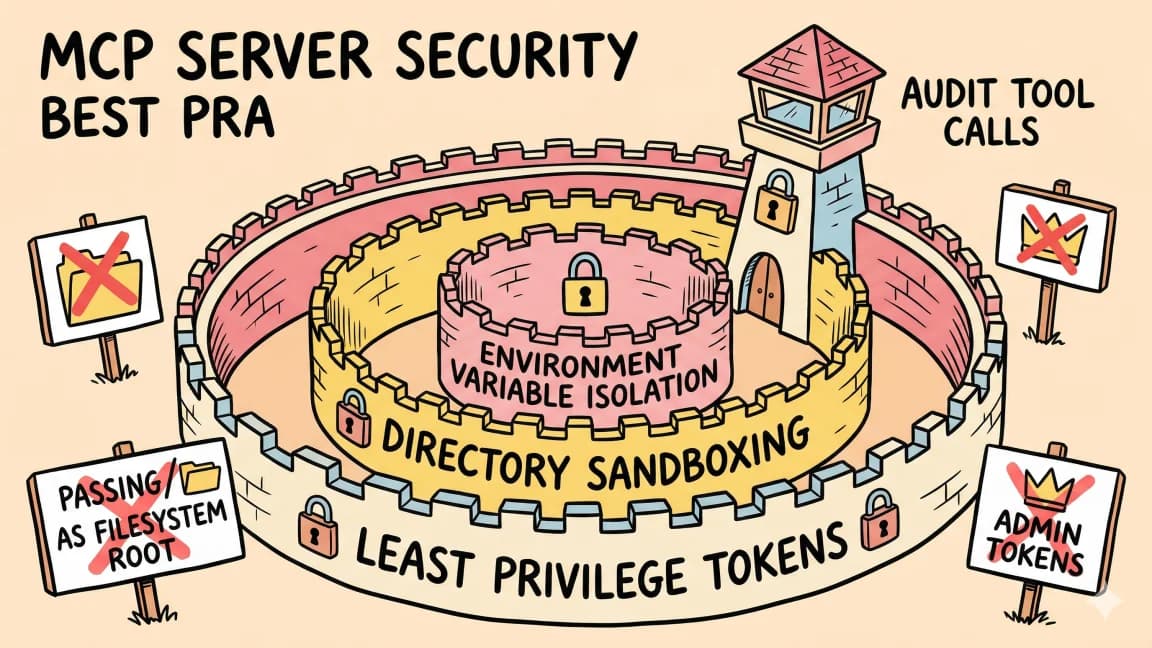
An agent that reads your messages and runs commands deserves a short checklist:
openclaw security audit
openclaw security audit --deep
openclaw security audit --fix
Per the Security CLI docs, OpenClaw's default trust model is a personal assistant with one operator, not hostile multi-tenant isolation. If several people can DM the same agent, the audit recommends per-peer DM sessions, sandboxing, and keeping personal credentials off that runtime - or separate Gateways for separate trust boundaries. Our agent security checklist covers the broader version of this before you grant email or document scopes.
FAQ#
What is OpenClaw?#
OpenClaw is an MIT-licensed, self-hosted personal AI agent. It runs a background Gateway on your machine, connects to chat apps like Telegram, Slack, Discord, WhatsApp, and iMessage, and executes tasks using hosted or local models. It is maintained under the OpenClaw Foundation at github.com/openclaw/openclaw.
Is OpenClaw free?#
The software is free and open source under the MIT license. You pay for whatever model you point it at: an Anthropic or OpenAI subscription or API key, a hosted provider, or nothing extra if you run local models through Ollama.
How do I install OpenClaw?#
Install Node.js 24.16+ or 26.1+, then run npx openclaw@latest, or install the CLI with curl -fsSL https://openclaw.ai/install.sh | bash (macOS/Linux/WSL2) and run openclaw onboard --install-daemon. Quick start onboarding can reuse an existing Claude Code or Codex CLI login.
What are OpenClaw skills?#
Skills are folders containing a SKILL.md file with YAML frontmatter and markdown instructions that teach the agent a workflow. OpenClaw loads them from workspace, project (.agents/skills), personal, managed, and bundled locations, and you can install community skills from ClawHub with openclaw skills install @owner/<slug>.
What is ClawHub?#
ClawHub is the public registry for OpenClaw skills and plugins. You search and install from openclaw skills search and openclaw skills install, and publish with the separate clawhub CLI.
Does OpenClaw have an MCP server?#
Yes. openclaw mcp serve runs a stdio MCP server that exposes your routed OpenClaw chat conversations to MCP clients such as Claude Code and Codex. Separately, openclaw mcp add lets OpenClaw's own agent use third-party MCP servers.
Can I use OpenClaw with Claude Code?#
Yes, three ways: reuse your Claude CLI login as OpenClaw's Anthropic backend (openclaw models auth login --provider anthropic --method cli --set-default), launch Claude Code bound to an OpenClaw session with openclaw attach, or add openclaw mcp serve to Claude Code as an MCP server.
Can OpenClaw run fully locally with Ollama?#
Yes. Choose Ollama during openclaw onboard and pick Local only. Use the native Ollama base URL without /v1, and use a model with tool support and at least 16K context.
Is OpenClaw safe?#
It is as safe as the permissions you give it. Run openclaw security audit, keep one trusted operator per Gateway unless you sandbox sessions, read third-party skills before installing them, and scope MCP tools with include and exclude filters.
Sources#
All fetched September 28, 2026:
- openclaw/openclaw README and GitHub API repo record (stars, forks, created date) and latest release
- OpenClaw getting started
- OpenClaw Skills and Skills CLI
- ClawHub quickstart
- Run OpenClaw as an MCP server
- Manage saved MCP servers
- Attach CLI
- Authentication
- Ollama provider and Ollama setup
- Security CLI
- Claude Code MCP docs
Continue Reading#
- One Vertical Line: The OpenClaw GitHub Star Chart Story - how OpenClaw became the most-starred software project on GitHub
- Composio CLI: Connect OpenClaw and Claude Code to 1,000+ Apps - a CLI tool layer that works inside OpenClaw
- Grok Bot has the right primitives, but consumers decide - the managed alternative to a self-hosted agent
- Claude Code Usage Limits in 2026 - what happens to your plan when OpenClaw uses your Claude login
- Codex Usage Limits and Pricing in 2026 - the same question for a Codex CLI login
Get the next deep dive like this in your inbox
One email a week on OpenClaw and the rest of the AI dev stack. Free.
Read next on local and open-weight models
One Vertical Line: The OpenClaw GitHub Star Chart Story
OpenClaw went from an unlisted repo created on November 24, 2025 to more than 100,000 stars in under two weeks, and stood at 387,250 stars as of August 23, 2026 - the near-vertical line WIRED described as a rocket launch. Here is how that chart happened, and where the curve stands now.
8 min readComposio CLI: Connect OpenClaw and Claude Code to 1,000+ Apps
A companion guide to the Composio CLI video: one command-line layer that lets Claude Code, OpenClaw, Codex, and other agent harnesses search, authenticate, and execute tools across 1,000+ apps.
7 min readSkills Are the New Agent Operating System
GitHub trending is full of agent skill frameworks. The real shift is not bigger prompts or more agents. It is turning team process into inspectable, reusable operating instructions.
9 min readNew here? Start with
Technical content at the intersection of AI and development. Building with AI agents, Claude Code, and modern dev tools - then showing you exactly how it works.