Why Claude Desktop Installs a 1.8 GB Hyper-V VM on Windows
The Fable 5 Moment
31 parts- 1Claude Mythos 5 Explained: What It Is, Who Can Access It, and Why It's Gated
- 2Migrating to Claude Fable 5: The Practical Guide
- 3Claude Fable 5 Access After the June 22 Deadline: Where Things Stand
- 4Claude Fable 5 vs GPT-5.6 Sol: Benchmarks, Pricing, and When Each Wins
- 5Fable 5 vs Opus 4.8: A Data-Driven Decision Guide for Engineering Teams
- 6How to Model Fable 5 Costs Before They Blow Up Your Budget
- 7Claude Fable 5 API: Production Integration Patterns, Rate Limits, and Migration Gotchas
- 8Handling Fable 5 Refusals: A Working Guide to the Fallback API
- 9Why Fable 5 Refuses Your Cybersecurity Queries (And How the Fallback Works)
- 10Fable 5's Hidden Guardrails: What Developers Need to Know About Silent Degradation
- 11Fable 5 Broke Enterprise ZDR Agreements: What Dev Teams Must Do Now
- 12Claude Managed Agents: Dreaming, Outcomes, and Multi-Agent Orchestration Explained
- 13Claude Managed Agents Public Beta: What's Actually Available vs What's Gated
- 14Dario Amodei Wants FAA-Style AI Regulation: Open Questions for Developers
- 15The Exponential and the Working Developer: Sitting With Amodei's Hardest Questions
- 16The Dario Paradox: Warning About the Exponential While Shipping It
- 17The Pushback on Amodei's Exponential Essay: Too Slow, Too Convenient, or About Right?
- 18Fable 5 Before June 22: The Decision Checklist for Every Plan Tier
- 19Fable 5 on AWS Bedrock: When Your Data Leaves the AWS Boundary
- 20Why Claude Desktop Installs a 1.8 GB Hyper-V VM on WindowsCurrent
- 21Anthropic Model Names Explained: Fable, Mythos, Opus, Sonnet
- 22Managed Agents vs LangGraph vs Rolling Your Own: Who Should Run Your Agent Loop in 2026
- 23Claude Usage Limits With Fable 5: Windows and Burn Rates
- 24Fable 5 for Government and Regulated Teams: The GovCloud Question
- 25Fable 5 vs DeepSeek V4: The Cost-Quality Gap Measured in Real Tasks
- 26Fable 5 Orchestrator Playbook: Smart Model, Cheap Workers
- 27Prompt Caching Economics on Fable 5: When the 5-Minute TTL Pays
- 28Fable 5 with 1M Context: What Actually Works in Practice
- 29Claude Effort Levels Explained: Fable 5, Opus 5.5, Haiku 5.5
- 30Fable 5 Effort Levels vs Switching Models: When to Dial and When to Change
- 31Recursive Self-Improvement: What Fable 5, Dario's Essay, and Anthropic's Own Data Actually Tell Us
TL;DR
Claude Desktop starts a Hyper-V VM using about 1.8 GB of RAM on every Windows launch, even for chat. What the VM does, who it hits, and workarounds that work.
If you have Claude Desktop installed on Windows and you open Task Manager, you will likely see a process called Vmmem sitting there eating somewhere between 1,796 MB and 1,846 MB of RAM. It appeared the moment Claude Desktop launched. You did not ask for it. You are just trying to use the chat.
This landed on Hacker News on June 10, 2026 - 267 points and 177 comments - because it turns out a lot of developers had noticed the same thing and had no idea where it was coming from.
Last updated: June 10, 2026
What Is Actually Happening#
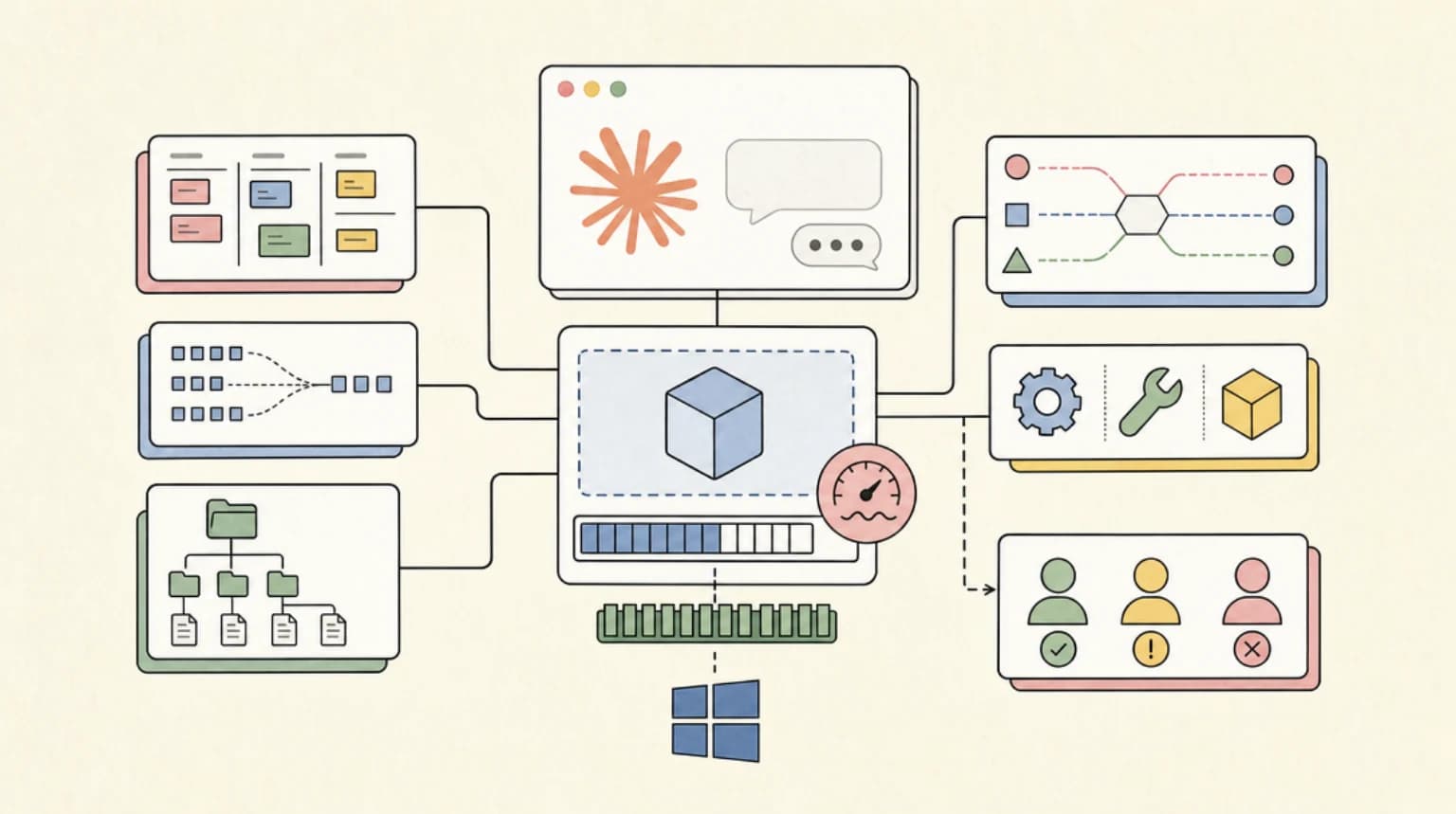
When Claude Desktop starts on Windows, it triggers the Hyper-V Host Compute Service (vmcompute) via an RPC interface event. That service spins up a vmwp.exe process that hosts a full virtual machine. In Task Manager this shows up as Vmmem. The memory consumption is consistently around 1.8 GB, regardless of whether you ever open the Cowork tab or intend to run any agentic task.
The VM is the infrastructure backing Claude's Cowork feature - the local agentic mode where Claude can execute code, browse files, and interact with your desktop on your behalf. If you mainly want terminal-first workflows, Claude Code does not bundle this VM at all. To do that safely, Anthropic sandboxes everything inside a VM so that an agent action cannot reach outside the container into your host OS. That is a legitimate security decision. The problem is that the VM starts unconditionally on every app launch, not on demand when you actually start a Cowork session.
The original bug report, filed by user tonyrice in the anthropics/claude-code GitHub repository (issue #29045), describes the setup precisely: a Razer Blade 15 with 16 GB RAM, WSL not installed, Hyper-V management tools not installed, Docker not installed, Windows Sandbox disabled. The only enabled virtualization feature is VirtualMachinePlatform. And yet, on every launch, vmcompute fires up and a full VM appears.
The report also found 2,689 stale session files in %APPDATA%\Claude\local-agent-mode-sessions\ - named in the Docker-style format (nifty-dreamy-volta, tender-vigilant-goodall) - accumulated from previous Cowork sessions that were never cleaned up. Even after deleting all 2,689 files and manually killing the VM processes, reopening Claude Desktop immediately respawned the VM.
Who Gets Hit Hardest#
Not every Windows user experiences this the same way, but the people who feel it most are predictable.
| User profile | Impact |
|---|---|
| 16 GB RAM laptop, chat-only use | ~11% RAM consumed before opening a tab |
| Corporate machine with Hyper-V policy disabled | VM launch fails; app may behave unexpectedly |
| Machine with 256 GB SSD and full system drive | 1.8-10 GB gone from an already-tight disk budget |
| Developer running Docker + WSL2 simultaneously | Memory pressure from multiple competing hypervisors |
| User with VirtualMachinePlatform disabled entirely | VM does not start; Cowork feature unavailable |
| macOS user (separate but related issue #30972) | Apple VirtualMachine process loads at startup, reported at ~2.61 GB |
The corporate IT angle is particularly sharp. Many enterprises block or disable Hyper-V features via Group Policy for security and licensing reasons. On those machines, the VM launch fails and produces repeated errors in the Hyper-V Compute Admin event log: "The specified property query is invalid: The virtual machine or container JSON document is invalid. (0xC037010D, 'Invalid JSON document '$'')". These errors fire on every boot and every app launch.
One HN commenter noted that the VM comes with a roughly 10 GB VM bundle on disk that you cannot easily remove, in addition to the runtime RAM cost. Several users on the GitHub issue confirmed they had the same Vmmem behavior even with a work account where Cowork was explicitly disabled at the organizational level.
Why Anthropic Ships It This Way#
The design rationale is understandable, even if the implementation is not. Local agent sandboxing requires isolation. When Claude can read your filesystem, execute shell commands, and interact with running applications, you need a hard boundary between the agent and the host. A VM provides that boundary more reliably than process-level sandboxing. Anthropic is not wrong to use one.
The problem is the always-on startup behavior. As one HN commenter put it: "The VM itself is for Claude Cowork which does all work within the VM sandbox. That doesn't help answer why they spin it up immediately and don't have a way to disable it though."
Another commenter offered a reasonable counterpoint: their own agent harness spins up a VM on demand, shuts it down after 10 minutes of inactivity, and warms back up when the user returns. The round-trip is fast enough that users do not notice the cold-start delay. Claude Desktop does not do this. It pre-warms the VM regardless of intent.
The charitable read is that Anthropic wants Cowork to feel instant - no "starting sandbox..." delay when you switch tabs. The less charitable read, from another commenter: "Rule 1 with making number go up is you eliminate friction at all costs. The user's hard drive is free to you, so there's no reason to gate a feature you want them to use based on that. 98% of them will have no idea you're foisting garbage on them."
This fits a broader pattern. Anthropic has been shipping agentic infrastructure aggressively throughout 2026. Claude Code, Cowork, computer-use - each one assumes that local resources are available and that the user wants the full feature set by default. The Fable 5 architecture assumes capable local hardware and always-connected machines. Windows laptops with 16 GB RAM are not that.
Workarounds That Actually Work#
The GitHub issue has produced several verified approaches, with different trade-offs.
Update (June 10, 20:07 UTC): a config-level workaround surfaced. User gtirloni on the GitHub issue reports that adding the following to Claude Desktop's app config file (Developer menu, then Open App Config File) may disable the VM startup entirely:
{
  "preferences": {
    "secureVmFeaturesEnabled": false
  }
}
This is community-reported and not confirmed by Anthropic. If it holds up, it is the cleanest option on this list - no registry edits, no killed processes. Verify the VM stays down after an app restart before relying on it.
Disable the CoworkVMService via the registry. User Ti-flo on the GitHub issue documented this approach: set the service start type to disabled using PowerShell.
Set-ItemProperty -Path "HKLM:\SYSTEM\CurrentControlSet\Services\CoworkVMService" -Name "Start" -Value 4
This prevents the VM from launching at startup. The service display name in Windows Services is simply "Claude." Chat continues to work normally after this change. Cowork will not function. The ~2 GB rootfs files remain on disk.
Kill the VM processes manually after each launch. If you want to keep Cowork available occasionally but reclaim memory for normal use:
Stop-Process -Name vmwp -Force
Stop-Process -Name vmcompute -Force
Chat works fine after killing these processes. You will need to repeat this after each launch, or script it.
Disable VirtualMachinePlatform entirely. The nuclear option from the original bug report:
Disable-WindowsOptionalFeature -Online -FeatureName "VirtualMachinePlatform" -NoRestart
This prevents the VM from launching but also disables WSL2 and any other Hyper-V dependent features on your machine. Requires a reboot.
Disable auto-login in Claude Desktop. Multiple users on the GitHub thread noted that disabling the auto-login feature prevents the VM from spawning on OS boot, since the Cowork infrastructure only triggers when the app actually launches. This does not help if you launch the app manually, but it stops the background drain if Claude Desktop starts with Windows.
Use Claude.ai in the browser. If you do not need MCP server integrations or local file access, the web app has no local resource cost. For pure chat and API access, this is the zero-overhead alternative.
Use Claude Code CLI directly. Claude Code runs in your terminal and does not bundle the Cowork VM infrastructure. It has its own sandboxing model but you control when and how it runs.
What This Tells Us About Local Agent Architecture#
The VM approach is not going away. If anything, the trend is toward more isolation, not less. When an AI agent can write and execute arbitrary code on your machine, the security argument for VM-level sandboxing is strong. The question is not whether to sandbox but how to make that sandboxing demand-driven rather than always-on.
The right model looks something like this: the VM initializes when the user opens the agentic interface, suspends or checkpoints after an idle window, and resumes within a second or two when the user returns. That gives you the security guarantee without the permanent 11% RAM tax. It is not a hard engineering problem - container systems have done cold-start optimization for years.
What makes this moment interesting is that Anthropic is not the only company heading here. Any AI assistant that does more than generate text will need some form of local execution environment. How that environment is managed - its startup cost, its disk footprint, its interaction with enterprise security policy - is going to become a standard part of the "requirements" section for AI desktop tools over the next year. The Claude Desktop situation is an early version of a conversation the whole industry is about to have.
The Fable 5 architecture series has covered data boundaries, retention policies, and compliance requirements. The local sandbox resource cost is the same conversation at the hardware layer. Developers and IT teams need to understand that installing a modern AI assistant is increasingly equivalent to installing a lightweight hypervisor. That is worth knowing before the deployment.
FAQ#
Can I use Claude Desktop for chat without the VM running?#
Yes. Chat functionality continues to work normally after killing the vmwp and vmcompute processes, or after disabling the CoworkVMService. The VM is only required for Cowork and local agentic tasks. Multiple users on the GitHub issue confirmed that manual process termination does not break the chat experience.
Does disabling Hyper-V break anything else on my machine?#
Disabling VirtualMachinePlatform entirely will also disable WSL2, Windows Sandbox, and any other software that depends on the Hyper-V backend, including Docker Desktop in its default configuration. The registry approach (setting CoworkVMService start type to 4) is more surgical and only affects Claude's Cowork infrastructure.
Is this a Windows-only issue?#
No. A related issue (#30972 in the same repository) documents the same behavior on macOS, where an Apple VirtualMachine process loads at startup consuming approximately 2.61 GB. The underlying cause is the same: Cowork VM infrastructure initializes unconditionally at app launch rather than on demand.
Does this affect corporate / managed Windows machines?#
Yes, and often more severely. On machines where Hyper-V is blocked by Group Policy, the VM launch attempt fails repeatedly and produces errors in the Windows event log. This can trigger IT alerts and is a practical blocker for enterprise Claude Desktop deployments on locked-down hardware.
Has Anthropic acknowledged this and is a fix coming?#
The GitHub issue is open as of June 10, 2026 with confirmed reproduction from multiple users. The issue requests three specific changes: lazy initialization of VM infrastructure (only when Cowork is actively requested), automatic cleanup of stale session files, and graceful fallback for environments where VM infrastructure cannot start. Anthropic has not shipped a fix as of this writing.
Continue Reading#
- Claude Code vs Codex vs Copilot CLI: Local Sandboxes Compared - the lighter-weight OS sandboxes coding agents use instead of a full VM
- The Pushback on Amodei's Exponential Essay: Too Slow, Too Convenient, or About Right?
- Anthropic Claude Tag Turns Slack Into a Shared Agent Workspace
- Claude - the apps, plans, and limits on one page
- Code Sandboxes for AI course - how VM and container isolation for agents works, hands-on
Sources#
- GitHub issue #29045 - anthropics/claude-code: https://github.com/anthropics/claude-code/issues/29045
- GitHub issue #30972 - macOS Cowork VM loads on launch: https://github.com/anthropics/claude-code/issues/30972
- Hacker News discussion (267 points, June 10 2026): https://news.ycombinator.com/item?id=48479452
- HN Algolia search API: https://hn.algolia.com/api/v1/search?query=claude%20desktop%20hyper-v&tags=story
Get the next deep dive like this in your inbox
One email a week on claude and the rest of the AI dev stack. Free.
Read next on Claude Code
Claude Fable 5 Access After the June 22 Deadline: Where Things Stand
Claude Fable 5 access after the June 22 free window closed on Pro, Max, Team and Enterprise plans: what credits cost now and how to control Fable 5 spend.
6 min readMigrating to Claude Fable 5: The Practical Guide
Migrating to Claude Fable 5 from Opus 4.8 or older models - every breaking change, what to delete from your code, and the prompt audit to run before switching.
9 min readFable 5 on AWS Bedrock: When Your Data Leaves the AWS Boundary
Claude Fable 5 on Amazon Bedrock: how the 30-day retention rule and provider_data_share mode affected the AWS data boundary, updated for the aws_review mode.
7 min readTechnical content at the intersection of AI and development. Building with AI agents, Claude Code, and modern dev tools - then showing you exactly how it works.