Superpowers for Claude Code: Install, Workflow, and When to Use It (2026)
TL;DR
Superpowers is an MIT-licensed skills plugin that gives Claude Code a full development methodology: brainstorm, plan, TDD, subagent execution, and review.
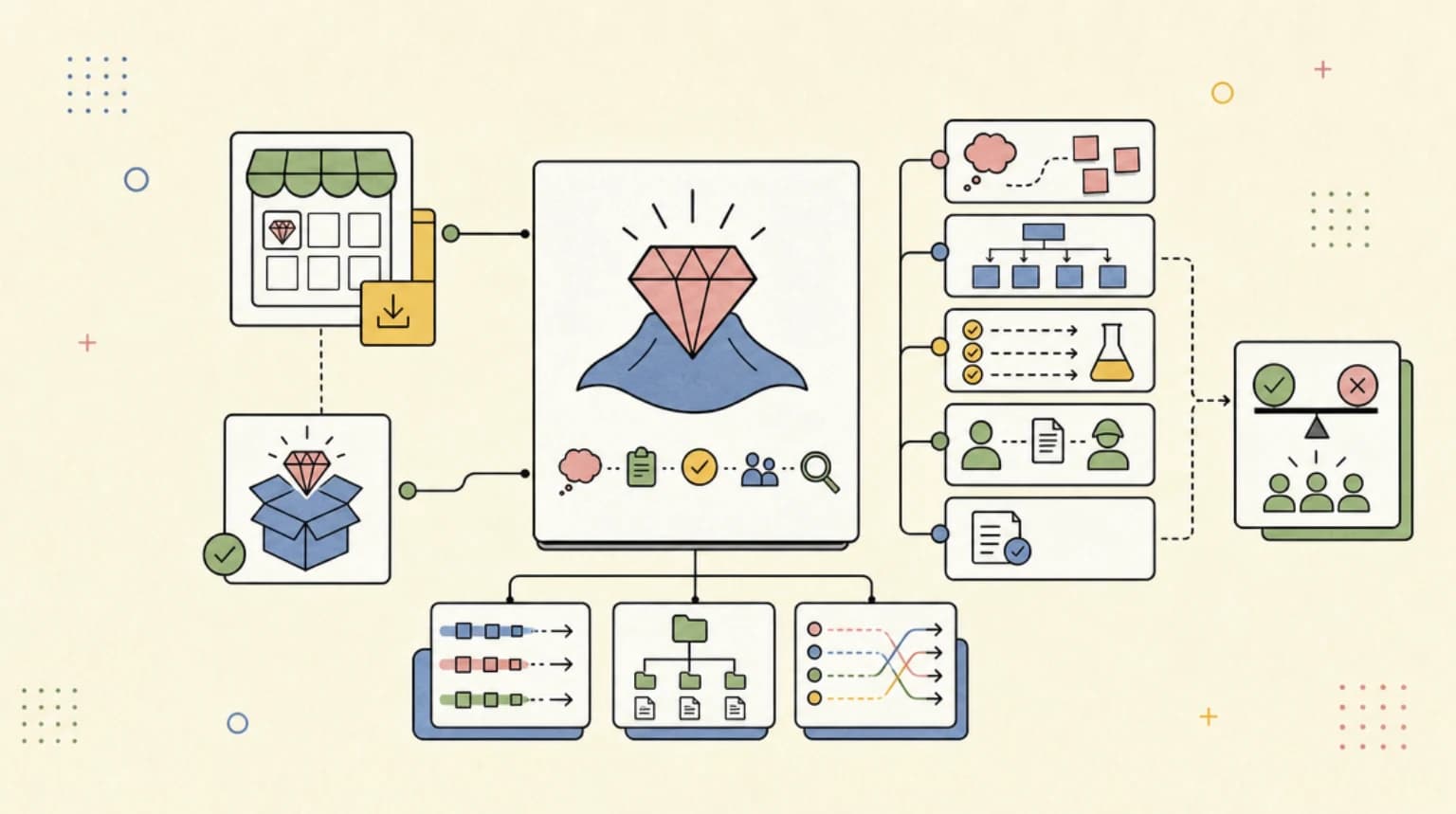
Superpowers is a free, MIT-licensed plugin by Jesse Vincent and Prime Radiant that turns Claude Code into a structured software process: it brainstorms a spec with you, writes a plan, then executes that plan with test-driven development and code review between tasks. Install it with /plugin install superpowers@claude-plugins-official, because it now ships in Anthropic's official plugin marketplace. Use it for multi-step feature work where a plan and tests pay for themselves; skip it for one-line fixes and quick questions.
Last updated: September 28, 2026. Install commands, skill names, and version numbers below were checked against the obra/superpowers README, its release notes, and Anthropic's official marketplace catalog on that date.
If you are new to skills in general, start with the Claude Code skills and plugins hub, which covers where skills live and how plugins package them. This post is the deep dive on one plugin: the methodology bundle that keeps showing up in "claude code plugins" and "superpowers claude code" searches.
Superpowers at a Glance#
| Question | Answer (verified September 28, 2026) |
|---|---|
| What is it? | A skills library plus bootstrap instructions that make your agent follow a development methodology |
| Author | Jesse Vincent and Prime Radiant |
| License | MIT |
| Current version | v6.4.2 (released September 25, 2026) |
| Claude Code install | /plugin install superpowers@claude-plugins-official |
| Other harnesses | Codex (app and CLI), Cursor, Gemini CLI, GitHub Copilot CLI, Antigravity, OpenCode, and more, each with its own install |
| GitHub | obra/superpowers, roughly 292k stars on the day we checked |
| Price | Free. Prime Radiant offers optional commercial support for enterprises |
What Superpowers Actually Is#
The README describes Superpowers as "a complete software development methodology for your coding agents." In practice it is two things bundled into one Claude Code plugin:
- A library of skills. Each is a
SKILL.mdfolder that Claude loads on demand, exactly like any Claude Code skill. Superpowers ships skills for brainstorming, planning, TDD, debugging, code review, worktrees, and writing new skills. - A session-start bootstrap. A hook injects a short
using-superpowersinstruction at the start of each session so the agent checks for a relevant skill before it acts. That is the part that makes the workflow feel automatic instead of opt-in.
The official marketplace listing sums it up as teaching Claude "brainstorming, subagent driven development with built in code review, systematic debugging, and red/green TDD," plus how to author and test new skills.
Install Superpowers in Claude Code#
There are two supported routes. Use the first one unless you specifically want Prime Radiant's companion plugins.
Route 1: Anthropic's official marketplace (recommended)#
Claude Code registers the claude-plugins-official marketplace automatically the first time you start an interactive session, per the plugin install docs. So in a session:
/plugin install superpowers@claude-plugins-official
In current Claude Code builds that command opens the /plugin panel on the plugin's details instead of installing immediately. Review what it adds (skills, hooks), pick a scope, and confirm:
- User scope - every project on this machine
- Project scope - written to
.claude/settings.jsonso collaborators get it - Local scope - just you, just this repo
From a shell or setup script, the equivalent is:
claude plugin install superpowers@claude-plugins-official
On a fresh machine where no interactive session has run yet, the docs say to register the marketplace first with claude plugin marketplace add anthropics/claude-plugins-official.
Route 2: The Superpowers marketplace#
Prime Radiant runs its own marketplace with Superpowers and related plugins:
/plugin marketplace add obra/superpowers-marketplace
/plugin install superpowers@superpowers-marketplace
Do not install from both. Two copies of the same skills means duplicate triggers and wasted context.
Confirm it works#
Type / and look for skills namespaced as /superpowers:<skill>, or run claude plugin list in your shell. The README's own smoke test is a good one: start a fresh session and ask for something like a small todo app. A working install triggers brainstorming before any code is written.
The Workflow, Step by Step#
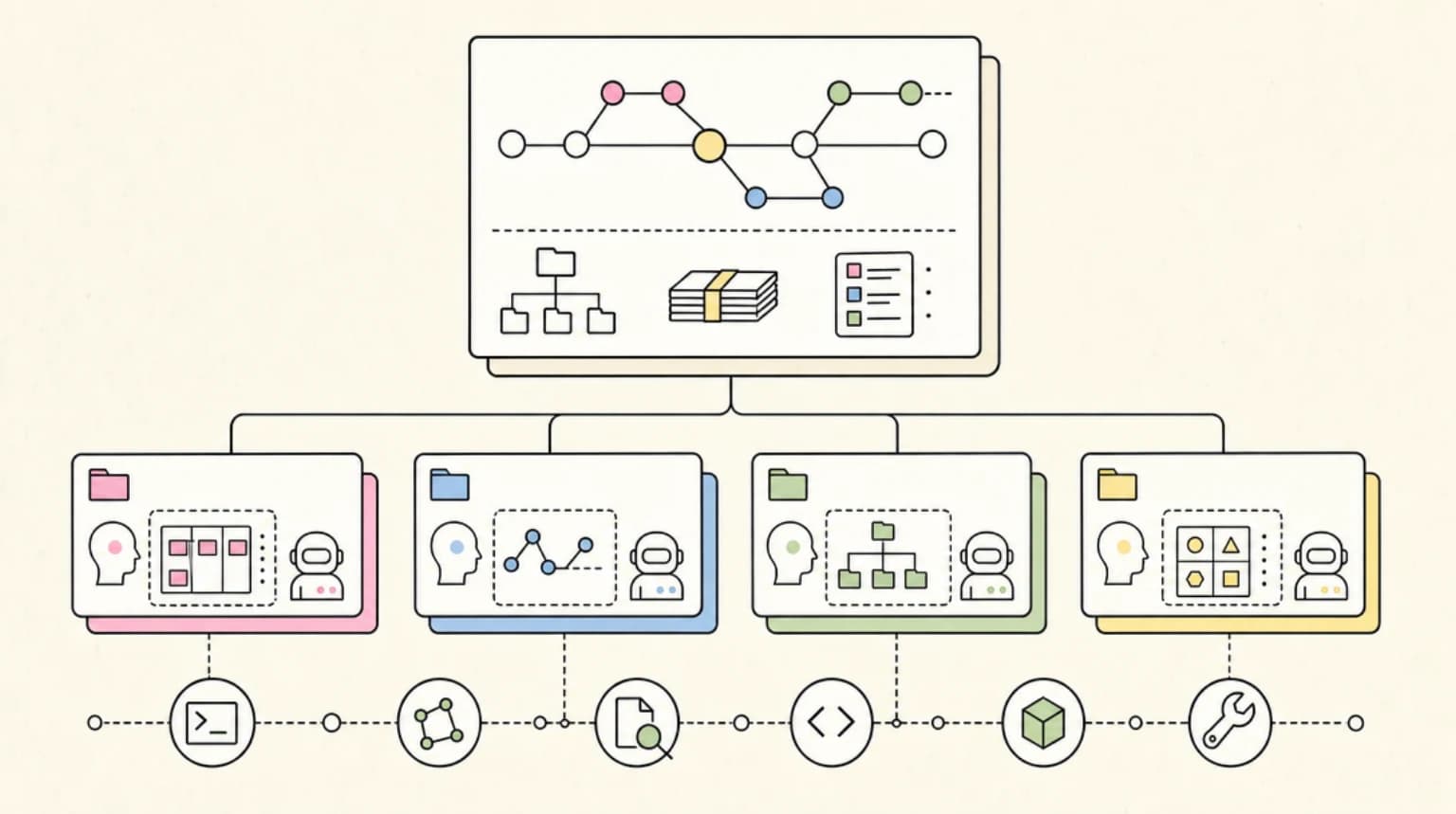
This is the core loop from the README, in the order the skills fire:
| Step | Skill | What happens |
|---|---|---|
| 1 | brainstorming | Before any code, the agent asks what you are really building, explores alternatives, and shows the design in short sections for you to approve. It saves a design doc |
| 2 | using-git-worktrees | After you approve the design, it creates an isolated worktree on a new branch, runs setup, and checks for a clean test baseline |
| 3 | writing-plans | It breaks the work into small tasks with exact file paths, signatures, test assertions, and verification steps |
| 4 | subagent-driven-development or executing-plans | Either a fresh subagent per task with review after each (most thorough), or inline execution in the current session with one review at the end (cheapest) |
| 5 | test-driven-development | Enforces red, green, refactor. The README is blunt: it deletes code written before tests |
| 6 | requesting-code-review | Reviews work against the plan between tasks; critical issues block progress |
| 7 | finishing-a-development-branch | Verifies tests, then offers merge, PR, keep, or discard, and cleans up the worktree |
If the worktree and subagent steps are new to you, our guides on Git worktrees for parallel Claude Code agents and Claude Code sub-agents explain the primitives Superpowers is orchestrating.
Everything Else in the Box#
Beyond the main loop, the skills library includes:
- Debugging:
systematic-debugging(a four-phase root-cause process),verification-before-completion, anddiagnosing-superpowers - Collaboration:
dispatching-parallel-agents,receiving-code-review - Meta:
writing-skills(create and test new skills) andusing-superpowers(the bootstrap)
diagnosing-superpowers is new in v6.4.1 and genuinely useful. When a session goes sideways - a skill that should have fired did not, the agent ignored its plan, or the bill looks high - ask Claude to "figure out what went wrong with superpowers in this session." It reads the transcript and reports what happened with line-level evidence.
What Changed in v6.4 (September 2026)#
The two most recent releases are worth knowing because they change day-to-day behavior:
- v6.4.1 (September 18):
executing-planswas rebuilt as a real "native" execution mode, a cheaper alternative to one-subagent-per-task. It no longer stops every few tasks to check in; it runs the whole plan and gets one review at the end. The plan handoff now offers both modes and recommends one with a reason. You also review the saved plan before anything runs. - v6.4.2 (September 25):
writing-plansproduces leaner plans that record decisions (signatures, test assertions, spec values) instead of writing out full code. The release notes say some frontier models, including Opus 5.5, were getting overzealous during plan writing, and the new format fixes that.
In Claude Code, auto-update is on by default for claude-plugins-official and off by default for third-party marketplaces such as superpowers-marketplace, per the install docs. Plugins refresh on session start, and you can force one with claude plugin update superpowers@claude-plugins-official. That default is another reason to prefer Route 1.
When to Use Superpowers (and When Not To)#
Superpowers is opinionated on purpose. That is its value and its cost.
| Situation | Use Superpowers? | Why |
|---|---|---|
| New feature spanning several files | Yes | The spec, plan, and TDD loop catch the misunderstandings that cost the most |
| Greenfield project or prototype you intend to keep | Yes | Design doc plus tests gives you a foundation instead of a demo |
| Long autonomous run while you are away | Yes | The README notes agents can work for a couple of hours without drifting from an approved plan |
| Bug with an unclear cause | Partially | systematic-debugging alone is worth it; the full loop may be overkill |
| One-line fix, rename, or config tweak | No | Brainstorming before a typo fix is pure overhead |
| Exploratory spike you will throw away | No | Plans and tests slow down learning what you want |
| Repo with its own strict workflow skills | Maybe | Overlapping skills fight each other; pick one methodology |
Two practical tips:
- Choose the execution mode deliberately. Subagent-driven development is the most thorough and the most token-hungry. Native execution is cheaper. If you are on a Pro plan and watching usage limits, default to native for routine plans.
- Skip the loop explicitly when you need to. Telling Claude "quick fix, skip brainstorming" is a legitimate move. The skills trigger automatically; they are not a cage.
Using Superpowers Outside Claude Code#
The same repository ships plugin manifests for other agents. Per the README, each harness installs separately:
| Harness | Install |
|---|---|
| Codex app | Plugins sidebar, then Superpowers in the Coding section |
| Codex CLI | /plugins, search superpowers, select Install Plugin |
| Cursor | /add-plugin superpowers in Agent chat |
| Gemini CLI | gemini extensions install https://github.com/obra/superpowers |
| GitHub Copilot CLI | copilot plugin marketplace add obra/superpowers-marketplace then copilot plugin install superpowers@superpowers-marketplace |
| Antigravity | agy plugin install https://github.com/obra/superpowers |
That portability is a nice signal about where the ecosystem is heading. We covered the standards side of it in Agent Plugins 1.0.0.
Security and Telemetry Notes#
Superpowers runs a session-start hook, and Anthropic's docs are clear that plugins can run hooks and MCP servers on your machine, so read the details pane before installing any plugin. Being in the official marketplace means Anthropic lists it, but the catalog entry points at the upstream GitHub repo, so treat updates like any dependency bump. Our post on skill files as a supply-chain surface goes deeper on why.
On telemetry: the README says the optional visual companion in brainstorming loads a logo from Prime Radiant's site that includes the Superpowers version, and nothing about your project or prompts. Set SUPERPOWERS_DISABLE_TELEMETRY to any true value to turn it off. It also honors Claude Code's DISABLE_TELEMETRY and CLAUDE_CODE_DISABLE_NONESSENTIAL_TRAFFIC opt-outs.
FAQ#
What is Superpowers for Claude Code?#
Superpowers is an open-source skills plugin that gives Claude Code a full development methodology: brainstorming a spec, writing a plan, executing it with subagents or inline, enforcing test-driven development, and reviewing code between tasks. It is MIT licensed and maintained by Jesse Vincent and Prime Radiant.
How do I install the Superpowers plugin?#
In a Claude Code session run /plugin install superpowers@claude-plugins-official, review the details pane, pick a scope, and confirm. From a shell, run claude plugin install superpowers@claude-plugins-official. Alternatively, add obra/superpowers-marketplace and install superpowers@superpowers-marketplace, but use only one source.
Is Superpowers free?#
Yes. The plugin is free and MIT licensed. You still pay for the Claude Code usage it consumes, and the subagent-heavy execution mode uses more tokens than a plain session. Prime Radiant offers optional paid support for enterprises.
Does Superpowers work with Codex and Cursor?#
Yes. The repository includes plugin manifests for the Codex app and CLI, Cursor, Gemini CLI, GitHub Copilot CLI, Antigravity, OpenCode, and several others. Each harness needs its own install.
How do I stop Superpowers from brainstorming on small tasks?#
Tell Claude the task is small and to skip brainstorming, or disable the plugin for that repo with claude plugin disable superpowers@claude-plugins-official --scope local. The skills are triggered by context, so a clear instruction usually wins.
What is the difference between subagent-driven development and executing-plans?#
Subagent-driven development dispatches a fresh subagent for each task and reviews after each one, which is the most thorough and most expensive option. executing-plans (native mode since v6.4.1) implements every task in the current session and runs one review of the whole branch at the end, which is cheaper.
Sources#
All fetched September 28, 2026:
- obra/superpowers README - install commands, workflow, skills library, telemetry
- Superpowers release notes - v6.4.1 and v6.4.2 changes
- Superpowers plugin manifest - version 6.4.2, MIT license
- anthropics/claude-plugins-official marketplace.json - official listing and description
- Claude Marketplace: Superpowers - web listing
- Claude Code docs: Install and manage plugins - scopes, shell install, updates
- Claude Code docs: Anthropic's marketplaces - official, community, and demo marketplaces
Continue Reading#
- Best Claude Code Skills and Plugins in 2026 - the hub for finding, installing, and choosing skills
- What Are Claude Code Skills? - the SKILL.md format from scratch
- Claude Code Plugin Evals Make Agent Extensions Testable - how to measure whether a plugin helps
- Git Worktrees for Parallel Claude Code Agents - the isolation primitive Superpowers relies on
- Claude Code Usage Limits Playbook - keep a methodology plugin from eating your quota
Get the next deep dive like this in your inbox
One email a week on Claude Code and the rest of the AI dev stack. Free.
Read next on Claude Code
Best Claude Code Skills and Plugins in 2026: Where to Find, Install, and Choose Them
The Claude Code skills and plugins hub: what skills are, where to find them (Anthropic's official marketplace, anthropics/skills, top GitHub repos), how the plugin marketplace works, the Superpowers methodology plugin, exact install commands, and the picks worth your context budget.
14 min readWhat Are Claude Code Skills? A Complete Beginner Guide
Skills are how you stop copy-pasting the same workflow into Claude Code every session. What they are, how to write one, and where to find hundreds ready to use. Fact-checked against Anthropic's docs.
11 min readClaude Code Sub Agents: Parallel AI Development
Claude Code subagents let you split coding work across specialized assistants with their own context, tools, and instructions. The trick is using them for bounded work, not theatrical agent swarms.
8 min readTechnical content at the intersection of AI and development. Building with AI agents, Claude Code, and modern dev tools - then showing you exactly how it works.