Goose: The Open Source AI Agent With 70+ MCP Extensions
TL;DR
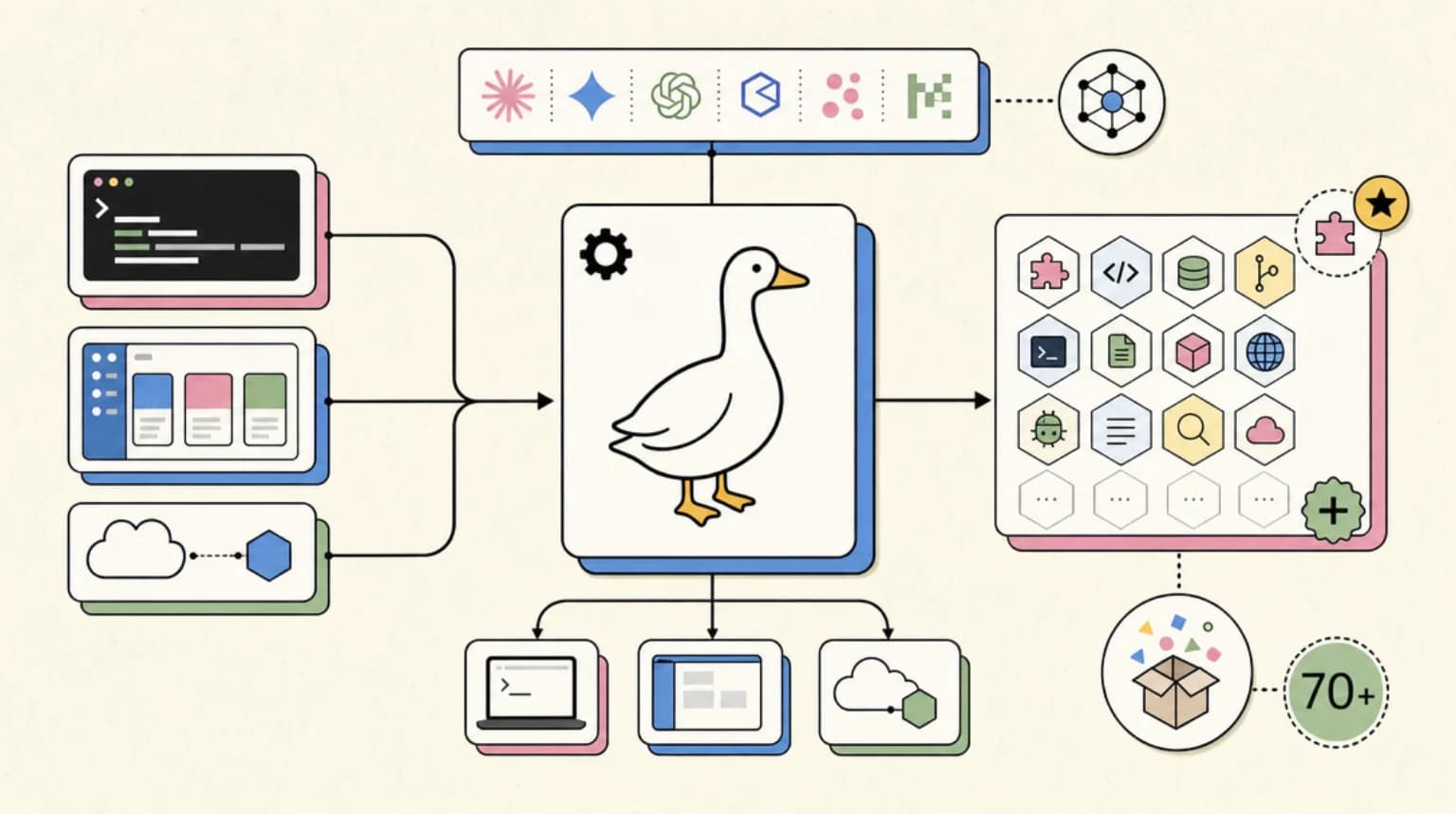
Goose is an open-source Rust AI agent with a desktop app, CLI, and API that works across 15+ LLM providers and 70+ MCP extensions.
Goose is one of the more useful open-source agent projects to watch because it is not trying to be another editor sidebar. It is a native local agent runtime with a desktop app, a CLI, and an API surface, built in Rust and designed to work across model providers.
Last updated: June 24, 2026
The project now lives at aaif-goose/goose after moving from Block to the Agentic AI Foundation at the Linux Foundation. The old block/goose repository redirects to the new home, and the GitHub API currently shows the project above 50,000 stars with an Apache-2.0 license.
That combination matters: Goose is popular, local, open source, provider-neutral, and built around the Model Context Protocol. If you care about terminal agents becoming portable runtime surfaces, Goose is one of the cleanest examples of that pattern.
What Goose Actually Is#
The README describes Goose as a general-purpose AI agent that runs on your machine. It is not only for code. The project positions it for research, writing, automation, data analysis, and workflow execution.
The core surfaces are:
- Desktop app for macOS, Linux, and Windows
- CLI for terminal workflows
- API for embedding Goose into other systems
- MCP extensions for connecting tools and data sources
- Provider support across Anthropic, OpenAI, Google, Ollama, OpenRouter, Azure, Bedrock, and more
That shape makes Goose different from a tool like Cursor or Claude Code. It can help with coding, but it is not locked to an IDE workflow. It is closer to a local automation layer that can read files, run commands, call tools, edit code, and continue a multi-step task.
If local coding agent workspaces are becoming the new IDE surface, Goose is the open-source runtime version of that argument.
Why The MCP Extension Model Matters#
Goose's biggest strategic advantage is its extension layer. The project says it connects to 70+ extensions through MCP, which means the integration work is not trapped inside Goose.
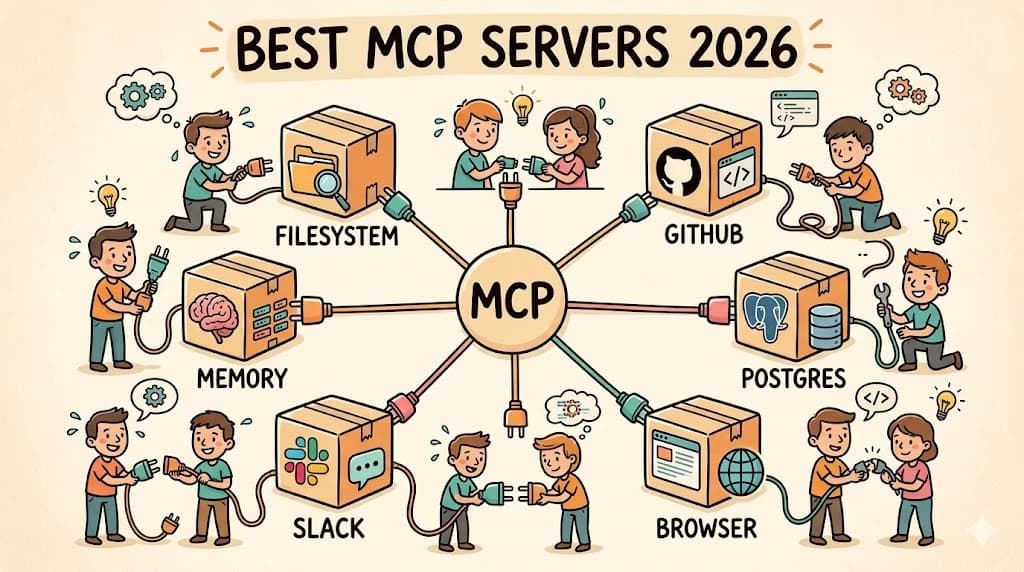
MCP is becoming the shared tool protocol across agent clients. We have covered it in the MCP primer and the complete MCP server guide, but the short version is this: MCP lets an agent client call external tools through a standard protocol instead of every tool inventing its own plugin system.
For Goose, that means a file tool, database tool, internal API tool, or browser control tool can become part of the same session model. For teams, it means the work invested in MCP servers can compound across Goose, Claude Code, Cursor, OpenAI clients, and other runtimes.
That is why Goose is more interesting than the star count. Stars are a popularity signal. MCP compatibility is the portability signal.
Provider Neutrality Is The Real Selling Point#
The Goose README lists support for 15+ providers and specifically mentions Anthropic, OpenAI, Google, Ollama, OpenRouter, Azure, and AWS Bedrock. It also points to ACP support for using existing Claude, ChatGPT, or Gemini subscriptions.
That matters because agent workflows should not be permanently welded to one model vendor. The right model for a repo-wide refactor may be different from the right model for log summarization, local file cleanup, or a cheap background research pass.
This is the same direction behind OpenRouter-style routing, local model workflows, and Claude Code vs Codex vs Cursor vs OpenCode. The durable value is not only the chat UI. It is the harness around the model: tools, memory, permissions, logs, execution, and repeatable workflow.
Goose gives developers a way to keep that harness local and open.
Installing Goose#
The CLI install path from the current README is:
curl -fsSL https://github.com/aaif-goose/goose/releases/download/stable/download_cli.sh | bash
The project also links to desktop app downloads through its documentation site. After installation, you configure a model provider, then run tasks through the CLI or desktop app.
The right first test is not "rewrite this whole codebase." Start smaller:
- Ask Goose to summarize a project directory.
- Ask it to make a tiny change and run the relevant test.
- Add one MCP extension.
- Repeat the same task with a different provider.
- Check the logs and diffs before trusting it with larger work.
That sequence tells you more than a demo video. It tests local file access, command execution, provider configuration, tool calling, and error recovery.
Where Goose Fits Beside Claude Code And OpenCode#
Goose is not automatically better than Claude Code, Codex, OpenCode, or Cursor. It is useful in a different lane.
Use Goose when you want:
- A local open-source agent runtime
- Model-provider flexibility
- MCP extension portability
- A desktop plus CLI workflow
- A runtime you can inspect and modify
Use Claude Code or Codex when you want a deeply integrated coding-agent loop with first-party model behavior, managed session ergonomics, or cloud-agent coordination. Use Cursor when the editor is the center of the workflow. Use OpenCode when you want a terminal-native, provider-flexible coding loop with a different interaction model.
The point is not to pick one forever. The better pattern is to build agent workspace contracts that let multiple agents operate safely in the same repo: clear permissions, scoped files, test commands, logs, and rollback.
Governance And Production Reality#
The AAIF and Linux Foundation move is a good signal, but it does not remove the normal operational questions.
If you plan to use Goose inside team workflows, check:
- How provider credentials are stored
- Which MCP extensions can access sensitive systems
- Whether command execution requires confirmation
- Where logs and transcripts live
- How you recover from a bad file edit
- Whether the extension you need is maintained
Open source makes inspection possible. It does not make the workflow safe by default.
That is why I would treat Goose as a strong candidate for non-critical automation, local research, repo analysis, and repeatable agent experiments before putting it in a production deployment path. It is powerful enough to be useful and young enough that teams should still wrap it with receipts.
The Takeaway#
Goose is worth tracking because it points at the next phase of open-source agents: local runtimes that are not tied to one editor, one model vendor, or one tool marketplace.
The interesting question is not "can Goose edit code?" Many agents can. The interesting question is whether Goose can become a stable local harness for MCP tools, provider routing, and repeatable workflows.
That is the part to watch.
FAQ#
What is Goose?#
Goose is an open-source AI agent runtime with a desktop app, CLI, and API. It runs locally, supports multiple LLM providers, and extends through Model Context Protocol integrations.
Is Goose still a Block project?#
The repository moved from Block to aaif-goose/goose under the Agentic AI Foundation at the Linux Foundation. The old block/goose GitHub path redirects to the new repository.
How is Goose different from Claude Code?#
Claude Code is a first-party Anthropic coding-agent workflow. Goose is an open-source, provider-neutral local agent runtime. Goose can use Anthropic models, but it is designed to work across many providers and MCP extensions.
Is Goose production ready?#
Goose is useful for local automation, repo analysis, and agent experiments, but teams should still wrap it with credential controls, command permissions, logs, and rollback before using it in workflows with production consequences.
Continue Reading#
Sources#
Get the next deep dive like this in your inbox
One email a week on Trending and the rest of the AI dev stack. Free.
Read next on AI coding tools
DeepSeek-TUI: The Rust Terminal Coding Agent With MCP, Skills, and 1M-Token Context
DeepSeek-TUI is a Rust terminal coding agent for the DeepSeek V4 API, with MCP support, a skills system, 1M-token context and three modes for risk tolerance.
6 min readHeadroom: Compress Agent Tool Output Before It Reaches the LLM
Headroom compresses AI agent tool outputs, logs, and files before they reach the LLM, claiming 60-95% token savings with benchmarked accuracy. How it works.
8 min readCloudflare OS: The Open Source Agent Workspace That Treats Apps Like Files
Cloudflare OS is an open source agent workspace: capability-based Gatekeepers, apps as private per-user instances, and approvals that keep agents moving.
8 min readNew here? Start with
Technical content at the intersection of AI and development. Building with AI agents, Claude Code, and modern dev tools - then showing you exactly how it works.